


Best Network Support Houston: 2026 Buyer’s Guide
Your team logs in at 8:00 a.m. By 8:07, the first video call freezes. By 8:20, the accounting folder takes forever to open. Someone in sales says the Wi-Fi dropped again in the conference room. Then a deeper concern emerges. If the network feels this unstable, what else is going wrong that nobody can see yet?
That's where most Houston business owners start looking into network support houston services. Not because they want another vendor, but because they're tired of losing time to problems that look small until they hit payroll, customer service, inventory, phones, remote access, or security. A business network isn't just cables and Wi-Fi. It's the path every important system uses to move.
In Houston, that decision has more weight than it does in many other markets. This city runs on connectivity across offices, job sites, cloud platforms, phones, and remote teams. If your network is patched together, reactive, or undocumented, you feel it everywhere. The fix usually isn't one more access point or one more firewall rule. It's a support model that treats the network like core business infrastructure.
Table of Contents
- Your Business Network is Your Lifeline
- Understanding the Core Components of Network Support
- Why Network Strategy is Different in Houston
- Securing Your Network and Meeting Compliance
- How Network Support Pricing and SLAs Work
- A Checklist for Choosing Your IT Partner
- Keeping Your Houston Business Connected and Secure
Your Business Network is Your Lifeline
When the network struggles, the symptoms rarely stay in the IT closet. Calls drop. Cloud apps lag. Printers disappear. Staff create workarounds that waste time and introduce risk. Owners usually notice the productivity loss first, but the deeper problem is that an unstable network turns everyday work into guesswork.
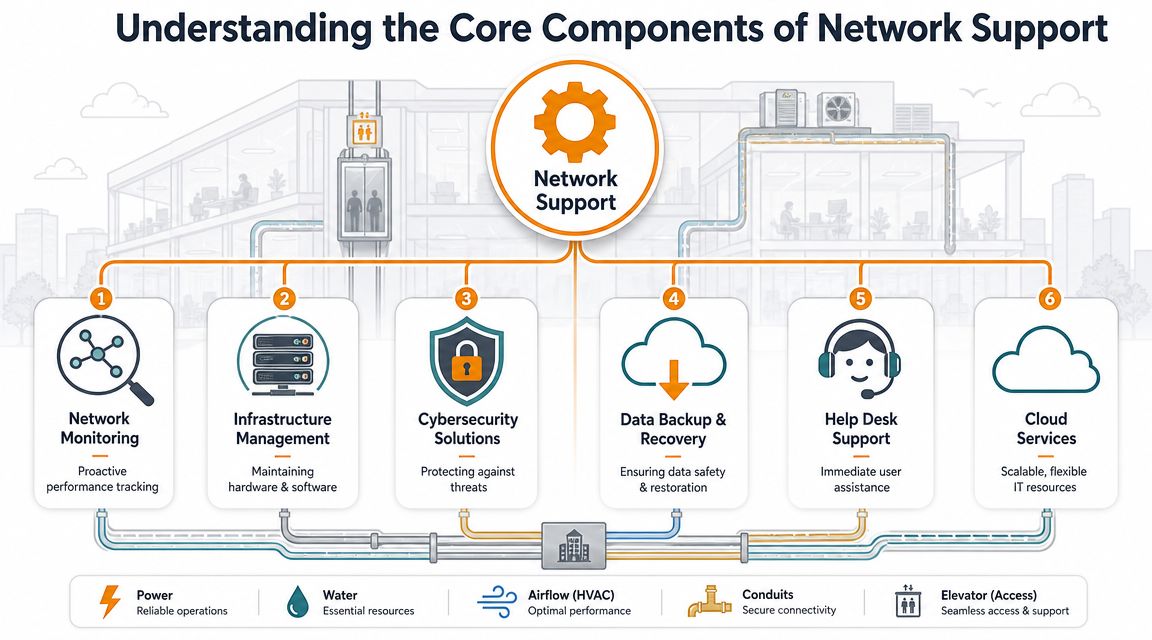
Think of the network like the wiring, plumbing, and climate control in a commercial building. If one part is unreliable, the whole place feels harder to work in. Your internet connection, switches, Wi-Fi, firewall, VPN, and cabling all depend on each other. A weak point in any one of them can ripple across the business.
Practical rule: If users keep reporting “random” issues, the problem usually isn't random. It's often poor visibility, weak design, or deferred maintenance.
That's why good support is proactive. It watches for congestion, failed hardware, bad wireless coverage, failing uplinks, and security gaps before they interrupt work. Break-fix support can get you through isolated incidents, but it won't give you consistency if the underlying network is messy, overloaded, or undocumented.
For Houston companies, that matters even more because many teams now rely on a mix of office work, remote access, cloud applications, VoIP, and branch connectivity. A network that was “good enough” a few years ago often isn't good enough now. What worked for a small office with basic internet use starts failing once you add Teams calls, security tools, file sync, guest Wi-Fi, and multiple vendors touching the same environment.
A reliable support partner should do more than reset equipment and close tickets. They should help you reduce outages, tighten security, document the environment, and make future changes without causing fresh downtime. That's the business case. Less scrambling, fewer interruptions, and a network that supports growth instead of slowing it down.
Understanding the Core Components of Network Support
A lot of business owners hear “network support” and picture someone fixing Wi-Fi when it breaks. That's only one slice of the job. A real support scope covers the systems that carry traffic, protect access, connect users, and keep problems from spreading.
If you want a good plain-English primer on the building blocks, this guide on how to set up a business network is a useful starting point. The main thing to understand is that every layer matters. Better internet alone won't fix poor switching, weak cabling, or a bad wireless layout.
What sits inside a real support scope
Here's the simplest way to think about it. Your network is like a commercial building's utility system.
- Network monitoring is the control panel and security camera view. It watches device health, traffic behavior, connection failures, and alerts so someone can catch trouble early.
- Structured cabling is the wiring in the walls. If it's messy, mislabeled, damaged, or poorly terminated, you'll get issues that feel intermittent and take too long to trace.
- Switches are the internal distribution grid. They move traffic between devices, phones, access points, servers, and uplinks. Cheap or misconfigured switching creates bottlenecks fast.
- Wi-Fi is the airspace people depend on all day. Good wireless support means coverage planning, channel management, roaming behavior, and separation between business and guest traffic.
- Firewalls and VPNs are the front door, the locks, and the guard station. They control who gets in, what's allowed out, and how remote users connect securely.
- Backup and recovery protect the business when something still goes wrong. Support isn't complete if nobody has tested how systems recover after ransomware, accidental deletion, or hardware failure.
A provider that only talks about internet speed usually isn't looking deep enough. Most recurring complaints come from interaction between layers. Bad cabling can look like a switch problem. Weak switch capacity can look like slow internet. Poor wireless design can look like application instability.
Remote support versus on site support
Remote support is ideal for monitoring, patching, configuration changes, user access issues, firewall reviews, and many troubleshooting tasks. It's faster for a lot of day-to-day work because engineers can log in immediately and see what the equipment is doing.
On-site support still matters. Someone has to replace failed hardware, test physical ports, inspect patch panels, verify access point placement, and trace issues that software tools can't see from afar. If your provider offers remote support only, you may save money on paper but lose time when the problem is physical.
The right mix isn't “remote or on site.” It's remote first for speed, with local hands available when the issue lives in the rack, the ceiling, or the wiring path.
That combination is what keeps support practical. You want fast triage, but you also want someone who can show up when the issue isn't solvable from a dashboard.
Why Network Strategy is Different in Houston
Houston isn't just another city with office parks and internet service options. It's a connectivity-heavy market where the network often sits closer to revenue, operations, and customer experience than owners first realize.
Houston is built for connectivity
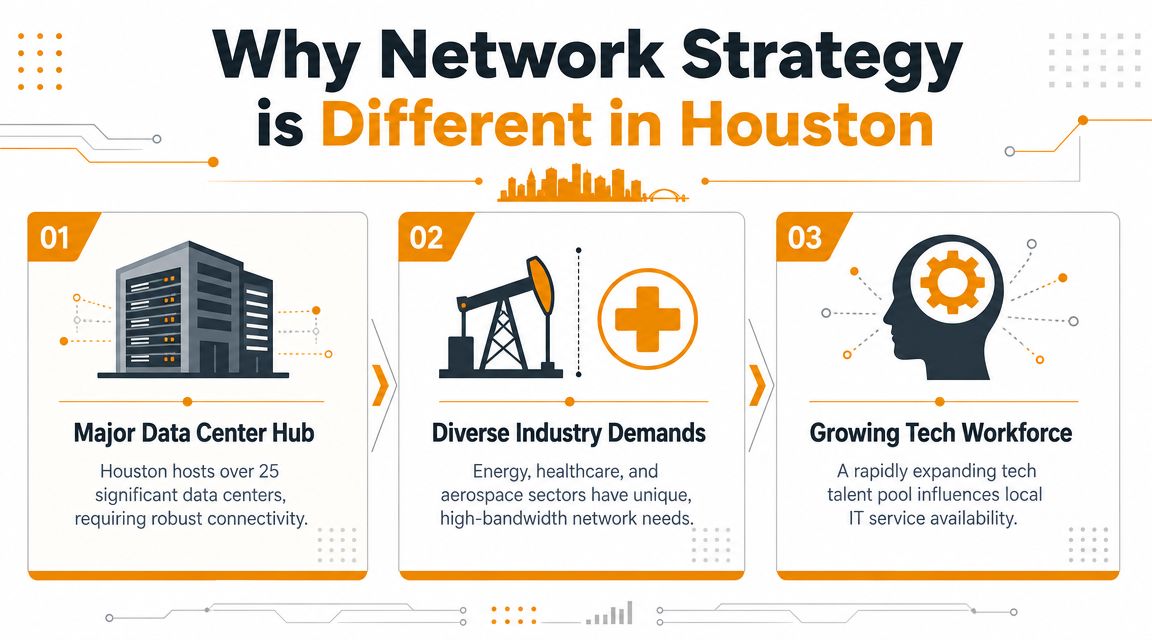
Houston has become a strategically important network and data-center hub. Netrality notes that Houston serves as a major network gateway and highlights its established fiber infrastructure as a core advantage for data-center growth, which supports why local businesses need resilient network operations rather than casual, reactive support. That same local context shows up in hiring demand. Indeed's Houston network support listings describe work around LAN/WAN switches, wireless access points and controllers, core switches, firewalls, VPNs, network design, and capacity planning.
That has a practical consequence for business owners. In a city with strong fiber density and heavy connectivity demands, downtime hurts more because the network touches more systems at once. Phones, cloud apps, remote users, file access, site-to-site connections, and wireless coverage all stack on the same foundation.
Some businesses can tolerate occasional slowness. Many Houston businesses can't. If your team handles field coordination, healthcare workflows, professional services, logistics, or multi-site operations, the network is part of how work gets delivered.
Why outsourcing often makes sense
Houston also has a large labor pool for network support, but that doesn't mean hiring is simple or cheap. The U.S. Bureau of Labor Statistics reported that Computer Network Support Specialists earned a median annual wage of $71,530 nationally in May 2023, with a range from $45,660 to $115,130, and Houston-area demand is active enough that Indeed lists 457 network support jobs in Houston across IT support, network engineering, and senior network engineering roles, as summarized by CITOC's Houston network support market overview.
That's one reason outsourced managed services can be cost-effective for small and midsize firms. You get access to broader skill coverage without trying to hire every specialty in-house. One business may need Wi-Fi troubleshooting this morning, firewall policy work this afternoon, and switch replacement planning next week. A single internal generalist often can't cover that depth consistently.
The trade-off is control versus breadth. An internal technician knows your environment closely. A managed provider should bring better process, more tool coverage, escalation paths, and exposure to more network scenarios. If you outsource, hold the provider to that standard. If they can't document, monitor, secure, and improve the environment, you're not getting true value.
Securing Your Network and Meeting Compliance
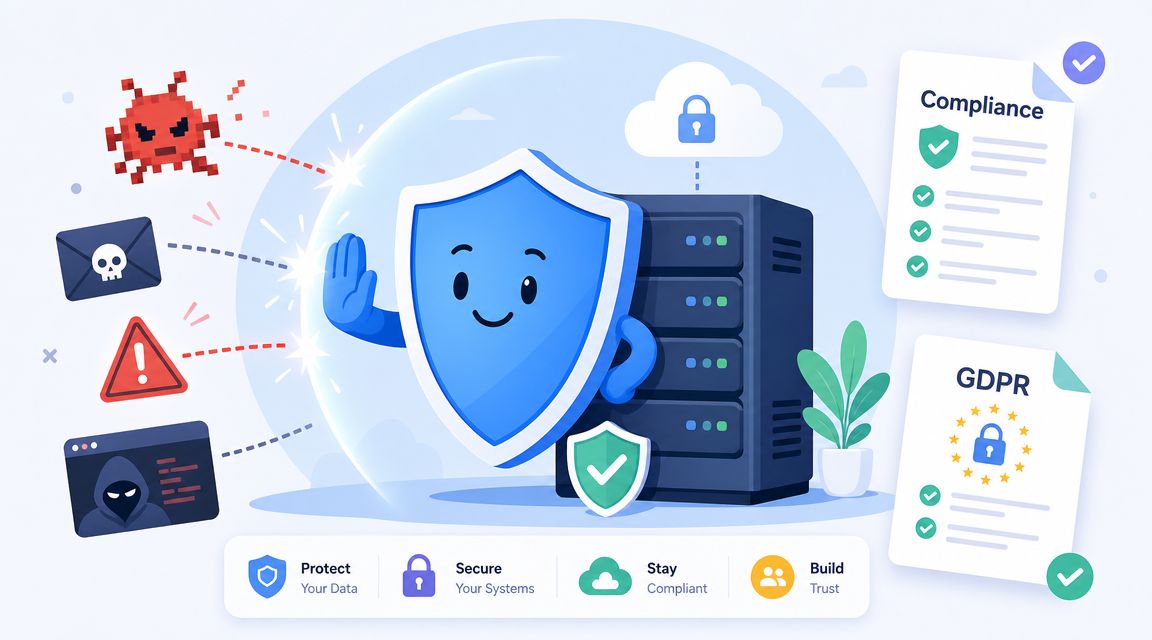
Security problems rarely start with a dramatic event. More often, they begin with small weaknesses. Old firewall rules. Shared credentials. Flat networks with no segmentation. Unpatched switches. Guest Wi-Fi touching the wrong resources. That's why security work belongs inside network support, not beside it.
Security starts with network design
A secure network is easier to manage because it's organized on purpose. Devices sit where they should. Access is limited by role. Traffic between systems is controlled. Backups are protected. Logs exist. Engineers can tell what “normal” looks like.
Houston businesses have a useful local model for resilient design. The City of Houston's facility standards specify a star topology for campus backbone fiber design and require at least one 24-strand OS2 singlemode fiber cable from each building to a central hub, as described in the City of Houston network standards PDF. In practical terms, that approach reduces the impact of failures and makes expansion easier.
That same principle applies to smaller business environments. You want isolation, clean uplink paths, clear demarcation between spaces, and fewer single points of confusion. If one closet, uplink, or segment fails, the whole business shouldn't go dark.
A helpful reference point is this overview of network security vulnerabilities your business must know and prepare for. The main lesson is simple. Most security failures are easier to prevent when the network is documented, segmented, monitored, and regularly reviewed.
Compliance is an operations issue
If you deal with protected health information, financial records, customer data, or regulated communication, compliance can't sit in a binder and gather dust. It has to show up in network design, permissions, vendor access, retention practices, backups, and incident response.
A compliant environment isn't one with more paperwork. It's one where the network enforces the rules the paperwork describes.
That's where tool choice matters. Endpoint protection, network visibility, and access control have to work together. Some Houston businesses use modern stacks built around products such as SentinelOne for endpoint security and Arista for network infrastructure and visibility. One local option, IT Cloud Global, LLC, provides network setup and monitoring, remote and on-site support, backup and disaster recovery, and security services that include partnerships with SentinelOne, Arista, Atakama, and Ultatel. For a buyer, the key question isn't the logo list by itself. It's whether the provider can implement those tools cleanly and support them after deployment.
A provider should be able to explain how they handle endpoint isolation, firewall policy review, Wi-Fi segmentation, Microsoft 365 access controls, backup testing, and user offboarding. If they can't describe the operating model in plain language, the security stack is probably doing less than it should.
A short walkthrough helps clarify what mature protection looks like in practice.
How Network Support Pricing and SLAs Work
Most Houston providers talk about responsiveness, 24/7 support, and full-range service. Fewer explain what that means for a small or midsize business trying to compare quotes. That lack of clarity is common enough to be worth calling out directly. Netsurit's Houston network support page notes that many providers advertise broad capabilities but don't clearly explain pricing or what response times are guaranteed for remote versus on-site issues for a 25-100 user office.
The pricing models you will see
Providers typically package support in a few common ways. None is automatically right or wrong. The fit depends on how stable your environment is, how many users you have, how many locations and devices you operate, and whether security and compliance work are included.
| Model | How It Works | Best For | Potential Downside |
|---|---|---|---|
| Per-user | Monthly support cost is tied to each employee or supported user | Offices where each employee uses multiple devices and core apps | You may pay for users with very different support needs |
| Per-device | Billing follows the number of supported endpoints, firewalls, switches, access points, or servers | Environments with shared devices, locations, or hardware-heavy operations | Costs can climb as equipment grows, even if headcount doesn't |
| Flat-rate managed services | One recurring fee covers an agreed support scope | Businesses that want predictable support and broader planning | The scope must be defined tightly or you'll get surprises later |
A cheap quote can still be expensive if it excludes monitoring, documentation, vendor coordination, after-hours work, security reviews, or on-site dispatch. That's where buyers get trapped. They compare the monthly number instead of comparing what the contract covers.
Ask every provider to define what is included in monitoring, maintenance, escalation, after-hours support, and on-site work. If they stay vague, assume the gaps will show up later.
What a useful SLA should spell out
An SLA, or Service Level Agreement, is the part of the contract that turns promises into something measurable. It should define how quickly the provider responds, what severity levels mean, when on-site service applies, and how issues move from first response to resolution.
Look for these points in writing:
- Remote response expectations for urgent and standard issues.
- On-site dispatch rules that explain when a technician is sent and what the target window is.
- Coverage hours so you know whether after-hours support is standard or extra.
- Escalation paths for unresolved issues, vendor tickets, and repeat failures.
- Included systems such as switches, firewalls, access points, VPNs, cloud apps, and user support.
- Reporting cadence so you can review recurring incidents, changes, and risk items.
If you're comparing MSPs, this checklist on how to choose a managed service provider can help you spot weak contracts early. The strongest agreements don't hide behind marketing language. They explain what happens when something breaks, who owns the next step, and how accountability is tracked.
A Checklist for Choosing Your IT Partner
Most providers sound competent in a sales call. The difference shows up when you ask questions that force specifics. You don't need to be technical to do that. You just need a shortlist of questions that reveal whether the provider has a real operating model or a polished pitch.
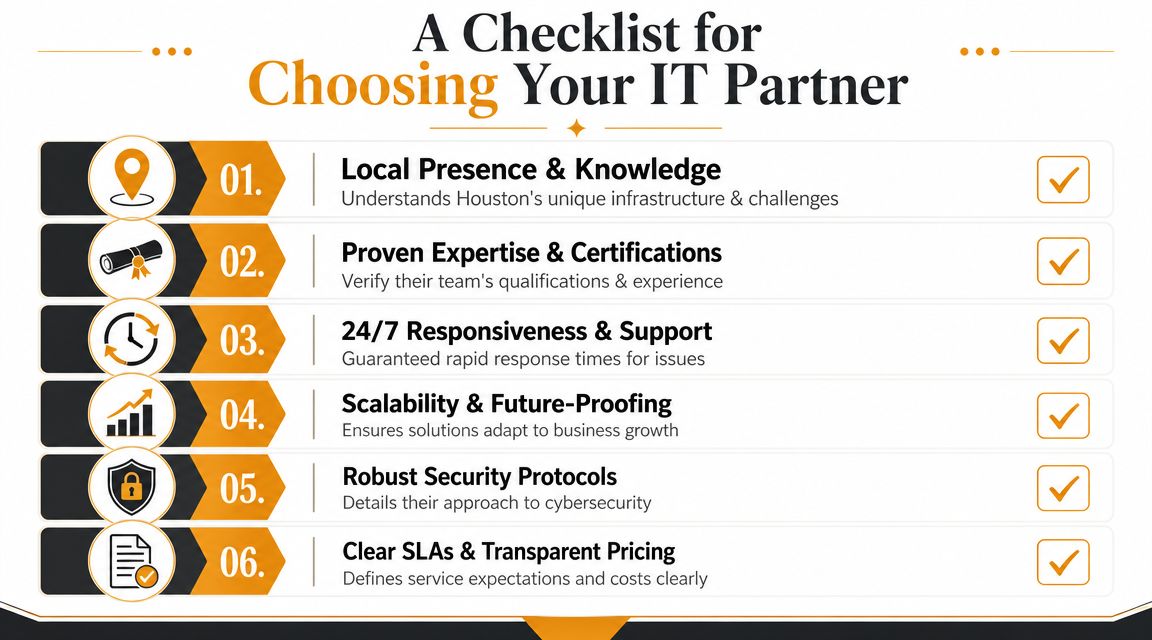
Questions that expose weak providers fast
Use questions like these during discovery calls and proposal reviews:
- How do you onboard a new network environment? Ask whether they document switches, firewalls, access points, uplinks, ISP details, VPNs, and cabling paths.
- What happens in the first month? A solid provider should mention baseline review, access cleanup, monitoring deployment, backup checks, and risk findings.
- When do you solve issues remotely, and when do you send someone on-site? If the answer is fuzzy, dispatch will probably be inconsistent.
- How do you handle compliance-sensitive environments? They should talk about access control, logging, user lifecycle, backup validation, and policy alignment.
- Who works on escalated network issues? You want to know whether they have engineers with real network depth or just a help desk queue.
- Do you have in-house repair capability or do you ship everything out? That matters when laptops, workstations, or critical hardware fail.
- Which security vendors and platforms do you actively support? Product familiarity matters when response time matters.
Weak providers usually answer in broad language. They'll say they're proactive, responsive, and full service. Strong providers explain the sequence, the handoffs, the tools, and the limits.
What strong answers sound like
A capable provider doesn't need to overtalk. They answer plainly. They tell you how they monitor, how they document, how they escalate, and how they report. They can explain what they'll standardize and what they'll leave alone. They can also tell you where your current setup may not justify a costly rebuild.
Good support partners don't recommend replacing everything. They identify what's unstable, what's exposed, and what can wait.
Pay attention to whether they ask good questions back. A serious network partner will want to know about your cloud apps, phone system, building layout, remote users, compliance obligations, growth plans, and current pain points. If they jump to pricing before they understand the environment, they're probably selling a package, not solving a problem.
The right fit is usually the provider that makes your environment clearer, not more mysterious.
Keeping Your Houston Business Connected and Secure
If your network feels unpredictable, the answer usually isn't another quick fix. It's better design, better monitoring, better security discipline, and a support model that matches how your business operates. That's what buyers should look for when they search for network support houston services.
Houston raises the stakes. Businesses here operate in a market shaped by dense connectivity, demanding workflows, and strong competition for technical talent. That makes network support a strategic decision, not a background purchase. The provider you choose affects uptime, security posture, user experience, and how confidently you can grow.
The practical path is straightforward. Understand the core pieces of support. Treat Houston's local environment as part of the decision. Ask hard questions about security and compliance. Push for real pricing clarity and measurable SLAs. Then choose the partner that can explain your environment clearly and manage it without drama.
A stable network doesn't just prevent outages. It gives your team a calmer workday, cleaner operations, and fewer surprises.
If you want a Houston-based team to review your current setup, document the weak points, and outline a practical support plan, contact IT Cloud Global, LLC. They provide managed IT, network setup and monitoring, remote and on-site support, security services, cloud support, and in-house repair for businesses across Greater Houston.
- Low Voltage Wiring Guide for Houston Businesses
- Managed Network Services Houston: A 2026 Buyer’s Guide
- Outsourced IT Support Houston: A Practical Guide for SMBs
- Disaster Recovery vs Business Continuity for SMBs
- IT Security Assessment: A Practical Guide for Houston SMBs
- How to Prevent Data Breaches: A Practical Playbook for SMBs
- Remote Desktop IT Support Guide 2026