


Your 2026 Disaster Recovery Testing Checklist
Is your business ready for a real disaster?
Your primary server could fail today. A ransomware event could lock shared files. An Azure VM could boot, but the application on top of it might still refuse logins. In that moment, backup reports and old runbooks won't protect revenue, operations, or trust. Only a tested plan will.
A disaster recovery plan is only as good as its last test. If you haven't validated restores, failover paths, identity access, DNS behavior, application logins, and business workflows under pressure, you're still relying on assumptions. That's where most small and midsize businesses get hurt. They think they have recovery covered because the backup dashboard is green.
This disaster recovery testing checklist gives you the exact order of operations to move from hoping you're protected to knowing you are. It breaks the work into eight practical stages, including cloud and virtualization details that matter for SMBs running AWS, Azure, VMware, Hyper-V, Citrix, Microsoft 365, and managed infrastructure. If you need broader unified disaster recovery capabilities, the same principle applies. Test what keeps the business running.
Table of Contents
- 2. 2. Backup System Integrity and Accessibility Testing
- 3. 3. Application and Database Recovery Testing
- 3. 3. Application and Database Recovery Testing
- 5. 5. Failover and Failback Procedures Testing
- 5. 5. Failover and Failback Procedures Testing
- 6. 6. User Communication and Notification Plan Testing
- 8. 8. Full Disaster Recovery Tabletop Exercise and Lessons Learned Debrief
- 8. 8. Full Disaster Recovery Tabletop Exercise and Lessons Learned Debrief
- 8-Point Disaster Recovery Testing Comparison
- Turn Your Checklist into Confidence with IT Cloud Global
2. 2. Backup System Integrity and Accessibility Testing
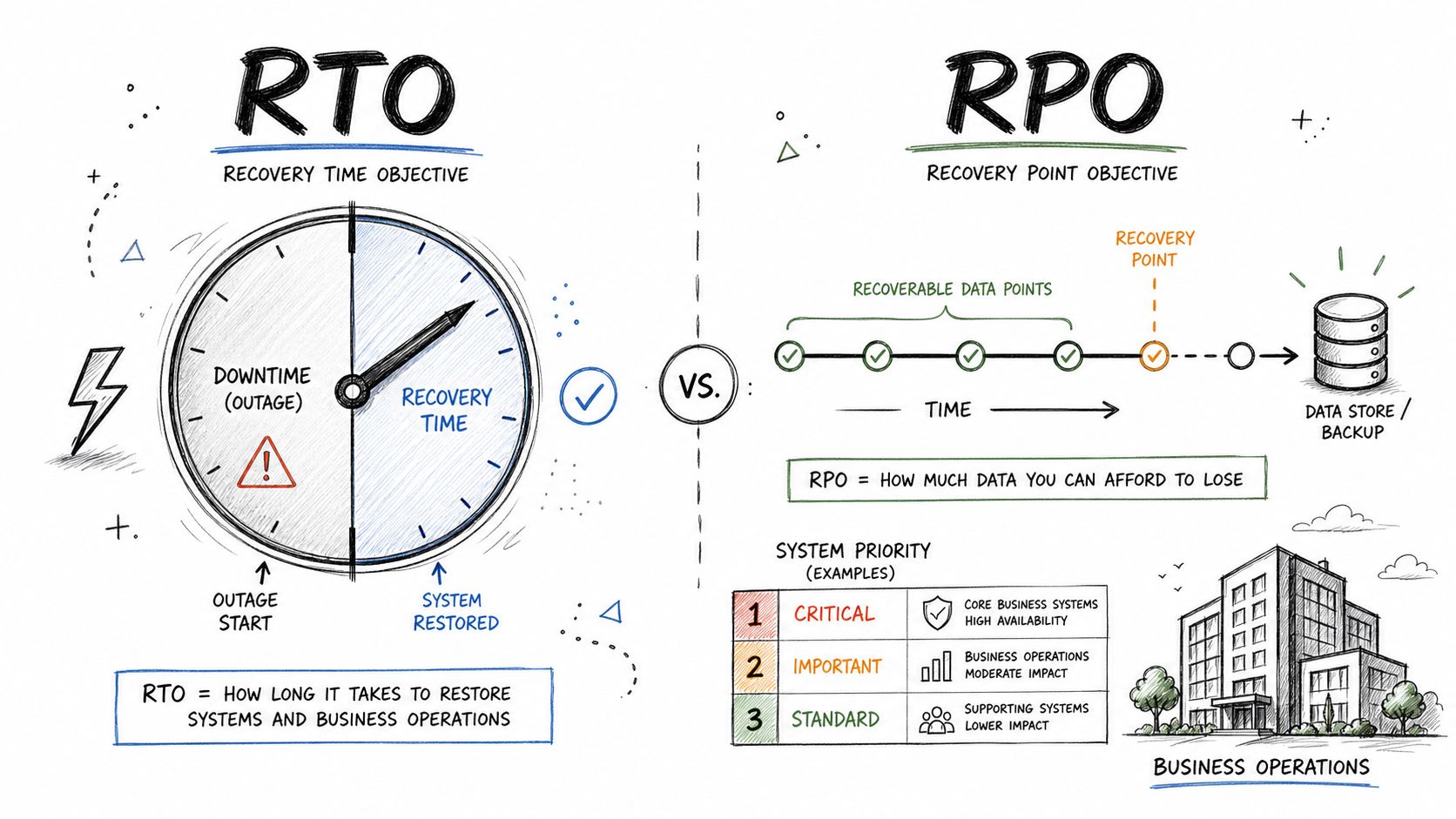
A backup job can show "successful" and still leave you unable to recover. I see this problem in cloud and virtualized SMB environments all the time. The files exist, but the recovery host cannot reach the repository. The restore point is there, but the service account expired. The backup is encrypted, but nobody tested whether the key is available from the DR environment.
That is why this stage focuses on integrity and access under real recovery conditions, not on backup software status screens.
Test restore access from the recovery side
Start where recovery occurs. If you fail over a workload into AWS, Azure, or a secondary VMware or Hyper-V environment, prove that system can see and use the backup target. Production access is not enough.
Check these items during the test:
- Repository reachability: Confirm the DR subnet, recovery VM, or cloud-hosted restore server can connect to the backup repository.
- Credential validity: Verify service accounts, API keys, vault access, and break-glass admin credentials still work.
- Encryption key access: Confirm the team can decrypt backup sets without relying on a single person or one unavailable workstation.
- Retention alignment: Check whether the available restore points match the business recovery window you already defined.
- Cross-platform restore support: Verify your tool can restore what you run, whether that is an Azure VM, an AWS EC2 instance, a VMware guest, Microsoft 365 data, or a SQL database.
For many SMBs, this is also the point where storage design matters. If you rely on local appliances alone, a site outage can block recovery before it starts. A tested offsite backup data strategy for business continuity reduces that risk and gives you a realistic path to restore outside the primary office.
Validate integrity with actual restores
Checksum validation and backup verification reports help, but they do not answer the only question that matters during an outage. Can you restore the data into a usable system?
Run test restores at different levels. Restore a single file. Restore a VM. Restore a database to an isolated environment. Mount a backup and confirm the recovered application starts, the data is current enough, and the team can log in with the right permissions. In managed service environments, test whether the MSP, your internal admin, and your cloud provider each have the access they need without waiting on each other.
Small failures here cause long outages later.
A missing driver in a restored VM, an expired Azure secret, a broken IAM role in AWS, or a repository firewall rule can add hours to recovery time. None of those issues appear in a green backup dashboard.
Build the test around failure points you actually face
Generic backup checks miss the problems that shut businesses down. Focus the test on the weak points in your environment.
If you run virtual infrastructure, confirm backup proxies, snapshots, and restore permissions still work after host, cluster, or storage changes. If you use AWS or Azure, verify network paths, object storage permissions, and region-specific recovery settings. If your backup platform depends on agents, confirm those agents are current and still application-aware for SQL Server, Exchange, or other line-of-business systems.
Document every failed step, every manual workaround, and every dependency on one specific technician. Then fix those gaps before the next stage of the checklist. Backup integrity testing is not paperwork. It is the proof that your data is recoverable when the business is already under pressure.
3. 3. Application and Database Recovery Testing
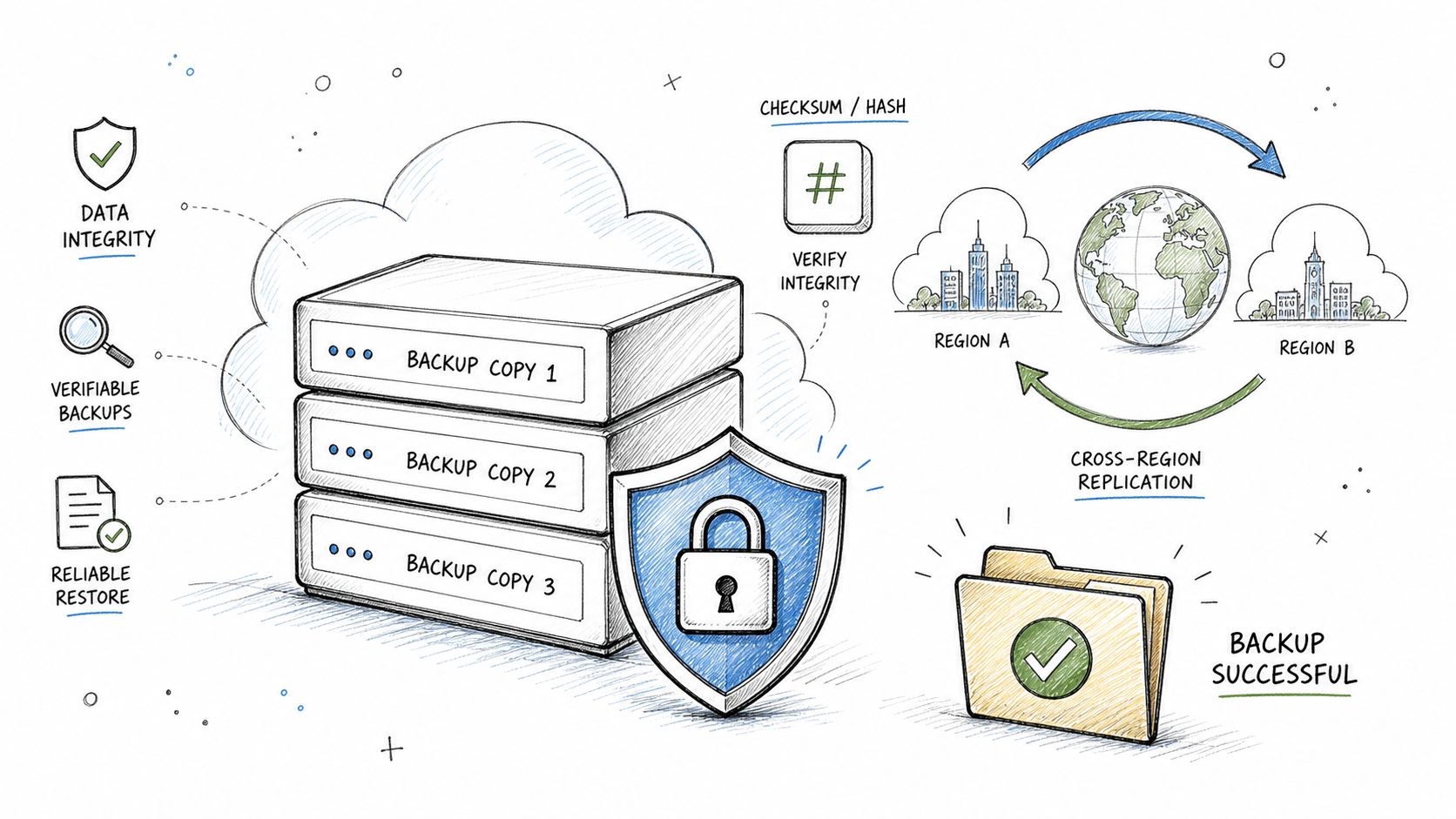
At 8:05 a.m., your server may be back online and your backup console may show a successful restore. If staff still cannot open the ERP system, post invoices, send email, or trust what they see in the database, the outage is still active. That is the standard this stage has to test against.
Application and database recovery testing proves whether the business can operate after a restore. For SMBs working with managed services, this is often the stage that exposes weak points. Service dependencies were missed, a database came back inconsistent, an Azure app registration expired, an AWS security group blocked the app tier, or a restored VM started without the middleware the software needs.
Test the application the way the business uses it
A usable recovery starts with the database, but it cannot stop there. Restore the database, attach or mount the application, then run a short set of business tasks that matter to revenue and operations. Log in with a normal user account. Create a record. Run a report. Confirm recent changes are present within your accepted data-loss window. Check whether integrations still work with identity providers, SMTP, payment gateways, file shares, or vendor APIs.
That approach catches failures that infrastructure tests miss.
Use a short, repeatable test script for each key workload:
- SQL Server: Restore the database, replay logs where required, run DBCC checks, start the dependent application, and confirm users can complete core transactions.
- Exchange or Microsoft 365 data recovery: Restore the mailbox, message set, or item you expect to recover during an incident, then verify user access, searchability, and any retention or permission requirements.
- QuickBooks, ERP, and line-of-business apps: Open the application, validate the company file or database, confirm licensing still applies in the recovery environment, and test one financial or operational workflow end to end.
- Virtualized application servers: If you recover from VMware to Hyper-V, AWS, or Azure, verify boot order, NIC mapping, DNS registration, application services, and any drivers or tools the guest OS needs after migration.
- Remote app platforms such as Citrix or RDS: Confirm users can launch the published app, authenticate, reach the database back end, and save data to the expected location.
Include the dependencies that usually break recovery
Application recovery fails at the edges. The database may restore cleanly while the application still fails because a certificate expired, a service account lost rights, a hard-coded IP points to production, or a firewall rule blocks traffic from the DR subnet.
Test those dependencies on purpose. If your MSP manages infrastructure and your internal team owns the application, make both groups participate in the same recovery test. Shared responsibility sounds fine on paper. During an outage, it turns into delay unless each handoff is already documented and practiced.
Cloud and hybrid environments need extra attention. In AWS, confirm IAM roles, security groups, load balancer targets, KMS access, and region-specific settings for the recovered workload. In Azure, check managed identities, Key Vault access, private endpoints, NSGs, and recovery options tied to the target region or subscription. If the application runs on a VM but depends on cloud storage, SaaS authentication, or an on-prem file share, test the full chain.
Record what required manual intervention
Do not mark the test successful because an experienced engineer found a workaround. If the application only starts after someone edits connection strings, reissues a certificate, disables a security control, or grants emergency database rights, write that down as a recovery gap.
The goal of this stage is simple. Prove that your business systems can come back in a usable state, within the recovery targets you already defined, without relying on tribal knowledge or one technician who happens to remember the fix.
3. 3. Application and Database Recovery Testing
A server booting isn't a recovery success. It's just a powered-on operating system. The business only cares whether users can log in, run the application, complete a transaction, and trust the data.
That's why application and database recovery testing has to be more demanding than infrastructure recovery. SQL Server, Exchange, Microsoft 365 data, ERP platforms, QuickBooks databases, and custom line-of-business applications all have dependencies that a basic image restore won't catch.
Restore the application in a usable state
Best practice is to validate not only backup job completion but also application-aware restores, data integrity through sample file checks and larger system recovery tests, plus functional usability by logging in, completing key transactions, and confirming integrations with identity or third-party systems, as outlined by CloudIBR's disaster recovery testing best practices.
That translates into practical tests like these:
- SQL Server: Restore the database, replay logs if needed, run integrity checks, and open the application that uses it.
- Microsoft 365 and Exchange: Restore a mailbox or data set and confirm the user can access what the business needs.
- VMware to Hyper-V or cloud recovery: Bring up the VM in the alternate platform and verify licensing, networking, and app services.
- Citrix or Remote Desktop Services: Confirm published apps launch and users authenticate correctly through the DR path.
Time the parts users don't see
Teams often time the restore job and stop there. That's incomplete. Measure service startup, database attachment, app dependency recovery, identity integration, and user validation. A manufacturing ERP may restore quickly but still fail if the licensing server or print queue isn't present. An Azure-hosted web app may come online but break when it can't reach the database or SMTP relay.
Field note: The most expensive recovery delays usually happen after the VM is online. Authentication, certificates, connection strings, and third-party integrations are where recoveries often stall.
Use isolated recovery environments whenever possible. That gives you room to test daily, weekly, and older restore points without creating production risk or changing live DNS too early.
5. 5. Failover and Failback Procedures Testing
Your primary site goes down at 10:15 a.m. The managed services team starts the failover, systems come up in AWS or Azure, and users get back in. Then the hard part starts. Two days later, production is ready again, but nobody agrees on the order for syncing changes back, switching traffic, or confirming which environment is now authoritative. That is how a recovery test turns into a second outage.
Failover proves you can keep operating. Failback proves you can get back to normal without causing fresh downtime, data conflicts, or configuration drift. Small and midsize businesses using managed cloud, VMware, Hyper-V, AWS, or Azure need both tested as one stage of the plan, not two separate ideas.
Execute the runbook exactly as written
A real test follows the documented sequence. Declare the event. Assign decision-makers. Start replication or promotion steps. Shift application traffic. Verify users are landing in the recovery environment. Then reverse the process and return services to the primary site or preferred cloud region.
If the team has to improvise, the procedure is not ready.
That is why this stage matters so much in an 8-part checklist. Earlier stages confirm backups, applications, networking, and dependencies. This one proves the business can cut over and come back in a controlled way.
Validate both directions, not just the first move
Test failover and failback as separate workflows with separate risks.
For failover, confirm:
- the right recovery point is used
- replication status is current enough to meet the business requirement
- DNS, load balancers, and user access point to the recovery environment
- application owners can sign off that the service is usable, not just powered on
For failback, confirm:
- changes made during DR operations are captured and synchronized back
- the primary environment is clean, patched, and ready to resume production
- rollback steps exist if the return causes errors
- monitoring, backups, and alerting are reattached to the primary environment after cutback
Many plans break at this point. A VM can run in the recovery site for days, but the return path often fails because certificates expired, replication was one-way, IP assumptions changed, or the cloud recovery environment drifted from on-prem production.
Test the platform-specific details that usually get skipped
Generic checklists miss the platform mechanics. Your test should not.
In AWS, verify Route 53 changes, Elastic IP reassignment, security group consistency, and whether replicated workloads in a recovery VPC can be promoted and then returned without rebuilding rules by hand. In Azure, test Azure Site Recovery workflows, recovery plans, private DNS behavior, public endpoint changes, and whether failback to the original region or on-prem host works as documented. In VMware or Hyper-V environments, confirm storage mappings, virtual switch assignments, snapshot handling, and host capacity before and after the return.
Managed service providers should be part of the exercise if they own any step. If your MSP handles firewall changes, cloud automation, or replication tooling, their response times and escalation paths need testing too.
Watch for business-side failure points
Technical cutover is only half the job. Line-of-business owners need to confirm the system is usable after both transitions. That includes logins, current data, printing, third-party integrations, and outbound notifications. If a recovered application depends on automations or alerts, test those too. Teams that rely on integrations should review webhook best practices so status updates, app events, and downstream processes continue during DR operations.
A good failback test also measures decision lag. Many businesses lose more time waiting for approvals than they do on the actual system move. Record who can authorize failover, who approves failback, and how long those decisions take under pressure.
Document the gaps while the test is still fresh
Every test should end with a short defect list tied to owners and due dates. Keep it direct:
- What step failed?
- What manual workaround was used?
- How much extra downtime did it create?
- What must change before the next test?
If failover works but failback adds confusion or extra outage time, your disaster recovery plan is incomplete. This stage closes that gap.
5. 5. Failover and Failback Procedures Testing
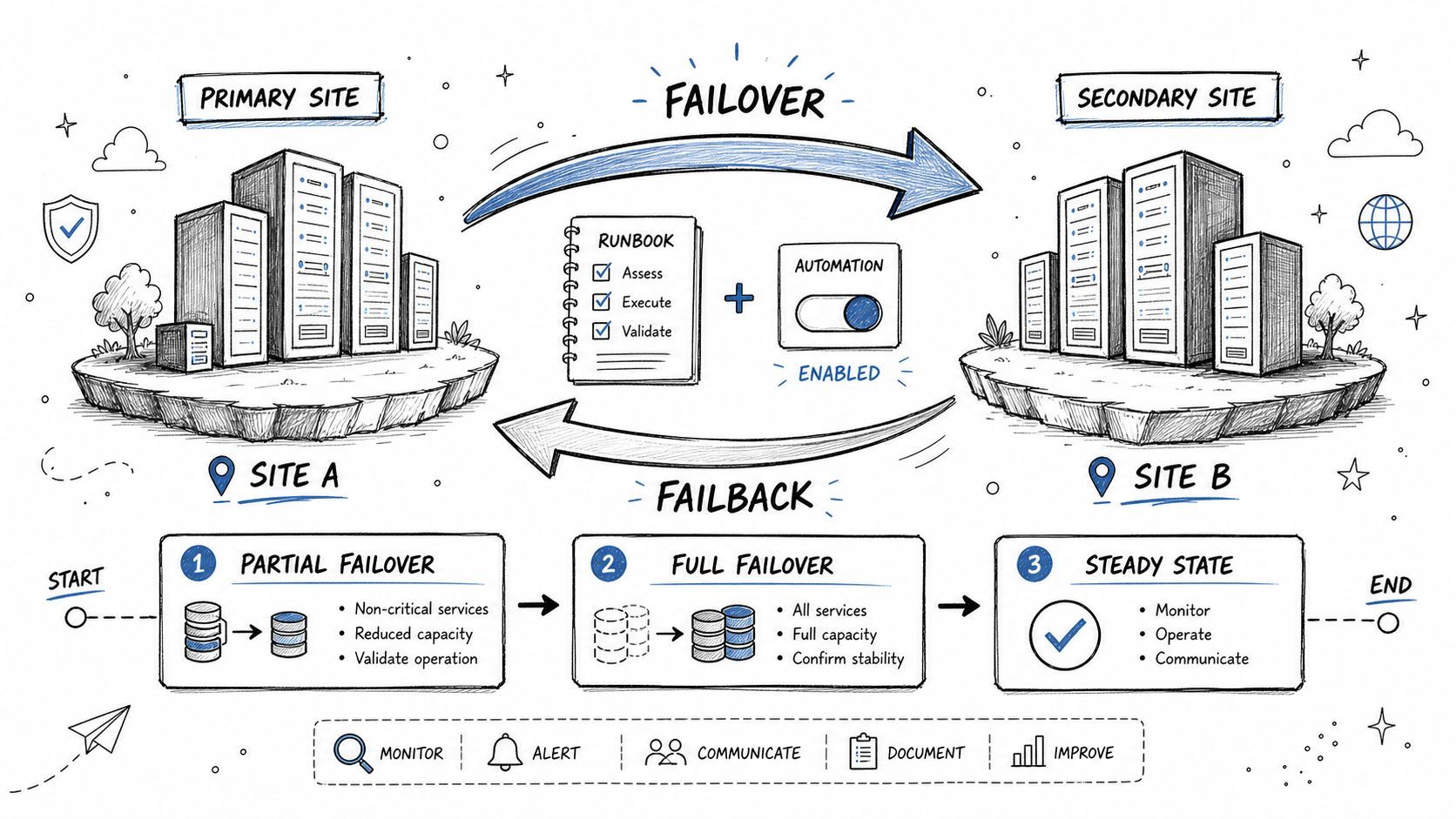
Failover gets most of the attention. Failback is where many teams realize the plan was only half written. They can move to the recovery environment, but they can't return cleanly to production without confusion, drift, or fresh downtime.
That gap is dangerous because a temporary recovery site isn't where most businesses want to operate indefinitely. You need tested procedures for both directions.
Run the cutover exactly as written
The checklist should force the team to execute the documented runbook, not improvise around it. Trigger the failover. Confirm data synchronization. Validate that users land in the right environment. Then rehearse the return to primary.
If the recovery test shows that the total time to declare the event, activate the team, restore systems, and validate services exceeds the target RTO, the checklist needs to flag that gap and force remediation. The same guidance stresses that organizations often fail because they don't test failback alongside failover, and that post-test reviews should happen within 48 hours with root causes, owners, and due dates documented in the follow-up My Data Path recovery testing guidance.
Automation helps, but only if you test the manual path too
Managed environments often rely on orchestration. Azure Site Recovery, AWS Elastic Disaster Recovery, VMware Site Recovery Manager, or custom runbooks can reduce operator error. But if a webhook, script, or API call fails, the team still needs a manual recovery path. That's why I tell clients to validate the automation and the human fallback.
If you're building event-driven recovery actions, basic webhook best practices matter more than people think. Retries, authentication, logging, and idempotent actions can make the difference between a smooth failover and a partial, confusing one.
A short walkthrough helps teams visualize the cutover before a live exercise.
Test failback as if the business has been running in DR for long enough to create real drift. That's when hidden assumptions show up.
6. 6. User Communication and Notification Plan Testing
Technical recovery without communication still feels like chaos to employees and customers. People don't just need systems restored. They need clear instructions, honest status updates, and one source of truth.
Many SMBs lack a formal plan for this scenario. The owner texts a few managers. IT sends a rushed email. Customers hear about the outage before they hear from you. That's not a communication plan. That's improvisation.
Pre-build the messages and roles
You need approved message templates before the incident. Not after. Build separate drafts for internal staff, managers, vendors, customers, and leadership. A Microsoft 365 outage notice shouldn't read like a customer-facing payment platform alert. Keep the message simple. What's down, who is affected, what the next update window is, and what users should do now.
Then assign owners. One person approves external customer notices. One person updates the status page. One person handles vendor escalation. One person briefs leadership. If nobody owns those jobs in the test, nobody will own them in the crisis.
Test the actual delivery channels
A communication plan only counts if the channels work under stress. Test email, SMS, Teams, Slack, status pages, VoIP trees, and alternate contact paths. Make sure test alerts are clearly labeled as drills so you don't create confusion or panic.
Use realistic scenarios. A retailer can simulate notifying store managers of a system issue. A healthcare office can test staff alerts about EHR unavailability. A SaaS firm can rehearse status-page updates when a cloud region goes down.
Clear communication buys you time. Silence burns trust faster than the outage itself.
The best notification tests also confirm the contact list is current. Old phone numbers, departed staff, and wrong vendor contacts are common failure points. Don't assume the spreadsheet is right because it existed last quarter.
8. 8. Full Disaster Recovery Tabletop Exercise and Lessons Learned Debrief
Your primary server stack is down at 9:15 a.m. Users cannot log in. A key line-of-business app in Azure is timing out. The MSP says failover is possible, but leadership wants to know whether this is a disaster declaration, a security event, or a short outage. A tabletop exercise tests that decision-making before an actual outage costs you hours of confusion.
A tabletop will not confirm whether backups restore correctly. The earlier stages in this 8-part disaster recovery testing checklist handle that. Stage 8 checks whether your people can make the right calls with partial information, vendor dependencies, and business pressure in play. For SMBs running a mix of on-prem systems, VMware or Hyper-V, Microsoft 365, and cloud workloads in AWS or Azure, that coordination gap is often what extends downtime.
Run scenarios that match your actual risk
Choose events that fit your environment and revenue risk, not generic disaster scripts. Good examples include ransomware in a file server environment, an Azure region issue affecting a production application, Hyper-V host failure, VMware storage corruption, an internet carrier outage during business hours, or Microsoft 365 disruption tied to identity problems.
If you use a managed service provider, put them in the exercise. If AWS, Azure, a colocation provider, or a line-of-business vendor plays a role in recovery, include their escalation paths and expected response points in the scenario. Your recovery plan has to reflect how your business continuity strategy works in practice, not how it looks in a document. That is why regular tabletop work should align with your broader business continuity planning approach.
Pressure-test decisions, not just procedures
A useful tabletop forces real choices. Who declares the disaster. Which systems get priority first. Whether you fail over a cloud workload immediately or wait for a provider update. Whether the incident looks operational, security-related, or both. How long you can run in a degraded state before customer impact becomes unacceptable.
That discussion exposes weak points fast.
In SMB environments, I often see the same problem. The technical recovery steps exist, but nobody has agreed on the business trigger for using them. That delay is expensive. Ten minutes of technical hesitation can become two hours of downtime if leadership, IT, the MSP, and application owners are all waiting on each other.
CloudIBR notes that disaster recovery testing should happen at least annually, with more frequent testing making sense for organizations with higher change rates or tighter recovery requirements, according to CloudIBR's disaster recovery testing guidance.
Debrief while the details are still fresh
Finish the exercise with a working session, not a vague recap. Document where decisions stalled, which contacts were missing, which recovery assumptions were wrong, and where AWS, Azure, virtualization, or vendor dependencies created confusion. If a managed services team was expected to handle DNS, firewall changes, or VM recovery and nobody could confirm that during the exercise, treat that as a gap to fix now.
Assign each issue to an owner with a due date. Update the runbook, escalation list, and recovery sequence. Then retest the weak spots.
A tabletop only pays off if the debrief changes how you respond next time.
8. 8. Full Disaster Recovery Tabletop Exercise and Lessons Learned Debrief
A tabletop exercise won't prove that systems restore. It will prove whether your people know what to do when the pressure is real, the facts are incomplete, and the clock is running. That makes it essential.
The best tabletop sessions feel uncomfortable in the right way. Leadership asks whether to declare a disaster. IT weighs whether Azure, AWS, or on-prem should take priority. Operations asks what customers need to know. Security asks whether the event is contained. Vendors need to be contacted. Nobody gets perfect information.
Use realistic scenarios
Pick scenarios your business could face. Ransomware in a file environment. Regional cloud outage affecting a production app. Hyper-V cluster failure. Primary internet carrier outage during business hours. Microsoft 365 access disruption combined with identity issues.
A structured tabletop is still part of a tiered test program. Best practice says disaster recovery plans should be tested at least annually as a baseline, with quarterly testing preferred for most organizations and monthly testing recommended for rapidly growing or mission-critical environments, according to CloudIBR's disaster recovery testing guidance.
Debrief fast and assign work
The value of the exercise is in what you document afterward. Capture unclear decision points, missing contacts, weak escalation steps, outdated diagrams, and assumptions that didn't survive scrutiny. Then assign owners and deadlines.
If you don't convert findings into action, the tabletop becomes theater. If you do, it sharpens both your technical recovery and your business continuity posture. For companies formalizing that broader resilience work, business continuity strategies belong in the same discussion as DR testing, because operations don't pause just because infrastructure is under repair.
The debrief isn't paperwork. It's where the next outage gets shorter, less chaotic, and less expensive.
8-Point Disaster Recovery Testing Comparison
| Test | 🔄 Implementation Complexity | ⚡ Resource Requirements | 📊 Expected Outcomes | ⭐ Key Advantages | 💡 Practical Tips |
|---|---|---|---|---|---|
| 1. RTO and RPO Definition and Validation | Medium, requires cross-team workshops and iterative tuning | Low–Medium, stakeholder time, business-impact analysis, possible infra investment | Measurable RTO/RPO targets and validated feasibility | Aligns DR investment to business priorities; supports compliance | Involve business owners, tier systems, review annually |
| 2. Backup System Integrity and Accessibility Testing | Medium, needs automated checks and periodic restores | Medium, storage, compute for restores, skilled operators, potential cloud restore costs | Early detection of backup failures; validated encryption and replication | Prevents failed restores; ensures retention compliance | Automate tests, use isolated environments, monitor logs |
| 3. Application and Database Recovery Testing | High, complex restores across stacks and platforms | High, isolated test environments, anonymized data, DB specialists | Verified app functionality and database consistency within RTOs | Identifies app-specific recovery gaps; validates dependencies | Maintain runbooks, test point-in-time restores and licensing |
| 4. Network Connectivity and Infrastructure Failover Testing | Medium–High, coordination with networking teams and DNS changes | Medium, network gear, test windows, possible temporary DNS updates | Confirmed connectivity, DNS failover, and load balancer behavior | Ensures users can reach recovered systems; validates redundancy | Document topology, test in phases, validate bandwidth and firewall rules |
| 5. Failover and Failback Procedures Testing | High, end-to-end orchestration and extensive planning | High, cross-team coordination, downtime allocation, automation tooling | Validated full failover/failback workflow and data synchronization | Confirms complete recovery workflow and team readiness | Start with non-prod dry runs, stage tests, document actual times vs RTOs |
| 6. User Communication and Notification Plan Testing | Medium, requires multi-department coordination and templates | Low–Medium, contact management, notification tooling, test channels | Reliable stakeholder notifications and reduced confusion during incidents | Preserves reputation and reduces support load | Maintain contact lists, use templates, mark tests clearly as "DRILL" |
| 7. Data Restoration and Validation Testing | High, detailed data checks and integrity verification | High, storage/compute for restores, DB tooling, validation scripts | Confirmed data integrity, referential consistency, and point-in-time accuracy | Builds trust in backups; prevents undetected corruption | Automate validation scripts, use DB native checks, test varied backup ages |
| 8. Full Disaster Recovery Tabletop Exercise & Debrief | Medium, planning and skilled facilitation required | Low–Medium, time from key personnel, facilitator, documentation | Identified procedural gaps, action items, and improved decision-making | Low-risk way to validate plans and increase executive visibility | Use realistic scenarios, include execs, debrief immediately and track actions |
Turn Your Checklist into Confidence with IT Cloud Global
A disaster recovery testing checklist only works if you use it to expose bad assumptions before a real incident does. That's its true purpose. Not producing a policy document. Not checking a compliance box. Not pointing at a backup dashboard and hoping it means you're safe.
The strongest programs treat testing as an operating habit. Critical systems get tested more often. Lower-tier systems still get reviewed on a defined schedule. Application restores are validated in a usable state. Networks, identity, DNS, VPN access, and third-party dependencies are tested together, not in isolation. Failback gets rehearsed, not ignored. And every exercise ends with documented fixes, named owners, and deadlines.
That discipline matters even more now because recovery tooling is getting more automated and more cloud-driven. The global DRaaS market is projected to grow from USD 16,112.2 million in 2025 to USD 46,089.9 million by 2032 at a CAGR of 16.2%, according to MarketsandMarkets DRaaS market projections. For business owners, the practical takeaway is simple. Recovery validation is moving away from occasional manual checks and toward continuous, automated verification across cloud and hybrid platforms. If your test process still lives in a static document and nobody has updated it for your AWS, Azure, Microsoft 365, VMware, or Hyper-V reality, you're behind the way modern recovery is managed.
Execution is where most businesses need help. Someone has to define realistic recovery objectives, map dependencies, validate backups, rehearse failover and failback, and keep the documentation aligned with the environment that exists today. That's hard to do consistently when your internal team is already busy keeping users supported and systems online.
IT Cloud Global, LLC is one option for businesses that want support with that work. If you're running a mix of on-prem systems, cloud workloads, Microsoft 365, virtualization, and managed services, a provider with hands-on experience across those environments can help turn a recovery plan into something you can trust under pressure.
You don't need a thicker plan. You need proof that your business can recover when it counts.
If you want help building, testing, or tightening your disaster recovery process, talk to IT Cloud Global, LLC. They can help you define practical recovery objectives, test backups and applications, validate cloud and hybrid failover paths, and turn your disaster recovery testing checklist into a repeatable operating process.
- Outsourced IT Support Houston: A Practical Guide for SMBs
- 10 Service Desk Best Practices for SMBs
- IT Security Assessment: A Practical Guide for Houston SMBs
- How to Prevent Data Breaches: A Practical Playbook for SMBs
- Recovery Point Objective: A Practical Guide for SMBs
- Remote Desktop IT Support Guide 2026
- Endpoint Protection vs Antivirus: A Houston Guide