


IT Support Near Medical Center: Expert Healthcare IT 2026
Monday morning starts with a full waiting room, two providers already running behind, and the front desk telling you check-in has frozen again. The EHR won't load in one exam room. A label printer stopped talking to the workstation at the nurse station. Someone's telehealth visit is about to start, but the webcam account is locked. None of these failures looks dramatic on its own. Together, they stall patient flow, frustrate staff, and create risk fast.
That's the reality behind searches for IT support near a medical center. Most clinic managers aren't looking for a vendor to reboot laptops. They're looking for a team that understands how a local practice, imaging center, specialist office, billing group, lab-facing vendor, or therapy clinic operates when every system touches patient care, scheduling, claims, referrals, and compliance.
Table of Contents
- Why Near Medical Center Changes Everything
- The Unbreakable Rules HIPAA Compliance and EHR Expertise
- Gauging True Responsiveness On-Site Availability and SLAs
- Securing Your Practice Network Endpoint and Cloud
- Building Resilience Backup and Disaster Recovery
- Making the Final Decision Vetting Questions and Checklist
Why Near Medical Center Changes Everything
A small practice near a major hospital campus deals with a different kind of pressure than a typical office suite. The phones ring earlier. Lab interfaces matter more. Referral coordination is constant. When a system goes down, staff can't “work around it” for long because patient identity, chart access, order routing, and secure communication all pile up at once.
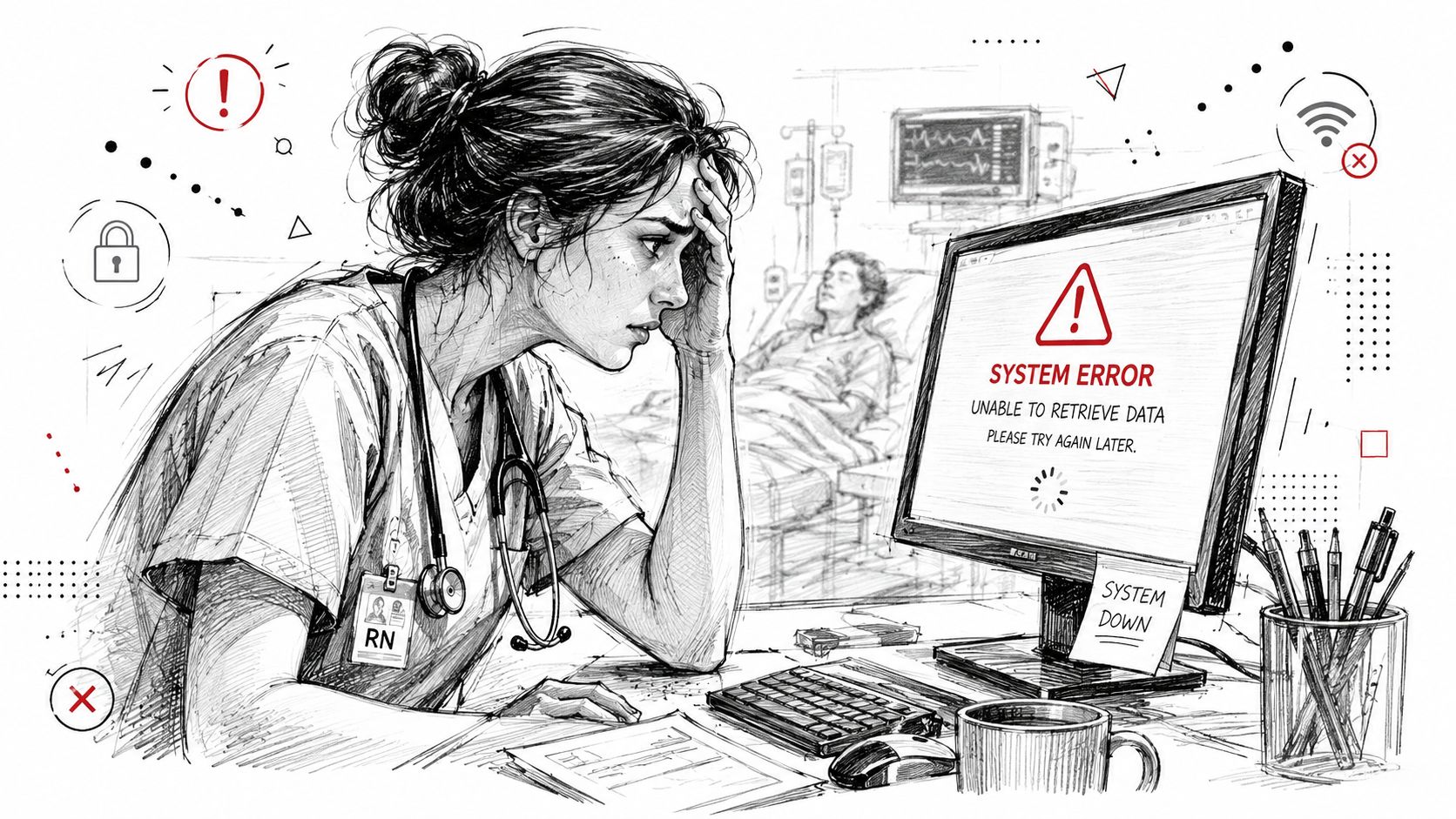
Healthcare operations already run at serious scale. In 2024, health centers served 32.4 million patients across more than 139 million visits, with 13% of visits delivered via telehealth according to KFF's 2024 community health center data. That matters because even smaller independent practices now depend on stable networks, secure remote access, and support that can keep patient-facing systems working during high-volume days.
Proximity matters when hardware fails
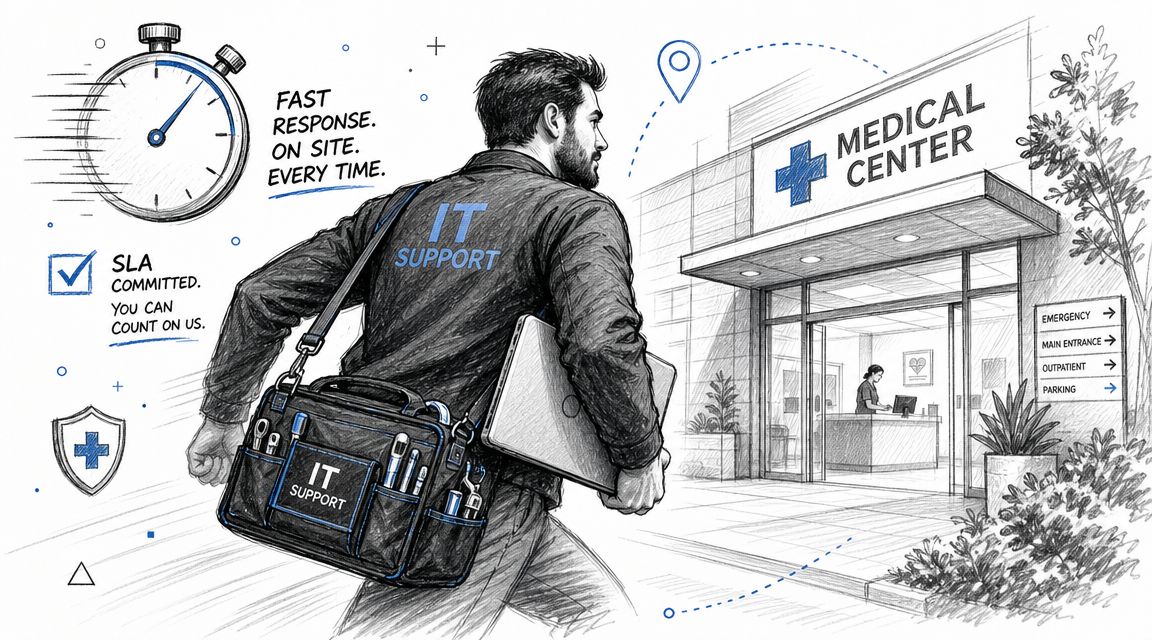
Remote support handles a lot. It doesn't reseat a failed switch, replace a dead power supply, trace a cabling fault in a wall jack, or get a workstation back online when a clinical area can't wait. If your office sits near a dense medical corridor, local presence stops being a convenience and becomes part of your continuity plan.
A nearby IT team is also more likely to understand the rhythm of the local ecosystem. That includes pharmacy connectivity, imaging transfers, specialist referrals, VoIP call routing for front-desk overflow, and the odd collection of printers, scanners, signature pads, and device interfaces that no one notices until one fails.
Practical rule: If a provider sells “healthcare IT” but can't explain what happens when your check-in station, label printer, and EHR workstation all fail during peak hours, they're not ready for your environment.
Local context beats generic support
Medical-center-adjacent businesses often share vendors, carrier limitations, building constraints, and workflow dependencies. A good local partner knows which problem is a Microsoft 365 sign-in issue, which is an ISP handoff issue, which is a firewall rule problem, and which requires someone onsite before lunch.
That's why proximity should be evaluated as operational fit, not map distance alone. A useful benchmark is whether the provider can support secure communications, after-hours incidents, and the kind of mixed on-site and remote troubleshooting that healthcare settings need. For a more local view of how managed support is being positioned around Houston's medical corridor, this Houston Medical Center managed IT overview is a relevant example of the issues practices are weighing.
The Unbreakable Rules HIPAA Compliance and EHR Expertise
If a provider can't discuss HIPAA, business associate obligations, and the practical handling of protected health information without sounding vague, stop there. Healthcare-adjacent support isn't just desktop support with better branding. It's a compliance function tied directly to security, access control, documentation, and incident response.
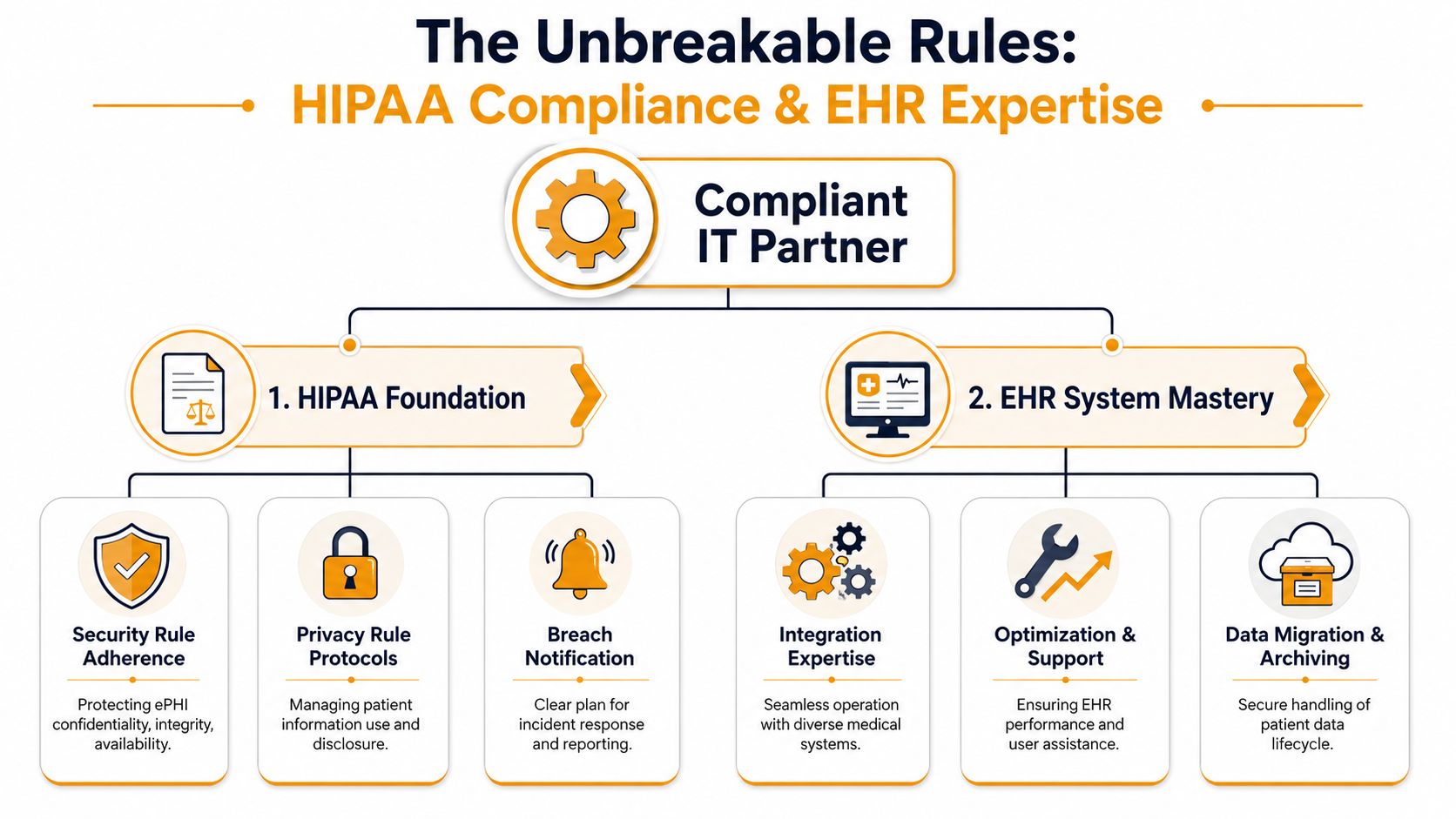
The first question isn't “Are you HIPAA compliant?” The better question is: What specific responsibilities will you accept in writing? You need a signed Business Associate Agreement, clear procedures for handling ePHI, documented escalation paths, and evidence that the provider understands identity management, endpoint protection, and secure collaboration tools.
For healthcare-adjacent businesses, that requirement extends well beyond hospitals. Telehealth is used by up to 50% of U.S. hospitals, and the need for strong identity management, endpoint protection, and secure data handling now reaches clinics, vendors, and supporting organizations throughout the care network, as discussed in this peer-reviewed analysis of digital health and healthcare access.
What real compliance support looks like
A credible healthcare IT partner should be able to walk you through their approach in plain English:
- Access control: Who gets access to what, how accounts are provisioned, how terminated users are removed, and how higher-level privileges are limited.
- Endpoint standards: How laptops, front-desk PCs, provider devices, and remote machines are protected, monitored, and updated.
- Secure communication: How email, file sharing, mobile access, and messaging are configured so staff don't improvise with risky workarounds.
- Incident handling: What happens if a user clicks a phishing link, a laptop is lost, or a shared mailbox is exposed.
If they answer with buzzwords but no process, that's a warning sign.
A layered security model is the right baseline. This security-in-layers guide is useful because it mirrors how healthcare support should be designed in practice. Not as one tool, but as overlapping controls that reduce single points of failure.
EHR expertise is different from general helpdesk work
Many MSPs overstate their experience. Supporting a general office app is not the same as supporting an EHR environment. In a clinic, the issue usually isn't just “the application is slow.” It's that check-in is timing out, encounter notes lag, scanning queues are stuck, or a provider can't complete a workflow tied to prescribing, billing, or patient messaging.
A strong provider should understand:
- Workflow dependencies: Scheduling, charting, scanning, faxing, claims, e-prescribing, and patient portal access often break together.
- Browser and client behavior: Some EHR platforms are sensitive to browser settings, add-ons, local profiles, session timeouts, and printing paths.
- Peripheral integration: Signature pads, scanners, label printers, dictation tools, and document import paths need support from someone who has seen them fail before.
- Change control: Updates to security policies, Microsoft 365, or workstation settings can break a critical workflow.
Later in the conversation, ask them to describe a real troubleshooting sequence for an EHR-related issue. Not names of clients. Process. You want to hear how they isolate whether the problem lives in the endpoint, network, identity layer, interface engine, vendor platform, or local configuration.
A short explainer can help frame the conversation with nontechnical stakeholders:
A clinic doesn't need an IT vendor that knows medicine. It needs one that knows how clinical operations break, and how to restore them without creating a compliance mess.
Gauging True Responsiveness On-Site Availability and SLAs
A contract can promise “fast response” and still leave your office stranded. The problem is usually in the wording. Many service level agreements define response so loosely that an automated ticket acknowledgment technically counts.
That's useless when a failed switch knocks out the front desk, or when a provider can't chart because authentication is hanging. For IT support near a medical center, the service agreement has to reflect what downtime means in a patient-facing environment.
A peer-reviewed study on hospital information system performance found an average HIS success rate of 65% and measured success across system quality, information quality, service quality, system use, usefulness, satisfaction, and net benefits, not just raw ticket counts, in this hospital information system success study. That's the right lesson for vendor review. Closed tickets don't prove good support if users still can't work.
Read the SLA like an operations document
When you review an SLA, separate response time, engagement time, and resolution target. They're not the same.
| SLA term | What it should mean | What to watch for |
|---|---|---|
| Response time | A human has reviewed the issue and started triage | Auto-reply emails counted as response |
| Engagement time | A technician is actively working the incident | Long delays before real troubleshooting starts |
| Resolution target | Expected timeframe to restore service or apply workaround | No distinction between critical and routine issues |
You also want to see how the vendor classifies severity. If every issue goes into the same queue, your practice will get the same treatment for a dead exam-room PC as for a full check-in outage. That's not acceptable.
Ask for examples, not promises
A decent provider should explain what happens in scenarios like these:
- Critical outage: Internet down, firewall failure, server offline, EHR inaccessible, phones disrupted.
- High priority issue: One provider or one department can't access a key system.
- Routine support: New user setup, printer mapping, mobile email issue, shared folder permissions.
If they can't define when they'll dispatch onsite versus stay remote, you don't yet know what you're buying.
Don't accept “we usually respond quickly.” Ask, “Who gets paged after hours, what triggers onsite dispatch, and what events are excluded from the SLA?”
There's also value in comparing your draft agreement against broader managed services language. This ARPHost infrastructure service advice is worth reviewing because it highlights how service terms, exclusions, and responsibilities are often framed in infrastructure agreements. It won't replace legal review, but it can help you spot weak wording before you sign.
What nearby support should change
Local support should improve more than travel time. It should change how incidents are handled.
A nearby team can pre-stage spare hardware, understand building access issues, coordinate with local carriers, and dispatch a technician who knows the site. That matters when the problem sits in a closet, a cable run, a switch stack, a UPS, or a workstation that remote tools can't reach. It also matters when your staff is too busy to be the hands and eyes for someone troubleshooting over the phone.
The best SLA conversations feel operational, not sales-driven. You should come away knowing who owns escalation, what gets covered after hours, and how the provider proves service quality beyond ticket volume.
Securing Your Practice Network Endpoint and Cloud
A healthcare office near a medical center usually ends up with an odd mix of technology. Front-desk workstations. Provider laptops. Shared nursing stations. Guest Wi-Fi. Printers. Scanners. Cloud email. Mobile devices. Maybe a legacy application that only one billing coordinator understands. Security has to work across all of it without making staff invent shortcuts.
The mistake I see most often is treating the network like a small retail setup. An ISP router, one flat Wi-Fi network, basic antivirus, and a Microsoft 365 tenant with default settings isn't a healthcare-ready design. It might function for a while. It won't hold up well under account compromise, device sprawl, remote work, or telehealth support.
Start with the endpoint
Each endpoint that touches practice data should be managed, monitored, and recoverable. That includes reception PCs, physician laptops, remote staff devices, and any computer used to access cloud mail or an EHR.
A solid baseline usually includes:
- Managed protection: Use business-grade endpoint protection and detection tools, not consumer antivirus.
- Patch discipline: Workstations and browsers need scheduled updates with oversight, especially where EHR workflows are sensitive to change.
- Device control: Know which machines are allowed to store files locally, print sensitive documents, or connect removable media.
- Account safeguards: Pair device protection with strong sign-in controls for Microsoft 365, Google Workspace, VPN, and line-of-business apps.
Segment the network before it segments your operations
Flat networks create ugly problems. A compromised front-desk PC shouldn't sit on the same trust level as shared file storage, VoIP infrastructure, or connected medical equipment. Staff Wi-Fi, guest Wi-Fi, printers, phones, and specialty devices should be planned separately and managed through business-grade switching and firewall policy.
That matters even more as telehealth expands. Academic medical center reporting notes that telehealth can improve access while also creating new challenges, including large volumes of data from remote monitoring and the need for reliable connectivity, as described by the AAMC telehealth and rural access article. In practice, that means your support model has to account for traffic prioritization, stable remote access, and the fact that support often extends beyond the walls of the clinic.
Cloud security needs active oversight
Cloud systems don't remove risk. They move it. Email compromise, overshared folders, weak multifactor enrollment, stale user accounts, and unmanaged mobile access are common failure points in Microsoft 365 and Google Workspace environments.
Watch for these basics:
- Identity controls: Strong authentication, role separation, and prompt deprovisioning.
- Email hardening: Protection against phishing, account takeover, and risky forwarding behavior.
- File governance: Shared drives and collaboration sites shouldn't become informal records dumps.
- Monitoring: Logs and alerts need review, not just collection.
If you need a practical reference on what active oversight looks like, this comprehensive guide for cloud monitoring is helpful. It's a good reminder that cloud reliability depends on visibility, alerting, and follow-through.
Consumer-grade networking gear is fine for a living room. A clinic handling patient communication, cloud apps, and shared devices needs planned segmentation, documented access, and someone accountable for the whole stack.
One more point that gets ignored until move-in day. Cabling quality matters. Sloppy low-voltage work creates intermittent failures that waste hours in troubleshooting. Label the runs, test the drops, document the closet, and keep patient areas from becoming a pile of unmanaged switches and improvised patch cords.
Building Resilience Backup and Disaster Recovery
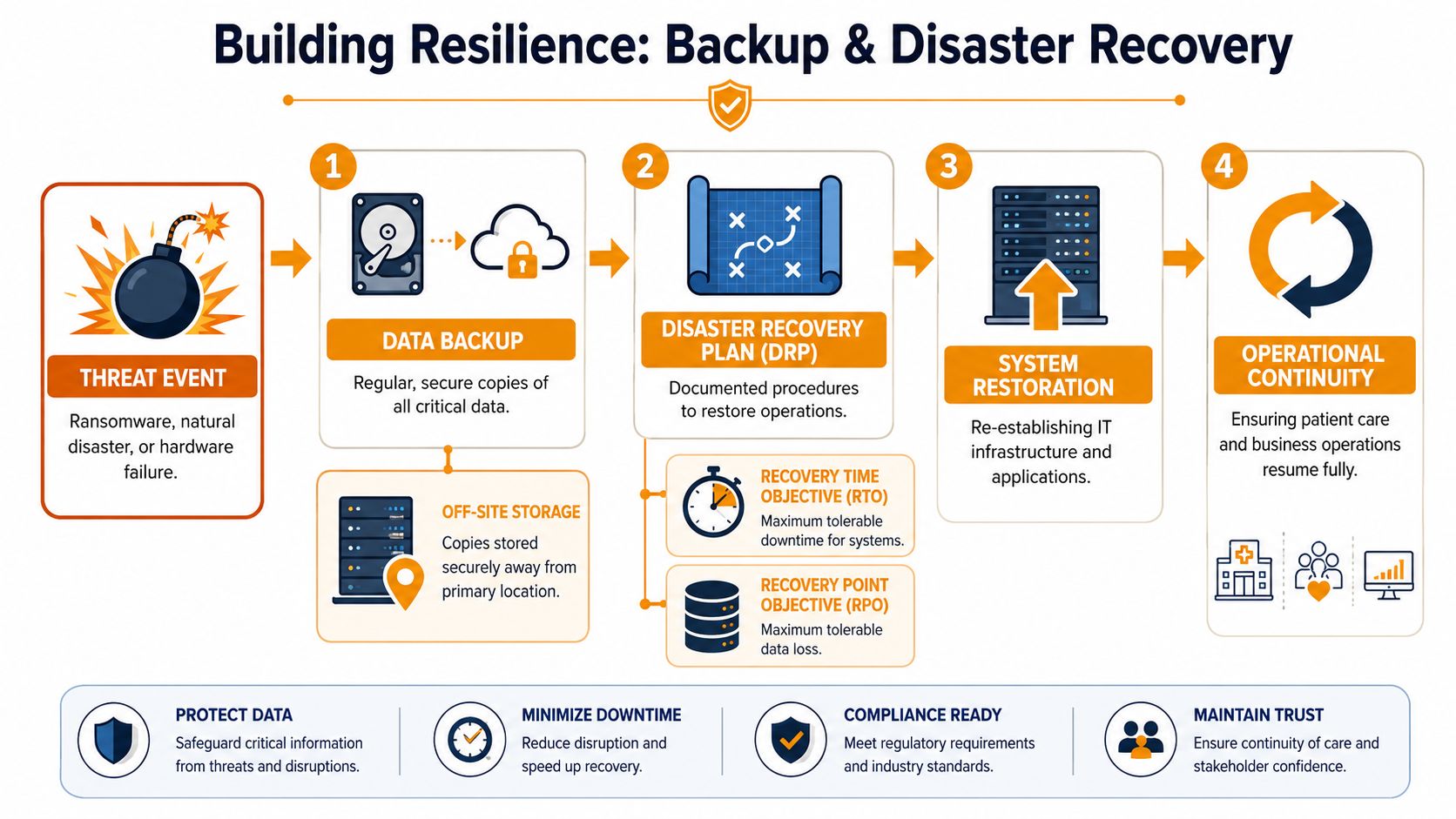
A backup is a copy of data. Disaster recovery is the process that gets your practice operating again. Those are related, but they are not the same thing.
If ransomware hits a file server, or a failed update knocks out a key system, the question isn't just whether you have backed-up files. The question is how you restore identity services, line-of-business applications, shared storage, workstations, printers, remote access, and the order in which people can safely return to work.
Healthcare's data footprint makes this unavoidable. Since 2008, EHR use has risen by 87 percentage points among hospitals, and 97% of nonfederal acute care hospitals allow patients to view their health information online, according to this national review of healthcare digitization and interoperability. Once patient information, scheduling, and communication are this digitized, backup and recovery stop being an IT preference and become an operational requirement.
Backup and recovery need different questions
When you interview a provider, push on two planning terms:
- Recovery Time Objective: How long can a system be down before operations become unacceptable?
- Recovery Point Objective: How much recent data can you afford to lose before the impact is too high?
Those answers won't be identical for every system. Your EHR access, phones, and identity platform may need a much faster recovery approach than an archive folder or a secondary reporting tool.
A prepared ransomware response looks disciplined
A mature provider should be able to describe a sequence like this:
- Containment first: Isolate affected devices, disable compromised accounts, and stop the spread.
- Triage and scope: Determine what systems are affected, what data is at risk, and whether backups are intact.
- Restore in order: Bring back identity, networking, storage, and the most critical workflows first.
- Validate before reopening: Confirm users can log in, key applications work, and restored systems are clean.
- Document and harden: Record what failed, what was exposed, and what controls need to change.
That process sounds straightforward. It becomes messy if no one has tested the restore path, no one knows which systems are most critical, or the only backup copy is too exposed to be trustworthy.
The worst time to discover your backups are incomplete, untested, or too slow is during a live outage with patients waiting.
Business continuity is the people plan
Disaster recovery covers systems. Business continuity covers how the practice functions while systems are impaired and during restoration. Who switches to downtime procedures? Which forms are available offline? Who talks to staff? Who talks to patients? Who authorizes system cutover back to normal operations?
A useful primer on how smaller organizations can think about recovery planning is this disaster recovery plan for small business guide. It's relevant because many independent practices aren't trying to build enterprise complexity. They need a practical, documented plan that staff can follow under pressure.
If a provider says “we back everything up,” keep asking questions. Backups only matter if the restore path is documented, tested, prioritized, and fast enough for your clinic's real downtime tolerance.
Making the Final Decision Vetting Questions and Checklist
By the time you're comparing providers, the biggest risk isn't usually technical. It's buying a service that sounds healthcare-ready but turns out to be generic support with a HIPAA page on the website.
A good final interview should feel specific and a little uncomfortable. You want detailed answers, not polished slogans. Ask for process, examples, ownership, and documentation. If the provider gets defensive, that tells you something useful.
Questions that expose the difference
Bring questions like these into the meeting:
- On compliance: Will you sign a Business Associate Agreement, and who on your team is responsible for handling incidents involving ePHI?
- On EHR support: What do you check first when users say the EHR is slow but the internet appears normal?
- On onsite response: What kinds of failures trigger dispatch to our office without extended remote-only troubleshooting?
- On security: How do you handle user offboarding, multifactor issues, risky shared mailboxes, and unmanaged devices?
- On recovery: Walk me through your first actions after a ransomware alert on a front-desk workstation.
- On documentation: What network, device, account, and vendor documentation do you maintain for clients?
- On reporting: How do you show service quality beyond closed tickets?
IT provider vetting checklist
| Category | Question to Ask | Notes / Response |
|---|---|---|
| Compliance | Will you sign a Business Associate Agreement and define your responsibilities in writing? | |
| Compliance | How do you document access control, incident handling, and ePHI-related procedures? | |
| EHR expertise | Which EHR, PM, or healthcare workflow systems has your team supported in environments like ours? | |
| EHR expertise | How do you troubleshoot workflow issues involving scanners, printers, e-prescribing, portals, or document import? | |
| Responsiveness | What counts as a response under your SLA? A human triage step or an automated ticket acknowledgment? | |
| Responsiveness | When do you dispatch onsite, and what are your after-hours escalation rules? | |
| Security | How do you secure endpoints, Microsoft 365 or Google Workspace, remote access, and Wi-Fi segmentation? | |
| Security | How do you handle account provisioning, offboarding, privileged access, and device standards? | |
| Backup and recovery | What are our likely recovery priorities, and how do you test backups and restores? | |
| Backup and recovery | How do you distinguish backup, disaster recovery, and business continuity in your support model? | |
| Documentation | What do we own if we leave? Credentials, diagrams, licensing records, vendor contacts, and backup records? | |
| Fit | Who on your team will actually support us day to day, and what healthcare experience do they have? |
One practical filter matters more than people think. Ask the provider to describe your environment back to you after the discovery call. The better firms can summarize your patient flow, risk points, cloud stack, vendor dependencies, and likely support gaps without hand-waving. That's usually the clearest sign they understand what IT support near a medical center requires.
If your practice or healthcare-adjacent business needs a provider that can handle compliance-minded support, cloud systems, endpoint security, backup, cabling, and fast local response in the Houston area, IT Cloud Global, LLC is worth contacting. Their team supports organizations that need practical managed IT, clear communication, and infrastructure that holds up under real operational pressure.
- How Long Does Data Recovery Take? Realistic Timelines
- What Is a Helpdesk Ticketing System? an SMB Guide
- What Is Virtualization in Computing? Save & Boost Uptime
- Cloud Computing Solutions for Small Business: Houston 2026
- Network Maintenance Service: A Guide for Houston SMBs
- Remote IT Support Services: Boost Uptime & Cut Costs
- Managed IT Services Houston TX: Your 2026 Business Guide