


Remote IT Support Services: Boost Uptime & Cut Costs
Your office is open, your team is logged in, and then the same problems start again. A laptop won't connect to WiFi. Microsoft 365 won't sync. Someone clicks a suspicious email. The printer in the front office stops talking to the network right before a deadline.
Most small businesses don't need more tech jargon. They need problems solved fast, systems kept stable, and a clear plan for the issues that can't be fixed through a screen. That's where remote IT support services make sense. The good providers don't just wait for something to break. They watch, patch, secure, and respond before small issues become business interruptions.
Table of Contents
- What Are Remote IT Support Services Anyway
- The Core Components of a Remote IT Service
- Key Business Benefits of Outsourcing IT Support
- Navigating Security and Compliance Remotely
- Understanding Pricing Models and Service Level Agreements
- How to Choose the Right IT Support Partner in Houston
- What to Expect During Onboarding and Beyond
What Are Remote IT Support Services Anyway
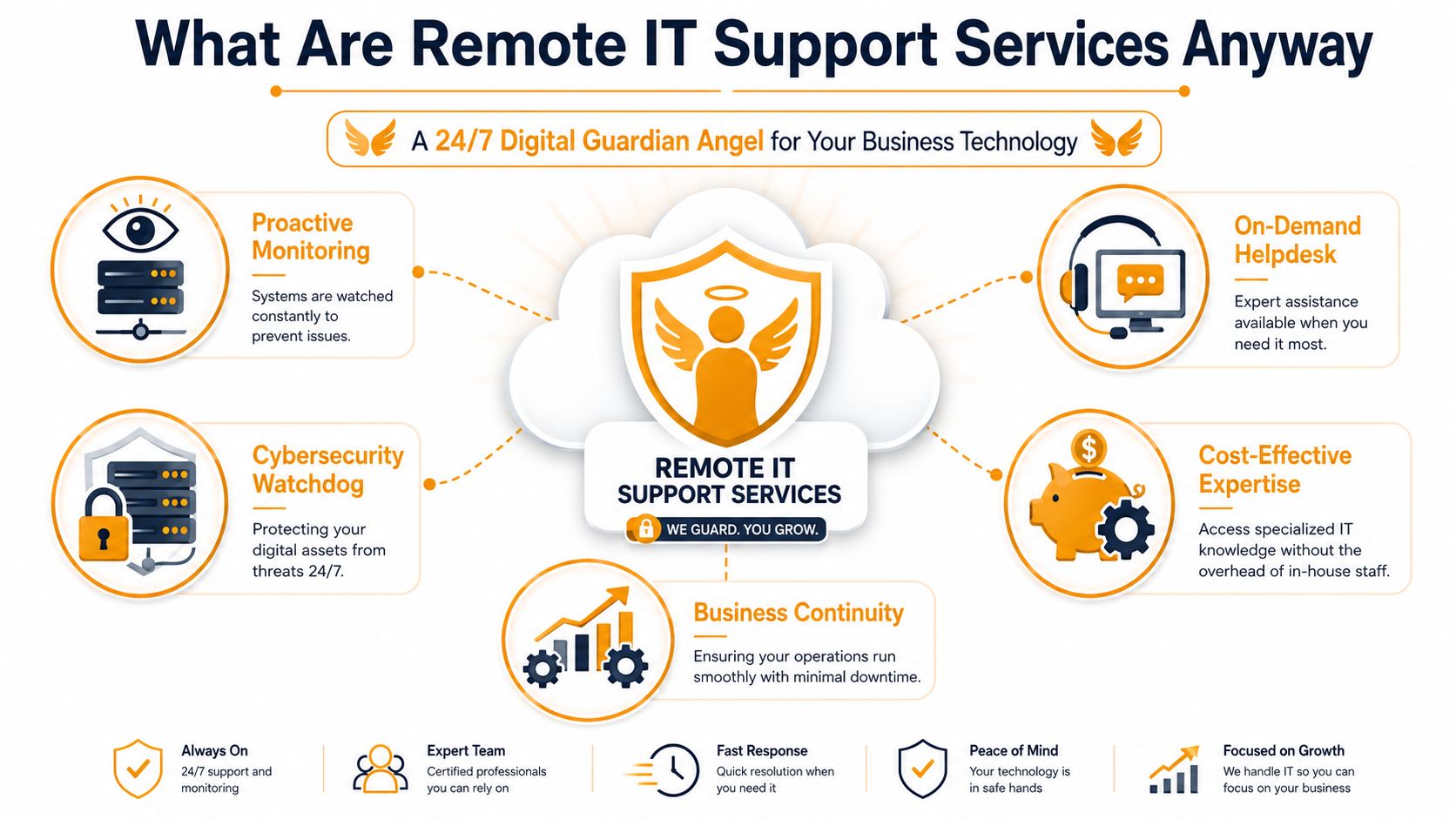
Think of remote IT support like having a skilled mechanic monitoring your whole fleet while the vehicles are still on the road. Instead of waiting for a breakdown on the shoulder, the mechanic sees warning signs early, fixes many issues immediately, and tells you when a vehicle needs to come into the shop.
That's the practical difference between remote IT support services and old-school break-fix IT. Break-fix starts after the damage is already affecting your staff. Remote support starts with visibility. It uses secure tools to access devices, monitor alerts, apply patches, troubleshoot user issues, and keep business systems running without waiting for a technician to drive across town.
How the model works in real life
A typical remote support setup includes a helpdesk for day-to-day issues, monitoring software on endpoints and servers, and admin access to cloud platforms like Microsoft 365, AWS, Azure, or Google Cloud. If an employee gets locked out, if a machine starts failing updates, or if unusual behavior appears on a workstation, the provider can often step in right away.
That matters because businesses don't operate from one room anymore. Staff work from offices, homes, retail counters, and job sites. Support has to follow the user, not the building.
Practical rule: If your team depends on internet-connected tools to do its job, your IT support should be able to reach those tools without waiting for an on-site visit.
Why small businesses are moving this way
Remote support isn't a niche service anymore. The Global IT Support Services Market is projected to reach USD 8.44 trillion by 2034, up from USD 2.4 trillion in 2024, reflecting a 13.4% CAGR, according to market projections for IT support services. That kind of growth signals a larger shift. Businesses are treating remote and managed support as part of core operations, not an extra add-on.
For an SMB owner, the takeaway is simple. You're buying faster response, steadier systems, and fewer surprises. You're also buying a model that can prevent a lot of problems before your staff even notices them.
The Core Components of a Remote IT Service
A solid remote support contract should feel like a system, not a loose collection of tickets. If a provider only talks about “fixing issues when they come up,” that's incomplete. You need support that handles users, devices, security, maintenance, and recovery together.
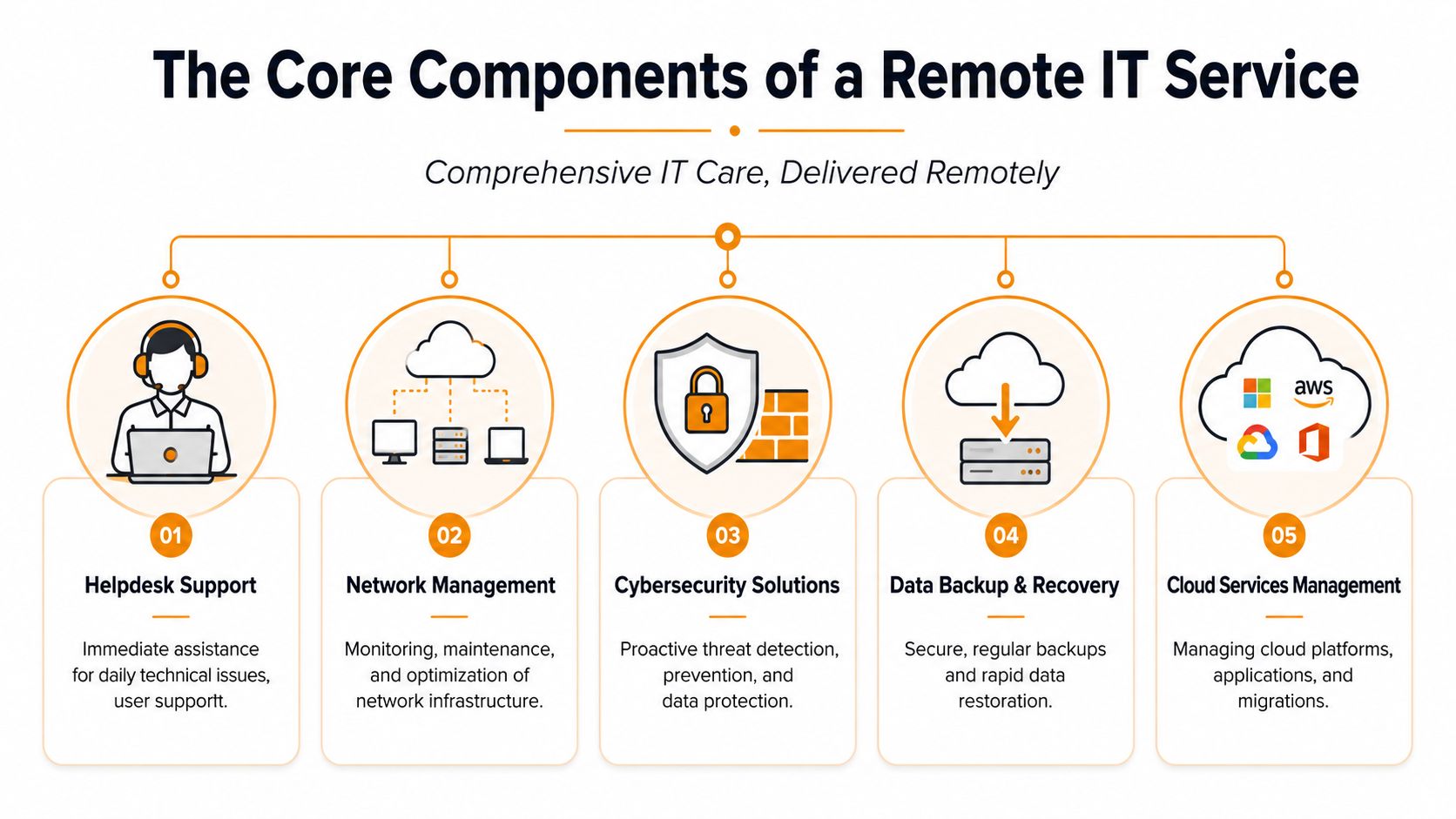
Helpdesk support
This is the front line. Password resets, Outlook problems, file access errors, VPN issues, printer mapping, Teams glitches. A responsive helpdesk keeps one employee problem from turning into a half-day productivity drain.
Not every helpdesk is built the same. Some are just inbox triage. Others use proper ticketing, escalation paths, device history, and knowledge bases. If you want a good sense of what mature ticket handling looks like, this guide to help desk software features is useful because it shows how structured support should work behind the scenes.
Proactive monitoring
This is your digital smoke detector. Monitoring tools watch servers, workstations, backups, and network health for warning signs such as failed services, low disk space, update failures, or repeated login issues.
The point isn't to generate alerts for the sake of alerts. The point is to catch small technical drift before users start calling. Good monitoring reduces chaos. Bad monitoring just creates noise no one acts on.
Patch management
Most SMBs know patching matters, but many still do it inconsistently. That's risky. Operating systems, browsers, business apps, and security tools all need regular updates.
A provider should schedule patches carefully, verify that they installed correctly, and have a plan for exceptions. Blindly pushing updates during peak business hours is sloppy. Ignoring updates for weeks is worse.
Good patch management is boring on purpose. If employees notice it often, it's probably being handled poorly.
Backup and disaster recovery
Backups aren't just files copied somewhere else. A business-grade backup process has to answer three questions clearly:
- What is protected: Endpoints, servers, cloud data, shared drives, and line-of-business systems.
- How fast it can be restored: Not in theory, but in actual business terms.
- Who verifies it: Unchecked backups create false confidence.
Many cheap providers fall short; they'll say backups are “running” but can't explain how recovery would work after ransomware, accidental deletion, or hardware loss.
Remote remediation and cloud administration
This is the part business owners usually value most once they've lived with it. The provider can connect securely and fix things now. That includes policy changes in Microsoft 365, user permissions, endpoint troubleshooting, security configuration, and maintenance across remote devices.
Some providers also manage broader cloud and endpoint tools, including Intune, SentinelOne, Exchange, SharePoint, Teams, AWS, Azure, and Google Cloud. That matters because your business systems are tied together now. Support can't stop at the desktop.
Here's the practical test: if your provider can't support the user, the endpoint, and the cloud stack as one environment, issues will bounce around instead of getting resolved.
Key Business Benefits of Outsourcing IT Support
Outsourcing IT support makes sense when you're tired of paying for downtime in ways that never show up neatly on a monthly invoice. Lost staff time, delayed orders, frustrated customers, and interrupted billing all cost money. Remote support works best when it shortens those disruptions and makes support predictable.
Start with the broad business case. According to Gartner information technology research, remote IT support services can achieve a 94% first-contact resolution rate for non-critical issues, reduce mean time to repair from an industry average of 4.2 hours to under 1.5 hours, and reduce operational costs by 30 to 40% while improving uptime. For an SMB, that translates into fewer lingering tickets and less waiting around for someone to arrive on-site.
Here's a quick visual summary of what owners usually care about most.
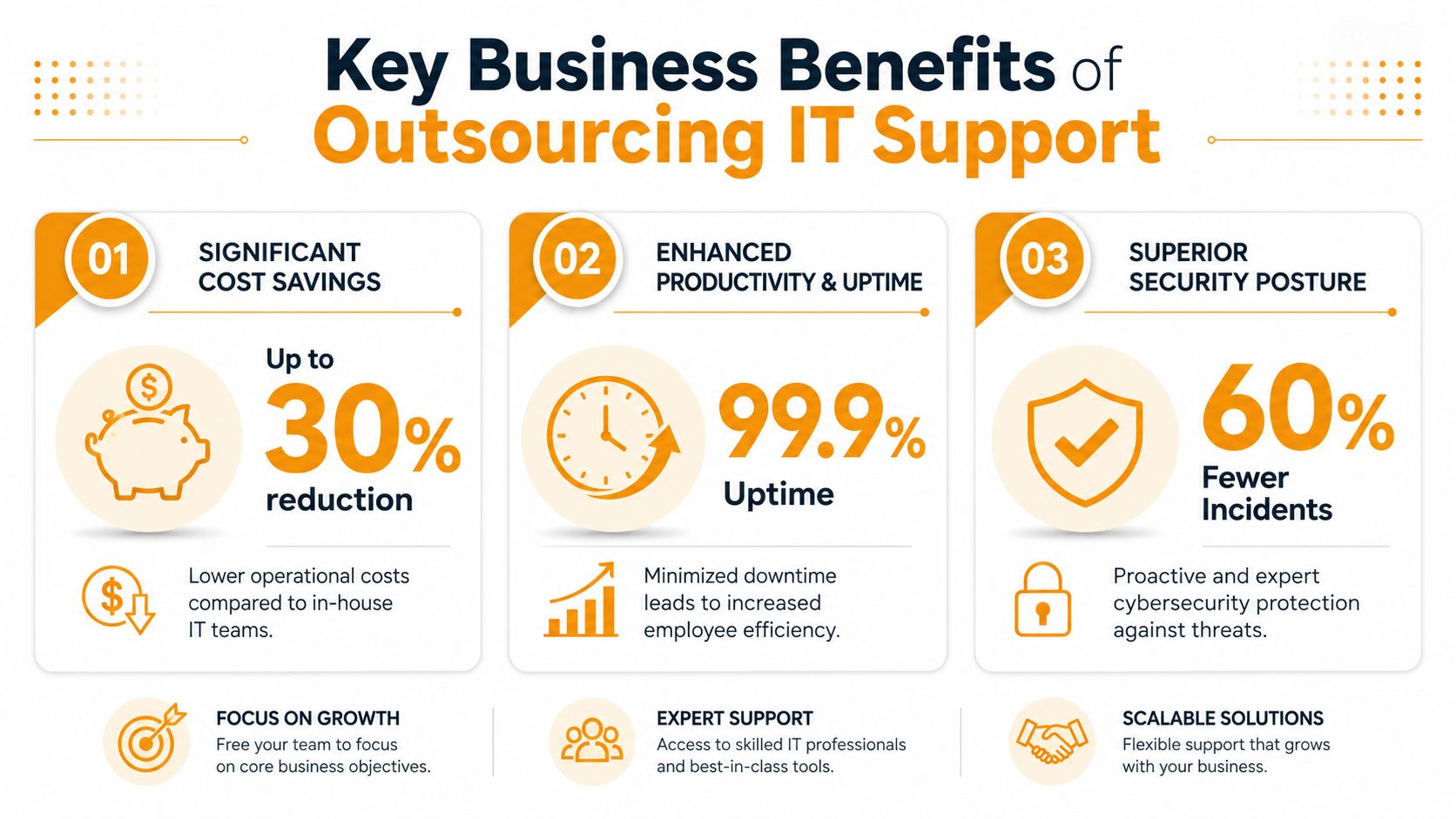
Lower operating cost without losing coverage
Hiring internal IT staff is sometimes the right move, especially for larger organizations with specialized infrastructure. But many SMBs don't need a full internal bench for every support tier, cloud issue, endpoint alert, and after-hours incident.
With outsourced support, you're usually buying access to a wider skill set. That can include helpdesk, Microsoft 365 administration, endpoint management, backup oversight, and security response under one service model. If you want a Houston-specific view of what that can look like, this overview of remote support benefits for Houston businesses gives a practical local angle.
Faster problem resolution
Speed matters because most IT problems aren't dramatic. They're annoying, recurring, and disruptive in ways that chip away at the day. Printer failures, login loops, unstable laptops, app permissions, failed updates. None of these are headline incidents, but they slow work down.
Remote support removes travel delay from the first response. A technician can access the device, inspect logs, restart services, adjust settings, or escalate with context already in hand. That's a big reason outsourced support often feels more responsive than waiting for an on-site dispatch.
This short video gives a helpful overview of how the model works in practice.
Better uptime through prevention
The biggest gain isn't always the fix. It's the issue that never reaches your staff.
Monitoring, patching, endpoint health checks, alerting, and policy enforcement all reduce the number of avoidable incidents. That doesn't mean outages disappear. It means your environment becomes less fragile. When a provider does this well, support shifts from firefighting to maintenance.
The best outsourced IT relationship usually feels quieter, not busier. Fewer surprises is the point.
Navigating Security and Compliance Remotely
Business owners often hesitate at the same point. If someone can access our systems remotely, doesn't that create more risk?
It can, if the provider is careless. It doesn't have to, and in many environments it improves control because access can be logged, limited, and enforced through consistent policy. According to IDC industry research, 78% of enterprises now rely on remote IT support services to resolve technical issues, achieving a 96% success rate in maintaining smooth operations and minimizing downtime. IDC also reports this model can reduce carbon emissions by up to 45% compared to traditional on-site support. The operational case is strong, but the security model has to be equally strong.
What secure remote support should include
A reputable provider should be able to explain its controls in plain language. If they hide behind buzzwords, keep asking.
Look for these basics:
- Encrypted remote access: Sessions should be protected, not exposed through casual screen-sharing habits.
- Multi-factor authentication: Admin access without MFA is an avoidable risk.
- Role-based permissions: Not every technician should be able to touch every system.
- Endpoint protection: Tools such as SentinelOne or similar EDR platforms help detect and contain suspicious behavior.
- Audit trails: You should know who accessed what, when, and why.
A lot of compliance problems begin with weak operational discipline, not just weak tools. If a provider can't show how access is approved, recorded, and restricted, that's a warning sign.
Compliance is operational, not theoretical
HIPAA, PCI DSS, and similar requirements don't care that your provider “usually does things the right way.” They care whether controls exist and whether people follow them. That includes user access, device management, patching, documentation, and incident handling.
For smaller companies, this is one reason managed support can help. A disciplined provider can standardize account security, endpoint policy, backup oversight, and cloud admin practices that internal teams often struggle to keep consistent. For a local example of what cloud governance and controls should align to, this cloud security and compliance resource is worth reviewing.
Remote access should be treated like a controlled entry point, not a convenience feature.
Ask about training, not just tools
Technical controls matter, but so does technician competence. If you want a plain-English sense of the knowledge areas security staff should understand, a structured resource like this Security Plus exam preparation guide is useful. It won't vet a provider by itself, but it helps you ask better questions about authentication, threat response, and secure administration.
What doesn't work is trusting a provider just because they mention cybersecurity on their website. Ask how they secure remote sessions, how they handle privileged access, and how they document changes. If the answers are vague, move on.
Understanding Pricing Models and Service Level Agreements
Remote IT support pricing is often sold in ways that make comparison harder than it should be. The cleanest way to look at it is like a phone plan. Some plans charge by user, some by device, and some bundle support into service tiers with different coverage levels.
The right model depends on how your business works. A law office with many users and standardized laptops will think about pricing differently than a warehouse, a clinic, or a retail business with shared stations, specialty devices, and multiple locations.
Comparing common pricing models
| Model | Best For | Pros | Cons |
|---|---|---|---|
| Per-user | Office-heavy teams where each employee uses multiple devices | Predictable budgeting, easy to scale with headcount, aligns to employee support demand | Can feel expensive if many users need very little support |
| Per-device | Environments with shared workstations, kiosks, printers, or a mix of staffed and non-staffed devices | Useful when hardware count matters more than headcount, often simpler for operations-heavy businesses | Can become messy when one user relies on several devices and cloud apps |
| Tiered package | Companies that want bundled service options with different coverage and response levels | Easier to match budget to business priority, clear upgrade path as needs grow | Scope confusion happens if the contract isn't specific about inclusions and exclusions |
What an SLA should lock down
The service level agreement, or SLA, is the part of the contract that matters when something breaks at the worst possible time. If pricing tells you what you're buying, the SLA tells you what response you can reasonably expect.
These terms should be essential:
- Response times: How quickly the provider acknowledges critical, high, and routine issues.
- Resolution targets or escalation path: If they can't solve it fast, what happens next and who owns it.
- Coverage hours and scope: Whether after-hours, weekends, cloud admin, vendor coordination, and on-site escalation are included.
If you've ever seen SLA language in call center or outsourced operations contracts, the same logic applies here. These insights for BPO customer operations are useful because they clarify how service promises should be measured and enforced.
What often goes wrong
Cheap support plans often fail in two places. First, they define “response” so loosely that a quick acknowledgment counts even if real work doesn't begin for hours. Second, they exclude common tasks from the base fee, so the invoice grows every time something meaningful happens.
Read quotes carefully. Ask what is included, what triggers extra charges, and what happens when a remote fix fails and someone needs to touch hardware. If the provider can't answer that clearly, the pricing model isn't your biggest problem. The operating model is.
How to Choose the Right IT Support Partner in Houston
Your office loses internet at 10:15 a.m. Phones stop ringing through. Staff cannot reach Microsoft 365. One person opens a ticket, gets an automated reply, and then nothing useful happens for an hour. That is the moment you find out whether you hired a real support partner or a ticket router.
The right provider answers three practical questions clearly. Who is doing the work. How they protect access to your systems. What they do when the problem cannot be fixed remotely and someone in Houston needs to touch equipment.
One risk SMBs miss is hidden outsourcing. A provider may sell local accountability, then pass tickets to contractors or offshore overflow teams you never approved. That does not automatically make the service bad, but it changes your security exposure, response consistency, and escalation speed. If the sales team cannot explain the staffing model in plain language, expect confusion when an urgent issue hits.
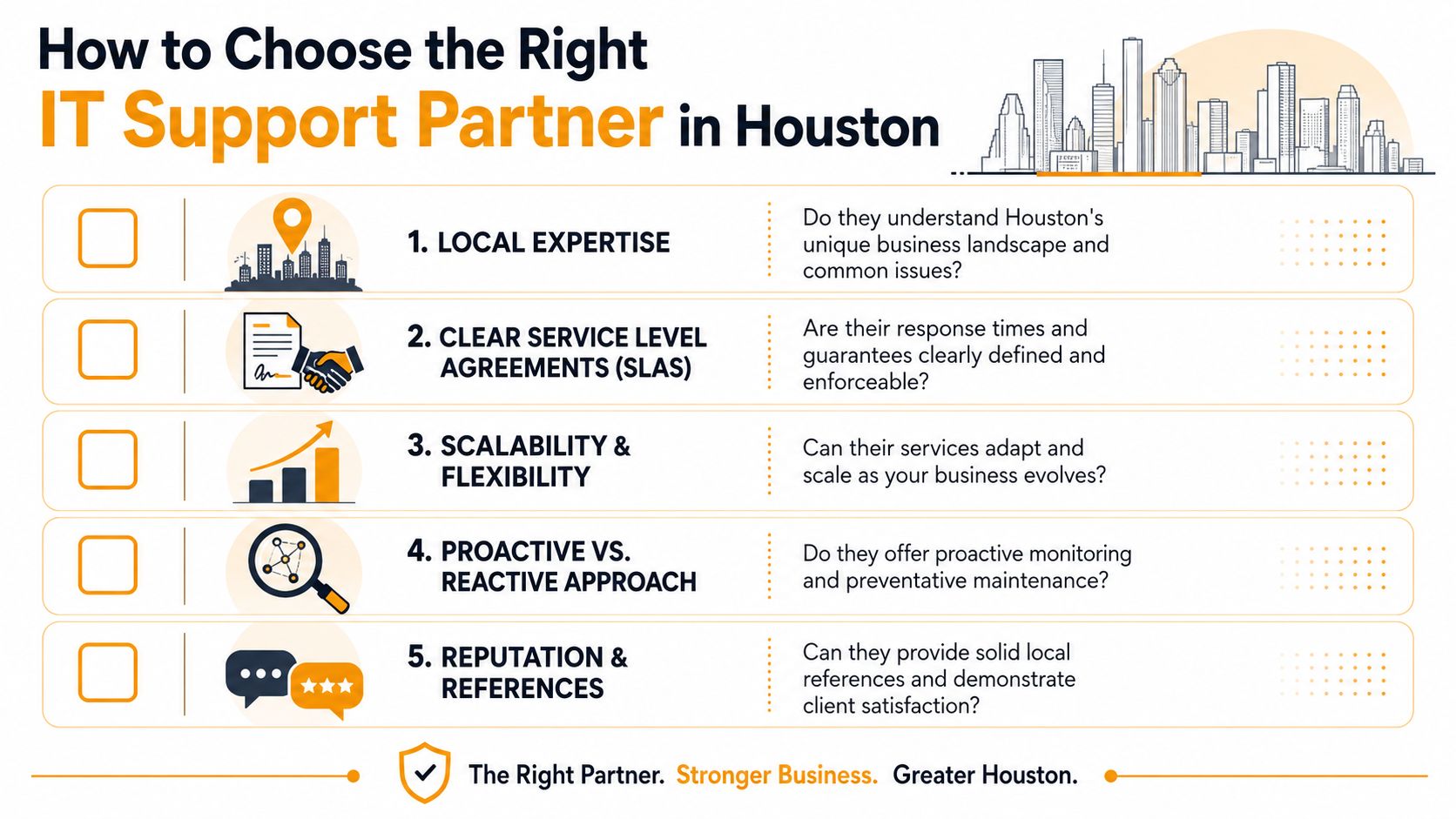
Questions that expose weak providers
Ask direct questions and listen for direct answers:
- Who answers our tickets: In-house technicians, subcontractors, or a blended team?
- Who can log into our systems: Named employees only, shared support pools, or third-party contractors?
- Where are those technicians based: Houston, elsewhere in the U.S., offshore, or a mix depending on ticket volume?
- How do you handle on-site escalation: Your own field staff, a local partner, or whoever is available?
- What happens when hardware fails: Do you diagnose, replace, coordinate warranty work, and repair devices locally?
- Can one team handle cloud issues and physical equipment: Many firms are good at one and weak at the other.
Vague answers are useful. They tell you the operating model is probably fragmented.
Why the hybrid model matters in Houston
Remote support covers a lot of ground. It can reset accounts, remove malware, deploy patches, fix email issues, and troubleshoot line-of-business apps. It cannot reseat a failed switch, replace a broken SSD, repair a damaged laptop, or trace a cabling fault in a back office.
That gap matters more in Houston than many owners expect. Small and midsize businesses here often run a mix of cloud tools and physical infrastructure across offices, warehouses, clinics, retail counters, or job sites. A provider with only remote capability leaves you stuck coordinating the last mile yourself. A hybrid model keeps one team responsible from remote diagnosis through on-site escalation and repair.
I usually tell owners to test this with one question: “If our firewall dies at 4 p.m., who shows up, who owns the vendor call, and who gets us working again?” If the answer is fuzzy, keep looking.
How to verify local capability
Marketing claims are cheap. Process detail is harder to fake.
- Ask them to map the escalation path: Who owns the ticket from first triage through onsite work and final resolution?
- Ask where repairs happen: At your site, by shipment to a third party, or in a local repair depot?
- Ask what gear they support: Business laptops, desktops, printers, network switches, firewalls, Macs, Windows devices, and your cloud stack.
- Ask for Houston references that match your environment: A law office has different support needs than a retail store or logistics company.
- Ask how they document access and changes: You need an audit trail, not just verbal assurances.
For a more structured vetting process, use this managed service provider selection guide. One Houston-based option in this category is IT Cloud Global, LLC, which provides remote support, on-site assistance, and in-house repair depot services for business devices and infrastructure.
What to Expect During Onboarding and Beyond
A good onboarding process should feel organized, not disruptive. After the agreement is signed, the provider usually starts with discovery. They gather basic details about users, devices, cloud systems, line-of-business apps, security tools, backups, and current pain points. During this phase, hidden issues often surface, such as old admin accounts, unmanaged laptops, weak patching habits, or unclear vendor ownership.
Next comes access and deployment. The provider installs monitoring agents, configures remote support tools, documents key systems, and confirms who can approve changes. End users may get a short introduction on how to open tickets, what support channels to use, and what to expect when a technician connects to their device.
Then support shifts into steady-state operations. Tickets start flowing through the normal process. Alerts begin generating real work. Recurring issues get identified. The best providers schedule regular reviews so you can discuss patterns, user pain points, device refresh planning, and security concerns before they become expensive.
What helps most on your side is simple:
- Name one internal point of contact: Someone who can approve decisions and keep communication moving.
- Be honest about recurring problems: Don't normalize flaky WiFi, old printers, or shared passwords.
- Ask for documentation: You should know what tools are installed, what's monitored, and who owns each system.
You don't need a dramatic cutover. You need a controlled handoff, clear expectations, and a provider that can support both the daily noise and the occasional serious incident.
If your business needs practical remote support, local escalation in Houston, and a team that can handle cloud systems, security, end-user issues, and physical repair together, IT Cloud Global, LLC is worth a conversation. They provide managed IT services, remote and on-site support, and in-house repair capabilities built around uptime, security, and day-to-day business continuity.
- Endpoint Protection vs Antivirus: A Houston Guide
- Houston IT Support: A 2026 Guide for SMBs
- What Is Network Access Control: Why Your Business Needs It
- Hybrid Cloud Management: A Practical Guide for SMBs
- Computer Service Near Me: A Houston Buyer’s Guide
- How Long Does Data Recovery Take? Realistic Timelines
- What Is a Helpdesk Ticketing System? an SMB Guide