


Managed IT Services Provider Near Me: Houston SMB Guide
You're probably looking this up because something already feels off. Tickets take too long. Backups exist, but no one has tested a restore. Your internet goes down and suddenly half the office can't work. Or you've outgrown the one-person IT setup that handled things well enough when the company was smaller.
That's when “managed IT services provider near me” stops being a casual search and becomes an operations decision. In Houston, that decision carries extra weight. Distance matters in a metro this large. Hurricane season matters. So does having a provider that can handle cloud systems, user support, security, and recovery without turning every issue into a separate project.
Table of Contents
- Why Your Search for an IT Provider Is a Critical Business Decision
- What to Expect from a Modern Managed IT Service Plan
- The Ultimate Vetting Checklist for Houston Businesses
- Smart Questions That Reveal a Provider's True Value
- Decoding Managed IT Services Pricing Models
- The Right Partner for Houston Next Steps with IT Cloud Global
Why Your Search for an IT Provider Is a Critical Business Decision
Most business owners don't switch IT providers because they enjoy evaluating technical vendors. They switch because downtime is interrupting payroll, sales, customer service, or compliance. That is the core problem. A slow laptop is annoying. An unreliable IT environment is a business risk.

Houston companies feel that risk in practical ways. A law office can't lose access to files for half a day. A medical practice can't have phone systems and endpoints drifting out of compliance. A construction firm with field teams can't tolerate weak remote access and spotty device management. Add storm disruption, office relocations, and multi-site operations, and the old break-fix model starts to crack fast.
The larger market shift backs that up. The managed services market was estimated at USD 297.35 billion in 2023 and is projected to reach USD 878.71 billion by 2030, with a 16.2% compound annual growth rate from 2024 to 2030, according to this managed services market outlook summary. That matters because it shows companies aren't buying occasional tech repairs anymore. They're outsourcing ongoing monitoring, cybersecurity, cloud administration, and continuity planning.
Break-fix sounds cheaper until it fails
Break-fix support works right up until the moment it doesn't. You call when something breaks. The technician fixes the immediate issue. Then everyone moves on, often without root-cause cleanup, patch discipline, access review, or backup validation.
That model creates blind spots:
- No one owns prevention. Servers, firewalls, laptops, and Microsoft 365 settings drift over time.
- Documentation stays weak. When a key person leaves, knowledge leaves with them.
- Security becomes fragmented. Antivirus, patching, identity controls, and backups sit in separate silos.
- Recovery gets assumed. Businesses think they're protected because backups exist, but no one has proven they can restore cleanly under pressure.
Practical rule: If your provider only shows up after a problem, you don't have an IT strategy. You have a repair service.
A managed services partner should reduce uncertainty, not just close tickets. That means standardizing devices, monitoring systems around the clock, tightening access, and preparing for events that Houston businesses know all too well, including power instability, flood exposure, and office closure scenarios. If you want a plain-language overview of that shift, this guide to the benefits of managed IT services is a useful starting point.
Local support means more than a Houston zip code
A lot of providers market themselves as local. That can mean anything from “we have clients in Houston” to “we have engineers who can reach your office when remote support isn't enough.” Those are not the same thing.
When you search for a managed IT services provider near me, the business question isn't whether the company appears in local search. It's whether they can support your team with the right mix of remote response, on-site availability, vendor coordination, and continuity planning when conditions get messy.
What to Expect from a Modern Managed IT Service Plan
A modern managed IT plan should feel like an operating model, not a bundle of random support tasks. If the proposal only talks about “tech support,” it's behind the market.
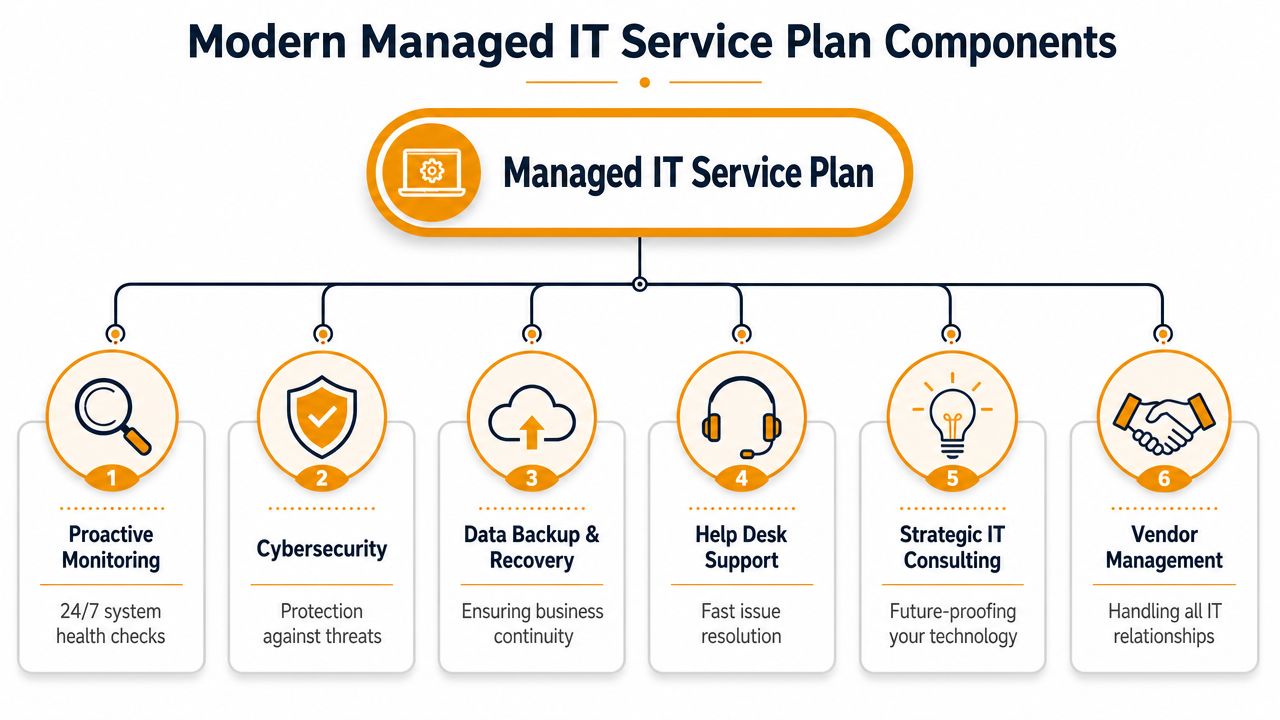
For most small and midsize businesses, the highest-value setup combines 24/7 proactive monitoring, layered security, and backup/disaster recovery. One industry source notes this model can achieve up to 99.99% network uptime when implemented correctly, as outlined in this managed services overview for small businesses. That number matters less as a promise and more as a standard of seriousness. The provider should be managing conditions continuously, not waiting for staff to report outages.
The core parts of a real service plan
A solid plan usually includes six working parts.
| Component | What it should do for your business |
|---|---|
| Monitoring | Watch servers, endpoints, network gear, and critical services so issues get flagged early |
| Help desk | Give users a clear path for support, with triage that doesn't waste time |
| Cybersecurity | Protect endpoints, email, identity, and network access with layered controls |
| Backup and recovery | Preserve business data and give you a documented path to restoration |
| Cloud administration | Manage Microsoft 365, Azure, AWS, Google Cloud, and related permissions or policies |
| Vendor coordination | Handle telecom, line-of-business apps, internet providers, copier vendors, and other third parties |
That last item gets ignored too often. A good MSP doesn't force your office manager to mediate between your ISP, firewall vendor, phone system, and Microsoft tenant admin. They take ownership and coordinate.
Security is no longer an add-on
The market has shifted toward security-led managed services. Buyers now see providers talking about Zero Trust, SIEM, conditional access, MDM, and identity controls much more often than they did a few years ago. That's a good change, but it also creates confusion because many providers list the same terms without explaining how they operate them.
What works is layered defense tied to daily execution. Endpoint detection, patching, MFA, access reviews, vulnerability work, email protection, and backup monitoring all need to connect. What doesn't work is buying a stack of tools that no one actively manages.
Strong service plans produce artifacts. You should see ticket trends, patch status, backup alerts, access changes, and security review notes. If none of that exists, the plan is mostly marketing.
For websites and customer-facing systems, uptime visibility also matters. If part of your business depends on WordPress or other public web properties, this FirePhage guide for WordPress performance is worth reviewing because it shows how monitoring connects directly to user experience and business continuity.
Strategy belongs in the contract
Many business owners think “managed services” only means support desk plus antivirus. That's too narrow. A useful provider should also guide lifecycle planning, tenant cleanup, Wi-Fi refreshes, cloud migrations, license rationalization, and vendor decisions.
You don't need a long strategic roadmap deck every quarter. You do need someone who can tell you, clearly, what should be fixed now, what can wait, and what operational risk you're carrying if you do nothing.
The Ultimate Vetting Checklist for Houston Businesses
Buying managed services without a vetting method is how companies end up with polished sales presentations and weak delivery. Houston businesses need a provider that can support remote users, office locations, cloud platforms, and incident response without getting sloppy when conditions change.
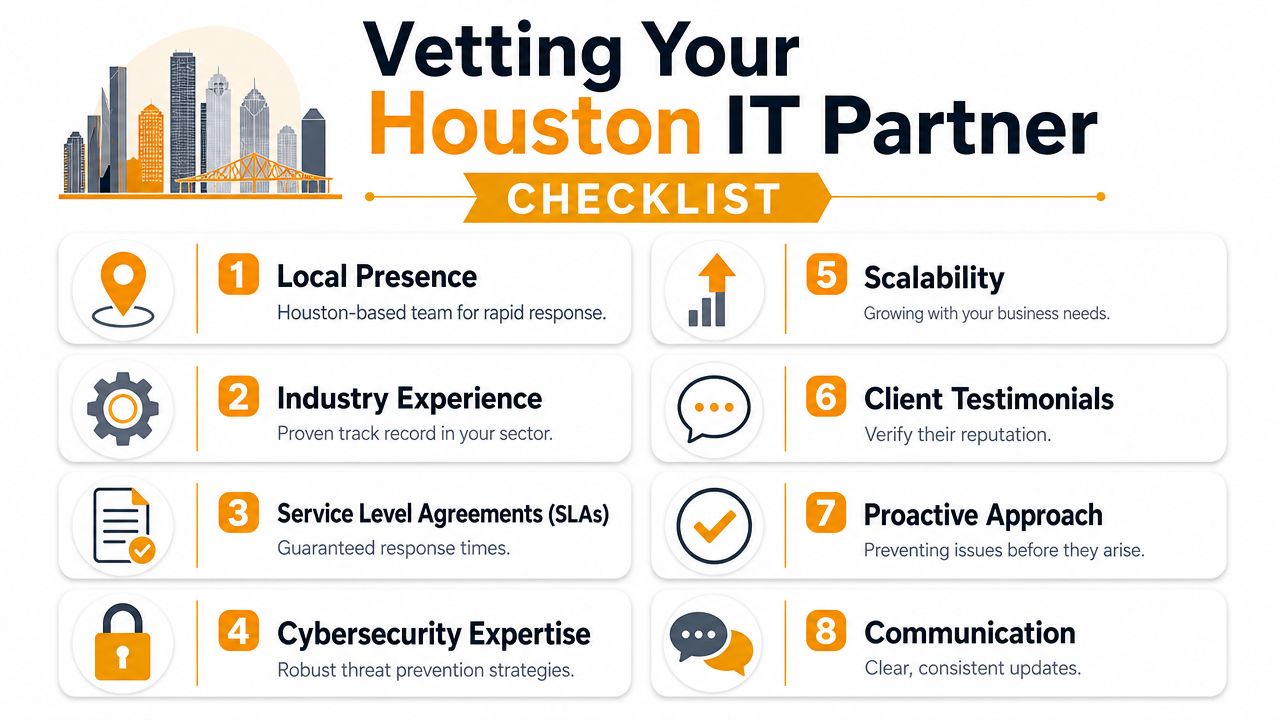
A rigorous evaluation starts with documentation. Providers should perform a documented onboarding assessment and show proof of performance against service levels, including metrics such as first-call resolution and patch compliance, as described in this MSP evaluation guidance. If they can't show how they assess a new environment, they probably can't manage it consistently.
Start with onboarding, not promises
The first meeting tells you less than the onboarding process. Ask what they review before taking over support.
A serious provider should inventory:
- Endpoints and servers that are active, outdated, unmanaged, or duplicated
- Network gear including firewalls, switches, Wi-Fi, and remote access methods
- Cloud systems such as Microsoft 365, Azure, AWS, Google Workspace, and line-of-business SaaS tools
- Security controls including MFA status, patching practices, endpoint protection, and privileged access
- Documentation gaps covering admin credentials, vendor records, site diagrams, and recovery steps
If their answer is “we'll start supporting you and figure it out as we go,” stop there.
Ask Houston-specific continuity questions
Local context is particularly important. In Houston, disaster recovery isn't an abstract compliance topic. It's tied to weather events, power disruption, internet instability, road conditions, and office access.
Ask direct questions like:
- If our office is inaccessible, how do users keep working from home or another site?
- How do you verify backups are restorable, not just completed?
- Who coordinates internet, voice, firewall, and cloud access during a major outage?
- What's your plan if key hardware fails during a regional event when shipping and dispatch are delayed?
The best continuity plans are boring on paper and dependable under stress. They define who calls whom, where systems fail over, how staff authenticate, and what gets restored first.
A provider may support broad metro areas, but that doesn't tell you how fast they can reach your specific location or whether they have after-hours staff available for on-site work. For “near me” searches, local fit often matters more than branding. Provider directories in Atlanta show many firms promoting similar services while giving buyers limited clarity on true local response and dispatch radius, which makes actual on-site terms more meaningful than marketing language, according to this Cloudtango market view.
Verify cloud and security depth
Most SMBs now depend heavily on Microsoft 365, cloud storage, collaboration tools, remote access, and identity security. Your provider needs operational depth, not buzzwords.
Use this checklist during calls:
Cloud administration
Can they manage Exchange, Intune, SharePoint, Teams, Azure, AWS, or the platforms you use? Ask what they handle directly versus escalate to a subcontractor.Security operations
Ask which endpoint protection and detection tools they deploy, how they handle MFA enforcement, and how they investigate suspicious events after hours.Patch discipline
Ask how they define patch cadence, exception handling, and failed update follow-up.Backup proof
Ask for examples of restore testing outputs, not just dashboard screenshots showing green status.Access governance
Ask how they offboard users, review admin roles, and track privileged access changes.
For a broader buyer framework, this managed service provider selection guide gives a useful comparison lens. The key is simple. Look for evidence, not adjectives.
Smart Questions That Reveal a Provider's True Value
Sales calls are easy to control if you ask soft questions. “Do you offer cybersecurity?” gets a yes from everyone. “Do you support cloud?” also gets a yes. Those answers tell you almost nothing.
Better questions force a provider to describe behavior, not branding.
Questions about operations
Start with scenario questions. They expose whether the team has a real process or just a slide deck.
Walk me through a security incident at 2 AM on a Saturday.
Listen for sequence. Who gets alerted, who triages, who contacts your team, what gets isolated, and how they document the event.Describe your onboarding in detail.
You want to hear inventory, documentation, admin access review, backup validation, and baseline risk findings.What issues require on-site work versus remote support?
In Houston, this matters. Remote-first is fine. Remote-only can become a problem.How do you handle a failed Microsoft 365 change or policy rollout?
Mature teams have rollback habits and change control. Weak teams improvise.
If the answer stays high-level after you ask for a real workflow, the operation is probably thin behind the scenes.
Questions about accountability
The next group of questions should test transparency. Good providers don't get uncomfortable when you ask for specifics.
Ask these:
- How do you report service performance each month?
- What do your clients see in those reports?
- Can you show examples of patch reporting, backup review, and ticket trend analysis?
- Who owns vendor escalation when the ISP, phone vendor, and software company start blaming each other?
- Can I speak with a Houston-area client with similar complexity?
Also ask about staffing stability. You don't need private HR data. You do need to know whether the account will be handed from engineer to engineer with little continuity. Consistency matters because every transition increases the chance of missed context, weak documentation, and dropped follow-up.
A provider's true value usually shows up in three places: clarity during an incident, discipline in routine maintenance, and willingness to put expectations in writing. If they're vague in the sales process, they'll usually be vague after the contract is signed too.
Decoding Managed IT Services Pricing Models
Pricing confuses a lot of buyers because two proposals can look similar while covering very different things. One may include monitoring, patching, help desk, endpoint security, Microsoft 365 administration, backup oversight, and vendor coordination. Another may advertise a lower monthly rate but bill extra for projects, after-hours support, onboarding, or security work that should have been part of the base service.
Where pricing models fit
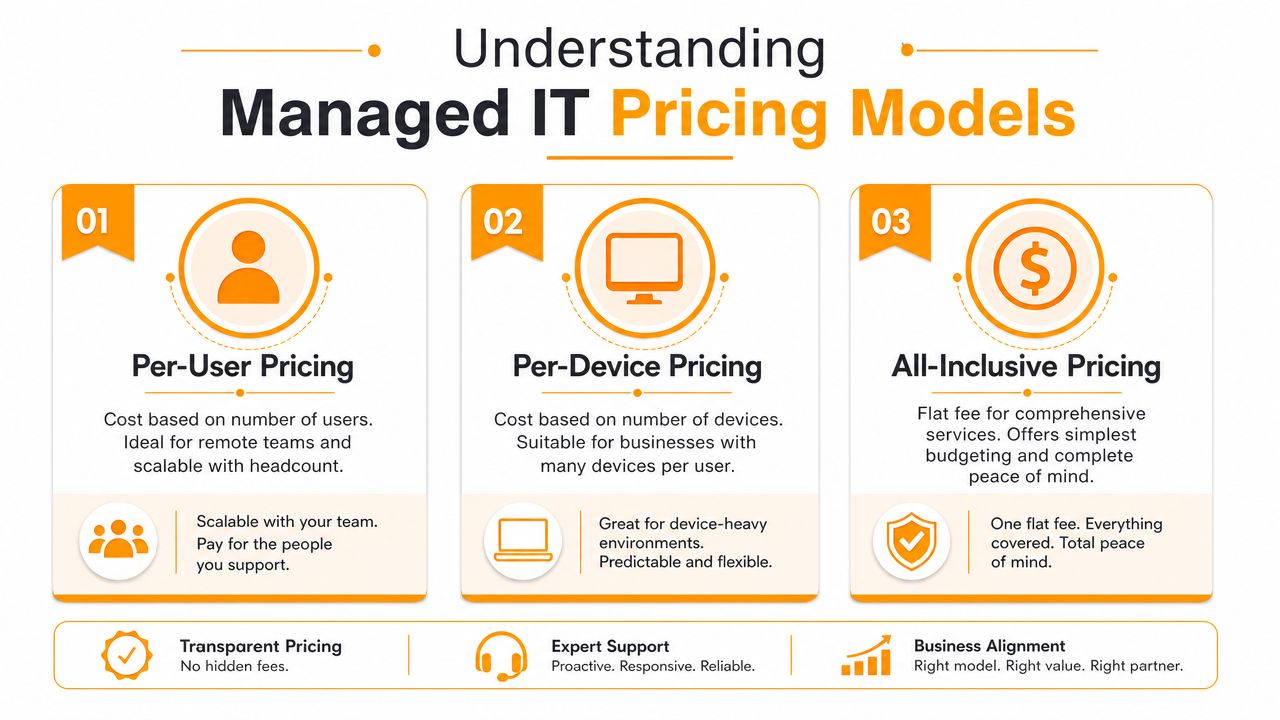
Here's the practical difference between the common models.
| Model | Usually works best for | Common drawback |
|---|---|---|
| Per-user | Offices with predictable staff counts, remote teams, heavy Microsoft 365 use | Can get murky if some users need far more support than others |
| Per-device | Environments with shared workstations, kiosks, or many devices per person | Can understate the support load around identity, email, and cloud administration |
| All-inclusive | Companies that want simpler budgeting and broad coverage | You need clear boundaries so “all-inclusive” doesn't hide exclusions |
Per-user pricing often makes sense for knowledge-work teams because support follows the employee, not just the machine. Per-device can be reasonable in operations-heavy environments where a single person may use several specialized systems. All-inclusive appeals to owners who want budgeting stability, but only if the service definition is tight.
What matters most isn't the label. It's what's included.
A quote should clarify whether these items are covered:
- Help desk support for daily user issues
- Monitoring and patching for endpoints, servers, and network equipment
- Security tooling and management such as endpoint protection, MFA support, and incident handling
- Cloud administration for Microsoft 365 or other platforms
- Backup oversight plus restore testing responsibilities
- After-hours work and emergency response terms
- Projects such as migrations, office moves, and major hardware refreshes
What to watch for in the proposal
The biggest pricing mistake is comparing monthly totals without comparing scope. A cheaper agreement can become expensive fast if every meaningful task is treated as out of scope.
Look closely for language around onboarding, remediation, and security exceptions. Some providers price the recurring service low because they expect to bill heavily for cleanup, environment standardization, and project labor after the contract starts. That isn't always wrong. Sometimes an inherited environment really does need major remediation. But it should be disclosed clearly.
Cheap support is often expensive support with delayed billing.
Cloud costs deserve separate attention too. If your MSP manages Azure, AWS, or Microsoft 365, ask whether they also review license waste, stale resources, and unnecessary service sprawl. For businesses trying to understand that side of the budget, this PushOps cloud cost optimization guide offers a useful lens on how cloud spend can drift when no one owns it carefully.
If you want a plain-language breakdown of what tends to shape monthly support fees, this guide to managed IT support service cost factors is helpful. The right proposal should feel predictable. Not cheap. Not padded. Predictable.
The Right Partner for Houston Next Steps with IT Cloud Global
A good provider for a Houston SMB should be able to do five things well. Support users quickly. Secure the environment without overcomplicating it. Manage cloud systems cleanly. Prepare for disruption. Show their work.

That combination matters more than flashy branding or a long feature list. In practice, businesses do better with providers that document the environment, standardize tools, report consistently, and communicate clearly when something breaks. Those habits matter a lot more than sales polish.
Houston also rewards practical range. Many companies need one partner that can handle managed support, Microsoft 365 administration, cloud migration, endpoint protection, Wi-Fi, VoIP, low-voltage cabling, and repair coordination without turning every request into a handoff. IT Cloud Global is one Houston-based option that provides managed services, helpdesk and on-site support, cloud work across AWS, Microsoft Azure/O365, and Google Cloud, plus security partnerships that include SentinelOne, Microsoft, Arista, Atakama, and Ultatel.
Before you sign with any provider, ask for three things in writing:
- A documented onboarding plan with discovery, access review, and risk findings
- A defined service scope covering support hours, escalation, security responsibilities, and on-site expectations
- A reporting sample so you can see what operational visibility will look like after the honeymoon period ends
If you're searching for a managed IT services provider near me, keep the standard simple. Don't buy promises. Buy discipline, coverage, and proof. The right partner should make your business easier to run during an ordinary Tuesday and much easier to protect during a bad week.
If your business needs a Houston-based team for managed IT, cloud administration, cybersecurity, backup and disaster recovery, or on-site support, IT Cloud Global, LLC is worth contacting for a consultation. Ask them to walk you through onboarding, SLA reporting, local response expectations, and how they'd keep your business operating through a Houston-area disruption.
- IT Security Services Houston TX: Essential for Your SMB In
- Top IT Services Houston TX: Your 2026 SMB Guide
- Managed IT Services Houston TX: 2026 Guide for SMBs
- IT Managed Services Houston TX: 2026 Guide
- Houston Managed IT Services: A 2026 Guide for SMBs
- How Long Does Data Recovery Take? Realistic Timelines
- What Is a Helpdesk Ticketing System? an SMB Guide