


Backup Data Offsite: An SMB’s Essential Guide
You’re probably dealing with one of two situations right now. Either your backups exist, but nobody is fully sure they’d restore cleanly under pressure, or you know the current setup is too thin and you’ve been meaning to fix it before the next hardware failure, ransomware event, or office-wide outage forces the issue.
That’s where most Houston SMBs start. They have a server, Microsoft 365 data, shared folders, line-of-business apps, maybe a few laptops holding critical files, and a backup routine that grew piecemeal over time. One USB drive became a NAS. One cloud sync tool got mistaken for backup. One person in the office became “the backup person” without a real recovery plan behind them.
If you need to backup data offsite, the right move isn’t buying a random cloud plan and hoping for the best. You need a practical lifecycle. Planning, architecture, implementation, testing, and clear accountability with your MSP.
Table of Contents
- Why Offsite Backups Are Your Business Lifeline
- Defining Your Backup Strategy Before You Spend a Dollar
- Choosing Your Offsite Backup Architecture
- Implementing Your Offsite Backup Plan
- Testing Monitoring and Maintaining Your Backups
- Partnering for Success A Playbook for Working with an MSP
Why Offsite Backups Are Your Business Lifeline
A common failure pattern looks like this. A file server starts throwing disk errors on a Tuesday. Staff can still open some folders, so nobody wants to interrupt operations. By Wednesday afternoon, accounting can’t access current records, the CRM export is corrupted, and the local backup device sitting in the same office isn’t much help because it copied the bad state or got hit by the same event.
That’s when offsite backup stops being an IT topic and becomes a business survival issue.
The baseline standard is the 3-2-1 backup rule. Keep three copies of data, on two different media types, with one copy stored offsite. That model exists for a reason. Hardware failures cause 44% of data loss incidents, which is why a single on-prem copy is too much risk for any business that depends on its systems to open, invoice, ship, or serve customers, according to Zmanda’s guide to storing backup data offsite.
What this means in plain language
For an SMB, the rule usually maps out like this:
- Primary working copy: The live data on your server, cloud platform, or endpoint.
- Local backup copy: Fast recovery for accidental deletions, misconfigurations, or a small server issue.
- Offsite backup copy: Recovery when the office, local backup appliance, or network is the problem.
That offsite copy is the part many companies skip or underbuild. They assume local redundancy is enough. It isn’t if the building loses power, the server room floods, malware spreads through the network, or a break-in takes out the equipment.
Practical rule: If your backup sits in the same room, on the same network, and under the same security controls as production, it’s not enough by itself.
Houston businesses have another reality to factor in. Storm-related outages and building access problems don’t have to destroy hardware to shut you down. If your staff can’t get to the office or your local systems aren’t reachable, the offsite copy becomes the copy that lets you keep operating.
Defining Your Backup Strategy Before You Spend a Dollar
Most backup projects go wrong before any software gets installed. The mistake is buying storage first and asking business questions later.
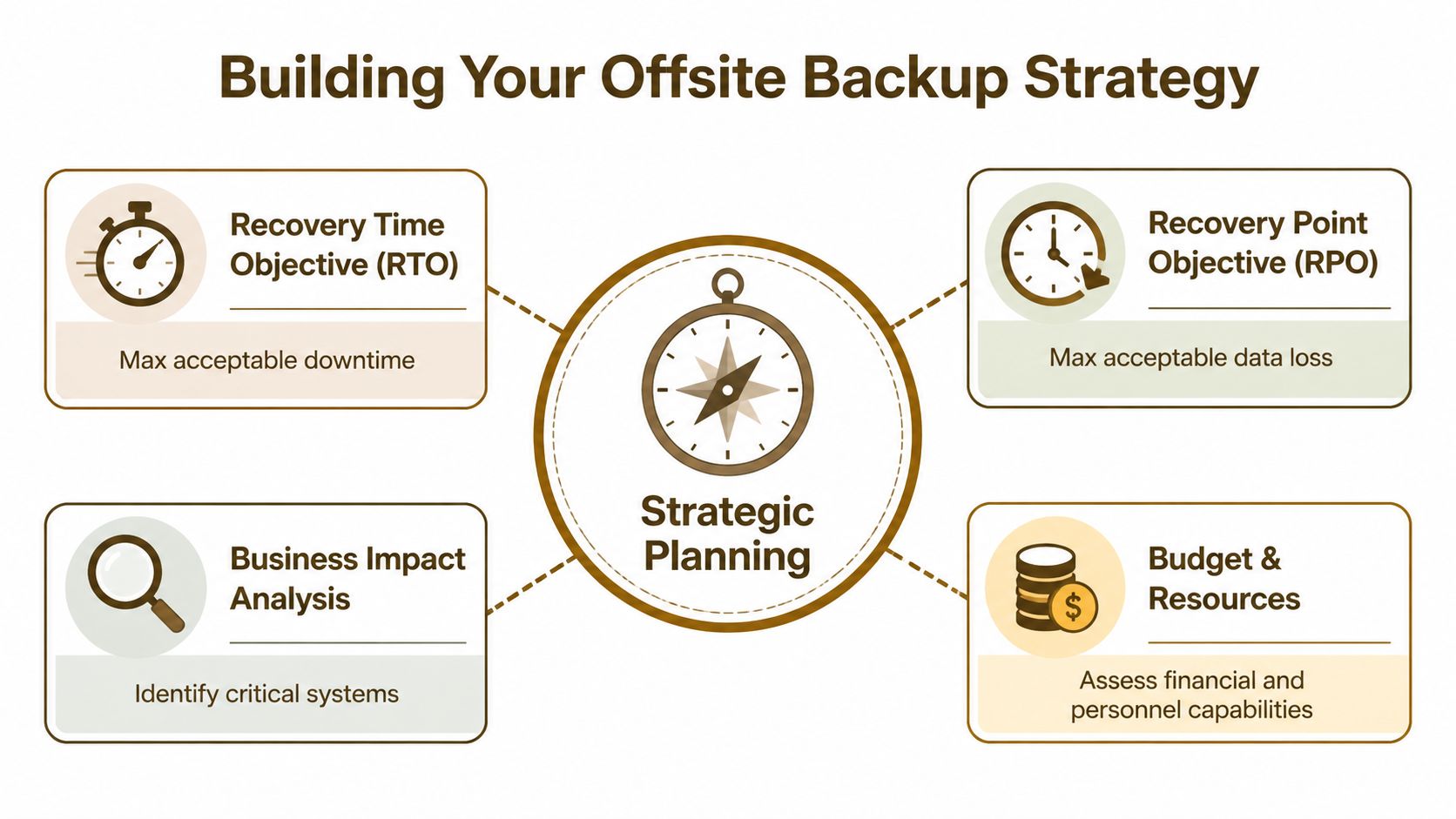
With 35% of businesses suffering irrecoverable data loss from gaps or malware, and 60% shutting down within 6 months of a major data disaster, defining recovery expectations is a survival issue, not paperwork, according to Electro IQ backup statistics.
Start with business impact, not storage
Two terms matter more than vendor branding.
RPO, or Recovery Point Objective, answers this question. How much data can you afford to lose? If your accounting team can recreate half a day of work, that’s one thing. If your order system changes every few minutes, that answer is very different.
RTO, or Recovery Time Objective, answers this one. How long can you afford to be down? Some firms can work around a file share outage for part of a day. A medical, legal, retail, or logistics operation often can’t.
A simple way to explain it to owners is this:
| Question | Business translation | Example |
|---|---|---|
| RPO | How much work can you afford to redo | Re-enter invoices, rebuild spreadsheets, restore emails |
| RTO | How long can the doors be partially closed | Staff idle time, missed sales, delayed service, compliance issues |
If you’re running workloads in AWS, storage planning needs to be tied to recovery design, not just monthly cost. For teams comparing tiers and retention choices, this breakdown on AWS-Cloud-Infrastruktur nachhaltig skalieren is useful because it helps frame how storage decisions affect operating cost over time.
A simple planning checklist
Don’t inventory everything at the same priority. Separate systems by business impact.
List the systems that stop revenue or service immediately
Your line-of-business app, finance system, Microsoft 365, file server, customer database, and any system tied to fulfillment or scheduling belong here.
Identify what changes constantly
Databases, shared folders with active project files, and collaboration platforms usually need tighter backup frequency than static archives.
Mark what can wait
Historical records, inactive projects, and long-term retention data may not need the same recovery speed as active production systems.
Document dependencies
A restored app may still be unusable if the SQL database, license server, mapped shares, or identity platform didn’t recover with it.
Set owner sign-off
The finance lead should approve finance recovery expectations. Operations should approve operational systems. IT shouldn’t guess business tolerance.
A backup plan gets real when department owners agree on what must be restored first, what can wait, and what level of data loss is acceptable.
One more practical point. Many SMBs back up “daily” and assume that’s enough. Sometimes it is. Sometimes it leaves a painful gap for active systems. This article on how often to back up your business data is a helpful checkpoint when you’re matching backup frequency to the way your staff works.
Choosing Your Offsite Backup Architecture
There isn’t one right architecture for every SMB. There is only the architecture that matches your recovery goals, budget, and tolerance for operational complexity.
The wrong way to choose is by asking which platform is most popular. The right way is to ask which design gives you the recovery behavior you need when things are messy.
What each architecture does well
Cloud offsite backup is usually the easiest place to start. It works well for distributed teams, Microsoft 365, server images, and file data where you want automation and don’t want to manage another physical location. The trade-off is that recovery speed depends on bandwidth, retention design, and retrieval costs. Cheap storage can become expensive during a large restore.
Tape rotation still has a place. For SMBs, tape can offer a lower total cost of ownership, up to 50% cheaper for archival, and it provides a true air-gapped, immutable alternative immune to ransomware, according to Quest’s discussion of offsite backups and disaster planning. It’s not glamorous, but for long-term retention and hard isolation, tape remains practical.
Replication gives you faster failover behavior than a traditional backup-only model. It’s useful when a server or virtual machine needs to come back quickly at a secondary location. The trade-off is cost and management overhead. Replication also isn’t a substitute for versioned backups because it can reproduce bad changes just as efficiently as good ones.
Hybrid architecture is what I recommend most often for Houston SMBs. Keep fast local recovery for common incidents. Keep offsite protection for site-wide problems and ransomware resilience. Add immutable or air-gapped retention where the risk justifies it.
A practical comparison for Houston SMBs
| Architecture | Strength | Weak spot | Best fit |
|---|---|---|---|
| Cloud backup | Easy offsite automation | Retrieval speed and egress costs can bite during recovery | Microsoft 365, endpoint data, smaller server estates |
| Tape offsite | Strong isolation and archival economics | Slower operational handling | Compliance retention, archive sets, ransomware-resistant copies |
| Replication | Faster workload recovery | More infrastructure and less forgiveness for replicated corruption | Critical apps with low downtime tolerance |
| Hybrid | Balanced speed, resilience, and flexibility | Requires good policy design | Most SMBs with mixed workloads |
Houston-specific reality matters here. If your office is affected by a hurricane event, a prolonged power problem, or a building access issue, a backup appliance in the same suite doesn’t help much. Physical separation matters. So does media separation.
For cloud-heavy firms, cost discipline also matters. If you’re trying to optimize retention and tiering instead of dumping everything into the same expensive bucket, this guide on how to optimize AWS S3 storage costs gives useful context for choosing storage classes without undermining recoverability.
If you’re comparing platforms and service models, this overview of cloud-based backup and recovery solutions for small businesses is a practical companion to architecture planning because it frames options by business use case instead of feature sprawl.
Implementing Your Offsite Backup Plan
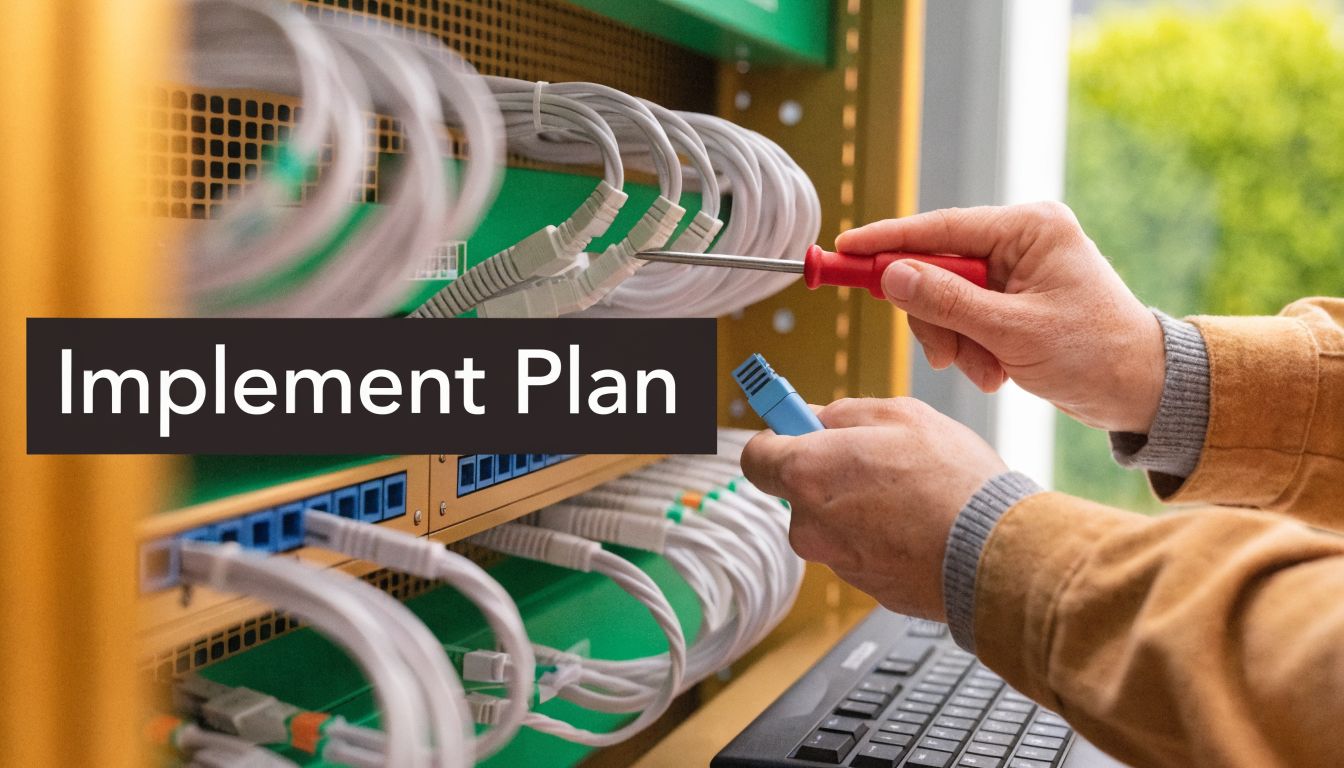
Good plans often fail. The software gets installed, jobs get scheduled, and everyone assumes the work is done. In reality, implementation quality decides whether the backup is merely present or truly usable.
Build the job correctly the first time
For SMB environments, practical tools often include Veeam, Azure Backup, and backup platforms built for Microsoft 365 and virtual infrastructure. The exact platform matters less than the job design.
At minimum, your implementation should define:
- What gets backed up: Servers, virtual machines, Microsoft 365 data, endpoints, and configuration data.
- How often it runs: Based on the RPO you already set.
- How long it stays: Retention that reflects legal, operational, and rollback needs.
- Where it lands: Local recovery copy, offsite copy, and any immutable or air-gapped layer.
- Who gets alerted: A named owner, not a silent inbox nobody checks.
A lot of SMBs miss application consistency. Backing up files alone may not protect a live database or transaction-aware system correctly. Your backup software should support application-aware processing where needed, and your MSP should be able to explain where crash-consistent backup is acceptable and where it isn’t.
If you manage a website as part of your business operations, web content and databases need the same discipline as servers and file shares. This Comprehensive WordPress site backup guide is a good reminder that web platforms have their own recovery dependencies, especially around databases, media, themes, and plugins.
Security and bandwidth are not side issues
Encryption is mandatory. Your backup data needs protection in transit and at rest. If your provider or tool can’t clearly document that, move on.
Access control matters just as much. Backup consoles should require strong authentication, administrative roles should be limited, and backup credentials should be isolated from day-to-day user accounts. The companies that get hurt during recovery are often the ones that treated backup infrastructure like an afterthought.
Bandwidth is the other implementation trap. Large first-time uploads can crush an office connection if you don’t plan for them. Common fixes include:
- Initial seeding: Move the first large copy through a controlled process instead of pushing everything over the wire during work hours.
- Compression and deduplication: Reduce what has to travel and what has to be stored.
- Scheduling windows: Run heavy jobs outside production hours when possible.
- Priority policies: Protect databases, finance, and active file shares more aggressively than stale archives.
Clean backups matter more than frequent backups if the frequent ones just preserve damage.
For businesses that want a managed option, IT Cloud Global, LLC supports cloud server disk backups and offsite replication through Veeam Cloud Connect and cloud platforms such as Azure and AWS. That kind of service model can be useful when an SMB wants operational ownership handled by an MSP instead of by internal staff.
Here’s a short walkthrough that helps non-technical stakeholders understand what a modern backup process should look like in practice:
Use automation and clean-copy protection
Ransomware changed backup design. It’s not enough to have copies. You need copies that stay recoverable when the production environment is under attack.
Emerging backup solutions integrate AI-driven threat detection, and that matters because the IBM Cost of a Data Breach Report shows ransomware recovery costs rising 13% to $4.88M, with clean offsite copies reducing downtime by 70%, according to Unitrends offsite backup storage guidance.
In practice, that means your MSP should be discussing:
- Immutable storage options
- Air-gapped retention for critical copies
- Anomaly detection on backup behavior
- Malware-aware restore workflows
- Separate credentials and hardened backup infrastructure
The implementation standard for SMBs should be boring in the best way. Automated. Documented. Verified. Easy to audit. Hard to tamper with.
Testing Monitoring and Maintaining Your Backups
A backup that hasn’t been tested is a theory. It may exist. It may even look healthy in a dashboard. But until someone restores from it under controlled conditions, nobody knows whether it will hold up when the pressure is real.
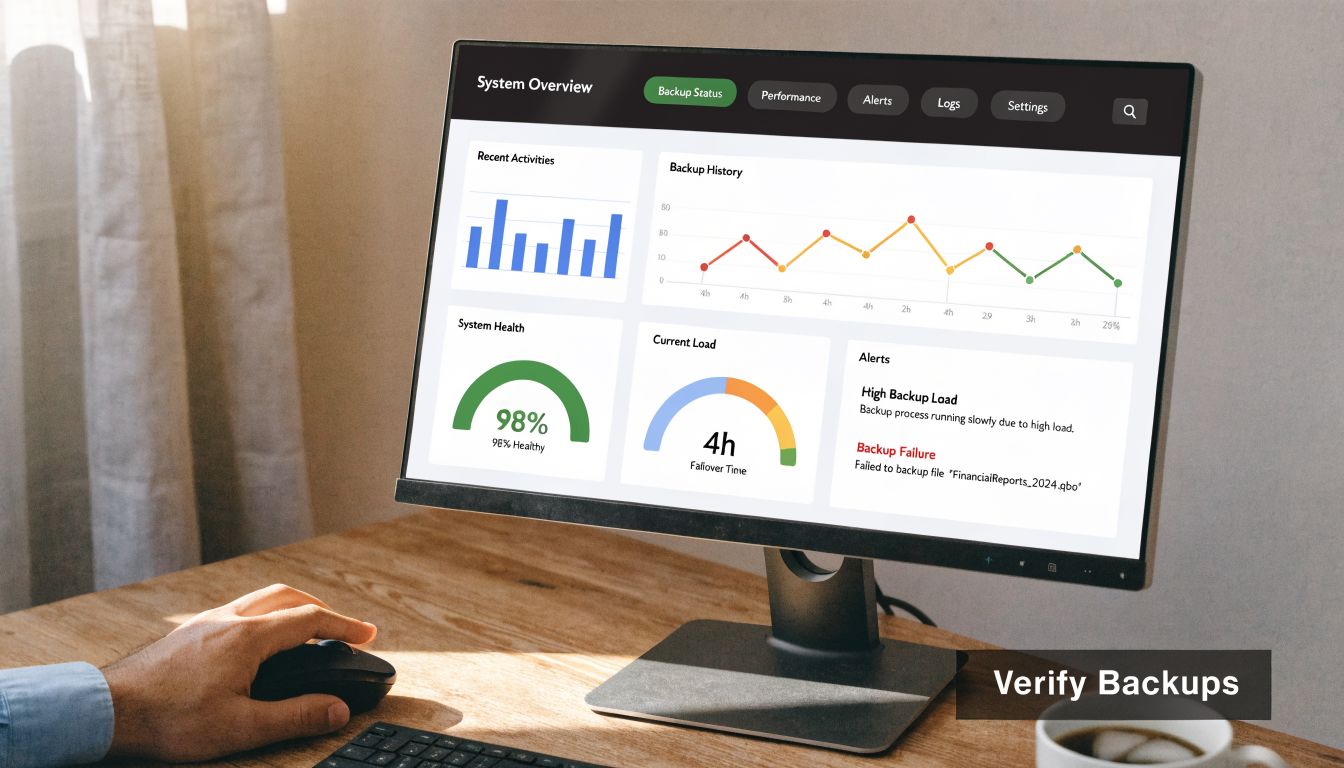
Businesses that conduct at least monthly recovery tests can recover three times faster, achieving an RTO of 2 hours versus 6+ hours, and ensure 99.9% backup completion rates compared to 70% for manual, untested processes, according to Trilio’s offsite data backup resource.
What a real recovery test looks like
Start small. Restore a single file. Then a mailbox. Then a folder tree with permissions. After that, test a full server or virtual machine recovery in an isolated environment.
A useful fire-drill sequence looks like this:
- Choose one business-critical system
Not the easiest one. Pick something people depend on.
Define the success condition
“The server boots” isn’t enough. Users should be able to log in, open the app, and confirm that expected data is present.
Restore to a safe test location
Don’t interrupt production if you can avoid it. A sandbox, isolated host, or controlled recovery environment is the right place.
Have the department owner validate it
IT can confirm a boot state. The business owner has to confirm usability.
Document the result
Capture what worked, what failed, and what took longer than expected.
Recovery testing should answer one blunt question. Can your team actually work from the restored system?
What to monitor every week
Backup operations fail in quiet ways. Credentials expire. Storage fills up. Jobs complete with warnings. A protected server gets replaced and never added back into policy.
That’s why monitoring needs a routine, not just software.
- Review job failures and warnings: Don’t settle for “mostly successful.”
- Check protected asset lists: New systems and mailboxes should land in backup scope quickly.
- Confirm retention behavior: Make sure older restore points are available where expected.
- Watch restore performance notes: If recoveries are getting slower, find out why before an emergency.
- Validate alert routing: Notifications should go to someone who owns the response.
A mature backup process also includes housekeeping. Update documentation after infrastructure changes. Revisit retention when legal or operational needs change. Re-test after major migrations, server replacements, or cloud moves.
The businesses that recover calmly aren’t lucky. They practice.
Partnering for Success A Playbook for Working with an MSP
A capable SMB can handle parts of backup management internally. The hard part is consistency. Backups need daily attention, periodic testing, security hardening, retention management, escalation paths, and recovery leadership when something fails at the worst possible time.
That’s why many companies hand this off to an MSP. Not to avoid responsibility, but to make sure responsibility is clearly assigned.
When you evaluate an MSP for offsite backup, ask direct questions.
Questions worth asking before you sign
- How do you implement offsite separation? Ask whether the offsite copy is logically separate, geographically separate, and protected against tampering.
- What platforms do you protect? Make sure they cover servers, Microsoft 365, endpoints, cloud workloads, and any line-of-business apps you rely on.
- How do you secure backup access? They should talk plainly about encryption, access control, privileged account separation, and immutable or air-gapped options.
- How often do you test restores? Ask for the recovery testing process, not just a yes or no.
- Who reviews failures every day? Silent job failures are common in poorly managed environments.
- What does a real recovery engagement look like? You want an MSP that can explain the steps, ownership, and communication flow during an incident.
- How are RPO and RTO documented? They should map technical settings to business expectations.
- What happens after infrastructure changes? New servers, cloud migrations, tenant changes, and software replacements should trigger backup review.
What good MSP collaboration looks like
The best working model is simple. Your business defines priorities. The MSP translates those priorities into job design, storage choices, security controls, and testing routines. Then both sides review results on a schedule.
If you want a benchmark for what managed backup support should include, this overview of managed IT backup solutions for Houston businesses is a useful reference point. It gives business owners a practical way to compare service depth instead of comparing software logos.
The right MSP won’t sell backup as a product alone. They’ll treat it as an operating discipline tied to business continuity.
If your team needs a practical offsite backup plan that covers strategy, implementation, monitoring, and tested recovery, IT Cloud Global, LLC can help you build a setup that fits how your Houston business operates. The goal isn’t just to store copies somewhere else. It’s to make sure you can restore fast, keep working, and avoid turning a technical issue into a business crisis.
- 7 Best Managed IT Services Houston TX Reviews (2026)
- Business Continuity Strategies: SMB Guide 2026
- The Importance of BCP: Business Survival in 2026
- MDR vs EDR: Choosing Cybersecurity for Your Houston Business
- IT Security Houston: Protect Your Business
- Managed IT Solutions: Grow Your Houston Business
- Auditing IT Systems: A Practical SMB Guide