


IT Risk Assessments: A Houston SMB’s Guide for 2026
You're probably closer to an IT problem than you think.
A staff member is trying to send a large invoice. Microsoft 365 is lagging. The shared drive is crawling. Your line-of-business app won't load for one department, but it's fine for another. Nobody's calling it a “security incident.” It just feels like a bad tech day. Then payroll gets delayed, customers wait, and your team starts working around the problem instead of through it.
That's how most business risk shows up. Not as a movie-style breach. As friction, downtime, missed work, and expensive confusion.
For Houston SMBs, that matters even more. You're balancing growth, vendor sprawl, cloud apps, remote access, compliance pressure, and hurricane season. If your systems fail at the wrong time, you don't just lose files. You lose momentum. IT risk assessments are how you find the weak spots before they turn into operational pain.
Table of Contents
- That One Invoice That Almost Broke Your Business
- What Is an IT Risk Assessment Really?
- Finding a Playbook Common IT Risk Frameworks
- Your Step-by-Step IT Risk Assessment Process
- From List to Action How to Prioritize IT Risks
- The Houston Factor Local Risks and When to Call for Help
- Frequently Asked Questions About IT Risk Assessments
That One Invoice That Almost Broke Your Business
A Houston business owner I've met in some form a hundred times usually says the same thing. “We're fine. We've got antivirus. We back things up. Nothing major has happened.”
Then something small happens.
A controller opens the accounting system to push out a large client invoice before close of business. The server hangs. The file share disconnects. The office internet flickers back, but the VPN session doesn't recover cleanly. Nobody panics, but six people stop working while someone starts calling “the IT guy.”
That's an IT risk event, even if it never makes the news.
Small failures cost real money
Most owners think risk means ransomware or a breach report. Sometimes it does. More often, it's a neglected battery backup, an over-permissioned employee account, an aging firewall, a backup that's never been tested, or a cloud app tied to one person's inbox.
Those issues don't look dramatic. They subtly drain margin.
A good risk assessment treats outages, weak vendor dependencies, and bad access habits like business threats, not just technical annoyances.
If your internet connection is a single point of failure, even your phones and payment workflows can wobble. That's why practical continuity planning matters. If you want a plain-English example of how connection resilience fits into operations, this guide to Hosted Telecommunications NBN solutions is useful because it frames stable connectivity as a business continuity issue, not just a telecom purchase.
Risk assessment is preventive maintenance for uptime
IT risk assessment is like hurricane prep for your data. You don't wait until water is under the door to ask where the sandbags are. You identify exposure early, decide what matters most, and put protection in place before the weather turns.
That's what IT risk assessments do. They help you spot the weak points in your systems, processes, and daily habits before a routine problem becomes a costly disruption.
What Is an IT Risk Assessment Really?
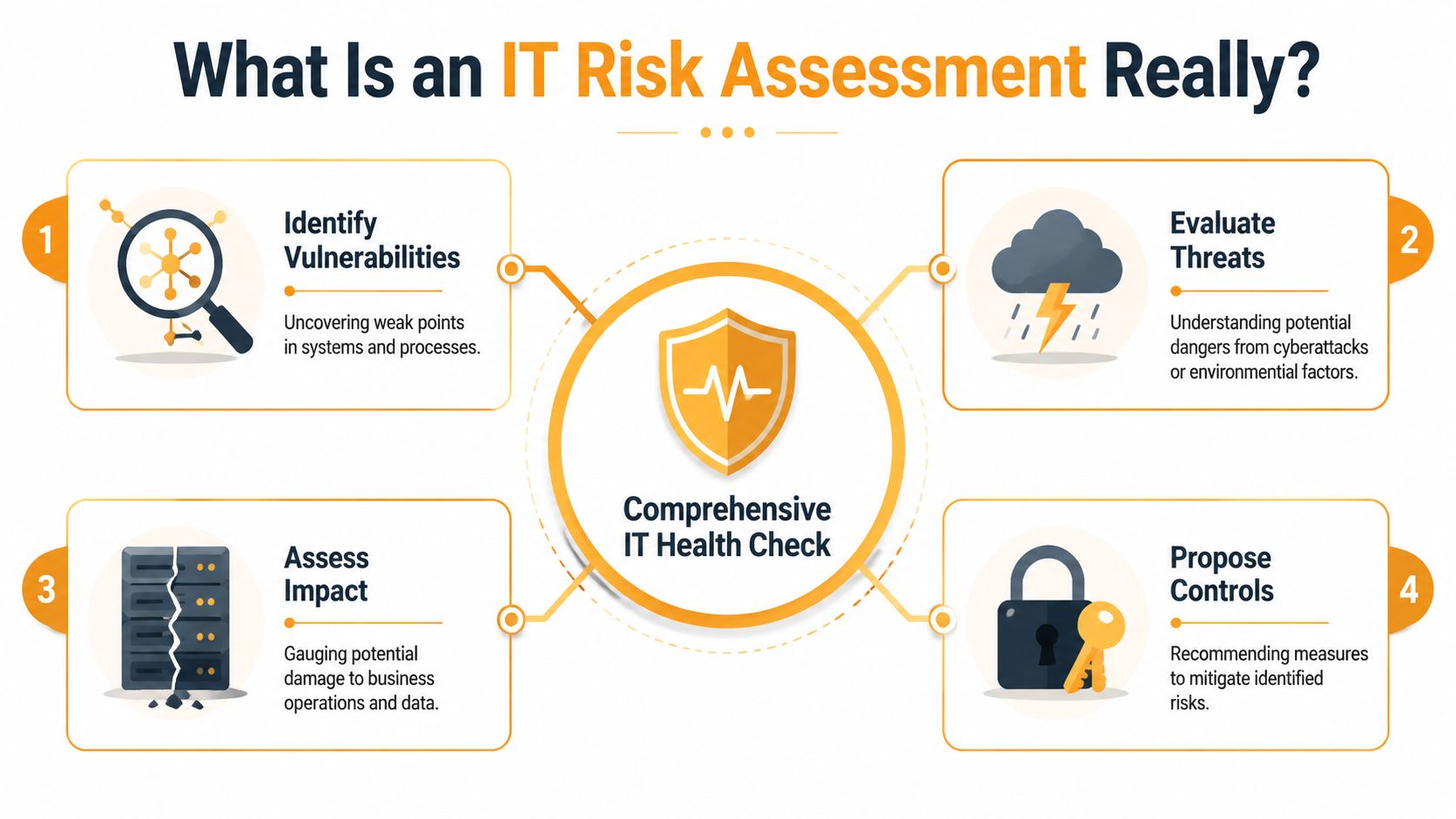
An IT risk assessment is a structured way to answer three basic business questions.
What could break? How likely is it? What would it cost you in downtime, lost data, compliance trouble, or customer frustration?
It's not just a cybersecurity checklist. It's closer to a full property inspection before buying a building. You're not only checking whether the lights turn on. You're looking at the wiring, the roof, the drainage, the locks, and who has keys.
It's a business inspection, not a geek exercise
A solid assessment usually covers three areas:
- Technology: Servers, laptops, Microsoft 365, cloud platforms, firewalls, WiFi, backups, and business apps.
- Processes: How your team handles invoices, approvals, password resets, onboarding, offboarding, file sharing, and vendor access.
- People: Who has access to what, who approves payments, who clicks links, and who still has admin rights they shouldn't have.
That last part gets missed constantly. Owners buy tools and assume the problem is solved. It isn't.
The human side is where many owners miss the plot
A critical but often overlooked issue is the human-centric risk gap. Human error is a factor in 95% of data breaches, with social engineering and insider threats playing major roles, according to Verizon's Data Breach Investigations Report. If your assessment ignores employee behavior, approval habits, and access discipline, it's incomplete.
Here's what that looks like in practice:
- A bookkeeper trusts a fake email: The payment goes out before anyone verifies the request.
- A former employee keeps access: Nobody removed old credentials after departure.
- A manager uses personal cloud storage: Sensitive files end up outside the systems you control.
Practical rule: If a process depends on one careful employee never making a mistake, that process is fragile.
A proper IT risk assessment documents these issues, ranks them, and gives you a plan to fix them. That's the point. Not paperwork. Better uptime, fewer surprises, and clearer decisions.
Finding a Playbook Common IT Risk Frameworks
Most SMBs don't need to invent a risk method from scratch. That would be a waste of time.
The smart move is to use a proven playbook. In IT risk assessments, frameworks do exactly that. They give you a repeatable way to identify assets, evaluate threats, document weaknesses, decide what matters most, and keep reviewing the results instead of treating risk as a one-time project.
NIST gives you a repeatable rhythm
The framework most Houston businesses should understand first is NIST SP 800-30 Rev. 1. It became the de facto industry standard by formalizing a continuous lifecycle of framing, assessing, responding, and monitoring risk, and organizations following its structured steps report a 45% decrease in critical vulnerabilities over three years according to NIST Special Publication 800-30 Revision 1.
That matters because many SMBs still treat risk reviews like annual spring cleaning. NIST says that approach is outdated. Risk changes when you add a vendor, migrate email, open a second office, or give remote access to a contractor.
ISO 27001 is another framework owners hear about. In plain English, it's often used when a company wants a formal international structure around information security and may need outside validation for customers or partners.
You don't need to memorize a framework. You need a team that can use one consistently.
A quick comparison that actually helps
| Framework | Best For | Key Focus |
|---|---|---|
| NIST SP 800-30 | U.S.-based SMBs, regulated businesses, companies wanting a practical risk process | Continuous risk identification, analysis, response, and monitoring |
| ISO 27001 | Companies with customer or partner pressure for formal security governance | Management system discipline, documentation, controls, and certification alignment |
| Internal company checklist only | Very small firms starting from scratch | Basic visibility, but often inconsistent and easy to outgrow |
If you're a typical Houston SMB, NIST is usually the better operational starting point. It's practical. It's widely recognized. And it doesn't force you to turn your business into a paperwork factory.
Your Step-by-Step IT Risk Assessment Process
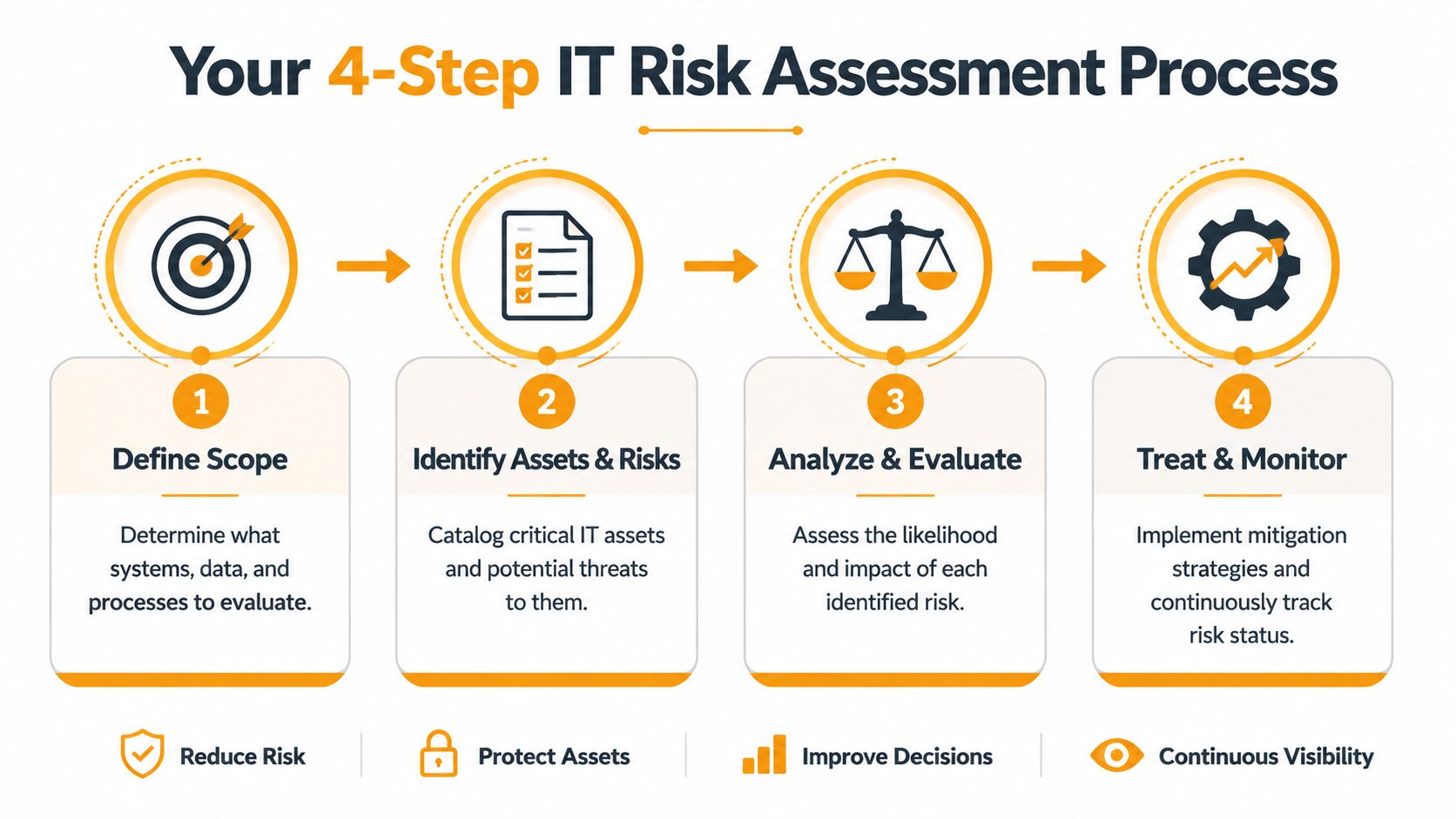
A good assessment is methodical, but it doesn't need to be complicated. You can break it into a handful of actions your leadership team can understand and your IT team can execute.
Start with scope. If you try to assess everything at once, most SMBs bog down. Pick the systems that would hurt the most if they failed.
Start with what would hurt to lose
List the assets your business depends on.
That usually includes your Microsoft 365 tenant, accounting platform, file storage, line-of-business applications, laptops, internet connection, firewall, backup system, and any cloud resources in AWS, Azure, or Google Cloud. It also includes less obvious assets like key vendor portals, remote access tools, shared mailboxes, and employee smartphones with company data.
Ask blunt questions:
- What stops revenue: If this system goes down, can you still bill, sell, ship, or answer customers?
- What holds sensitive data: Payroll, health data, customer contracts, payment records, or internal financials need special attention.
- What would be painful to rebuild: Some systems are technically replaceable but operationally messy.
A system audit helps here because owners often don't know what they have. A structured review of IT systems auditing services can uncover unsupported devices, stale permissions, and undocumented dependencies before they become real problems.
Map threats, weaknesses, and consequences
Once you know what matters, identify what could go wrong.
For Houston businesses, that might include phishing, credential theft, bad backup practices, failed updates, remote access abuse, cloud misconfigurations, vendor outages, office flooding, power instability, or a network closet with poor environmental controls. Even something as unglamorous as a cabling dependency can matter. If you've never looked at how physical connectivity supports operations, this overview of the telecom infrastructure process is a useful reminder that digital reliability still depends on real-world infrastructure.
Then look for the vulnerability that makes the threat possible. Maybe multifactor authentication isn't enforced. Maybe backup alerts go nowhere. Maybe one vendor still has broad access. Maybe a server is overdue for replacement.
A helpful way to document each item is:
- Asset
- Threat
- Weakness
- Business impact
- Current control
- Recommended fix
Use tools, then keep watching
Here's where many SMBs fall down. They do one meeting, build one spreadsheet, and call it done.
Modern assessments work better when they include continuous scanning and monitoring. Weekly scans can reduce mean time to detect threats from 45 days to 4 days, lowering the probability of a successful exploit by 70%, according to Gartner as cited in the verified data set. That's especially important in cloud environments where a bad setting can expose data quickly.
This walkthrough gives a visual overview of the process in action:
Use tools like vulnerability scanners, Microsoft 365 security reporting, cloud posture dashboards, backup monitoring, and endpoint protection telemetry. Then review the output on a schedule. Risk isn't static. Your environment won't stay still, so your assessment process can't stay still either.
From List to Action How to Prioritize IT Risks
The hardest part of IT risk assessments isn't finding issues. It's deciding what deserves attention first.
Most businesses end up with a messy list. Outdated laptops. Weak password habits. Unused accounts. A backup warning. Too many users with admin rights. Spotty vendor documentation. If you treat every issue like the same emergency, your team burns time on noise and misses the actual threats.
Stop treating every issue like a fire
You need a ranking method.
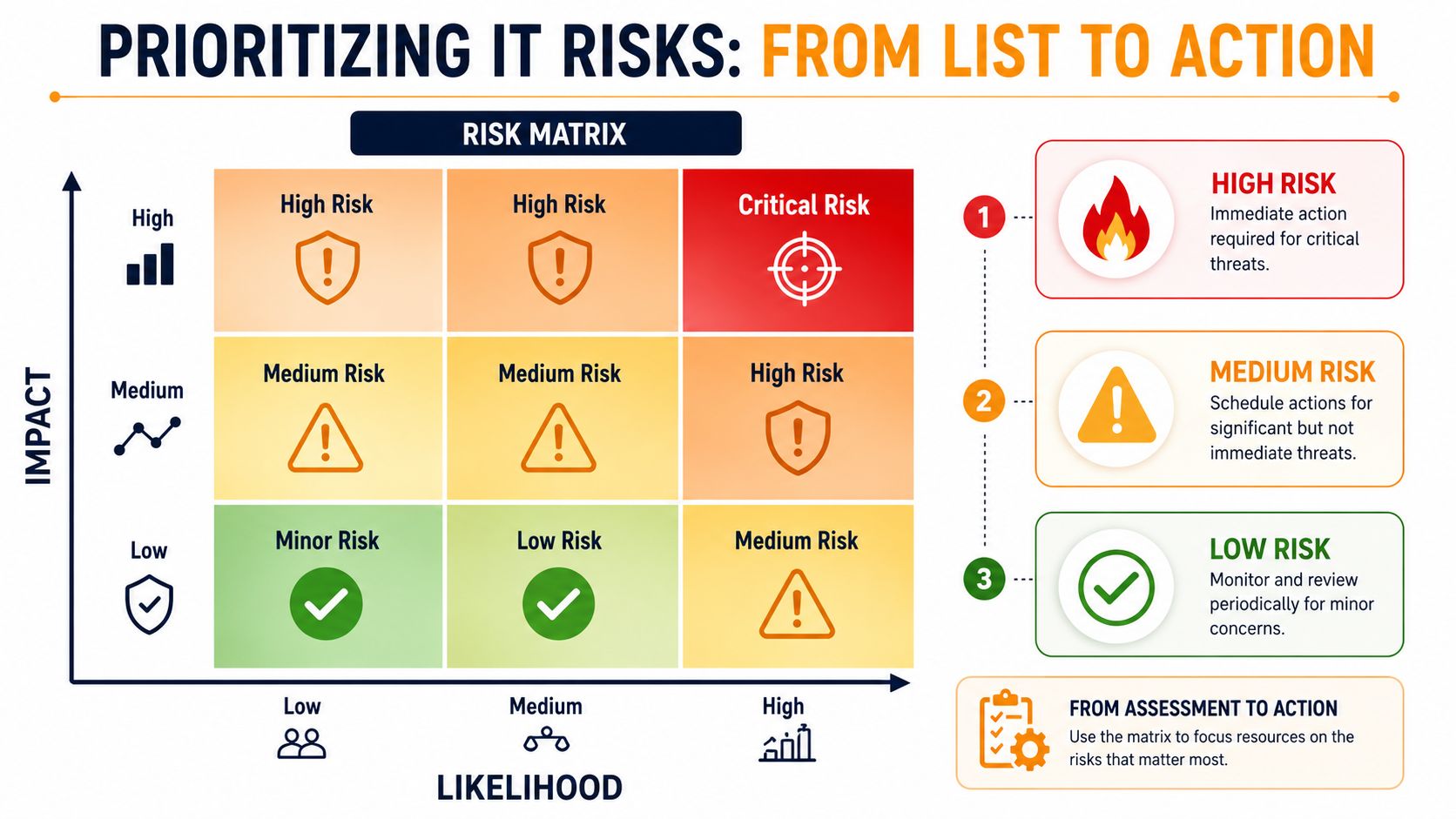
A simple risk matrix works well for most SMBs. Put likelihood on one side and impact on the other. Then place each risk into a grid.
- High likelihood, high impact: Fix now. Examples include exposed remote access, failed backups on critical systems, or shared admin accounts.
- High likelihood, lower impact: Tighten soon. Phishing-prone workflows often land here.
- Lower likelihood, high impact: Build a plan. A server room issue before hurricane season fits this category.
- Low likelihood, low impact: Monitor. Don't let minor items steal budget from major ones.
A simple matrix beats opinions
Effective prioritization uses a quantitative likelihood-impact matrix. By multiplying a vulnerability score by its probability, organizations can create a risk score, and this data-driven method helps reduce remediation latency by 40% compared with qualitative-only approaches, according to the verified data provided for this article.
That sounds technical, but the business application is simple. If one issue is likely to happen and would stop invoicing, payroll, or customer operations, it goes to the top. If another issue is annoying but contained, it waits.
If your risk list doesn't tell you what to do this week, it's not a plan. It's just inventory.
Disaster readiness belongs near the top for many Houston firms. If your biggest operational threat is storm-related downtime, your priority list should connect directly to recovery planning, off-site continuity, and communications redundancy. This guide to a disaster recovery plan for small business is a strong next step if your current plan lives only in someone's head.
A risk assessment becomes valuable when it drives decisions. Patch this first. Replace that next quarter. Remove those permissions today. Test these backups this month. That's where the return shows up.
The Houston Factor Local Risks and When to Call for Help
Houston changes the conversation.
A company in a mild climate with one office and light compliance pressure can get away with more. A Houston SMB usually can't. Flooding, storm disruptions, power events, distributed work, field staff, medical data, energy-sector vendor chains, and fast-moving cloud adoption create a more complicated risk profile.
Houston risk isn't theoretical
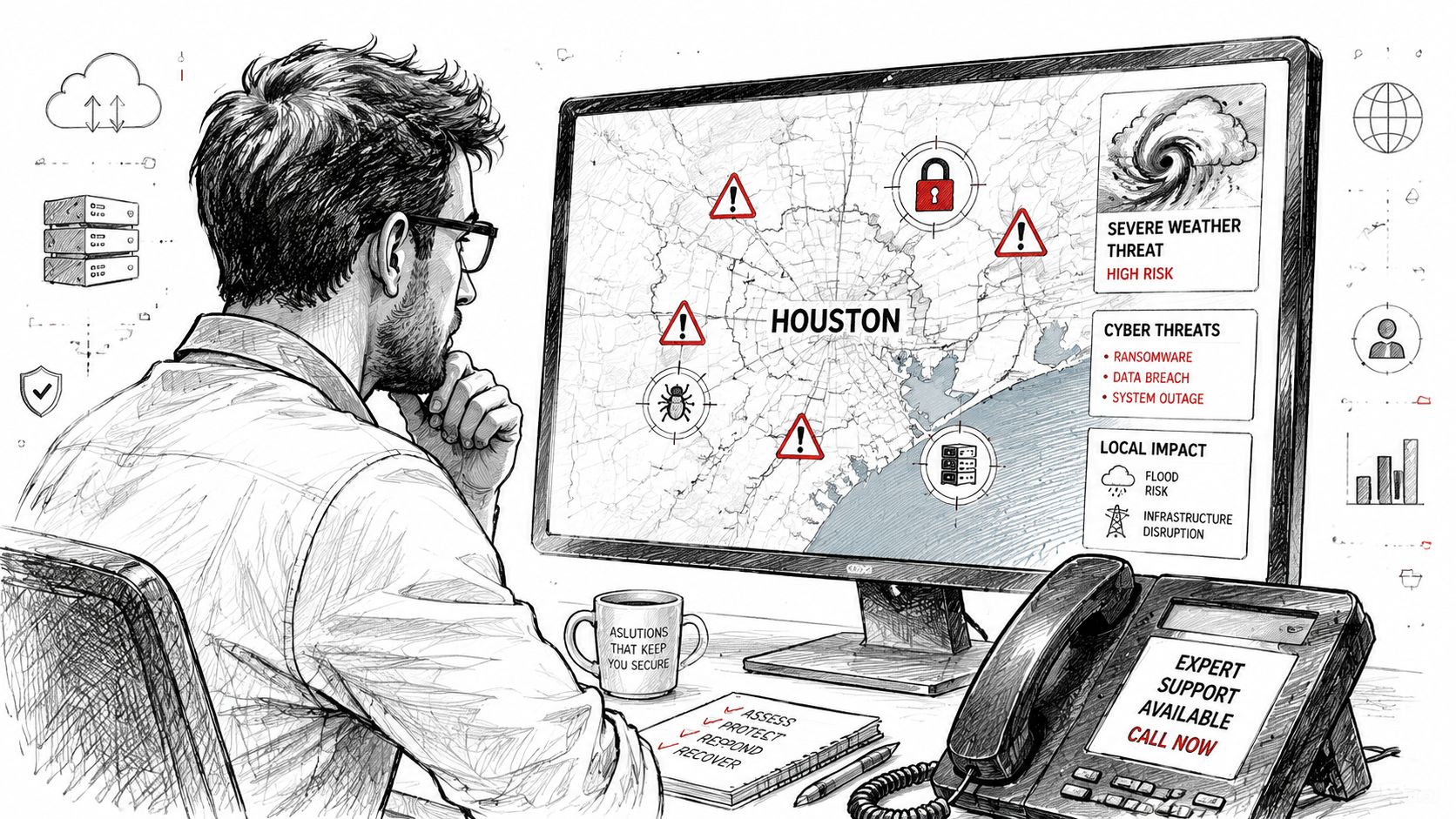
If your office loses power, your systems don't care whether the cause was a hacker or a hurricane. The business result is the same. Work stops.
That's why Houston IT risk assessments should account for local realities such as:
- Hurricane season exposure: Backups are useless if recovery depends on equipment in the same building.
- Compliance-heavy industries: Healthcare, legal, financial services, and energy-adjacent firms need stronger documentation and tighter access control.
- Hybrid infrastructure: Many SMBs now split workloads across office systems, Microsoft 365, and cloud platforms, which complicates visibility and ownership.
For security planning tied to local operations, a Houston-focused view of IT security services in Houston is relevant because local response capability and regional business continuity needs matter more here than generic national advice.
Vendor risk belongs in the conversation
A surprising number of business risks sit outside your walls.
Your payroll provider, VoIP platform, cloud backup vendor, outsourced developer, bookkeeping app, copier software, and managed line-of-business provider can all affect uptime and data protection. Globally, 44% of organizations assess over 100 third-party vendors annually, and a single supply chain disruption can cost an average of $184,000, according to C-Risk third-party risk statistics.
That's why vendor reviews shouldn't be a procurement afterthought. Ask who has access, how they secure it, how they support recovery, and what happens if their service fails.
The vendor your team barely thinks about can still stop your business cold.
When DIY stops making sense
Some businesses can start with a basic self-assessment. Many should. It forces clarity.
But DIY stops making sense when any of these are true:
- You handle regulated data: Compliance expectations raise the stakes.
- You rely on several cloud platforms or vendors: Cross-platform risk gets messy fast.
- You've had recurring outages or near misses: Repetition means the underlying process is weak.
- Nobody owns the risk register: If no one is accountable, issues linger.
- Leadership wants answers, not raw technical output: Someone has to translate findings into cost, operational impact, and priorities.
A good outside partner brings structure, technical depth, and a sharper view of blind spots. A local one also understands that “business continuity” in Houston isn't a theory exercise. It's operational survival.
Frequently Asked Questions About IT Risk Assessments
How often should my business do an IT risk assessment
Do a full formal review at least annually. Then keep monitoring throughout the year.
That cadence lines up with how modern risk behaves. Systems change, staff changes, vendors change, and cloud settings change. If you only look once and forget it, the assessment gets stale fast.
What's the difference between an IT risk assessment and a cybersecurity audit
An IT risk assessment looks forward. It asks what could go wrong, how exposed you are, and what to fix first.
A cybersecurity audit checks whether you followed a defined standard, policy, or control requirement. One is about exposure and prioritization. The other is about verification and evidence.
Can I do this myself or should I hire a professional
You can absolutely start yourself. List your critical systems, review who has access, document key vendors, confirm backups, and identify what would interrupt operations.
Bring in a professional when your environment gets more complex, when compliance is involved, or when you need a defensible, structured process instead of a rough internal checklist. Most owners don't need more alerts. They need a clear decision path.
If your business depends on reliable systems, cloud apps, vendor access, and fast recovery when things go sideways, it's time to treat IT risk like an operating issue, not a background chore. IT Cloud Global, LLC helps Houston businesses assess risk, strengthen security, improve uptime, and build practical resilience that fits real-world operations.
- Remote Desktop IT Support Guide 2026
- Endpoint Protection vs Antivirus: A Houston Guide
- Top 7 Cybersecurity Companies in Houston for 2026
- Houston IT Support: A 2026 Guide for SMBs
- What Is Network Access Control: Why Your Business Needs It
- Hybrid Cloud Management: A Practical Guide for SMBs
- Computer Service Near Me: A Houston Buyer’s Guide