


Data Breach Response Plan: Essential SMB Guide 2026
Monday starts with a Microsoft 365 login alert, then a manager says payroll files won't open, then your cloud vendor sends a terse notice that they're investigating suspicious activity. At that point, most Houston small businesses don't have a technology problem. They have a decision problem.
Who's in charge. Who calls legal. Who talks to staff. Whether to shut systems down. Whether the breach started inside your office or inside a vendor you rely on every day. That last part is where many small businesses get blindsided. Their data breach response plan assumes the attack is on their server, their laptop, or their firewall. Modern incidents often start in Microsoft 365, AWS, a file-sharing platform, a payroll provider, or another SaaS tool you don't fully control.
That gap matters because vendor breaches create delay at the worst moment. Your team is trying to investigate while the provider is reviewing logs, legal language, and support queues. If your plan doesn't include a vendor-specific escalation path, you lose time you can't afford.
Table of Contents
- Why Your Business Needs a Response Plan Yesterday
- Assembling Your Breach Response Team and Toolkit
- The First 24 Hours Detection and Containment
- Eradication Recovery and Forensic Coordination
- Navigating Legal Timelines and Customer Communications
- Keeping Your Plan Alive Testing and Maintenance
Why Your Business Needs a Response Plan Yesterday
A data breach response plan earns its keep before anyone opens the document. It forces decisions early, while people are calm, instead of in the middle of an outage when facts are incomplete and everyone wants answers at once.
The business case is blunt. Organizations with a fully deployed breach response plan save $2.66 million per breach on average compared with organizations without one, according to Arrivia's review of IBM breach response findings. That savings comes from faster identification and containment. In plain terms, prepared companies stop the spread sooner and spend less cleaning up the mess.
For an SMB owner, that's the right way to view this document. Not as a compliance binder. Not as something for the IT closet. It's a financial damage-control system.
The cost of waiting shows up fast
The first loss usually isn't a regulator's letter. It's operational disruption. Staff can't access email. Orders stall. Customer support has no script. Your controller wants to know whether wire instructions were touched. Your office manager is texting screenshots to the wrong people because nobody set a secure channel.
Practical rule: If your response depends on figuring out roles during the incident, you don't have a plan. You have a meeting.
Small businesses are especially exposed because they often depend on a small team, a lean budget, and a stack of outside platforms. One person may handle operations, vendor relationships, and approvals. That works fine on a normal Tuesday. It fails fast during a breach.
This is also why attackers keep finding openings in smaller firms. If you want a plain-language explanation of that pattern, read why small businesses are easy targets for hackers and how IT support helps. The short version is simple. Smaller organizations usually have less internal security depth, less redundancy, and more pressure to keep systems available at all costs.
What a good plan changes
A good data breach response plan does three things immediately:
- Assigns authority: One person can declare an incident and activate the process.
- Creates order: Technical work, legal review, and communications happen in parallel instead of colliding.
- Reduces bad decisions: Staff know what not to touch, what to document, and who to notify first.
That's what works. What doesn't work is the common SMB approach: “We'll call our IT guy if something happens.” That's not a plan. It's a dependency.
Assembling Your Breach Response Team and Toolkit
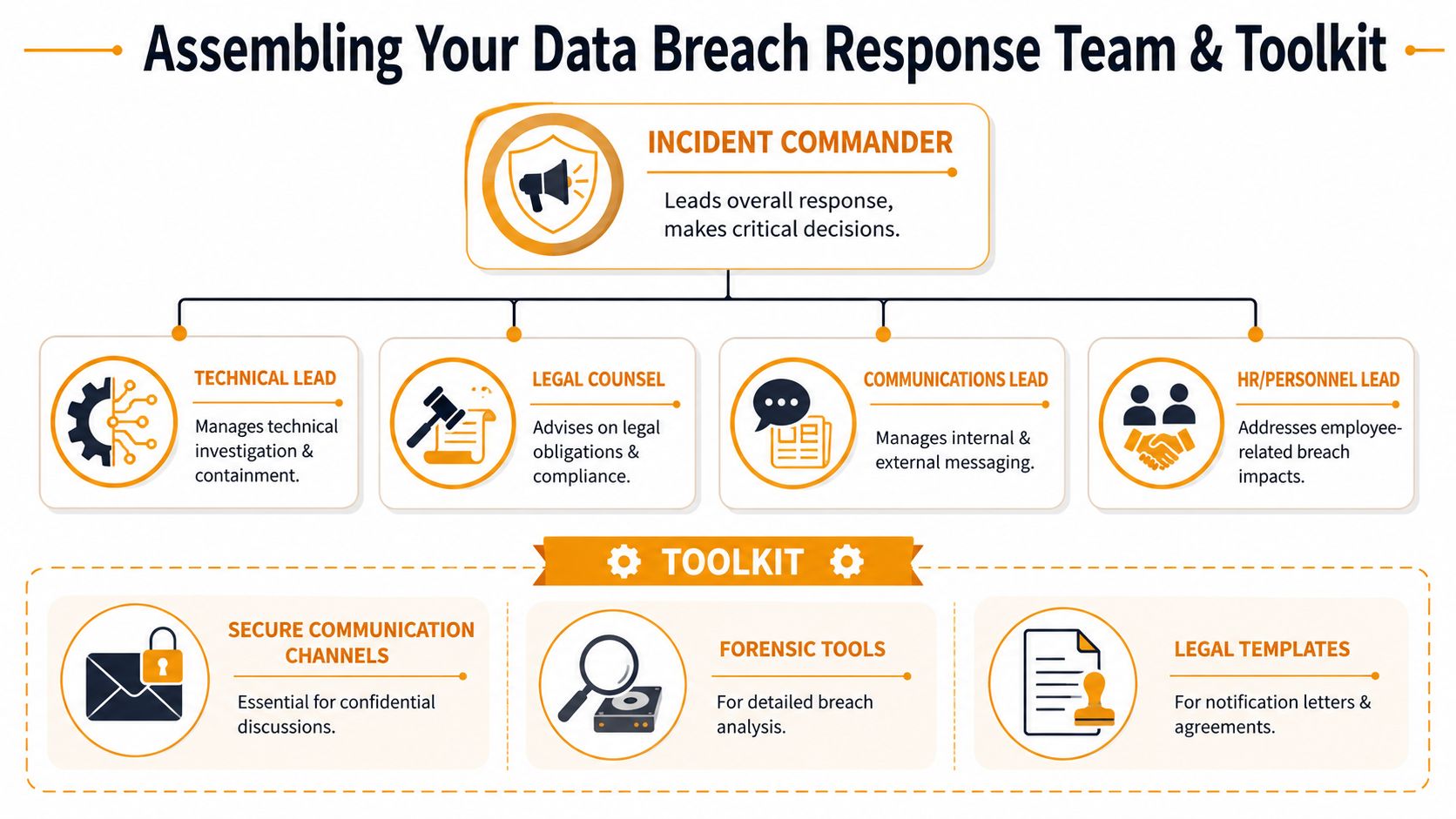
The best breach teams aren't large. They're clear. In a small business, one person may wear two hats, but the responsibilities still need names, backups, and decision rights.
Start with ownership, not job titles
Use a simple RACI model. Responsible does the work. Accountable makes the call. Consulted gives input. Informed gets updates. That structure prevents the usual confusion where five people are “helping” but nobody owns the next move.
For most SMBs, these are the core roles:
- Incident Commander: Usually the owner, COO, or operations lead. This person approves business-impact decisions and keeps the response moving.
- Technical Lead: Internal IT, your MSP, or a security partner. This person handles containment, log preservation, account review, and recovery steps.
- Legal Counsel: Reviews notification obligations, contractual duties, and wording before messages go out.
- Communications Lead: Handles staff updates, customer messaging, and partner communications.
- HR or Personnel Lead: Helps if employee accounts, payroll systems, or internal communications are involved.
Here's a practical RACI example.
| Task / Decision | Incident Commander | Technical Lead | Legal Counsel | Communications Lead |
|---|---|---|---|---|
| Declare incident and activate plan | A | C | I | I |
| Isolate affected systems or accounts | I | R/A | I | I |
| Preserve logs and evidence | I | R/A | C | I |
| Decide if outside forensics is needed | A | R | C | I |
| Review customer notification obligations | I | C | R/A | C |
| Send internal staff update | A | C | C | R |
| Approve public statement | A | I | C | R |
| Coordinate with impacted vendor | A | R | C | I |
A small company can combine roles. It should not combine every role.
If the same person is trying to investigate Microsoft 365 logs, speak with a lawyer, answer employees, and draft a customer email, the response slows down immediately.
For businesses comparing endpoint detection with a managed monitoring approach, MDR vs EDR is worth understanding before an incident. The response workload changes a lot depending on whether your tools only alert or whether a provider is actively helping triage and contain the issue.
Build a virtual go-bag before you need it
Your plan should include a virtual go-bag. This isn't fancy. It's a secure, offline-accessible package of the exact items people scramble for during a breach.
Include:
- Contact list: Cell numbers for leadership, legal counsel, insurance, your MSP, your cloud providers, critical SaaS vendors, and a forensic firm.
- System list: Microsoft 365 tenant details, cloud platforms in use, backup owners, identity provider, firewall admin, and critical business apps.
- Communication templates: Internal holding statement, customer acknowledgement, vendor escalation request, and regulator review checklist.
- Evidence checklist: What logs to export, what screenshots to capture, and who maintains the timeline.
- Access fallback: A break-glass process if your normal admin accounts are unavailable.
A lot of plans miss one item that matters more every year: vendor escalation contacts. Not generic support. Specific security, legal, and incident contacts for your cloud and SaaS providers. If your file platform or email tenant is the source of the problem, your internal team can't investigate alone.
Tools that matter under pressure
You don't need a giant security stack to respond well. You do need the basics to be ready and reachable.
- Secure communications: Use an approved channel for incident coordination. Don't rely on the possibly compromised email system.
- Forensic support path: Know who can collect and review evidence without destroying it.
- Legal templates: Pre-approved language saves hours when leadership is under pressure.
- Central timeline log: One place to record what happened, when, and who approved each action.
What fails in real incidents is not usually lack of effort. It's missing structure.
The First 24 Hours Detection and Containment
Most breaches don't announce themselves clearly. They show up as odd behavior. A user reports repeated password prompts in Microsoft 365. SentinelOne flags suspicious execution on a laptop. Someone notices mailbox forwarding rules that nobody created. Finance sees a vendor payment request sent from a familiar account, but the writing style is off.
A realistic first-hour scenario
A Houston distributor comes in Monday morning and several users can't access shared files. One user has a ransom note on screen. Another reports that their Microsoft 365 account sent messages overnight they didn't write. At the same time, an alert hits from a cloud storage provider about suspicious access.
Without a sequence, teams waste time.
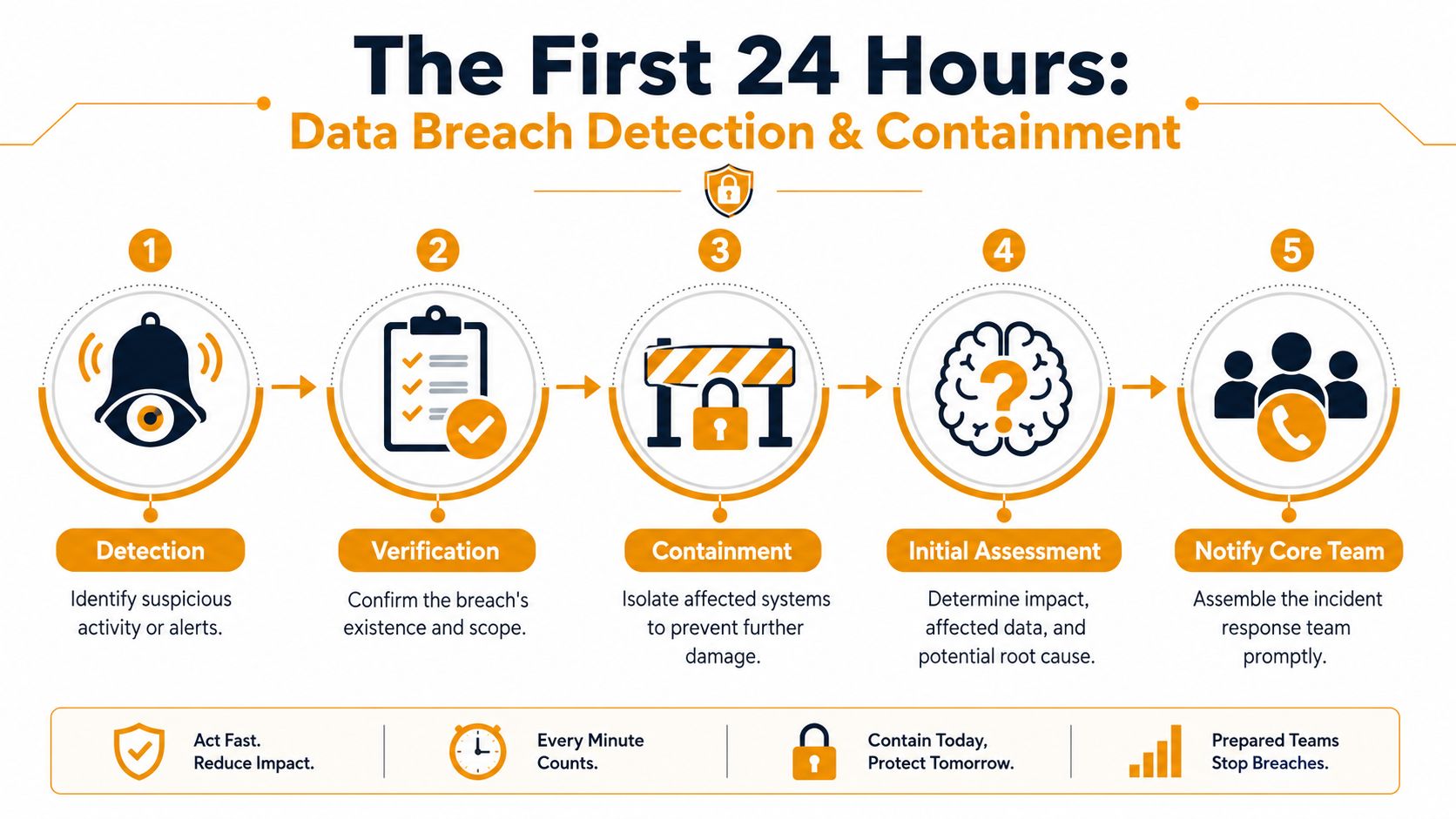
Start with four immediate moves:
- Verify the incident is real. Don't debate labels. If ransomware, stolen credentials, mass mailbox rules, or abnormal cloud access are visible, activate the plan.
- Separate affected assets. Remove impacted devices or accounts from normal access paths.
- Protect evidence. Capture screenshots, alerts, timestamps, and logs before broad changes begin.
- Notify the core team. Technical, leadership, legal, and communications need the same initial facts.
TrustArc notes that ransomware accounts for 78% of all reported data breaches, and Social Security numbers were compromised in 69.5% of breaches, which is why its incident response guidance emphasizes fast containment and clear response phases. For a business owner, the takeaway is direct. Don't treat the first hour like a troubleshooting ticket. Treat it like a business continuity event.
A short explainer on early warning signs is useful here: how to detect malware before it shuts down operations.
Later in the day, this walkthrough can help a non-technical leadership team understand the flow of a response:
What to do when the breach started with a vendor
This is the blind spot in many SMB plans. Your staff may detect the issue first, but the root cause sits in a third-party platform. Maybe it's Microsoft 365, Azure, AWS, payroll software, a document-signing system, or a CRM.
Recent data shows 64% of breaches now occur at third-party vendors, yet only 12% of SMB response plans effectively address this. That mismatch creates what many teams experience as vendor breach drift. Everyone knows there's a problem, but the response drifts because ownership is split between your business and the provider.
When the issue appears vendor-related, your first-day process should add a Vendor Escalation Protocol:
- Call the vendor's security or incident line immediately: Don't wait until your internal review is finished.
- Involve legal early: Contracts often control what logs, timelines, and notifications you can expect.
- Freeze routine admin changes: Broad resets in your environment can make vendor-side forensics harder to reconcile.
- Demand written confirmation: Get a case number, named contact, and summary of what the vendor is investigating.
- Track your own timeline separately: Never rely on the provider to maintain your legal record.
If your provider says, “We're still investigating,” that's not a reason to pause your own response. It's a reason to document uncertainty and keep moving.
The first-day checklist that works
What works in the first 24 hours is calm containment, not overreaction. Use a short checklist.
- Lock down compromised identities: Disable suspicious sessions, reset exposed credentials in a controlled way, and review MFA status.
- Isolate affected endpoints and workloads: If a device is encrypting files or beaconing out, remove its normal network access.
- Protect critical systems first: Payroll, finance, email, file shares, and line-of-business apps need priority review.
- Preserve cloud evidence: Export relevant audit logs and alerts before retention windows or normal admin activity change the picture.
- Prepare a holding statement: Staff need one approved message so rumors don't spread faster than facts.
What doesn't work is the “turn everything off and ask questions later” approach. That feels decisive. It often creates more downtime, more confusion, and less usable evidence.
Eradication Recovery and Forensic Coordination
Containment stops the bleeding. It doesn't remove the cause. At this stage, many businesses rush and create a second problem by rebuilding too early or wiping evidence they'll need later for insurance, legal review, or root-cause analysis.
Don't clean up too early
The hardest instruction for some teams is simple: don't power down affected systems just because they look compromised. Sealpath's guidance is clear that affected systems should be quarantined, not powered down, to preserve volatile memory and logs needed for forensic tracing. That matters because those artifacts can show how the attacker got in, what they touched, and whether they still have another path back in.
A practical recovery workflow follows the NIST-aligned sequence: preparation, detection and analysis, containment, eradication and recovery, then post-incident activity. For an SMB, that means the technical team should answer three questions before rebuilding anything:
| Question | Why it matters |
|---|---|
| Do we know the entry point? | If not, the attacker may return after restore. |
| Do we know which accounts or tokens were exposed? | Restoring a server won't fix stolen access. |
| Do we have clean backups and clean admin credentials? | Recovery with tainted backups or compromised admins repeats the incident. |
Preserve first. Restore second. Reconnect last.
If you're working with a forensic vendor or your MSP, give them what they need early: alert history, admin actions already taken, screenshots, cloud audit exports, endpoint detections, and a list of affected users and systems. Don't make them reconstruct the first six hours from memory.
How recovery should actually happen
Recovery should be staged, not emotional. The sequence below is slow on purpose.
- Remove persistence: Malicious accounts, mailbox forwarding rules, unauthorized applications, rogue remote access, and exposed tokens need review and removal.
- Reset trust anchors: Rotate compromised credentials, privileged accounts, API keys, and high-risk service accounts in a planned order.
- Restore from known-clean backups: Not just the newest backup. The clean one.
- Patch and harden before reconnecting: If the path in was a misconfiguration, stale system, or weak access control, fix that before production use resumes.
- Validate business workflows: Test accounting, email, file access, line-of-business apps, and printing before declaring the environment healthy.
What doesn't work is restoring one server, seeing it boot normally, and calling the problem solved. Attackers often leave behind secondary access methods. Recovery is complete only when the original foothold and the backup foothold are both gone.
A good data breach response plan includes a simple rule for leadership: business pressure can set priorities, but it shouldn't override forensic integrity.
Navigating Legal Timelines and Customer Communications
The legal side of a breach gets messy because facts arrive in pieces. You may know someone got access before you know what they accessed. You may know a vendor was involved before you know whether your customers' data was in scope. That uncertainty is exactly where delays happen.
Why notification gets stuck
A 2025 Gartner report found that 38% of organizations delay breach notifications because they can't confirm what data was stolen, creating a kind of notification paralysis that can conflict with newer laws requiring more specificity in notices. That problem is getting worse in cloud-heavy environments where evidence is split across your systems and a provider's systems.
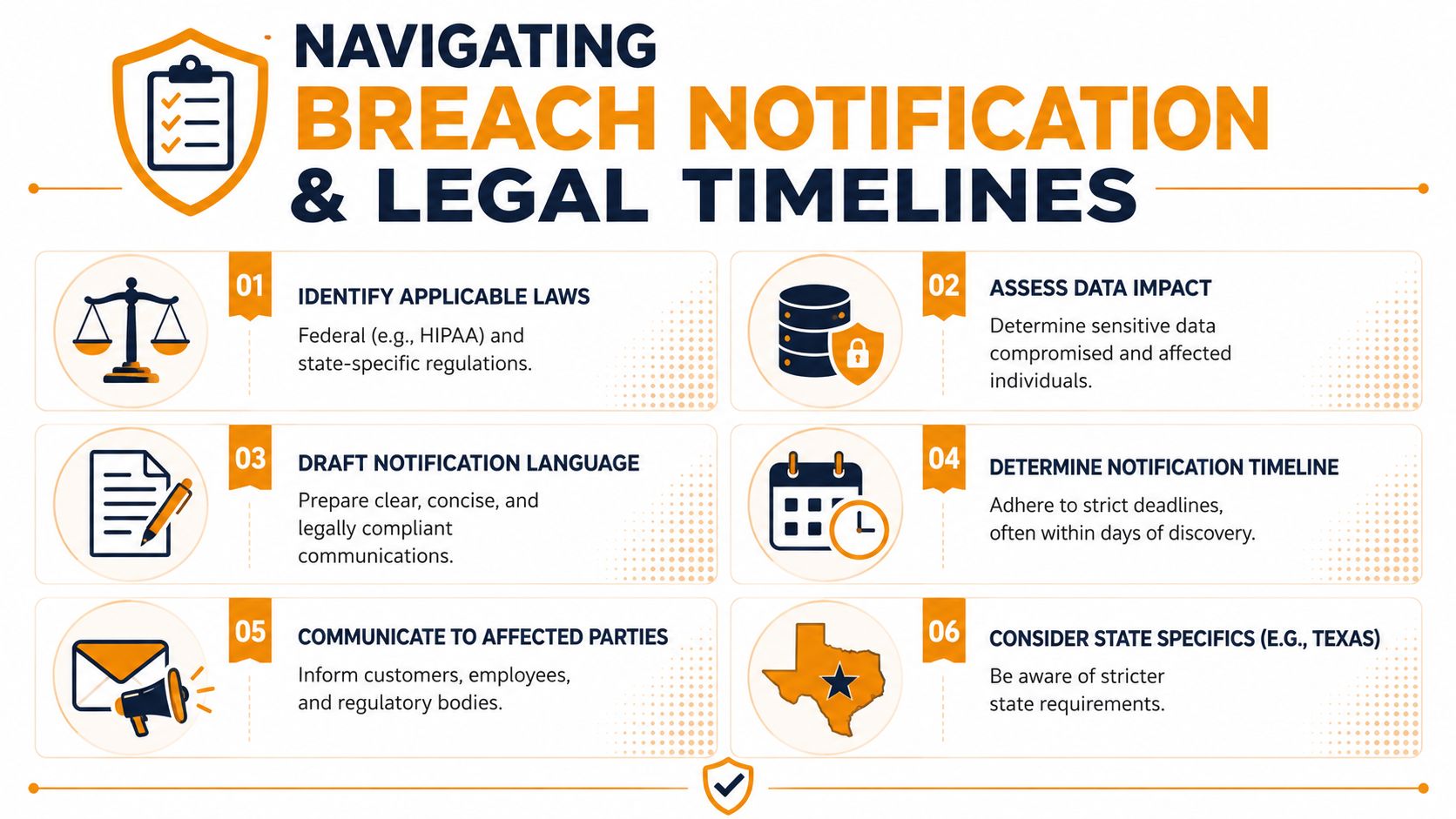
The practical mistake is waiting for perfect certainty. Perfect certainty often never arrives on schedule. Your legal counsel should help you decide when you know enough to issue an initial, accurate notice without overstating what happened.
For businesses that handle payment data, this is also a good time to review resources on achieving PCI compliance. Not because compliance prevents every breach, but because payment environments usually have stricter documentation, access, and notification expectations than general office systems.
What clear communication looks like
Your communications plan should separate three audiences: employees, customers, and regulators or partners. Each needs different information, and each needs it in plain language.
Use this approach:
- Internal staff notice: Tell employees what systems are affected, what they must not do, where to report unusual activity, and who is authorized to speak externally.
- Customer holding statement: Confirm you're investigating, state what you know today, avoid speculation, and tell people when to expect the next update.
- Partner or vendor notice: Focus on operational impact, shared systems, and any action they need to take.
- Regulatory submission draft: Built from counsel's checklist, not from a marketing email.
Here's a practical comparison.
| Audience | What to say now | What to avoid |
|---|---|---|
| Employees | Known impact, immediate instructions, reporting channel | Guesses about blame or scope |
| Customers | What happened, what may be involved, what you're doing next | Overconfident statements you may need to retract |
| Partners | Affected systems, contractual implications, next coordination step | Vague language that forces follow-up |
| Regulators | Timeline, suspected data types, containment actions, contact point | Casual summaries with missing dates |
“We are investigating a security incident affecting certain systems” is better than saying too much too early and correcting it later.
The best breach notices sound human, not defensive. They acknowledge disruption, explain next steps, and give people a way to get help. What fails is legalese written to avoid discomfort. Customers can tell when a company is hiding behind wording.
Keeping Your Plan Alive Testing and Maintenance
A data breach response plan that isn't tested becomes fiction. Names change. Vendors change. Your company adopts a new cloud platform, adds a payroll provider, migrates files into Microsoft 365, or gives a department a SaaS tool nobody documented. The plan still says the old system owner will respond, and that person left eight months ago.
That's how drift happens.
Recent data shows 64% of breaches now occur at third-party vendors, yet only 12% of SMB response plans effectively address this. If you do nothing else this quarter, close that gap. Your plan should reflect your real supply chain, not the one you had two years ago.
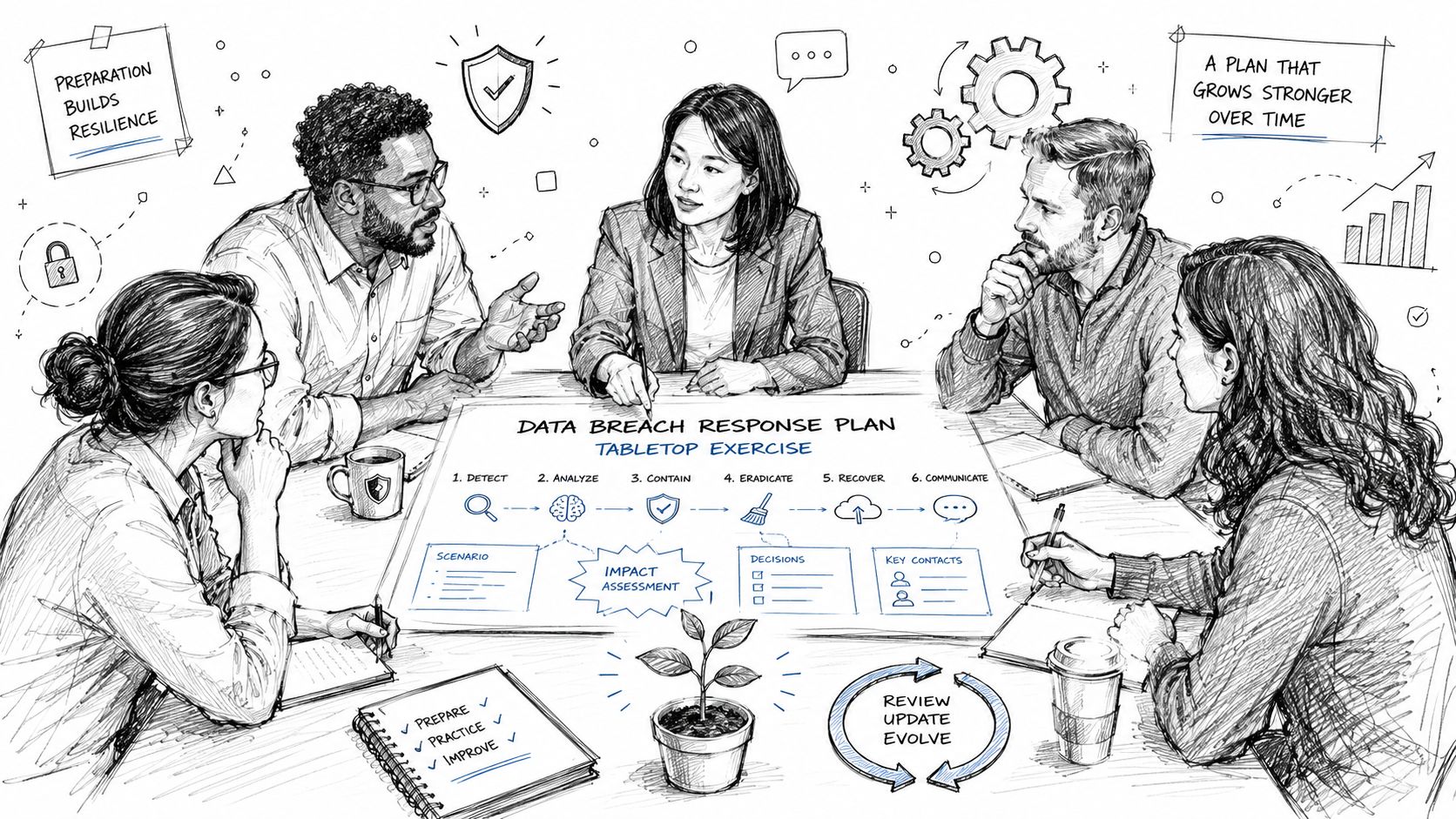
Run a tabletop your team can finish in one sitting
You don't need a full-day exercise. Run a focused tabletop in under an hour.
Use this scenario: your office manager gets a notice from a SaaS billing provider that they're investigating unauthorized access. At the same time, your finance lead reports strange customer emails, and Microsoft 365 shows unusual login activity for one admin account.
Ask the team five questions in order:
- Who declares the incident?
- Who contacts the vendor, and through which path?
- What systems or accounts do you isolate first?
- Who speaks to employees and customers?
- What evidence do you preserve before routine cleanup begins?
Have one person write down every hesitation, missing contact, unclear approval step, and contradiction. That list is the value of the exercise.
What to update after the exercise
Don't end the tabletop with “good discussion.” End it with edits.
- Fix ownership gaps: Name primaries and backups for every critical role.
- Add vendor escalation details: Security contacts, contract owners, legal contacts, and expected notification paths.
- Update system inventory: Especially cloud apps, backup platforms, identity systems, and outsourced business tools.
- Refresh templates: Internal messages, customer notices, and partner communications should be current and approved.
- Test access assumptions: Make sure the people in the plan can reach logs, consoles, and emergency contacts.
A living plan also needs triggers for review. Update it after leadership changes, major cloud migrations, new compliance obligations, or a switch in key vendors. If your business moved email, files, accounting, or identity into a new platform, your old response playbook is already outdated.
A tested plan won't make a breach pleasant. It will make it survivable.
If your business in Houston needs help building or tightening a practical data breach response plan, IT Cloud Global, LLC can help you turn scattered procedures into a usable incident playbook. Their team supports SMBs with managed IT, cloud platforms, Microsoft 365, network security, endpoint protection, disaster recovery, and the day-to-day operational discipline that keeps incidents from turning into shutdowns.
- Top 7 Cybersecurity Companies in Houston for 2026
- IT Security Services Houston TX: Essential for Your SMB In
- Your 2026 Disaster Recovery Testing Checklist
- Your 2026 Disaster Recovery Plan Checklist
- Disaster Recovery Companies: An SMB Survival Guide
- Managed IT Services for Small Businesses: Boost Efficiency
- Disaster Recovery Plan for Small Business: Your 2026 Guide