


What Is a Helpdesk Ticketing System? an SMB Guide
Your office manager forwards a customer email about an invoice issue. A salesperson texts you that their laptop won't connect to Wi-Fi before a client meeting. Someone in the warehouse mentions the printer is down. HR has three onboarding requests sitting in a shared inbox. Meanwhile, your MSP says, "Please submit a ticket," and everyone rolls their eyes because half your team still treats support like hallway conversation.
That's the problem. Most Houston SMBs don't have a support issue. They have a request management issue. Work is coming in from every direction, nobody owns it clearly, and the business pays for that confusion through slower response, more downtime, and avoidable labor.
If you're asking what is a helpdesk ticketing system, the short answer is simple. It's the system that turns chaos into accountable work.
Table of Contents
- Why Your Houston Business Is Drowning in Support Requests
- The Central Hub for Every Support Issue
- From Ticket Submission to Resolution
- More Than Just Tracking Problems
- How Your MSP Uses Ticketing for Better Service
- A Checklist for Selecting Your Helpdesk Solution
- Beyond IT Expanding Ticketing to HR and Operations
Why Your Houston Business Is Drowning in Support Requests
Houston businesses rarely fail because people don't care. They fail because requests live in too many places.
A service company gets customer questions by email, internal IT issues through Teams, urgent calls on mobile phones, and facilities problems from people walking desk to desk. A small manufacturer does the same thing, just with more operational pain attached. One missed message can delay payroll, stall onboarding, or leave a critical workstation offline longer than it should be.
The ugly part is that this feels normal until it becomes expensive. Your team starts using a shared inbox like it's a workflow system. It isn't. They rely on memory, side conversations, and good intentions. That works right up to the point when nobody can answer three basic questions: Who owns this? How long has it been open? What's urgent?
According to helpdesk market statistics compiled by AMW Group, only 42% of small and midsize businesses have adopted dedicated ticketing tools, and most still rely on fragmented shared inboxes. That's why so many owners feel like support is always reactive. The system underneath is weak.
The daily pattern that creates avoidable downtime
Here's how this usually plays out:
- Email becomes the catch-all: Customer support, vendor questions, IT issues, and internal requests all hit the same few inboxes.
- Urgent requests jump the line: Whoever shouts loudest gets help first, even if the request isn't the highest business priority.
- No record means no accountability: If a user reports a recurring issue verbally, there's often no usable history when it happens again.
- Managers can't see trends: Repeated Wi-Fi complaints, printer failures, or onboarding delays stay invisible until they become a larger operational problem.
Practical rule: If your staff has to ask "Did anyone handle this?" more than once a week, you need a ticketing system.
Many business owners already know they need structure. They just haven't defined what kind. If you're sorting through options, your 2026 SMB help desk guide is a useful outside perspective on how smaller teams are approaching help desk modernization.
If your broader problem is that support fires keep pulling your staff away from core work, that's usually a sign your business needs more than ad hoc fixes. A managed support model only works when requests enter a real system, which is why many companies pair ticketing with managed IT services in Houston.
The Central Hub for Every Support Issue
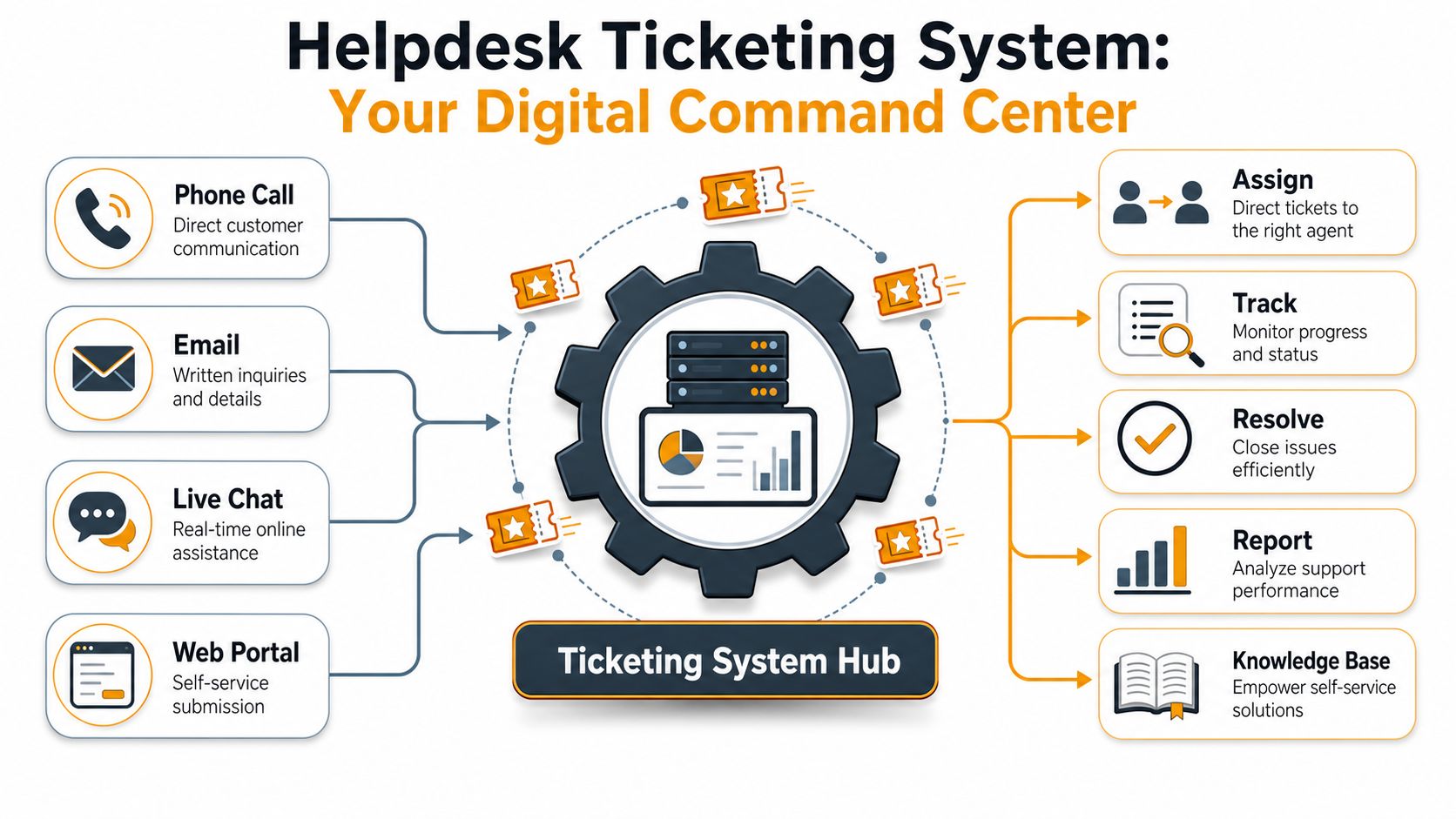
A helpdesk ticketing system is your business's digital command center. It takes messy, unstructured requests and turns them into organized work.
That matters because support requests don't arrive in a neat format. One user sends an email with screenshots. Another drops a chat message with no detail. A manager calls in a rush. Someone fills out a portal form with the exact device and error. Without a central system, those inputs stay fragmented. With one, they all become trackable records.
What the system actually does
A helpdesk ticketing system functions as a centralized database that converts unstructured inputs from email, web portals, and chat into structured, trackable tickets with unique identifiers, while keeping every conversation and diagnostic file linked to the incident record, as described by Jitbit's helpdesk overview.
In plain English, every issue gets its own container. That ticket might be #2458, #2459, or another identifier generated by the platform. Inside it sits the request, the user, the timestamps, the assigned owner, the updates, the attachments, and the final resolution. Nothing important should live only in somebody's memory.
A helpdesk ticketing system functions as a central post office for support. Every request arrives at one intake point, gets labeled properly, then moves to the right destination. That's far better than letting every department run its own unofficial inbox and hoping people communicate.
Why centralization matters
When businesses ask what is a helpdesk ticketing system, they often assume it's just a nicer inbox. That's underselling it. A good system creates a single source of truth for operational support.
That changes how teams work:
- Requests stop disappearing: The system records them even when employees are busy.
- Ownership becomes visible: A ticket has an assignee, status, and trail of activity.
- Context stays attached: Screenshots, notes, and follow-up messages remain with the issue.
- Auditing gets easier: You can review what happened without digging through inboxes and chat logs.
A ticketing system isn't there to create bureaucracy. It's there to stop expensive ambiguity.
This is also where internal knowledge starts to matter. Once your business stores repeated issues and fixes in one place, support gets faster because technicians and staff stop reinventing answers. That's why tools built around shared internal knowledge, like the Donely Company Brain solution, fit naturally alongside ticketing. The ticket captures the work. The knowledge layer helps your team solve similar issues faster the next time.
From Ticket Submission to Resolution
A ticketing system should make support predictable. If it doesn't, it's just software with a dashboard.
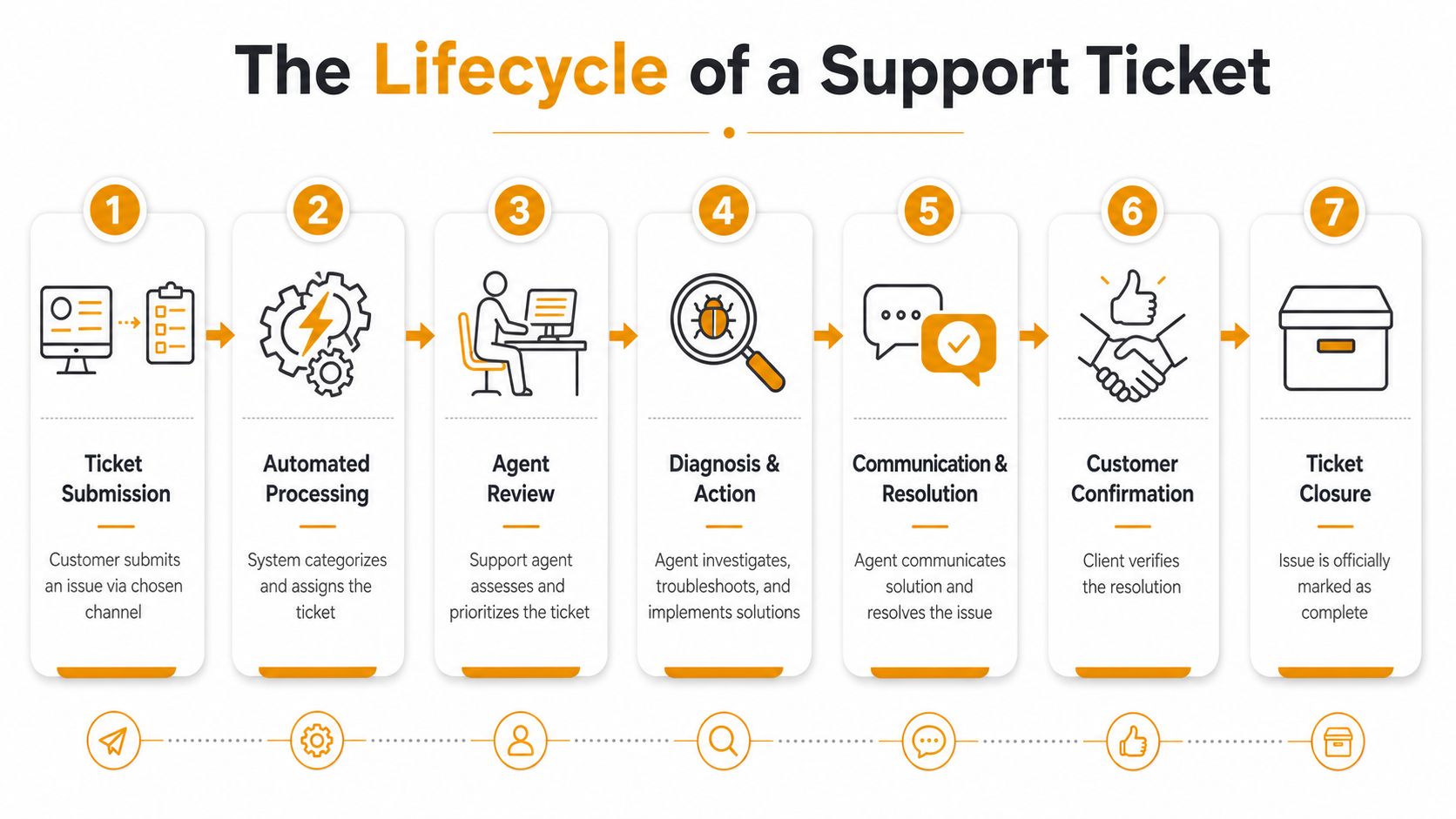
The basic lifecycle is straightforward, but the discipline matters. Every request follows a path from intake to closure. That process is what protects your business from dropped tasks, slow escalations, and finger-pointing.
To make the workflow easier to visualize, here's the full lifecycle:
The seven stages that matter
Submission
A user reports a problem through email, a portal, chat, phone, or another intake channel. The key is consistency. The business needs one reliable entry point, even if multiple channels feed into it.Conversion into a ticket
The platform creates a formal ticket with an ID, timestamps, requester details, and the issue summary. This is the line between informal communication and managed work.Categorization
The ticket gets labeled. Hardware. Network. Software. Access request. Payroll inquiry. Facilities issue. Categories matter because they drive routing, reporting, and pattern recognition later.Prioritization
Not every issue deserves the same urgency. A companywide internet outage is not equal to a single monitor cable problem. Good ticketing systems force teams to triage instead of reacting emotionally.Assignment
The system or dispatcher routes the issue to the right technician, vendor, department, or queue. In this step, many SMBs waste time manually forwarding requests that should've landed in the correct place immediately.Work and communication
The assigned owner investigates, updates the ticket, communicates with the requester, and documents actions taken. This running history matters because issues often change hands or require follow-up later.Resolution and closure
The fix gets confirmed, the ticket is closed, and the record remains available for reporting and future reference.
Here's a practical explainer if you want a quick visual walkthrough of how support tickets move through a modern workflow:
What good workflow looks like in practice
A Houston office manager reports that three new employees need Microsoft 365 accounts, laptops, and building access. In a weak process, that request gets split across email, text, and hallway reminders. In a strong process, one intake form creates linked tickets or subtasks for IT, HR, and facilities.
That structure does three things at once:
- It prevents handoff failures: One department can't quietly assume another one handled the request.
- It keeps the requester informed: Staff know the status without chasing updates.
- It creates reusable process: The next onboarding cycle runs the same way, with fewer mistakes.
If your workflow depends on a specific employee remembering every next step, you don't have a process. You have a liability.
This is why ticketing systems help small businesses act like larger, more disciplined organizations. They don't just log problems. They standardize how your business responds.
More Than Just Tracking Problems
A ticketing system earns its keep when it improves uptime, labor efficiency, and support cost. If all it does is collect complaints in one place, you've bought too little system or configured it badly.
The big shift in recent years is automation. Modern platforms don't just record tickets. They route, prioritize, suggest answers, trigger escalations, and push common requests into self-service where that makes sense.
Where the business value shows up
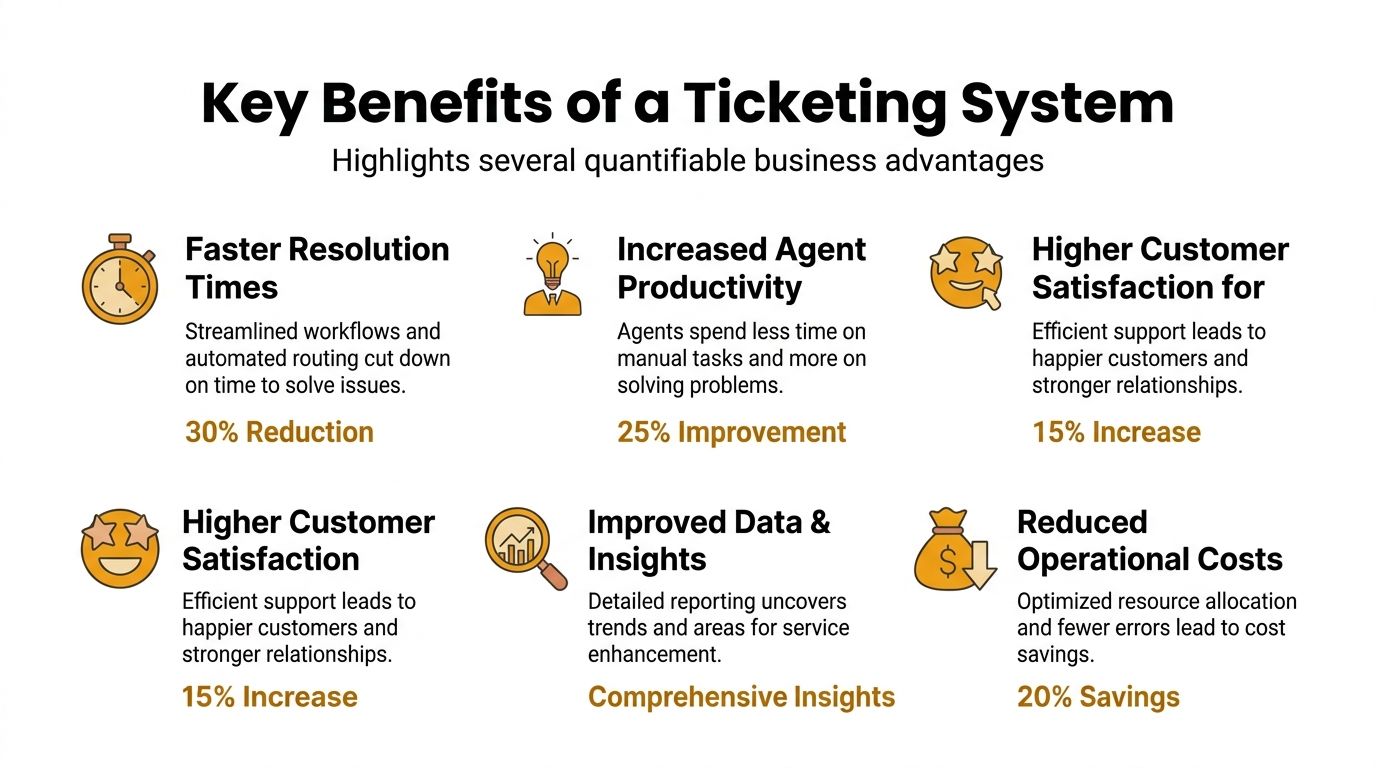
For a Houston SMB, the benefits are practical, not theoretical.
- Better accountability: Every issue has an owner and a status.
- Less wasted labor: Staff stop forwarding messages manually and chasing updates across inboxes.
- Cleaner reporting: Managers can spot recurring issues and staffing bottlenecks.
- Improved uptime: Critical problems move faster because triage and escalation aren't improvised.
If you're trying to reduce disruption before it becomes downtime, structured support only works when it's paired with prevention. That's where proactive IT support usually changes the equation. Ticketing tells you what's happening. Proactive support helps reduce how often it happens.
Why AI changed the economics
The ROI becomes hard to ignore. According to AI helpdesk automation statistics for 2026, AI-powered ticketing systems have reduced cost per ticket by 30% to 50% for Tier 1 issues and decreased mean time to resolution by 35% to 52%. The same research says top-performing teams have seen an 80% improvement in efficiency.
Those numbers matter because Tier 1 work is where small businesses burn time. Password resets, account re-activations, repetitive access questions, and routine troubleshooting don't need expensive human effort every single time. Automation handles the predictable work so your support team can focus on issues that threaten operations.
The same source also notes that self-service and AI-assisted resolution can push costs far below traditional phone-based support. That's the difference between scaling support intelligently and hiring more people to manage the same recurring noise.
Smart ticketing doesn't replace people. It protects your best people from low-value repeat work.
If you're evaluating platforms, don't get distracted by flashy AI demos. Focus on whether the system can automate routing, deflect repeat requests, and give you usable reporting. Those are the features that improve business performance.
How Your MSP Uses Ticketing for Better Service
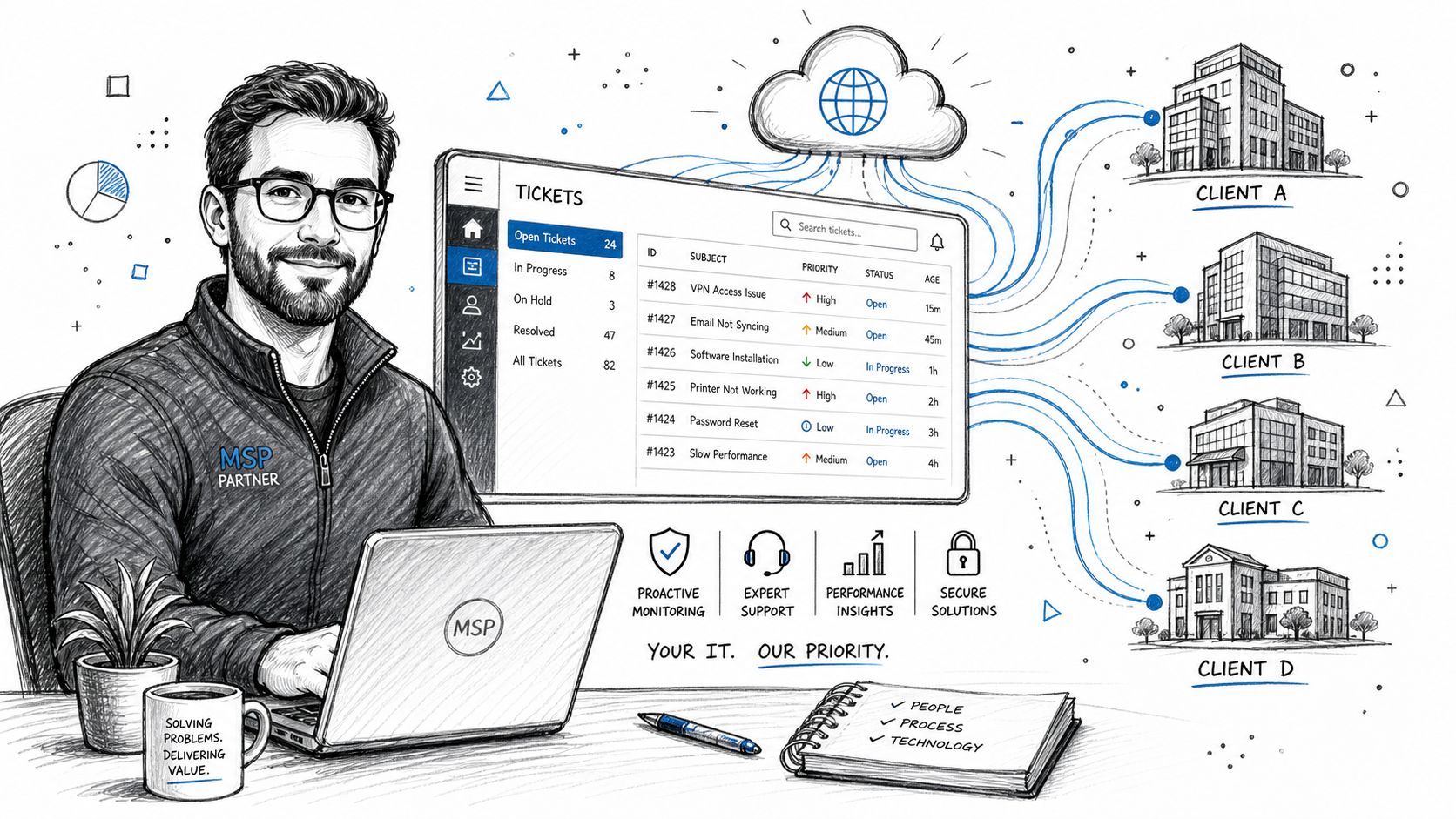
If you work with an MSP, the ticketing platform is the backbone of the relationship. It is how service gets delivered consistently instead of depending on whoever picks up the phone first.
A professional provider doesn't treat tickets as admin overhead. The ticket system is where contractual response times, escalation paths, communication history, and technical accountability all live.
Why mature MSPs build around process
Intercom's overview of IT ticketing systems notes that expert implementation aligns with ITIL and ITSM frameworks, using automated escalation rules and SLA tracking, with operational efficiency gains of up to 40% compared to manual systems in the right environments, as described in Intercom's IT ticketing systems guide.
For you as a client, that means the MSP should already have rules for what happens when:
- A critical outage is reported: It should escalate fast and visibly.
- A standard request comes in: It should route to the correct queue without manual confusion.
- An SLA deadline approaches: The system should flag the risk before the commitment is missed.
- A problem repeats: The team should see the history and avoid starting from zero.
This is one reason serious businesses stop relying on "just call my tech guy" support. Informal support can feel personal, but it scales badly and leaves no operational trail.
What you should expect as a client
Your MSP should give you more than a ticket number. You should expect structure.
That includes:
- Clear intake methods: Staff should know where to submit requests.
- Visible status updates: You shouldn't need to chase progress manually.
- Defined urgency handling: Business-critical issues should move differently from routine requests.
- Escalation discipline: Senior engineers should get involved based on rules, not panic.
If your current provider is vague, inconsistent, or always reactive, the problem might not be the people. It might be the lack of a mature service workflow. A provider offering professional IT support services should be able to explain exactly how requests are logged, prioritized, escalated, and resolved.
A Checklist for Selecting Your Helpdesk Solution
Most SMBs buy either too little system or too much complexity.
They start with a bare ticketing tool because it's cheap and familiar, then discover it can't handle automation, reporting, self-service, or SLA management. Or they buy an oversized enterprise platform that nobody uses correctly. Both mistakes are avoidable if you choose based on workflow, not marketing.
Basic ticketing versus full help desk software
This distinction matters more than most vendors admit. A basic ticketing system logs and tracks requests. A fuller help desk platform adds knowledge bases, self-service portals, automation rules, analytics, and broader channel support.
That sounds obvious, yet many companies still get it wrong. According to MatrixFlows' comparison of help desk software versus ticketing systems, 52% of SMBs struggle to determine whether they need full help desk software or just a basic ticketing system, and 41% of companies that choose only a basic system fail to meet SLAs within a year due to lack of automation and analytics.
So here's the blunt recommendation. If your business has more than simple break-fix requests, don't buy a barebones tracker and pretend you'll grow into process later. Choose a platform that supports routing, reporting, and self-service from the start.
Helpdesk Selection Checklist
Use this table to pressure-test your options before you sign anything.
| Feature/Consideration | What to Look For |
|---|---|
| Scalability | The platform should fit your current team and still make sense as ticket volume, departments, and service complexity grow. |
| Multi-channel intake | It should capture requests from email, portal, and chat without creating duplicate work. |
| Automation | Look for routing rules, priority handling, notifications, and escalation workflows that reduce manual triage. |
| Reporting | You need dashboards that show backlog, response patterns, recurring issues, and SLA risk clearly. |
| Self-service | A knowledge base or portal helps cut repetitive requests and gives users a better support experience. |
| Ease of use | If employees and agents hate the interface, adoption will stall. Simplicity matters. |
| Microsoft 365 and business app integration | The system should fit the tools your staff already uses instead of forcing awkward workarounds. |
| Support for internal departments | Make sure it can handle HR, finance, facilities, and operations workflows, not only IT incidents. |
| MSP compatibility | If you outsource support, the tool should align with provider workflows, escalation, and reporting expectations. |
| Audit trail and documentation | Every action, update, and attachment should remain tied to the ticket for accountability. |
A few buying rules are worth keeping in mind:
- Choose workflow over feature count: A shorter feature list is fine if the core process is strong.
- Ask to see routing and reporting live: Demos often hide weak dashboards and clumsy assignment logic.
- Test with real scenarios: Onboarding requests, invoice issues, access changes, and outage alerts reveal more than generic demos.
- Plan beyond IT: If the platform only works for one department, you'll hit another operational wall later.
Beyond IT Expanding Ticketing to HR and Operations
Most businesses make one strategic mistake with ticketing. They keep it trapped inside IT.
That's shortsighted. The same discipline that helps manage device issues also works for onboarding, payroll questions, facilities requests, legal intake, vendor approvals, and internal operations. The business problem is the same. Requests come in from scattered channels, ownership gets blurry, and follow-up becomes manual.
Where non-IT teams benefit first
The strongest early use cases are usually internal service functions:
- HR: onboarding, offboarding, policy questions, benefits requests
- Finance: invoice inquiries, approval tracking, payroll issues
- Facilities: repair requests, office access, equipment coordination
- Operations: supply issues, process exceptions, internal service requests
A lot of midsize companies leave efficiency on the table. According to SIIT's analysis of help desk ticketing beyond IT, 64% of midsize businesses using ticketing only for IT miss out on 30% to 45% of potential efficiency gains by not extending it to internal operations like HR, Finance, and Legal.
That's the overlooked opportunity for Houston SMBs. If your team already understands structured intake and routing, don't stop at technical support. Extend the model across the business and you'll tighten internal service everywhere.
If you're comparing platforms with that broader use case in mind, this roundup that helps compare leading help desk software for 2025) is a practical starting point for evaluating options built for more than just IT.
If your business is still juggling support through inboxes, texts, and hallway conversations, it's time to put real process underneath your operations. IT Cloud Global, LLC helps Houston businesses build reliable support workflows, strengthen uptime, and align managed IT with the way the business runs.
- Low Voltage Wiring Guide for Houston Businesses
- Disaster Recovery vs Business Continuity for SMBs
- 10 Service Desk Best Practices for SMBs
- Top IT Services Houston TX: Your 2026 SMB Guide
- Houston Managed IT Services: A 2026 Guide for SMBs
- How Long Does Data Recovery Take? Realistic Timelines
- Your 2026 Disaster Recovery Testing Checklist