


Proactive IT Support: A Guide for Houston SMBs
Your office is busy, the phones are ringing, and someone walks in to say the shared drive is down. Sales can’t pull quotes. Accounting can’t open invoices. Your team stops working while everyone waits for IT to “fix it.” Then the deeper problems begin. You pay for emergency support, staff lose productive time, and you still don’t know whether the same problem will happen again next week.
That cycle is common in small businesses because many companies still treat technology like a repair issue instead of an operational system. If something breaks, they call for help. If nothing is broken, they assume everything is fine. It rarely is.
Proactive IT support changes that pattern. Instead of waiting for a server alert, a failed backup, or a security incident to force action, the business monitors, maintains, patches, and plans before the failure hits users. For Houston SMBs, that shift matters even more because business continuity isn’t only about hardware and software. It’s also about storms, outages, remote work, and the need to recover fast when local conditions get messy.
Table of Contents
- Beyond the Break-Fix Cycle
- The Critical Shift From Reactive to Proactive Support
- Calculating the Real ROI of Proactive IT
- The Five Pillars of a Proactive IT Strategy
- Essential Metrics and Tools for Success
- Choosing a Proactive IT Partner in Houston
- Turn Your IT Into a Strategic Asset
Beyond the Break-Fix Cycle
A break-fix model feels cheaper right up until the day it isn’t. A printer problem turns into a network issue. A sluggish server turns into a failed login storm. A backup that “should be working” turns out to be unusable when someone needs it.
Most owners don’t need more stories about technology going wrong. They need a different operating model.
Proactive IT support means someone is watching system health, applying patches, checking backups, reviewing endpoint risk, and dealing with the small warning signs before your staff sees a major outage. That’s the significant difference. The work happens before the phone call.
A lot of business owners also discover that infrastructure and security can’t be separated. If your firewall, switching, wireless coverage, and remote access are unstable, your support tickets won’t stay low for long. If you want a practical primer on that side of the equation, this guide to managed network security is a useful companion read because it connects reliability, visibility, and protection in plain business terms.
Practical rule: If your IT provider mostly shows up after users complain, you’re buying repairs, not resilience.
Reactive support creates noise. Proactive support creates control. The first keeps solving isolated incidents. The second asks why those incidents keep happening, whether the environment is aging badly, and what the business should fix before hurricane season, before a major migration, or before a compliance review.
That’s the shift most Houston SMBs are really after. Not just “faster support,” but fewer emergencies, steadier operations, and a budget that doesn’t get wrecked by surprise failures.
The Critical Shift From Reactive to Proactive Support
Think about the difference between changing your oil on schedule and waiting for the engine to seize on the highway. Both involve maintenance costs. Only one protects the business from a very expensive interruption.
That’s how proactive IT support differs from reactive support.
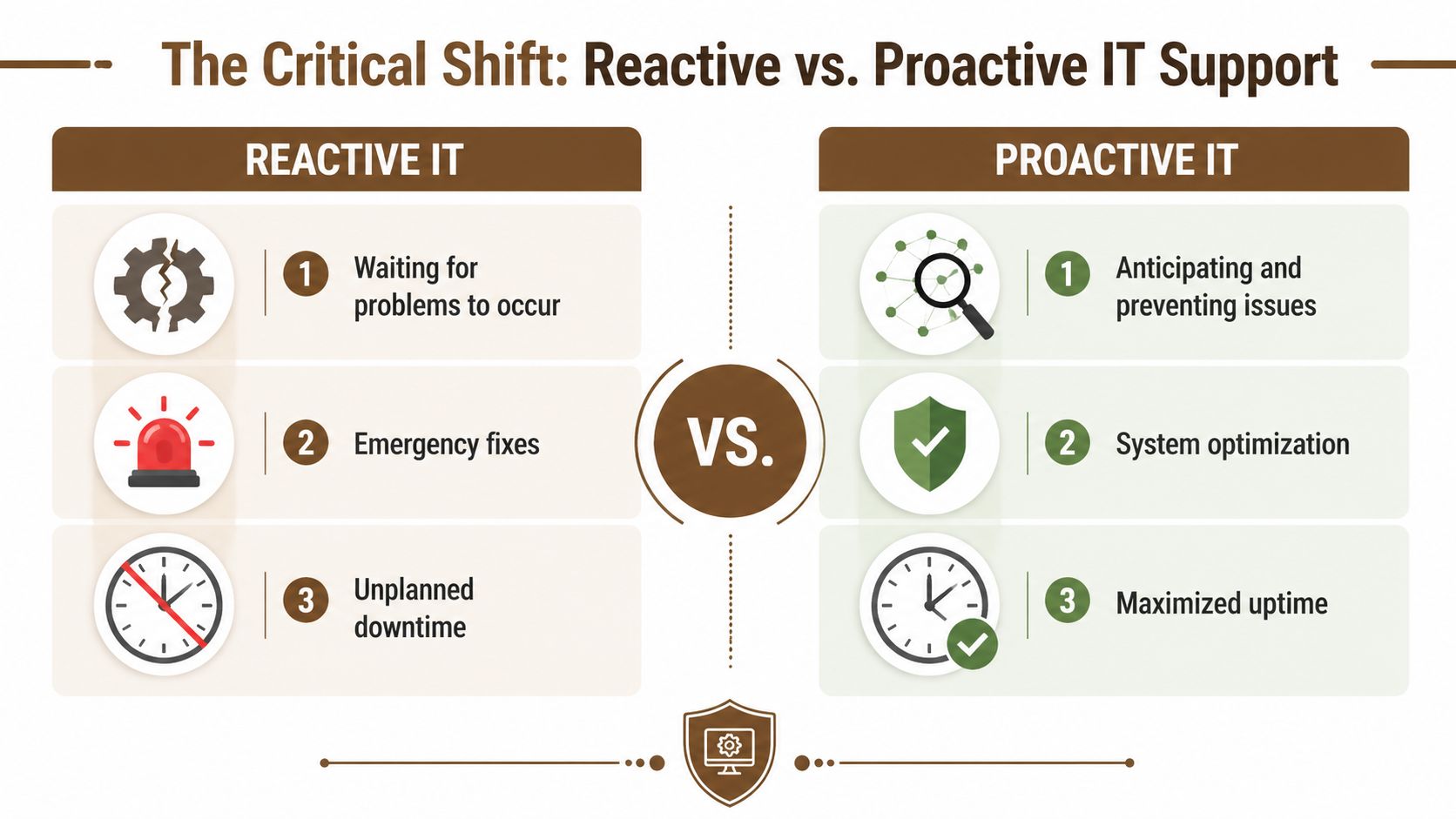
Mindset and operating model
Reactive support starts with a symptom. The Wi-Fi drops. A laptop won’t boot. Email sync fails. The provider responds, closes the ticket, and moves to the next issue.
Proactive support starts with patterns. Is memory usage climbing on a key server? Are login failures increasing? Is a Microsoft 365 tenant drifting out of policy? Is a line-of-business app slowing down at certain times of day? Those signals let a team intervene before the user impact spreads.
Organizations using proactive IT monitoring experience 98% fewer system outages and proactive methods resolve issues 40% faster than reactive approaches, according to CorCystems’ roundup of reported industry findings. Even if a small business never measures outages formally, the business effect is easy to understand. Fewer interruptions mean fewer stalled employees and fewer management fire drills.
Cost and business impact
Reactive support looks simple on paper because you pay when something breaks. The problem is that the invoice is only one part of the cost.
The larger cost usually sits inside the business:
- Lost employee time: Staff can’t work normally while systems are unavailable.
- Interrupted customer service: Calls, orders, scheduling, and response times suffer.
- Leadership distraction: Owners and managers get dragged into avoidable technical decisions.
- Recurring failures: The same issue returns because nobody addressed the root cause.
Proactive support changes the cost structure. You trade unpredictable emergency spend for planned operational work. Monitoring, patching, backup checks, endpoint protection, and strategic reviews happen on a schedule.
For teams trying to modernize their service desk, this often overlaps with automation. This overview of AI automation for support systems is useful because it shows how pattern detection and ticket workflows can reduce repetitive support noise when the process is designed correctly.
A reactive provider fixes the leak. A proactive provider asks why the pipe keeps failing.
Security posture
Security is where reactive support falls apart fastest. If patching happens late, if backup verification is inconsistent, or if alerts aren’t reviewed until users notice a problem, attackers get more room to operate.
A proactive model doesn’t guarantee perfection. Nothing does. But it gives the business a routine for reducing exposure through monitoring, maintenance, and control instead of hope.
Calculating the Real ROI of Proactive IT
A Houston office loses access to its line-of-business system at 8:12 a.m. By 9:00, staff are idle, customer calls are stacking up, and the owner is approving rush support instead of running the business. That is the cost model proactive IT is meant to change.

The financial case gets clearer when you attach prevention work to business interruption. In AlphaCIS's breakdown of proactive support savings, the firm says proactive IT support can reduce overall IT costs for small businesses by 40 to 60%, average downtime costs can reach $427 per minute, a single server failure can cost $8,000 to $25,000, and many SMBs see positive ROI within 3 to 6 months.
Those figures are useful as directional benchmarks, not guarantees. Actual returns depend on how often your team gets interrupted now, how dependent revenue is on systems being available, and whether your provider is preventing repeat issues instead of just closing tickets faster.
Where the money actually goes
Reactive environments waste money in places owners rarely see on one invoice.
- Emergency repair spend: Rush support, after-hours work, and last-minute hardware replacement cost more than planned maintenance.
- Idle payroll: Employees are still getting paid while they wait for email, files, phones, or line-of-business apps to come back.
- Delayed revenue activity: Scheduling, quoting, dispatching, production, and invoicing slow down first. Cash collection usually follows.
- Recovery labor: Restoring data, rebuilding machines, and resetting access take longer than patching, monitoring, and testing would have.
For Houston SMBs, weather risk belongs in the calculation too. If a provider has not tested backups, documented recovery priorities, and prepared remote work procedures before hurricane season, your ROI model is incomplete. A local view helps here. This article on the business value of managed IT services in Houston does a good job connecting support decisions to continuity planning.
A simple ROI framework for SMBs
Keep the math practical. I usually recommend starting with the last 12 months, not an ideal future state.
List the incidents you already paid for
Include outages, failed backups, phishing cleanup, hardware failures, Microsoft 365 access issues, internet outages, and recurring tickets.Put a business cost next to each one
Count lost staff hours, delayed customer work, emergency vendor charges, replacement hardware, and owner or manager time pulled into the issue.Separate one-time fixes from repeat failures
Repeat failures are where proactive support usually produces the fastest return because the same root cause keeps charging you.Compare that annual total to a managed monthly plan
Then test the model: if better monitoring, patching, backup verification, and lifecycle planning prevent even one major outage, does the contract pay for itself?
Owner check: If your IT spend swings from quiet months to expensive crisis months, your support model is still reactive.
Here’s a short explainer that helps frame the business case visually:
One caution matters. Some businesses overstate ROI because they only count avoided downtime and ignore onboarding, tool licensing, cleanup work, and staff training. A sound estimate includes both sides of the ledger: the cost to run the proactive model, and the cost of continuing with preventable disruption.
The Five Pillars of a Proactive IT Strategy
A proactive IT strategy works when five disciplines support each other. Monitoring without patching leaves known weaknesses exposed. Backups without restore testing create false confidence. Planning without day-to-day operational control turns into a wish list.

Analysts at NinjaOne found that proactive IT support can reduce unplanned downtime by up to 70%, especially when teams catch warning signs such as sustained high memory use, failed services, and rising error rates before users are affected. For a small business, that only happens when the full operating model is in place.
Pillar one and two
1. 24/7 monitoring and alerting
This pillar gives your provider early visibility into servers, endpoints, cloud services, backups, storage, and network equipment. The goal is simple. Find the issue before your staff does.
Good monitoring is tuned to business risk, not left at default settings. A practical setup watches for disk growth, service failures, unusual login behavior, backup errors, hardware health warnings, and internet instability. It also routes alerts by severity so the team does not treat a front-desk PC issue the same way it treats a file server problem.
For SMBs trying to reduce outages, this kind of managed IT support focused on downtime prevention matters more than a long tool list.
2. Automated patch management
Patching closes off common security and stability problems, but only if it is handled with discipline. A provider should schedule operating system, firmware, browser, Microsoft 365, and line-of-business application updates around your operating hours, then confirm they installed correctly.
The trade-off is real. Patch too aggressively and you risk disrupting a legacy application. Patch too slowly and you leave known issues sitting in production. Good providers handle that tension by using maintenance windows, documenting exceptions, testing higher-risk updates, and having a rollback plan when a patch causes trouble.
Pillar three and four
3. Verified backup and disaster recovery
A backup job that shows green is not the same as a recovery plan that works. What matters is whether your team can restore the right systems, in the right order, within a timeframe the business can tolerate.
Houston businesses need a more practical standard here because storm season changes the risk picture. Power loss, flooding, building access issues, and internet outages all affect recovery design. That means offsite copies, restore testing, priority mapping for key systems, and a clear answer to a basic question: if the office is unavailable tomorrow, how does the business keep serving customers?
Backups fail quietly. Restore tests expose the truth.
4. Layered cybersecurity defense
Security needs overlapping controls because no single product catches every problem. A workable small-business stack usually includes endpoint protection, email filtering, identity controls such as MFA, access reviews, log monitoring, and an incident response process people can follow under pressure.
This pillar also depends on consistency. Old user accounts need to be removed. Admin rights need to be limited. Security alerts need review. Staff need basic training, especially around phishing and login hygiene. Small gaps here often become expensive cleanup work later.
Pillar five
5. Strategic technology planning
This pillar turns IT from a series of emergency purchases into a managed business function. It covers hardware lifecycle decisions, cloud sprawl, vendor overlap, remote access, office growth, Microsoft 365 changes, and budget timing.
For Houston SMBs, strategic planning should also include location-specific risk. Hurricane preparedness affects internet redundancy, backup design, remote work readiness, and where critical systems should live. A provider that understands local operating conditions will discuss those trade-offs clearly. What needs failover capability? What can wait a day? Which workloads belong in Azure or AWS, and which should stay on-prem because of cost, performance, or compliance?
If your provider cannot answer those questions in plain language, you are getting ticket coverage. You are not getting a proactive strategy.
Essential Metrics and Tools for Success
Proactive IT support earns trust when it shows a pattern of fewer interruptions, cleaner systems, and faster recovery. If your provider cannot show where incidents are dropping, which devices are drifting out of policy, or whether backups can indeed be restored, you are paying for activity instead of results.

What to measure
InvGate’s overview of proactive support practices notes that using AI and predictive analytics on ticket data can reduce repeat incidents by as much as 60%. For a small business, that matters because repeat tickets are one of the clearest signs that no one is fixing the root cause.
Start with a small set of metrics your leadership team can use. Four usually matter most.
Recurring ticket categories
Repeated password lockouts, Wi-Fi complaints, printer failures, VPN issues, or Teams instability usually point to an underlying process or configuration problem. A proactive provider should be able to explain why the issue keeps returning and what changed to stop it.Mean time to resolution
This shows how long staff wait once an issue is reported. Faster resolution helps, but it should improve alongside lower ticket volume. If resolution time drops while repeat issues stay high, the provider may just be closing tickets faster.Patch compliance
Devices and servers need to stay current based on an agreed policy, not on best effort. Missed patches create security and stability risk, especially on older line-of-business systems that many SMBs still rely on.Backup success and restore readiness
Backup reports should confirm more than a completed job. They should show whether test restores passed, how long recovery takes, and whether critical systems can meet your recovery goals during a real outage.
For Houston SMBs, one more metric deserves regular review. Track how long it would take your team to operate during an office access issue caused by severe weather or a power problem. That measure connects directly to hurricane readiness, remote access design, and internet redundancy.
A practical way to frame this for owners and operations managers is to tie every metric back to avoided downtime. This article on how managed IT support service can prevent downtime explains that connection in plain business terms.
What tools make those metrics visible
The right tool stack depends on your environment, budget, and internal skills. A 20-person firm does not need the same reporting depth as a multi-site manufacturer. But the core categories are usually the same.
| Tool category | What it does | Example platforms |
|---|---|---|
| RMM | Monitors endpoints, servers, patch status, hardware health, and alert conditions | NinjaOne |
| PSA or ticketing | Tracks incidents, workflows, response times, recurring issues, and service trends | DeskDirector, InvGate Service Management |
| Endpoint security | Protects devices and surfaces malware, behavior, and response events | SentinelOne |
| Cloud admin tools | Manages Microsoft 365, Azure, user policies, device compliance, and access controls | Microsoft 365 admin tools, Azure tools |
| Configuration records | Maps assets, vendors, dependencies, and change history for faster troubleshooting | CMDB-based systems |
Tools matter, but interpretation matters more.
What good looks like: Your provider can show trend lines, explain exceptions, and connect technical metrics to business impact in a way a business owner can act on.
That is the difference between reporting and management. A dashboard alone does not prevent the next outage. A disciplined team that reviews those numbers, catches drift early, and makes changes before users feel the problem does.
Choosing a Proactive IT Partner in Houston
A Houston office loses power on a Thursday afternoon. By Friday, staff are working from home, phones need to be rerouted, files still need to be available, and leadership wants a clear answer on what is operational and what is at risk. That is when you find out whether your IT provider built a support model for business continuity or just promised fast ticket response.
A provider can use all the right language and still operate in a reactive way. Choosing well comes down to one question. Can this company prevent avoidable issues, control costs, and keep your business running when Houston weather and infrastructure problems disrupt normal operations?
Questions that reveal partner fit
Vendor selection is partly technical and partly financial. As noted in GSD Solutions’ discussion of proactive IT support considerations, many SMBs overestimate the ROI of proactive support because they do not fully account for implementation costs such as tool licensing and training.
Ask direct questions, and press for specific examples from current clients like yours.
How do you price onboarding and cleanup work?
Get clear terms on discovery, documentation, agent deployment, inherited issues, and environment standardization. A low monthly fee can look very different once those items are added.What is included in the recurring fee, and what is billed separately?
Ask them to break out monitoring, patching, backup checks, endpoint protection, after-hours support, onsite visits, vendor coordination, and project labor. If scope is vague, invoices usually follow the same pattern.How do you show prevention, not just ticket handling?
A strong provider should be able to show patch compliance trends, recurring issue reduction, backup verification results, and examples of issues caught before users opened a ticket.How do you test backups and recovery?
“We monitor backups” is not enough. Ask how often restores are tested, who reviews the results, and how recovery priorities are documented.How do you prepare Houston clients for hurricane season and office access disruptions?
Look for a documented process covering remote access, communication steps, cloud service dependencies, recovery order, and temporary workarounds if the office is unavailable.
If you are building a shortlist, this guide on why businesses use managed IT services in Houston gives useful context on what a local provider should deliver.
Do not compare MSPs on monthly price alone. Compare scope, exclusions, onboarding cost, and how they handle a bad week.
Common proactive IT support pricing models
| Pricing Model | How It Works | Best For |
|---|---|---|
| Per user | A fixed monthly fee based on employee count | Office-based businesses with predictable staff growth |
| Per device | Charges are tied to managed endpoints, servers, or network equipment | Environments where device counts matter more than headcount |
| Flat-rate managed service | A bundled recurring fee covers an agreed support scope | SMBs that want predictable budgeting and broader coverage |
Pricing model by itself tells you very little. Scope determines value.
A per-user agreement may still exclude backup software, security licensing, after-hours support, or project work. A flat-rate contract may still leave out strategy meetings, vendor management, or disaster recovery testing. I usually advise owners to ask for one sample invoice, one sample monthly report, and one sample statement of work before signing. Those three documents reveal more than a polished sales call.
Houston-specific checks
Houston SMBs should add a local risk lens to the final review. Storm exposure, flooding concerns, utility interruptions, and sudden office closures change what “good support” looks like.
Use this checklist before you commit:
- Hurricane readiness: The provider should have a written continuity process with assigned responsibilities, communication steps, and recovery priorities.
- Remote work readiness: Staff should be able to reach systems securely if the office is inaccessible for several days.
- Cloud depth: If your business runs on Microsoft 365, Azure, AWS, or Google Cloud, confirm who supports those systems day to day and during an outage.
- Onsite coverage: Some problems still need hands-on work, especially for firewalls, switching, wireless, cabling, and office hardware.
- Security alignment: Endpoint protection, identity controls, backup practices, and user access policies should work together instead of being sold as disconnected add-ons.
- Reporting discipline: You should know what gets reviewed monthly, who reviews it, and what actions come out of those reviews.
The right partner does not promise perfect uptime. They show how they reduce avoidable failures, what they do when conditions change fast, and how they help you budget for IT with fewer surprises.
Turn Your IT Into a Strategic Asset
Most small businesses don’t need more technology. They need fewer surprises.
That’s why proactive IT support matters. It replaces emergency spending with planned maintenance, swaps recurring ticket chaos for root-cause fixes, and gives leadership a better handle on risk. The business stops relying on luck and starts relying on process.
For Houston SMBs, that discipline has an extra layer of value. A good proactive model accounts for day-to-day support, security hygiene, cloud operations, and local continuity needs such as hurricane preparedness. It treats backup validation, remote work readiness, and infrastructure visibility as operating requirements, not optional extras.
The payoff is more than fewer outages. It’s better budgeting, calmer operations, and a technology environment that can support growth instead of interrupting it.
If your current setup still depends on waiting for something to break, it’s probably time to reassess how support is being delivered and whether your provider is preventing problems or just billing you for repairs.
If you want a practical review of your current environment, IT Cloud Global, LLC can help you evaluate where your support model is still reactive, where risk is hiding, and what a more predictable proactive IT strategy could look like for your Houston business.
- Houston IT Support: A 2026 Guide for SMBs
- What Is Network Access Control: Why Your Business Needs It
- Hybrid Cloud Management: A Practical Guide for SMBs
- Computer Service Near Me: A Houston Buyer’s Guide
- 7 Best Managed IT Services Houston TX Reviews (2026)
- Best IT Services Houston TX: Your 2026 Partner
- Top IT Services Houston TX: Your 2026 SMB Guide