


Auditing IT Systems: A Practical SMB Guide
You probably didn't wake up thinking, “Today's the day I audit my IT systems.” Most small business owners get pushed into it. A client asks about security controls. A cyber insurance form lands in your inbox. Someone clicks a phishing email and, for a few tense minutes, you're not sure what was exposed.
That moment matters because it shows the difference between assuming your IT is fine and knowing it for certain.
For a small or midsize business, auditing IT systems isn't about acting like a large enterprise with a formal audit department. It's about getting a clear picture of what you have, what could fail, who has access, whether your backups work, and what needs to be fixed first. Done well, an audit gives you a practical map for reducing business risk without wasting money on low-value busywork.
Table of Contents
- Why Auditing Your IT Systems Is No Longer Optional
- Your Game Plan Planning and Scoping the Audit
- Asset Discovery What Do You Actually Have
- Assessing Risk and Mapping to Compliance
- How to Test Your Core IT Controls
- Creating a Report That Drives Action
- Beyond the Audit When to Partner with an MSP
Why Auditing Your IT Systems Is No Longer Optional
A lot of SMBs treat IT review as something to do after a scare. That's backwards. By the time a suspicious login, ransomware event, or failed backup gets your attention, you're already in response mode.
Modern businesses run on cloud apps, email platforms, shared drives, laptops, mobile devices, routers, and line-of-business software. If any of those pieces are weak, the business is weak. That's why IT auditing has grown into a core risk-management mechanism used to evaluate whether systems are secure, backups are effective, and controls align with regulations, making it a foundational governance practice for modern businesses, as described in government audit guidance on IT control evaluation.
That sounds formal, but the practical meaning is simple. An audit helps you answer questions that affect revenue and trust:
- Could an ex-employee still log in?
- Would you know if Microsoft 365, Google Workspace, QuickBooks, or your CRM was misconfigured?
- Can you restore last night's backup, or do you only have backup software that says “successful”?
- Are you paying for tools no one uses? If software sprawl is part of the problem, it also helps to review ways to eliminate Zendesk wasted spend alongside your broader system inventory.
Practical rule: If a client, insurer, or regulator asks for proof, “our IT guy handles it” isn't proof.
Small businesses are often easier targets because they rely on a mix of default settings, shared admin access, and undocumented processes. That's one reason it's worth understanding why small businesses are easy targets for hackers and how IT support helps. An audit gives you a way to move from guesswork to evidence.
Your Game Plan Planning and Scoping the Audit
Most first audits go off track for one reason. The scope is fuzzy. If you start with “check everything,” the project drifts, people get frustrated, and the findings become too broad to fix.
Start with the business question
Pick the business reason first. Usually it's one of these:
- Client pressure because a customer wants security assurance before signing or renewing.
- Compliance pressure because you handle payment data, health information, or sensitive customer records.
- Operational pressure because leadership wants to know whether backups, access, and change processes are reliable.
- Cleanup pressure because the company has grown fast and no one fully knows what's in place.
Once you know why you're doing the audit, define what's in scope. For an SMB, that often includes email, identity management, endpoint devices, file storage, finance systems, backup platforms, network gear, and the cloud services staff use.
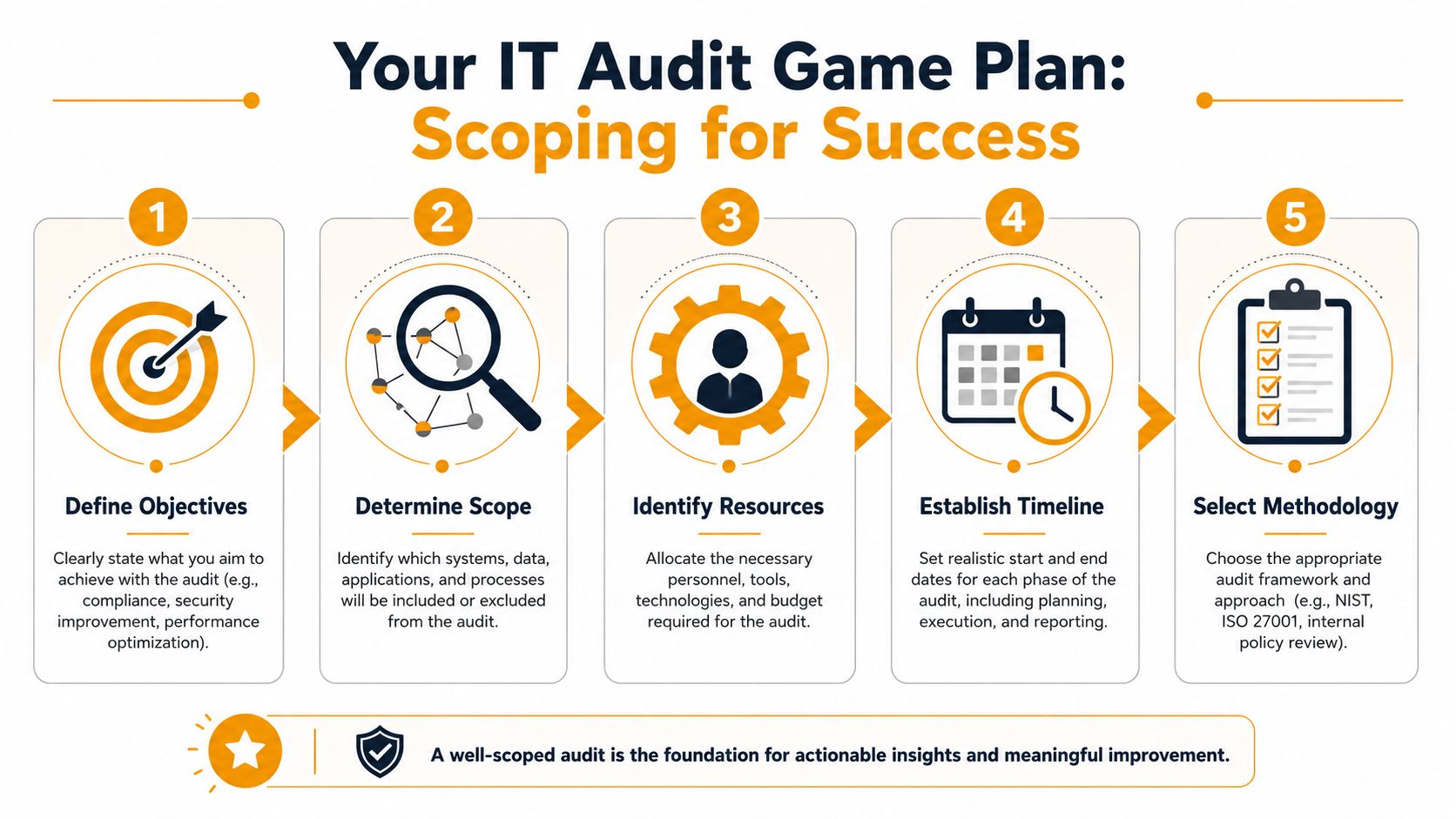
A good scoping document can be plain English. It should name:
- Systems in scope
- Locations involved, including remote staff and home offices if they access business systems
- People responsible for each area
- Evidence you'll need, such as user lists, backup logs, firewall rules, change records, and software inventory
- What's out of scope so the audit doesn't become a general complaint session
Know the two audit lanes
Modern IT audits are commonly split into general controls audits and application controls audits, a structure that developed as technology environments became more complex, as outlined in this overview of IT audit types.
Think of it this way.
| Audit lane | What it checks | Simple SMB example |
|---|---|---|
| General controls | The environment around systems | Who has admin rights, how changes get approved, whether devices are secured |
| Application controls | The behavior of a specific system | Whether payroll settings, approval steps, or accounting workflows work correctly |
General controls are the locks, keys, and house rules. Application controls are whether the cash register totals sales correctly and only authorized staff can void a transaction.
If your audit doesn't identify who owns each system, who approves changes, and who can grant access, the scope still isn't ready.
DIY is realistic at this stage if your environment is modest and someone internally can gather records consistently. If no one can confidently answer who owns Microsoft 365 admin rights, where backups are managed, or which SaaS tools process customer data, get outside help before the scoping exercise turns into speculation.
Asset Discovery What Do You Actually Have
The most useful audits usually uncover a simple truth first. The company doesn't have one IT environment. It has the official one, the unofficial one, and the forgotten one.
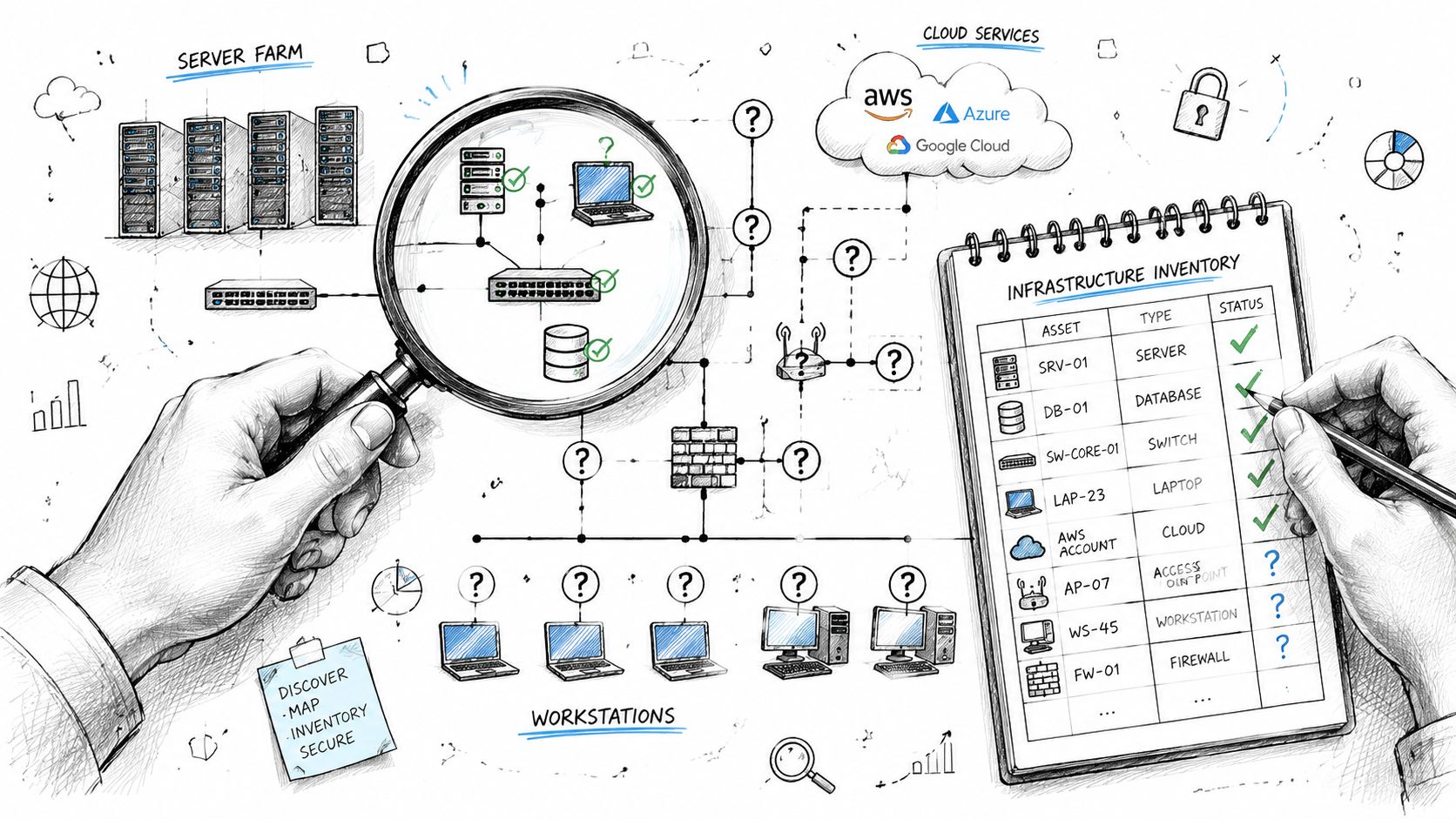
That's why asset discovery matters. Before you can judge risk, you need a working inventory of hardware, software, cloud services, user accounts, vendors, and data locations.
Build the list before you judge the risk
Start with a spreadsheet if you don't have an IT asset tool. That's enough for many SMBs. Create tabs for:
- Devices such as laptops, desktops, phones, tablets, servers, printers, firewalls, switches, and Wi-Fi access points
- Software including Microsoft 365, Google Workspace, Adobe, QuickBooks, CRM platforms, password managers, endpoint protection, backup tools, and remote access software
- Accounts and identities covering admins, shared mailboxes, service accounts, vendor accounts, and former employees
- Data locations such as OneDrive, SharePoint, Google Drive, Dropbox, NAS devices, local desktops, and accounting databases
- Vendors who host, support, or administer systems
For each item, record the owner, business purpose, who administers it, where it lives, and what kind of data touches it. That last field matters more than people think. A marketing tool that only sends newsletters deserves different attention than a payroll platform or a patient intake system.
Where SMBs usually find surprises
A typical first pass reveals leftovers. An old laptop in a drawer still has local company data. A former contractor still has access to a Slack workspace. Someone in sales bought a standalone SaaS product on a company card and connected it to the CRM without telling anyone.
Those discoveries aren't rare. They're normal.
The first inventory is not a polished document. It's a truth-finding exercise.
A helpful way to keep momentum is to walk department by department instead of trying to solve everything centrally. Ask finance, operations, sales, and HR what tools they use every week, what logins they share, and where they store files. You'll get a better picture than you would from a top-down email asking everyone to “list all systems.”
This walkthrough can help your team think about the process while you inventory systems:
Common blind spots include:
- Shadow IT where staff sign up for apps without IT review
- Legacy equipment still connected because “nothing's broken”
- Shared accounts that hide who did what
- Vendor dependencies where an outside consultant is the only person who knows how a system works
- Local storage on desktops or laptops that never makes it into managed backup routines
If you skip discovery, every later audit step is weaker. You can't test controls on systems you never identified.
Assessing Risk and Mapping to Compliance
Once the inventory exists, the next question isn't “What's wrong with everything?” It's “What can hurt the business fastest, and what matters most to customers, regulators, and operations?”
That's where many SMBs either overreact or underreact. They chase low-value items because they're easy to fix, while bigger weaknesses stay open.
Use a simple impact and likelihood screen
You don't need a heavyweight framework to start. Use a plain impact vs. likelihood matrix.
- High impact, high likelihood gets immediate attention
- High impact, lower likelihood still deserves planning and ownership
- Lower impact, high likelihood often becomes a process fix
- Lower impact, lower likelihood goes to the backlog
Here's a practical example. A cloud file-sharing platform that stores customer contracts, invoices, and HR documents has high impact if access controls are weak. If multiple users have broad permissions, shared accounts exist, and no one reviews external sharing, the likelihood also rises. That issue belongs near the top of the remediation list.
By contrast, a lightly used internal tool with no sensitive data may still need review, but it shouldn't consume the same energy.
A risk-based approach matters even more in cloud and hybrid environments. Audit guidance emphasizes prioritizing high-risk systems so teams don't waste time on low-value controls, and it also notes that the most important findings often involve weak reporting lines or poor cross-functional ownership of IT risk, not just missing policies, as discussed in this IT audit guidance for risk-based review.
A weak control owner can be more dangerous than a weak password policy. If no one owns the fix, the risk stays open.
That's especially true when legal, HR, finance, and operations all touch the same platforms. Access reviews, employee exits, software purchasing, and vendor onboarding rarely sit in one department. Someone has to own the coordination.
If your team is also trying to translate internal findings into outside requirements, this overview of cloud security and compliance for growing businesses is useful context for keeping the work practical rather than checklist-driven.
Map one control to several obligations
Compliance gets less intimidating when you stop treating every framework as a separate project. Many controls support multiple obligations at once. That's one reason teams benefit from resources on automating cloud ISO 27001 evidence when they're building repeatable documentation around cloud systems.
Here's a simple way to think about common overlap:
| Control Area | Example Control | Helps With PCI DSS? | Helps With HIPAA? | Helps With NIST? |
|---|---|---|---|---|
| Access management | Multi-factor authentication for admin and user access | Yes | Yes | Yes |
| User lifecycle | Disable accounts promptly when staff leave | Yes | Yes | Yes |
| Backups | Maintain tested backups for critical systems | Yes | Yes | Yes |
| Logging and monitoring | Review sign-in and admin activity logs | Yes | Yes | Yes |
| Change management | Document and approve significant system changes | Yes | Yes | Yes |
| Endpoint security | Managed antivirus or endpoint detection on company devices | Yes | Yes | Yes |
This table doesn't replace formal interpretation of a framework. It does show why audit work should focus on durable controls rather than one-off paperwork. A small business usually gets more value from fixing identity, backup, and access review problems than from polishing policy language that no one follows.
How to Test Your Core IT Controls
A control on paper is not a working control. That's the central lesson in every worthwhile audit.
A standard testing method is to examine input controls, processing controls, and output controls, then validate the system using walkthroughs, transaction sampling, and log analysis. Auditors also have to test both operating effectiveness and control design, because a control can be performed consistently and still fail if it was badly designed in the first place, as described in this control-testing methodology reference.
For an SMB, that translates into a simple question: can you prove the control works, not just say it exists?
Endpoints
Start with laptops, desktops, and phones because they're where weak habits show up first.
Check a sample of devices from different roles, not just the newest machine in the office. Look for whether security software is active, whether disk encryption is enabled where appropriate, whether updates are being applied, and whether former staff accounts have been removed.
Useful tests include:
- Account check: Confirm a terminated employee can't sign in to company email, VPN, shared drives, or device management.
- Device protection check: Verify security software is present and active on sales, finance, and executive devices.
- Policy reality check: Compare the written device policy with what users do. If staff can install anything they want despite a restricted policy, the design or enforcement is weak.
Network Security
Small businesses often inherit network setups that were “good enough” years ago. A single firewall, one flat Wi-Fi network, and undocumented admin credentials are common.
Walk through the network with whoever manages it. Ask how guest Wi-Fi is separated from business traffic, who can change firewall settings, and how remote access is approved. Review logs for administrative actions and failed access attempts where available.
A few practical checks:
- Admin access: Count who has network admin rights and whether shared credentials are still in use.
- Wi-Fi separation: Confirm guest and internal networks are not treated the same.
- Change evidence: Look for records showing who approved major rule changes or device replacements.
If the only documentation for a firewall rule is “the vendor set it up years ago,” treat that as a finding.
Cloud and SaaS Applications
First-time audits frequently uncover the biggest gap between expectation and reality. Business owners assume platforms like Microsoft 365, Google Workspace, Salesforce, or QuickBooks Online are secure because they're reputable products. The product may be solid. Your configuration may not be.
Test user roles, privileged accounts, external sharing settings, login alerts, mailbox forwarding rules, and service accounts tied to integrations. Sample recent changes. Review admin logs and compare them with your expected approval process.
Focus on questions like these:
- Can a normal user access data outside their role?
- Are admin accounts separately controlled?
- Are external collaborators still active after projects end?
- Do logs show changes that no one can explain?
Data Backups
Backups deserve skeptical testing because “backup completed successfully” is not the same as “we can recover.”
Check what is backed up, how often, who can restore, and whether restore rights are limited. Then test the output. Recover a file, a mailbox item, or a system snapshot in a controlled way and document what happened.
Look for failure patterns such as:
- Coverage gaps: Cloud apps assumed to be protected but never included in backup scope
- Restore confusion: No one knows the restore procedure until there's an incident
- Access risk: Too many people can delete or alter backups
- Retention mismatch: Data needed for business or legal reasons isn't retained as expected
When owners ask whether they can test this themselves, the answer is often yes for a limited review. If you can log evidence, sample accounts, and verify a real restore, DIY is reasonable. If your environment includes multiple cloud platforms, line-of-business integrations, or inherited infrastructure no one fully understands, the testing burden rises fast.
Creating a Report That Drives Action
An audit report fails when it turns into a technical diary. Leadership doesn't need fifty pages of screenshots with no priorities. They need a short list of what matters, why it matters, who owns the fix, and what can wait.
That's why the best report is not the longest one. It's the one people can act on.
What belongs in the report
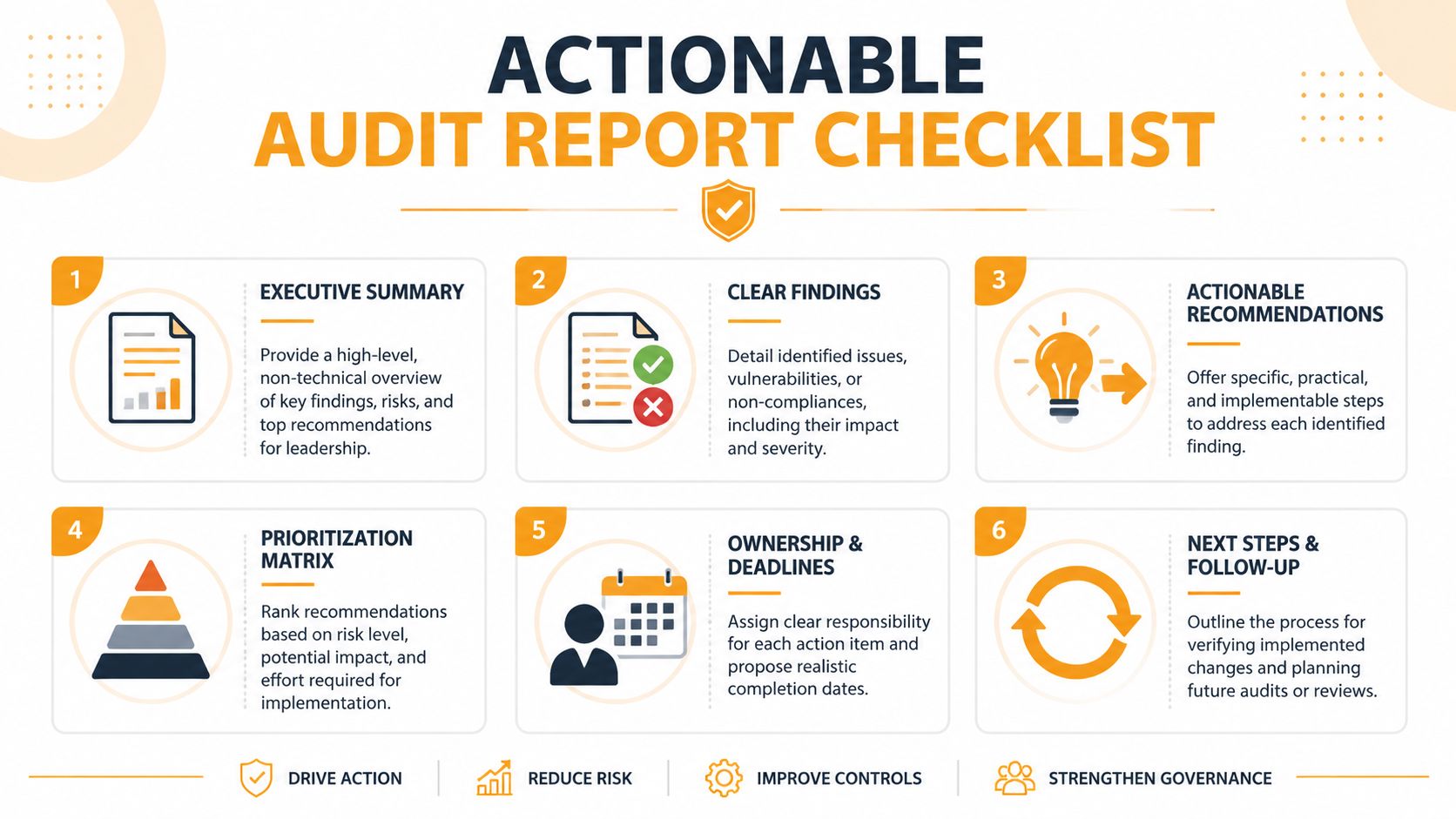
For most SMBs, a strong report has five parts.
- Executive summary in plain language. State the biggest risks without jargon.
- Key findings with evidence. Show what you observed and why it matters.
- Priority ranking so urgent items stand out from routine cleanup.
- Recommended actions that are specific enough to assign.
- Ownership and target dates so findings don't sit unresolved.
A useful framing model is:
| Priority level | Meaning | Typical example |
|---|---|---|
| Critical | Immediate business or security exposure | Shared admin accounts with no owner |
| High | Significant weakness that should be addressed soon | Backup restores not tested |
| Moderate | Important but not urgent | Incomplete asset documentation |
| Low | Cleanup or process improvement | Old policy language needing revision |
This is also where broader audit discipline helps. If you want a complementary management-side perspective, this internal audit guide for enterprise risk is helpful for structuring issues so leadership can govern them, not just read about them.
A simple remediation format
Each finding should follow a format like this:
Finding: Former employee accounts remained active in a cloud application after offboarding.
Business risk: Unnecessary access increases the chance of unauthorized data exposure.
Evidence: User list review showed dormant named accounts tied to separated staff.
Recommended fix: Add a formal offboarding checklist, assign account removal ownership, and review active accounts on a recurring basis.
Owner: HR plus system administrator.
Priority: High.
That structure works because it links the technical issue to a business consequence. It also makes trade-offs visible. If a fix is expensive, leadership can at least choose knowingly instead of leaving the issue buried in appendix pages.
A good report should create movement within days, not admiration for its formatting.
Beyond the Audit When to Partner with an MSP
An audit is a snapshot. Your environment keeps changing after the snapshot is taken.
People join and leave. Devices age out. SaaS tools are introduced unobtrusively. Vendors connect systems. Someone enables automation in a platform no one has audited before. That last point matters more now because traditional IT auditing still has a major gap around AI-enabled systems and automated decision workflows. The audit question is no longer only whether a system is secure, but also whether the automated output is explainable and monitored, which raises complexity and often requires specialized expertise, as discussed in research on AI and audit complexity.
That's why ongoing support becomes the key decision point. Not every SMB needs outside help for a first-pass inventory or a basic access review. But many do need a partner once the work moves from discovery to remediation and continuous monitoring.
Call an MSP when one or more of these are true:
- No internal owner exists for identity, backups, cloud administration, and network security
- Findings depend on specialist tools or experience your team doesn't have
- Your environment is hybrid with remote staff, SaaS platforms, on-prem gear, and vendor-managed systems
- You need continuity so fixes don't stall after the report is delivered
- You're evaluating providers already, in which case this guide on how to choose a managed service provider can help you ask better questions
The right MSP doesn't take control away from you. A good one gives you reporting, discipline, follow-through, and a clearer line between business risk and technical work.
If you want help turning audit findings into a practical remediation plan, IT Cloud Global, LLC supports Houston businesses with managed IT, cloud administration, endpoint and network security, disaster recovery, and day-to-day technical support that keeps systems secure and usable.
- Houston IT Support: A 2026 Guide for SMBs
- What Is Network Access Control: Why Your Business Needs It
- Hybrid Cloud Management: A Practical Guide for SMBs
- Computer Service Near Me: A Houston Buyer’s Guide
- Your 2026 Disaster Recovery Testing Checklist
- What Is a Network Operations Center? an SMB Guide
- Business Continuity Strategies: SMB Guide 2026