


Data Recovery in Houston: An SMB’s Emergency Guide
A Houston workday can go sideways fast. A file share stops opening. Your accounting database throws errors. A RAID volume drops offline right before payroll, a proposal deadline, or a customer audit. Someone says, “We have a backup,” but nobody knows if it's current or usable. At that moment, you don't need a lecture. You need a calm plan.
That's what this is. Not a generic explainer. A practical emergency guide for data recovery in houston aimed at small and midsize businesses that need to make the next decision without making the situation worse. If the loss involves malware or extortion, the first priority is containment, and this ransomware recovery guide for businesses is a useful parallel reference while you protect the rest of the environment.
Table of Contents
- Your Business Just Ground to a Halt. Now What?
- Understanding Common Causes of Business Data Loss
- Your First Move DIY Software vs Calling a Professional
- Inside the Lab Our Professional Recovery Process
- Data Recovery Costs and Turnaround Times in Houston
- Maximizing Success and Preventing Future Data Disasters
- Real-World Houston Data Recovery Examples
- Houston Data Recovery FAQ and Emergency Contact
Your Business Just Ground to a Halt. Now What?
Start with one rule. Stop changing the affected system. Don't reboot it repeatedly. Don't run random repair tools. Don't let five different employees try five different ideas. Every write to the device can reduce your options.
If the failed system is still powered on and making unusual sounds, freezing during access, or dropping in and out of the operating system, shut it down cleanly if possible. If it's a server, document what users were doing, what error messages appeared, and whether the issue began after a power event, update, accidental deletion, or suspicious email activity. That information helps separate a simple logical issue from a drive-level failure.
Use this quick triage list:
- Isolate the problem: Determine whether this is one file, one workstation, one server, or a shared system affecting multiple users.
- Protect the media: Remove the drive from normal use. Don't keep browsing folders “to see what's still there.”
- Preserve context: Note the symptoms, device type, operating system, and the last known good time.
- Check backups carefully: Verify whether the backup is current and restorable before you rely on it.
- Control the crowd: Assign one decision-maker. Panic causes overwritten data more often than people admit.
Practical rule: The first bad decision in a data-loss event is usually not the failure itself. It's continued use after the failure.
Houston businesses have access to local recovery options, but the best outcome usually starts before the drive ever reaches a lab. Good recovery work depends on good handling. If you keep the original media unchanged, you preserve the widest path to recovery, whether the issue turns out to be a deleted folder, a corrupted virtual machine, or a mechanically failing disk.
Understanding Common Causes of Business Data Loss
Most business data loss falls into two buckets. Logical failure and physical failure. Knowing the difference helps you decide whether you should try software, escalate to a technician, or stop everything and send the device to a lab.

Logical loss is like losing the index to a library. The books may still be on the shelves, but the system that points to them is damaged. Physical loss is closer to damage to the books themselves. Burned, soaked, scratched, or mechanically inaccessible media is a different class of problem.
For business owners dealing with malware, accidental encryption, or unauthorized access, this related overview of common cyberattacks small businesses face through IT support helps explain how a security event can become a data-loss event.
Logical failures
Logical failures happen when the storage device is still readable at a hardware level, but the data structure is damaged or missing. Common examples include deleted folders, formatted partitions, corrupted file systems, broken databases, sync mistakes, and some ransomware cases.
These issues can look deceptively mild. The drive powers on. Windows sees it. A NAS appears online. But the files are gone, unreadable, or renamed into nonsense. That doesn't mean the problem is small. On SSDs, virtualized servers, and shared storage, a “small” logical mistake can spread quickly.
Typical warning signs include:
- Files disappeared after user action: A folder was moved, deleted, or overwritten.
- The system boots but data won't open: Documents error out, accounting files fail validation, or databases won't mount.
- The volume shows as RAW or unformatted: The device is visible, but the file system metadata is damaged.
- Ransom notes or renamed files appear: The loss may be logical at the storage layer, but the incident is operationally a security breach.
Later in the process, it helps to understand what a technician is looking for during recovery:
Physical failures
Physical failures involve hardware problems. A hard drive clicks. An SSD vanishes from the BIOS. A server drive fails after heat, power instability, impact, or liquid exposure. USB devices crack at the connector. RAID members degrade and then the array falls apart.
Businesses often get into trouble by treating a hardware failure like a software problem. If a drive is making noise, disappears intermittently, or slows to a crawl while retrying reads, repeated boot attempts can make the damage worse.
If the device is physically unstable, “trying one more time” is often what turns a recoverable case into a partial one.
Why the device type matters
In Houston, providers explicitly separate recovery by device class and failure mode. Services commonly cover HDDs, SSDs, USB flash drives, NAS/RAID arrays, and ransomware cases, and a deleted file on a healthy drive is handled differently from a clicking HDD or failed RAID that may need imaging and array reconstruction, as noted by Micro Center's Houston data recovery service page.
That distinction matters. A single laptop drive, a QuickBooks file on a desktop SSD, and a multi-disk office NAS don't fail the same way and shouldn't be handled the same way. Businesses that understand that early usually avoid the most expensive mistake, which is using the wrong recovery method on the wrong device.
Your First Move DIY Software vs Calling a Professional
This is the decision point that causes the most damage. Some losses are software cases. Some are lab cases. If you guess wrong, you can convert a recoverable problem into permanent loss.
DIY tools have a place. So do professional services. The question is not which one is cheaper in the moment. The question is which choice carries the least risk for the value of the data involved.
When software is reasonable
DIY recovery software can make sense when all of these are true:
- The drive is healthy: No clicking, no beeping, no disconnects, no severe slowdown.
- The loss is recent and limited: One folder, one user, one accidental deletion.
- The data isn't business-critical: You can tolerate failure without legal, financial, or operational fallout.
- You can work from a copy: You're scanning an image or a secondary device, not the production source.
Even then, be careful. Recovery software writes logs, temp files, and restored data somewhere. If someone installs it onto the same affected drive, they may overwrite the very material they're trying to recover. That's why planning for critical data loss prevention matters before the emergency, not after it.
When to stop and call a lab
Professional recovery is the right move when the media is unstable, the device is part of a business system, or the missing data affects revenue, compliance, client work, or operations. If the failed device is a server, RAID, NAS, encrypted laptop, or SSD with firmware-level issues, skip the experiments.
This is especially true when you're dealing with a crashed hard drive. The recovery path changes fast once the failure crosses from logical into physical behavior, and this guide on how to recover data from a crashed hard drive is worth reading before anyone powers the device again.
| Factor | DIY Software | Professional Service (IT Cloud Global) |
|---|---|---|
| Best fit | Accidental deletion on a healthy non-critical drive | Business-critical loss, unstable devices, server and RAID incidents |
| Risk to original data | Higher if used on the original media or by an untrained user | Lower because the process is designed to preserve the source before extraction |
| Speed to first action | Immediate if the device is stable | Immediate triage, then controlled diagnostic workflow |
| Technical scope | File-level scans and simple logical recovery | Logical recovery, imaging, hardware handling, and reconstruction workflows |
| Good choice for RAID or clicking drives | No | Yes |
| Operational confidence | Limited. Results vary with user decisions | Better fit when you need chain of handling, validation, and business continuity thinking |
A good practical rule is simple. If losing the data would create a client issue, payroll issue, legal issue, or downtime issue, treat it like a professional recovery case from the start.
Inside the Lab Our Professional Recovery Process
A Houston business usually reaches this stage after the bad moment has already happened. The accounting share is offline. The office NAS is beeping. Someone heard clicking from the only drive holding this quarter's job files. At that point, the job is to protect what is still recoverable and move through a controlled process without creating more damage.
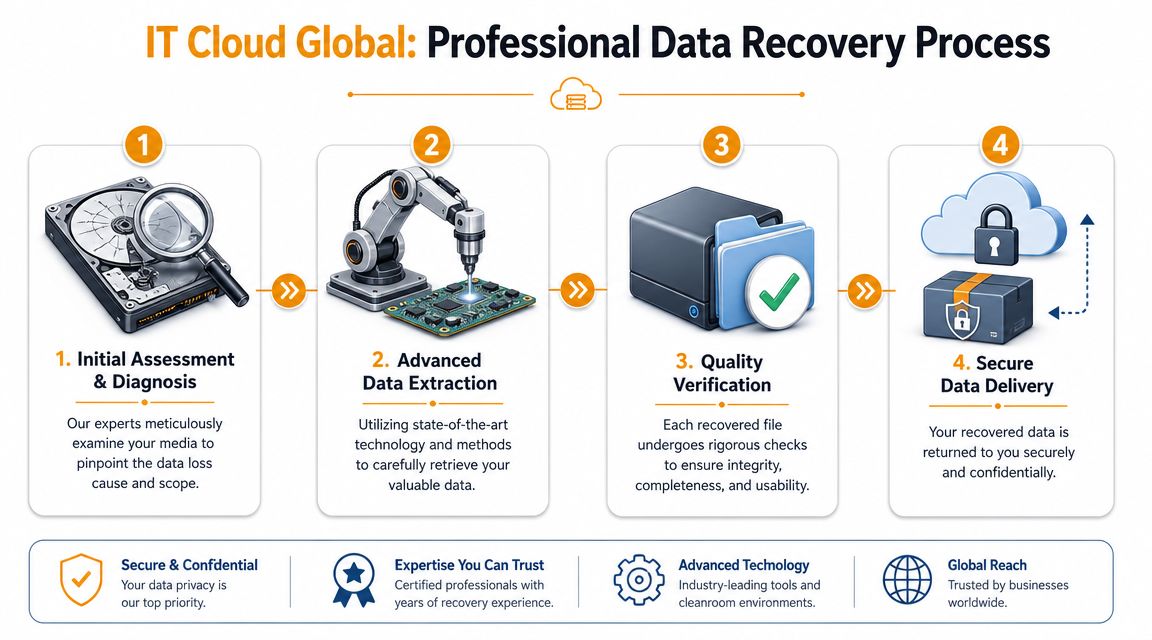
Step 1 assessment before action
The first lab step is diagnosis. A technician needs to identify the actual failure before anyone tries repair commands, rebuilds, or scan-heavy software. The problem may be deletion, file system corruption, firmware trouble, controller failure, damaged heads, flash wear, or a RAID that has fallen out of sync.
That assessment answers a few practical questions fast. Can the device be powered safely? Is the operating system issue only the visible symptom? Is this a single failure, or did one bad event trigger several?
For Houston businesses, the useful takeaway is simple. Professional recovery follows a structured intake and diagnostic process, because rushed guesses cost data. At IT Cloud Global, that early triage is where we decide whether the safest next move is logical extraction, controlled imaging, or physical lab handling.
Step 2 imaging before extraction
If the device can still be read, the next priority is usually to capture its current state with a sector-level image or clone. Recovery work is then performed against that copy rather than the original media.
Unstable drives rarely fail in a clean, predictable way. They slow down, drop offline, return read errors in patches, or degrade further under repeated scans. Imaging gives the lab one controlled chance to collect readable sectors while limiting extra wear on the source.
A disciplined workflow usually looks like this:
- Stabilize the source so it can be accessed with the least possible stress.
- Create an image or clone of the readable data at the sector level.
- Perform recovery work on the copy instead of making changes to the original device.
- Validate what is recoverable before discussing file completeness with the client.
Why this matters: The safest recovery path starts with preservation, not in-place repair.
Step 3 clean handling for physical damage
Physical failures require a different environment and a different pace. If a hard drive has internal damage, contaminated platters, or failed heads, ordinary office handling can turn a limited failure into permanent media loss.
Houston-area providers that handle physical recovery often point to clean-room capability for that reason. File Savers' Houston recovery page explains why controlled environments and limited power-on attempts matter when a drive has mechanical damage. That lines up with what experienced technicians see every week. Each extra spin-up on a damaged drive can reduce the amount of data left to recover.
Business owners usually feel pressure to get answers in hours, not days. That pressure is real. But for a physically damaged device, careful handling often gives you a better result than aggressive handling.
Step 4 rebuilding files you can actually use
Getting sectors off a device is only part of the job. The last stage is reconstruction and verification so the returned data is usable for practical use.
That may include rebuilding a damaged file system, reconstructing RAID parameters, checking database consistency, validating mailbox data, or sorting intact user files from damaged structures. A recovery is not successful because a scan produced filenames. It is successful when your staff can open the QuickBooks file, review the project drawings, restore the customer folder, or mount the export needed to get operations running again.
The return process matters too. Recovered data should go onto clean destination media or through a secure transfer method. Putting recovered files back onto the same questionable device is a preventable mistake, and in an emergency Houston case, avoiding that second failure is part of the job.
Data Recovery Costs and Turnaround Times in Houston
A Houston owner usually asks two things first. How much will this cost, and how fast can we get something back?
The honest answer depends on what failed, what the data sits on, and how quickly the business needs action. A deleted folder from a healthy workstation, a failed NVMe SSD in a laptop, and a RAID problem on a production server do not belong in the same price range. Any provider giving a flat number before diagnosis is giving you a sales answer, not a technical one.
What usually drives cost
Price usually follows labor, risk, and device complexity.
Logical recovery is often less expensive because the media may still read normally. Physical failures cost more because the technician may need lab work, donor parts, controlled imaging, or repeated reconstruction attempts. RAID and NAS cases also trend higher because recovery is not only about reading disks. Someone has to identify drive order, stripe size, parity behavior, missing members, and file system condition before useful data can be rebuilt.
Urgency changes the bill too. If your accounting server is down on payroll day or your file share is blocking customer orders, after-hours triage and priority bench time can make sense. If the lost data is older archive material, standard turnaround is usually the better value.
In Houston, business owners will also see common local service terms such as free evaluation, no data no charge, and 24/7 emergency availability. Those offers can help, but they do not make every case cheap. They usually mean you can get a diagnosis before committing, which is useful when you need to compare risk, timeline, and budget under pressure.
What turnaround really looks like
Turnaround starts with diagnosis, not recovery.
A simple deletion case on stable media may move quickly because the device can be read right away. A drive with mechanical symptoms, an SSD with controller trouble, or a damaged RAID can take much longer because the team has to establish safe access first, then image the media, then rebuild the data into something your staff can use.
As noted earlier, one Houston provider states that standard recovery often falls into a several-business-day window, with evaluation taking up to a couple of days before final recovery work begins. That is a reasonable planning baseline for local businesses. It is not a promise for every case.
A practical way to estimate timing is to look at the obstacle in front of the technician:
| Recovery factor | Effect on timeline |
|---|---|
| Healthy drive with logical loss | Often faster because the device can usually be read immediately |
| Physically damaged media | Slower because safe access has to be established before extraction |
| RAID or NAS recovery | Slower because array reconstruction comes before file-level recovery |
| Emergency priority | Faster initial triage, but the technical limits of the device still control the outcome |
At IT Cloud Global, this is the part of the conversation where expectations need to stay grounded. The right question is not only "How fast can you finish?" Ask when you can expect the first usable result, what could slow the case down, and whether a partial recovery would still get payroll, accounting, CAD files, or customer records back online. That gives a Houston business owner something useful to plan around while the recovery is in progress.
Maximizing Success and Preventing Future Data Disasters
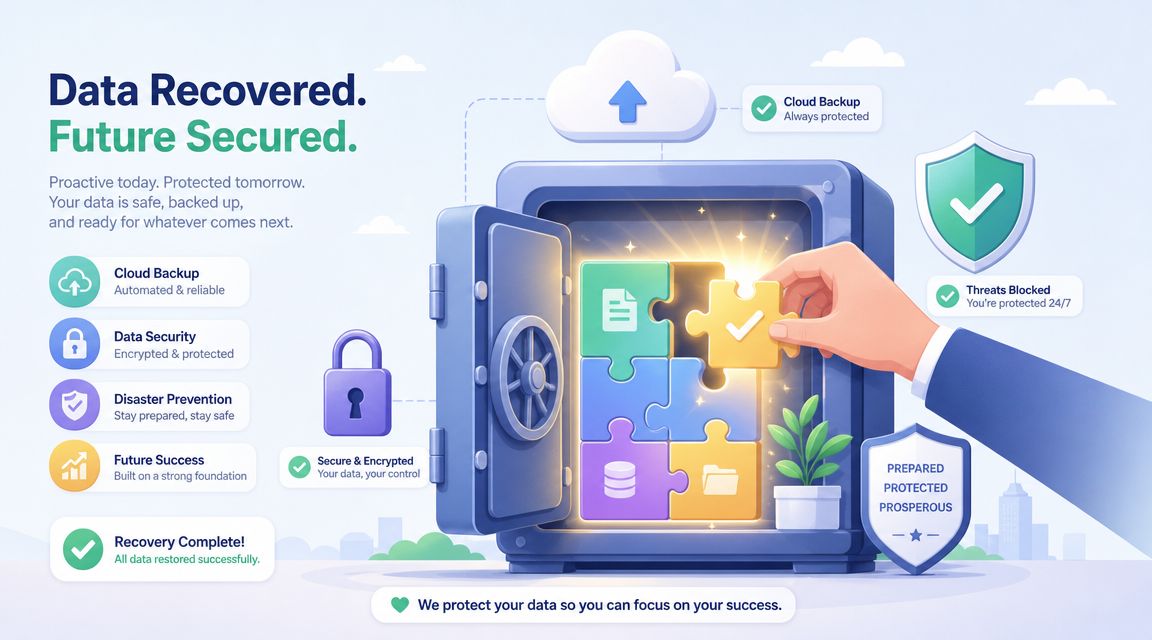
The single most important step after a suspected hardware failure is simple. Power the device off and leave it off. That advice feels counterintuitive to owners who want confirmation, but repeated starts are one of the fastest ways to shrink your recovery options.
What to do in the first hour
If the drive clicks, disappears, smells hot, or becomes painfully slow, stop using it. If a user deleted files, stop writing to that device. If a server share starts showing encrypted or unreadable files, isolate the affected systems before the problem spreads.
Do this instead:
- Power down unstable hardware: Don't keep testing it.
- Disconnect affected storage from normal use: Especially shared systems and external drives.
- Preserve evidence of the event: Screenshots, filenames, timestamps, and user reports help.
- Keep recovery targeted: Don't install utilities, updates, or antivirus scans on the affected media.
- Escalate based on business value: If the data runs the business, treat it as an emergency.
Houston's market is built for urgency. Some providers offer 24/7 emergency recovery, and many advertise a no data, no charge policy. Flashback Data's Houston page also notes that outcomes can vary by specific device model, which is one reason local SMBs should choose a partner prepared for specialized, high-stakes cases, as outlined on Flashback Data's Houston recovery page.
The long term fix is business continuity
Recovery is the rescue operation. Backup is the prevention strategy. If your business has gone through one serious data-loss event, you've already seen the difference.
A strong continuity plan includes working backups, restoration testing, offsite protection, and clear decisions about what must come back first. For some companies that means Microsoft 365 data, line-of-business apps, and shared documents. For others it means a local server, virtual machines, CAD files, POS records, or email archives.
The cheapest recovery case is the one you solve by restoring clean data instead of opening damaged hardware.
A managed IT provider helps tie backup, endpoint protection, cloud systems, and recovery priorities into one practical plan instead of a pile of tools that nobody has tested.
Real-World Houston Data Recovery Examples
Every business says its data is important. The details matter more than the label. The right response changes based on how the data is used, who needs it, and what happens if it stays unavailable for another day.
The architecture firm with a failed RAID
A small architecture office lost access to a shared RAID that held active drawing sets, render exports, and permit documentation. Staff could still see the NAS on the network, but folders opened slowly, then stopped opening at all. One disk had already failed earlier in the week, and a second member started dropping.
The right move was not rebuilding the array blindly. The team stopped all writes, documented the disk order, and worked from copies of the available members. Recovery focused first on preserving the readable data, then reconstructing the array virtually to extract active project folders. The business didn't get “the server back” on day one. It got the current project data back first, which was what kept deadlines alive.
The retailer with a damaged point of sale database
A Houston retailer had a front-office PC that hosted local reporting and exported sales data for accounting. After an abrupt shutdown, the machine booted, but the database file failed consistency checks and the drive started freezing during large reads.
That case had two layers. The file was logically damaged, and the drive showed signs of instability. The recovery path was to stop trying in-place repair, image the disk, then extract and validate the underlying data from the safer working copy. What mattered most to the owner was not every old temp file on the machine. It was the current transaction history, vendor records, and tax reporting data. Prioritizing the business-critical set shortened the operational pain.
The law office with an encrypted file share
A small legal office noticed client folders being renamed and becoming unreadable on a shared drive. This was not a normal corruption event. It was a security incident with a recovery component. The first priority was isolation. The second was identifying whether clean backups existed. The third was preserving affected systems so nobody made the situation worse by syncing encrypted files across more endpoints.
In cases like this, recovery is broader than recovering a disk. It includes containment, clean restoration, and validation that recovered files are usable and trustworthy. That's why businesses shouldn't separate “cyber incident” and “data recovery” into two unrelated conversations. In practice, they often arrive together.
These examples are anonymous, but the pattern is real. Good outcomes usually come from disciplined first moves, not heroic last moves.
Houston Data Recovery FAQ and Emergency Contact
Common questions from Houston business owners
Can deleted business files always be recovered?
No. Recovery depends on what happened after deletion and whether the original data blocks have been overwritten. The less the device is used after the loss, the better your chances.
Can you recover data from SSDs and RAID systems?
Sometimes, yes, but the method is different from a standard laptop hard drive. SSD behavior, RAID metadata, encryption, and controller issues all change the approach.
Is my confidential data exposed during recovery?
A proper business recovery workflow should treat your files as sensitive from intake through delivery. Ask how the provider handles chain of custody, storage, access control, and return media.
What if this started with ransomware?
Treat it as both a security incident and a recovery incident. Isolate the affected systems first. Then determine whether clean backups, snapshots, or unaffected copies exist before anyone attempts restoration.
Should I ship the drive or find data recovery in houston locally?
Local handling can simplify intake, communication, and urgency for Houston businesses, especially when downtime is active. What matters most is whether the provider can handle your failure type safely.
If your business is down, don't keep experimenting on the original media. Get the symptoms documented, isolate the affected system, and move quickly toward a controlled recovery decision.
If you need immediate help, IT Cloud Global, LLC provides Houston-based managed IT, repair depot support, backup and disaster recovery services, and business IT guidance that can help you respond calmly when data loss disrupts operations.
- 10 Service Desk Best Practices for SMBs
- Top IT Services Houston TX: Your 2026 SMB Guide
- Houston Managed IT Services: A 2026 Guide for SMBs
- What Is a Helpdesk Ticketing System? an SMB Guide
- Your 2026 Disaster Recovery Testing Checklist
- Hardware as a Service: A Guide for Smart Businesses
- Managed IT Services Houston TX: Your 2026 Business Guide