


Houston IT Managed Services: A Guide for SMBs in 2026
Your office internet drops during a storm. Half your staff can't reach shared files. Your printer issue turns out to be the least important problem on the list because now email is delayed, remote access is inconsistent, and nobody knows whether backups are current. That's the point where many Houston business owners realize they don't have an IT strategy. They have a collection of tools, vendors, and good intentions.
That's where Houston IT managed services make sense. Not as a fancy label for outsourced tech support, but as a way to make day-to-day operations predictable. If your business depends on Microsoft 365, cloud apps, laptops, phones, Wi-Fi, and secure access for staff, then your IT environment already needs active management whether you plan for it or not.
Table of Contents
- What Are Houston IT Managed Services Really
- The Core Components of a Modern Managed IT Plan
- Why Houston Businesses Need Resilient IT Operations
- How to Choose the Right Houston IT Services Partner
- Understanding Managed IT Services Pricing Models
- Houston Managed Services Frequently Asked Questions
- Take Control of Your Houston Business Technology Today
What Are Houston IT Managed Services Really
Managed services are the difference between routine car maintenance and waiting for a tow truck on the side of the road. Break-fix IT waits for something to fail. Managed IT works to stop failure from disrupting the business in the first place.
That sounds simple, but it changes everything. In a break-fix model, you pay attention to IT when users complain, systems crash, or a vendor sends an urgent renewal notice. In a managed model, someone is watching device health, patch status, backups, endpoint protection, account security, and help desk requests as part of a standing operating process.
Why break-fix stops working
Break-fix can still work for a very small office with limited systems and low risk tolerance. The problem is that most SMBs outgrow it long before they admit it. Once your team relies on cloud apps, shared files, remote work, vendor portals, and compliance-sensitive data, reactive support becomes expensive in ways that don't show up neatly on an invoice.
A managed provider acts more like a building superintendent than an on-call handyman. The superintendent checks systems, handles recurring maintenance, notices issues early, coordinates vendors, and keeps small problems from turning into shutdowns.
Practical rule: If your business loses money or client trust when systems are unavailable, you need prevention, not just repair.
This shift isn't theoretical. The managed services market has become a mainstream operating model. A market summary projected global managed services growth from $278.9 billion in 2022 to $834.7 billion by 2032 according to managed services market statistics. For Houston businesses, that matters because outsourced IT, cloud management, and cybersecurity are no longer niche purchases made only after a crisis.
The four pillars that matter
A good managed service relationship usually covers work in a few practical areas:
- Daily support: Help desk, user issues, device troubleshooting, vendor coordination.
- System upkeep: Patching, updates, monitoring, asset visibility, lifecycle planning.
- Security: Endpoint protection, account controls, phishing defenses, backup oversight.
- Continuity: Recovery planning, remote access readiness, cloud resilience, documentation.
If you're comparing models in other markets too, this overview of cost-effective IT for Denver companies is useful because it shows how buyers evaluate managed services around predictability and coverage, not just hourly repair costs.
The primary value of Houston IT managed services is stability. You're not buying random technical tasks. You're buying fewer surprises, clearer ownership, and an IT environment that supports the business instead of interrupting it.
The Core Components of a Modern Managed IT Plan
A modern managed IT plan should feel connected. Support, security, cloud systems, and recovery can't sit in separate silos because business interruptions rarely stay in one lane. A phishing email becomes an account compromise. An account compromise touches email, files, identity controls, and response steps. A storm outage becomes a connectivity issue, then a communications problem, then a recovery problem.
Here's the structure most Houston SMBs should expect from a serious plan.
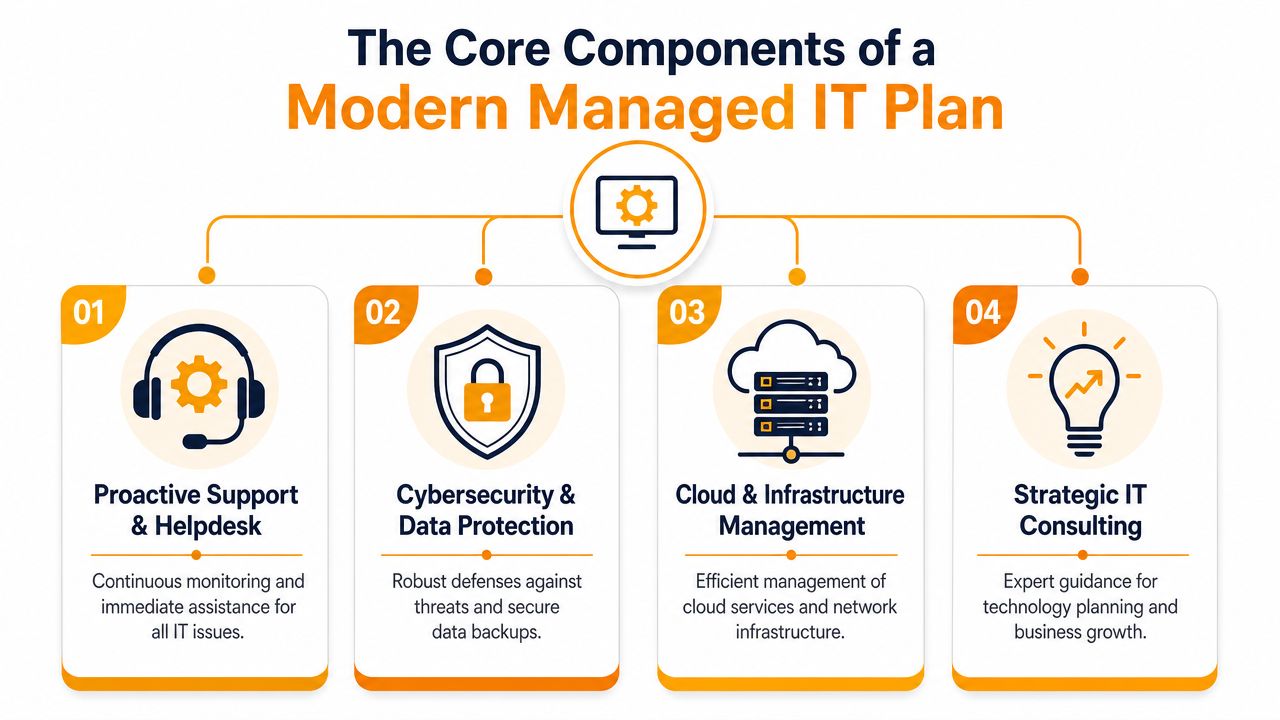
Proactive support and helpdesk
Users need fast answers, but support can't stop at resetting passwords and fixing Outlook issues. The help desk should sit on top of monitoring, ticket triage, asset awareness, and documented escalation paths. If a recurring issue hits several machines, the provider should identify the pattern and remove the root cause.
That's why remote monitoring and management matters. RMM gives the support team visibility into workstation and server health before users submit a ticket. Good support is partly reactive, but the underlying system should be proactive.
Cybersecurity and data protection
Many SMBs either overspend on disconnected tools or underspend and hope for the best. A mature stack is built around proactive monitoring plus endpoint detection and response, with supporting controls such as RMM, DNS protection, anomaly detection, managed phishing response, MFA, email hygiene, user training, and dark web monitoring, as outlined in guidance for choosing a Houston managed services provider.
The important point isn't the acronym list. It's the way the pieces work together.
- EDR watches endpoints closely: It helps detect suspicious behavior on laptops and servers.
- MFA blocks common account abuse: A stolen password is less useful when access requires another control.
- Email hygiene cuts risk early: Many incidents still start in the inbox.
- Managed response shortens confusion: Someone needs to decide quickly whether a threat is real and what gets isolated.
Security tools without response ownership create noise. Someone still has to investigate, contain, and document what happened.
Cloud and infrastructure management
Cloud management doesn't just mean moving files to Microsoft 365 or spinning up a server in Azure or AWS. It means keeping permissions clean, devices enrolled, shared resources organized, backups verified, and network access consistent across office and remote users.
This part of the plan also covers firewalls, Wi-Fi, switches, virtualization, endpoint policies, and vendor coordination. If your business uses hybrid infrastructure, someone has to own the boundaries between on-prem systems and cloud services. That handoff is where many outages start.
For a broader checklist of baseline coverage, this guide to essential managed IT services for small businesses is a useful reference.
Strategic oversight and continuity
The fourth pillar gets overlooked because it's less visible than a help desk portal or endpoint agent. But strategic oversight is what keeps IT from becoming a pile of monthly subscriptions. A managed plan should include roadmap discussions, lifecycle decisions, security priorities, and recovery planning tied to business operations.
One Houston-based option that covers managed services, cloud platforms like AWS, Azure, and Google Cloud, Microsoft 365 administration, backup and disaster recovery, and security tooling is IT Cloud Global, LLC. That's the kind of combined coverage many SMBs need because operational support, cloud management, and resilience work better when they're coordinated.
Why Houston Businesses Need Resilient IT Operations
Houston businesses don't just deal with malware, expired certificates, or aging laptops. They deal with real-world disruption. A hurricane warning changes staffing plans. Flooding changes access to offices and job sites. Grid instability changes whether systems stay online long enough for an orderly shutdown. Internet disruption changes whether teams can keep serving customers from somewhere else.
That's why resilience belongs in the managed services conversation from the start.
Houston risk is not just a security problem
A lot of providers talk about cybersecurity as if it's the whole story. It isn't. Security matters, but many Houston businesses are exposed to a combined threat model: cyber incidents plus physical disruption. A continuity-focused guide on Houston managed IT points to the neglected question that matters most: what is the recovery time if the office, power, or internet is down for days due to a hurricane or flood in this Houston managed IT continuity discussion.
That question changes how you design systems. If your line-of-business apps only work from the office, if your phones depend on one connection path, or if backups exist but nobody has tested how staff would operate during an extended outage, then your business isn't resilient. It's just functional on normal days.
The strongest Houston IT plan is the one that still works when your building doesn't.
What resilience looks like in practice
Resilience is operational, not theoretical. It usually looks like this:
- Cloud-based access where it makes sense: Staff can reach critical systems without being inside the office.
- Documented backup and restore processes: Not just backup jobs, but clear ownership for recovery.
- Secure remote work readiness: Laptops, identity controls, and communication tools already configured.
- Redundant communication paths: Teams know how to work if one channel fails.
- Role-based recovery priorities: Finance, operations, customer service, and leadership know what comes back first.
A lot of businesses discover too late that “we have backups” doesn't answer the question “how do we work on day two of an outage?” If you're building that plan now, this practical guide to a small business disaster recovery plan is a good starting point.
The Houston angle matters because local disruption isn't abstract here. A provider that understands business continuity for this region should be able to talk plainly about remote operations, restore order, vendor coordination, and how long critical functions can realistically stay impaired before the business feels it.
How to Choose the Right Houston IT Services Partner
Houston is not a one-provider market. Businesses here can compare real options, and that's a good thing. A local market roundup identified dozens of MSPs across Greater Houston and noted that buyers increasingly judge providers by specialization, operational performance, and service depth, not merely whether they offer basic IT support. The same roundup highlighted measurable benchmarks like a 4.9-star rating across 356+ third-party reviews and a 12-second phone response time for one provider, showing how visible service performance has become in the local market according to this Houston MSP market overview.
That means your evaluation process should be sharper than “Do they do managed IT?”
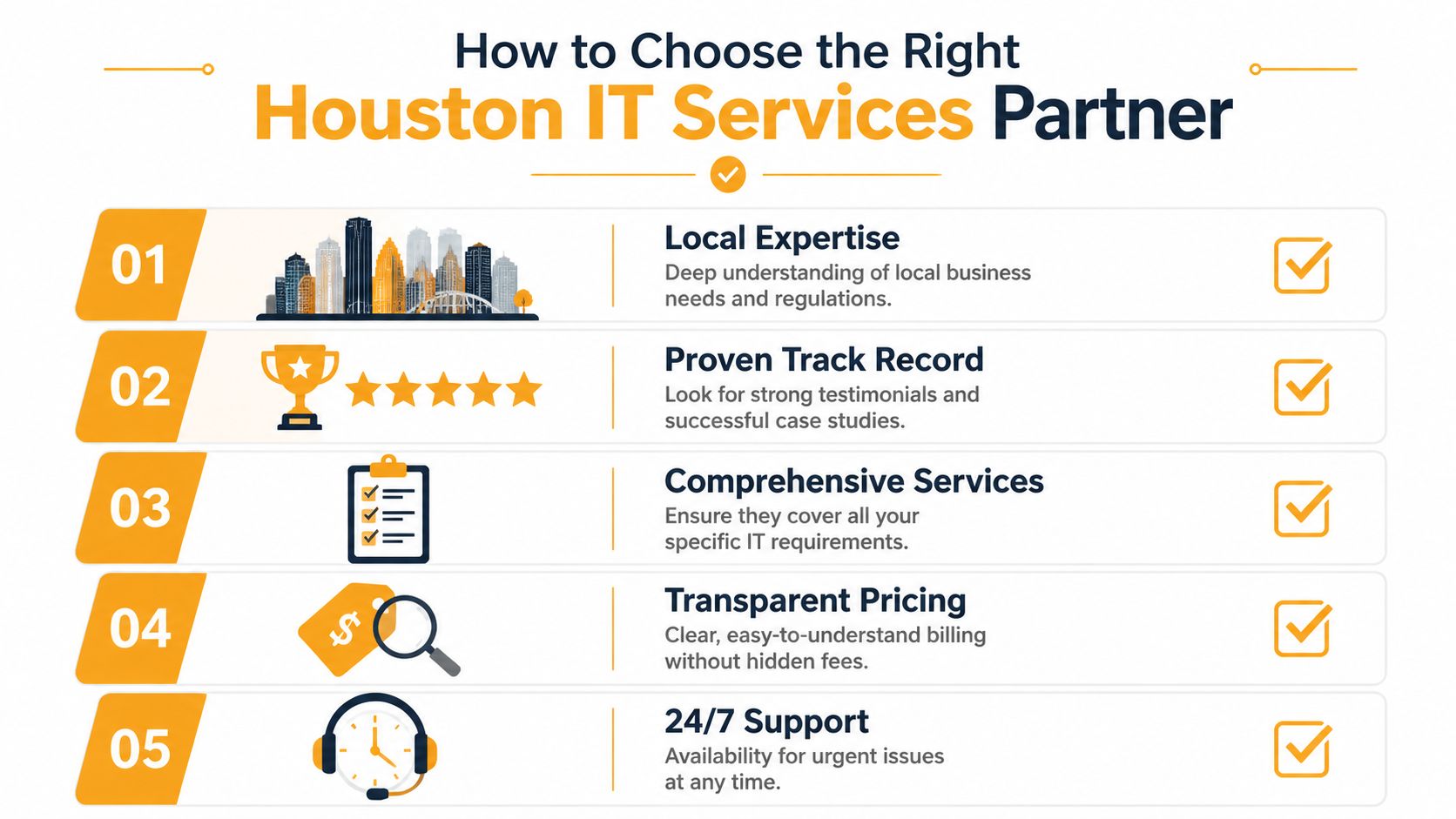
Start with operating discipline
Ask how the provider runs the service, not just what they sell. You want to hear about onboarding, documentation, ticket routing, endpoint visibility, patch governance, escalation paths, and how they communicate during incidents.
A provider with solid operating discipline should be able to answer questions like these clearly:
| Question | Why it matters |
|---|---|
| Who owns user support vs infrastructure issues | Prevents finger-pointing |
| How are urgent incidents escalated | Shortens confusion during outages |
| What gets documented during onboarding | Reduces dependency on one technician |
| How do you handle vendor coordination | Saves your team time with ISPs, software vendors, and phone providers |
If the answers sound vague, the service will probably feel vague once you're under pressure.
Ask how they work with your internal team
Here, many buyer conversations often stall. Plenty of Houston SMBs already have an internal IT person or a small team. They don't need replacement. They need to augment their existing resources.
A strong MSP should be comfortable in a co-managed IT model. That usually means your internal staff keeps control of business-specific systems, priorities, and executive communication, while the provider handles some mix of help desk overflow, monitoring, patching, cloud administration, security operations, vendor tickets, after-hours support, or backup oversight.
If a provider can't define the handoff between your team and theirs, the relationship will create friction instead of capacity.
If you're weighing outside support against hiring or blended staffing, this piece on deciding between tech team models gives useful context for the trade-offs.
Check their technical fit
Don't stop at generic claims like “full service” or “end-to-end support.” Ask whether they can support the tools you depend on. For most Houston SMBs, that means some combination of Microsoft 365, Azure, AWS, Google Cloud, Wi-Fi, VoIP, endpoint security, backup systems, and identity management.
Use a short checklist:
- Cloud capability: Can they manage Azure, AWS, or Google Cloud without handing off strategy to someone else?
- Security depth: Do they handle endpoint protection, MFA policy, email security, and incident response in a coordinated way?
- Continuity planning: Can they talk credibly about Houston-specific recovery scenarios?
- Co-managed maturity: Will they support your internal staff without duplicating work?
- Communication style: Do they write clearly, explain decisions, and document changes?
This guide on how to choose a managed service provider is a practical framework if you want to compare proposals side by side.
Understanding Managed IT Services Pricing Models
Pricing confuses buyers because two proposals can look similar while covering very different levels of responsibility. One provider may include monitoring, patching, help desk, and Microsoft 365 administration. Another may quote a lower monthly number but bill extra for onboarding, after-hours support, security work, vendor calls, or project labor.
The right question isn't just “what does it cost?” It's “what ownership am I paying for?”
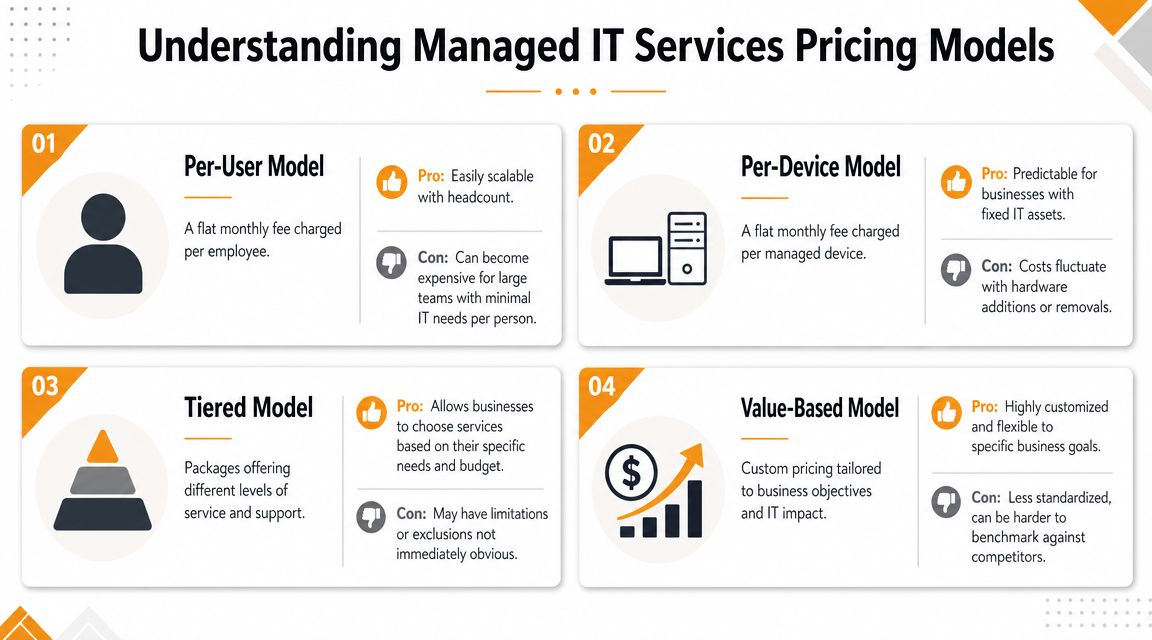
Common pricing approaches
Here's a simple comparison of the models you'll see most often:
| Model | How it works | Best fit | Watch for |
|---|---|---|---|
| Per-user | Monthly fee tied to each employee | Offices where each person uses several services and devices | Clarify what happens with shared workstations or seasonal staff |
| Per-device | Monthly fee tied to laptops, servers, firewalls, and other managed assets | Businesses with stable hardware counts | Costs can shift as equipment changes |
| Tiered package | Different bundles of support and security | Companies that want a defined menu | Lower tiers may exclude important response work |
| Value-based or custom | Pricing reflects business priorities and service scope | Firms with mixed environments or compliance demands | Harder to benchmark unless scope is well documented |
No single model is universally superior. The problem is mismatch. A per-device model can work well for an operations-heavy business with shared equipment. A per-user plan often makes more sense for a professional services firm where each employee depends on email, cloud files, collaboration tools, endpoint security, and frequent support.
What buyers often miss
The line items that matter most are usually buried in scope, not price. Look closely at:
- After-hours support: Is it included or billed separately?
- Security tooling: Are EDR, MFA support, and email security part of the plan?
- Cloud admin work: Does Microsoft 365 or Azure management count as support or project work?
- Backup responsibility: Who verifies backups and who owns restores?
- Projects and changes: What triggers extra billing?
A cheaper proposal can cost more if every meaningful change becomes a separate charge. On the other hand, an all-inclusive plan can be wasteful if you're paying for services your internal team already handles well. Good pricing matches your operating model, your risk profile, and the amount of ownership you want the provider to carry.
Houston Managed Services Frequently Asked Questions
Business owners usually don't struggle with the idea of managed services. They struggle with the practical details. Who does what, how transitions work, and whether the model fits the business you already have.
A Houston-focused MSP discussion points out a common gap in the market: the actual issue for many SMBs isn't just what services are included, but how the provider defines handoffs, operating roles, and escalation paths when an internal IT team already exists, as explained in this Houston MSP selection guide for long-term success.
What if I already have an in-house IT person
That's often the best setup for co-managed IT. Your internal person may know your line-of-business apps, department workflows, and leadership priorities better than anyone else. An MSP can add coverage where one person or a small team usually gets stretched thin.
Typical co-managed splits include:
- Internal IT owns business-specific systems
- MSP owns monitoring, patching, and backup oversight
- Internal IT handles executive requests and internal projects
- MSP provides help desk overflow, after-hours support, or security operations
What doesn't work is a fuzzy middle. If both sides think the other is responsible for account provisioning, patch exceptions, or vendor escalations, tickets stall and trust drops.
How long does switching providers take
It depends on how well your current environment is documented and how cooperative the outgoing provider is. The first priority shouldn't be speed. It should be control. Before any cutover, the new provider should confirm access to admin accounts, backup systems, endpoint tools, licensing portals, and network documentation.
A clean transition usually starts with discovery. That means identifying what you have, who controls it, and what's missing. If a provider wants to “take over everything” without a structured review, that's a red flag.
Good onboarding reduces risk by creating visibility first, then changing support ownership in a controlled order.
Is my business too small for managed services
Usually not. The better question is whether your business depends on technology enough to justify ongoing oversight. Most do. Even a small office now relies on cloud email, shared storage, endpoint security, user accounts, Wi-Fi, printers, phones, and vendor platforms.
You may not need a fully loaded enterprise agreement. But you probably do need some combination of monitoring, patching, security controls, backup verification, and support.
Will a managed provider replace my control
Not if the relationship is structured well. Good MSPs create clarity, not dependency. You should still know where your systems are, who owns what, how to escalate a problem, and what happens during a serious incident.
The best relationships feel like extension, not takeover. Your business keeps decision authority. The provider adds process, tools, coverage, and technical depth.
Take Control of Your Houston Business Technology Today
Most IT problems don't begin as disasters. They begin as small gaps in ownership, maintenance, security, and recovery planning. Then a storm hits, a user clicks the wrong email, a laptop fails, or a vendor issue drags on because nobody has clear responsibility.
That's why Houston IT managed services matter. Done well, they give you control over the environment your business already depends on. You get clearer support paths, stronger security discipline, better cloud oversight, and a continuity plan that reflects Houston's real operating conditions.

If your business is dealing with recurring support issues, unclear vendor ownership, an overloaded internal IT person, or recovery concerns tied to storms and outages, it makes sense to review the model before the next disruption forces the decision. The right partner should be able to support your current environment, work alongside your team if needed, and help you build a more predictable operating foundation.
If you're ready to reduce downtime, tighten security, and create a managed IT model that fits how your business runs, contact IT Cloud Global, LLC to discuss support, co-managed IT, cloud services, and business continuity for your Houston operations.
- IT Security Services Houston TX: Essential for Your SMB In
- Top IT Services Houston TX: Your 2026 SMB Guide
- Managed IT Services Houston TX: 2026 Guide for SMBs
- IT Managed Services Houston TX: 2026 Guide
- Houston Managed IT Services: A 2026 Guide for SMBs
- What Is a Helpdesk Ticketing System? an SMB Guide
- Your 2026 Disaster Recovery Testing Checklist