


Managed IT Services for Small Businesses: Boost Efficiency
Your staff is logged in. Orders are moving. Then a shared drive disappears, Microsoft 365 starts throwing errors, or the internet drops in the middle of the workday. Sales stalls, your team starts texting instead of working, and customers hear, “We're having a system issue.”
That's the point where many small businesses realize they don't have an IT strategy. They have a collection of devices, apps, passwords, and habits that mostly work until they don't. For a growing company in Houston, that's a risky way to operate.
Managed it services for small businesses solve that problem by turning IT into an ongoing operating function instead of a series of emergencies. You get support, monitoring, maintenance, security, and recovery planning under one model, with clear ownership and predictable expectations.
Table of Contents
- Your Business Runs on IT Is It Running Smoothly
- From Break-Fix Chaos to Proactive Control
- The Core Services in Your Managed IT Toolkit
- The Real ROI of Managed IT Services
- Understanding Managed IT Pricing Models
- How to Choose the Right Houston IT Partner
- Take Control of Your Business Technology Today
Your Business Runs on IT Is It Running Smoothly
A small business usually doesn't fail all at once. It gets slowed down first. The printer won't connect. A laptop misses updates for months. File sharing becomes unreliable. One employee keeps getting locked out of email. Then one day, a bigger issue hits and everything that felt “manageable” turns into lost time and customer frustration.

That pattern is common because most small companies grow faster than their IT setup. They add cloud apps, remote access, new phones, Wi-Fi devices, and security tools without a single operating plan behind them. What worked for five employees becomes unstable at fifteen or twenty-five.
Managed services exist to stop that slide. Instead of waiting for failures, an MSP takes responsibility for the health of your systems day to day. That includes support for users, oversight of devices and networks, patching, backups, and security controls that are easy to miss when one office manager or generalist is trying to hold everything together.
This isn't a niche model anymore. Nearly 90% of small and midsize businesses are already using or considering a managed service provider according to Infrascale's MSP statistics roundup.
You don't buy managed IT because your business loves technology. You buy it because your business can't afford disorder.
For Houston companies, the pressure is even more practical. You may have multiple offices, field staff, VoIP phones, Microsoft 365, industry compliance requirements, and weather-related continuity concerns. If your systems aren't monitored and maintained continuously, small gaps turn into operational problems fast.
From Break-Fix Chaos to Proactive Control
A Houston office usually discovers the limits of break-fix IT on a busy day. Internet slows down, Microsoft 365 logins fail, the VoIP phones start cutting out, and the only plan is to call someone after employees are already stuck. The invoice may look reasonable. The lost hours usually do not.
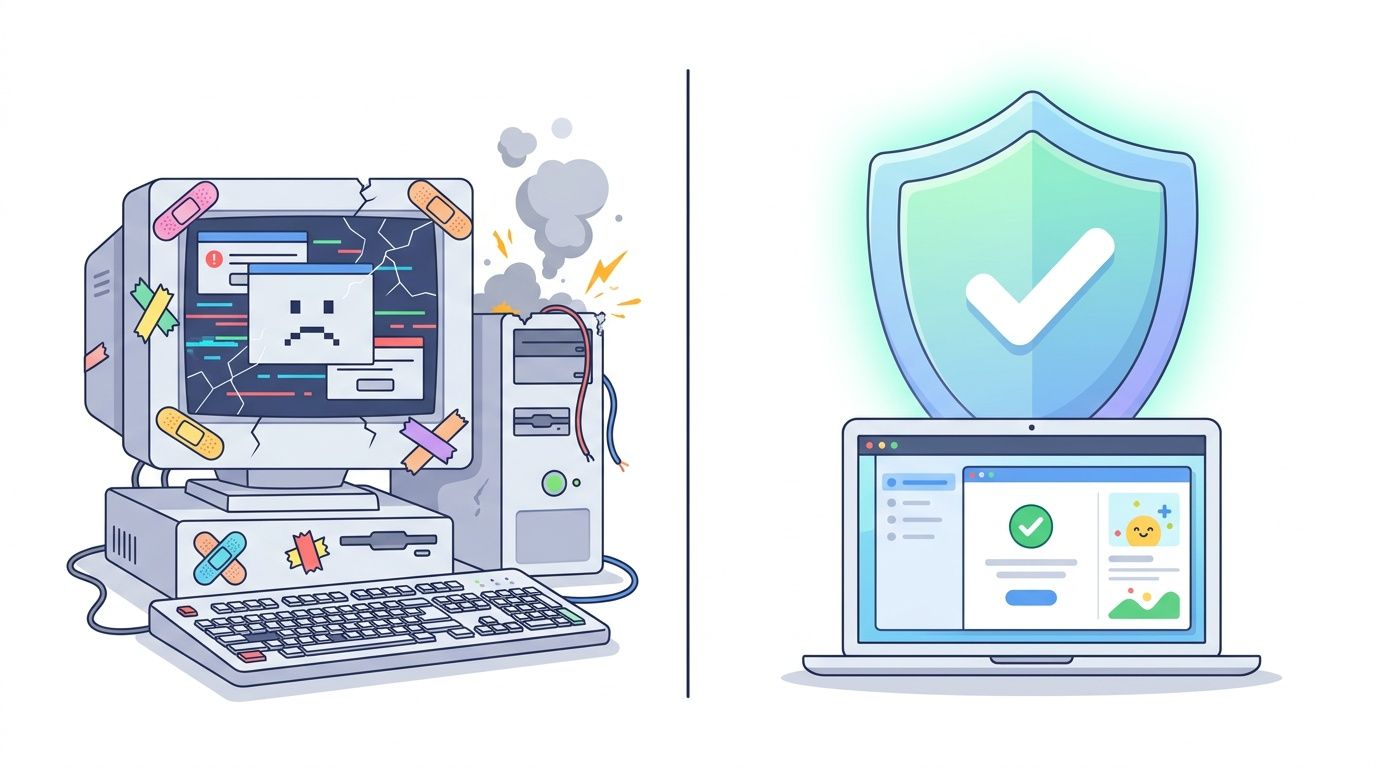
Break-fix support solves the immediate problem. It does very little to reduce the next one. Small businesses stay exposed to the same weak spots: overdue patches, aging hardware, shared admin accounts, backup jobs that no one tests, and vendor setups that only make sense to the last person who touched them.
What changes under a managed model
Under a managed model, the goal is operational control. Your provider watches the environment, maintains standards, and catches warning signs before they become outages. That includes monitoring, patch schedules, account reviews, backup verification, endpoint protection, and documented procedures for routine changes.
A practical overview of proactive IT support shows how this works day to day. The difference is simple. You are paying for fewer interruptions, faster recovery when something does go wrong, and fewer recurring issues that drain staff time.
For Houston businesses, that shift matters because local risk is not abstract. A law firm in Uptown, a distributor near the Port, and a clinic in Sugar Land all depend on different systems, but they share the same business need: keep people working and keep data available. Storm season, multi-site operations, field users, and compliance expectations make reactive support expensive fast.
What a proactive control loop actually looks like
“Proactive” should be visible in the way your IT runs.
- Monitoring that catches early signs of trouble: Servers, laptops, firewalls, internet circuits, and cloud services should generate alerts before employees start calling.
- Scheduled patching: Operating systems, line-of-business apps, and firmware should follow a calendar with exceptions tracked, not handled whenever someone remembers.
- Access control reviews: User accounts, Microsoft 365 roles, remote access tools, and shared credentials should be reviewed before they create a security or audit problem.
- Backups with restore testing: A backup report is not enough. Someone should confirm the data can be recovered.
- Standards for common changes: New user setup, device replacement, Wi-Fi changes, vendor access, and offboarding should follow the same documented process every time.
This is also where small businesses need judgment. More tools do not automatically mean better IT. I have seen companies pay for a stack of security products and still have no clear owner for patching, no tested recovery plan, and no response process when a vendor account gets compromised. Good managed service is disciplined, not flashy.
If you are comparing providers, ask for examples from businesses like yours in Houston. Ask how they handle after-hours alerts, internet failover, Microsoft 365 security, and backup restores. If your company deals with HIPAA, CMMC, PCI, or client security questionnaires, ask who owns those requirements and how they are documented. A provider that cannot answer clearly will struggle when the pressure is real.
The support desk still matters because employees judge IT by response times and follow-through. If you want a clearer picture of what day-to-day support should include, this complete IT help desk guide is a useful reference.
A short explainer on the service model helps if you're comparing options:
Practical rule: Ask how the provider prevents repeat issues, not just how fast they close tickets. That answer usually tells you whether you are buying real management or just outsourced repair.
The Core Services in Your Managed IT Toolkit
A managed IT contract should map to the problems that interrupt your business. If a provider cannot explain each service in plain terms, you are probably looking at bundled features instead of real operational coverage.
Support that keeps people working
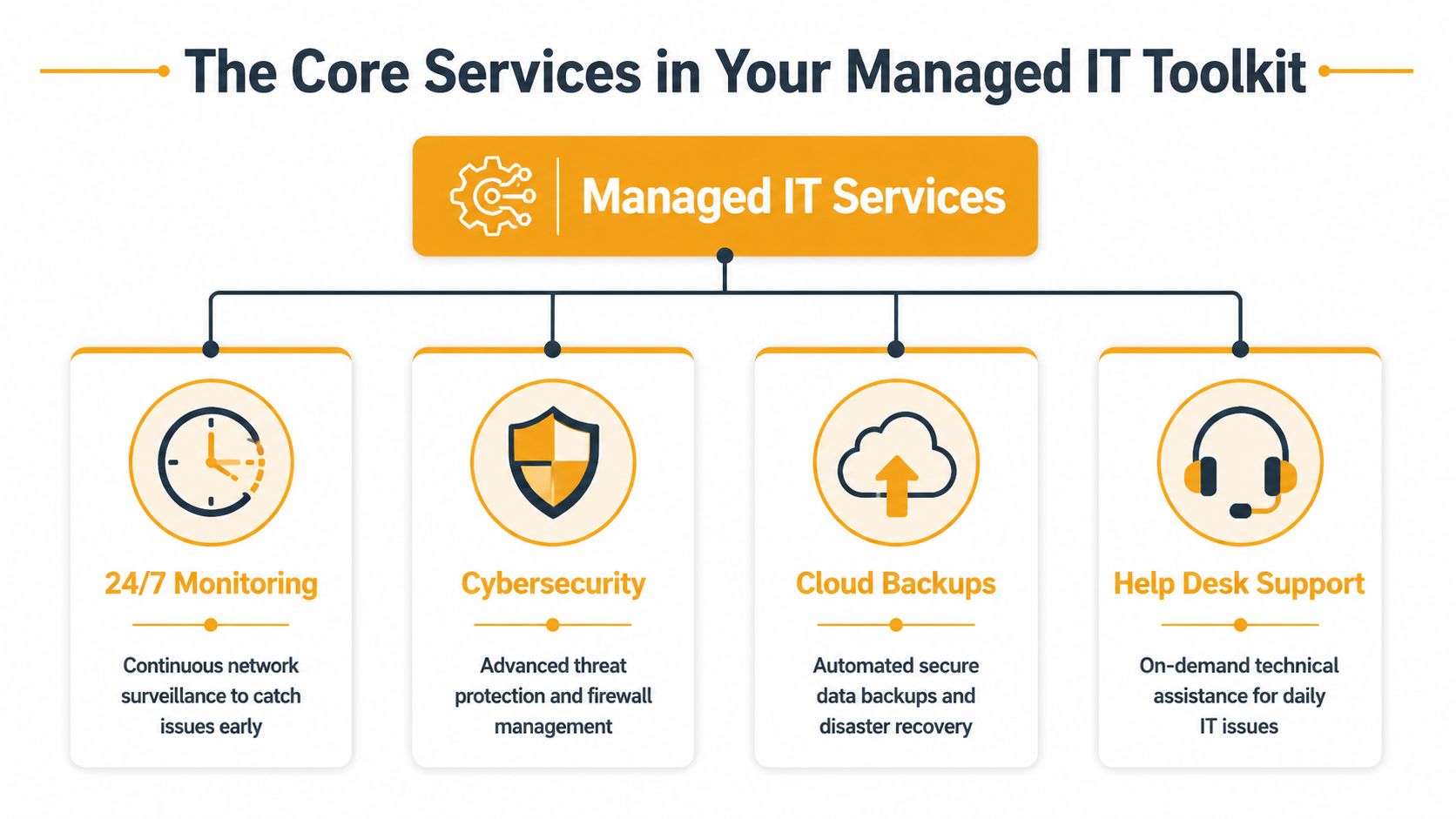
Help desk support is the front line. It covers the issues that stall employees during the day, such as password resets, Outlook problems, printer failures, Microsoft 365 access, mobile device setup, and application errors. Good help desk support gets people back to work quickly and documents repeat issues so they can be fixed at the root.
If you want a deeper view of what strong support coverage should include, this complete IT help desk guide is useful because it breaks down how ticketing, escalation, and user support affect daily productivity.
Remote and on-site support need to work together. Remote tools handle many problems faster and at lower cost, but some issues still require a technician in the office. In Houston, that matters more than many owners expect. Storm-related outages, failing network hardware, cabling faults, office relocations, and ISP handoff problems often need local hands, not another remote session.
Cloud administration is now a core operating task for small businesses. That includes Microsoft 365 account management, mailbox permissions, Teams and SharePoint troubleshooting, device enrollment, license control, and security settings. For companies dealing with HIPAA, CMMC, PCI, or client security reviews, cloud administration also needs documentation and policy discipline, not just user setup.
Systems that reduce operational risk
Other services matter most before anyone notices them.
Monitoring and maintenance watch servers, laptops, network gear, backups, and cloud services for early signs of trouble. The value is not the alert itself. The value is catching a failing drive, stuck service, expired certificate, or overloaded firewall before it turns into downtime.
Backup and disaster recovery deserve more scrutiny than almost any other line item in a proposal. Two providers can both say “backup” and mean very different things. Ask what is protected, how often backups run, how they are verified, where copies are stored, who is authorized to restore data, and how long a real recovery would take if your server, Microsoft 365 tenant, or line-of-business application went down. A small business in Houston also needs to ask how the plan holds up during flood risk, extended power loss, or an office that cannot be accessed for a day or two.
Cybersecurity services should be specific. Endpoint protection, email filtering, multifactor authentication, access reviews, patching, security awareness training, and incident response all belong in the conversation. The trade-off is straightforward. Tool-heavy proposals can look impressive, but if no one is reviewing alerts, tuning policies, and responding to suspicious activity, you are paying for software, not managed security.
A practical managed service stack usually combines user support, system maintenance, security controls, cloud administration, and planning. Small businesses do not need every service at the highest tier. They do need clear ownership across the areas that affect uptime, security, and compliance.
A complete toolkit often includes:
- Network support: Firewalls, switches, wireless access points, internet failover planning, and office connectivity.
- Vendor management: Someone deals with Microsoft, your ISP, line-of-business software vendors, copier support, or VoIP carriers when there's a problem.
- Lifecycle planning: Replacing aging laptops, servers, and networking equipment before they become failure points.
- IT roadmapping: Aligning technology purchases with hiring plans, office moves, compliance demands, and budget cycles.
The best managed service package is the one where every included service has an owner, a process, and a business reason.
The Real ROI of Managed IT Services
Small business owners usually ask the right question first. What's the return? Not in theory. In actual operating terms.
The expensive part is interruption
The invoice for managed services is visible. The cost of unstable IT usually isn't. It hides in payroll lost to waiting, missed customer communication, delayed invoicing, failed transactions, after-hours cleanup, and leadership time pulled into problems that shouldn't reach them.
An IDC benchmark found that 80% of small businesses have suffered IT-related downtime, with the cost of a single event ranging from $82,200 to $256,000, as cited in GoCorpTech's managed IT summary.

That benchmark matters because it reframes the purchase. You're not comparing managed IT to “doing nothing.” You're comparing managed IT to the cost of outages, weak recovery, and repeated interruption.
Why predictable IT spending matters
There's also a budgeting advantage. Break-fix work creates surprise bills and usually appears when cash is already under pressure because something important has stopped working. Managed services move most of that into a regular operating expense with defined coverage.
That predictability helps in three ways:
- You can plan technology spend instead of reacting to emergencies.
- Your team loses less productive time to recurring support problems.
- You get access to broader expertise than most small businesses can justify hiring full time.
A strong MSP relationship also improves decision quality. When someone is reviewing your environment regularly, hardware replacement, cloud licensing, backup improvements, and security upgrades happen in a sequence that makes sense. You stop making rushed choices during an incident.
Good managed IT doesn't just reduce failures. It reduces decision-making under pressure, which is where small businesses often overspend.
Understanding Managed IT Pricing Models
Pricing is where confusion starts for a lot of buyers. Two proposals can look close on cost and be completely different in scope. The only way to compare them is to understand the model behind the price.
How the common models differ
Most managed service agreements for small businesses use one of three structures.
| Model | How it Works | Best For | Pros | Cons |
|---|---|---|---|---|
| Per-user | You pay a set monthly rate for each employee or supported user | Offices where each person uses multiple devices and cloud apps | Easy to budget, aligns with headcount, often bundles support cleanly | Can feel expensive for light users or shared-workstation environments |
| Per-device | You pay based on laptops, desktops, servers, network gear, or other supported endpoints | Businesses with shared stations, warehouses, production floors, or uneven device use | Ties cost to actual equipment footprint, useful for mixed environments | Can create nickel-and-dime quoting if many device types are billed separately |
| Tiered | The provider offers service bundles, often with increasing levels of support, security, and strategy | Companies that want options and can match service depth to risk | Flexible, easier to scale into higher coverage later | Scope gaps are common if the tiers aren't defined clearly |
The best model depends on how your company works, not on which quote looks cheaper at first glance. If your staff uses laptops, mobile devices, Microsoft 365, and several SaaS tools, per-user pricing often maps better to reality. If you run shared systems or a site with many fixed devices, per-device can be more rational.
Before signing, review what drives cost in a service contract. This guide to factors determining managed IT support service costs is helpful because it shows why endpoint count, support scope, security requirements, and response expectations all affect pricing.
When co-managed IT makes more sense
Not every company should fully outsource. If you already have an internal IT generalist, systems admin, or operations lead who knows the business well, a co-managed model can be the better fit.
That arrangement works when your internal person keeps ownership of key systems, vendors, or business applications while the MSP handles monitoring, escalations, after-hours support, security tooling, project help, or documentation. It gives you more depth without forcing a full handoff.
That's already a meaningful buying pattern. A 2022 survey found that 37.9% of businesses use MSPs to complement internal IT teams, compared with 27.1% who use them to fully manage infrastructure, according to Greystone Technology's SMB managed IT analysis.
A few buying cautions matter here:
- Watch the exclusions: Backup testing, onboarding, after-hours support, vendor calls, and onsite visits are often scoped differently than buyers expect.
- Ask about offboarding: If you leave, can you get your documentation, admin access records, asset lists, and configuration details cleanly?
- Check tool ownership: Some providers install tools that become hard to separate from the service later.
A good quote is readable. It should tell you what's covered, what isn't, who does what, and how issues are prioritized.
How to Choose the Right Houston IT Partner
Choosing an MSP isn't mostly about technology. It's about operating fit. You need a provider that can support how your business works in Houston, with the right mix of response, security, compliance awareness, and continuity planning.
Start with response and accountability
Ask blunt questions early. If the answers are vague in the sales process, they'll be worse after signature.
Use a checklist like this during provider interviews:
- Who answers after hours: Is it a real technician, an answering service, or a ticket queue that waits until morning?
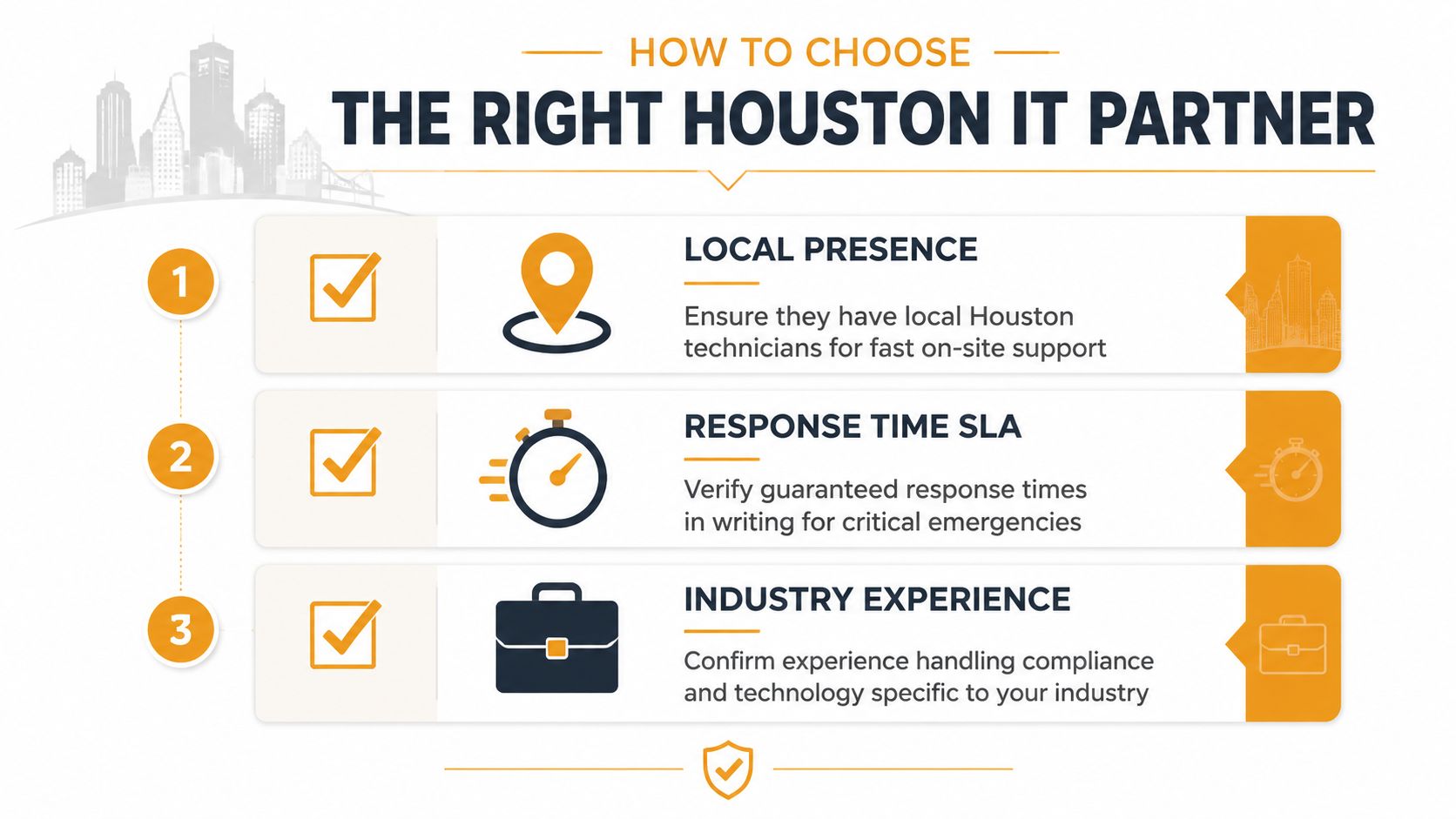
- What are the response commitments: Not promises on a call, but written service levels for critical incidents, user issues, and onsite dispatch.
- How is documentation handled: You want documented networks, device inventories, admin access records, vendor contacts, backup procedures, and escalation paths.
- What happens if we leave: Offboarding is a test of professionalism. Mature providers can hand over documentation and access without drama.
- Can you support our mix of systems: Microsoft 365, Azure, Google Workspace, VoIP, line-of-business software, Wi-Fi, and on-prem equipment don't always fail in the same way.
If you want a practical framework for interviews, this guide on how to choose a managed service provider is a strong starting point because it forces you to compare providers on accountability, not just sales polish.
Verify the security stack, not just the sales pitch
A lot of providers say “cybersecurity included.” That statement means almost nothing unless they define the controls.
Small businesses should verify specific protections such as immutable backups, phishing-resistant MFA, and endpoint detection and response, as outlined in Discover Cyber Solutions' MSP vetting advice. Those controls matter because they target common failure points in real SMB environments, especially around Microsoft 365 access, endpoint compromise, and recovery after an attack.
When you review proposals, ask these questions:
- Identity protection: Is MFA enforced for all users, just admins, or only recommended? Is the provider able to support stronger authentication methods where appropriate?
- Endpoint security: Are laptops and desktops covered by a modern EDR platform, or just basic antivirus?
- Backup resilience: Are backups protected from tampering, and who verifies restorations?
- Admin controls: Who has privileged access to your tenant, servers, firewall, and backups?
- Incident handling: If suspicious activity appears at night or on a weekend, who investigates and what happens next?
For a Houston business with compliance exposure, these questions are operational, not theoretical. Medical, legal, financial, logistics, and retail organizations often assume their provider is covering more than the contract includes.
One local option in this market is IT Cloud Global, LLC, which provides managed services, Microsoft 365 and cloud administration, backup and disaster recovery, and security tooling through vendors such as SentinelOne, Arista, Atakama, and Ultatel. That kind of stack is relevant when you're evaluating whether a provider can support endpoints, networks, cloud workloads, and communications under one operating model.
If a proposal lists security tools but doesn't define who reviews alerts, who responds, and who owns recovery, you're buying software, not managed security.
Ask Houston-specific continuity questions
Houston adds its own realities. Storms, flooding risk, office closures, power instability, and dispersed staff all affect business continuity. Your MSP should be able to talk about those conditions in plain language.
Ask how they would handle:
- Hurricane season disruptions: Can staff work remotely if the office is inaccessible? What systems need failover or remote access preparation?
- Internet outages: Is there a backup connectivity plan for critical sites, phones, or customer-facing operations?
- Office moves and expansions: Can they manage structured cabling, Wi-Fi redesign, endpoint deployment, and vendor coordination without chaos?
- Repair turnaround: If a key laptop or workstation fails, what's the path to repair, replacement, or data recovery?
Houston buyers should also care about local presence. Fast onsite support still matters when the problem is physical. Failed switches, bad access points, cabling issues, damaged devices, and printer failures don't get fixed over email.
The right partner should leave you with confidence that if the office is closed, staff can still work. If a device fails, someone owns the repair path. If an auditor or insurer asks questions, your documentation is in order.
Take Control of Your Business Technology Today
If your business depends on email, cloud files, phones, laptops, Wi-Fi, and line-of-business apps, then IT already sits in the middle of your operations. The question isn't whether you need support. It's whether that support is organized enough to protect growth.
Managed it services for small businesses work best when they reduce interruption, tighten security, and give you a clear operating model. The same logic applies in other outsourced functions too. If you've ever compared internal versus external support in another area, this piece on choosing a marketing agency shows how capability, coverage, and accountability often matter more than simple headcount.
If you're in Houston and want a clearer picture of what's working, what's exposed, and what should be prioritized first, talk with IT Cloud Global, LLC. A practical review of your current environment can show where managed support, co-managed support, security controls, or continuity planning will make the biggest difference.
- Remote Desktop IT Support Guide 2026
- Software Development Services: A Practical Guide for 2026
- Endpoint Protection vs Antivirus: A Houston Guide
- 7 Top Cybersecurity Companies in Houston for 2026
- Top 7 Cybersecurity Companies in Houston for 2026
- Houston IT Support: A 2026 Guide for SMBs
- What Is Network Access Control: Why Your Business Needs It