


Network Maintenance Service: A Guide for Houston SMBs
Your office is open, staff are logged in, customers are calling, and then the network starts dragging. Card payments hang. Shared files won't open. Microsoft 365 crawls. Someone says the WiFi is down, but the underlying problem is deeper than WiFi. In a Houston small business, that kind of failure doesn't feel like an IT issue. It feels like the whole company hit a wall.
Most owners don't need a lecture on packets, switches, or firmware. They need the network to stay available so their team can work, clients can get served, and the day doesn't get derailed by a blinking light in a closet. That's where a network maintenance service matters. It turns the network from a recurring source of surprise outages into something managed, tested, and predictable.
Table of Contents
- Why Your Business Network Cannot Afford Downtime
- What Is a Network Maintenance Service Really
- The Tangible Business Benefits and ROI
- Securing Your Network Through Proactive Maintenance
- How to Choose the Right Maintenance Partner
- Your Houston SMB Checklist and Next Steps
Why Your Business Network Cannot Afford Downtime
A common Houston scenario looks like this. A medical office can't pull patient records fast enough. A warehouse can't sync orders. A retail location has staff standing around while transactions stall. Nobody in that moment cares whether the problem is a switch port, a failing cable, or an access point with a bad configuration. They care that work stopped.
That's why relying on break-fix support usually backfires. If your plan starts only after something fails, you've already accepted lost time, frustrated employees, and unhappy customers as normal operating conditions. Small businesses feel this faster than large enterprises because there's less slack in the system. One broken connection can bottleneck the whole team.
The wider market is moving in the opposite direction. The global market for data center and network third-party hardware maintenance services was estimated at US$3.7 billion in 2023 and is projected to reach US$8.1 billion by 2030, growing at a CAGR of 11.8%, according to this market analysis on third-party hardware maintenance services. That growth reflects a simple business reality. Companies need expert oversight to keep uptime, security, and performance in line as their systems spread across cloud apps, office networks, and remote users.
Practical rule: If your network only gets attention when users complain, you don't have a maintenance strategy. You have an interruption strategy.
Houston businesses also deal with practical facility issues that get overlooked. Network equipment lives inside real buildings with wiring closets, power constraints, access control, cameras, and environmental factors that affect reliability. If you manage offices, mixed-use properties, or tenant-heavy spaces, it helps to explore Nimbio for buildings as a reference point for how building operations and infrastructure oversight intersect.
A strong maintenance plan also connects directly to business continuity. If you want a practical look at that relationship, this guide on how managed IT support service can prevent downtime is worth reviewing.
What Is a Network Maintenance Service Really
The simple way to think about it
A network maintenance service is the business version of regular service for a company vehicle. You change the oil, inspect the brakes, and catch problems early because waiting for the engine to fail on the freeway is expensive and disruptive. Networks work the same way. You don't wait for a switch, firewall, cable run, or wireless system to fail in the middle of your busiest hour.
For a small business owner, the practical definition is straightforward. It's the ongoing work required to keep the network stable, fast, and supportable. That includes monitoring, testing, troubleshooting, updating, documenting, and checking how devices perform together over time.
Reactive vs proactive network support
The easiest way to separate good maintenance from poor support is to compare what happens before and after a problem appears.
| Aspect | Break-Fix (Reactive) | Managed Maintenance (Proactive) |
|---|---|---|
| Trigger | Work starts after users report an outage or slowdown | Work happens on a schedule and through ongoing monitoring |
| Business impact | Staff lose time while someone diagnoses the issue | Many issues get caught before users notice |
| Troubleshooting | Often rushed and incomplete because operations are already disrupted | More methodical because checks happen before failure |
| Budgeting | Costs are unpredictable | Spending is easier to plan |
| Documentation | Usually updated after a painful incident, if at all | Maintained as part of routine service |
| Security | Patches and firmware updates are often delayed | Updates are built into maintenance activity |
| Hardware life | Equipment gets stressed until it fails | Equipment gets inspected and managed through its lifecycle |
A useful comparison outside IT is servicing commercial security systems. Cameras, alarms, and access control systems also need periodic checks, updates, and testing. Nobody wants to discover a fault during an incident. Networks deserve the same discipline.
What technicians actually do
Real maintenance is hands-on and systematic. It isn't just “keeping an eye on things.” The work includes checking cables, validating device connections, reviewing logs and past changes, testing performance, and confirming that hardware and software are behaving normally.
The technical side matters because many failures start small. A cable degrades. A transceiver weakens. A switch port starts throwing errors. A firmware issue creates intermittent drops that users describe as “the internet is weird today.” According to this explanation of network maintenance tools and methods, technicians use tools such as visual fault locators (VFL), optical power meters, and cable analyzers to identify cable faults and signal loss. The process follows a structured sequence: test cables, check device connections, review maintenance documentation, and verify overall performance so the root cause gets isolated instead of guessed at.
Good network maintenance feels boring to the owner. That's the point. Quiet systems usually come from disciplined work behind the scenes.
A provider should also be able to explain maintenance in plain language. If they can't tell you what they check monthly, what they patch, what they test after a change, and how they document findings, they're probably selling support hours rather than an actual service.
The Tangible Business Benefits and ROI
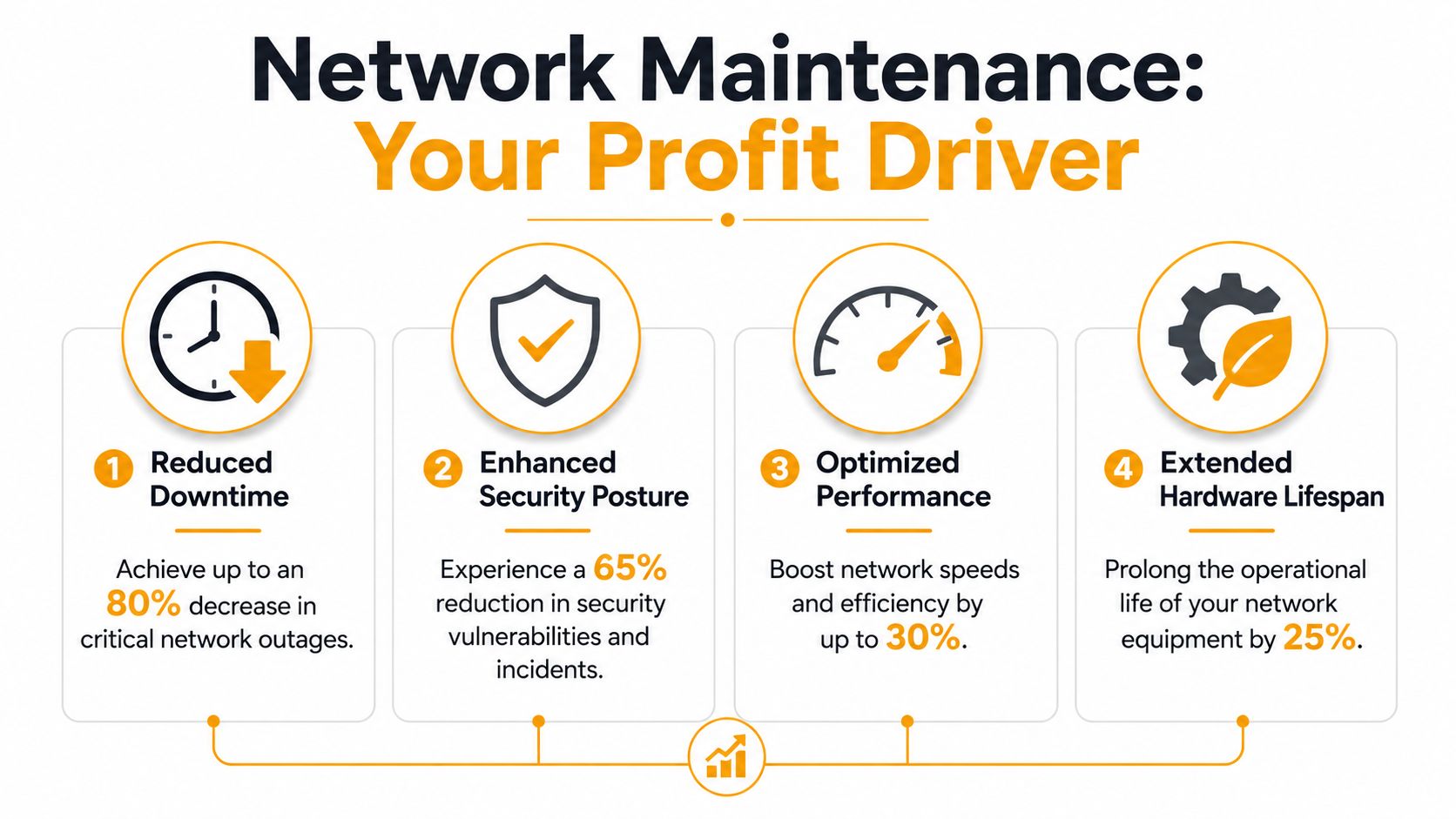
The return on a network maintenance service rarely shows up as one dramatic event. It appears in quieter ways. Fewer interruptions during the day. Less scrambling before a vendor visit. Fewer mysterious slowdowns that waste staff time in ten-minute chunks. Hardware that remains dependable longer because it isn't being neglected.
Planned work costs less than chaotic work
There's a useful benchmark from the maintenance world that applies well to business networks. Industry benchmarking data says the optimal planned-to-reactive work order ratio should exceed 65% planned maintenance, and facilities that hit that threshold show lower unplanned downtime and reduced capital costs because missed or delayed maintenance increases capital expenditures and shortens equipment life cycles, according to this facility maintenance benchmarking reference.
That matters because many SMBs operate backward. They treat planned maintenance as optional and emergency work as normal. The result is a choppy operating model where every urgent issue steals time from the preventive work that would've reduced the emergency in the first place.
Here's the practical takeaway:
- Planned checks protect staff productivity. Users spend less time waiting for systems to reconnect, reboot, or recover.
- Routine updates reduce surprise spending. You replace aging gear on a schedule instead of in a panic.
- Documented maintenance helps decision-making. Owners can see which devices are stable, which are risky, and which need budget attention.
This short video gives a useful visual overview of why structured maintenance improves day-to-day operations.
Where the return shows up
Most business owners evaluate IT spending the wrong way. They ask, “What does this contract cost?” The better question is, “What operating problems does this prevent?”
A healthy network supports every revenue-producing activity layered on top of it. Phones, cloud apps, shared files, inventory systems, remote access, printers, surveillance systems, and guest connectivity all depend on stable underlying infrastructure. When the network performs well, people stop thinking about it and get back to work.
What works: Scheduled maintenance windows, documented hardware reviews, and regular configuration checks.
What doesn't: Treating every outage as a one-off event with no follow-up pattern analysis.
ROI also shows up in equipment lifespan. A switch or firewall that gets monitored, updated, cleaned up, and reviewed for load trends is easier to keep in service responsibly. A neglected device often gets replaced only after it becomes a source of recurring instability.
Securing Your Network Through Proactive Maintenance
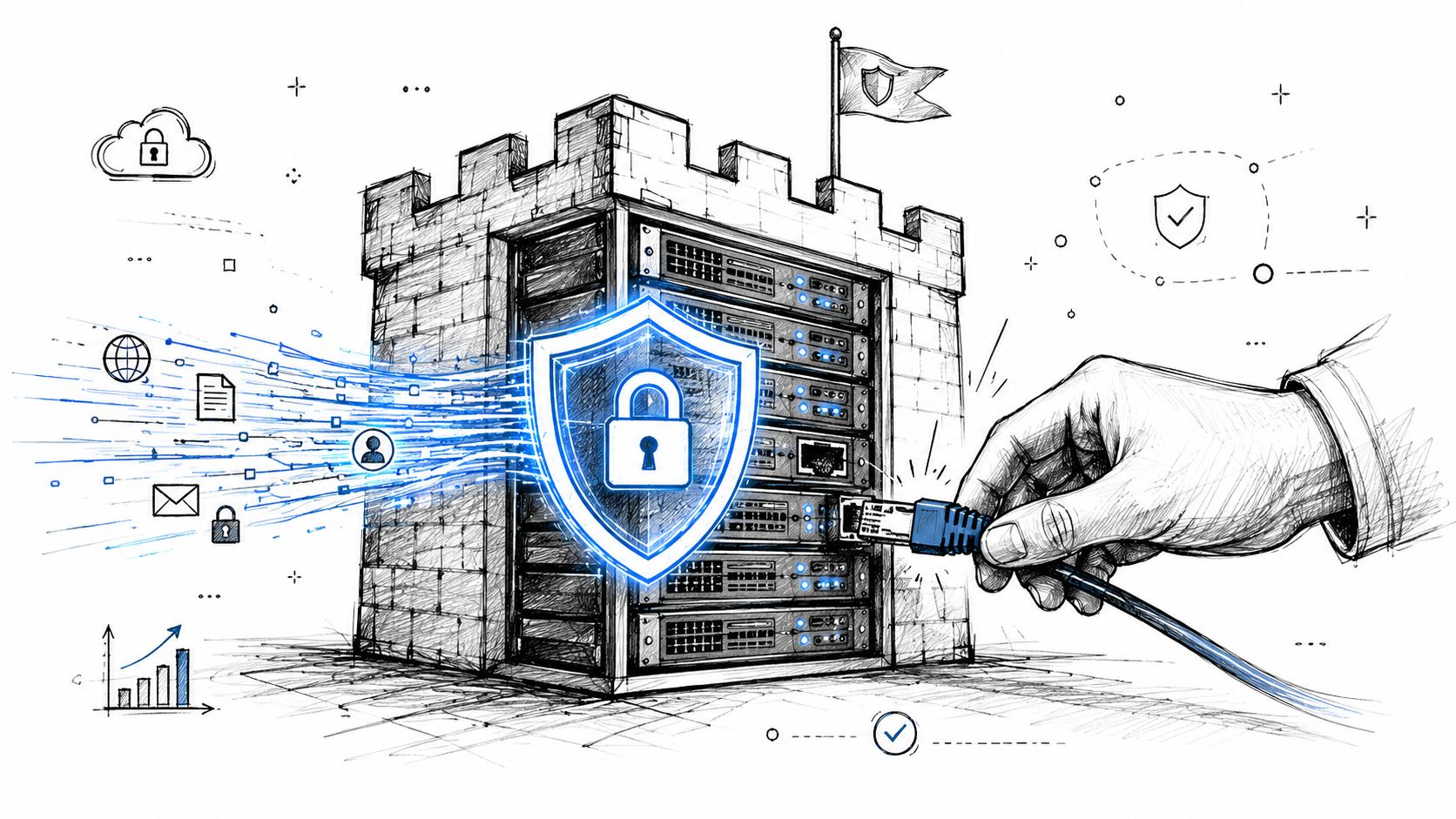
A lot of small businesses still separate “maintenance” from “security.” They think maintenance keeps the network running and security is something else, usually a firewall, antivirus subscription, or cyber policy. In practice, that split causes avoidable risk.
Uptime without patching is a false sense of safety
A network can be fully operational and still be exposed. If firmware is outdated, switch and firewall software hasn't been reviewed, or old device configurations are left in place, the business may look stable on the surface while carrying preventable weaknesses underneath.
That's why the cybersecurity side of maintenance can't be optional. Data shows that 60% of cyberattacks exploit known vulnerabilities with existing patches, according to this analysis on why network cybersecurity starts with maintenance. The message is hard to ignore. Many breaches don't begin with some exotic zero-day event. They begin with ordinary maintenance that didn't happen.
A provider that says your network is “up” but can't speak clearly about patch validation, firmware lifecycle reviews, or configuration audits is only doing part of the job. If you want a small-business view of the broader issue, this guide on the best ways to improve network security with IT support for small businesses is a useful companion read.
What security-aware maintenance includes
Security-aware maintenance should cover both infrastructure and process. The technical side includes updating firmware, reviewing firewall rules, validating backups, checking remote access methods, and retiring unsupported equipment before it becomes a liability.
The process side matters just as much:
- Patch discipline: Critical updates need review, approval, and verification, not indefinite delay.
- Lifecycle tracking: Old routers, switches, and firewalls shouldn't stay in place just because they still power on.
- Configuration review: Temporary changes made during incidents often become permanent risk if nobody revisits them.
- Access hygiene: Former staff accounts, stale privileges, and unnecessary remote tools need regular cleanup.
A useful outside reference is UpTime Web Hosting for SME security, which helps frame security as an operational habit rather than a one-time setup task.
If maintenance doesn't include patching, version checks, and security review, it's housekeeping, not protection.
For Houston SMBs, this is especially important when systems are mixed across office hardware, cloud apps, remote staff, and third-party vendors. Attackers don't care whether a weakness lives in a server closet or a neglected edge device. They care that it's there.
How to Choose the Right Maintenance Partner
Picking a provider isn't about finding the lowest monthly price. It's about finding the team that can keep a mixed, real-world network healthy without turning every issue into a fire drill. Most small businesses in Houston don't have a clean, single-vendor environment. They have old and new gear side by side, cloud services layered on top, and years of undocumented changes underneath.
Check for multi-vendor reality
If your office has one brand of firewall, another brand of switch, older wireless gear in the warehouse, and a different setup at a second location, that's normal. Your provider should be comfortable with that reality.
For businesses with mixed hardware, multi-vendor maintenance matters because it provides a single point of contact and unified SLAs across vendors, helping streamline support for legacy equipment and cross-device issues, according to Nokia's overview of multi-vendor maintenance models. That kind of model can reduce operating expense and avoid the finger-pointing that happens when each vendor blames someone else.
Here's the practical issue. When a network problem crosses boundaries, single-vendor support often slows down troubleshooting. The firewall vendor blames the switch. The switch vendor points to the internet circuit. The circuit provider says the handoff is clean. Meanwhile, your staff still can't work.
Questions that separate operators from sales teams
Use a scorecard when you evaluate providers. If you don't, every proposal will sound competent.
Ask questions like these:
- How do you handle mixed hardware environments? If they only want to support one vendor stack, that's a limitation, not a strategy.
- What does your maintenance cadence look like? They should be able to describe recurring checks, update routines, and review cycles in concrete terms.
- What's your process after an incident? Good providers perform root-cause analysis and update documentation. Weak ones just close the ticket.
- How do you manage on-site support in Houston? Traffic, distance, and scheduling matter. Get a realistic answer, not a vague promise.
- What reports will I receive? You want summaries that show device health, open risks, completed maintenance, and recommended actions.
- How do you handle aging equipment? They should give lifecycle guidance before hardware becomes a recurring outage source.
One local option in this space is IT Cloud Global's guide on how to choose a managed service provider, which is helpful for comparing vendors on process rather than sales language.
Decision test: If a provider can't explain what they do between emergencies, they're probably built around emergencies.
What good reporting looks like
A good maintenance partner doesn't bury you in screenshots and raw logs. They translate technical work into business decisions.
Look for reporting that answers:
| Question | What a useful answer looks like |
|---|---|
| What was maintained? | Clear list of devices, systems, and tasks completed |
| What changed? | Firmware, configuration, access, or hardware changes noted in plain English |
| What risk remains? | Unsupported gear, performance bottlenecks, backup gaps, or recurring alerts |
| What should happen next? | Recommended actions with priority, business impact, and timing |
Communication style matters too. A strong provider explains trade-offs. Sometimes the right call is to keep legacy hardware in place with close monitoring. Sometimes the right call is replacement because repeated maintenance is now just delaying failure. You want a partner who can make that distinction calmly and clearly.
Your Houston SMB Checklist and Next Steps
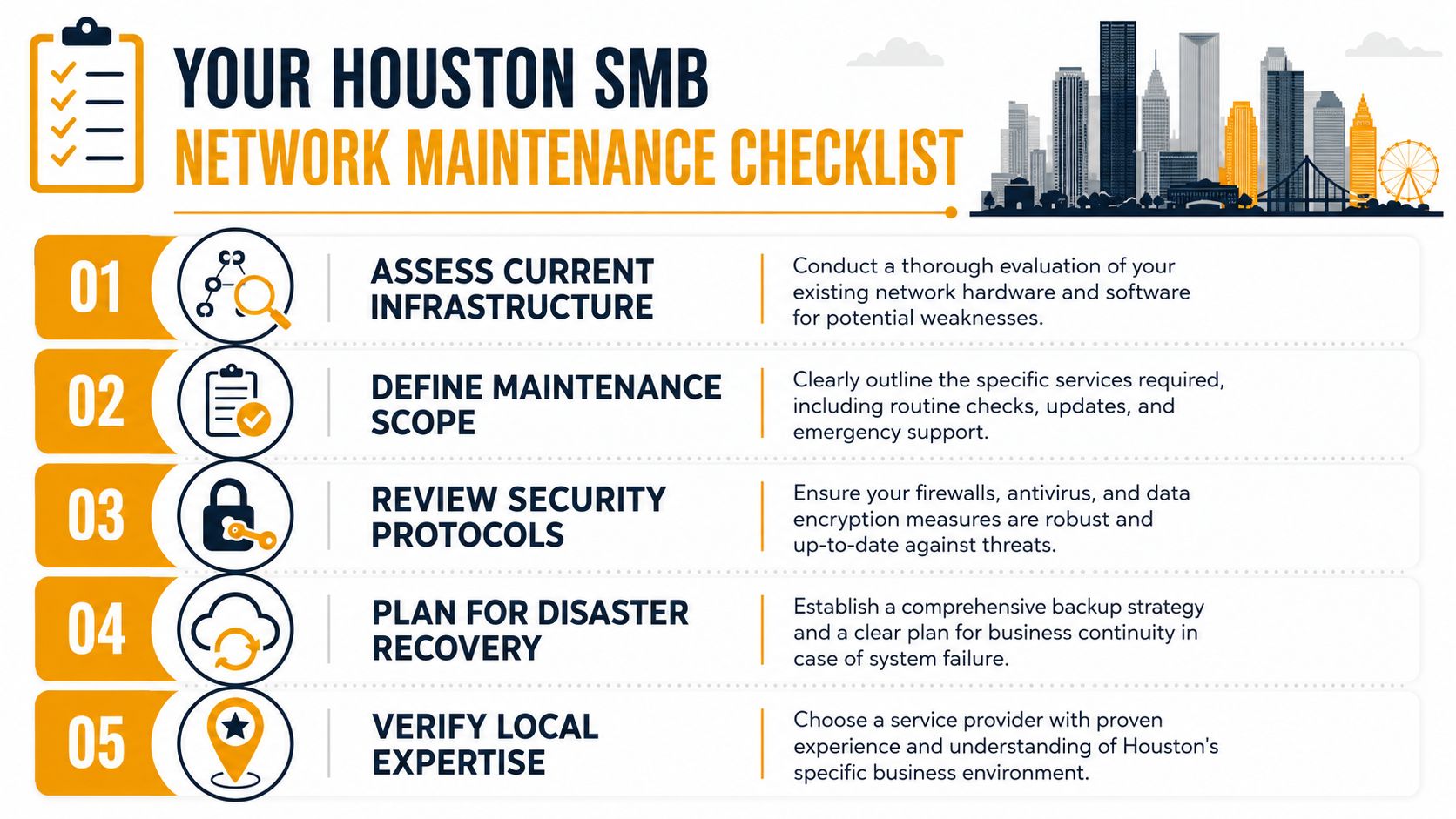
Houston businesses need more than generic MSP advice. You need a provider who understands local response realities, distributed offices, warehouse and retail environments, and the fact that many SMB networks grow in layers rather than from a clean plan.
Questions to ask a local provider
Use this checklist when you interview any network maintenance service partner:
- Can you assess my current environment before proposing a contract? If they skip discovery, the proposal will be generic.
- How do you handle on-site visits across Houston? Ask about travel zones, dispatch expectations, and when remote support isn't enough.
- Have you worked with businesses like mine? Industry familiarity matters because a medical office, law firm, retail store, and logistics company use their networks differently.
- Will you support legacy gear while we phase improvements in? Many SMBs need a practical transition plan, not an instant rip-and-replace.
- What gets documented and who owns that documentation? You should never feel locked out of your own network history.
- How do you coordinate maintenance to avoid disrupting business hours? Scheduled windows and rollback planning matter.
- Can you provide local references? A provider serving Houston should be able to point to local work and local response capability.
What to do this week
Don't wait for a major outage to start. Begin with a simple internal review:
- List critical systems that fail when the network slows down.
- Identify recurring complaints from staff, even if they seem minor.
- Review old hardware that nobody has evaluated in a while.
- Ask for documentation if your current provider holds it.
- Schedule an assessment before the next emergency forces the issue.
A solid network maintenance service should make your business easier to run, not more dependent on technical guesswork. The best time to fix weak maintenance practices is when the network is still working.
If you need a practical starting point, IT Cloud Global, LLC provides Houston businesses with managed IT support, network security, on-site and remote assistance, server management, disaster recovery support, and wired or wireless network maintenance. A sensible next step is to request a network assessment, review your current risks, and identify where routine maintenance can reduce downtime, tighten security, and make day-to-day operations more predictable.
- How Long Does Data Recovery Take? Realistic Timelines
- What Is a Helpdesk Ticketing System? an SMB Guide
- What Is Virtualization in Computing? Save & Boost Uptime
- Cloud Computing Solutions for Small Business: Houston 2026
- Remote IT Support Services: Boost Uptime & Cut Costs
- Find an IT Managed Services Provider Near Me: A Checklist
- Managed IT Services Houston TX: Your 2026 Business Guide