


Business Call Recording: Your 2026 SMB Compliance Guide
A customer calls back angry. They say your employee promised a lower price, approved a refund, or agreed to a delivery date your team never logged. Your staff remembers the call differently. Now you're stuck in a pointless argument, burning time, risking revenue, and hoping someone's notes are right.
That's where business call recording stops being a nice feature and becomes basic operational protection. For a small or midsize business in Houston, recorded calls can settle disputes fast, tighten employee coaching, and keep regulated conversations from turning into compliance problems. If you want a quick outside perspective on where the market is going, SnapDial's 2026 recording insights are worth reviewing alongside your own telecom and compliance requirements.
Table of Contents
- Why Business Call Recording Is a Necessity Not a Luxury
- Unlock Growth with Strategic Call Recording
- Navigating Call Recording Laws and Compliance
- Comparing Your Technical Deployment Options
- Securing and Managing Recorded Call Data
- Your SMB Implementation Checklist
- When to Partner with a Managed IT Provider
Why Business Call Recording Is a Necessity Not a Luxury
A lot of owners treat recording like an add-on. That's a mistake. If your team sells, supports, schedules, dispatches, confirms, advises, or handles complaints by phone, those calls contain business risk.
The biggest reason is simple. Phone conversations disappear unless you capture them. Emails leave a trail. Signed quotes leave a trail. Calls don't, unless your system records them correctly and stores them securely.
A recorded call helps in three ways at once:
- It protects revenue: You can verify what was promised, what was declined, and what the customer accepted.
- It protects managers: Coaching stops being based on opinion and starts being based on evidence.
- It protects the business: When a regulator, insurer, client, or attorney asks what happened, you have a record.
Practical rule: If an employee can make a commitment on a phone call, that call should be governed by a recording policy.
This isn't just a big-enterprise habit. A projection cited in the NASD 2025 Annual Report%20covering%201,200%20contact%20centers%20across%2015%20countries) states that by 2026, over 78% of enterprise call centers in the U.S. and EU will have adopted automated call recording as a core compliance tool, and that shift has been tied to reduced compliance-related fines in finance. SMBs shouldn't wait for a painful incident to catch up.
For most companies, the question isn't whether to record business calls. The key question is how to implement it without creating a legal mess, a security mess, or a system your staff hates using.
Unlock Growth with Strategic Call Recording
Recording calls only for legal protection is too narrow. Smart companies use recordings to improve how they sell, support, train, and manage.
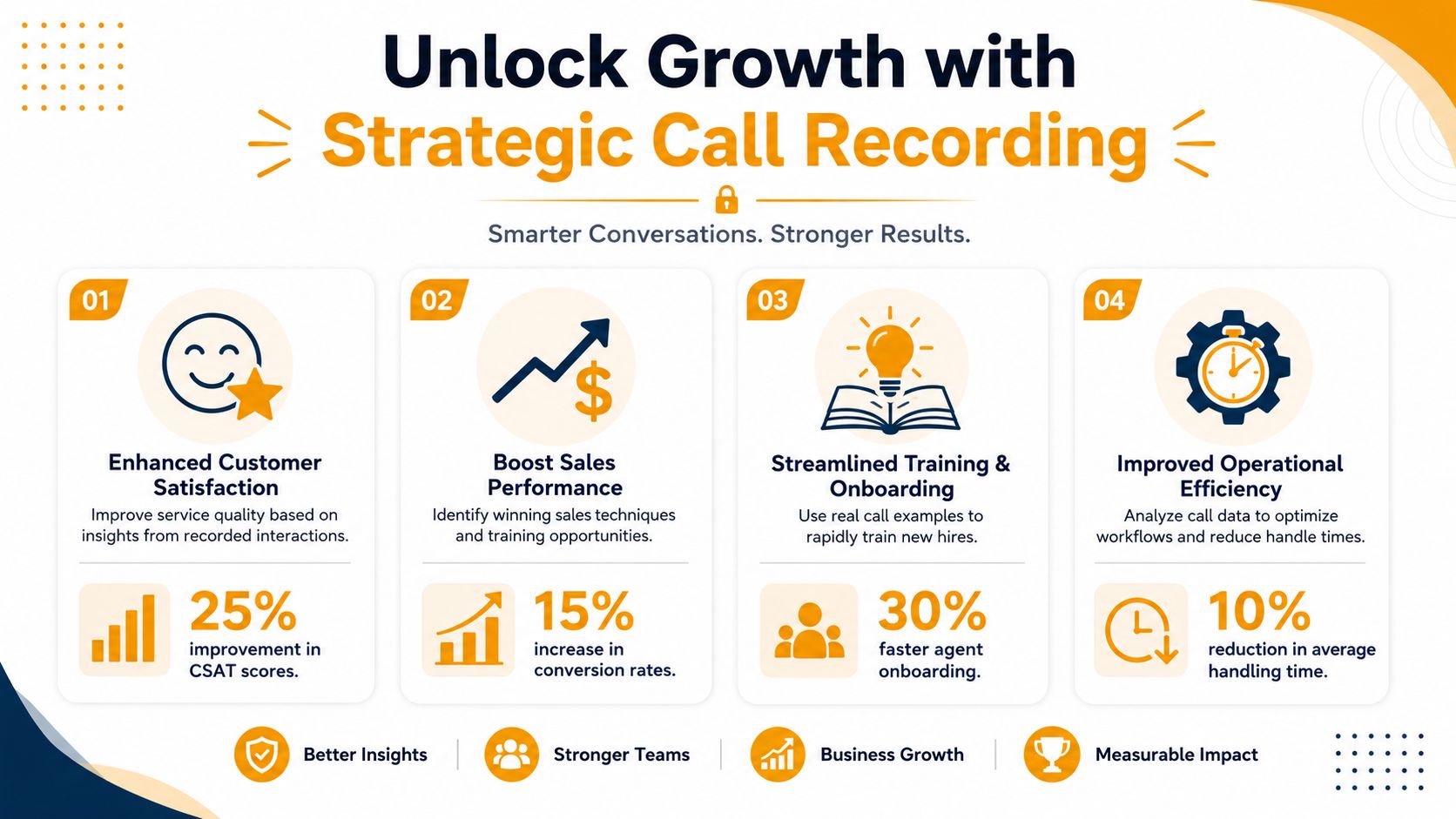
A strong recording program turns random phone conversations into usable operating data. You stop relying on memory and start reviewing real conversations. That matters because most service problems aren't caused by bad intent. They're caused by inconsistent phrasing, missed steps, and weak follow-up.
The business upside is measurable. Businesses that implement call recording report a 34% improvement in customer satisfaction scores and a 28% reduction in average handling time within six months, according to a 2025 CXI global study covering 1,200 contact centers across 15 countries%20covering%201,200%20contact%20centers%20across%2015%20countries).
Training gets sharper fast
Most managers coach badly because they coach vaguely. They tell an employee to “sound more confident” or “handle objections better.” That advice rarely sticks.
Recorded calls fix that problem. A supervisor can pull three real calls, point to the exact moment a rep lost control of the conversation, and show what better wording sounds like. That's useful for sales teams, front-desk staff, dispatch, healthcare scheduling, and customer service.
Another data point from the same CXI study matters here: 89% of companies using call recording for agent training observed a 41% decrease in repeat errors, and 67% of contact centers automated post-call summaries and sentiment tagging without human intervention, reducing manual workload by 52 hours per agent per month.
Disputes stop dragging on
If you've ever had a customer say, “Your employee told me something different,” you already know the cost of uncertainty. A searchable recording cuts through that. You can confirm the quote, the disclaimer, the timeline, or the refusal.
That doesn't just reduce tension. It also improves consistency. Teams hear the actual language used in successful calls and start copying what works.
Review your best calls, not just your worst ones. Failure analysis prevents mistakes. Success analysis builds repeatable habits.
Call data reveals process problems
Recordings also expose operational friction. Maybe customers keep asking the same billing question. Maybe agents spend too long explaining policy because your script is clumsy. Maybe handoffs between departments create confusion.
When you connect recordings to tags, notes, and follow-up actions, business call recording becomes part of continuous improvement instead of just a file archive.
Navigating Call Recording Laws and Compliance
Most SMB owners get stuck here. They know recording is useful, but they're nervous about consent, privacy, and industry rules. Good. You should take it seriously. But you don't need a law degree to make sound decisions.
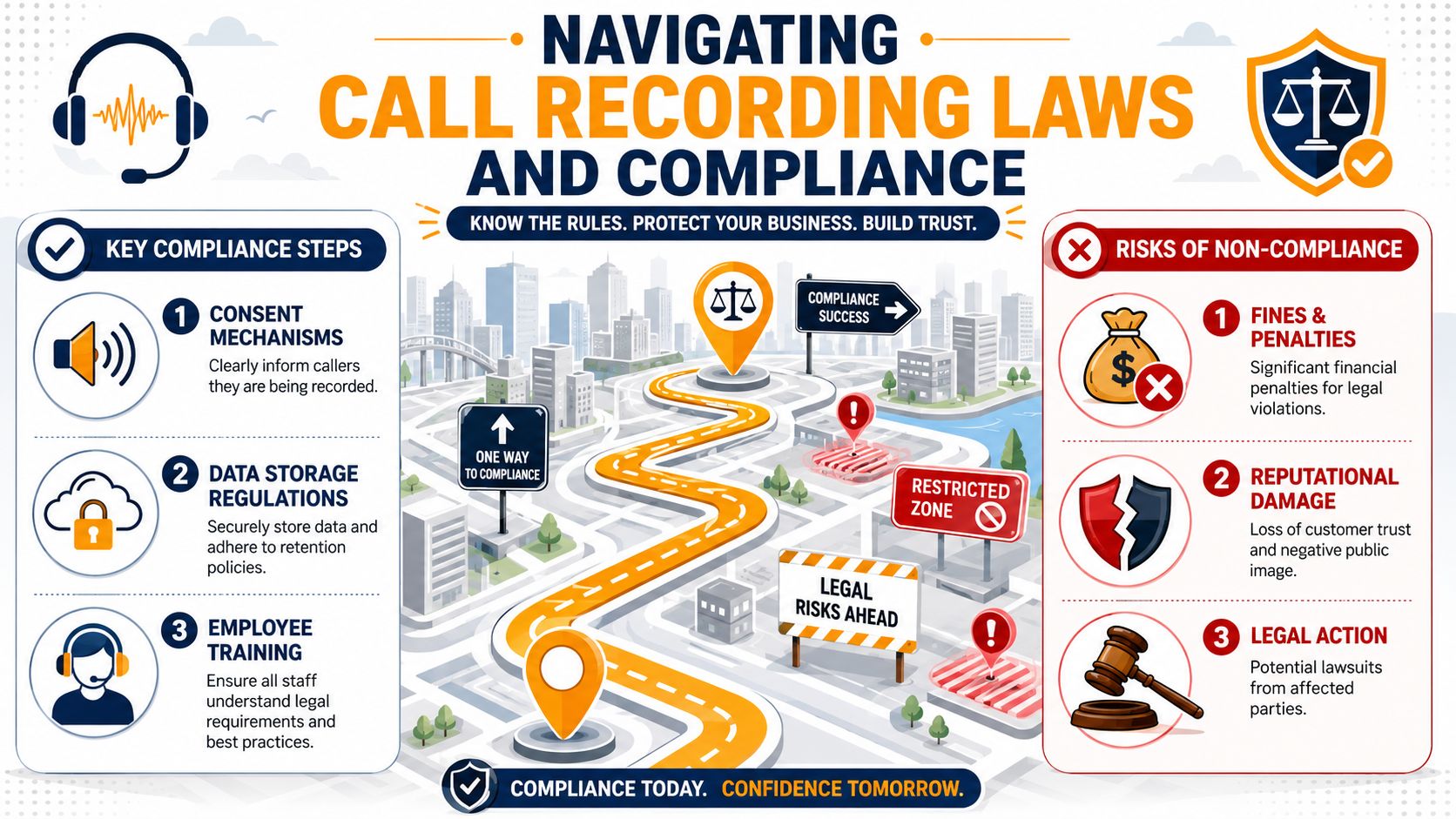
Start with the safest operating assumption: if there's any doubt, disclose the recording and obtain consent through a clear announcement at the start of the call. Modern systems support that with automated prompts such as “This call may be recorded for quality assurance.”
That matters because audible consent announcements triggered at call initiation are a critical technical requirement for compliance with two-party consent jurisdictions such as California, Florida, and Maryland, according to Grasshopper's guide to recording business phone calls. The same source notes that modern VoIP and cloud telephony systems let you configure recording for all calls, on-demand use, or pause/resume workflows.
Use the strictest standard that could apply
The easiest analogy is traffic law. If one road says 45 and the next says 30, you don't drive 45 and argue later. You slow down to 30. Recording law works the same way. If one participant is in a stricter jurisdiction, treat the call as if the stricter rule applies.
That's even more important for companies selling across borders. Data from the last 12 months shows 68% of SMBs expanding globally are unaware that recording a call with a UK-based client without explicit prior consent can trigger fines up to €20M, according to the source behind the cross-border consent trap warning. If your Houston business serves clients in the UK or EU, a Texas-only mindset is not enough.
Industry compliance changes the stakes
Some businesses record calls because it's smart. Others record because they effectively have to.
A projection in the NASD 2025 Annual Report%202025%20Annual%20Report) says by 2026, over 78% of enterprise call centers in the U.S. and EU will use automated call recording as a core compliance tool, driven by regulations such as GDPR and MiFID II. The same verified data states that FINRA requires customer communications, including phone calls, to be recorded and archived for at least six years, and that 71% of healthcare providers use call recording to meet HIPAA documentation requirements for patient consent and communication.
If you hire, monitor, or assess employees with AI around communications workflows, it also helps to review broader ethical AI screening practices so your compliance thinking doesn't stop at recording alone. Security, privacy, retention, and defensible process all connect.
For companies handling regulated conversations, a documented policy matters as much as the software. Your written process should define who gets recorded, when consent is announced, who can access recordings, how long files are kept, and when agents must use pause/resume. If you need a broader framework for that governance layer, this practical guide to cloud security and compliance planning is a useful companion.
If your recording rule lives only in your phone admin portal and not in a written company policy, you don't really have a rule.
Comparing Your Technical Deployment Options
Many SMBs waste money. They buy the tool their carrier suggested, then discover it doesn't fit their workflow, doesn't integrate with their CRM, or becomes messy the minute they add Microsoft Teams.
Don't pick a platform by brand name alone. Pick it by operating model.
On premises gives control and overhead
An on-premises recording system stores and manages recordings inside your own environment. Some owners like that because it feels safer and more controllable.
That can make sense if you have strict internal data handling rules or legacy phone infrastructure you're not ready to replace. The downside is obvious. You own the maintenance, updates, backup discipline, access control setup, and failure recovery.
For a resource-strapped SMB, on-prem usually creates more work than value unless there's a very specific reason you need that control.
Cloud systems fit most SMBs
Cloud recording platforms are usually the most practical option for smaller companies. They lower upfront complexity, support remote teams better, and make retention, search, and admin easier.
They also tend to handle policy features more cleanly, including user permissions, consent settings, tagging, and integration with other business tools. If your team already runs in Microsoft 365, browser apps, and hosted voice, cloud recording is usually the shortest path to a stable rollout.
What matters most is not “cloud” by itself. It's whether the vendor handles call search, exports, access logging, consent prompts, and retention settings in a way your managers can practically operate.
Native VoIP recording is the fast path
If your phone provider already supports recording natively, start there. That can be the simplest option for businesses that need quick deployment without custom architecture.
Native VoIP recording often works well for:
- Front-office teams: Reception, appointment scheduling, intake, and dispatch
- Service businesses: HVAC, plumbing, legal intake, medical admin, logistics coordination
- Sales groups: Inbound lead calls and outbound follow-up where managers need coaching material
If you're still evaluating telephony basics, this roundup of the best VoIP phone systems for small business helps frame the larger phone-system decision before you layer in recording.
Teams integration is where DIY often breaks down
This is the tipping point I see most often. A company starts with a simple need, then adds Teams calling, mobile users, a CRM, and multiple departments with different rules. Suddenly the “easy” setup isn't easy.
Teams integration gets complicated when you need:
- Role-specific policies: Sales records one way, HR another, support another
- CRM linkage: Calls tied to contacts, tickets, cases, or account records
- Retention differences: Some calls kept longer because of regulatory or contractual requirements
- Cross-platform consistency: Teams, desk phones, softphones, and mobile workflows behaving the same way
This is also where metadata becomes more valuable than the audio alone. Grasshopper's business phone recording guidance notes that integrating recording metadata with CRM systems creates a closed-loop analytics environment, and benchmark data shows organizations using that approach report up to 30% improvement in agent performance through targeted feedback based on recorded evidence.
Call Recording Deployment Options Compared
| Deployment Model | Best For | Pros | Cons |
|---|---|---|---|
| On-premises | Firms needing tight internal control or supporting legacy systems | Full local control, custom handling, may fit existing infrastructure | Higher maintenance burden, harder scaling, more backup and security responsibility |
| Cloud-based recording | Most SMBs | Faster rollout, simpler remote access, easier policy administration, lower infrastructure burden | Less direct infrastructure control, dependent on vendor capabilities |
| Native UCaaS or VoIP recording | Businesses wanting the fastest implementation path | Built into calling workflow, fewer moving parts, easier adoption | Can be limited on advanced compliance, analytics, or export needs |
| Microsoft Teams integrated recording | Microsoft 365-centric organizations with growing complexity | Strong alignment with existing collaboration stack, useful for hybrid teams | Setup and governance get complex fast, especially with CRM and compliance requirements |
The right answer isn't the fanciest option. It's the one your team can govern consistently six months from now.
Securing and Managing Recorded Call Data
Recording calls without securing them properly is careless. You're collecting conversations that may include names, payment details, health information, or sensitive account context. That archive needs to be treated like a digital vault.
Build a digital vault not a junk drawer
The baseline security requirement is clear. Business call recording systems must implement dual-layer encryption using AES-256 for data at rest and TLS 1.3 for data in transit to secure archived conversations and support compliance with standards such as GDPR, HIPAA, or FTC regulations, according to CallCabinet's best practices for implementing call recording.
Encryption alone isn't enough. You also need role-based access controls. Not every manager should hear every recording. A dispatcher may need one slice of access. A supervisor may need another. An HR lead may need none at all.
A secure setup should include:
- Restricted playback rights: Limit access by role, not curiosity
- Audit visibility: Know who accessed what and when
- Search discipline: Make recordings findable without making them broadly exposed
- Export control: Keep downloads and sharing under policy
For more practical guidance on the operational side of protecting voice data, this contact center security guide is a solid reference.
The more sensitive the conversation, the less tolerance you should have for broad admin access.
Retention rules need business discipline
A lot of companies either keep recordings forever or delete them too fast. Both are bad habits.
If you keep everything forever, you expand your risk surface. If you delete too quickly, you lose documentation you may need for disputes, audits, or internal investigations. Your retention policy should align with your legal requirements, industry obligations, and business use.
At a minimum, set clear rules for:
- Retention length: Different call types may need different timelines
- Deletion process: Files should age out according to policy, not memory
- Pause and resume usage: Agents need a defined process for sensitive moments
- Access review: Permissions should be checked periodically, especially after staffing changes
Good security in business call recording isn't just technical. It's procedural. The platform matters, but the rules matter just as much.
Your SMB Implementation Checklist
You don't need a giant project plan. You need a clean sequence of decisions and a system your staff will follow.
Start with policy before technology
Most bad deployments start backwards. The company buys software first and figures out the rules later. Reverse that.
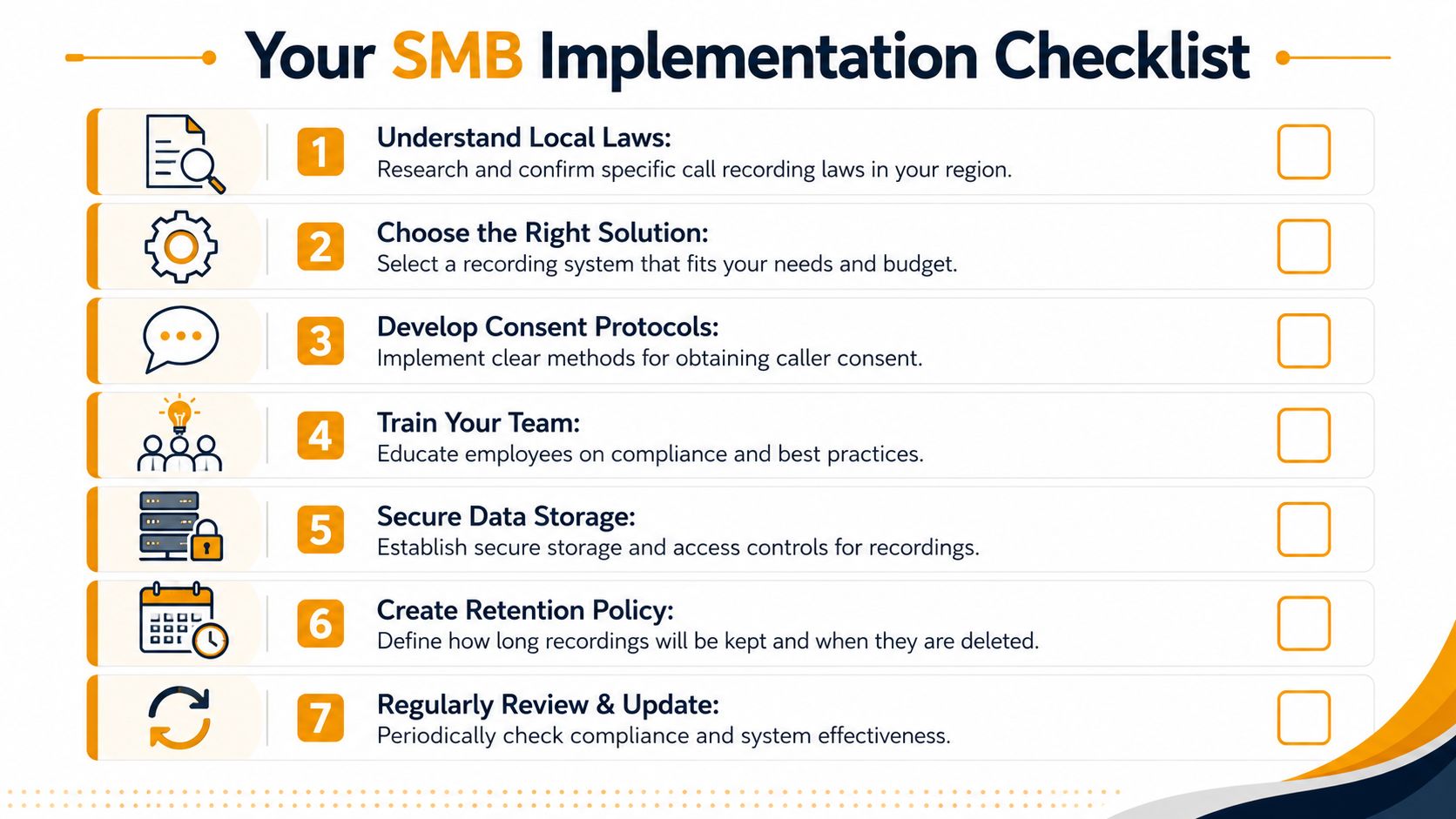
Use this checklist:
Define why you're recording.
Pick the primary goals first. Compliance, dispute resolution, quality assurance, training, or a mix. If you can't rank your goals, you won't choose the right features.Map your call types.
Sales calls, support calls, intake calls, billing calls, manager escalations, and HR conversations may need different handling. Don't create one blanket rule if your business doesn't operate one way.Write a recording policy.
Keep it plain. State when calls are recorded, how consent is handled, who can access files, how long recordings are kept, and when pause/resume is required.
Keep your policy short enough that a supervisor can explain it in five minutes and strict enough that an auditor can follow it.
- Review cross-border exposure.
If your staff talks to clients, vendors, or patients outside the U.S., this step is mandatory. The cross-border consent trap discussion highlights that 68% of SMBs expanding globally were unaware of the risk around UK-based call recording and potential fines up to €20M. Don't assume your local rule is the only rule that matters.
Roll out in a way your team will actually follow
Once the policy is done, move to implementation.
- Choose the platform carefully: Make sure it supports your calling environment, consent announcements, searchable archives, and role-based access.
- Configure announcements first: Don't let agents improvise legal notice. Use automated prompts.
- Set permissions before launch: Access should be intentional on day one.
- Train with real examples: Show employees what gets recorded, how to pause when appropriate, and how recordings will be used for coaching.
- Test retrieval: Run sample searches by date, employee, caller, and tag. If retrieval is clumsy, managers won't use the system.
- Document retention: Put deletion and archive rules in writing. Don't leave it to whoever “owns the phone system.”
- Audit after launch: Review a sample of calls and access logs to catch policy drift early.
The key is to keep the rollout boring. That's a compliment. Boring systems get followed. Overcomplicated ones get bypassed.
When to Partner with a Managed IT Provider
Some companies can handle a basic call recording setup on their own. If you have a small team, simple call flows, and one phone platform, DIY may be fine.
But there's a clear line where DIY stops being efficient and starts becoming risky.
Bring in a managed IT provider when any of these are true:
- You need multi-platform integration: VoIP, Microsoft Teams, CRM, and shared user workflows all have to line up
- You operate in a regulated environment: Healthcare, finance, legal intake, or anything involving sensitive records
- You lack internal ownership: If nobody on staff can manage access controls, retention rules, vendor settings, and issue response, the system will drift
- You need stronger governance: Especially when leadership wants call data for training, disputes, and operational reporting without exposing recordings too broadly
This matters even more if you're already trying to sort out broader vendor accountability. A good framework for that decision is this guide on how to choose a managed service provider.
My advice is simple. If your business call recording setup touches compliance, Teams, CRM, remote users, or role-based access rules, stop treating it like a side project. That's where an experienced managed partner saves you time, avoids bad assumptions, and keeps the system supportable after go-live.
If your Houston business needs help designing a secure, compliant call recording setup that works with VoIP, Microsoft 365, Teams, cloud infrastructure, and day-to-day support operations, IT Cloud Global, LLC can help you plan it properly, deploy it cleanly, and manage it without the usual guesswork.