


Professional IT Support Services: An SMB Guide
You're probably dealing with this right now. An employee can't get into Microsoft 365 before a client meeting. Your shared drive is lagging. A printer that “worked yesterday” is dead. Nobody can tell whether it's a simple device problem, a Wi-Fi issue, a permissions error, or the start of something more serious.
For most small businesses, that's what IT pain looks like. It rarely arrives as one dramatic outage. It shows up as delays, workarounds, and staff losing time on problems they shouldn't be solving in the first place. Sales slows down, customer service gets messy, and leadership gets pulled into technical decisions it never wanted to own.
That's why professional it support services matter. They're not just there to repair what breaks. They're there to keep your business operating, protect your data, and give you a predictable way to manage technology as your environment gets more complex. That shift is visible at the market level too. The global IT professional services market was valued at about USD 870.05 billion in 2023 and is projected to reach USD 1,598.41 billion by 2030, according to Grand View Research's IT professional services market analysis.
Table of Contents
- Your Business Runs on Tech So What Happens When It Breaks
- Moving Beyond Break-Fix The Shift to Proactive Support
- The Eight Core Components of a Complete IT Service Offering
- Calculating the Real ROI of Professional IT Support
- How to Evaluate and Choose the Right IT Partner
- The Advantage of Local IT Support for Houston Businesses
- Frequently Asked Questions About IT Support Services
- Do very small businesses really need outsourced IT support
- Will switching providers disrupt our business
- Can an IT provider help with Microsoft 365 and cloud administration
- What should we expect during onboarding
- How fast should support respond
- Can outsourced IT support improve security without making work harder
- What's a sign that our current support setup isn't working
Your Business Runs on Tech So What Happens When It Breaks
A lot of owners still treat IT like utilities in the background. That works until one failure touches revenue. Your internet circuit is technically up, but your firewall is misbehaving. Your team can send email, but attachments won't sync. Your point-of-sale system works at one location and fails at another. Nothing looks fully down, yet business slows anyway.
That's the problem with unmanaged technology. Small issues stack. Staff start using personal devices, unsecured file-sharing apps, or quick fixes that create larger security and compliance problems later. By the time someone calls for help, the issue has often spread from one user to multiple departments.
The failure usually starts as a business problem
When technology breaks, the first loss isn't hardware. It's momentum. Your receptionist can't pull up appointments. Your accounting team delays invoices. Your operations manager spends the morning chasing a vendor instead of running the business.
Professional it support services change the response from panic to process. A good provider already knows your environment, your users, your critical systems, and the order in which issues should be handled. That means less guessing, fewer handoffs, and fewer situations where you pay for hours of troubleshooting that should have taken minutes.
Practical rule: If your team only talks to IT when something is already broken, you're not managing risk. You're waiting for it.
Stability beats heroics
Business owners often remember the dramatic outage. What costs more over time is the steady drip of unresolved friction. Devices that never get replaced on schedule. Backup jobs nobody verifies. Permissions that accumulate over years. Users sharing accounts because it feels easier.
Professional support brings discipline to those weak points. It puts ownership around maintenance, monitoring, response, and documentation. That's what turns IT from a recurring interruption into an operating system your business can trust.
Moving Beyond Break-Fix The Shift to Proactive Support
The easiest way to understand modern support is to compare two models.
Break-fix means you call when something fails. Managed support means someone is watching, maintaining, and securing the environment before failure disrupts your day. One model charges you for emergencies. The other is built to reduce them.
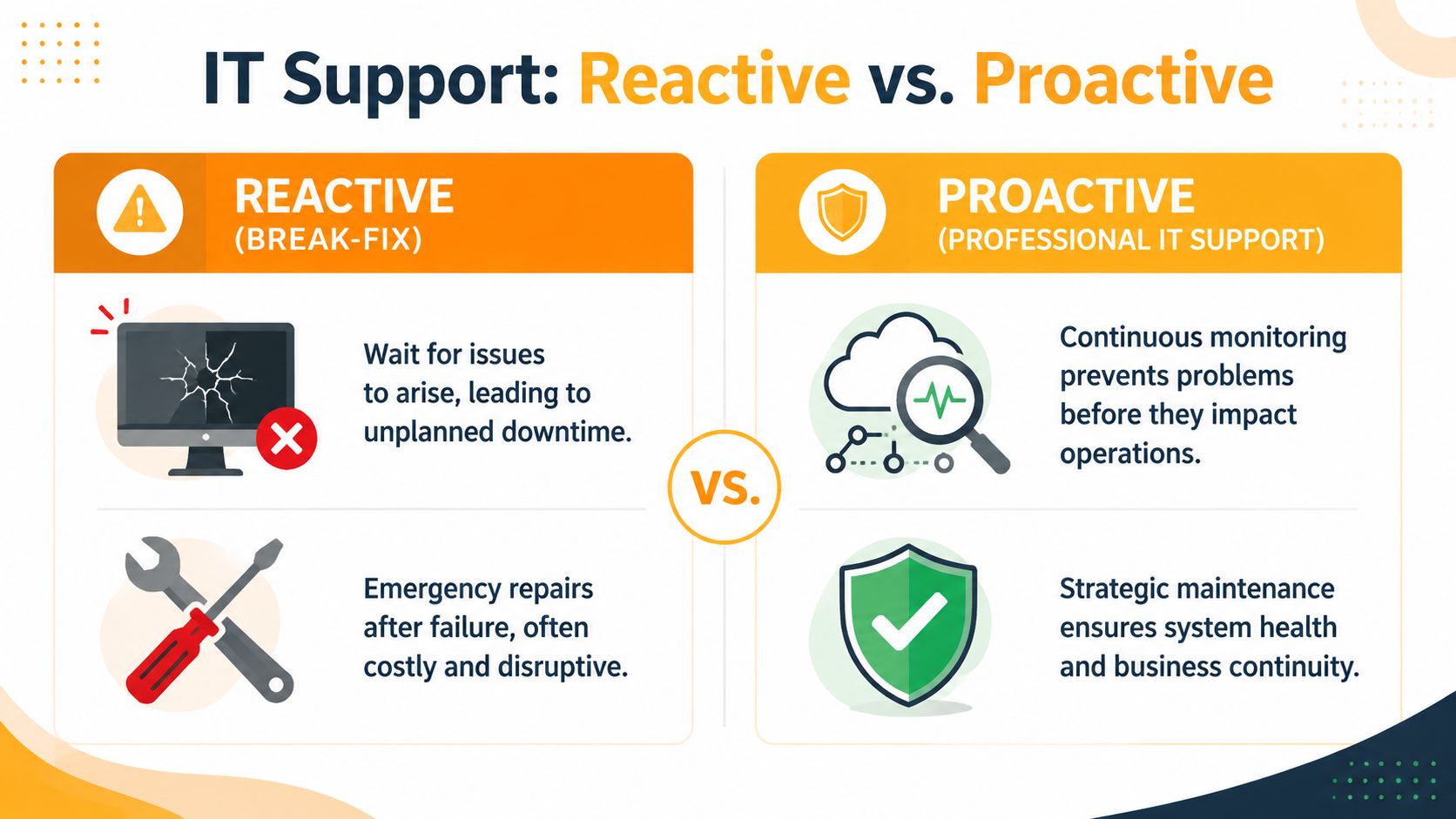
Break-fix sounds cheaper until you live with it
Reactive support appeals to small businesses because it looks simple. No monthly contract. No ongoing commitment. Just call when needed.
In practice, it creates three problems:
- Costs are unpredictable. You don't control when failures happen, and emergency work rarely shows up at a convenient time.
- Downtime is guaranteed. The provider starts after the issue is already hurting operations.
- Prevention gets ignored. Patching, backup testing, endpoint hardening, and lifecycle planning tend to fall through the cracks.
A good analogy is this. Break-fix is like calling an electrician after the office goes dark. Managed support is like having the building's electrical system maintained so outages are less likely to happen in the first place.
Proactive support changes the economics
Managed IT services usually run on fixed monthly fees and can reduce total cost of ownership by 30 to 45 percent over three years while reducing unplanned downtime by 85 to 95 percent compared to reactive break-fix models, according to Resultant's examples of IT support services.
That matters because your real IT cost isn't just the invoice from a technician. It's also payroll lost to downtime, delayed client work, rushed hardware purchases, and security exposure caused by neglected systems.
For a small business, proactive support usually includes:
- Monitoring of endpoints, servers, cloud services, and networks.
- Routine maintenance such as patching, updates, and policy checks.
- Security management across identity, devices, and backups.
- Support workflows so users know where to go and what response to expect.
If you want a practical look at what that should include, this overview of proactive IT support for small businesses is a useful benchmark.
Good support should make your environment boring. Boring systems are stable systems.
Operations matter as much as tools
A lot of providers promise proactive support, but their delivery still feels reactive. The difference usually shows up in how they run service operations. Ticket flow, device visibility, response queues, and user behavior all affect outcomes. Teams that want cleaner operational insight can learn a lot from resources on Optimizing MSP client operations, especially when they're trying to spot recurring inefficiencies before they become incidents.
If a provider can't explain how they prevent repeat problems, they're still selling break-fix with a monthly wrapper.
The Eight Core Components of a Complete IT Service Offering
When a provider says they offer professional it support services, don't stop at the label. Ask what's included. A complete offering should cover daily support, infrastructure health, security controls, continuity planning, and longer-term decision support.
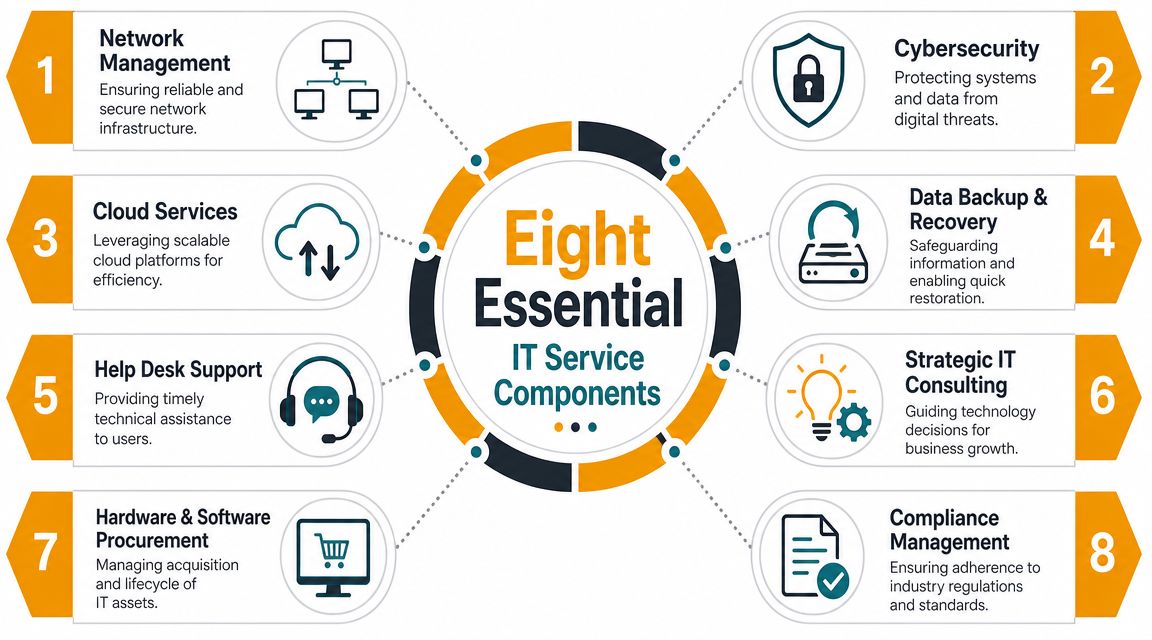
Managed support and helpdesk
1. Managed IT services
This is the operating layer. It usually includes monitoring, patching, asset oversight, policy enforcement, and vendor coordination. If your business has no internal IT manager, this function often becomes your de facto IT department.
2. Help desk support
User productivity gets protected. Password resets matter, but so do Outlook issues, line-of-business app failures, printing problems, file access errors, and laptop setup for new hires.
Professional support teams usually work in tiers. According to BeyondTrust's explanation of IT support tiers, Tier 1 handles 60 to 70 percent of basic issues in 5 to 15 minutes, and tiered support can deliver 40 to 60 percent faster mean time to resolution while reducing costs by 25 to 35 percent compared with flat support models. That's why mature helpdesks don't send senior engineers to every password issue.
If you're comparing service desks, a detailed buyer's guide for IT ticketing software can help you understand how routing, prioritization, automation, and reporting affect the user experience.
3. On-site and remote support
Remote support solves a lot. It doesn't solve dead switches, failed access points, damaged cabling, or workstation swaps that need hands-on work. Good providers use remote support first for speed, then dispatch on-site help when the problem is physical or business-critical.
Security cloud and continuity
4. Cybersecurity services
This isn't just antivirus. It should include endpoint protection, identity controls, email security, access management, user offboarding, vulnerability response, and policy enforcement. For many SMBs, the biggest gap isn't a missing tool. It's weak process around users, devices, and permissions.
5. Cloud services
Most small businesses now rely on Microsoft 365, Google Workspace, Azure, AWS, or a mix of cloud applications. Cloud support covers tenant administration, account controls, mailbox issues, licensing, SharePoint or file access, cloud migrations, and configuration hygiene.
6. Data backup and disaster recovery
Backups are only useful if they restore cleanly and on time. This area should cover backup configuration, retention, restore procedures, recovery planning, and testing discipline. If a provider says “you're backed up” but can't explain how restores are verified, keep asking questions.
The wrong time to discover your backups are incomplete is after ransomware, accidental deletion, or hardware failure.
Infrastructure communications and planning
7. Network management and hardware lifecycle
Your network is the plumbing behind every app your staff uses. This includes switches, Wi-Fi, firewalls, VPN access, structured cabling, device replacement planning, and hardware standards. A flaky network creates support noise everywhere else.
8. Strategic consulting, procurement, compliance, and communications
This last bucket is often overlooked, but it matters. Someone should help you budget refresh cycles, standardize laptops, evaluate vendors, support audits, and plan changes like office moves or cloud migrations. In some businesses, it also includes VoIP and collaboration platforms so phone systems, Teams, and mobile workflows align with how your staff functions.
If you want a practical example of what a small business support package should contain, this checklist for what managed IT support for small businesses should include covers the core pieces in plain terms.
A provider doesn't need to force all eight components into every contract. But if they can't support most of them, you may end up managing multiple vendors just to keep routine operations stable.
Calculating the Real ROI of Professional IT Support
Most owners ask the wrong opening question. They ask, “What does managed IT cost?” The better question is, “What does unmanaged downtime, weak security, and slow response already cost my business?”
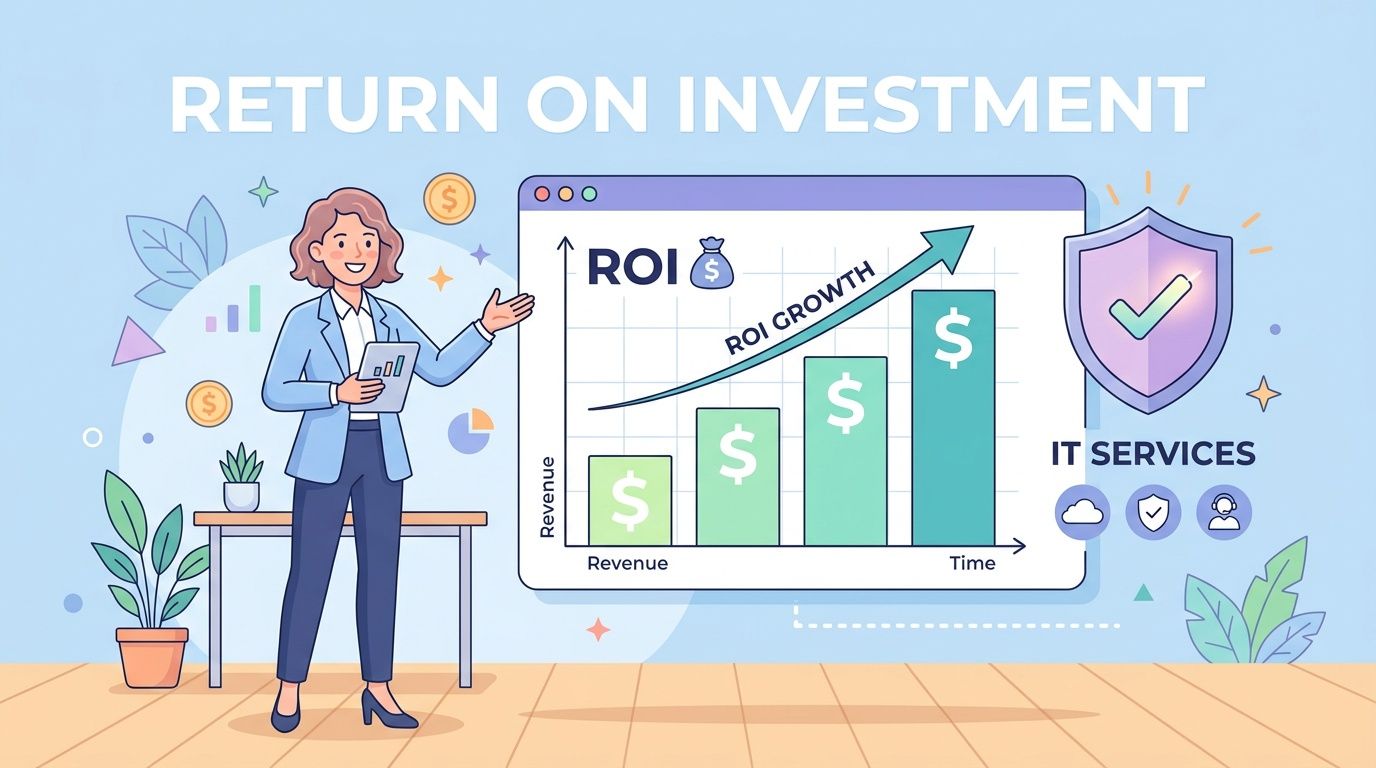
A monthly support agreement is easier to justify when you stop treating it as a repair bill and start treating it as a control system. It helps cap surprises, reduce disruption, and put measurable standards around response and recovery.
What you should actually measure
A serious IT provider should be able to talk in business outcomes, not just tools. Look for reporting around:
- Ticket response and resolution times so you know whether user issues are getting handled promptly.
- Recurring incident patterns so repeated failures are fixed at the source.
- Backup restore testing so continuity isn't based on assumptions.
- Security response workflows so suspicious activity gets escalated and contained fast.
- User onboarding and offboarding consistency so access is granted and removed cleanly.
These indicators tell you whether support is reducing friction or just processing tickets.
Owner mindset: Cheap support is expensive if it leaves you with undocumented recovery procedures, weak identity controls, and recurring downtime.
Where support pays for itself
The most obvious return comes from avoided disruption. Your team stays productive, client work keeps moving, and managers stop wasting hours coordinating ad hoc fixes. The less obvious return is risk reduction.
The average cost of a data breach in the United States is USD 10.22 million, as cited in Atlas Professional Services' discussion of breach costs and IT support outcomes. That doesn't mean every small business faces the same exposure. It does mean support should be evaluated partly as a risk-management function, not just a convenience service.
Here's a useful way to think about ROI:
| Business area | Weak support looks like | Strong support looks like |
|---|---|---|
| Productivity | Staff wait, retry, and improvise | Users get help fast and issues are documented |
| Security | Access sprawl, missed updates, weak offboarding | Identity, endpoint, and policy controls are maintained |
| Continuity | Backups exist on paper only | Restore readiness is reviewed and tested |
| Budgeting | Surprise repairs and rushed purchases | Planned lifecycle and predictable monthly spend |
This short video offers a business-focused lens on support value and managed services economics:
If your provider can't show how they improve uptime, reduce recurring issues, or strengthen recovery readiness, you're buying activity, not outcomes.
How to Evaluate and Choose the Right IT Partner
Choosing an IT provider shouldn't feel like buying office supplies. You're selecting a partner that will have access to your users, your business systems, and in many cases your most sensitive data. The right questions expose whether a firm is process-driven or just good at sales calls.
Questions that reveal how a provider really works
Start with service delivery.
Ask how tickets are triaged, what counts as urgent, who handles escalations, and how they document your environment. A provider that can't describe its process clearly will struggle when pressure rises.
Then move to security. Attackers are using AI to scale phishing, and Microsoft has reported blocking over 4,000 password attacks per second, a reminder that identity is now the primary perimeter in cloud-first environments, as noted in Nerds On Site's guide to on-site IT support. Ask directly how the provider handles MFA, conditional access, endpoint controls, user offboarding, privileged accounts, and approved AI tool policies.
A few high-value questions:
- How do you secure identity? Ask about MFA enforcement, role-based access, password reset controls, and how they handle dormant accounts.
- How do you manage AI use in the workplace? They should be able to discuss data leakage risks, approved tools, and account governance.
- What does your stack include? Don't settle for “we do security.” Ask what they use for endpoint protection, email security, backup management, and network visibility.
- How do you handle onboarding and offboarding? This is where many SMBs leak risk through forgotten accounts and inconsistent access removal.
- What reporting will we receive? You want regular visibility, not silence until something breaks.
One provider that fits into this type of evaluation is IT Cloud Global, which offers managed support, cloud administration, backup and disaster recovery, network services, and security tooling that includes SentinelOne and Arista. That's useful not as a sales point, but as a reminder of what a modern SMB support scope can look like in practice.
If a provider talks mostly about devices and barely mentions identity, cloud permissions, and access policy, they're behind the environment you actually run.
Common IT Support Pricing Models
Pricing affects behavior. A model that looks inexpensive can create bad incentives if every meaningful task becomes an extra charge.
| Pricing Model | How It Works | Best For |
|---|---|---|
| Hourly break-fix | You pay when something goes wrong | Very small environments with limited risk tolerance and low complexity |
| Block hours | You prepay for a bank of support time | Businesses that need occasional help but don't want a full managed agreement |
| Per user | Monthly fee tied to supported users | Office-centric teams with predictable staffing and cloud app usage |
| Per device | Monthly fee tied to endpoints or infrastructure | Environments where shared devices or fixed assets drive support volume |
| Fully managed | Broad monthly coverage across support, maintenance, and oversight | SMBs that want predictable costs and fewer operational gaps |
Contracts matter too. Scope, exclusions, response commitments, and billing triggers should be easy to read. If you're reviewing agreements in a Zendesk-heavy service environment, this article on MSP contract optimization for Zendesk gives a useful perspective on how contract structure affects cost control and accountability.
The best partner for your business won't always be the cheapest or the largest. It will be the one that can explain how it protects uptime, secures identity, communicates clearly, and responds when your staff needs help.
The Advantage of Local IT Support for Houston Businesses
Remote support is efficient. For many issues, it's the right first move. But Houston businesses still benefit from a provider that can show up when the problem is physical, urgent, or tied to site-specific infrastructure.

A local team can handle the things remote-only providers can't. Failed switches. Office moves. Cabling problems. Wi-Fi dead zones. Hardware replacements. Printer and workstation issues that require hands on the equipment, not another remote session.
Local presence changes accountability
There's also a relationship benefit. When your provider knows your office layout, your line-of-business applications, your internet setup, and the people who keep the business running, support gets sharper. Communication improves because they're not learning your environment from scratch every time.
For Houston companies, local knowledge matters in continuity planning too. Regional weather risks, multi-site coordination, and recovery logistics aren't abstract concerns. They affect how you think about backup access, remote work readiness, power events, and how quickly key systems can be restored after a disruption.
A local option for companies weighing that model is small business IT support in Houston. The value isn't just geography. It's faster on-site coverage, better context, and a stronger working relationship when something important goes wrong.
For many SMBs, the practical answer is hybrid support. Remote first for speed. Local on-site capability when the issue involves infrastructure, hardware, or business continuity.
Frequently Asked Questions About IT Support Services
Do very small businesses really need outsourced IT support
Yes, often more than they realize. Small teams usually depend on a handful of critical apps, shared files, email, internet connectivity, and a few key devices. If one piece fails, there may be no internal backup person to step in. Outsourced support gives you access to process, tools, and technical coverage without hiring a full internal team.
Will switching providers disrupt our business
It doesn't have to. A careful transition should start with documentation, admin access review, backup validation, license inventory, and a plan for user support during the handoff. Problems usually happen when the outgoing environment is poorly documented or when nobody confirms who owns key accounts and vendor relationships.
Can an IT provider help with Microsoft 365 and cloud administration
Yes. For many SMBs, cloud administration is one of the most important parts of support. That includes user management, access controls, mailbox issues, SharePoint permissions, Teams setup, endpoint policies, and account cleanup when employees leave.
What should we expect during onboarding
Expect discovery first. A competent provider should review your devices, users, internet setup, cloud platforms, backup status, security controls, and support history. They should also identify obvious risks early, such as shared accounts, unsupported hardware, missing MFA, or unclear vendor ownership.
How fast should support respond
The right answer depends on severity, but you should expect clear service expectations. An urgent outage should not be treated the same way as a routine software request. What matters most is that the provider defines priorities, communicates status clearly, and doesn't leave your staff guessing who owns the problem.
Can outsourced IT support improve security without making work harder
Yes, if it's done well. Good providers don't just pile on restrictions. They standardize access, reduce risky workarounds, and implement controls that fit how your staff works. Security fails when it ignores daily operations.
What's a sign that our current support setup isn't working
Recurring issues are the biggest warning sign. If users keep reporting the same Wi-Fi drop, login problem, printing error, or file access issue, your provider may be closing tickets without fixing root causes. Other red flags include poor documentation, inconsistent communication, weak onboarding and offboarding, and no meaningful reporting.
If your business needs a more reliable way to manage uptime, security, cloud systems, and day-to-day support, IT Cloud Global, LLC is a Houston-based option to consider. The company provides managed IT services, helpdesk support, cybersecurity, cloud administration, backup and disaster recovery, on-site and remote support, and infrastructure services for small and midsize businesses that want clearer accountability and more predictable technology outcomes.
- Remote Desktop IT Support Guide 2026
- Vulnerability Scanning Services Explained for SMBs
- Software Development Services: A Practical Guide for 2026
- Endpoint Protection vs Antivirus: A Houston Guide
- How to Choose a Texas Outsource IT Service
- Houston IT Support: A 2026 Guide for SMBs
- What Is Network Access Control: Why Your Business Needs It