


Managed Cloud Computing: Your Houston Business Guide
You're probably dealing with some version of this right now. A staff member can't access Microsoft 365 from home. Someone asks whether your backups are usable if a storm knocks out the office. Your cloud bill lands higher than expected, and nobody can explain which workload caused it. Meanwhile, the workday keeps moving, customers still expect answers, and IT problems get handled between everything else.
That's where managed cloud computing stops being a technical buzzword and starts becoming a business decision. For many Houston companies, the issue isn't whether cloud tools are useful. It's whether someone is actively managing them well enough to control cost, reduce downtime, and keep security from becoming a constant worry.
That shift is already well underway. The global cloud managed services market was valued at USD 134.44 billion in 2024 and is projected to reach USD 305.16 billion by 2030, with a 14.7% CAGR from 2025 to 2030, according to Grand View Research's cloud managed services market analysis. For Houston SMBs, that growth matters because it reflects a practical reality. Businesses want scalable operations and tighter cost control without building an oversized in-house cloud team.
Table of Contents
- Is Your Cloud Infrastructure Holding Your Business Back
- What Exactly Is Managed Cloud Computing
- Managed Cloud Versus Self-Managed Cloud
- Key Benefits for Houston Small and Midsize Businesses
- Your Roadmap for Cloud Migration and Optimization
- Fortifying Your Business with Managed Security and Compliance
- How IT Cloud Global Empowers Houston Businesses
Is Your Cloud Infrastructure Holding Your Business Back
Cloud problems rarely show up as “cloud problems.” They show up as slow logins, messy permissions, surprise invoices, failed backups, and the owner getting pulled into decisions nobody should be making at that level.
That's common in Houston businesses that adopted Microsoft 365, Azure, AWS, or Google Cloud a piece at a time. One app moved first. Then file sharing. Then remote access. Then a backup platform. Soon you've got a cloud environment, but not a cloud strategy.
The result is friction. Staff wait on support. Managers work around flaky systems. Security settings drift. Budgeting gets harder because your monthly spend depends on services that weren't designed together.
Practical rule: If your team only looks at cloud infrastructure when something breaks, you don't have cloud management. You have cloud exposure.
Managed cloud computing fixes that by assigning ownership to the parts that usually get neglected. Monitoring, patching, backup verification, cost reviews, identity controls, disaster recovery planning, and after-hours response all become defined operational work instead of “someone should check that.”
For a Houston business, that matters beyond convenience. Weather events, distributed teams, field operations, and compliance requirements all raise the cost of winging it. A law office can't afford document access issues during a filing deadline. A clinic can't wait until Monday to discover a failed backup. A logistics company can't have a warehouse offline because one cloud setting was changed without review.
The businesses that get the most from managed cloud computing usually make one mental shift. They stop treating infrastructure as a utility they consume, and start treating it as an operating system for the business.
A good starting point is reviewing what you already have before adding anything new. That's why a cloud audit and optimization review before build, deploy, and integration often saves more pain than a rushed migration ever could. Most environments don't fail because the cloud is weak. They fail because nobody cleaned up the sprawl before trying to scale it.
What Exactly Is Managed Cloud Computing
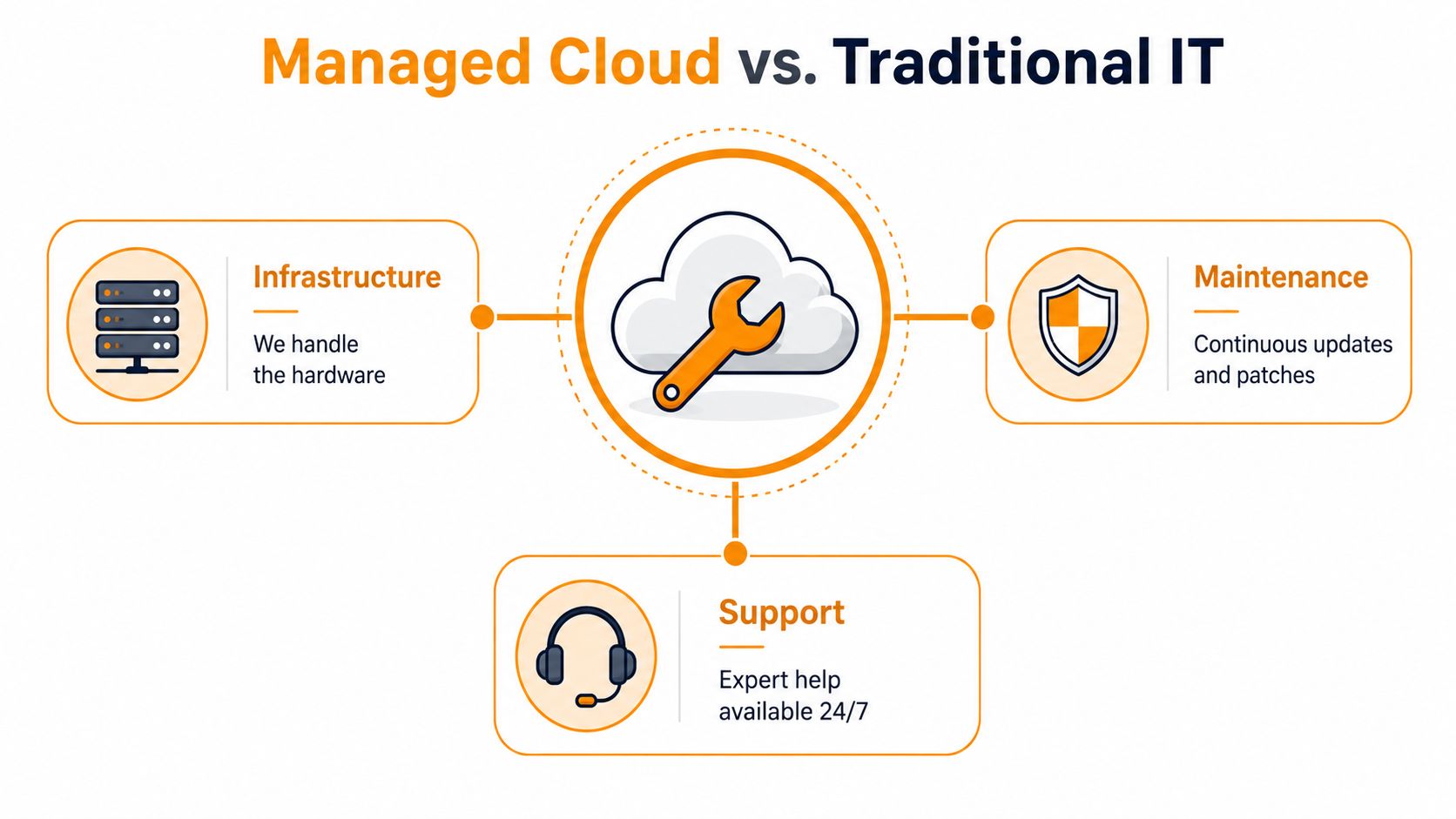
Managed cloud computing means a third party runs and maintains all or part of your cloud environment for you. That usually includes infrastructure, user access, monitoring, backups, patching, security controls, performance tuning, and support across platforms like AWS, Microsoft Azure, Google Cloud, and Microsoft 365.
Your business still decides what matters most. The provider handles the operational work that keeps those systems available, secure, and usable day to day.
For a Houston small or midsize business, that division of labor solves a practical problem. You may have a capable internal IT lead, but not a full bench for after-hours alerts, backup testing, security review, vendor escalation, and recovery planning during a storm or power event. Managed cloud fills that gap without requiring you to build an enterprise-sized IT department.
A practical way to understand the model
Operating your own cloud environment is like owning a commercial property. The responsibility goes far beyond opening the front door. Someone has to maintain the wiring, cooling, access controls, inspections, repair schedule, and emergency response plan.
Managed cloud shifts that operational burden to a team that does this work full time. Your company still decides which applications to run, which staff need access, and how the business operates. The provider keeps the underlying systems maintained, monitored, and recoverable when something goes wrong.
That matters in Houston because uptime is tied to local realities. Hurricane season, multi-site operations, field staff, and industry-specific compliance pressures all make informal cloud management expensive. A local provider such as IT Cloud Global can set up the environment with those risks in mind instead of applying a generic support model built for a different market.
What gets managed day to day
Most managed cloud arrangements fall into three working areas:
- Infrastructure management covers servers, virtual machines, cloud storage, networking, and platform configuration. These are the underlying systems your applications rely on.
- Operations management covers updates, patching, alerting, backup jobs, recovery procedures, performance reviews, and support response. This is the routine work that keeps small issues from turning into lost productivity.
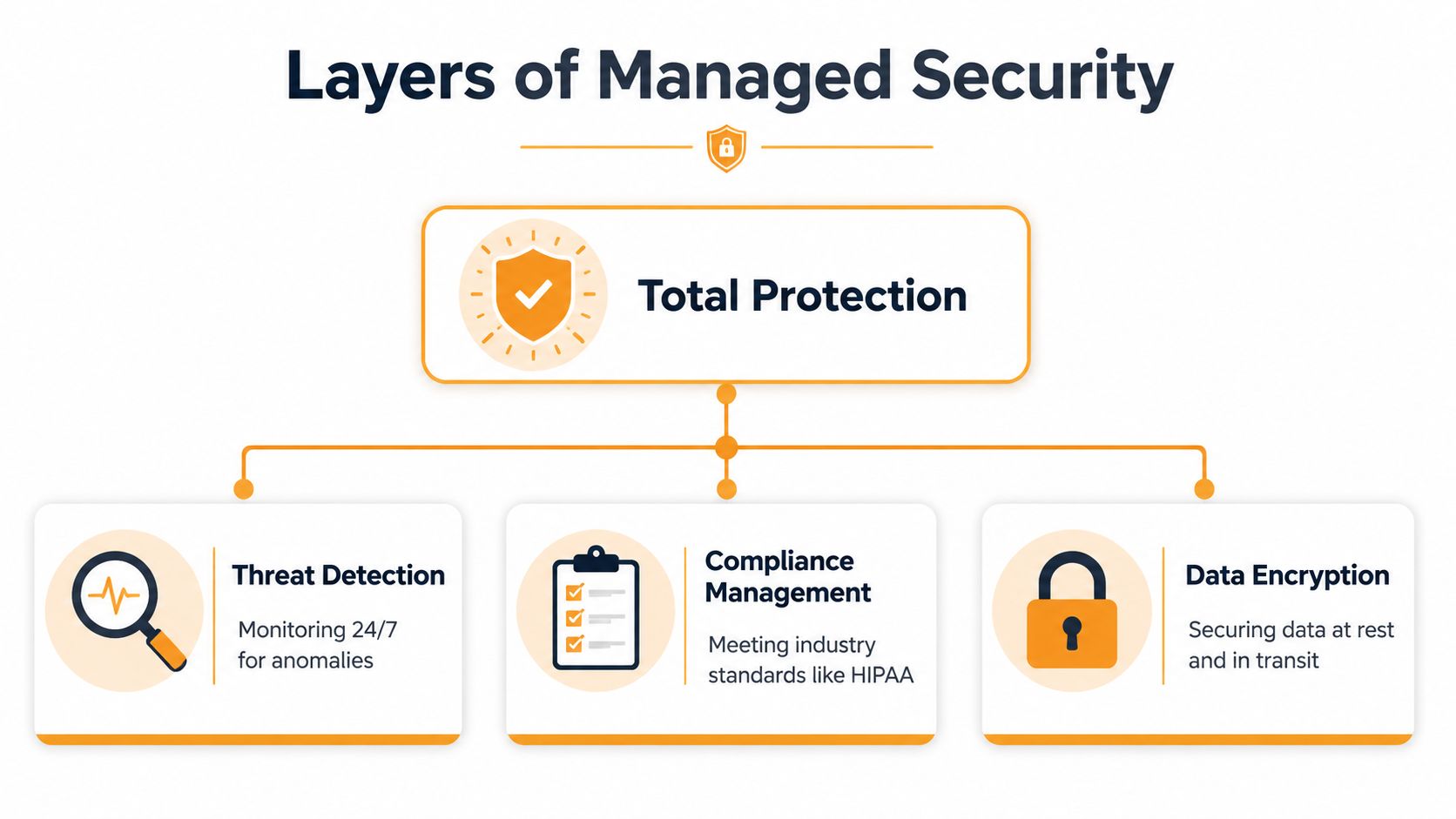
- Security management covers identity controls, endpoint protection, policy enforcement, encryption, threat monitoring, and audit preparation. For businesses in healthcare, legal, finance, and other regulated fields, this often drives the decision.
Clear ownership is one of the biggest advantages.
If a backup fails, the right team should know before your staff does. If an employee leaves, account access should be removed through a defined process. If Microsoft 365 permissions drift over time, someone should clean them up before they create a security problem or a document access mess.
Managed cloud computing works best when responsibilities are explicit. Who patches. Who monitors. Who responds after hours. Who tests recovery. If those answers are vague, the service model is weak even if the platform is strong.
A managed cloud environment is not just cloud infrastructure hosted somewhere else. It is an operating model with assigned responsibility, documented processes, and support that matches how the business operates. For Houston companies balancing growth, security, and weather-related disruption, that difference shows up fast in fewer surprises and shorter outages.
Managed Cloud Versus Self-Managed Cloud
A lot of business owners assume self-managed cloud is cheaper because the invoice from the cloud platform looks straightforward. That's only part of the picture.
Self-management often works at the beginning. One or two workloads. A small user base. Limited compliance pressure. A technically capable employee who knows the environment well enough to keep things stable.
Then growth shows up. More users. More devices. More locations. More vendors. More security requirements. At that point, the “cheap” model starts charging interest in time, complexity, and risk.
According to ANS on managed cloud services versus unmanaged environments, over 60% of organizations will rely on MSPs by 2025, partly to avoid the transition friction, vendor lock-in risks, and overprovisioning penalties that often surface 18 to 36 months after migration.
Managed Cloud vs. Self-Managed Cloud At a Glance
| Responsibility | Managed Cloud (Your Provider Handles It) | Self-Managed Cloud (You Handle It) |
|---|---|---|
| Patching and updates | Scheduled, monitored, and documented by the provider | Internal staff must plan, test, and apply changes |
| Security monitoring | Ongoing monitoring and alert response | Your team must watch logs, alerts, and incidents |
| Backup oversight | Backup jobs, retention checks, and recovery coordination | Your team owns setup, testing, and verification |
| Disaster recovery planning | Runbooks, failover planning, and restoration support | You design and maintain the process yourself |
| Cost optimization | Usage reviews and resource tuning | You must track drift and shut down waste |
| Compliance support | Control mapping, documentation, and audit readiness support | Internal staff must assemble evidence and enforce policy |
| After-hours response | Defined support coverage | Whoever on your team notices first |
The table makes managed cloud look easy. It isn't easy. It's just assigned. That's the primary advantage.
Where self-management usually gets harder
The hardest part of self-managed cloud isn't setup. It's maintenance over time.
A business might launch on Azure with clean intentions, then add Microsoft 365, endpoint protection, VoIP tools, remote workers, and a line-of-business application with unusual requirements. Now there are identity dependencies, storage decisions, retention questions, and security exceptions. The environment becomes interconnected fast.
What doesn't work is pretending one generalist can keep up with architecture, support, compliance, and security while still doing everyday IT tickets. Something always gets deferred. Usually documentation, recovery testing, or permissions review.
What works is choosing a model that fits your stage.
- Self-managed can fit when your environment is simple, your risk tolerance is high, and you already employ the right specialists.
- Managed cloud fits better when uptime matters, regulatory pressure exists, or the owner is tired of being the escalation path.
- Hybrid co-management can make sense when you want internal visibility but don't want your team carrying the entire operational burden.
If your cloud strategy depends on one employee “just knowing how it all works,” you don't have resilience. You have a key-person risk problem.
For Houston SMBs, that trade-off usually becomes obvious during expansion, acquisitions, office moves, or storm season. That's when unmanaged complexity turns into business interruption.
Key Benefits for Houston Small and Midsize Businesses
Houston companies deal with pressures that generic cloud advice tends to ignore. Storm risk is real. So is geographic sprawl, distributed crews, traffic-heavy service areas, and the need to keep teams productive from offices, homes, warehouses, and job sites.
Managed cloud computing helps because it brings order to that mess. Not by making everything fancy, but by making systems dependable.
Business continuity that fits Houston reality
If your office loses power, your staff still need access to email, files, collaboration tools, line-of-business apps, and support channels. That's why cloud planning in Houston can't stop at migration. It has to include continuity.
A good managed setup supports remote work, documented recovery steps, backup visibility, and a support process that still functions when the building doesn't. During hurricane season, that's not a luxury. It's basic operating discipline.

That same discipline helps in less dramatic situations too. ISP outages, local hardware failures, accidental deletions, and access issues create smaller disruptions every week. The right managed environment gives you alternatives before those disruptions become lost revenue.
Growth without stranded infrastructure
Cloud should let a business grow without buying hardware that sits around underused. That's one of the clearest practical benefits.
According to Synopsys on core cloud computing characteristics, managed cloud services can dynamically scale resources such as processing cores and memory based on real-time demand, avoiding fixed hardware that remains underutilized 70% to 80% of the time. That alignment between usage and spend is one reason managed cloud computing is so useful for SMBs that need flexibility without constant capital purchases.
In plain terms, you don't have to build for your busiest possible month and then live with excess capacity the rest of the year.
For Houston businesses, that has a local edge:
- Professional services firms can support hybrid staff without rebuilding their office infrastructure.
- Healthcare and finance organizations can pair cloud access with tighter operational controls.
- Logistics and field service companies can keep teams connected across multiple locations.
- Retail and hospitality businesses can handle seasonal swings without overcommitting on-prem equipment.
The biggest benefit is focus. Owners stop spending time debating where to host a workload or why backup storage changed cost. They spend that time on hiring, customer service, expansion, and operations.
Your Roadmap for Cloud Migration and Optimization
Bad cloud migrations usually fail before the first workload moves. The problem isn't the transfer. The problem is poor inventory, weak sequencing, and no operating model after go-live.
A solid migration roadmap is less dramatic than people think. It's structured, documented, and paced around business risk.
Assess before you move anything
Start with what you have. That means users, devices, applications, file locations, dependencies, identity systems, backup methods, and compliance obligations. If that inventory is fuzzy, migration will expose the gaps fast.
This is also where leadership decides what matters most. Lower support burden. Better business continuity. Remote access. Compliance readiness. Cost control. Those goals shape the design.
A useful assessment should answer:
- What must stay available during migration.
- What can move first with low business risk.
- Which systems are outdated and shouldn't be carried into the new environment.
- How access and security will be handled after cutover.
For businesses planning an AWS move, these AWS cloud migration best practices are a strong example of why sequencing and preparation matter more than speed.
Migrate in controlled phases
The best migrations are boring. They happen in phases, with rollback options and communication built in.
A typical sequence might move collaboration workloads first, then shared storage, then specific applications, then more sensitive systems after validation. Teams test access, permissions, performance, and backup behavior at each stage.
Move the systems that are easiest to validate first. Early wins build confidence, and they expose process flaws before critical workloads are involved.
This phased approach also reduces staff disruption. Instead of changing everything at once, people learn one stable improvement at a time.
Optimize and govern after go-live
Go-live is where many projects lose value. The environment is up, so everyone moves on. That's when waste, drift, and undocumented changes start creeping in.
According to StealthTECH's guide to managed cloud IT services, the ITU-T Y.3552 standard requires providers to maintain detailed inventory and configuration management of cloud components, with continuous testing, validation, and performance monitoring. The same source notes that this level of managed oversight can reduce threat resolution time from hours to minutes compared with unmanaged environments.
That's a strong reminder that cloud optimization isn't a one-time cleanup. It's a management practice. Good governance means reviewing changes, watching performance, validating backups, and keeping configuration records current so the environment stays supportable six months later, not just on launch day.
Fortifying Your Business with Managed Security and Compliance
A Houston business usually feels the security problem before it labels it correctly. A storm knocks out one office, staff start logging in from home or a temporary site, someone shares files from a personal device, and suddenly the risk is not theoretical. It is access control, backup recovery, and audit gaps showing up all at once.
Security and compliance get harder as cloud use spreads across email, file storage, remote laptops, line-of-business apps, and mobile devices. For many small and midsize companies, the issue is not a single attacker forcing the door open. The issue is ordinary operational drift. Old accounts stay active. Permissions pile up. Backups exist on paper but have not been tested. A vendor integration gets approved once and never reviewed again.
Why security leads the conversation
According to Finout's cloud computing statistics roundup, 95% of companies are worried about cloud security, misconfigurations cause 68% of threats, and the average data breach cost reached USD 4.88 million in 2024. The same source reports that 94% of enterprises using managed cloud say security improved after migration.
Those numbers line up with what happens in the field. Cloud problems usually come from weak process control, not from a dramatic breach scenario. A Houston medical practice may need tighter identity rules around patient systems and better audit trails. An oilfield services firm may need stricter device controls for field staff working from multiple locations. A law office may need to lock down Microsoft 365, mobile access, and file permissions so confidential material does not spread into personal inboxes and unmanaged endpoints.
Houston adds another layer. Hurricane season changes the security discussion because continuity and security are tied together. If your team has to work remotely for days, your cloud environment has to support that shift without turning every temporary workaround into a permanent risk.
A smaller team that wants a lightweight outside perspective can also learn from adjacent guidance like these essential security tools for indie hackers. The environment may be different, but the lesson carries over. Visibility across accounts, devices, and changes matters more than buying one product and assuming the problem is solved.
What managed protection looks like in practice
Managed security works best as an operating model. Someone is reviewing identity changes, checking endpoint coverage, validating backups, responding to alerts, and keeping documentation current for audits and insurance reviews.
That usually includes:
- Identity and access control with role-based permissions, MFA enforcement, account reviews, and prompt offboarding.
- Endpoint and workload protection using tools such as SentinelOne to monitor laptops, servers, and cloud-connected systems.
- Network oversight with platforms such as Arista in environments where traffic visibility and uptime affect daily operations.
- Backup and recovery verification so ransomware, accidental deletion, or storm-related outages do not become long-term business interruptions.
- Compliance support for standards such as HIPAA or SOC 2, including documented controls, evidence collection, and policy review.
A short explainer can help make the layered approach easier to visualize.
Good managed security is operational. It's account reviews, tested backups, alert response, endpoint coverage, and documented controls.
For regulated businesses, that practical discipline matters as much as the tooling. The provider does not take legal responsibility off the owner's plate, but they can make the environment easier to control, document, and defend during audits, client security reviews, and cyber insurance renewals. A local provider also knows which Houston businesses cannot afford vague recovery plans because weather, client deadlines, and multi-site operations leave no room for guesswork. For a more detailed local perspective, see why Houston businesses need managed IT support services for cloud security.
How IT Cloud Global Empowers Houston Businesses
A local provider matters when your business isn't generic. Houston companies have layered needs. Office users on Microsoft 365. Remote staff on laptops. Warehouse Wi-Fi. VoIP. On-prem equipment that still matters. Compliance requirements that don't disappear just because a workload moved to Azure or AWS.
That's where a partner with hands-on support, cloud migration experience, and security depth has an advantage. Not because local automatically means better, but because local context shortens the gap between technical design and business reality.
A logistics company that outgrew reactive IT
A growing logistics company often starts with a patchwork stack. Shared drives, a line-of-business app, email, a few remote users, then a second location. At first, reactive support seems workable.
Then dispatch can't afford downtime, storage permissions get messy, and leadership needs systems that hold up across office staff, drivers, and warehouse operations. In that situation, a managed approach to AWS or Azure can clean up access, standardize support, and reduce the number of moving parts the business is trying to coordinate internally.
The benefit isn't just uptime. It's clarity. People know where files live, how access gets approved, and who responds when there's a problem.
A professional services firm with compliance pressure
A law firm, accounting practice, or healthcare-adjacent office usually has a different problem. Their systems may already be cloud-based, but the controls are inconsistent.
Microsoft 365 is running, but retention settings aren't reviewed. Azure access has expanded over time. Staff use multiple devices. Backup assumptions haven't been tested recently. Nobody's sure whether current practices would satisfy a client questionnaire or audit request.
In that case, a Houston managed services partner can tighten the basics. Identity, endpoint protection, secure collaboration, documented procedures, and support workflows. The outcome is a calmer operation, not just a more advanced one.
A retail operation preparing for storm disruption
Retail and multi-site businesses often feel the pain of local disruption first. Power loss at one office, connectivity trouble at another, and a manager trying to keep point-of-sale, communications, and vendor coordination moving through a weather event.

A managed cloud strategy gives that business options. Cloud-hosted collaboration, secure remote access, documented recovery priorities, and one support path when conditions are already difficult. That's where practical cloud planning pays off. Not in theory, but on the day operations get disrupted.
For Houston businesses that need helpdesk support, cloud migration guidance, Microsoft 365 administration, endpoint security, backup planning, or a more reliable IT operating model, the right partner should make systems easier to run, not harder to understand.
If your business is tired of reactive IT, unclear cloud costs, or security gaps that keep getting pushed to next quarter, IT Cloud Global, LLC is a practical place to start. The team supports Houston businesses with managed IT services, cloud migration and optimization across AWS, Azure, Google Cloud, Microsoft 365 administration, business continuity planning, and compliance-minded security. A conversation about your current setup can quickly show whether you need full managed cloud support or a more targeted fix.
- Managed IT Services Houston TX: 2026 Guide for SMBs
- IT Managed Services Houston TX: 2026 Guide
- Houston Managed IT Services: A 2026 Guide for SMBs
- Top Managed Services Provider Houston: Your 2026 Guide
- IT Consulting in Houston: A Guide to Choosing Your Partner
- Best IT Managed Services Houston: 2026 Guide
- Managed IT Services Houston TX: Expert Solutions 2026