


Excellent IT Group Houston Downtown: A 2026 Buyer’s Guide
If your downtown Houston office has one shaky Wi-Fi corner, a lease that won't let you touch half the telecom closet, and a building manager who only returns calls after lunch, you already know the problem. You don't need another vendor promising “full-service IT.” You need a group that can get into the building, work around tenant restrictions, keep backups honest, and answer fast enough that a failed switch doesn't turn into a lost day.
That's the test for Excellent IT Group Houston downtown. In this market, “excellent” isn't a slogan. It's a service design choice, a contract choice, and a response-time choice.
Table of Contents
- What Makes an Excellent IT Group in Houston Downtown
- Core Services and Capabilities to Verify Before You Sign
- SLAs, Response Times, and Pricing Models Compared
- On-Prem, Cloud, or Hybrid for a Downtown Office
- Security, Compliance, and the Questions That Expose Gaps
- Onsite Logistics, Downtown Coverage, and Real-World Scenarios
- Your Next Steps to Hire an Excellent IT Group in Houston
What Makes an Excellent IT Group in Houston Downtown
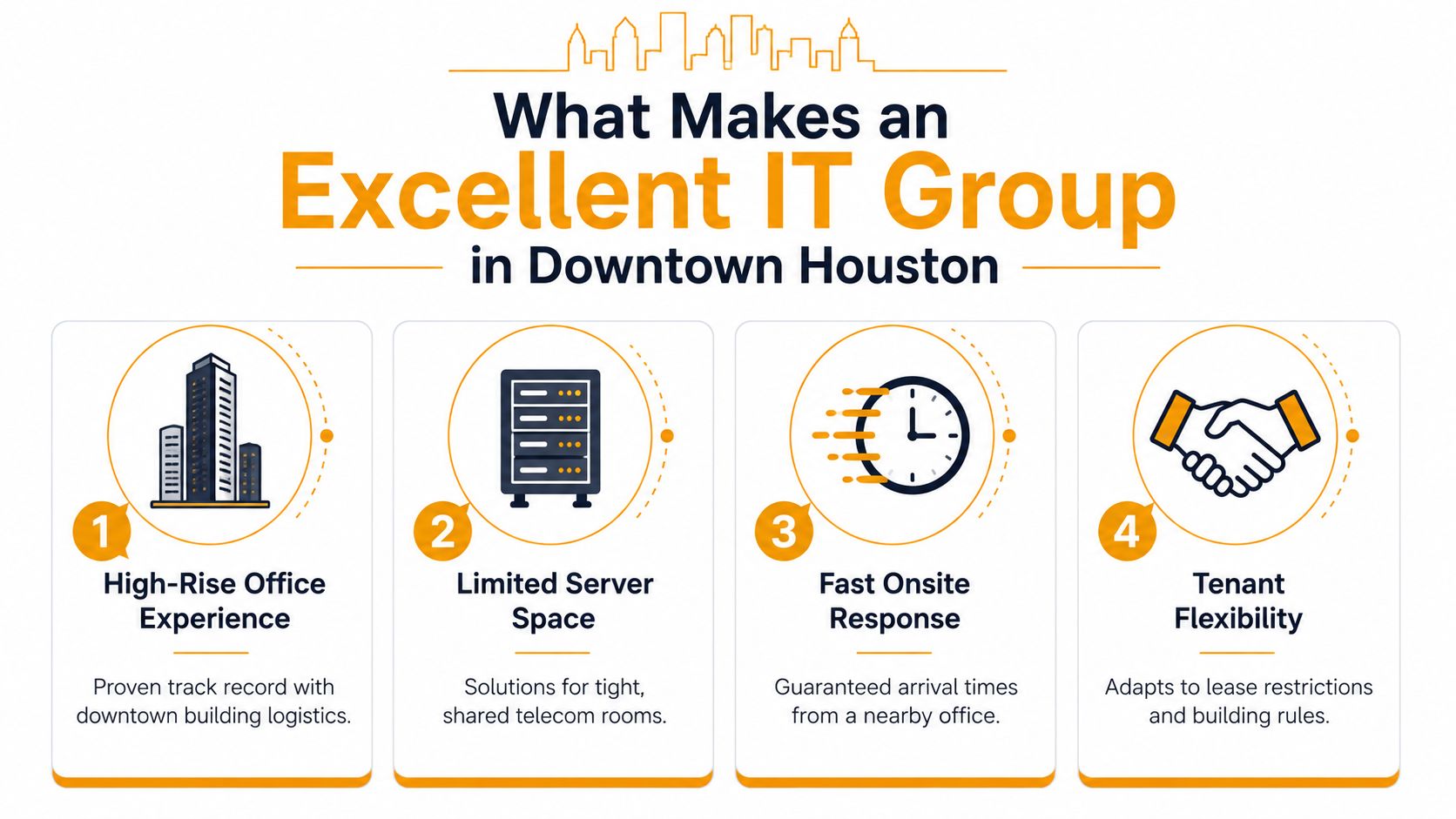
Downtown Houston isn't a strip-mall office park. It's a high-rise environment where the building owns a lot of the constraints and you still own the outage. That changes what “excellent” means. If a provider can't deal with shared telecom rooms, security desks, loading docks, elevators, badge access, and after-hours rules, they're not excellent for downtown. They're just nearby.
The downtown standard is operational, not decorative
A real downtown provider knows how to work inside tenant realities. That means fast dispatch, clear escalation paths, and the ability to coordinate with building management instead of arguing with it. Proximity matters less than execution. A team that sits a few blocks away but answers slowly, shows up without parts, or treats lobby access like a surprise is not giving you a downtown-ready service model.
Excellent also means they understand the office footprint. Many SMBs in the CBD don't have generous server rooms or spare rack space, and lease language can limit what you can install. The vendor should design around that, not complain about it. If they can't explain how they'll handle limited physical space, shared risers, or a tenant-controlled environment, walk away.
Practical rule: If the provider keeps talking about generic “IT support” but never asks about your building rules, badge access, or telecom room, they haven't done enough downtown work.
Scale matters, but maturity matters more
The closest public match to Excellent IT Group Houston downtown, Excellent Groups, was founded in 2001 and lists 11–50 employees on LinkedIn, which points to a long-established but still small-to-midsize provider rather than a giant enterprise shop (Excellent Groups company profile). That age matters because firms that survive more than two decades usually adapt through multiple technology shifts, including cloud, mobile, and modern security demands. For a buyer, that's more useful than a polished brochure.
Downtown Houston itself has deep commercial roots. The district began with the Allen brothers' 6,642-acre land purchase for US$9,428 in the 1830s, and by April 1837 Houston already had a dock, a commercial district, the Republic of Texas capitol building, and an estimated population of 1,500 (Downtown Houston history). That long business history is why downtown still attracts firms that need dense access to clients, vendors, and infrastructure.
A downtown MSP should earn trust by understanding the building as well as the network.
Core Services and Capabilities to Verify Before You Sign
Start with the boring stuff. If a provider can't prove day-to-day coverage, the rest of the pitch doesn't matter. For a downtown Houston office, 24/7 helpdesk, proactive monitoring, patch management, backup oversight, and clear remote support are table stakes, not upgrades. Houston market guidance also points buyers toward validating onsite visits and transparent reporting before they sign (managed IT guide).
Ask for the actual service stack, not marketing nouns
You want a provider who can handle the full mix of remote and onsite work: user support, server and network administration, Microsoft 365 administration, cloud operations across Azure, AWS, and Google Cloud, and real remote hands when something physical breaks. If the office has low-voltage cabling issues, dense Wi-Fi, VoIP problems, or printer failures, those are not side quests. They're normal downtown pain points.
One Houston-based option that fits this model is IT Cloud Global, LLC, which offers managed IT, on-site and remote support, cloud work across AWS, Google Cloud, and Microsoft Azure/O365, Microsoft 365 administration, cabling, and in-house repair depot services. Use that as a reference point, not a shortcut. Any vendor you interview should be able to match the same operational categories in writing, not just in conversation.
Use a capability checklist during vendor calls
- Helpdesk Coverage: Confirm whether the helpdesk is available around the clock, or only “business hours plus voicemail.”
- Monitoring and Maintenance: Ask how they handle patching, endpoint protection, and alert triage.
- Cloud Administration: Verify who manages Microsoft 365, Azure, AWS, or Google Cloud after migration.
- Physical Support: Ask whether they can do onsite swaps, cabling work, Wi-Fi tuning, and device repair.
- Backups and Recovery: Require details on backup testing and restore procedures, not just backup storage.
The point is simple. You're buying operational continuity, not a list of logos. If a proposal skips the physical layer, the network layer, or the cloud layer, the service gap will show up exactly when your office is busiest.
SLAs, Response Times, and Pricing Models Compared
Downtown Houston service breaks down fast when a provider hides behind vague promises. Excellent is a contract word, not a sales adjective. If the SLA does not define first response, escalation, resolution, and what “resolved” means, assume you are buying goodwill, not service. Houston managed IT pricing commonly sits around $125 to $225 per user per month, and compliance-heavy environments can rise to $150 to $300 per user per month (Houston pricing benchmark).
Read the contract before you compare the price
Cheap monthly pricing can mask weak coverage. Break-fix billing looks attractive until an outage hits and every hour turns into a billable event. Block-hours sound predictable until your team burns through them during a bad month and the extra work shows up later. Per-device pricing can work for smaller offices, but it also punishes every new laptop, printer, and phone line. Per-user pricing is usually easier for SMB budgeting because it tracks the people using the environment instead of every box on the network.
A real SLA should separate first response, escalation, and resolution. It should also spell out whether “24/7 helpdesk” means a live technician or a ticket queue that sits overnight. If a provider claims 24/7 monitoring, ask how alerts are routed, who receives them, and what happens after hours when the problem hits a downtown office that still has people working late.
Use this comparison frame in vendor meetings, then press for the exact contract language behind each model.
| Model | How It Bills | Best Fit | Risk to Watch |
|---|---|---|---|
| Break-fix | You pay when something breaks | Very small offices with rare issues | Encourages waiting instead of prevention |
| Block-hours | You pre-buy support hours | Firms with uneven needs | Hours disappear fast during incidents |
| Per-device | Each endpoint has a set fee | Smaller teams with stable hardware | Costs rise as devices multiply |
| Per-user | Each employee has a set fee | Most SMBs with mixed support needs | Service scope must be defined clearly |
For a downtown office, ask for first-response targets, severity tiers, escalation steps, and onsite arrival expectations. If they cannot say how fast someone gets to your building, the contract is not ready. Ask the vendor to explain the service terms in plain English, then compare them against the contract checklist in this managed IT contract guide for Houston buyers. If the wording is fuzzy, the operations will be fuzzy too.
Price also tells you how the vendor thinks. A provider that sells a low entry fee and charges for every exception is not giving you control, it is pushing risk back onto your team. Ask what is included, what is excluded, how after-hours work is billed, and whether onsite help in downtown Houston is part of the base agreement or an add-on. If a proposal cannot answer those questions cleanly, walk away.
Before you sign, ask for the contract language on uptime, response windows, escalation ownership, and exit terms. If those items are missing, the price is just a distraction. For verification of who controls the infrastructure behind a service, use the guide for developers on host detection and make the vendor show its work instead of hiding behind labels.
On-Prem, Cloud, or Hybrid for a Downtown Office
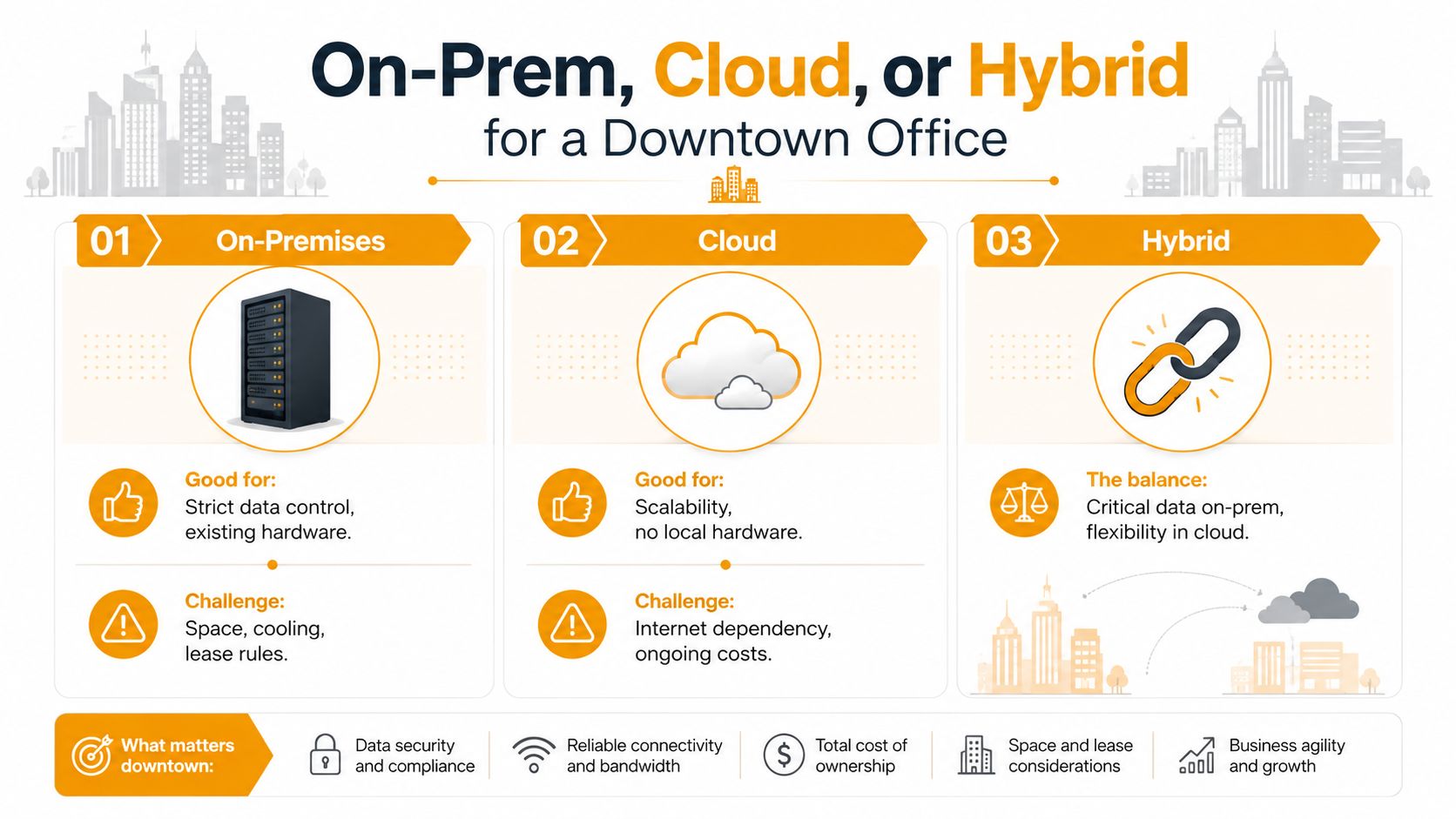
Downtown Houston tenants rarely have luxury closet space. That's why architecture has to follow reality, not preference. On-prem servers still make sense for some workloads, but many downtown SMBs are better served by a hybrid design that keeps the most sensitive or latency-sensitive systems local while moving the rest to cloud platforms like Microsoft 365, Azure, AWS, or Google Cloud.
Match the architecture to the lease, not the sales pitch
On-prem works when you need strict control, existing hardware investments, or workloads that behave better close to the office network. It also works when you already have the room, the cooling, and the lease permission to support it. The trade-off is obvious. Space, heat, and building rules can turn even a small server stack into a permanent headache.
Cloud shifts that burden off-site. That helps when you're trying to reduce local hardware, simplify access, or avoid growing a server room you can't really support. The downside is dependency. If your internet connection is weak or your provider doesn't design for failover, cloud convenience can disappear fast.
Hybrid is usually the practical answer for downtown offices. Keep core identity, file access, or legacy systems where they belong, then push collaboration and scalable workloads into cloud services. If you're evaluating migration strategy, also ask who owns the architecture after the project ends. Too many vendors design a stack that only they can untangle later.
The questions that stop lock-in
Ask each provider where they'll place data, how they handle identity across Entra ID or Active Directory, and what the exit plan costs if you change direction. Ask how they virtualize, whether they support VMware, Hyper-V, or Citrix, and what happens to user access during a move. If the answer sounds like a platform preference instead of a business decision, that's a warning.
For a practical overview of cloud structure choices for Houston companies, see this guide to public, private, and hybrid cloud for Houston companies. A vendor worth hiring should be able to discuss the same trade-offs in plain English.
Hybrid is usually the adult answer for downtown offices, because it respects both lease constraints and business continuity.
Security, Compliance, and the Questions That Expose Gaps
Security is where polished vendors separate themselves from real operators. A downtown SMB should expect layered endpoint protection, EDR, patch and vulnerability management, MFA, email security, secure backups, and tested disaster recovery. If the provider can't describe that stack in detail, they're not protecting you. They're just reselling tools.
Make them show the stack, not just the badge logos
Houston offices in regulated sectors need different compliance conversations. HIPAA matters for healthcare, PCI-DSS for retail, CMMC for defense contractors, and FTC Safeguards for financial services. That doesn't mean every downtown office needs all of them. It means the provider should know which framework applies and how their controls support it.
If a vendor mentions partnerships with SentinelOne, Arista, Atakama, or similar security and networking vendors, ask what those tools do every day. Logos on a slide don't stop phishing, privilege creep, or sloppy patching. You want to know who monitors alerts, who tunes policies, and who tests recovery after a backup job finishes.
A good test is to ask about insider risk too. For a useful starting point on policy design and loss-prevention thinking, review insider risk management for loss prevention. Bring that lens into the vendor conversation and see whether they can talk about user behavior, access control, and auditability without drifting into buzzwords.
Questions that expose weak providers
- Backup Integrity: How often are backups tested, and who signs off on a restore?
- Endpoint Visibility: What do you do when a laptop stops checking in?
- MFA Enforcement: Which systems require MFA, and how do you handle exceptions?
- Email Defense: How do you stop phishing, spoofing, and malicious attachments?
- Compliance Support: Which frameworks have you actively supported for clients like mine?
- Incident Handling: Who gets called first when a security event hits after hours?
A real security partner answers cleanly and specifically. If they dodge the restore question or wave at “best practices” without naming controls, stop there. Downtown offices don't get credit for intentions, only outcomes.
Onsite Logistics, Downtown Coverage, and Real-World Scenarios
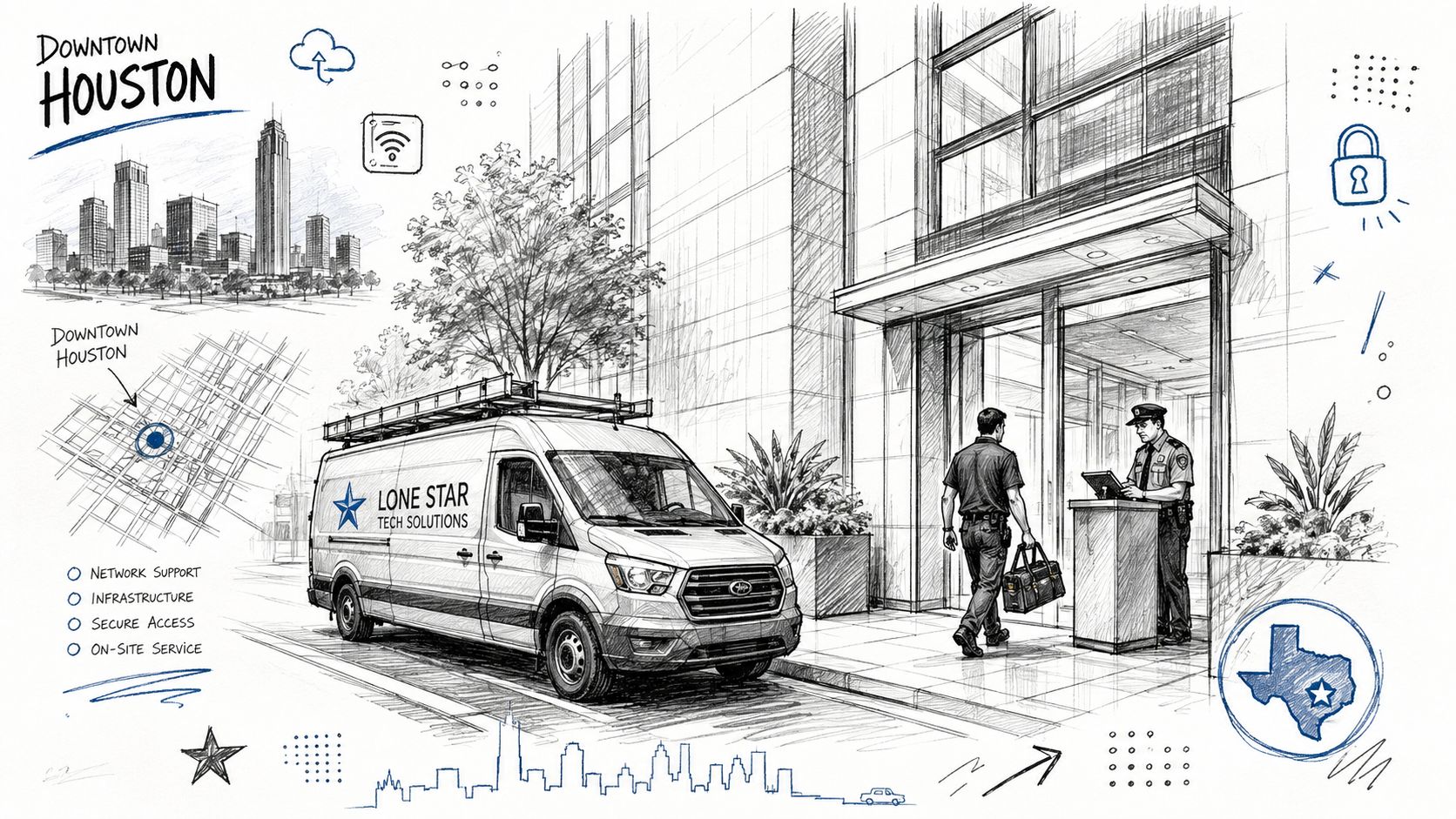
A downtown provider earns its fee when something breaks at an inconvenient time. That means knowing the building, the access process, and the people who control it. If your vendor doesn't have a plan for security badges, visitor check-in, loading dock rules, or after-hours access, the clock starts working against you the moment you call.
A good downtown MSP also plans for storm season. Houston offices need remote access paths and recovery procedures that still work when employees can't get into the building. The geography matters less than the continuity plan. If the office can't function when weather, traffic, or building access gets messy, the service model isn't resilient enough.
A useful example is a law firm on the 14th floor with a failed switch on a court-day deadline. The best provider doesn't argue about whether the ticket is “remote” or “onsite” first. They triage, check spare parts, coordinate with building staff, and decide fast whether a remote workaround buys time or whether a tech needs to be in the lobby now. That decision speed is the product.
After-hours coverage has to be spelled out before the emergency. If the team can't explain escalation paths, onsite arrival expectations, and who handles hardware replacement after business hours, then the office is one incident away from a long night. The same goes for downtime communication. Your staff should know who updates them and how often.
Your Next Steps to Hire an Excellent IT Group in Houston
Bring every vendor back to the same short list. Ask about onsite coverage in downtown buildings, live helpdesk access, backup testing, security controls, and exit terms. If they can't answer those questions clearly, they're not ready for a downtown account.
Use this quick filter during vendor calls:
- Coverage Proof: Where are your techs, and how fast can they get downtown?
- SLA Clarity: What counts as first response, escalation, and resolution?
- Security Depth: Do you run the tools, or just resell them?
- Recovery Plan: How often are backups tested, and who owns restore validation?
- Exit Terms: How do we leave cleanly if the relationship fails?
Walk away from any provider that hides response times, refuses to discuss building access, or treats backup testing like an optional extra. Those are not minor gaps. They're the exact places downtown offices get hurt.
If you want a tighter vendor scorecard, use this how to choose a managed service provider guide before you sign anything. The right partner should make the decision easier, not more obscure. For a deeper lens on service quality and how it shapes trust, the conversation around on customer loyalty is relevant because responsiveness is what clients remember when systems fail.
IT Cloud Global, LLC provides managed IT, cloud support, security, cabling, repairs, and onsite or remote assistance for Houston businesses that need downtown-ready coverage. If you want a provider that can support the day-to-day realities of a high-rise office and talk plainly about SLAs, disaster recovery, and service scope, visit IT Cloud Global, LLC and ask for a discovery call and free estimate.
- Outsource IT Service Houston: 2026 MSP Vetting Guide
- Houston Managed IT Services: A 2026 Guide for SMBs
- Houston IT Support Services: Expert Solutions 2026
- IT Security Houston: Protect Your Business
- Top Managed IT Services Houston for SMBs in 2026
- Houston Network Consulting Firm: An SMB Buyer’s Guide
- Small Business IT Support Houston: Expert Guide