


Disaster Recovery vs Business Continuity for SMBs
A server room floods during a Houston storm, or a ransomware note appears before the first employee arrives. The immediate question is usually, “How fast can IT restore the systems?” That matters, but it isn't the only question. The owner also needs to know whether employees can work, whether customers can reach the business, whether vendors can deliver, and who has authority to make decisions while the technical team is still rebuilding.
That distinction explains the practical difference between disaster recovery vs business continuity. Disaster recovery restores technology. Business continuity keeps the organization functioning around that technology. SMBs that treat backup software as a complete resilience plan often discover the gap during the first serious outage, when the backup is available but the business still can't operate.
Table of Contents
- What Disaster Recovery and Business Continuity Actually Mean
- Four Operational Differences That Matter Most
- How RTO and RPO Translate Into Real Architecture
- Side by Side Comparison of DR and BC
- Why Cloud and SaaS Are Blurring the Line
- Implementation Checklist for Houston SMBs
- Real SMB Scenarios and Your Next Steps
What Disaster Recovery and Business Continuity Actually Mean
Consider a 45-employee accounting firm in Memorial after a May storm. Water reaches the server room, the network switches shut down, and the firm loses access to its accounting application, file shares, phones, and printers. The IT provider can restore a virtual server from an offsite backup. That is a disaster recovery task.
But restoration doesn't answer several business questions. Where do employees work while the office is unsafe? Which clients receive a notice? Who approves emergency spending? How does the firm exchange documents securely if its normal file platform is unavailable? What happens if the internet circuit, phone provider, or building access system fails at the same time?
Disaster recovery, or DR, is the technical discipline of restoring IT systems, applications, data, and infrastructure after an incident. It concentrates on backups, replication, alternate computing environments, network recovery, access controls, and recovery procedures. The engineering controls behind DR include the time needed to restore a system and the amount of data the business can tolerate losing, as described in this RTO and RPO reference.
Business continuity, or BC, is the broader discipline of keeping critical operations functioning during and after disruption. It includes employees, facilities, suppliers, communications, workarounds, customer commitments, compliance obligations, and technology. BC asks, “How do we continue delivering the service?” DR asks, “How do we recover the systems that support it?”
Practical rule: DR restores the technology. BC restores the business around it.
The relationship matters. DR is a component of BC, not a substitute for it. A firm can have excellent backups and still lack a usable continuity plan if no one has arranged alternate work locations, emergency communications, manual procedures, or vendor escalation.
That gap is common. Industry benchmarking cited by Conversational Geek's analysis of business continuity readiness found that more than 75% of organizations already had some type of formal DR program, while fewer than 40% felt very or extremely prepared for a site failure or disaster. The lesson for an SMB is direct: buying recovery technology is easier than preparing the people and decisions required to keep operating.
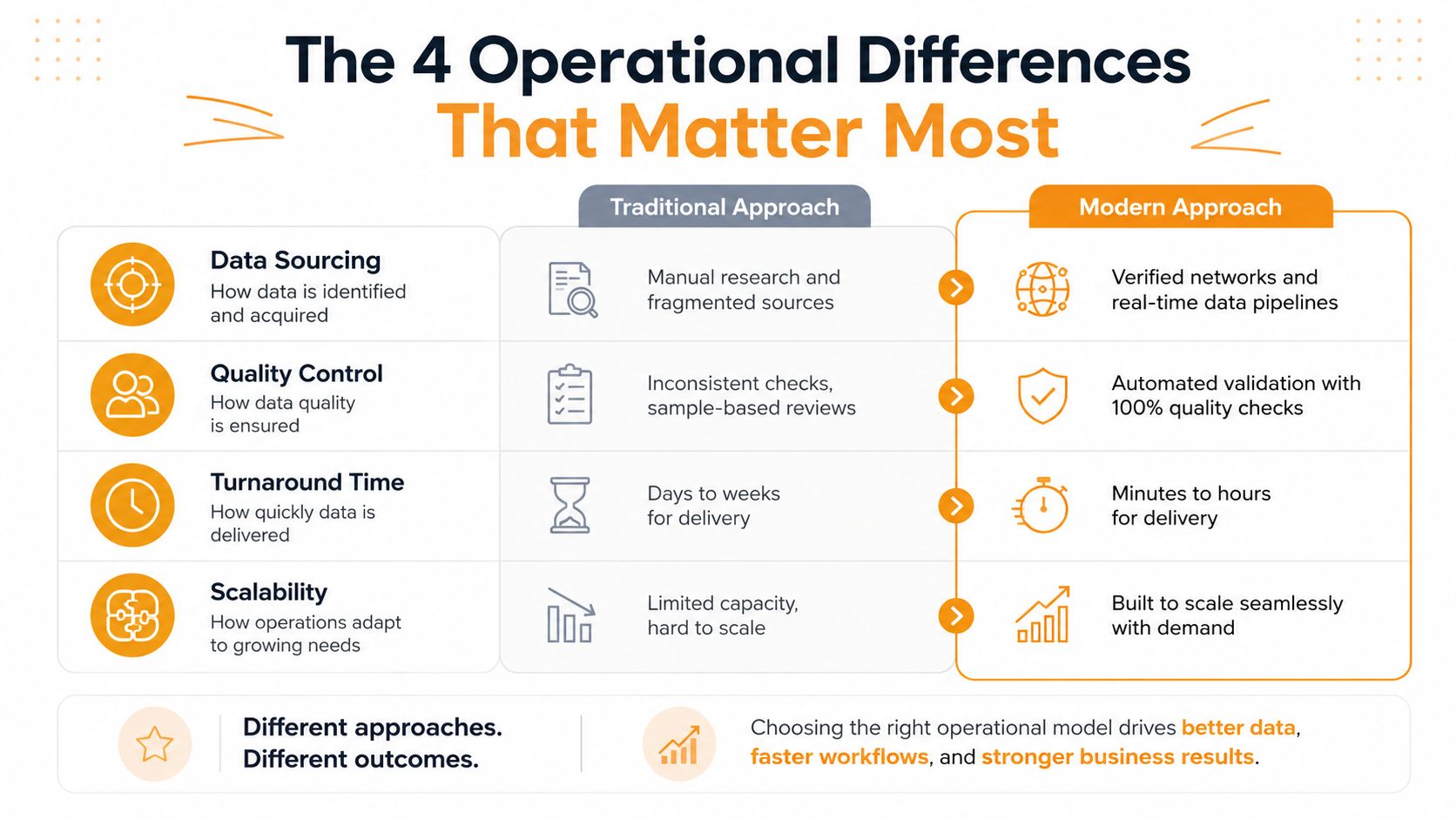
Four Operational Differences That Matter Most
The difference between DR and BC becomes clearer when a Houston business is under pressure. The two disciplines overlap, but they don't have the same scope, owner, measurements, or activation triggers.
Scope determines what gets protected
DR typically covers servers, applications, storage, networks, identities, and data. Its runbook might explain how to restore a VMware workload, recover Microsoft 365 data, bring up a firewall configuration, or redirect users to a secondary environment.
BC covers the operating model around those systems. It identifies critical services, required staff, facilities, suppliers, customer communications, paper or manual alternatives, and the dependencies that allow a service to continue. If a dental office can restore its practice-management server but has no way to answer patient calls or process urgent documentation, DR succeeded while BC failed.
Ownership determines whether decisions happen
IT, an MSP, or a technology vendor usually owns DR execution. That owner can validate backup jobs, maintain recovery credentials, document dependencies, and run restoration tests.
BC requires an operations or executive owner because technical staff can't decide which customers receive priority, whether employees work remotely, how much emergency spending is authorized, or who communicates with regulators and insurers. In many SMBs, the missing role isn't another technician. It's a leader with authority to coordinate departments and make trade-offs.
Metrics reveal different definitions of success
DR measures RTO, RPO, backup health, replication status, and restoration results. BC measures whether the business kept critical services available, whether customer commitments were met, whether staff had a safe way to work, and how much disruption the organization avoided.
The distinction is visible in the readiness data. The same industry benchmark reported that 54% of companies experienced a downtime event lasting more than 8 hours in the prior five years, while only 2% recovered from their latest incident in under an hour (source data). Those figures point to a business problem, not merely a backup problem.
Triggers extend beyond failed infrastructure
DR activates when systems, data, or infrastructure fail. BC activates whenever a disruption threatens the ability to deliver a critical service. That can include a hurricane, flood, power loss, ransomware event, absent key employee, unavailable office, failed supplier, or compromised communications platform.
An SMB can spend heavily on backup and replication while leaving the continuity side unfunded. The result is an impressive DR checklist and a neglected BC binder that no one opens during a crisis. If only one discipline is tested, the other becomes an assumption.
How RTO and RPO Translate Into Real Architecture
Recovery Time Objective, or RTO, is the maximum acceptable outage duration for a system before the business impact becomes unacceptable. Recovery Point Objective, or RPO, is the maximum acceptable data-loss window measured backward from the failure point. These aren't decorative terms for a policy document. They determine backup cadence, replication design, recovery location, and whether failover can be manual.
A 15-minute RPO requires backup or replication intervals of 15 minutes or less, while a four-hour RTO means the complete restoration process must fit inside four hours. The Recovery Point Objective guide explains why the target must be tied to the system's business importance rather than applied uniformly across the environment.
Set objectives by workload
A payroll application, phone system, or clinical platform may need a very different architecture from an archive share. A useful benchmark matrix maps critical workloads to tighter objectives, including RTO under 1 hour and RPO under 5 minutes for critical systems, supported by active-active multi-region design, synchronous replication, and hot standby. High-priority systems may use RTO under 4 hours and RPO under 1 hour, with active-passive recovery and hourly snapshots (benchmark matrix).
| System Tier | Examples | RTO Target | RPO Target | Architecture |
|---|---|---|---|---|
| Critical | Payment processing, core clinical systems, essential customer platforms | Under 1 hour | Under 5 minutes | Active-active multi-region design, synchronous replication, hot standby |
| High priority | Line-of-business applications, operational file services | Under 4 hours | Under 1 hour | Active-passive recovery, hourly snapshots |
| Lower priority | Archives, reference data, test environments | Qualitative, based on business tolerance | Qualitative, based on business tolerance | Scheduled backups and manual restoration |
The architecture should follow the objective, not the other way around. Tight targets may require cloud-native failover, replicated workloads, standby capacity, and tested automation. Less critical systems may be restored from backup to a clean environment through a documented manual procedure.
Validate the promise against the procedure
The most common failure is an RTO that reflects management's expectation but not the restoration sequence. Teams may count only server boot time and ignore storage provisioning, identity recovery, DNS changes, application dependencies, user validation, and vendor response.
Write the recovery procedure as an elapsed-time exercise. Identify who starts it, which credentials are required, what must be restored first, how users connect, and how the business confirms that the application is usable. Then test the result. A backup that exists but can't meet the approved objective is not a failed concept, but it is a failed assumption.
Side by Side Comparison of DR and BC
A useful comparison should clarify coordination, not repeat definitions. DR restores technology. BC directs how the business operates while technology is impaired. In an SMB, those plans often have different owners, so the handoff between them needs to be explicit.
| Dimension | Disaster Recovery | Business Continuity |
|---|---|---|
| Testing cadence | Technical restoration and failover exercises | Tabletop exercises, communications drills, and operational rehearsals |
| Typical tools | Backup, replication, recovery orchestration, runbooks, alternate infrastructure | Crisis communications, vendor lists, call-routing plans, alternate-work procedures, decision logs |
Testing must prove more than a successful system boot. A technical failover exercise can show that a virtual machine starts in a secondary environment, while employees still cannot authenticate, customers reach the wrong department, or staff lack an approved work queue. The test should include the people and decisions that determine whether service resumes.
Where the plans must meet
The connection starts with crisis communications. IT should report which systems are available, which accounts or networks are affected, and what recovery action is underway. Leadership then decides what employees, customers, suppliers, and regulators should be told, through which channel, and who has authority to approve the message. Without that assignment, technical updates and business instructions can conflict.
The plans also meet at vendor and supply-chain failover. A DR procedure may depend on a cloud provider, telecom carrier, security vendor, or line-of-business application partner. BC must identify the business consequence of that dependency, the alternate process or supplier, and the person responsible for escalation. Vendor contact details belong in both the technical runbook and the operational response plan, with access tested before an incident.
They meet again during the post-incident review. Record the restoration timeline, business impact, decisions made, customer effects, and points where staff waited for information. Use those findings to update both plans, assign owners, and schedule the next exercise.
For an SMB without an enterprise risk team, one executive should own the resilience program, while IT and operations own their procedures. A continuity plan that ignores technology becomes aspirational. A DR plan that ignores operations becomes isolated engineering work. Separate documents can work, but the response, approvals, and review process must be shared.
Why Cloud and SaaS Are Blurring the Line
Cloud adoption changes where recovery work happens. An SMB may no longer maintain a warm server room or duplicate storage array, because infrastructure providers can offer regional recovery options, snapshots, replication, and managed platforms. Microsoft 365, Google Workspace, AWS, Azure, and line-of-business SaaS products move parts of the recovery model into vendor policies and contracts.
That shift reduces some infrastructure fragility, but it creates a different continuity problem. The business may depend on identity, licensing, internet access, vendor support, application integrations, and administrative accounts. A local server failure can be recovered through a cloud platform, yet a compromised identity provider can prevent access to every cloud service at once.
Examples clarify the change. Exchange Online mailbox retention changes the backup conversation, but it doesn't automatically provide a complete recovery strategy for every data type or business process. Azure Site Recovery can support workload recovery, but it still requires tested dependencies, credentials, network design, and user validation. A SaaS outage can bypass the local network entirely, leaving the office healthy while the business application is unavailable.
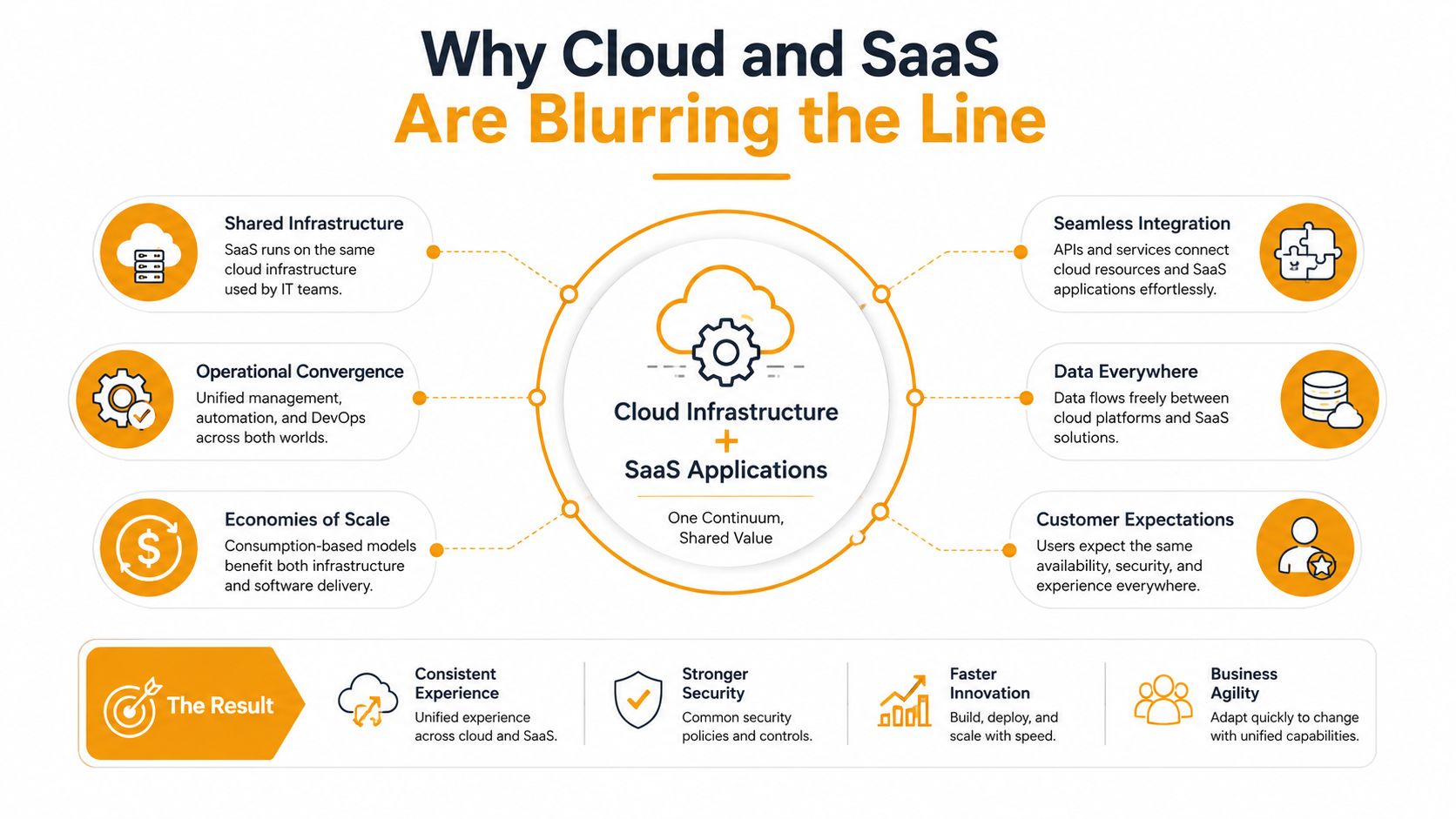
The risk profile has moved rather than disappeared. A continuity plan should account for identity-provider compromise, license non-renewal during a crisis, vendor insolvency, data-residency disputes, and loss of cross-region authentication. The cloud backup and business continuity guidance is useful as a starting point, but each organization still needs to map its own dependencies.
Add cloud dependencies to the BC plan
Document who controls privileged identities, where emergency credentials are stored, and how administrators authenticate if the primary identity service is impaired. Review service-level agreements, support escalation, data export rights, termination language, and exit options before an outage forces the issue.
Also test the nontechnical workflow. Can employees access the application from an alternate location? Can the company communicate if its collaboration platform is unavailable? Can the business operate with a temporary provider or manual process?
Recent continuity guidance describes this wider scope as including cyber resilience, third-party risk, cloud governance, and scenario-based testing. It also reports that more than 60% of organizations believe they can recover from downtime within hours, but only 35% could, and that 25% test DR once a year or less (cloud and continuity guidance). Cloud services can simplify recovery, but they don't remove the need to rehearse the business response.
Implementation Checklist for Houston SMBs
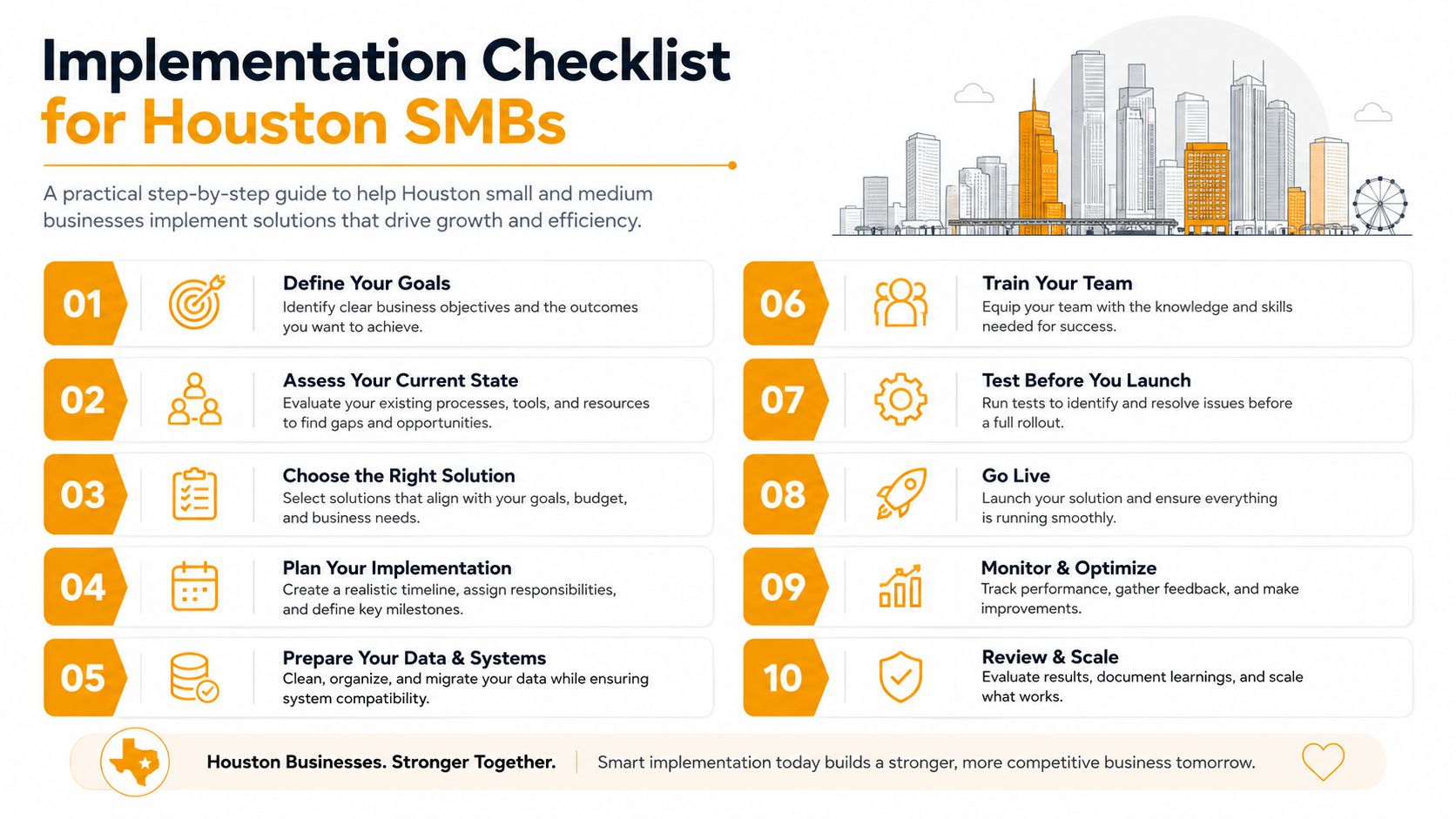
Houston planning has local failure modes. Hurricane conditions can close an office or restrict access, Gulf-Coast flooding can affect facilities and carriers, and ERCOT grid events can create extended power and connectivity problems. Oil-and-gas contractors, healthcare practices, law firms, accounting offices, and professional-services companies also depend heavily on a small number of critical applications and key employees.
Start with decision rights, not products.
- Name the continuity owner: Assign an operations or executive sponsor who can approve priorities, emergency spending, and customer communications. Deliverable: a one-page responsibility matrix with the BC owner, DR execution owner, executive approver, and backup contacts.
- Inventory technology: List servers, endpoints, cloud services, networks, phones, applications, data stores, and administrative accounts. Deliverable: an asset register with system owners and recovery dependencies.
- Map critical processes: Identify how the firm accepts work, serves customers, bills, communicates, and meets obligations. Deliverable: a business impact worksheet connecting each process to required people, systems, facilities, and vendors.
- Set system objectives: Approve RTO and RPO by workload, with business leadership signing off on the trade-offs. Deliverable: a tiered objective register tied to restoration procedures.
- Map third parties: Record cloud providers, telecom carriers, software vendors, payroll providers, security partners, and building services. Deliverable: a vendor dependency map with contract contacts and escalation paths.
- Choose the recovery model: Compare managed services, internal staffing, cloud recovery, offsite backups, replication, and alternate work arrangements. Deliverable: an architecture decision record that explains cost, complexity, and recovery assumptions.
- Protect the budget: Separate recurring operating costs from equipment purchases, and identify evidence required by cyber-insurance or compliance programs. Deliverable: an approved resilience budget with renewal dates and responsible owners.
- Build the scenario library: Include ransomware, hurricane or flood, extended power loss, vendor outage, and key-person loss. Deliverable: scenario cards describing activation criteria, first decisions, and recovery priorities.
- Run a tabletop exercise: Have leadership, IT, operations, communications, and key vendors work through a scenario without relying on memory. Deliverable: an issue log with owners and due dates.
- Test and update: Perform technical recovery tests and operational rehearsals, then revise the plans after meaningful system, staffing, or vendor changes. Deliverable: signed test results, corrective actions, and a revised plan version.
The disaster recovery plan checklist can help organize the technical work, but the continuity owner must connect it to staffing, facilities, suppliers, and communications.
A short training video can help leadership teams start the conversation, but it shouldn't replace a business-specific exercise.
The escalation page should identify who calls customers, who contacts regulators, who informs the insurer, who engages the MSP, and who authorizes alternate facilities or emergency purchases. Those names matter more than a generic “notify management” instruction.
Real SMB Scenarios and Your Next Steps
An engineering firm facing ransomware doesn't need an elaborate vocabulary during the first hour. It needs clean recovery points, isolated credentials, a known restoration order, and someone able to decide which systems come back first. In a scenario where immutable backups supported a four-hour RTO, DR carried the immediate response because the firm could restore its technical foundation without trusting compromised production data.
That outcome still depends on BC decisions. Operations must determine which projects are urgent, how engineers communicate with customers, whether staff use alternate collaboration methods, and how the firm handles work created during the outage. The recovery platform may restore the systems, but leadership determines how the company uses them.
A medical office faces a different problem during a multi-day power outage. If a secondary site can receive patient calls, staff can access documentation, and administrators can redirect appointments, the practice can continue serving patients while the primary location remains unavailable. Business continuity carries the event because the plan protects service delivery, not only the original building and its equipment.
These examples support a practical position: an SMB doesn't need a massive enterprise risk department, but it does need explicit ownership. Recent industry material reports that 45.5% of organizations treat resilience as its own function, while 40.2% say there is no difference between BC and resilience (BCI continuity and resilience findings). The ownership model can be simple, as long as IT, operations, and leadership know who decides what.
Take three actions before the next hurricane season:
- Schedule a 60-minute resilience audit: Review backups, identity, critical applications, facilities, vendors, communications, and recovery assumptions.
- Assign one plan owner with budget authority: Keep DR execution with the technical lead, but give the continuity owner authority to coordinate the whole response.
- Validate RTO and RPO against reality: Confirm that cloud spend, backup cadence, identity dependencies, staff availability, and vendor support can meet the targets leadership has approved.
IT Cloud Global, LLC provides backup and recovery, managed IT support, cloud administration, cybersecurity, and disaster recovery services for Houston businesses that need continuity tied to real systems and operating procedures. Visit IT Cloud Global, LLC to discuss a resilience review and build a recovery plan your team can execute under pressure.
- How Long Does Data Recovery Take? Realistic Timelines
- What Is a Helpdesk Ticketing System? an SMB Guide
- What Is Virtualization in Computing? Save & Boost Uptime
- Cloud Computing Solutions for Small Business: Houston 2026
- Network Maintenance Service: A Guide for Houston SMBs
- Remote IT Support Services: Boost Uptime & Cut Costs
- Managed IT Services Houston TX: Your 2026 Business Guide