


10 Service Desk Best Practices for SMBs
A Better Service Desk Starts Before the Ticket Arrives
A user can't access a critical business system. The service desk has no agreed priority rules, the ticket lands in a shared inbox, nobody knows who owns the escalation, and the knowledge article that might solve the issue is outdated. People start calling individual technicians, managers ask for updates, and the original problem becomes harder to diagnose.
That situation is common in small and midsize businesses because support quality depends on more than fast replies. Clear processes, capable people, reliable technology, security controls, business continuity planning, and useful measurement must work together. The shift from a narrow help desk to a broader service desk model reflects this reality. Historical ITIL summaries describe the Help Desk as an early dedicated function, followed by a formal expansion in the 2001 refresh and a clearer central Service Desk role in ITIL v3 in 2007, covering incidents, requests, and communication through one user-facing function historical ITIL summary.
The following service desk best practices form an implementation path for SMBs. Start with visibility and control, then strengthen response, documentation, monitoring, security, and recovery. You don't need to deploy everything at once. You need a sequence that reduces confusion first, then makes later automation safer and more useful.
Table of Contents
- 1. Implement a Ticketing System with SLA Management
- 2. Develop a Comprehensive Incident Response and Escalation Process
- 3. Adopt a First-Contact Resolution Strategy
- 4. Establish Knowledge Management and Self-Service Portals
- 5. Utilize Proactive Monitoring and Preventive Maintenance
- 6. Establish Asset and Configuration Management
- 7. Foster Continuous Training and Certification Programs
- 8. Implement Customer Satisfaction Measurement and Feedback Loops
- 9. Create and Maintain Disaster Recovery and Business Continuity Plans
- 10. Measure KPIs and Turn Reports into Improvement Plans
- Service Desk: 10 Best Practices Comparison
- Turn Best Practices into a Service Desk Roadmap
1. Implement a Ticketing System with SLA Management
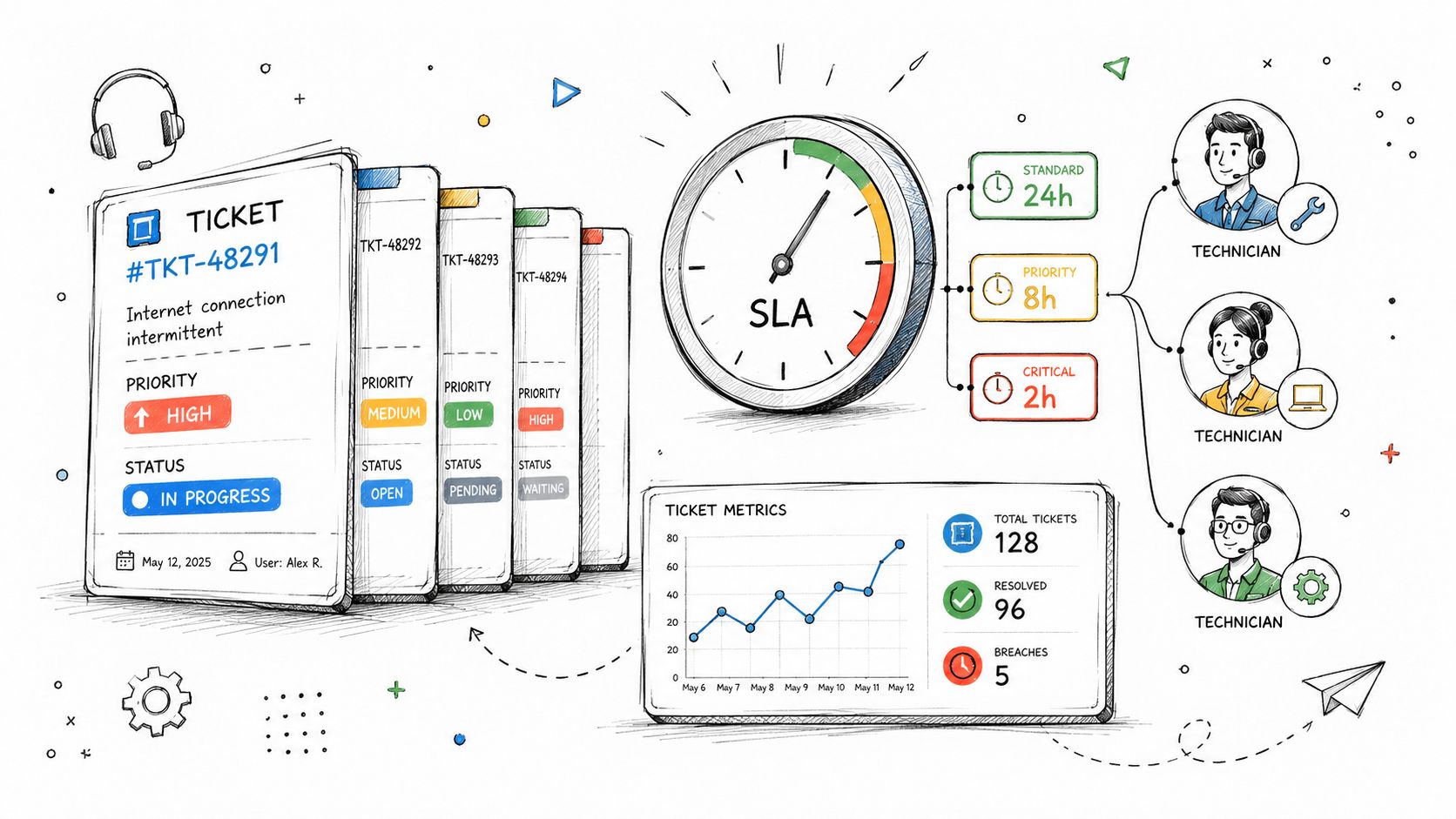
A service desk can't manage work it can't see. Email threads, hallway requests, direct messages, and phone calls create fragmented ownership. A centralized ticketing system gives every issue a record, status, requester, category, priority, assigned technician, related asset, and resolution history. That information becomes the operating record for support, not just an archive of closed requests.
Choose a platform that fits your team's actual workflow. ServiceNow can support complex enterprise operations, Jira Service Management suits technical teams already using Atlassian tools, Zendesk fits customer-facing support, and ConnectWise is common in managed service delivery. An SMB may need only a simpler platform, but it still needs consistent intake, routing, SLA timers, escalation alerts, and reporting. A practical overview of the underlying model is available in this guide to helpdesk ticketing systems.
Make priority rules usable
Don't create an elaborate priority matrix that technicians interpret differently. Define severity by business impact, affected users, service criticality, and workaround availability. For example, a system-wide outage should outrank an individual device issue, while a single-user request with a workaround can wait.
Configure the platform to:
- Route tickets automatically: Use service category, location, platform, skill, and workload to suggest or assign an owner.
- Track response and resolution commitments: Set different service expectations by urgency and business impact rather than treating every ticket alike.
- Escalate before failure: Alert the assignee and manager as a deadline approaches, not after the SLA has already been missed.
- Preserve documentation: Require concise updates, troubleshooting steps, decisions, and closure codes.
Review SLA performance monthly. If targets are missed repeatedly, determine whether the problem is staffing, poor classification, unclear ownership, or an unrealistic commitment. Faster timers won't fix a broken process.
2. Develop a Comprehensive Incident Response and Escalation Process
A ticketing queue records work, but an incident process tells people what to do when normal support isn't enough. Without that process, technicians lose time deciding whether an outage is urgent, who should be contacted, what evidence to collect, and when leadership or customers need an update.
Define a small number of severity levels with plain-language criteria. A critical incident might affect a core business service, create a security concern, or prevent a large group from working. A lower-severity issue may affect one person and have a reliable workaround. The labels matter less than the decisions attached to them.
Give frontline staff permission to act
Create an escalation matrix containing primary and backup contacts, technical owners, vendor details, communication channels, and escalation triggers. Include after-hours coverage for systems that require it. If the business can tolerate a delayed response overnight, say so. An on-call arrangement that exists only on paper creates false confidence.
Frontline technicians should have decision trees for common scenarios such as identity failures, ransomware indicators, cloud outages, network disruption, and suspected data exposure. During a security event, the service desk should know how to preserve evidence, isolate a device when authorized, notify the security lead, and avoid making changes that destroy useful information. A documented data breach response plan can provide a starting point for that coordination.
Practical rule: Escalation should transfer responsibility, not merely forward a message. The receiving person needs the impact, timeline, actions already taken, current evidence, and requested decision.
Run tabletop exercises with realistic scenarios. After each event or drill, review the timeline, communication quality, decision points, and missing documentation. Complete the review while the details are fresh, then turn findings into named actions with owners and due dates. This is how incident response improves instead of becoming a document nobody opens.
3. Adopt a First-Contact Resolution Strategy
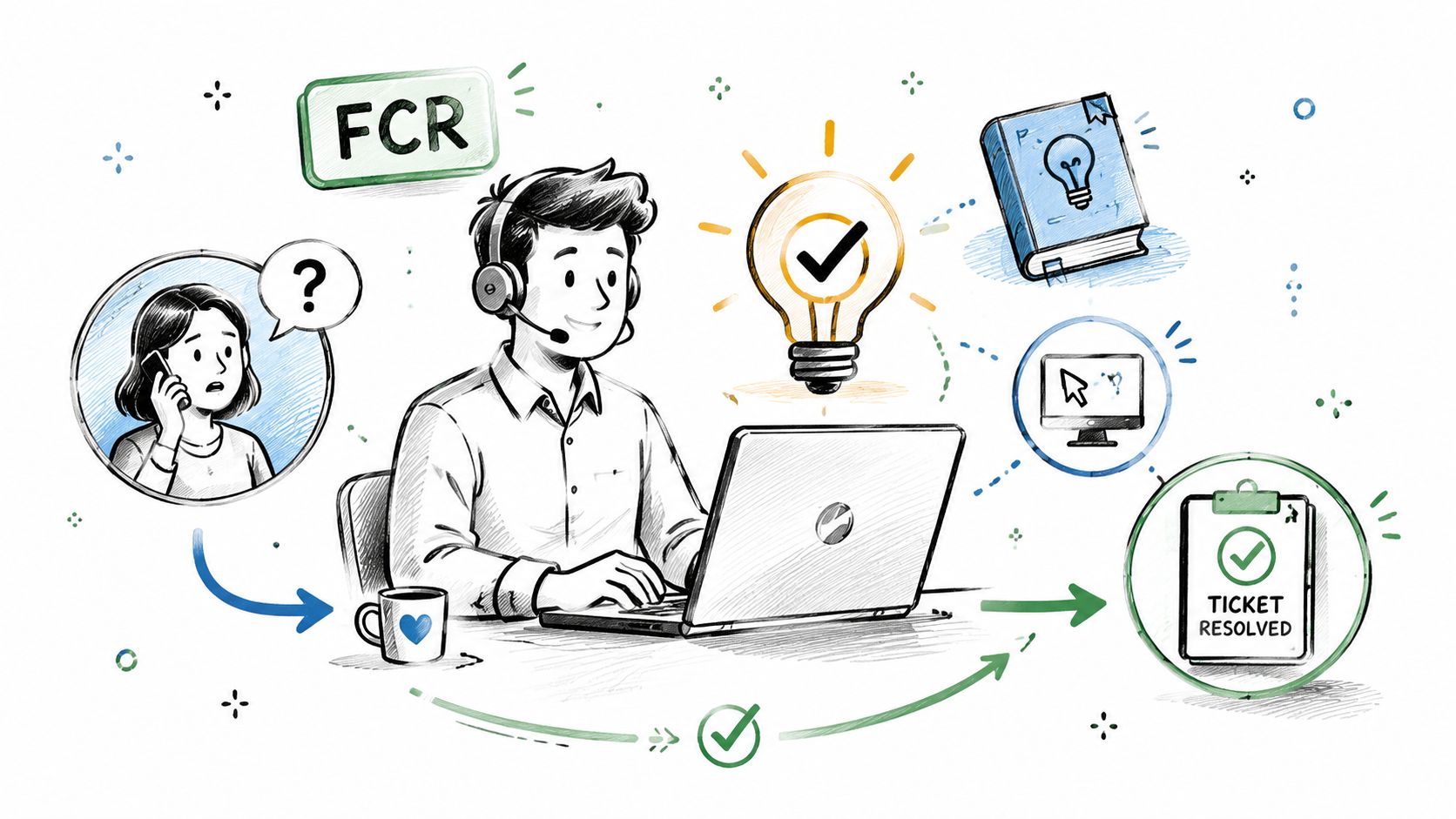
Users don't experience your internal routing model. They experience whether someone understood the issue, took ownership, and solved it without making them repeat the story. First-contact resolution, or FCR, focuses on resolving an issue during the initial interaction when the technician has the authority, information, and tools to do so.
Independent industry guidance places average FCR in the 70% to 75% range, while best-in-class service desks are typically above 78% FCR benchmark guidance. Treat those figures as reference points, not automatic targets. A team that closes tickets quickly by providing incomplete answers may report strong FCR while creating repeat contacts and reopened work.
Improve resolution quality, not just closure speed
Give frontline staff remote support tools, approved diagnostic utilities, relevant permissions, and a current knowledge base. Microsoft 365 support teams can use built-in diagnostics, while hardware support organizations may rely on remote diagnostics and structured device checks. The specific tool matters less than whether the technician can investigate during the first interaction.
Review escalated and reopened tickets for patterns:
- Missing authority: The technician needed an approval or access level that should have been available.
- Missing knowledge: The solution existed only in one person's experience.
- Poor categorization: The ticket reached the wrong queue because intake questions were weak.
- Hidden complexity: The issue looked simple but involved identity, network, endpoint, or vendor dependencies.
Use callback options when live resolution isn't possible. A promised callback with a clear owner is better than leaving users in an uncertain queue. Track FCR alongside reopen rates, repeat contacts, customer satisfaction, and incident recurrence. The right question isn't “How many tickets did we close at first contact?” It's “Did the user get a durable answer without unnecessary handoffs?”
4. Establish Knowledge Management and Self-Service Portals
A knowledge base reduces dependence on individual technicians, but only when people can find and trust its content. A page titled “VPN troubleshooting” is less useful than a clearly written article that states who should use it, what symptoms it addresses, what access is required, and when to contact the service desk.
Start with the issues that consume the most support capacity. Password resets, access requests, printer problems, collaboration-tool errors, device enrollment, and common connectivity failures often make good candidates for guided self-service. Industry guidance reports that password resets account for about 30% of tickets, and that self-help is the leading reported driver of ticket-volume reduction at 42% service desk automation and self-service data. Those figures support prioritization, but they don't mean every SMB should automate every request.
Write for users and technicians
Each article should include a clear title, symptoms, likely cause, prerequisites, numbered steps, screenshots where useful, validation steps, and an escalation path. Use plain language for employees and add technical detail in a separate section for staff. Microsoft 365 support resources, Zoom's support center, Atlassian community material, and AWS documentation illustrate how different formats can serve different audiences.
Search analytics reveal what users can't find. Failed searches, repeated searches, article abandonment, and tickets created immediately after a search indicate documentation gaps. Ask technicians to turn recurring resolutions into draft articles, then assign an owner who reviews them on a defined schedule. Archive obsolete content instead of allowing contradictory instructions to remain visible.
A self-service portal should also expose request forms, service status, approvals, and ticket history. Make it easier than sending a direct message. Guidance on how to build a better knowledge base with Mava can help teams structure this work.
5. Utilize Proactive Monitoring and Preventive Maintenance
A reactive service desk waits for users to report that something is broken. A proactive one watches the conditions that make failure likely. Monitoring can cover endpoint health, storage capacity, backups, identity services, network devices, cloud infrastructure, security alerts, application availability, and key integrations.
The value isn't the number of alerts. It's the number of useful decisions those alerts support. Establish a baseline for normal performance, then configure thresholds around business impact. Azure Monitor can help with cloud infrastructure health, Cisco tools can observe network conditions, Splunk can consolidate logs, and SentinelOne can provide endpoint threat detection. An SMB may use a managed platform instead of operating each tool independently.
Control alert fatigue
Every alert needs an owner, a severity, a response expectation, and a documented action. If the team receives warnings that never lead to action, technicians will eventually ignore important signals. Group duplicate alerts, suppress known maintenance noise, and route issues to the service desk with enough context to act.
Automate only low-risk, reversible maintenance first. Examples include clearing temporary files, restarting a failed noncritical service, or opening a ticket when storage crosses a defined threshold. Any action that can interrupt production, alter evidence, disable access, or affect regulated data should require explicit approval or a controlled runbook.
Review monitoring trends weekly. Look for recurring capacity pressure, unstable Wi-Fi, repeated authentication failures, endpoint crashes, and vendor issues. Monitoring should feed problem management and preventive maintenance, not become a separate dashboard that nobody connects to user experience. The best outcome is often a planned fix before employees notice a disruption.
6. Establish Asset and Configuration Management
A technician can't troubleshoot efficiently if nobody knows which laptop a user has, which applications it runs, where its data is stored, or which network and identity services it depends on. Asset and configuration management creates the context behind each ticket. It also supports license control, replacement planning, compliance evidence, and incident investigation.
Build the inventory around business usefulness. Record ownership, location, device type, operating system, warranty details, security status, assigned user, critical applications, and relationships to services. Include cloud resources, subscriptions, SaaS administrators, network equipment, printers, backup systems, and vendor contacts. Microsoft Intune can manage device configuration, Lansweeper can assist with discovery, and Jira Service Management or ServiceNow can connect assets to tickets.
Keep the inventory alive
An asset database becomes unreliable when it depends on occasional manual updates. Connect discovery tools where practical, require technicians to confirm affected assets during service interactions, and assign data ownership for important fields. A quarterly audit can compare the inventory with procurement records, endpoint management, identity directories, and cloud consoles.
Use configuration data during incident triage. If one user can't connect, the technician should be able to see device status, recent changes, network location, and related incidents. If many users report the same application problem, linked assets and service relationships can reveal a shared dependency.
Don't try to document every technical detail on day one. Begin with critical business services and the assets that support them. A smaller, accurate inventory is more valuable than a massive database filled with stale records. Once asset relationships are trustworthy, monitoring alerts, change approvals, disaster recovery procedures, and service desk reporting become more precise.
7. Foster Continuous Training and Certification Programs
Service desk tools can route and measure work, but people still diagnose problems, explain risk, calm frustrated users, and decide when automation should stop. Training must therefore cover technical capability and communication. A technician who knows Microsoft 365 but can't explain an access change clearly will still create a poor support experience.
Create individual development plans based on the platforms the business uses. Microsoft Azure Administrator Associate, AWS Certified Cloud Practitioner, CompTIA A+, Network+, Security+, Google Cloud credentials, and Cisco CCNA or CCNP can all be relevant, but certification should follow operational need. Don't send everyone toward the same credential because it's familiar.
Build learning into operations
Pair experienced technicians with newer staff for real ticket reviews. Hold short sessions on recurring incidents, new vendor changes, security threats, and communication quality. Use anonymized tickets to practice classification, escalation, documentation, and user updates. Keep a shared lab or test tenant where staff can reproduce common issues without risking production.
Training priorities should reflect the service desk's failure patterns:
- Technical gaps: Build skills around identity, endpoint management, cloud administration, networking, and backup recovery.
- Process gaps: Practice priority selection, SLA handling, escalation, change coordination, and closure documentation.
- People gaps: Develop active listening, concise explanations, expectation setting, and conflict management.
- Security gaps: Teach phishing response, least privilege, evidence preservation, and safe handling of sensitive information.
Managers should recognize knowledge sharing, not just certifications. A technician who writes a reliable article or mentors a colleague may improve team capacity more directly than someone who completes a course without applying it.
8. Implement Customer Satisfaction Measurement and Feedback Loops
A closed ticket doesn't prove a successful interaction. The user may still be blocked, confused by the instructions, or worried that the problem will return. Service desk leaders need feedback that reflects the user's experience without overwhelming people with surveys.
Send a short survey after meaningful resolution events. Ask whether the issue was resolved, whether communication was clear, and whether the user knew what would happen next. CSAT can support ticket-level review, while broader relationship feedback can help leaders identify recurring service problems. Keep the survey connected to the interaction, because vague satisfaction questions produce vague actions.
Turn feedback into visible changes
Review negative comments with the assigned technician and manager. Separate complaints about the result from complaints about the process. A technically correct fix may still feel poor if the user received no update, had to repeat information, or waited while the ticket moved between queues.
Create a feedback loop:
- Collect the signal: Capture survey responses, comments, callbacks, and account-team observations.
- Group the cause: Identify patterns such as slow updates, unclear ownership, repeat incidents, or missing self-service content.
- Assign an action: Give one person responsibility for changing the workflow, article, alert, or training.
- Communicate the change: Tell users and staff what changed when the feedback led to a practical improvement.
- Check the trend: Review whether the complaint decreases over time, alongside operational and quality measures.
Don't use satisfaction scores to punish technicians for every difficult interaction. Some issues involve unavoidable vendor delays or business approvals. Use feedback to improve the system around the technician, while still holding people accountable for clarity, ownership, and respectful communication.
9. Create and Maintain Disaster Recovery and Business Continuity Plans
The service desk becomes a coordination hub during a major disruption. Employees need instructions, leaders need status, vendors need accurate information, and technical teams need a controlled recovery sequence. If the plan lives only with the infrastructure lead, the business may lose vital knowledge when that person is unavailable.
Start with business impact. Identify critical services, dependencies, acceptable data loss, acceptable downtime, recovery owners, communication contacts, and temporary workarounds. Define recovery point objectives and recovery time objectives for each important system, then make sure the technical design can meet them. A backup that has never been restored is an assumption, not a recovery capability.
Make recovery operational
Use automated backups with independent verification, protect backup credentials, and separate recovery access from ordinary user accounts. Document how to restore identity, networking, applications, endpoints, files, and cloud services. Store runbooks where authorized staff can reach them during an outage, including an offline or separately accessible copy when appropriate.
The service desk should have a communication script for declaring an incident, sending updates, recording affected services, and directing users to approved workarounds. Include alternate communication channels if email or the primary collaboration platform is unavailable. A practical reference for cloud backup and business continuity can help connect backup design with operational recovery.
Test recovery procedures regularly, but don't limit testing to whether a backup file can be restored. Test whether the right person can find the runbook, access the recovery environment, make the decision, communicate the impact, and return the service safely. Feed every failed assumption into the incident process and KPI review.
10. Measure KPIs and Turn Reports into Improvement Plans
A dashboard full of ticket counts can make a busy service desk look productive while hiding poor outcomes. Measure both operational speed and service quality. Useful indicators include first-contact resolution, mean time to resolution, SLA performance, backlog age, reopen rate, incident recurrence, customer satisfaction, escalation volume, and automation success.
Use each metric to answer a management question. FCR asks whether the frontline team can resolve common issues. Backlog age reveals neglected work. Reopen rate tests resolution quality. SLA performance shows whether commitments match capacity. Satisfaction explains how users experience the process. Incident recurrence identifies where problem management or preventive maintenance should focus.
Connect metrics to business decisions
Review trends rather than reacting to one unusual day. Segment results by service, priority, location, channel, technician, and customer group. A rise in tickets after a software change may point to weak change communication. A stable backlog with worsening satisfaction may indicate poor updates. Shorter resolution times with repeated incidents may show that technicians are closing symptoms instead of causes.
AI and automation make this distinction more important. A 2025 report described AI-enabled teams reducing ticket resolution time by 76.6% and improving first response time by 41.1%, while another reported GenAI reducing average incident resolution time by 17.8% overall and 54.3% for top adopters digital employee experience guidance. These figures come from separate reports and shouldn't be treated as a universal SMB forecast. They do support a practical rule: pair ticket speed with endpoint health, application responsiveness, Wi-Fi quality, crashes, login success, meeting-join experience, repeat contacts, and user satisfaction.
Assign an owner to every improvement action. A report without a decision is only documentation.
Service Desk: 10 Best Practices Comparison
| Item | Implementation Complexity 🔄 | Resource Requirements ⚡ | Expected Outcomes 📊⭐ | Ideal Use Cases | Key Advantages & Tips ⭐💡 |
|---|---|---|---|---|---|
| Implement a Ticketing System with SLA Management | Medium 🔄🔄 | Medium ⚡⚡ | Predictable SLAs, improved tracking, lower MTTR ⭐⭐⭐⭐ | 24/7 helpdesk, MSPs, enterprise support | Centralized audit trail; tip: define SLA tiers and automate escalations 💡 |
| Develop a Comprehensive Incident Response and Escalation Process | High 🔄🔄🔄 | Medium‑High ⚡⚡⚡ | Faster crisis response, reduced business impact ⭐⭐⭐⭐ | Security breaches, major outages, critical infra | Clear ownership and comms; tip: maintain escalation matrix and run drills 💡 |
| Adopt a First-Contact Resolution (FCR) Strategy | Medium 🔄🔄 | Medium ⚡⚡ | Higher CSAT, fewer tickets, faster resolutions ⭐⭐⭐⭐ | High-volume customer support, remote troubleshooting | Empowers frontline staff; tip: build KB for ~80% issues and track FCR rates 💡 |
| Establish Knowledge Management and Self-Service Portals | High 🔄🔄🔄 | Medium‑High ⚡⚡⚡ | Reduced ticket volume, 24/7 self-help, lower support cost ⭐⭐⭐⭐ | Common repeatable issues, large user bases, M365 support | Scales support and aids compliance; tip: update content quarterly and use search analytics 💡 |
| Utilize Proactive Monitoring and Preventive Maintenance | High 🔄🔄🔄 | High ⚡⚡⚡ | Less downtime, improved reliability and capacity planning ⭐⭐⭐⭐⭐ | Cloud infra, networks, critical services | Detects issues early; tip: tune alerts to avoid fatigue and automate remediation 💡 |
| Establish Asset and Configuration Management | High 🔄🔄🔄 | Medium‑High ⚡⚡⚡ | Faster troubleshooting, license compliance, accurate inventory ⭐⭐⭐⭐ | Distributed environments, audits, license management | Single source of truth; tip: automate discovery and conduct quarterly audits 💡 |
| Foster Continuous Training and Certification Programs | Medium 🔄🔄 | Medium‑High ⚡⚡⚡ | Higher technical competency, improved FCR and retention ⭐⭐⭐⭐ | Rapidly changing tech stacks, MSPs, customer-facing teams | Builds expertise pipeline; tip: allocate training budget and mentorship programs 💡 |
| Implement Customer Satisfaction Measurement and Feedback Loops | Low‑Medium 🔄🔄 | Low‑Medium ⚡⚡ | Actionable feedback, improved retention and prioritization ⭐⭐⭐⭐ | Client-facing services, continuous improvement initiatives | Reveals improvement areas; tip: keep surveys short and close the feedback loop quickly 💡 |
| Create and Maintain Disaster Recovery and Business Continuity Plans | High 🔄🔄🔄 | High ⚡⚡⚡ | Minimized disruption, regulatory readiness, faster recovery ⭐⭐⭐⭐⭐ | Business‑critical systems, regulated industries, multi‑site operations | Ensures preparedness; tip: define RTO/RPO, test quarterly, follow 3‑2‑1 backups 💡 |
| Measure KPIs and Turn Reports into Improvement Plans | Medium 🔄🔄 | Medium ⚡⚡ | Data-driven improvements, better staffing and prioritization ⭐⭐⭐⭐ | Service optimization, capacity planning, client reporting | Connects metrics to actions; tip: focus on a small KPI set and assign owners 💡 |
Turn Best Practices into a Service Desk Roadmap
SMBs usually fail with service desk improvement when they treat it as a software purchase instead of an operating model. A new platform can centralize tickets, but it won't define priorities, train technicians, document recovery, or decide which automated actions are safe. Build the capability in stages so each improvement creates the conditions for the next one.
Start with visibility and control. Centralize support requests in a ticketing system, define practical priorities, assign ownership, and establish basic response and resolution expectations. Don't optimize a queue you can't measure. During this stage, require consistent categories, clear notes, affected-service details, and closure codes. Those fields will support later reporting and problem analysis.
Next, establish response and recovery discipline. Write escalation rules for outages, security events, vendor failures, and high-impact user issues. Create communication templates and identify after-hours responsibilities. Document backup and recovery procedures before a crisis exposes the gaps. A service desk that knows how to communicate during disruption is more valuable than one that only knows how to close routine tickets.
Then build institutional memory. Create knowledge articles from recurring tickets, connect tickets to assets, and record the dependencies behind critical services. Train technicians to improve documentation as part of normal work. Accurate asset and knowledge data make FCR more achievable, reduce unnecessary escalations, and give monitoring alerts the context they need.
After that, tune people and technology. Train staff around the platforms and failure patterns that matter to the business. Introduce proactive monitoring with thresholds, owners, and runbooks. Automate low-risk tasks first, such as routing, reminders, status updates, and approved self-service. For AI-enabled triage, summaries, or recommendations, define approval paths, access boundaries, audit records, retention rules, and human review. ITSM research identifies governance and compliance as a leading AI concern at 51%, customer data security at 47%, and employee data security at 43% in one 2025 survey AI in ITSM research. Another 2026 survey reported that 45% were most concerned about AI governance, data security, and privacy, even as 82% said their organizations had implemented AI capabilities in ITSM and 93% were open to AI agents same research context. Because that URL has already been used, treat these figures as part of the same cited research context, not as a separate source.
Choose one high-volume or high-friction pain point for the first 30-day improvement cycle. Assign an owner, record a baseline, change one part of the workflow, and review the outcome with technicians and users. You might start with password access, recurring Wi-Fi complaints, device onboarding, or backup verification. Expand only after the team can explain what changed and why.
For Houston businesses that need help across these capabilities, IT Cloud Global, LLC is one relevant option. Its services include helpdesk support, proactive monitoring, remote and on-site assistance, network and cloud management, security, Microsoft 365 administration, endpoint and infrastructure support, and disaster recovery. The right partner should fit your environment, document its responsibilities, protect sensitive data, and show how support activity connects to uptime and business continuity.
IT Cloud Global, LLC provides helpdesk and managed IT support, proactive monitoring, network and cloud management, cybersecurity, Microsoft 365 administration, and disaster recovery assistance for Houston businesses. Visit IT Cloud Global, LLC to discuss a service desk roadmap that improves visibility, response, security, and continuity without forcing your team to implement everything at once.
- Top IT Services Houston TX: Your 2026 SMB Guide
- Houston Managed IT Services: A 2026 Guide for SMBs
- What Is a Helpdesk Ticketing System? an SMB Guide
- Your 2026 Disaster Recovery Testing Checklist
- Hardware as a Service: A Guide for Smart Businesses
- Managed IT Services Houston TX: Your 2026 Business Guide
- Houston IT Managed Services: A Guide for SMBs in 2026