


Top IT Services Houston TX: Your 2026 SMB Guide
Your office opens at 8. By 8:12, the internet is up but nobody can print, Microsoft 365 keeps asking people to sign in again, and your phones sound choppy when customers call. By 9, someone asks whether the backup ran last night. By 10, you're wondering if your “IT setup” is really just a pile of temporary fixes that somehow became permanent.
That's the point where a lot of Houston business owners start searching for IT services in Houston TX. Not because they want more technology. Because they want fewer surprises.
The hard part is that most local IT content reads like a menu of buzzwords. It doesn't help you decide what you need, what can wait, what should never be handled casually, and how to get support that protects the business without locking you into enterprise-level costs.
Table of Contents
- Why Houston Businesses Rethink Their IT Strategy
- The Core IT Services Houston Businesses Need
- Understanding Managed Services and SLAs
- Navigating Cybersecurity and Compliance in Houston
- Optimizing Your Infrastructure Cloud Network and Cabling
- How to Choose the Right Houston IT Partner
- Your Next Steps to Smarter IT
Why Houston Businesses Rethink Their IT Strategy
A common Houston small business story goes like this. The company starts with a capable office manager, a helpful freelancer, a few cloud apps, and the assumption that serious IT support can wait. That works until one busy week when the server storage fills up, email security gets sloppy, remote access fails, or a router dies in the middle of payroll.
What changes the conversation isn't the technical problem itself. It's the business damage around it. Sales staff can't respond quickly. Operations stalls. Customers hear “we're having system issues.” Owners lose time acting as the accidental IT decision-maker instead of running the company.
That's why businesses outgrow DIY support faster than they expect. The issue usually isn't effort. It's that ad hoc support rarely gives you monitoring, planning, security policy, vendor coordination, backup testing, and clear accountability in one place. This is exactly why many local companies move away from improvised support and toward professional IT services as they scale.
Practical rule: If one outage can stop billing, scheduling, shipping, or customer communication, your IT is already a business system, not a side task.
Houston businesses also face a local problem that doesn't get discussed enough. There's an SMB digital equity gap in distressed neighborhoods, where small businesses often have less access to affordable, compliance-ready IT support than firms in more comfortable areas. The City of Houston noted that 5,000 Houston residents received broadband vouchers through a city program, but that doesn't solve the separate problem for small businesses that still need monitoring, disaster recovery, and Microsoft 365 administration at workable monthly rates, as outlined in the City of Houston computer access program announcement.
For many owners, the shift is simple. They stop asking, “Who can fix this?” and start asking, “Who can keep this from happening again?”
The Core IT Services Houston Businesses Need
A Houston business usually finds out what matters in IT on a bad day. The internet drops during invoicing. Microsoft 365 access fails while sales is sending quotes. A staff member clicks a fake email, and now leadership is asking how exposed the company is and how much this will cost to fix.
That is why service planning has to follow business risk, not a generic bundle. Houston SMBs need the mix of support that protects cash flow, keeps staff productive, and covers basic compliance expectations without paying for enterprise tools they will never use.
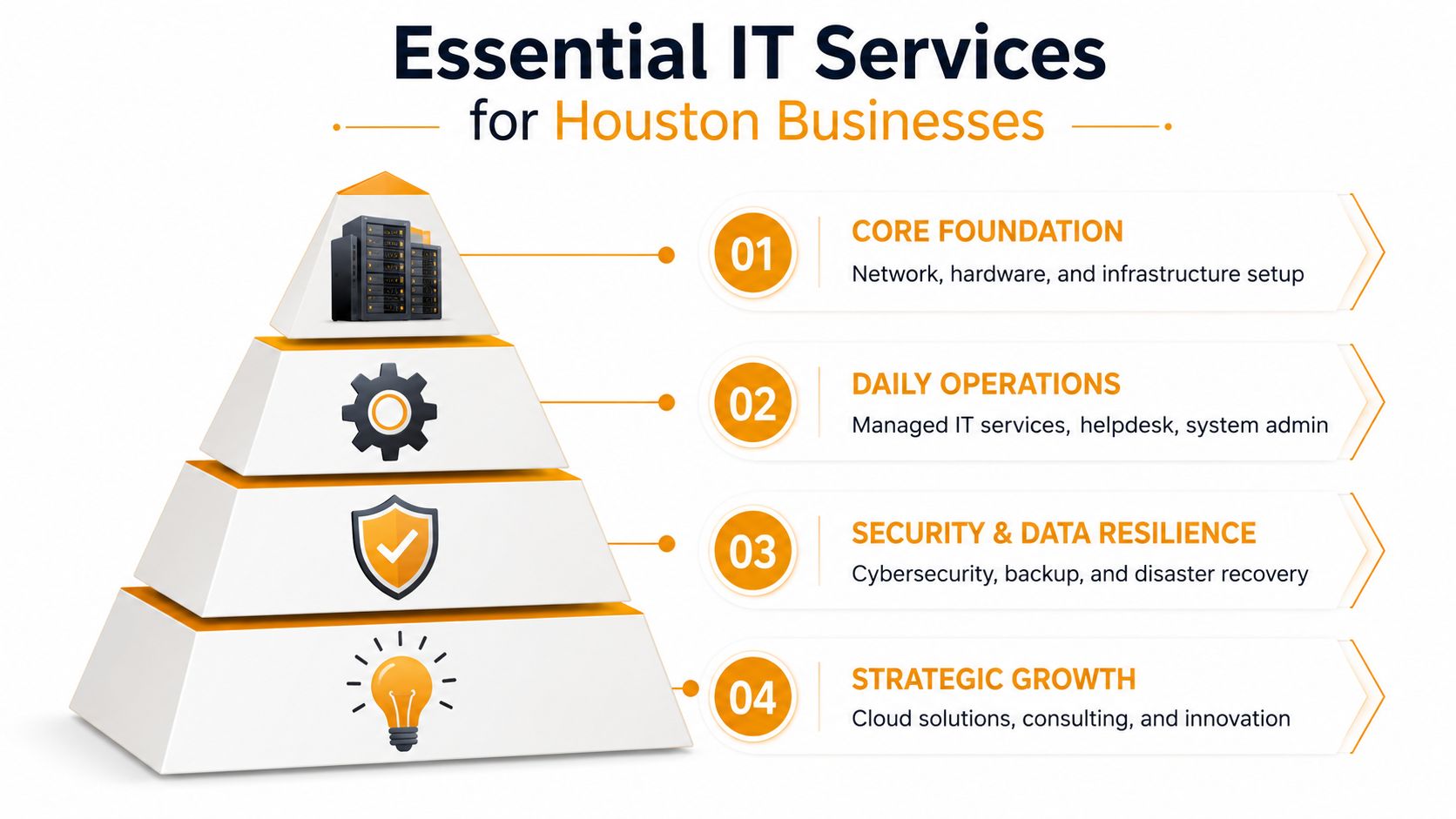
If you are comparing options, this checklist of managed IT support services Houston small businesses usually need is a useful starting point before you approve any proposal.
The four layers that matter most
| Layer | What it includes | Business outcome |
|---|---|---|
| Core foundation | Network setup, firewall, switches, workstations, servers, Wi-Fi, cabling | Staff can work without recurring outages and dead spots |
| Daily operations | Helpdesk, user support, patching, device management, Microsoft 365 administration | Fewer interruptions, faster fixes, and less wasted payroll time |
| Security and data resilience | Endpoint protection, backups, disaster recovery, access controls, email security | Lower exposure to ransomware, accidental deletion, account takeover, and recovery delays |
| Strategic growth | Cloud migration, virtualization, VoIP, vendor planning, lifecycle budgeting | Technology supports expansion, new locations, and hiring plans without constant rework |
The order matters. A company with weak Wi-Fi, old switches, shared logins, and untested backups should not spend its budget chasing new apps or AI tools first. I see this mistake often. Owners buy something promising efficiency, then lose that gain because the basic environment is still unstable.
A better sequence is practical and cost-aware:
- Fix the basics first: stabilize internet handoff, internal networking, user accounts, endpoint patching, and backup visibility.
- Add responsive support: give employees a clear helpdesk path so small issues stop dying in email threads or hallway conversations.
- Harden the environment: add endpoint protection, multifactor authentication, email filtering, and access controls around the systems your team uses every day.
- Modernize with purpose: move workloads into Microsoft 365, Azure, AWS, or Google Cloud when the move reduces risk, supports compliance, or cuts maintenance overhead.
Stable IT should be boring.
That usually means some less glamorous services deserve more attention than they get:
- On-site support: Remote tools help with many problems, but they do not replace a bad firewall, trace a cabling fault, swap failed hardware, or troubleshoot a physical printer issue.
- Repair and recovery: Fast repair for PCs, Macs, laptops, printers, and local data recovery still matters when waiting on a manufacturer would stall operations for days.
- Vendor coordination: Your ISP, VoIP provider, copier vendor, door access system, line-of-business software company, and cloud platforms all affect uptime. Someone has to own the ticket, the escalation, and the follow-through.
- Documentation: Current network maps, admin access records, warranty details, asset lists, and recovery steps cut downtime because technicians are not starting from scratch during an outage.
For Houston companies under financial pressure, the goal is not to buy every service category at once. The goal is to cover the failures that would hurt revenue, client trust, or compliance first, then build from there on a monthly budget you can predict.
Ask one hard question: if one system failed this month, what would hurt the business most? Start there.
Understanding Managed Services and SLAs
Some Houston companies still buy IT support the old way. Something breaks, they call someone, and they get billed after the fact. That model feels flexible because there's no standing commitment. In practice, it often means the provider gets paid when your environment is unstable.
Break-fix sounds cheaper until it isn't
Break-fix can work for a very small office with simple needs and low operational risk. It falls apart when your team depends on cloud apps, shared files, remote access, line-of-business software, or always-on communications.
The managed model changes the incentive. Instead of waiting for failures, the provider monitors devices, patches systems, reviews backups, manages user accounts, and handles support under a monthly agreement. You're not buying random repair hours. You're buying continuity.
Here's the clearest comparison:
| Model | What triggers support | Budget pattern | Typical downside |
|---|---|---|---|
| Break-fix | Something fails | Unpredictable | Costs show up after downtime starts |
| Managed services | Ongoing monitoring and support | Predictable | Requires a provider that's organized and accountable |
That predictable structure matters most to owners who are tired of surprise invoices and recurring “urgent” failures.
What a good SLA actually tells you
An SLA, or service level agreement, should answer practical questions in plain language. If it doesn't, it's not protecting you.
Look for these terms:
- Response time: How quickly the provider acknowledges the issue and begins engagement.
- Resolution target: How they prioritize and work toward fixing the issue based on severity.
- Coverage hours: Whether support is business-hours only, after-hours, or around the clock.
- Escalation path: Who steps in when the first technician can't solve it.
- Exclusions: What falls outside the agreement, such as projects, hardware purchases, or special after-hours requests.
A weak SLA sounds impressive but stays vague. A useful one tells you what happens when the internet drops at the office, when a staff member can't access email, or when a server alert shows backup failure.
Ask every provider to explain their SLA using three examples from your business. If they can't translate it into daily operations, expect frustration later.
The best managed relationships also include planning. Not just tickets. You want someone reviewing aging hardware, account sprawl, software renewals, backup health, and security drift before those become emergencies.
Navigating Cybersecurity and Compliance in Houston
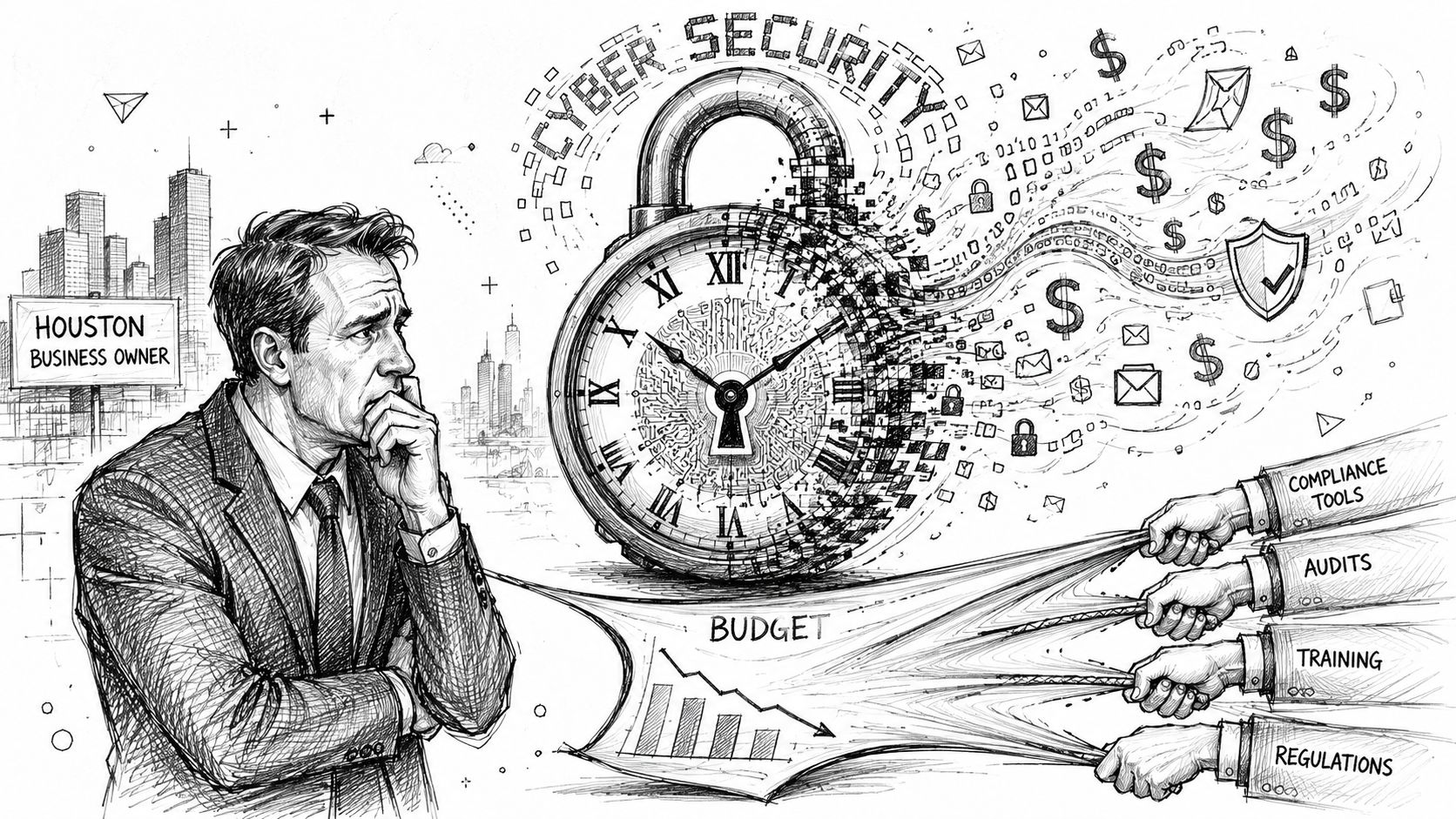
Cybersecurity for SMBs isn't a luxury line item anymore. It's part of staying insurable, staying operational, and staying credible with customers.
Houston businesses feel that pressure from several directions at once. They need protection against ransomware, account compromise, and data loss. They also need to satisfy industry and contractual requirements without building an enterprise security department from scratch.
Security spending has to map to real risk
A lot of companies still think security means antivirus plus a firewall. That's not enough. A usable security stack usually includes endpoint detection and response, identity protection, email filtering, backup isolation, patching discipline, admin controls, and user training.
The budget problem is real. Existing local content often ignores the cybersecurity compliance affordability crisis facing Houston SMBs as they try to keep up with federal and state requirements. One important local framing is that managed providers can build compliance-ready security for HIPAA, NIST, and CMMC at 30 to 50% lower cost than enterprise firms, often by using virtualized VMware or Hyper-V environments and cloud-native Microsoft 365 tools, as discussed in this Rice Kinder Institute piece on connectivity pressure and affordability.
That doesn't mean “cheap security.” It means designing the stack intelligently so you're not paying enterprise consulting rates for every control.
Affordable compliance is possible if the stack is designed well
A practical compliance approach usually looks like this:
- Define the required standard: Healthcare groups often care about HIPAA. Government-adjacent contractors may need NIST or CMMC alignment. Professional services firms may face client security questionnaires that mirror those frameworks.
- Map controls to current tools: Microsoft 365, Intune, SharePoint, Exchange, Teams, and conditional access features can cover a lot when they're configured correctly.
- Use layered products where they matter: Tools such as SentinelOne for endpoint protection and Atakama for data control fit into a broader design. No single product makes you compliant by itself.
- Document policies and ownership: Auditors and clients care whether access, retention, encryption, and incident response are clearly assigned and repeatable.
There's also a related issue many firms miss. Compliance doesn't stop at cybersecurity. If your website or customer portal plays a role in business operations, you should understand web accessibility compliance as part of broader risk management. It's not the same as HIPAA or NIST, but it belongs in the same executive conversation about exposure, usability, and governance.
Security works when it matches how your staff actually use systems. If a control is so clumsy that employees route around it, the policy exists only on paper.
One provider in the local market, IT Cloud Global, LLC, works in this middle ground by combining managed support with Microsoft 365 administration, virtualization, endpoint security partnerships, and cloud support for Houston businesses that need a practical path toward stronger controls. That's useful if you want one team handling both operations and security design, though the same evaluation standards should apply to any provider you consider.
Optimizing Your Infrastructure Cloud Network and Cabling
Cloud performance doesn't start in the cloud. It starts with the path between your users, your office, and the services they rely on.
Houston connectivity creates an advantage if your internal network can keep up
Houston gives businesses a strong foundation for cloud-heavy operations. As of January 2026, the city's median fixed broadband download speed is 325.84 Mbps, upload speed is 116.44 Mbps, and latency is 9 ms, according to Speedtest performance data for Houston. That kind of connectivity supports real-time cloud synchronization, VoIP, and video conferencing, and it's especially helpful during hybrid deployments involving AWS, Azure, Google Cloud, and remote desktop services.
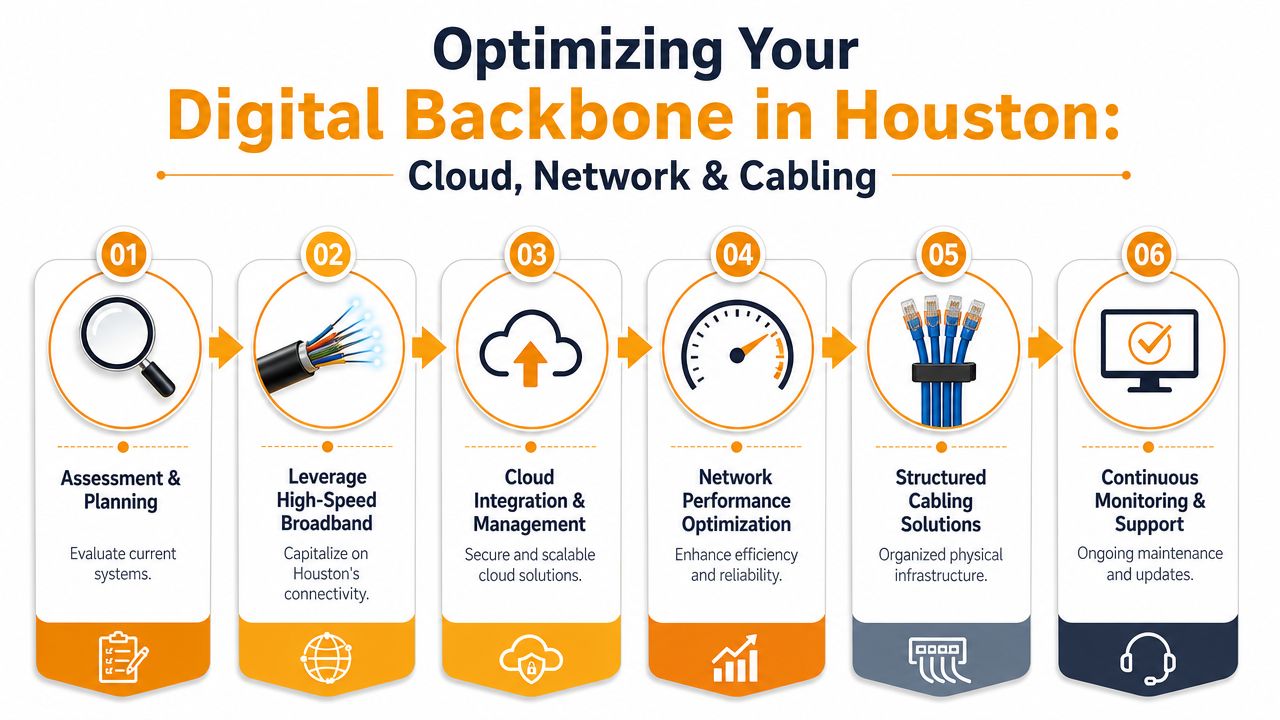
That said, a fast ISP connection won't rescue a messy internal environment. I've seen offices with solid internet service and still-poor Microsoft Teams calls because the wireless design was weak, switch capacity was mismatched, or conference rooms shared bandwidth poorly.
Physical infrastructure still decides daily performance
When cloud apps feel slow, the problem is often one of these:
- Bad Wi-Fi design: Access points are placed for convenience, not coverage or density.
- Aging switching gear: The internet circuit is fine, but traffic bottlenecks inside the office.
- Poor cabling practice: Untested runs, cluttered racks, and undocumented ports make every move or repair slower.
- No segmentation: Guest traffic, phones, cameras, and staff devices compete on the same flat network.
For offices, retail sites, and light industrial spaces, structured cabling still matters. Clean Cat6 or fiber runs, labeled patch panels, and organized racks reduce troubleshooting time and make future changes safer. In warehouse or mixed-use environments, physical security around infrastructure can matter too. If you're protecting networking or server equipment in an operational facility, these warehouse server cage systems show the kind of enclosure approach some businesses use to control access and prevent accidental damage.
A cloud migration often succeeds or fails on local details. Wireless coverage, switch health, cabling quality, and user device condition decide whether the rollout feels smooth or painful.
The best infrastructure work doesn't just increase speed. It reduces friction. Files sync reliably, calls stay clear, guest Wi-Fi stops interfering with operations, and remote staff get a more consistent experience.
How to Choose the Right Houston IT Partner
Most providers sound capable during the first call. The difference shows up in how they answer specific questions, how clearly they define responsibility, and how much operational maturity sits behind the sales language.
Start with a practical shortlist, not a leap of faith.
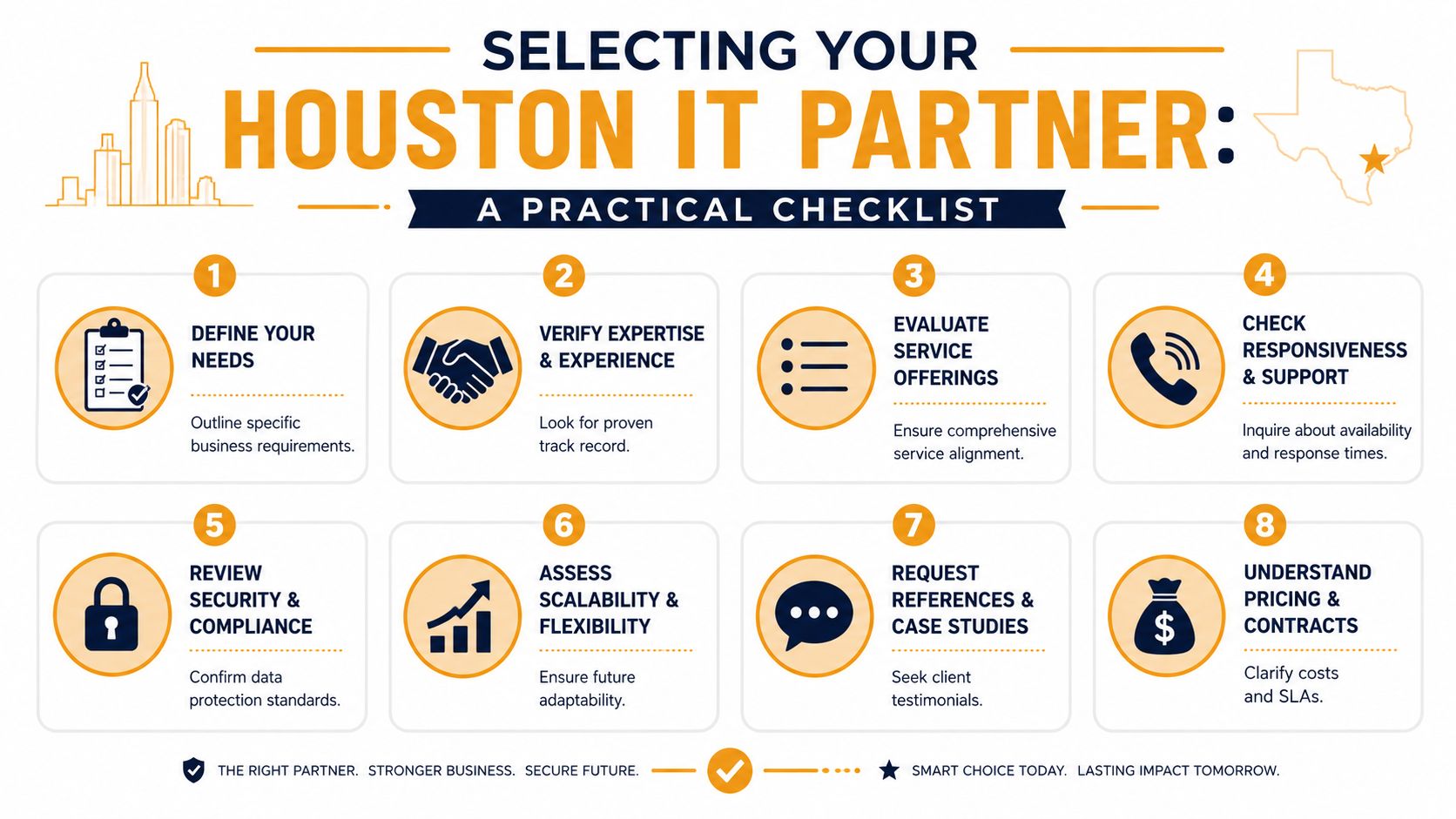
What to check before you sign anything
Use this as a working checklist when evaluating IT services in Houston TX:
- Local operating reality: Ask whether they support Houston businesses on-site, or if “local” mostly means a sales presence.
- Breadth without sprawl: You want a provider that can handle managed support, cybersecurity, Microsoft 365, cloud, networking, and cabling if needed, but not one that says yes to everything without depth.
- Support process clarity: Ask how tickets are submitted, triaged, escalated, and closed. Good providers can explain this clearly.
- Security discipline: They should speak clearly about endpoint protection, access control, backup verification, patching, and incident handling.
- Documentation standards: If they don't document networks, admin access, warranties, assets, and recovery procedures, you'll pay for that later.
- Contract honesty: Watch for vague exclusions, unclear project billing, or long commitments with weak performance language.
A solid buying process also includes independent education. This guide on how to choose a managed service provider gives a useful frame for comparing options before you sign.
Some owners also prefer to hear a provider speak rather than read another checklist. This overview can help you compare tone, clarity, and approach before a sales call:
Questions that expose weak providers fast
Don't ask only, “What do you charge?” Ask questions that reveal how they operate under pressure.
What happens in the first month after we sign?
You're listening for onboarding discipline, asset discovery, admin access cleanup, security review, and documentation.How do you handle emergencies after hours?
If the answer is fuzzy, the response will be fuzzy too.What do you monitor proactively, and what still depends on us reporting it?
This separates real managed service from glorified ticket taking.How do you verify backups and recovery readiness?
Not “Do you back up data?” Verify. Test. Restore.What parts of compliance support do you handle directly, and what parts remain our responsibility?
Good providers know the boundary and won't pretend otherwise.How do you support cloud decisions?
You want someone who can explain when Microsoft 365, Azure, AWS, Google Cloud, virtualization, or on-premise systems make sense, and when they don't.If we leave, how do you offboard us?
Mature providers have a defined process for returning documentation, credentials, and configurations cleanly.
The right partner doesn't just sound technical. They reduce uncertainty. You know who to call, what they own, how they respond, and what the plan is when something goes wrong.
If a provider avoids direct answers, overuses jargon, or can't explain trade-offs in business terms, keep looking.
Your Next Steps to Smarter IT
If your systems feel fragile, costs feel unpredictable, or security requirements keep getting more complicated, you don't need more patchwork. You need a support model that matches how your business runs.
For most SMBs, the right path is straightforward. Stabilize the foundation. Put support under a clear SLA. Build layered security around real compliance needs. Make sure your network, cloud setup, and cabling support daily work instead of hindering it. Then choose a Houston IT partner that can explain all of that without hiding behind jargon.
Good IT should lower stress for owners and staff. It should make outages less frequent, support easier to reach, costs easier to forecast, and growth easier to plan.
If your business needs a clearer, more dependable IT plan, talk with IT Cloud Global, LLC about your current environment, support gaps, and next priorities. A focused conversation can quickly show whether you need managed support, stronger security, cloud guidance, network improvements, or a better structure than the one you have today.
- IT Security Services Houston TX: Essential for Your SMB In
- Best IT Services Houston TX: Your 2026 Partner
- Managed IT Services Houston TX: 2026 Guide for SMBs
- Houston Managed IT Services: A 2026 Guide for SMBs
- What Is a Helpdesk Ticketing System? an SMB Guide
- Your 2026 Disaster Recovery Testing Checklist
- Houston IT Support Services: Expert Solutions 2026