


IT Security Houston: Protect Your Business
You're probably dealing with this right now. Someone on your team clicked something they shouldn't have. A laptop is acting strange. Microsoft 365 logins look normal, but invoices aren't going out. Your office WiFi works, yet shared files are suddenly locked down, missing, or renamed. It starts like a routine IT problem. Then your manager asks the question that costs real money: “Is this a cyberattack?”
That's where a lot of Houston businesses get caught. They think they have an IT issue when they really have a business-risk issue. Revenue stops, staff lose access, customers get nervous, and leadership scrambles to figure out whether they need legal help, forensic help, or both.
If you own or run a company here, IT security in Houston isn't some abstract enterprise topic. It's part of keeping payroll moving, protecting customer data, keeping trucks dispatched, keeping clinics operational, and making sure your field teams can work without handing attackers a side door into the business.
Table of Contents
- Why Houston Businesses Can No Longer Ignore IT Security
- What Modern IT Security Really Means for Your Business
- Top Cyber Threats Facing Houston Businesses
- Navigating Houston's Compliance and Regulatory Maze
- Essential Security Services and Tools for Your Business
- How to Hire the Right Houston IT Security Partner
- Your Next Step Toward a Secure Business
Why Houston Businesses Can No Longer Ignore IT Security
A common Houston scenario looks like this. A controller at a growing company gets an email that appears to come from a vendor. The formatting looks right. The timing makes sense. Someone approves the payment, someone else opens the attachment, and by the end of the day the company is dealing with unauthorized access, account lockdowns, and a pile of questions nobody prepared for.
That kind of chain reaction isn't rare anymore. It's what happens when a business runs fast, relies on email, cloud apps, shared drives, remote access, and mobile devices, but treats security like a one-time software purchase.
The threat environment in Texas is already severe. The FBI IC3's 2023 report recorded 38,661 complaints and more than $763 million in reported victim losses in Texas, placing the state #2 nationally for total cybercrime losses, and Houston is described as the fourth-largest city in the United States and one of the most targeted metro areas for cybercrime in this Houston cybercrime overview.
For a business owner, that means one thing. Your company isn't operating on the edge of the problem. You're operating inside it.
The business impact is immediate
When security fails, the damage usually shows up in operational language first:
- Payroll gets delayed: Staff can't access systems, approvals stall, and trust drops fast.
- Billing stops: Invoices sit in a queue while your finance team chases access problems.
- Customer service breaks: Employees can't pull records, answer questions, or process orders.
- Leadership loses time: Owners and managers stop running the business and start managing a crisis.
Practical rule: If a single stolen password, infected laptop, or fake invoice can interrupt revenue, you already have a security problem.
Houston businesses feel this acutely because so many local industries are operationally dense. Energy firms rely on connected systems. Medical practices handle regulated data. Logistics companies depend on constant movement, scheduling, and vendor communication. Even a small interruption creates outsized business pain.
You don't need a giant security department to take this seriously. You need the right controls, clear ownership, and a plan that matches how your company works.
What Modern IT Security Really Means for Your Business
Most owners hear “cybersecurity” and picture firewalls, antivirus, and a few scary headlines. That's too narrow. Modern IT security in Houston means protecting every place your business can be reached, tricked, interrupted, or locked out.
Think of your company like a castle that no longer has one outer wall. Your staff work from laptops at home, from phones on the road, and from cloud apps everywhere. Your files may live in Microsoft 365, Google Workspace, SharePoint, OneDrive, a line-of-business app, or all of them at once. Vendors connect in. Employees log in from multiple devices. The walls are gone, so the guards have to be everywhere.
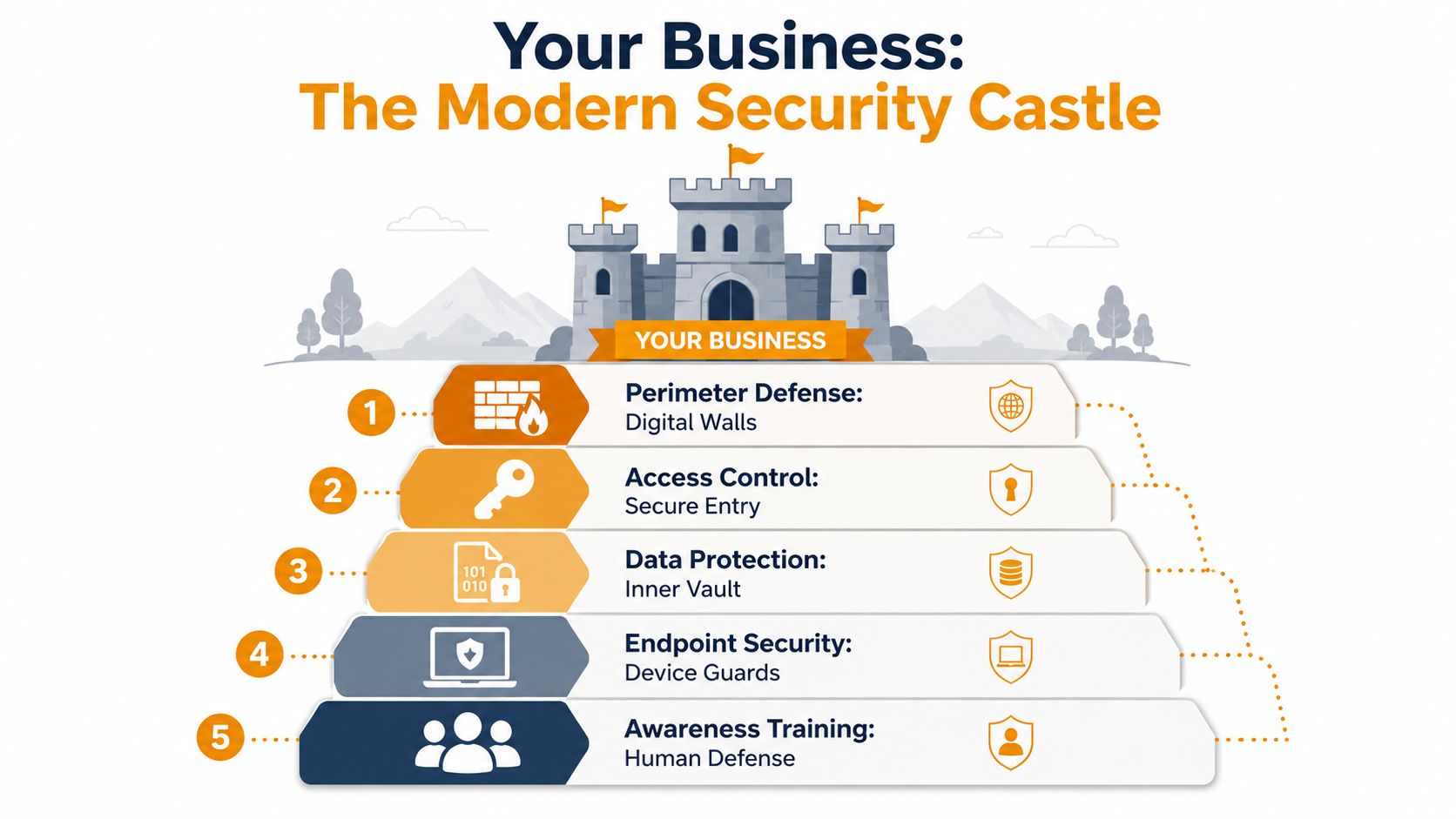
If you want a simple way to think about it, use a layered security model for business protection. One tool won't save you. A stack of well-managed controls will.
Your attack surface is bigger than you think
Most small and midsize businesses underestimate how many doors they've opened over time. They add a cloud app here, a remote desktop tool there, a personal phone with company email, a WiFi network for guests, another for staff, a printer nobody updates, and a former employee account that never got disabled.
That's your attack surface. It isn't just servers anymore.
A good security review should map out:
- Who can access what
- Which devices connect to business data
- Which cloud apps hold sensitive information
- How vendors and remote workers connect
- Where logs, backups, and alerts go
If you can't answer those five questions quickly, you're managing security by assumption.
The three layers that matter most
Endpoint security
Endpoints are laptops, desktops, phones, tablets, and sometimes servers. They're where employees click links, open attachments, store files, and sign in to cloud apps. If one device gets compromised, it can become the launch point for credential theft, malware, or data loss.
You need more than basic antivirus. You need tools that watch behavior, isolate suspicious activity, and give your IT team enough visibility to act before one machine becomes ten.
Network security
Your network is the road system inside your business. It includes office WiFi, switches, firewalls, VPN access, and the paths between users, servers, printers, and cloud services. Weak network security lets attackers move around once they get in.
That's why internal separation matters. Your front desk shouldn't have the same access path as finance. Guest WiFi shouldn't touch business systems. Remote users shouldn't log in with broad permissions by default.
Good network security doesn't just block outsiders. It limits how far trouble can spread after someone gets in.
Cloud security
A lot of owners assume Microsoft 365 or Google Workspace is “handled” because it's in the cloud. It isn't. The platform is hosted, but your access rules, account protections, retention settings, sharing permissions, and user behavior are still your responsibility.
Cloud security means controlling sign-ins, watching for suspicious activity, tightening file sharing, protecting email, and making sure business data can be recovered when someone deletes, encrypts, or exposes it.
That's modern security. Not one product. A working system of controls around people, devices, networks, and cloud access.
Top Cyber Threats Facing Houston Businesses
Houston's risk profile isn't generic. The city runs on industries where downtime hurts fast and where digital disruption spills into physical operations, patient care, shipping schedules, and contract obligations.
The threat list matters less than the business context. The same phishing email hits a law office, a clinic, a distributor, and an energy company differently. The opening move may be identical. The consequences are not.
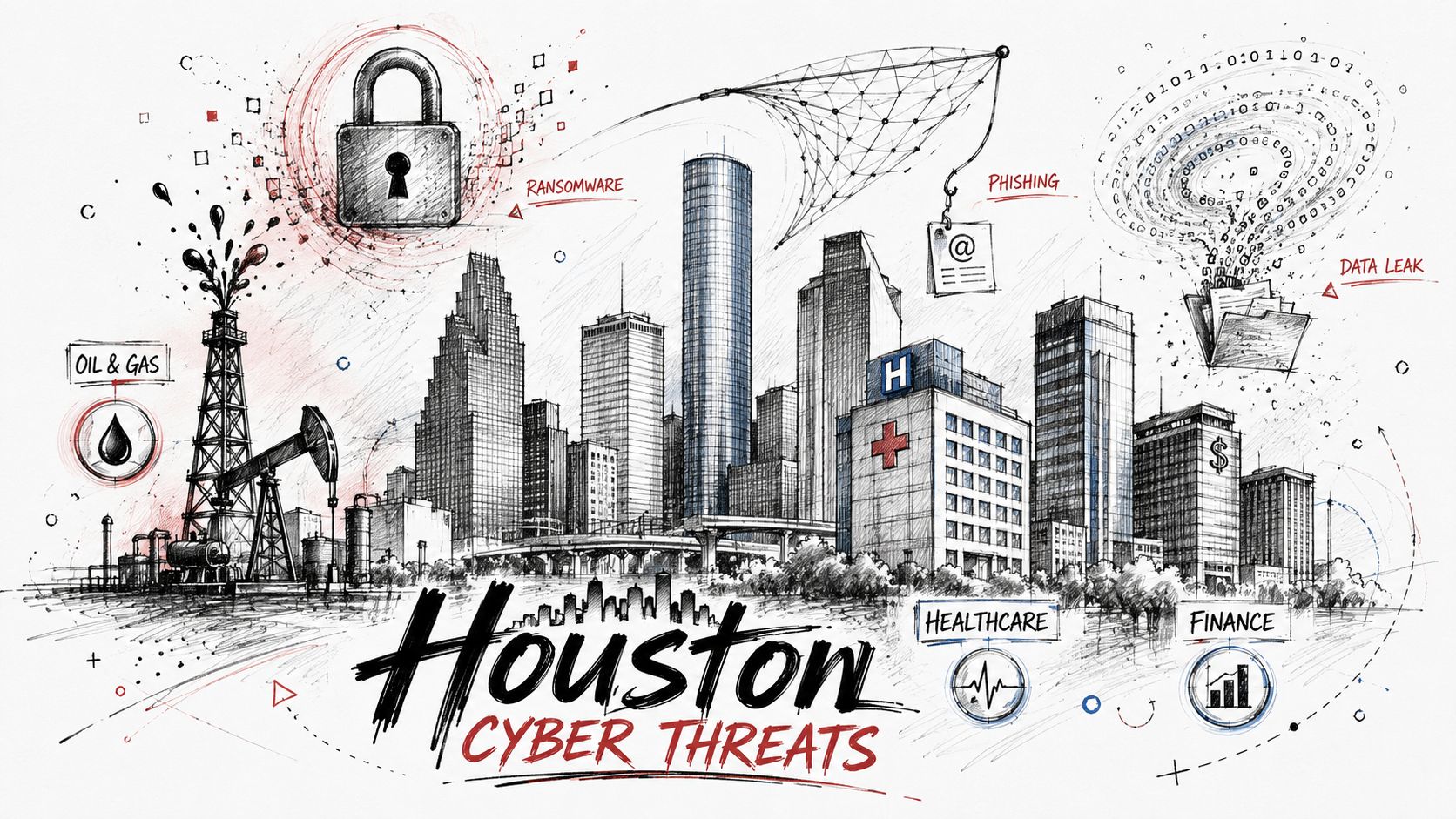
Ransomware hits where operations are tightest
Ransomware is still one of the most damaging threats because it attacks business continuity directly. It doesn't need to be complex to be expensive. If employees can't open files, access line-of-business applications, or trust the integrity of shared data, the business stalls.
In Houston, that lands hard in sectors like:
- Healthcare: Scheduling, records access, and communication interruptions affect staff and patients immediately.
- Logistics and distribution: Dispatch, inventory workflows, shipping coordination, and vendor communication can all seize up.
- Professional services: Accounting, legal, engineering, and consulting firms rely on documents, deadlines, and secure client communications.
Many ransomware events don't start with some dramatic “hack.” They start with a phish, a reused password, weak remote access controls, or an unmonitored device.
A useful technical breakdown of common exposure points is this guide to network security vulnerabilities businesses should prepare for.
OT and infrastructure risk are different from office IT risk
Houston has a concentration of energy, chemicals, transport, and healthcare operations. That creates a different class of risk. In these environments, an intrusion may move beyond office systems and affect operational technology.
Expert OT and SCADA guidance highlights three controls that matter most: network segmentation, strong authentication and MFA at boundaries and vendor access points, and activity logging to establish a normal baseline and identify anomalies faster, as discussed in this OT security guidance for critical infrastructure.
That matters because old assumptions no longer hold. When enterprise IT and operational systems are connected without proper separation, attackers have more opportunities for lateral movement.
Here's the practical version:
| Industry | Common weakness | Business risk |
|---|---|---|
| Energy and industrial | Flat networks or legacy connections between IT and OT | Operational disruption and wider blast radius |
| Healthcare | Shared accounts, rushed workflows, broad access permissions | Data exposure and care disruption |
| Logistics | Vendor email fraud, weak remote access, shared devices | Delayed movement, billing issues, and scheduling breakdowns |
A short overview of how these risks show up in practice is worth watching before you review your own environment:
If your company touches infrastructure, field operations, transportation, medical systems, or industrial networks, don't let a generic IT checklist drive your security plan. Your environment has local consequences, not just technical ones.
Navigating Houston's Compliance and Regulatory Maze
A lot of owners treat compliance like paperwork that shows up after the actual work is done. That's backwards. In practice, compliance determines how you prepare, who gets involved during an incident, what gets documented, and how fast leadership has to make decisions.
For Houston businesses, this gets serious quickly because the local economy includes healthcare organizations, regulated service providers, public companies, contractors, and infrastructure-adjacent firms. If you wait until after an incident to figure out reporting obligations, you're already behind.
Compliance deadlines don't wait for your IT team
The clearest example is incident disclosure timing. For organizations subject to SEC rules, material cybersecurity events must be disclosed within four business days, as noted in this Houston cyber incident response and regulatory timing analysis.
That changes how you build incident response. Restoration speed matters, but it isn't enough. You also need evidence preservation, legal review, executive decision-making, and a documented chain of communication.
If your team's first response to a serious incident is “Who should be on this call?”, your process isn't ready.
For healthcare groups, privacy obligations add another layer. For companies dealing with transportation or infrastructure requirements, operational and reporting pressures can collide. For public-facing firms, investor and reputational risk enters the room immediately.
That's why your response team should be defined in advance. Not just IT. You need named roles across legal, finance, HR, PR, and leadership. Outside forensic support and outside counsel should be identified before you need them, not while systems are down.
Good security makes compliance easier
Most compliance failures come from operational sloppiness, not from obscure legal complexity. Missing logs. Poor access reviews. No documented incident process. Backups that exist but haven't been tested. Shared admin accounts. Incomplete user offboarding.
Good controls solve both security and compliance problems at the same time.
A strong baseline usually includes:
- Access discipline: Enforce MFA, remove stale accounts, and limit admin rights.
- Logging and retention: Keep the records you'll need for investigation and reporting.
- Documented response: Define who approves what, who communicates externally, and how evidence is preserved.
- Vendor review: Know which outside providers can touch your systems and under what terms.
If your business has cloud workloads, regulated data, or customer contract requirements, this overview of cloud security compliance for growing businesses is a practical place to tighten the basics.
Compliance isn't just about avoiding trouble with regulators. It helps you answer the hard questions from customers, insurers, attorneys, auditors, and board members. It proves that your business takes risk seriously and can respond in a disciplined way when something goes wrong.
Essential Security Services and Tools for Your Business
A Houston manufacturer gets hit with ransomware on a Tuesday morning. Orders stop. Shipping labels do not print. The accounting team cannot reach shared files. Leadership does not care which security product failed. They care how fast the business can keep serving customers.
That is the standard your security stack should meet. Protect operations first. Then add tools that improve visibility and control.
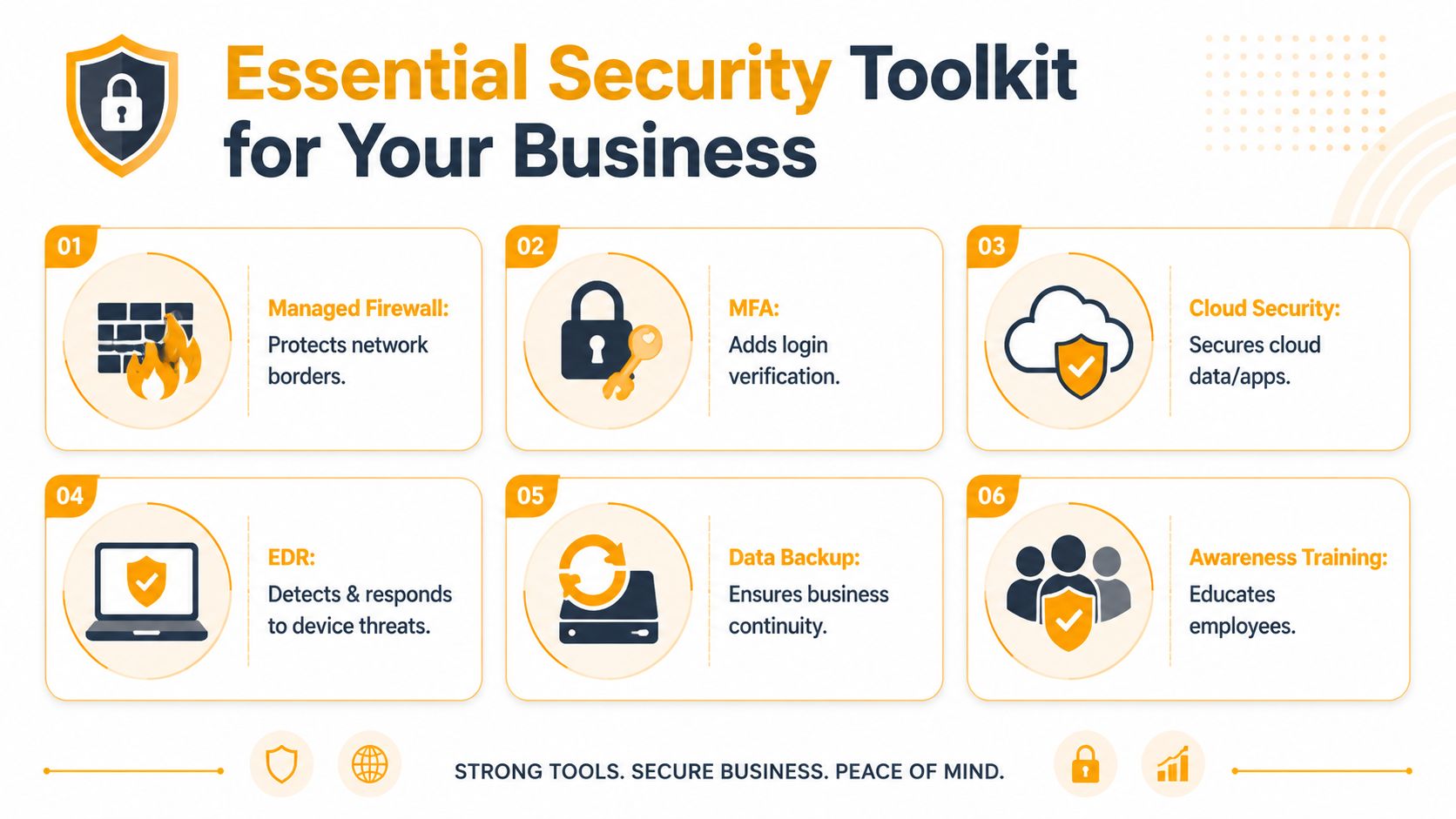
The Tools You Need
For Houston businesses, I recommend a core stack built around uptime, containment, and recovery. An energy services firm, a medical practice, and a logistics company may use different software, but they all need the same outcome. Stop common attacks, catch suspicious activity early, and recover fast when something breaks.
Use this baseline:
Managed firewall and network monitoring: Your firewall should enforce clear rules, inspect traffic, log events, and alert on suspicious behavior. For companies with warehouses, clinics, branch offices, or field locations, network monitoring helps you spot unusual activity before it spreads across sites.
MFA on every critical account: Email, VPN, Microsoft 365, remote access tools, financial systems, and admin portals need strong authentication. If a password gets stolen, MFA can stop the breach from turning into downtime and fraud.
EDR on endpoints: Endpoint detection and response watches what laptops, desktops, and servers do in real time. That matters for Houston companies with remote staff, plant-floor devices, dispatch teams, or shared workstations that create more opportunities for malware and account misuse.
Backups built for recovery: Backups should support fast restoration, not just long-term storage. Test them. Keep protected copies separate from your production environment. If ransomware hits, your backup design will decide whether you lose hours, days, or customers.
Email security and account monitoring: Email still drives business fraud, malware delivery, and account takeover. You need filtering, suspicious login alerts, and controls around forwarding, file sharing, and external access.
Mobile and remote access controls: Phones, tablets, and laptops that touch company data need basic management, encryption, and clear access rules. This matters even more if your staff work from job sites, trucks, homes, clinics, or customer locations.
One practical option is to work with a local provider such as IT Cloud Global, LLC, that can manage these controls together with helpdesk support, cloud administration, network security, and disaster recovery. That local model usually works better than a national call center because response quality improves when your provider understands your sites, your staff, and the systems that keep revenue moving.
Training closes the gap tools leave behind
Security tools reduce risk. Employees still decide whether to click, approve, share, or report.
Research from Berkeley's CLTC found notable cyber knowledge gaps among underserved users, including 26% who did not know about computer or phone viruses and 31% who did not know about antivirus software in this underserved populations cybersecurity research. That matters in Houston, where many businesses rely on multilingual teams, shift workers, frontline staff, and shared devices.
A generic training video once a year will not fix daily habits. A better program matches the work people do.
For example, a healthcare office needs guidance on protecting patient data at the front desk. A logistics company needs warehouse and dispatch staff to recognize phishing texts, fake invoices, and suspicious login prompts. An energy-adjacent business needs field teams to follow access rules even when speed matters.
Build training around these five pieces:
- Short phishing drills based on real business scenarios
- Plain-language policies people can follow without calling IT
- Role-based coaching for finance, HR, operations, and leadership
- Mixed-language support for the workforce you have
- Manager involvement so security expectations are enforced by the people running the team
If your company is balancing oversight with privacy, it helps to understand how to monitor online activity ethically before you roll out tracking, filtering, or device monitoring.
The goal is simple. Fewer preventable mistakes. Faster reporting. Less downtime when someone spots something wrong.
How to Hire the Right Houston IT Security Partner
If you're shopping for outside help, don't start with price. Start with fit, response quality, and whether the provider understands the way Houston businesses operate.
A generic national helpdesk may be able to reset passwords. That doesn't mean they can support a clinic with compliance pressure, a logistics company with constant uptime needs, or an energy-adjacent firm with network segmentation issues.
The labor market is a big reason many SMBs outsource. The U.S. Bureau of Labor Statistics projects 29% employment growth for information security analysts from 2024 to 2034, with about 16,000 openings per year on average and a median annual wage of $124,910 in May 2024, according to the Texas Comptroller's Houston cybersecurity labor market summary. That makes managed security a practical option for many companies that can't justify building a full in-house security bench.
What to ask before you sign
Don't ask broad questions like “Do you do cybersecurity?” Ask operational questions that reveal how the provider works.
Use this checklist:
- Ask about response ownership: Who handles alerts after hours, who escalates incidents, and who talks to your leadership team during a real event?
- Ask about reporting: Will you get meaningful security reports, or just ticket summaries and software status pages?
- Ask about tool coverage: Which systems are monitored, which cloud platforms are included, and where are the blind spots?
- Ask about onboarding discipline: How do they document your environment, admin access, vendors, backups, and recovery process?
- Ask about your industry: Have they worked with healthcare, logistics, professional services, or infrastructure-connected businesses like yours?
- Ask about local support: Can they be onsite when needed, or are you locked into remote-only support and long queues?
A provider that answers clearly is usually organized. A provider that talks in vague buzzwords usually isn't.
Local partner versus national call center
Many Houston businesses make the wrong choice. They assume all MSPs are roughly the same. They aren't.
A local provider usually understands the operating realities here. Multi-site offices. Field users. Warehouse connectivity. Medical practice workflows. Energy corridor firms with vendor access issues. Storm-related continuity planning. Those details matter when security and uptime are tied together.
Here's a simple comparison.
| Factor | In-House IT Team | Managed Security Provider (MSP) |
|---|---|---|
| Coverage | Depends on team size and internal bandwidth | Broader coverage across tools, monitoring, and escalation |
| Hiring pressure | Recruiting and retention are difficult in a tight labor market | Expertise is already assembled and shared across clients |
| Industry exposure | May be deep in your business, but limited across environments | Often sees patterns across many client environments |
| After-hours response | May be limited or inconsistent | Usually structured around defined support and escalation processes |
| Cost structure | Salary, benefits, tools, training, and turnover risk | Predictable service agreement with bundled capabilities |
| Onsite support | Available if internal staff is present | Varies by provider, but local MSPs can often support onsite needs |
Choose the partner that can explain how they'll protect operations, not just the one that promises “support.”
Local partner versus national call center
One more point. A local security partner should be able to walk your site, talk to department heads, review vendor access, inspect wireless coverage, and understand how your people work. National call centers tend to standardize everything around tickets. That's fine for routine support. It's weak for business-aligned security.
The right partner for IT security in Houston should feel like an operational advisor, not just a software reseller.
Your Next Step Toward a Secure Business
If you've made it this far, the takeaway is simple. Security is no longer a side function you hand off to “the IT person” when something breaks. It's part of how you protect revenue, serve customers, meet obligations, and keep the business moving when conditions get messy.
Houston companies face real exposure because of the industries here, the pace of operations, the amount of connected technology in use, and the simple fact that attackers look for businesses that are busy, underprepared, and easy to impersonate. That describes a lot of otherwise healthy SMBs.
The fix isn't panic. The fix is discipline.
Start with the basics. Lock down access. Protect endpoints. Segment the network where it matters. Secure cloud accounts properly. Build backups for recovery, not appearances. Train employees in a way that fits their jobs. And make sure incident response includes business leadership, not just IT.
If your current setup is patched together, unclear, or based on assumptions, address it now. Not after a fake invoice gets paid. Not after a laptop spreads malware across shared folders. Not after legal asks for logs you don't have.
A proactive security program costs less than operational confusion, customer fallout, and executive scrambling during a preventable incident.
If you want a practical next step, contact IT Cloud Global, LLC for a free, no-obligation security assessment. They can review your current environment, identify obvious gaps in endpoint, network, cloud, and backup protection, and help you build a security plan that fits how your Houston business runs.
- Remote Desktop IT Support Guide 2026
- Vulnerability Scanning Services Explained for SMBs
- Endpoint Protection vs Antivirus: A Houston Guide
- Excellent IT Group Houston Downtown: A 2026 Buyer’s Guide
- 7 Top Cybersecurity Companies in Houston for 2026
- Houston IT Support: A 2026 Guide for SMBs
- What Is Network Access Control: Why Your Business Needs It