


Houston IT Support: A 2026 Guide for SMBs
You already know the pattern. A user calls because email is down, VPN is flaky, or a “quick” Microsoft 365 change turned into a half-day fire drill, and the internal person who usually handles IT is now buried in tickets, phone calls, and blame. In Houston, that's not a one-off inconvenience. It's what happens when support is treated like a side task instead of core operational infrastructure.
For a city with a deep and expanding technology base, that pressure only gets worse. Houston's metro area was projected to employ 158,176 tech professionals in 2025, up from 154,905 the prior year, a 2.1% increase; longer-term research cited by InnovationMap said Houston tech employment had grown 16.6% over the referenced period and was expected to add almost 9,000 tech jobs by 2026, equal to 5.9% growth. The same local report also said Houston had 8,800 tech-related firms, including more than 800 venture-backed startups Houston tech report. That matters because IT support demand is coming from both mature employers and fast-moving companies that can't afford slow response or vague ownership.
If you're evaluating providers, stop asking who can “handle IT.” Ask who can lower downtime, shorten MTTR, harden identity, and keep your staff productive when the internet, cloud, or endpoint stack misbehaves. If you want a broader outsourcing angle before you compare vendors, this overview on why more Houston companies are outsourcing IT support in 2025 is a useful companion read. For organizations that depend on mesh-style access control and identity-driven segmentation, Purple identity-based networking is also worth a look, because it shows how network design and user access policy can work together instead of fighting each other.
Table of Contents
- Why Houston Businesses Are Rethinking Their IT Support
- What Houston IT Support Covers
- Managed IT Services in Houston From Helpdesk to Cloud
- Why Outsourced IT Support Beats Building It In-House
- What 24/7 IT Support Really Means in Houston
- Real Outcomes and Warning Signs From the Field
- The Hidden Layer Connectivity Failover and Local Bottlenecks
- Pricing, Packaging, and Your Next Step
Why Houston Businesses Are Rethinking Their IT Support
A 40-person professional services firm in the Energy Corridor doesn't need a dramatic cyberattack to lose a day. It only needs a Microsoft 365 policy change, a broken VPN profile, and one internal “IT person” who also manages procurement, printers, and user onboarding. By mid-afternoon, phones start ringing, a deadline slips, and the fix that should have taken minutes turns into a long cleanup.
That same story repeats in healthcare clinics near the Texas Medical Center, logistics teams along I-69, and retail sites in the suburbs. One unmanaged laptop, one stale admin password, or one misconfigured cloud identity can knock people out of email, file access, and collaboration tools at the same time. In a Houston business, that means productivity loss spreads fast because so much daily work now lives in Microsoft 365, shared drives, remote access, and ticketing systems.
The real shift is operational, not cosmetic
The old model treated support as a break-fix convenience. That doesn't work anymore, because the business now depends on a stack of connected services that fail in layers, not one at a time. A support provider that only reacts after users complain is already behind.
Good Houston IT support looks more like operational discipline. It combines monitoring, ticket triage, patching, identity recovery, endpoint isolation, and backup validation so one issue doesn't cascade into a larger outage. That's why I push owners to think in terms of uptime, MTTR, and recovery confidence, not just “do they answer the phone.”
Practical rule: if your provider can't tell you how they handle authentication failures, backup validation, and after-hours escalation, they're selling reassurance, not support.
The best teams understand the difference between a noisy issue and a business-stopping one. They know when to isolate an endpoint, when to restore access, and when to escalate before more users are affected. That's the standard now, because Houston companies aren't buying IT help to feel organized, they're buying it to keep operations moving.
What Houston IT Support Covers
The phrase Houston IT support gets used loosely, so buyers need a sharper definition. It covers proactive monitoring, helpdesk response, network and endpoint management, cybersecurity, cloud administration, backup and disaster recovery, and on-site field service when hardware or cabling cannot be fixed remotely.
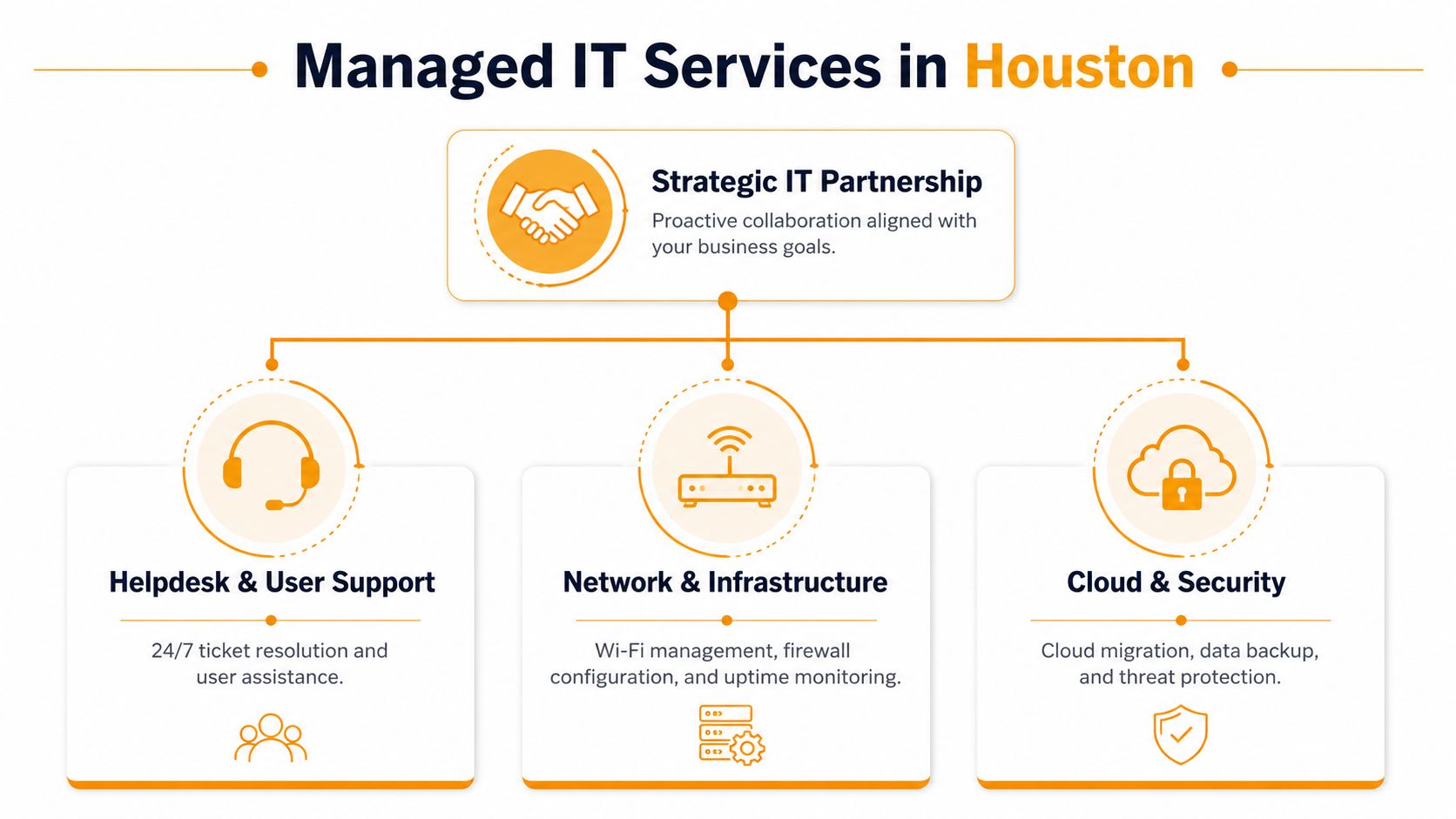
The seven service categories that matter in practice
A mature provider should cover helpdesk, network infrastructure, endpoint management, security, cloud, backup and recovery, and field support. If a proposal leaves out one of those pieces, the scope is incomplete. You feel that gap the first time a laptop fails, a firewall rule breaks, or a user gets locked out after hours.
Helpdesk is where speed shows up first. It handles user issues, password resets, device problems, printer failures, and software access, and the ticket flow should be easy to trace. If you want a clear benchmark for what a helpdesk ticketing system does, start by checking how requests are logged, prioritized, and handed off.
Network work covers Wi‑Fi, wired switching, firewall tuning, and latency problems that users describe as “the internet is slow,” even when the root cause is local congestion or bad cabling. That is where support teams need to diagnose the actual bottleneck instead of guessing.
Endpoint and server management focus on keeping machines healthy, patched, and visible. Security should include layered controls, not just antivirus branding, because the risk is usually a chain of weak points. Cloud administration matters because Microsoft 365, Azure, AWS, and identity systems now carry core business workflows.
Backup and recovery only matter if restores are tested, and tested in a way that proves the business can keep moving. Field service closes the loop when a switch dies, a cable run fails, or a machine needs hands-on repair. Teams that connect these pieces with smart workflows with AI coworkers can cut wasted handoffs, but the workflow still has to be disciplined enough to show who owns each incident.
If you are comparing vendors, use the service model as the reference point. A useful provider will show how helpdesk, network, cloud, and repair support fit together as one operating package, not as disconnected add-ons.
Managed IT Services in Houston From Helpdesk to Cloud
The right way to judge a managed service isn't by how many buzzwords it uses. Judge it by the chain of events it can control when a user's laptop, Wi‑Fi session, or cloud identity breaks during the workday. The support model should reduce chaos in a specific order, starting with user access and ending with recovery.
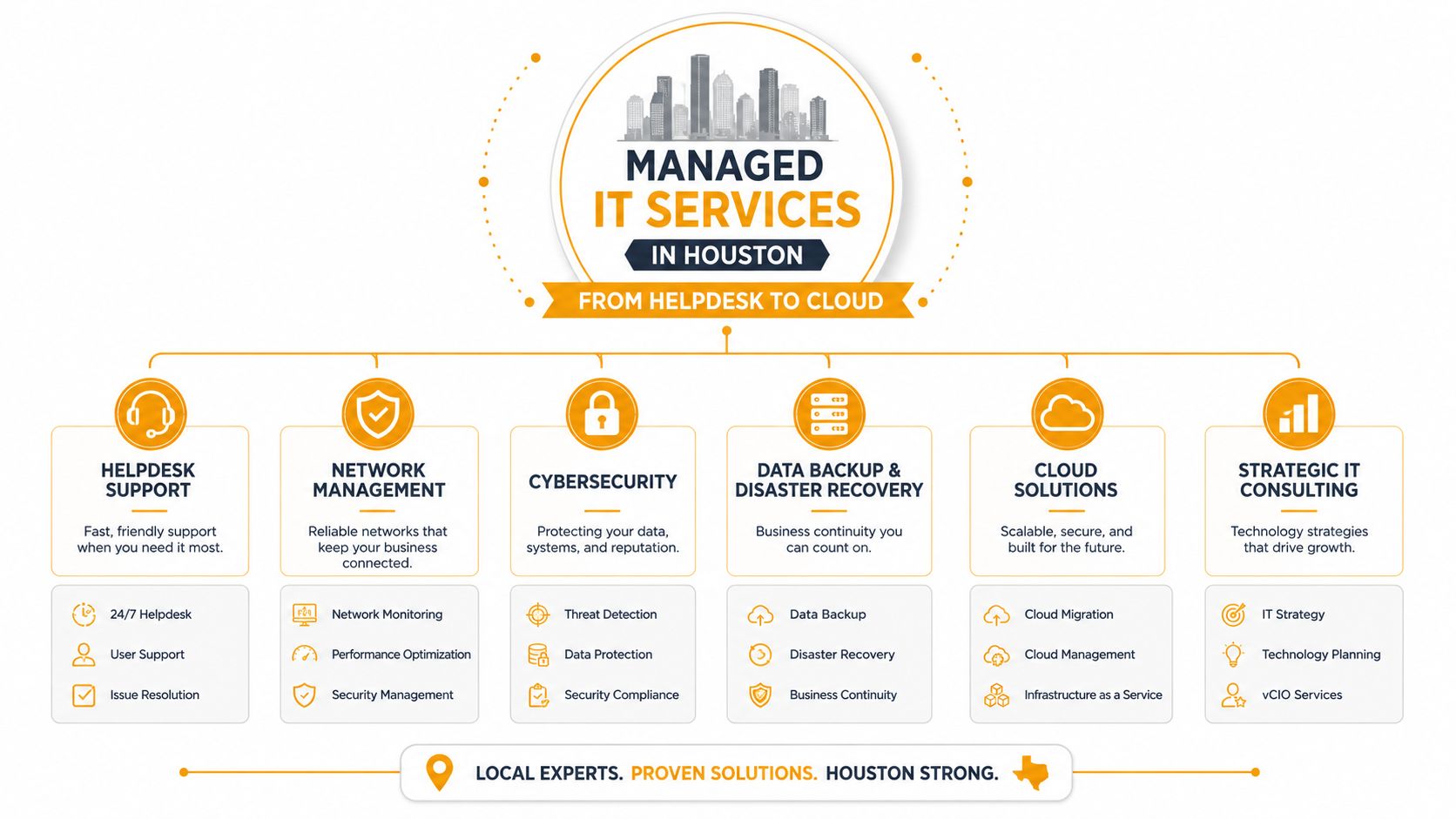
Start with the helpdesk, because that's where pain shows up
A good helpdesk doesn't just log requests. It sorts priority, identifies repeat incidents, and gets the right engineer involved before small problems spread. If users keep re-reporting the same issue, the ticketing workflow is weak or the escalation path is unclear. That's why a disciplined service desk should be able to show you how it handles intake, triage, and handoff.
Network and Wi‑Fi work need real diagnosis
Houston offices often blame bandwidth when the issue is RF contention, bad signal-to-noise, duplex mismatch, or an oversubscribed uplink. The IEEE 802.11 family and enterprise WLAN guidance make one thing clear, throughput falls as retransmissions rise, so support teams need spectrum-aware channel planning, proper AP placement, and ongoing capacity checks. If a provider suggests you buy more internet before measuring packet loss and channel utilization, they're guessing.
Security, cloud, and recovery have to work together
Security is not a separate “add-on” in a live environment. It has to connect endpoint protection, identity controls, patching, and response procedures. Cloud administration should cover Microsoft 365, Azure, and AWS in a way that reflects how your staff works, not how the platform brochure reads. Backup only matters when restore tests prove you can get data back without improvisation.
Houston owners who want a broader automation angle should also pay attention to smart workflows with AI coworkers, because automation only helps when it is paired with clean incident routing and human escalation. Used well, it cuts busywork. Used badly, it just creates faster chaos.
One more point. A provider that offers layered IT support should be able to handle repair work when software isn't the problem. That includes in-house depot service for PCs, Macs, laptops, printers, and data recovery, plus onsite support when the issue sits in the cable plant, closet, or branch office.
Why Outsourced IT Support Beats Building It In-House
Hire one smart generalist and you get a bottleneck with a badge. That person can handle user issues, some network work, and vendor calls. They cannot run 24/7 helpdesk coverage, security operations, cloud administration, recovery testing, and field support at the same time without something slipping.
Wage pressure is only the visible cost
The U.S. Bureau of Labor Statistics reported median annual wages in May 2024 of $73,340 for computer network support specialists and $60,340 for computer user support specialists, with about 50,500 openings projected each year on average over the 2024-2034 decade despite a projected 3% decline in overall employment BLS computer support specialists. Those figures still leave out recruiting time, benefits, retention, and the cost of replacing someone when they leave.
In-house support also depends too heavily on one person's memory. If that employee is out, quits, or gets overloaded, the business feels it immediately. Outsourced support spreads that knowledge across a team, which is the right setup when the issue is time-sensitive and the clock is already against you.
Houston's labor market makes the case stronger
Houston's tech market pulls talent in many directions. The local industry data showing 8,800 tech-related firms and more than 800 venture-backed startups points to real competition for skilled labor Houston tech report. If you need someone who can cover helpdesk, network work, cloud administration, and security coordination, you are asking for an uncommon mix.
Compare in-house staffing costs with outsourced IT support before you assume payroll is the full story. Salary is only one line item. Coverage, continuity, documentation, and recovery discipline matter more once the business depends on the desk staying open.
Outsourcing wins when you need breadth, continuity, and documented processes more than a single heroic generalist.
That is the trade-off. In-house IT can work in a narrow environment with a small stack and stable demand. For most Houston companies between 10 and 250 employees, the managed model makes more sense because it buys depth, not just labor.
What 24/7 IT Support Really Means in Houston
Most providers say 24/7 support. Fewer tell you what that includes, and fewer still tell you what happens when the issue starts at 2 a.m. You need the contract language, not the slogan.
Ask four questions before you believe the claim
First, who answers the phone overnight. If the answer is a voicemail box or a generic answering service, that is not real 24/7 support. Second, what is the documented response time for a Sev-1 incident. Third, how does escalation work if the first on-call engineer is tied up or unreachable. Fourth, does on-site dispatch cover the full Houston metro, including Katy, Sugar Land, The Woodlands, and Pearland.
A real provider should answer those questions without improvising. If they dodge, the issue is usually staffing or process. If they answer cleanly, you've found a team that understands operations.
Separate support coverage from security coverage
Many SMBs only need after-hours helpdesk and incident escalation. They do not need a full security operations center. Those are different services, and vendors blur them because the phrase “24/7” sounds stronger than a narrow, honest scope.
Your checklist should be blunt:
- Live Answering: Determine whether a real person responds or a message is queued.
- Clear Escalation: Confirm who takes over when the first responder can't close the issue.
- Defined Scope: Make sure cloud incidents, on-site issues, and emergency outages are covered differently.
- Metro Coverage: Verify whether the provider can physically support your locations after hours.
If the contract doesn't define after-hours ownership, the promise is marketing, not service.
That distinction matters in Houston because businesses are spread out, hybrid, and often dependent on both remote and on-site resolution. A vague 24/7 claim doesn't protect you when a branch office, warehouse, or clinic loses access outside normal business hours.
Real Outcomes and Warning Signs From the Field
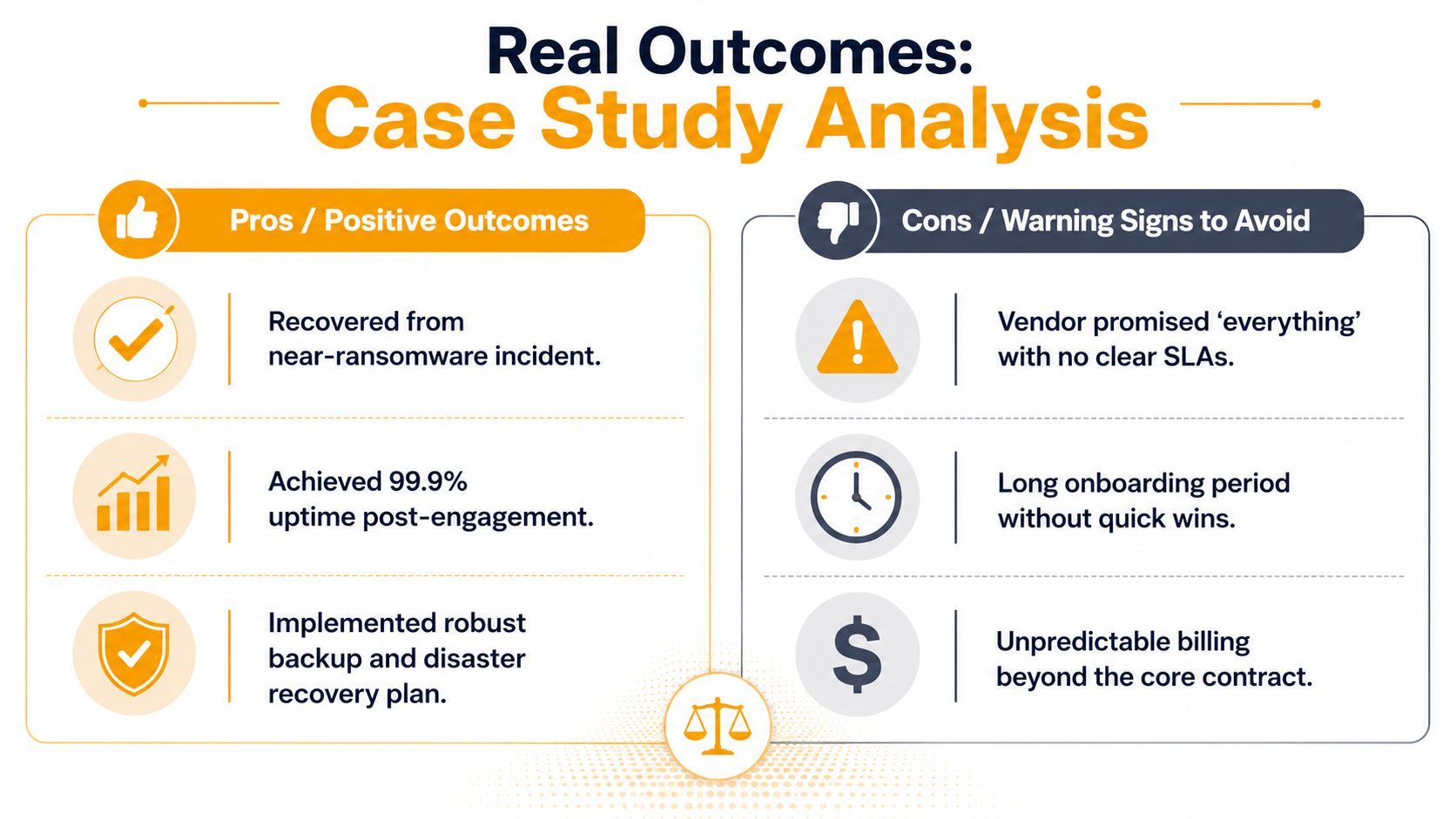
A 60-employee healthcare-adjacent firm with offices in Westchase and Clear Lake called after an unpatched VPN appliance triggered a ransomware-adjacent incident. The outage didn't start as a headline problem. It started as user lockouts, then failed remote access, then a scramble to verify what was exposed and what still worked. The support team's real job was not to “fix IT,” but to reduce MTTR and keep the business from guessing.
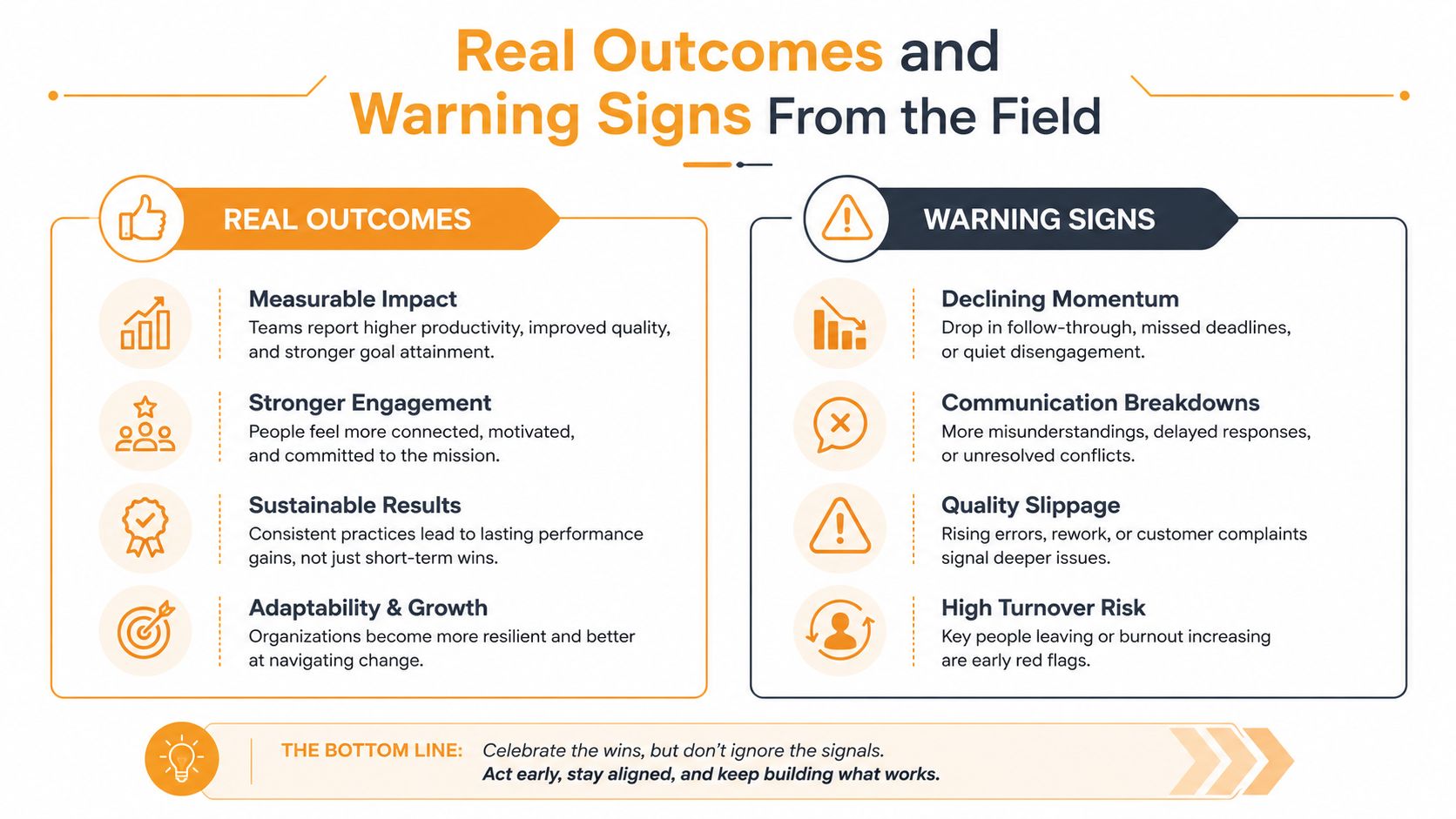
What good recovery looked like
The team isolated the problem, validated affected systems, and pushed recovery steps in a controlled order. Identity, access, and endpoint health had to be checked before staff could safely resume normal work. That's the part many owners miss, because the visible outage ends before the cleanup does.
The correct lesson isn't that every incident needs a dramatic response. It's that support should be built to shorten the time between detection and normal operations. If your provider can't explain how they test recovery, they're asking you to trust luck.
Five signals your current support is failing
- Slow ticket response: If users wait too long for acknowledgment, ask for the actual response-time commitment.
- Surprise billing: If invoices change without a clear scope change, demand a written service boundary.
- Vague scope documents: If the proposal says “all IT needs” but lists no exclusions, the contract is too loose.
- No recovery testing: If backups exist but restores aren't tested, you don't have proven recovery.
- “We cannot reproduce it” answers: If the same issue keeps coming back, the team isn't isolating root cause.
Those five signs are enough to start a serious conversation this week. Don't wait for the next outage to ask what your provider owns, what they document, and how fast they move when business is stopped.
The Hidden Layer Connectivity Failover and Local Bottlenecks
A faster internet plan won't fix most Houston performance complaints. That's the wrong layer. In real offices, the issue is often RF contention, weak signal-to-noise, duplex mismatch, oversubscribed uplinks, or a Microsoft 365 identity problem that looks like a network outage from the user's chair.
Stop blaming the application first
When people say “the software is slow,” they usually haven't checked packet loss, latency, or channel utilization. In dense offices and retail sites, local Wi‑Fi design matters more than raw bandwidth. A properly tuned wireless setup can improve user experience more than a bigger ISP circuit if the bottleneck is internal congestion.
Identity failures are just as deceptive. If authentication is broken, users can't reach email, file access, or collaboration tools, and the problem gets misdiagnosed as a generic network issue. That's why support teams need to test the access chain, not just the internet line.
Build for unreliable access, not perfect access
Houston SMBs also need to think about backup connectivity. As the Affordable Connectivity Program winds down and Texas residents are redirected to Lifeline, cost-constrained households and sites face more risk, and that can affect remote workers, branch offices, and frontline devices Rice Kinder on Houston connectivity changes. Good support planning includes secondary LTE or 5G failover, offline workflows, and identity-resilient recovery paths.
That's the honest design pattern. Don't assume every site will enjoy stable primary connectivity. Build so work can continue when the connection is degraded, expensive, or temporarily unavailable.
Good support doesn't just restore the network, it keeps the business moving when the network isn't ideal.
Pricing, Packaging, and Your Next Step
Most Houston MSPs package support in tiers. The smart way to compare them is not by the name of the tier, but by what's included per user or per device, what's excluded, and which services are billed separately. If you don't see that clarity up front, expect confusion later.
| Tier | Typical Users | Core Services | Best Fit |
|---|---|---|---|
| Basic Helpdesk | Very small teams | Ticket response, password resets, light remote support | Companies that need a reliable front line |
| Managed IT | Growing SMBs | Helpdesk, monitoring, patching, endpoint management, basic security | Teams that want predictable operations |
| Managed Plus | Multi-site SMBs | Managed IT plus network work, cloud administration, backup validation, on-site support | Companies with multiple offices or more complex risk |
| Full-Service Partnership | Heavier IT dependence | Broader strategy, recovery planning, security coordination, infrastructure oversight | Businesses that want one accountable provider |
Read the proposal like an operator, not a buyer of software
The big items to check are simple. You want a scope document, a response-time SLA, an escalation matrix, a recovery-test cadence, and security stack transparency. If those five pieces are missing, you're not comparing serious proposals.
A free assessment is the safest starting point because it forces both sides to define the environment before money changes hands. It should cover current pain points, user count, locations, cloud tools, support gaps, and the risks tied to uptime and recovery. The first conversation should produce a clear next step, not a vague promise to “circle back.”
IT Cloud Global, LLC offers managed IT services, helpdesk support, network and Wi‑Fi work, cloud administration, recovery planning, and in-house repair services for Houston businesses that need one accountable support model. If you want a direct conversation about what your current setup is missing and what a cleaner support scope would look like, visit IT Cloud Global, LLC and ask for a free estimate.
- What Is Network Access Control: Why Your Business Needs It
- Hybrid Cloud Management: A Practical Guide for SMBs
- Computer Service Near Me: A Houston Buyer’s Guide
- 7 Best Managed IT Services Houston TX Reviews (2026)
- Best IT Services Houston TX: Your 2026 Partner
- Managed IT Services Houston TX: 2026 Guide for SMBs
- IT Managed Services Houston TX: 2026 Guide