


Houston Network Consulting Firm: An SMB Buyer’s Guide
Your business adds staff, opens another office suite, moves files into Microsoft 365, and suddenly the network that felt “good enough” starts getting in the way. Calls drop. Wi‑Fi slows down in the conference room. Remote employees can log in, but nobody feels confident that access is set up securely. What looked like an IT annoyance starts affecting sales meetings, customer response times, and daily productivity.
That's usually the point where a business owner realizes the problem isn't one bad router or one cranky switch. The problem is that the company has outgrown an improvised setup. Many Houston small and midsize businesses hit this wall during expansion, relocation, hybrid work adoption, or cloud migration.
A network consulting firm helps at that moment. Not by throwing random hardware at the issue, but by looking at how your business works, where people connect, what applications matter most, and what has to stay available when something goes wrong.
Table of Contents
- When Your Business Network Can No Longer Keep Up
- What Is a Network Consulting Firm Really
- Core Services Your Business Can Leverage
- Measuring the ROI of Network Consulting
- Common Engagements for Houston Businesses
- Your Buyer's Checklist for Choosing a Partner
- Building a Network That Works for You
When Your Business Network Can No Longer Keep Up
A common Houston scenario looks like this. A company starts with one office, a basic internet circuit, a few access points, and a small server closet that nobody wants to touch. Then the team grows, cloud apps multiply, VoIP gets added, and remote work becomes normal. The network still functions, but only if nobody asks too much from it.
Then the complaints start arriving in plain business language, not technical language. “The phones sound bad.” “The warehouse Wi‑Fi dies near the loading area.” “Our new office buildout is almost done and we still haven't planned cabling.” “We're moving files to the cloud, but we don't know what should stay on‑prem.”
That's usually when a network consulting firm becomes relevant. Not because the business wants a fancy redesign, but because growth has exposed hidden weaknesses. A reactive IT approach can patch one issue at a time. It usually doesn't answer the bigger question of whether the whole environment was designed for the way the company operates now.
Small network problems rarely stay small. They spill into calls, orders, customer service, and employee frustration.
Voice systems are a good example. Business owners often think of internet and phones as separate decisions, but they're tied together. If your team relies on cloud calling, bandwidth quality, traffic prioritization, and local network layout all matter. For a practical outside perspective on connectivity planning, this guide to managing NBN for hosted phone systems is useful because it explains how access design affects call quality and reliability.
The real trigger
The trigger usually isn't “we need consulting.” It's one of these business moments:
- A move or expansion: You're signing a new lease and don't want day one to begin with dead ports and weak Wi‑Fi.
- A cloud shift: You're adopting Microsoft 365, Azure, AWS, or SaaS tools and the old network assumptions no longer fit.
- A risk concern: Leadership starts asking what happens if the office loses access, a device gets compromised, or staff can't work remotely.
When those questions show up, the network has stopped being background infrastructure. It has become part of business continuity.
What Is a Network Consulting Firm Really
A network consulting firm is the architect for your company's digital infrastructure. That's the simplest way to think about it.
A break-fix technician is like a handyman who repairs a leak after water reaches the floor. A network consultant looks at the whole plumbing plan before the building opens. They ask where capacity will be needed, where pressure will drop, what happens during a failure, and whether the design still works when the business doubles in size.
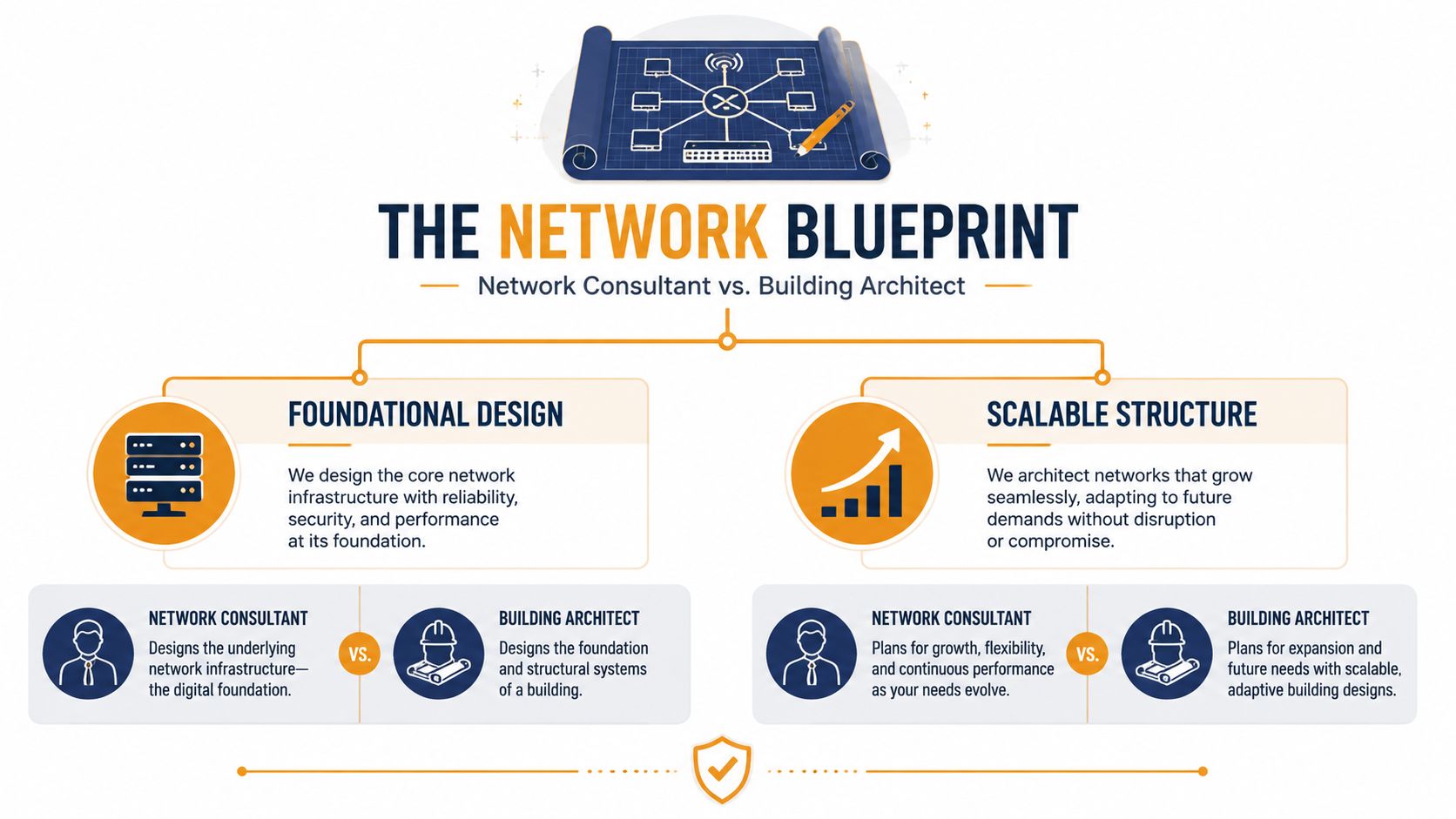
That proactive role matters because this is not a fringe service category. The network consulting services market was valued at USD 14.7 billion in 2021 and is expected to reach USD 27.9 billion by 2031, growing at a 6.7% CAGR, with network designing and planning as the leading service type. That tells you where the value sits. Businesses aren't only paying for troubleshooting. They're paying for better design decisions before problems become downtime.
What a consultant actually does
A good network consulting firm usually works across four layers of decision-making:
| Focus area | What it means for a business owner |
|---|---|
| Assessment | They map what you have now, what's failing, and what's missing |
| Design | They create a network plan that fits office layout, cloud use, devices, and security needs |
| Implementation guidance | They help deploy changes in the right order so one fix doesn't break something else |
| Ongoing optimization | They revisit performance, resilience, and security as the business changes |
The value isn't in making networking sound complicated. The value is in reducing guesswork.
What a consultant is not
Many business owners confuse three different roles:
- A repair tech fixes today's visible issue
- An MSP may support the environment day to day
- A network consulting firm decides how the environment should be designed, improved, or rebuilt
Sometimes one provider can do all three. Sometimes they shouldn't. If your office is adding users, cloud systems, cameras, guest Wi‑Fi, VoIP, and compliance requirements, design mistakes get expensive fast. That's why strategic planning matters.
Practical rule: If your team is making infrastructure decisions that will affect the next few years, you need design thinking, not just ticket resolution.
Core Services Your Business Can Leverage
A network consulting engagement should feel methodical, not mysterious. The best ones move from discovery into design, then into remediation and validation. Dell describes that process clearly: consulting experts use specialized software and diagnostic tools to pinpoint issues in wired or wireless networks, then optimize devices, remediate problems, and perform security assessments to uncover potential holes and provide a comprehensive security design.
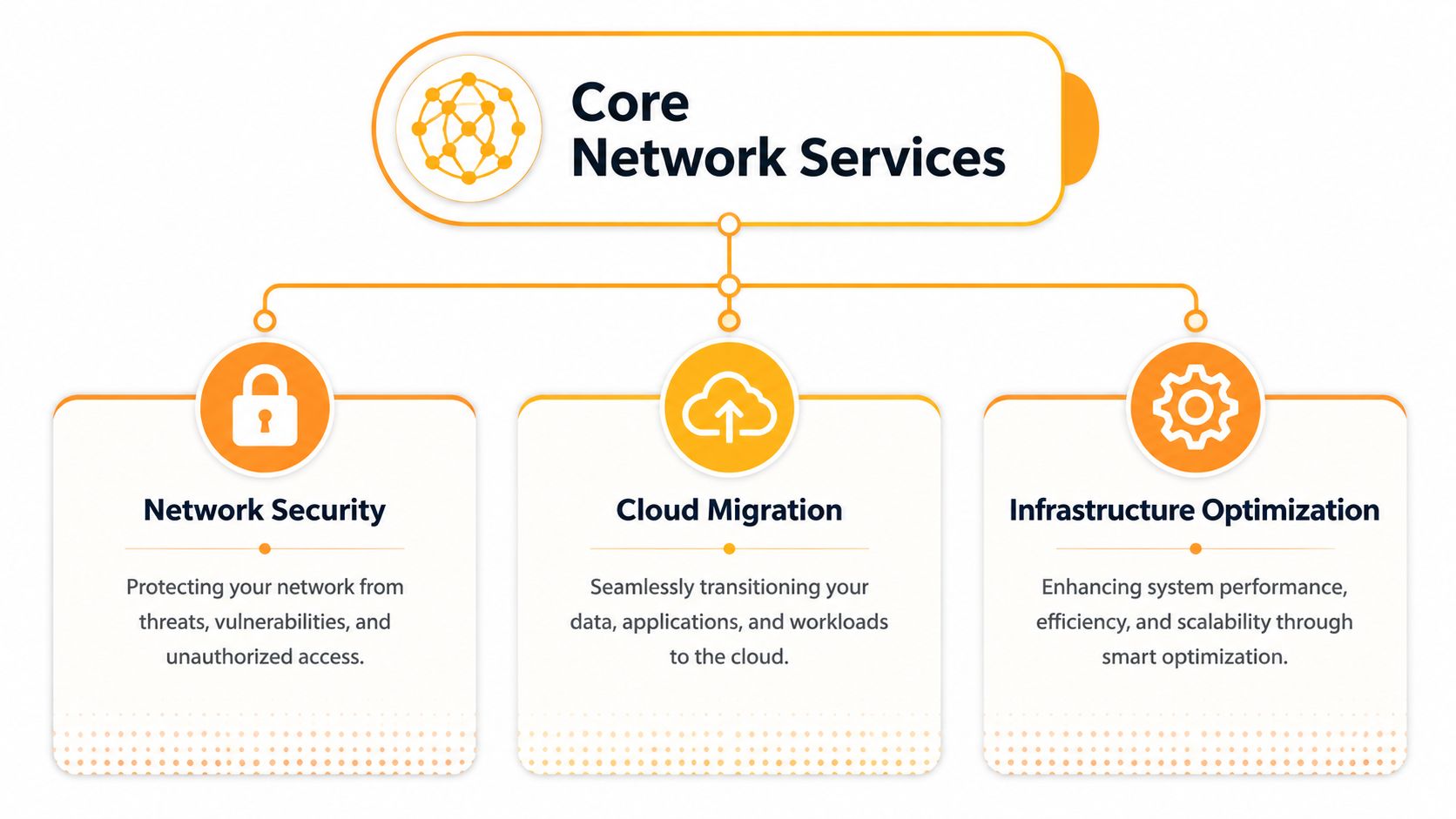
Network design and implementation
For many projects, the initial focus should be on design. If the underlying design is wrong, optimization only gives you a cleaner version of the same problem.
For an SMB, design work often includes office Wi‑Fi planning, switching layout, VLAN structure, internet failover decisions, conference room connectivity, and voice traffic handling. In a relocation or expansion, it also includes physical groundwork. If you're preparing a new office, warehouse, or retail site, structured cabling often determines whether the network will feel stable or improvised. That's why many businesses pair consulting with structured cabling contractors so the logical design and physical build match from day one.
Hardware choice also matters, but only after requirements are clear. Too many companies buy gear first and strategy second. If you're comparing equipment for a smaller site, this roundup of best routers for small business can help frame the trade-offs, but the right model still depends on user count, traffic patterns, security needs, and expansion plans.
Cybersecurity and compliance
Modern network consulting can't stop at routing and switching. If users work remotely, access cloud apps, and sign in from multiple devices, the network edge is no longer just the office firewall.
That changes the consulting brief. A serious firm should review segmentation, identity controls, wireless security, guest access, administrative privileges, logging, backup isolation, and recovery planning. If your company handles regulated data, client records, payment systems, or confidential documents, those choices affect compliance exposure as much as they affect convenience.
Some firms provide those services directly. Others coordinate with a dedicated security team. Either model can work if responsibilities are clear.
Networks and security used to be adjacent topics. For most SMBs now, they're the same planning conversation.
Performance optimization and monitoring
This category is less visible until something hurts. Staff report slowness, but nobody can say whether the cause is poor Wi‑Fi coverage, a bad switch configuration, oversubscribed internet access, device saturation, or a cloud application issue.
A consulting firm should be able to separate symptom from cause. That may involve wireless surveys, device review, topology cleanup, policy tuning, and monitoring improvements. Sometimes the answer is a redesign. Sometimes it's a targeted fix, like correcting uplink bottlenecks, cleaning up flat networks, or reworking access point placement.
One relevant local option in this space is IT Cloud Global, LLC, which provides network setup, monitoring, Wi‑Fi, cloud support, and low‑voltage cabling as part of broader managed IT and consulting services. The important point isn't the vendor name. It's whether your provider can connect design, implementation, and support without leaving gaps between teams.
Measuring the ROI of Network Consulting
Business owners don't need a lecture on why uptime matters. They need a sensible way to decide whether consulting is worth paying for.
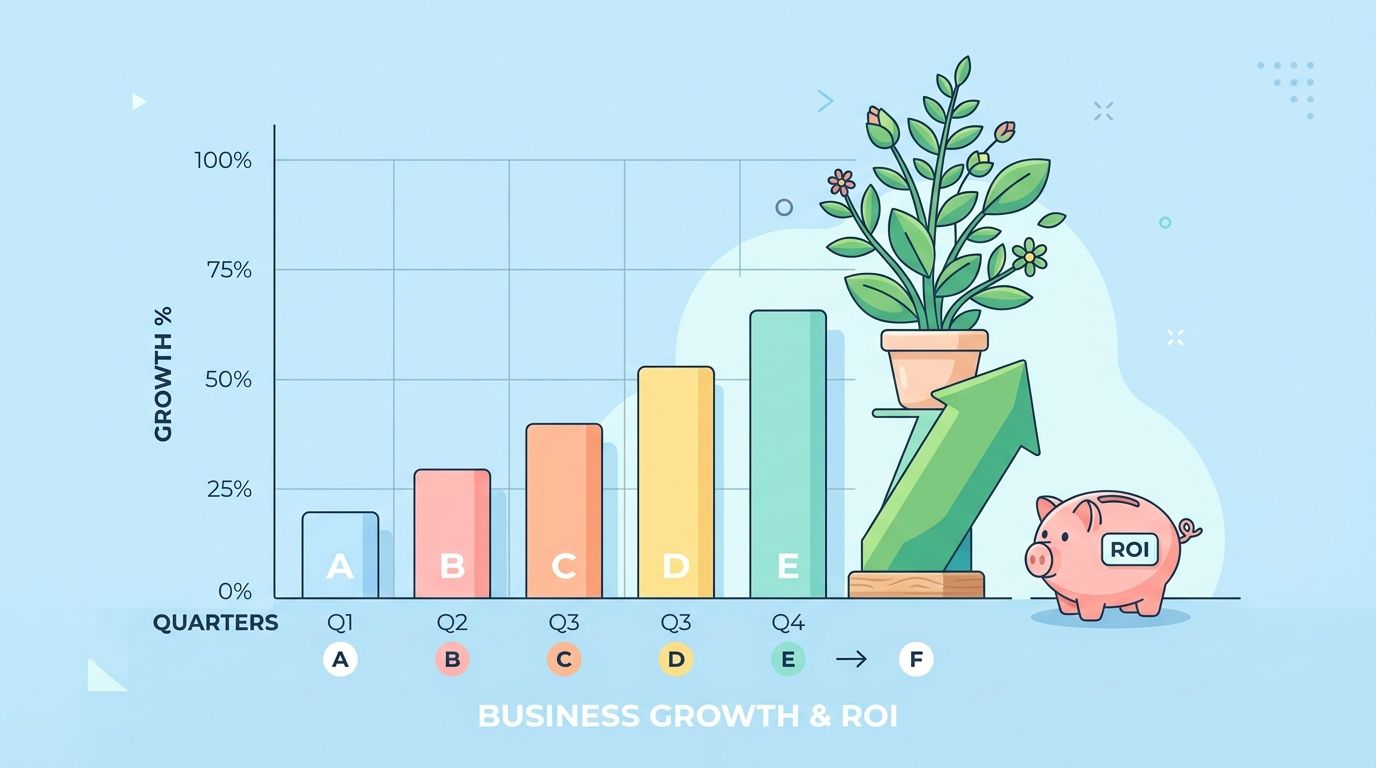
One of the clearest ways to frame it is cost avoidance. According to Uptime Institute's 2025 outage analysis, 54% of significant outages cost businesses more than $100,000. For an SMB, that figure changes the conversation. Consulting is no longer “extra IT spend.” It becomes a way to reduce the chance that one serious incident disrupts operations, damages customer confidence, and forces emergency spending.
What ROI actually looks like
Return on investment here rarely shows up as one clean line item. It appears across several business outcomes:
- Fewer interruptions: Staff stop losing time to recurring network issues, unstable Wi‑Fi, and dropped calls.
- Safer growth: New users, sites, and cloud tools can be added without improvising each step.
- Lower emergency spend: Planned remediation usually costs less than rushed after-hours fixes during an outage.
- Better recovery posture: If something fails, the business can restore service faster because dependencies were planned in advance.
A lot of owners make the mistake of comparing consulting fees against the cost of one router, one firewall, or one implementation task. That's the wrong comparison. The better comparison is between proactive planning and the cost of disorder.
If your business depends on cloud apps, phones, file access, and remote connectivity, your network is part of revenue protection.
This short video gives a useful business-level framing of infrastructure value and resilience:
Questions worth asking after a project
You don't need made-up vanity metrics. Ask operational questions your leadership team can answer.
Did support noise drop?
Are fewer employees reporting connection issues, poor voice quality, or unstable access?Can the business scale more cleanly now?
When a new hire, room, or site gets added, is the process straightforward?Did risk go down in visible ways?
For example, clearer segmentation, stronger access controls, better monitoring, and more reliable backups.Is troubleshooting faster?
A well-designed network makes failures easier to isolate.
That's what real ROI looks like for most SMBs. Less chaos. Faster work. Lower risk.
Common Engagements for Houston Businesses
Houston companies rarely call a network consulting firm because they want abstract strategy. They call because a real business event is underway and the network has to support it without drama.

That local demand fits the broader market pattern. One projection says North America is expected to capture 42% of the global network consulting market share by 2035, driven by rapid digitalization and adoption of cloud, IoT, and cybersecurity solutions. Houston businesses operate in exactly that mix of office networks, cloud platforms, distributed work, and security pressure.
Office expansion and relocation
A company signs a lease in the Energy Corridor, The Woodlands, or another growing commercial area. Construction is moving. Furniture has been ordered. The internet order is in. Everyone assumes the network is the easy part.
It usually isn't.
The consulting work here includes coverage planning for Wi‑Fi, switch placement, conference room connectivity, printer locations, guest access, phone system readiness, and rack layout. The biggest mistake is waiting until the week before move-in to make these decisions. By then, cabling paths are harder to change and every fix costs more.
Cloud migration for hybrid work
Another common engagement starts with a server question. The business wants to reduce dependence on an aging local server, move collaboration into Microsoft 365, or support staff who split time between home and office.
This is not only a cloud project. It's a network project too. Access policies, bandwidth behavior, identity flow, remote device trust, and backup design all have to be reconsidered. A poor migration leaves users with slower workflows and more security gaps than before.
Security hardening for client sensitive businesses
Law firms, healthcare-adjacent practices, financial companies, engineering groups, and other client-sensitive organizations often realize their network was built for convenience first. That's common. It also becomes a problem once leadership starts asking harder questions.
A consulting engagement here often focuses on segmentation, access review, wireless controls, third-party connections, secure remote access, logging, and recovery planning. The network has to support the business without exposing it.
The more your team depends on remote access and cloud platforms, the more “network work” becomes business continuity work.
Your Buyer's Checklist for Choosing a Partner
Choosing a network consulting firm isn't like buying office equipment. You're choosing who gets to influence the structure of systems your staff depend on every day. The right partner will prevent expensive mistakes. The wrong one will create a polished diagram that doesn't survive real-world use.
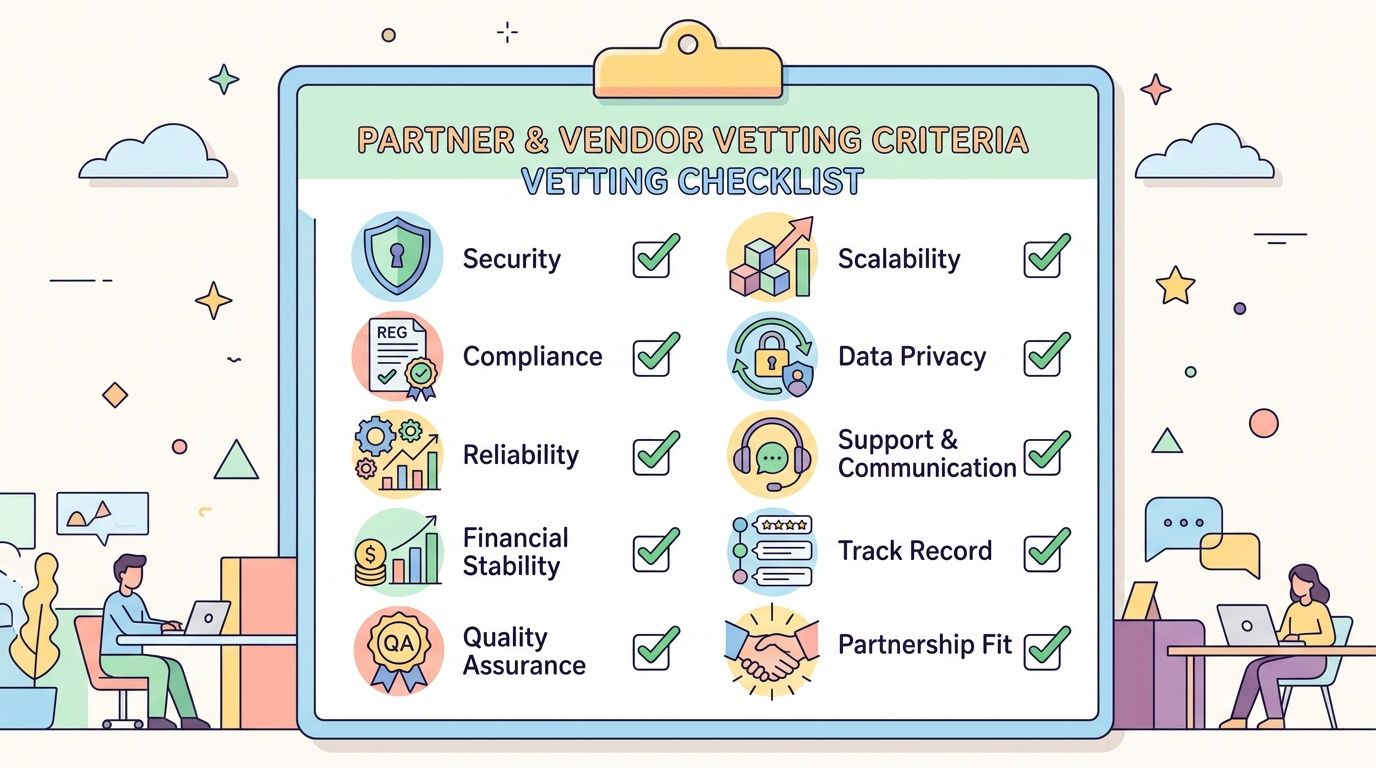
Security should be central in that evaluation. As noted in this guidance on integrated security thinking, the human element was involved in 60% of breaches and ransomware was present in 32% of them, which is why modern network design has to account for zero-trust, MFA, and recovery planning. If a firm talks only about switches, speed, and uptime, they're missing a large part of the actual job.
What to verify before you sign
Use this as a practical screening list:
- Local operating reality: Can they support Houston-area offices, multi-site businesses, and on-site coordination when cabling, Wi‑Fi, and cutovers are involved?
- Cloud fluency: Do they understand Microsoft 365, Azure, AWS, and hybrid environments, or are they still designing everything like a single-site office?
- Security integration: Ask whether segmentation, MFA alignment, backup isolation, logging, and recovery planning are part of their network recommendations.
- Implementation depth: Can they move from assessment into real deployment guidance, or do they stop at a report?
- Operational handoff: If they design the network, who supports it afterward, and how clean is that transition?
If you're comparing providers more broadly, this guide on how to choose a managed service provider is a useful companion because it helps separate strategic capability from general support promises.
Questions to ask in the first meeting
Don't ask only “What services do you offer?” Ask questions that expose how they think.
How do you assess an existing network before recommending changes?
You want to hear about discovery, diagnostics, user workflows, and dependency mapping.How do you design for growth?
Their answer should cover added users, devices, cloud apps, and future locations.How do you handle security within a network project?
If they treat security as a separate afterthought, that's a warning sign.What happens when a design recommendation conflicts with budget?
Good consultants can prioritize what must be done now versus what can be staged.How do you measure whether the engagement worked?
Look for practical outcomes such as reduced instability, cleaner onboarding, stronger resilience, and fewer recurring issues.
A reliable consultant should make trade-offs clear. They shouldn't hide behind jargon when budget, timing, or risk force a decision.
The best partner won't promise a perfect network. They'll explain the consequences of each choice in plain language so you can decide with confidence.
Building a Network That Works for You
Most businesses don't start by searching for a network consulting firm. They start by dealing with friction. Slow wireless. Unreliable calls. A new office buildout. Remote staff who need secure access. Cloud tools that don't fit the old network design.
That's why the right consulting relationship matters. It turns the network from a collection of devices into a business system that supports productivity, security, and growth. The point isn't to buy more technology. The point is to make technology fit the way your company operates.
If your team is modernizing cloud workflows, automation choices also affect network and access design. For example, teams evaluating lightweight cloud automation may want to review how to deploy Passflow on AWS Lambda as part of a broader discussion about secure, scalable infrastructure patterns. And if you need a practical starting point for your own environment, this guide on how to set up a business network helps clarify the core building blocks.
The businesses that handle growth best usually do one thing early. They stop treating the network as an afterthought.
If your Houston business is dealing with office growth, unstable Wi‑Fi, remote access concerns, cloud migration, or rising security pressure, it may be time for a more deliberate network plan. IT Cloud Global, LLC works with Greater Houston businesses on managed IT, network support, cloud environments, cybersecurity, cabling, and business continuity. A consultation can help you identify where the current network is holding the business back, what needs to be fixed first, and what a practical roadmap should look like.
- Remote Desktop IT Support Guide 2026
- Application Modernization for SMBs: Boost Efficiency &
- Endpoint Protection vs Antivirus: A Houston Guide
- Excellent IT Group Houston Downtown: A 2026 Buyer’s Guide
- Houston IT Support: A 2026 Guide for SMBs
- What Is Network Access Control: Why Your Business Needs It
- Hybrid Cloud Management: A Practical Guide for SMBs