


IT Support for Construction: A Houston Business Guide
The crew is already rolling. The superintendent is waiting on revised drawings. A project manager opens a tablet in the trailer and the sync stalls again. The drone survey from this morning hasn't uploaded. The BIM file takes forever to open. Someone falls back to an older PDF because it's the only version they can reach. By lunch, that small tech issue has turned into rework, delays, and a lot of avoidable phone calls.
That pattern shows up across construction because the work itself is messy, distributed, and time-sensitive. The U.S. construction industry employed about 8.0 million people, included more than 919,000 establishments, and reached US$1.98 trillion in spending in August 2023, according to AGC construction data. In a sector that large and fragmented, small technology failures don't stay small. They spill into scheduling, safety reporting, payroll, procurement, and document control.
Construction firms don't need office IT with a hard hat sticker on it. They need systems that can handle field conditions, mobile devices, large CAD and BIM files, and subcontractor access without turning every project into an improvised workaround. That's where real IT support for construction starts. Not with generic helpdesk scripts, but with reliable jobsite connectivity and security controls built for crews moving between office, trailer, truck, and site.
Table of Contents
- Introduction From Blueprints to Bytes
- Why Generic IT Support Fails in Construction
- The Digital Foundation Managed Services and Cloud
- Building a Rock-Solid On-Site Tech Stack
- Protecting Your Data from Site to Server
- Finding the Right IT Partner in Houston
- Conclusion Your Blueprint for Tech Success
Introduction From Blueprints to Bytes
Construction companies already know technology matters. The problem is that many of them are running critical operations on systems that were designed for a stable office, not a live jobsite. A corporate IT setup assumes consistent power, clean workspaces, fixed desks, and users who stay on one network all day. Construction has none of that.
A superintendent may need to pull up RFIs from a trailer in the morning, review markups from a truck at lunch, and approve field changes from a phone before the day ends. Estimators move between takeoff software, plan sets, email, and shared storage. PMs need fast access to submittals, schedules, photos, and daily reports. If any piece of that chain slows down, people start using stale files, texting screenshots, or storing project information in places nobody can govern.
The hidden cost of small failures
The damage usually doesn't begin with a major outage. It starts with friction. A sync issue keeps drawings from updating. Wi-Fi drops in the trailer. A shared tablet misses patches. A foreman can't reach the latest safety form. Those aren't dramatic failures, but they push crews into manual workarounds, and manual workarounds create errors.
Generic IT usually treats construction problems like device tickets. Construction owners feel the pain as lost field time and broken coordination.
That gap is why specialized IT support for construction isn't a luxury. It's part of how a modern contractor keeps office and field aligned. The firms that handle this well build a digital backbone that supports document access, collaboration, backup, security, and connectivity at every stage of the job.
What specialized support actually means
For construction, the right support model has to cover three environments at once:
- Office systems: File access, Microsoft 365, user accounts, printers, phones, and line-of-business applications.
- Cloud platforms: SharePoint, Teams, Autodesk Construction Cloud, BIM 360, backup platforms, and mobile device management.
- Field operations: Temporary networks, rugged Wi-Fi, tablets, laptops, scanners, VoIP, and secure access from changing sites.
That's the standard. If your provider only knows one of those three, you're still exposed.
Why Generic IT Support Fails in Construction
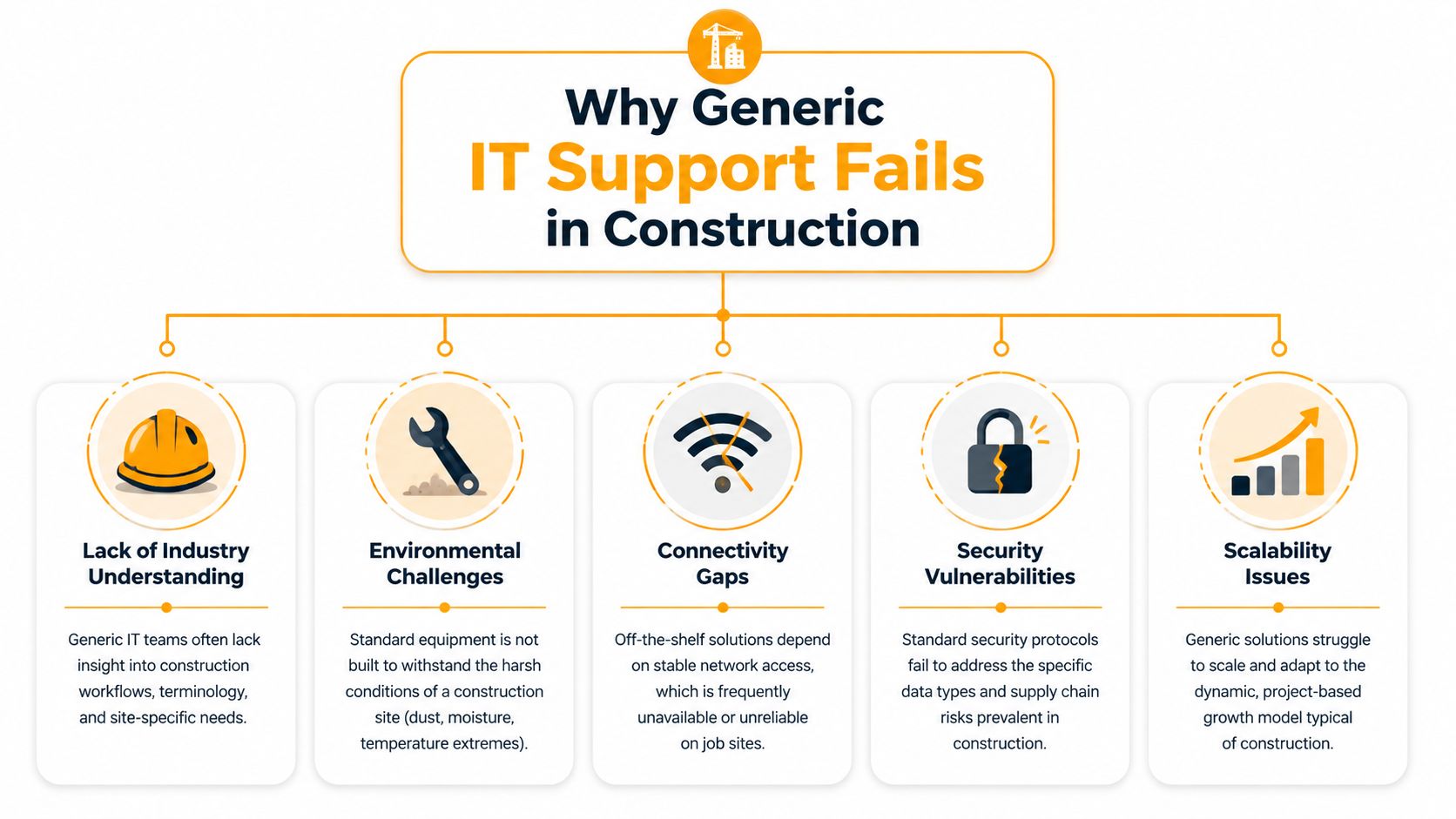
Generic IT fails in construction for one simple reason. It assumes the environment is stable. Construction is the opposite. Devices move. Sites change. Crews rotate. Internet quality swings from building to building. Files are large, deadlines are tight, and outside parties need controlled access to project information.
Construction is not a normal office environment
Most MSPs are comfortable supporting desktops, email, and basic networking in offices. That doesn't translate cleanly to jobsites. Construction teams depend on tablets, rugged laptops, phones, trailer networks, cloud storage, and field apps that need to work in dust, heat, moisture, and constant movement.
The workload is different too. BIM and CAD files are heavy. Model coordination, sheet revisions, and photo documentation create pressure on storage, sync, and bandwidth. A generic technician may know how to reset Wi-Fi. That same technician may not understand why poor latency breaks cloud-based drawing workflows or why an unmanaged tablet can become the weak point in a project data chain.
The biggest problems are operational
The core pain isn't just broken hardware. It's friction between systems. A Red River report notes that 25% of construction firms report out-of-date software, 25% struggle with system integration, and 30% say their software does not integrate well, which leads to manual work and errors, according to Red River's construction IT support overview.
That tracks with what construction owners deal with every week. Data gets entered twice because one system doesn't talk to another. A PM exports PDFs because field staff can't reliably access the live source. Updates get delayed because nobody wants to patch a device that might already be on a remote site.
Signs your current provider doesn't fit construction
- They solve tickets, not workflows: If they can fix Outlook but can't map how drawings, RFIs, BIM, and field reporting move between teams, they'll always be reactive.
- They ignore the field: When a provider focuses only on HQ, site trailers become islands with improvised networking and weak security.
- They treat every user the same: Office admin, estimator, superintendent, and subcontractor all need different access and device policies.
- They don't understand software dependencies: Autodesk tools, cloud storage, Microsoft 365, scanners, and printers all affect one another in real operations.
- They underestimate temporary setups: A site network is not a stripped-down office branch. It's a short-life environment with higher instability and less tolerance for downtime.
Practical rule: If your IT company never asks how crews access drawings on site, it doesn't really understand construction.
The right provider doesn't just maintain computers. It reduces coordination drag. That's a different job.
The Digital Foundation Managed Services and Cloud
Construction companies often spend too much time trying to stabilize symptoms in the field when the underlying problem starts in the core environment. If user accounts are inconsistent, permissions are sloppy, cloud storage is disorganized, or endpoint policies aren't enforced, the field will feel the failure first.
Break-fix support always arrives too late
Break-fix support sounds cheaper until a job depends on it. In construction, waiting until something fails is costly because downtime spreads across people who are already coordinated around schedules, subs, inspections, and deliveries. A proactive managed model is different. Systems are monitored, patched, backed up, and reviewed before a project team discovers a problem the hard way.
That matters for basics like laptops and Wi-Fi, but it's even more important for identity, storage, and collaboration. Construction teams need predictable onboarding when a new PM or superintendent starts. They need offboarding when a subcontractor or former employee should lose access. They need device policies that don't depend on whoever remembers to check settings.
Cloud tools need structure, not just licenses
Microsoft 365 is common in construction, but many firms use it as a loose bundle of email, file syncing, and chat. That's where document confusion starts. SharePoint, Teams, Exchange, and Intune can support construction well, but only when someone designs the structure around actual project workflows.
A useful setup usually includes:
- Project-based Teams and SharePoint sites: Keep drawings, RFIs, contracts, and site photos tied to the project, not buried in personal folders.
- Role-based permissions: Estimators, PMs, field leaders, and finance should not all see the same data.
- Mobile device controls: Phones and tablets need policies for sign-in, app access, and remote wipe.
- Retention and version control: Construction firms often need a reliable history of changes, not just the latest file.
Autodesk Construction Cloud and BIM 360 also need attention beyond installation. Large files, sync behavior, local caching, permissions, and remote access all affect whether teams can use those platforms smoothly.
For firms improving both operations and preconstruction, resources on a remodeling CRM to win jobs can be useful because sales, estimating, and project handoff often break at the same seams as IT. The system matters less than whether it connects cleanly to the way your team bids and builds.
When cloud performance becomes inconsistent, it helps to work from a managed infrastructure plan instead of ad hoc fixes. That's where managed cloud computing services fit. The point isn't just migration. It's keeping identity, storage, access, and support aligned so field and office teams work from the same source of truth.
Building a Rock-Solid On-Site Tech Stack
The most overlooked problem in construction IT is still the most expensive in daily operations. Jobsite connectivity. Not in theory, but in the actual conditions crews deal with. Temporary trailers. Weak signal. Concrete, steel, and equipment interfering with coverage. Power issues. Users moving between interior and exterior work zones.
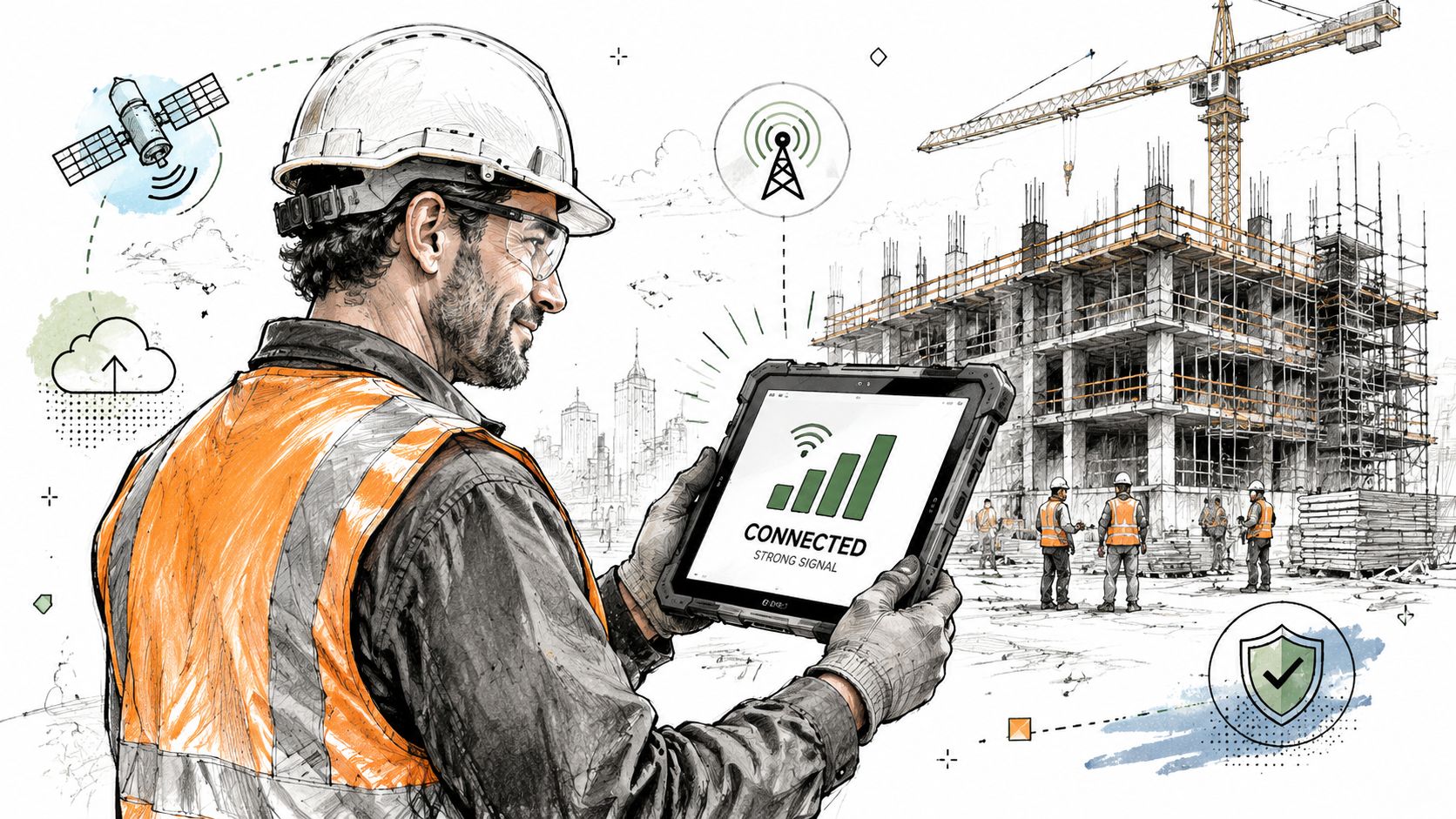
A construction-focused provider should know that broad promises about "uninterrupted connectivity" aren't enough. The fundamental gap is operational guidance for temporary offices, inconsistent power, and support that can scale with the project, as described by MIS Solutions on construction technology environments.
Start with the trailer and work outward
Too many site setups begin with a consumer router on a folding table and whatever cellular hotspot happens to work that week. That approach fails once the trailer becomes the hub for printing plans, syncing reports, handling calls, and moving project files.
A better sequence is:
- Stabilize power and network placement. Put core gear where it won't overheat, get kicked loose, or sit in the dust path.
- Wire fixed points first. Printers, VoIP phones, and trailer workstations should use cabling whenever possible.
- Design Wi-Fi around use zones. Trailer office, entry area, laydown yard, and key field access points often need different coverage expectations.
- Plan for change. Jobsites evolve. Access point placement that works in month one may fail after framing, concrete, or equipment placement changes the environment.
What works on active jobsites
The right on-site stack depends on project type, but a few choices consistently hold up better than generic office gear.
- Commercial-grade structured cabling: Site offices still need stable wired connectivity for desktops, printers, and phones. Temporary doesn't mean disposable. Clean cabling prevents a lot of mystery outages. For firms building or refreshing trailer infrastructure, structured cabling contractors can help design low-voltage layouts that support both current use and site changes.
- Business-class Wi-Fi access points: Rugged coverage matters more than flashy specs. The goal is reliable access where tablets and laptops are used.
- VoIP with failover planning: Front office and field communication shouldn't collapse because one internet path goes down.
- Managed tablets and laptops: If field devices are left unmanaged, every jobsite becomes its own security and support problem.
Construction teams also need to think about software usage in the field. If your estimators and PMs depend on markup and takeoff workflows, comparing tools like Exayard vs Bluebeam for construction takeoffs can help determine whether the software fits your bandwidth, markup, and collaboration needs on real projects rather than in demos.
A good jobsite network is boring. Crews stop talking about it because drawings open, calls connect, and sync happens in the background.
That's the target. Not perfect signal in every corner of every site. Reliable function where work happens.
Protecting Your Data from Site to Server
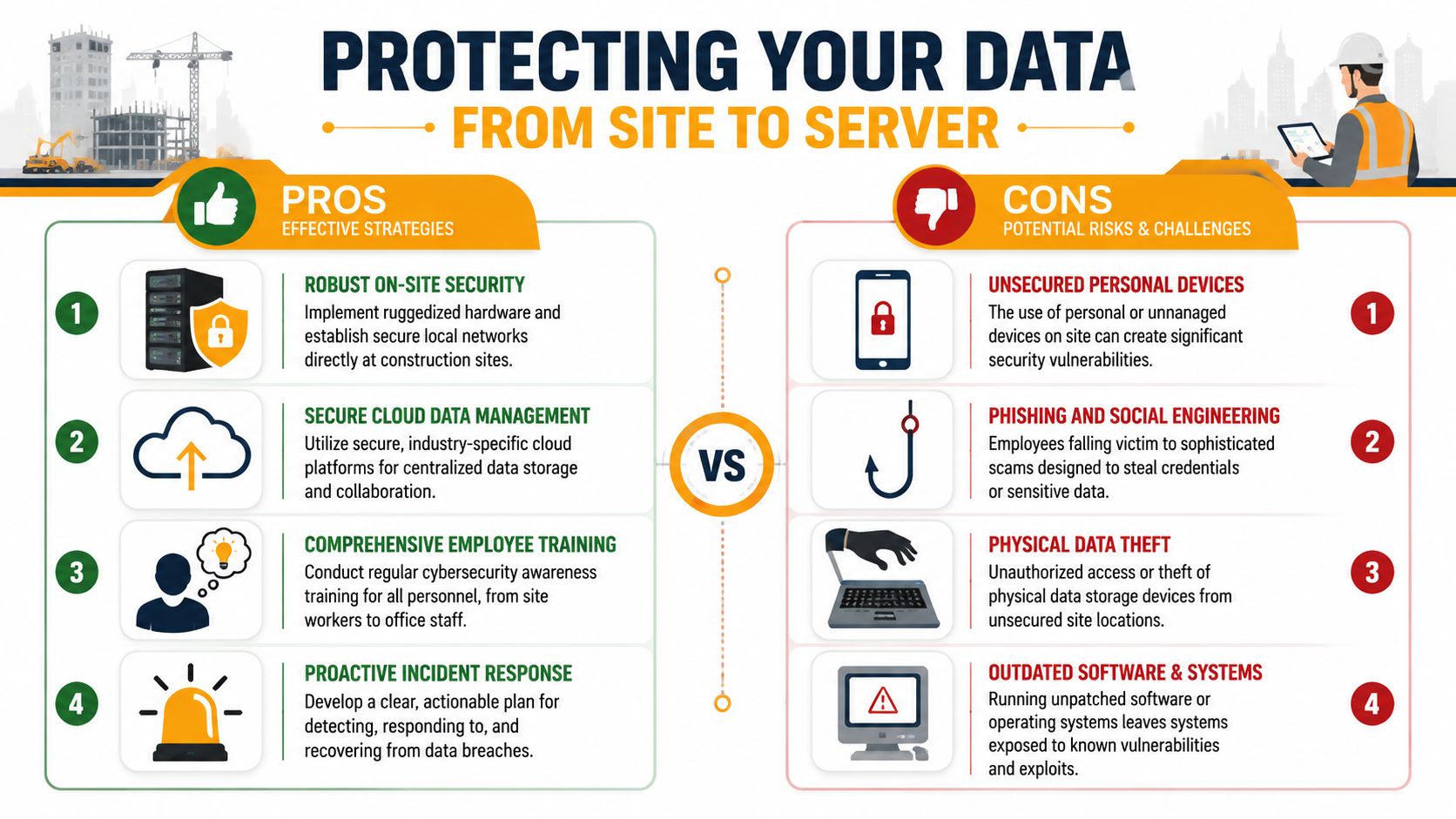
Construction security problems rarely begin in the server room. They usually start at the edge. A phone with saved credentials. A shared tablet. A laptop in a truck. A subcontractor with more access than needed. A field user opening email on an unmanaged device because it's convenient.
Construction firms have more exposure here than many office-based companies because project data moves constantly between people, devices, and locations. Plans, change documentation, photos, payroll details, contracts, and vendor communications all pass through tools that field and office staff use differently.
Construction security breaks at the edge
Generic security advice usually says "use antivirus and train employees." That's not enough for mobile crews and mixed-device environments. Construction needs layered controls around endpoints, access, monitoring, and backup. The pressure is real. Ransomware affected 24% of construction organizations in 2023, according to Ingenious on IT services for construction companies.
The practical controls that matter most are usually these:
- Endpoint protection on every laptop, phone, and tablet: Security can't stop at office desktops.
- Multi-factor authentication: If credentials are stolen, MFA adds another barrier before attackers reach project systems.
- Conditional access and role limits: The fewer people who can reach sensitive financial, HR, or executive data, the smaller the blast radius.
- Monitoring and alerting: Construction firms need someone watching for suspicious activity, not just cleaning up after it.
One area many contractors miss is operational media handling. Site photos, measurements, markups, and inspection records often live on phones longer than they should. Guidance on protecting site photos and measurements is useful because field evidence can be just as sensitive as formal project documentation.
Backups have to be usable under pressure
Backup is where a lot of firms think they're covered when they aren't. Having copies somewhere isn't enough. You need to know what is backed up, how quickly it can be restored, who can restore it, and whether that process works when people are under pressure.
Field reality: If a ransomware event hits on a Thursday afternoon, your restore plan has to support payroll, project documents, and communications fast enough to keep operations moving.
Strong backup planning in construction usually includes cloud data, shared storage, endpoint recovery, and offsite copies that are separated from the systems being attacked. For firms tightening that part of the stack, offsite backup and recovery services are one practical way to keep recoverable data outside the immediate failure zone.
Security in construction has to match how the work is done. That means protecting mobile users, shared devices, cloud collaboration, and fast-moving project teams. Anything less leaves a lot of expensive doors open.
Finding the Right IT Partner in Houston
Choosing an IT provider for a construction firm shouldn't start with hourly rate. It should start with what failure costs you. If a trailer loses connectivity, the office can't sync, or a drawing set becomes inaccessible during active work, the damage shows up in labor time, coordination delays, and bad decisions made from old information.
Judge providers by uptime and field reality
A construction IT partner needs to support office systems, cloud platforms, and jobsites without treating those as separate worlds. Continuity is the benchmark that matters. One provider serving construction firms reports 99.8% average network uptime and critical-issue response times under 15 minutes, according to ManagedT's construction IT support page. The exact number will vary by provider and environment, but the lesson is clear. Speed and consistency matter because disruptions hit live operations, not just inboxes.
Houston firms should also ask a local question that many RFPs miss. Can this provider handle on-site support when a trailer network, cabling run, access point, or field device problem needs hands-on work? Plenty of companies can remote into a laptop. Fewer can deal with a live construction environment and coordinate with office staff and field leadership at the same time.
Vendor Selection Checklist for Construction IT Support
| Question Category | Key Question to Ask | Why It Matters |
|---|---|---|
| Construction workflow knowledge | Have you supported firms using BIM, CAD, Autodesk Construction Cloud, or BIM 360? | A provider needs to understand how project files, revisions, and field collaboration actually work. |
| Jobsite support | Can you support temporary trailers, changing site layouts, and field connectivity issues on-site as well as remotely? | Construction networks change over time and often need physical troubleshooting. |
| Device management | How do you manage tablets, rugged laptops, and phones used by field crews? | Mobile endpoints are often the weak point in both support and security. |
| Microsoft 365 administration | How do you structure Teams, SharePoint, Exchange, and Intune for project-based work? | License ownership isn't the same as usable collaboration and access control. |
| Security controls | What do you deploy for endpoint protection, MFA, access policies, and monitoring? | Construction firms need layered protection for mixed-device, multi-location use. |
| Backup and recovery | What is covered in backup, and how do you restore project data, user data, and cloud content after an incident? | Recovery quality matters more than backup marketing language. |
| Support model | What happens when a critical issue affects an active jobsite outside normal office hours? | Construction schedules don't always fail neatly during business hours. |
| Cabling and network buildout | Can you handle low-voltage cabling, Wi-Fi design, and VoIP for trailer and office environments? | Many construction issues are physical network problems, not just software tickets. |
| Vendor coordination | Will you work with software vendors, copier teams, phone providers, and project platform support when needed? | The owner shouldn't have to referee every outage between vendors. |
| Local responsiveness | What is your coverage for Houston and nearby jobsites? | Local presence matters when remote support isn't enough. |
One local option firms may evaluate is IT Cloud Global, LLC, which provides managed IT, Microsoft 365 administration, networking, low-voltage cabling, cloud support, backup, and on-site or remote assistance in Houston. The important point isn't the brand. It's whether the provider's capabilities match the way your projects operate.
Conclusion Your Blueprint for Tech Success
Construction companies don't lose time because technology is unimportant. They lose time because generic technology support doesn't match the way construction work gets done. The two biggest failure points are easy to miss until they cause damage. Weak jobsite connectivity and weak control over mobile devices, access, and data.
If your crews can't reliably open drawings, sync photos, place calls, or reach the right project files from the field, you're not dealing with an inconvenience. You're dealing with a production problem. If tablets, phones, laptops, and cloud accounts aren't secured and managed properly, you're carrying more risk than most owners realize.
Real IT support for construction connects the office, the cloud, and the jobsite into one operating system for the business. It keeps BIM and CAD workflows usable. It supports field access without sacrificing security. It reduces the friction that turns a normal day into a delay.
Treat IT like part of the jobsite plan, not an afterthought. Audit your connectivity. Review your mobile device policies. Test your backups. Ask harder questions of your current provider. The firms that get this right don't just avoid outages. They run tighter projects.
If your construction company needs a Houston-based team that can support office users, cloud platforms, trailer networks, low-voltage cabling, backup, and day-to-day IT operations, IT Cloud Global, LLC is one option to review. A practical next step is to map your current weak points first: field connectivity, file access, device management, Microsoft 365 structure, and recovery readiness. That kind of assessment usually shows very quickly whether your current setup is supporting production or slowing it down.