


DevOps Implementation for SMBs: A Practical Roadmap
A Houston business can lose a full day to a failed update, an unavailable application, or a security alert that nobody has time to investigate. The owner sees delayed customer work, the operations manager starts calling vendors, and the IT provider is forced into emergency response instead of planned improvement. The underlying problem usually isn't a lack of effort. It's a delivery process built around manual handoffs, isolated tools, and reactive support.
DevOps implementation gives smaller organizations a practical way to connect software changes, infrastructure, security, monitoring, and support. It isn't limited to large engineering departments. For an SMB, DevOps can mean safer updates, clearer ownership, earlier warnings, and a more predictable operating environment, even when development is outsourced or the internal IT team is small.
Table of Contents
- Why Your Business Needs a DevOps Mindset
- Preparing Your Team and Culture for Change
- Building Your Core DevOps Toolchain
- Phased Implementation and Governance
- Common Pitfalls and How to Avoid Them
- Next Steps for Your IT Transformation
Why Your Business Needs a DevOps Mindset
A Houston company that manages scheduling, inventory, customer records, or online sales may depend on several connected systems. When a developer releases a change without operations visibility, the application may work in testing but fail under real customer traffic. When an administrator fixes the production environment manually, the undocumented change can make the next deployment harder to diagnose.
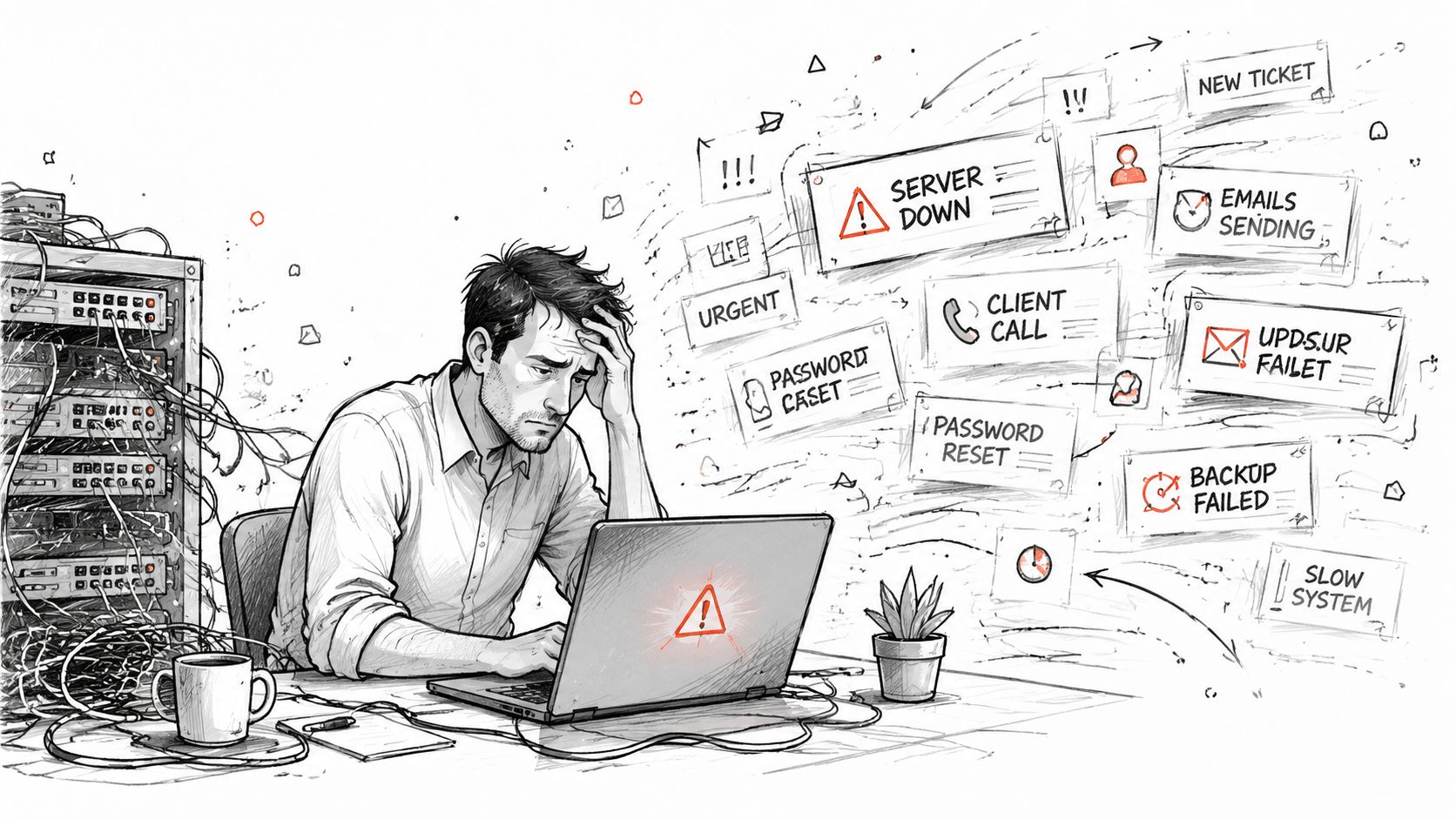
Traditional IT often treats each incident as a separate event. Someone reports a problem, a technician restores service, and the team moves on to the next ticket. That approach keeps urgent work moving, but it rarely improves the system that produced the incident. A DevOps mindset changes the question from “Who can fix this?” to “How can we make this change safer, easier to observe, and less likely to fail again?”
The shift matters because DevOps aligns technical work with business outcomes:
- Business continuity: Teams design deployments, backups, monitoring, and recovery procedures around the services customers and employees need.
- Security: Security checks become part of the delivery workflow instead of a last-minute review.
- Operational speed: Automation reduces repetitive handoffs while preserving approval controls for higher-risk changes.
- Accountability: Developers, administrators, vendors, and business owners share an understanding of what changed and who responds when it fails.
DevOps adoption is no longer confined to early experiments. An IDC survey reported in March 2020 that more than 77% of U.S. enterprise respondents had adopted DevOps in some capacity, although DevOps covered less than 20% of application estates for most organizations at that time. The same research projected that participating organizations expected DevOps to reach nearly 31–40% of their applications in 2021, showing the move from isolated pilots toward broader portfolio use. IDC's DevOps adoption research provides the context.
For a small business, the lesson isn't to copy an enterprise program. It's to create a repeatable operating rhythm where changes are tested, documented, monitored, and reversible. Businesses evaluating the cloud side of that transition can also review how cloud computing can help IT staff maximize efficiency.
Preparing Your Team and Culture for Change
Tools won't repair a team that doesn't agree on ownership. Before selecting a pipeline platform or rewriting infrastructure, leadership should establish who approves changes, who maintains test environments, who receives alerts, and who communicates with employees or customers during an incident.
For an SMB, the “team” may include an internal administrator, a software contractor, an outsourced helpdesk, a cloud provider, and department managers. DevOps works when those participants share the same service priorities. It doesn't require everyone to perform every technical task, but it does require everyone to understand the handoffs.
Establish shared responsibility
Start with a short operating agreement. Define the applications that matter most, the acceptable maintenance windows, the people authorized to approve production changes, and the evidence required after a deployment. Include a simple escalation path for situations where an automated release fails or monitoring detects unusual behavior.
Leaders should also reward useful reporting. If an employee identifies a recurring failure, the response should focus on improving the process rather than assigning blame. A post-incident review can ask:
- What changed?
- What signal should have warned us earlier?
- Which manual step created risk?
- What control will prevent a repeat?
- Who owns the follow-up?
Practical rule: Treat a failed deployment as a process signal first and a personnel issue only when evidence shows deliberate disregard for the agreed controls.
Create a learning habit
Small teams don't need lengthy ceremonies. A short weekly review can examine open incidents, failed tests, overdue patches, noisy alerts, and changes that required emergency intervention. The purpose is to select one improvement that reduces future effort.
Leaders should also make the workflow visible. A shared ticketing system, change record, and runbook give employees and providers the same operational reference. Teams interested in the human side of adoption can review this case study building DevOps culture for a practical example of culture-focused change.
The strongest culture signal comes from management behavior. If leaders demand speed while ignoring testing, staff will bypass controls. If leaders demand stability but reject automation, staff will protect fragile manual procedures. A credible DevOps program asks for both delivery improvement and operational discipline.
Building Your Core DevOps Toolchain
An SMB doesn't need a sprawling collection of products. It needs a connected toolchain that records changes, tests them, deploys them consistently, and shows whether the result is healthy. The right question isn't “Which platform is fashionable?” It's “Which capability removes a known operational risk?”
| Category | Primary Purpose | Key Benefit |
|---|---|---|
| CI/CD | Build, test, approve, and deploy changes through a repeatable workflow | Fewer manual release errors and clearer change history |
| Infrastructure as Code | Define servers, networks, permissions, and environments in version-controlled files | Consistent provisioning and easier recovery |
| Monitoring and observability | Collect logs, metrics, alerts, and service health signals | Earlier detection and faster diagnosis |
| Security automation | Scan code, dependencies, secrets, configurations, and access paths | Earlier risk detection without relying on a final manual review |
CI/CD should create controlled movement
Continuous integration brings code changes into a shared repository and runs automated checks. Continuous delivery or deployment moves approved changes toward the target environment. For a small team, the first useful pipeline may be modest: validate the build, run unit and integration tests, scan dependencies, require an approval for production, and record the result.
Testing deserves careful attention. Automation should cover the checks that people can repeat reliably, while human reviewers concentrate on business behavior, risk, and unusual changes. Teams that need help designing a maintainable testing approach can find test automation help before selecting a framework.
Infrastructure should be reproducible
Infrastructure as Code can define cloud resources, network settings, access policies, and application dependencies in version-controlled templates. That doesn't mean every environment must be identical. It means differences are intentional, visible, and reviewable rather than hidden in a technician's memory.
A practical SMB workflow might use Terraform, AWS CloudFormation, Azure Bicep, or another suitable system. The product matters less than version history, peer review, secret protection, and a tested recovery process.
Monitoring must answer operational questions
Monitoring isn't a dashboard decoration. It should answer whether a service is available, whether performance is deteriorating, whether an important transaction is failing, and who should respond. Centralized logs, application metrics, infrastructure alerts, and user-facing checks provide more useful evidence than isolated device alarms.
Support workflows need that evidence. A helpdesk ticketing system can connect alerts, user reports, incident ownership, and resolution notes. IT Cloud Global, LLC is one provider option that can support managed IT operations alongside these workflows, including monitoring, helpdesk coordination, cloud administration, and security services.
Phased Implementation and Governance
A safe rollout starts with a service that matters but isn't so complex that nobody can understand the baseline. Select one application, infrastructure component, or recurring deployment process. Document how it works today, where failures occur, who owns it, and what “better” means for the business.
The implementation should preserve normal operations. Keep the existing recovery path available until the new workflow has been tested under realistic conditions. Avoid changing the application, hosting model, access policy, and support process simultaneously. Each additional variable makes failures harder to isolate.
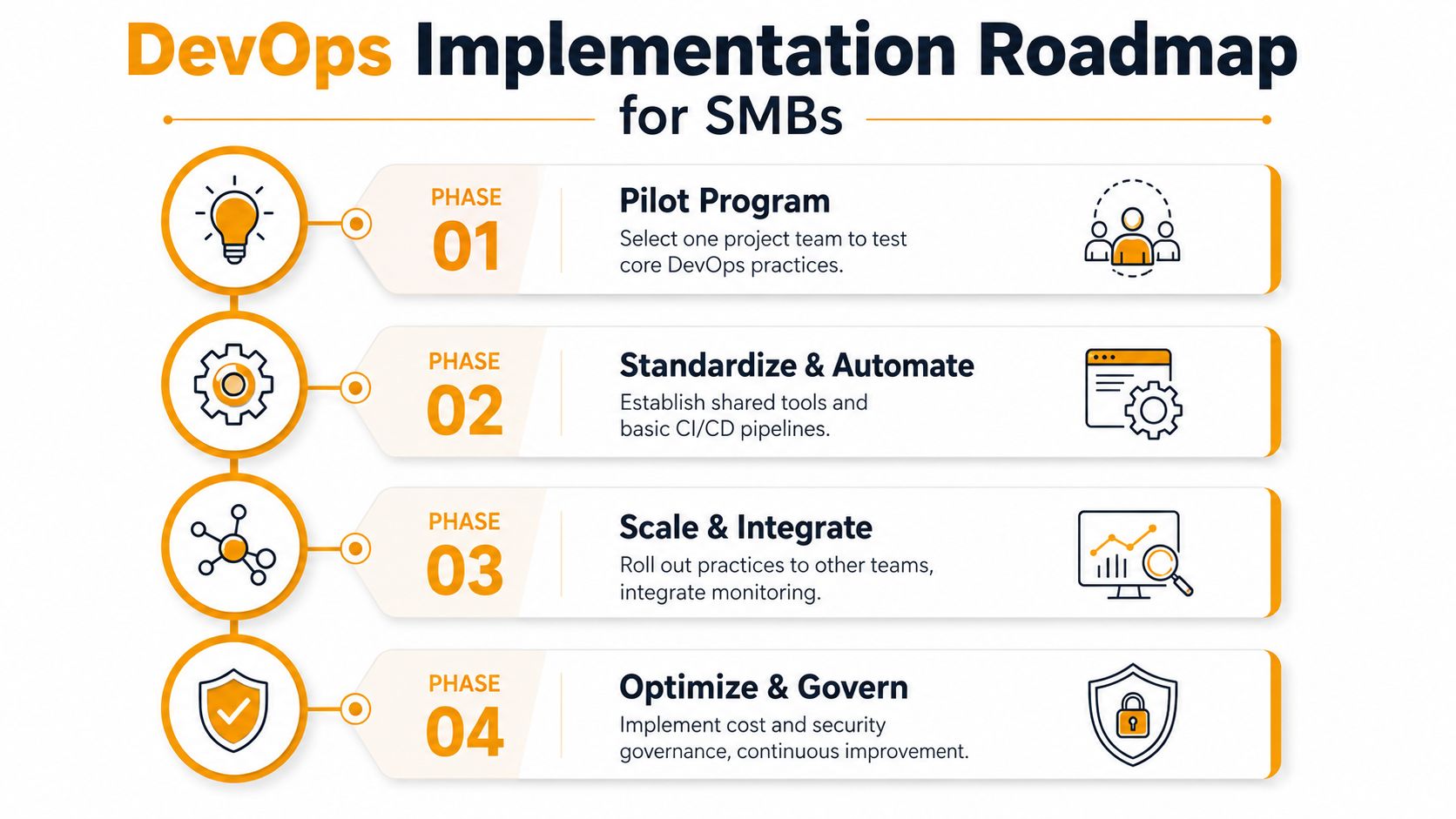
Phase one, pilot with a measurable baseline
Choose a project with an engaged owner and a supportive business sponsor. Capture the current release process, testing steps, approval points, incident patterns, and recovery method. Instrument the pipeline around the DORA four metrics, deployment frequency, lead time for changes, change failure rate, and time to restore service. DORA metrics are valuable because they connect workflow changes to throughput and stability rather than vague maturity labels. Atlassian's explanation of DORA metrics describes how teams use these measures.
During the pilot, implement only the controls that address the biggest risks. That may include repository rules, automated tests, an approval gate, infrastructure versioning, and production alerts. Review the results with business stakeholders, not just technical staff.
Phase two, standardize the repeatable parts
Once the pilot is stable, create templates for repositories, pipelines, environments, access requests, monitoring, and incident records. Standardization reduces the number of decisions each team must make and makes outsourced support easier to coordinate.
A useful governance checklist includes:
- Change control: Define which changes require review, approval, testing evidence, or a maintenance window.
- Access control: Apply least privilege, separate development and production access, and review privileged accounts.
- Secrets management: Store credentials in an approved secrets system, not in source code or shared documents.
- Security checks: Add dependency scanning, secret detection, vulnerability assessment, and configuration review to the delivery workflow.
- Recovery testing: Verify that backups, rollback procedures, and restoration responsibilities work before an emergency.
- Audit evidence: Retain change records, approvals, test results, deployment history, and incident notes.
- Ownership: Assign a named responder for each alert and a business owner for each critical service.
Phase three, scale selectively
Roll the standard workflow into the next services only when the pilot's controls are documented and supportable. Integrate monitoring with ticketing, establish shared runbooks, and remove duplicate tools where possible.
Security and compliance should grow with the workflow, not trail behind it. Businesses can use cloud security and compliance guidance to evaluate controls across hosted infrastructure, identity, data, and operational processes.
The final phase is continuous improvement. Review delivery and incident evidence, tune alerts, retire unused steps, and adjust approval requirements according to risk. Governance should prevent unsafe change, not force every low-risk update through the same slow process.
Common Pitfalls and How to Avoid Them
DevOps programs usually struggle because teams automate a weak process, add too many tools, or treat security and observability as later work. A survey of software engineering leaders and practitioners found that 67% needed to wait a week to completely test code, 32% reported insufficient unit test coverage, and 59% said application security requirements limited release frequency. The same survey found that 97% regularly switched among about 14 tools, while 39% said code failed to reach production at least half the time. The Harness survey coverage from DevOps.com documents those findings.

| Common mistake | Better response |
|---|---|
| Adding a new tool for every problem | Consolidate around a small set of integrated capabilities |
| Chasing deployment speed before testing is reliable | Improve test automation and rollback safety first |
| Treating security as a final approval | Add security checks to the same workflow as build and deployment |
| Creating dashboards without ownership | Give each alert a responder, runbook, and escalation path |
| Measuring pipeline count instead of delivery flow | Track DORA metrics, incident patterns, and recovery performance |
Tool fatigue deserves special attention. More platforms can create more credentials, notifications, integrations, and training requirements. A smaller toolchain that the team understands usually produces better operational results than a larger stack that nobody maintains consistently.
Security and observability also need an early baseline. Recent DevOps coverage identifies platform engineering, tool fragmentation, and weak value stream management as persistent organizational issues, while emphasizing that teams must connect delivery practices to business outcomes. InfoQ's 2025 cloud and DevOps trends report offers that perspective.
The practical test is simple. If a pipeline makes releases faster but incidents harder to detect, it isn't improving the business. If automation reduces manual work but removes approval evidence, it may create compliance risk. Favor controls that make changes both faster and safer.
Next Steps for Your IT Transformation
DevOps implementation succeeds when it becomes a dependable operating discipline, not a collection of fashionable tools. Start with one important service, establish shared ownership, automate repeatable checks, instrument delivery and recovery, and expand only after the pilot is supportable.
Houston SMBs don't need a large engineering department to begin. An experienced managed services partner can help connect CI/CD practices with cloud administration, security controls, monitoring, helpdesk response, and disaster recovery. Evaluate your current release process against the DORA metrics, identify the most disruptive manual handoff, and choose one improvement that protects continuity while preparing the business to grow.
IT Cloud Global, LLC helps Houston businesses implement proactive monitoring, helpdesk support, cloud management, cybersecurity, network services, and disaster recovery that support a more controlled DevOps operating model. Visit IT Cloud Global, LLC to discuss your current workflow, identify practical automation opportunities, and plan a secure implementation that fits your team.