


Best Endpoint Protection for Small Business: 2026 Guide
Your team is working. Laptops turn on. Email flows. Nobody is complaining about slow machines, so it's easy to assume your endpoint security is fine.
That's where a lot of small businesses get stuck.
Most SMBs don't need more security noise. They need protection that fits how they operate. Limited IT time. Mixed devices. Hybrid work. A Microsoft-heavy setup that already includes Defender on many endpoints. The practical question usually isn't, “What's the most advanced platform on the market?” It's, “What can we use well, without creating another system nobody watches?”
Here's the short version. The best endpoint protection for small business is usually the option you can manage, monitor, and respond with. In many cases, that means keeping what you already have, like Microsoft Defender, and adding the missing response layer through managed services instead of doing a full replacement.
| Approach | Best fit | Main strength | Main limitation |
|---|---|---|---|
| Traditional antivirus | Very basic environments | Low cost and simple setup | Misses modern attack methods |
| NGAV | Small teams needing smarter prevention | Behavioral detection | Limited investigation depth |
| EDR | SMBs that need strong visibility and rollback | Detection, investigation, response tools | Requires real time attention |
| MDR | SMBs with limited internal security staffing | 24/7 monitoring and guided response | Higher monthly cost |
| Defender plus managed response | Microsoft-heavy SMBs | Uses existing tools and fills the staffing gap | Quality depends on the provider |
Table of Contents
- Why Your Old Antivirus Is Not Enough
- Decoding Modern Endpoint Security Terms
- Key Criteria for Evaluating Endpoint Protection
- Comparing Endpoint Protection Approaches
- Your Endpoint Protection Deployment Checklist
- Recommended Configurations for Small Businesses
- How Managed Services Simplify Endpoint Protection
Why Your Old Antivirus Is Not Enough
A lot of small businesses are still relying on the antivirus that came bundled with a device, or a basic tool that hasn't changed much in years. That approach used to be acceptable. It isn't now.
Modern attacks don't always arrive as an obvious virus file. They can abuse legitimate tools, exploit weak configurations, or move through a device before a user notices anything wrong. If you want a plain-English explanation of the kinds of threats beyond typical antivirus protection, that breakdown is worth reading because it matches what small businesses run into in real environments.
The business risk is larger than many owners realize. In 2025, ransomware attacks on SMBs surged by 37%, with average ransom payments hitting $1.85 million. Verizon's 2025 report also found that endpoint vulnerabilities were the initial attack vector in 68% of breaches targeting SMBs, which is why rollback and containment matter so much when you evaluate tools, according to G2's small business endpoint protection category data.
Why legacy tools fail
Traditional antivirus is mostly built to recognize known bad files. That's useful, but incomplete.
It struggles when the threat is new, fileless, or disguised as normal activity. It also tends to stop at detection. It often can't tell you what happened, what changed, whether the threat spread, or how to restore the machine cleanly.
If your security tool can alert you but can't help you contain and recover, your team still owns the hardest part of the incident.
That gap is why many businesses eventually need stronger layers against phishing and ransomware. If you're tightening the basics first, this practical guide on protecting small businesses from ransomware and phishing attacks is a useful starting point.
What small businesses actually need now
You need more than a malware scanner. You need something that can:
- Recognize suspicious behavior: Not just known bad signatures.
- Contain a compromised device: Before one machine becomes several.
- Roll back damage: Especially after ransomware activity.
- Give clear visibility: So someone can tell what happened and what to do next.
That doesn't always mean buying the most expensive platform. It does mean moving past “good enough” antivirus.
Decoding Modern Endpoint Security Terms
The endpoint market is full of acronyms. Most buying confusion starts there. If you understand what each layer does, the choices get easier.
What each layer actually does
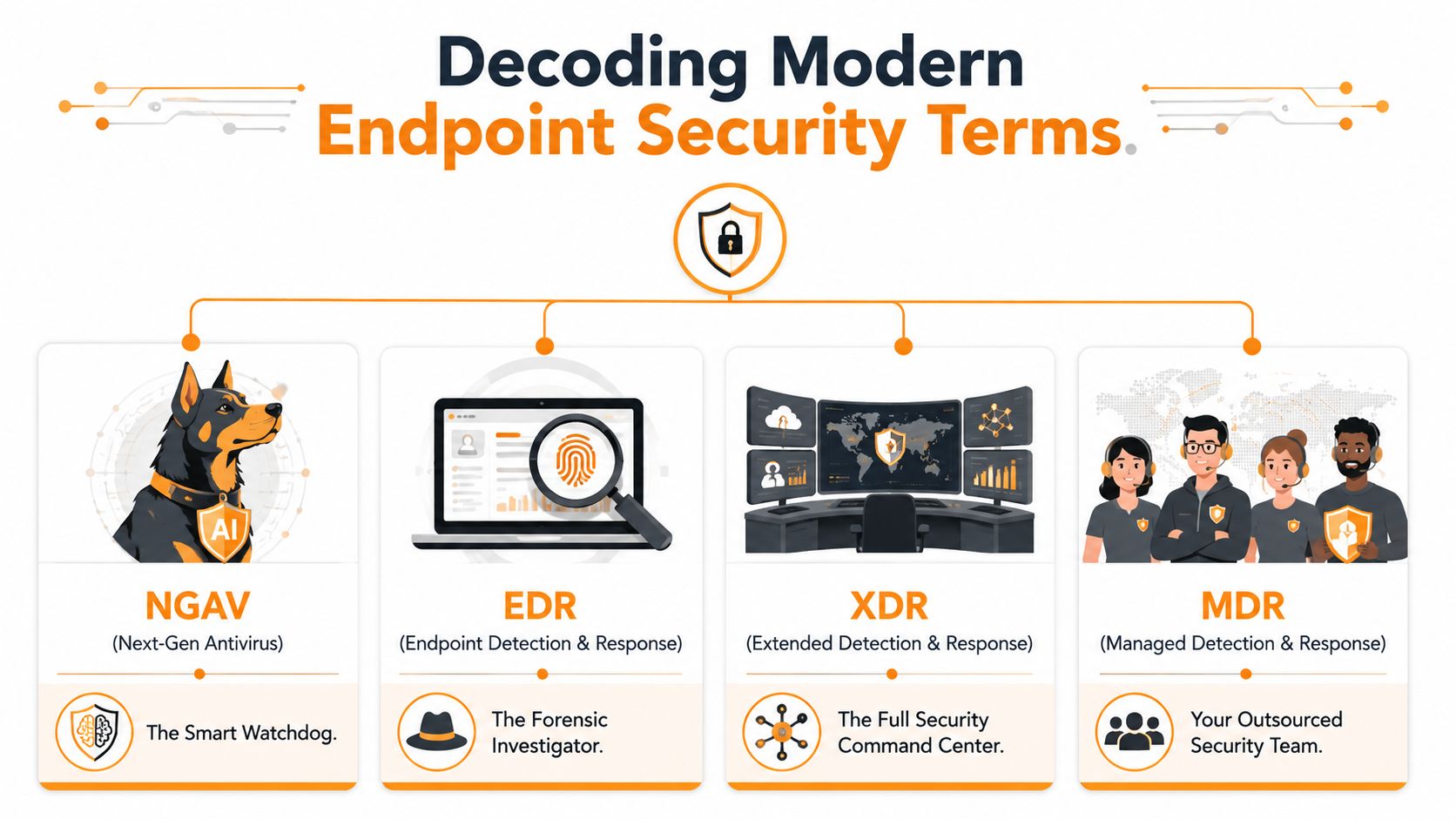
NGAV means next-generation antivirus. Think of it as a smarter guard at the door. It doesn't only look for a known bad face. It also watches for suspicious behavior. If a process starts acting like ransomware, NGAV is more likely to catch it than a basic signature-only product.
EDR means endpoint detection and response. This is the forensic layer. It records activity, helps trace what happened, and gives responders tools to isolate devices, kill processes, and investigate spread. The key difference is visibility. EDR doesn't just try to block. It helps explain the attack.
Modern EDR platforms can also act on their own. As noted in SentinelOne's explanation of best EDR solutions for small business, modern endpoint detection and response solutions use dual-layer static and behavioral analysis to neutralize known and unknown exploits in real time without human intervention. That autonomous response is valuable for SMBs, but it still needs careful tuning so legitimate work doesn't get interrupted.
XDR expands the view beyond the endpoint. It pulls in signals from other parts of your environment, such as cloud apps, identity, or network tools. For a small business, XDR can be helpful, but it's often not the first priority. If the team can't act on endpoint alerts, more telemetry won't solve the main problem.
MDR means managed detection and response. This is the human layer on top of the tooling. You're not just buying software. You're getting a team that monitors alerts, investigates suspicious activity, and helps respond.
Why these terms matter to a small business owner
These aren't just labels for product brochures. They affect cost, effort, and risk.
Here's a simple explanation:
- NGAV helps prevent more threats than old antivirus.
- EDR helps you see and respond when prevention isn't enough.
- XDR broadens visibility across systems.
- MDR solves the “who is watching this?” problem.
Buying EDR without response coverage is like installing cameras and never checking the footage.
A lot of SMBs buy based on feature lists. They should buy based on operating reality. If nobody on your team is available to triage alerts, then MDR may be more useful than a richer self-managed EDR console your staff won't have time to use.
Key Criteria for Evaluating Endpoint Protection
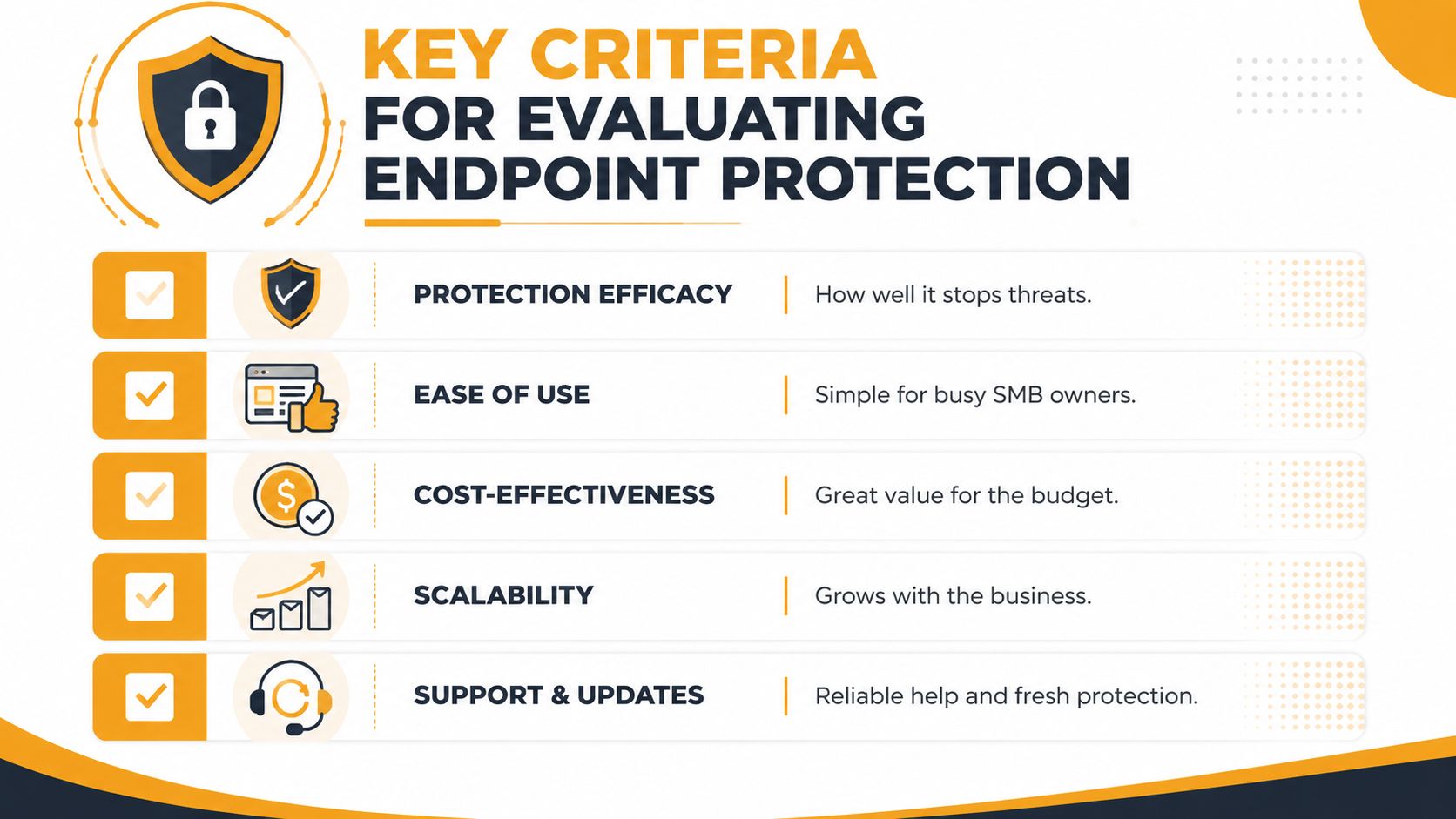
Vendors love feature checklists. Small businesses need a decision filter. The right product is the one that protects systems, doesn't slow down staff, and doesn't create an alert pile your team ignores.
Protection has to include recovery
Stopping malware is only part of the job. You should also ask what happens after detection.
Can the platform isolate a machine? Can it reverse malicious changes? Can it help your team understand root cause? Those questions matter because recovery time is where business pain shows up. If accounting can't access files or your front desk can't use line-of-business software, the security tool failed in practical terms even if it technically detected something.
Practical rule: Put rollback near the top of your evaluation list if ransomware is one of your main concerns.
A layered security model is still the best way to judge endpoint products. This overview of security in layers is a good reminder that endpoint tools work best when they support broader controls instead of standing alone.
Management matters as much as detection
A strong engine doesn't help if the console is too complex for your team. Many SMB purchases falter when faced with such complexity.
Ask these questions during evaluation:
- Who will review alerts every day: If the answer is “probably nobody,” don't buy a tool that depends on manual triage.
- How hard is deployment: Cloud-based management is usually easier for lean teams.
- How noisy is it: A product that floods your inbox creates its own risk.
- Can non-specialists use it: This matters in small businesses where one person wears five hats.
Ease of management is not a nice-to-have. It is part of your security posture.
Compliance and reporting are part of the decision
If you handle healthcare, payment, legal, or customer financial data, endpoint logs and response records matter beyond security. They affect audits, investigations, and insurance conversations.
That means your endpoint platform should support:
- Clear audit trails
- Device isolation records
- Incident timelines
- Centralized reporting
Some businesses also need vendor support that understands regulated environments, not just malware terminology.
Cost should be measured as total operating cost
The cheapest license is often the expensive choice. A lower-cost product that requires hands-on tuning, daily monitoring, and manual cleanup can cost more in labor and downtime than a tool with higher monthly pricing.
Use this checklist when comparing options:
| Evaluation area | What to ask |
|---|---|
| Protection | Can it stop, contain, and help recover from ransomware? |
| Performance | Will users notice lag or friction? |
| Management | Can your current team operate it well? |
| Reporting | Will it support audits and incident reviews? |
| Cost | What does it cost in labor, not just licensing? |
Comparing Endpoint Protection Approaches
There isn't one universal answer for the best endpoint protection for small business. The right choice depends on how much internal security capacity you have, how sensitive your data is, and whether someone can respond when alerts come in.
Endpoint Protection Approaches Compared for SMBs
| Approach | Detection Method | Response Capability | Management Overhead | Ideal SMB Use Case |
|---|---|---|---|---|
| Traditional Antivirus | Signature-based detection | Basic quarantine | Low at first, higher when incidents happen | Very small, low-risk environments that need baseline protection only |
| NGAV | Behavioral and signature-based detection | Limited automated containment depending on product | Moderate | Small offices that want stronger prevention without a full response workflow |
| EDR | Behavioral detection, telemetry, forensic visibility | Strong investigation, isolation, rollback, and remediation tools | Moderate to high | Growing SMBs with IT staff or outside support that can work alerts |
| MDR | Tooling plus human monitoring and response | Ongoing triage, investigation, and guided or managed response | Lower internal burden | SMBs that lack time or security staffing |
Traditional antivirus still exists because it's simple. But simplicity can be misleading. It handles yesterday's threats better than today's.
NGAV is a solid step up for prevention. For a small office with limited risk and straightforward workflows, it may be enough. The problem starts when something gets through and no one can investigate.
EDR is where endpoint protection becomes operational, not just preventive. You get visibility, device isolation, and usually stronger remediation paths. But EDR expects attention. That's the catch.
A self-managed EDR platform is only as good as the team reviewing its alerts.
Where SentinelOne fits
SentinelOne is a good example of why autonomous EDR is attractive to SMBs. According to Deel's summary of best endpoint protection for business, SentinelOne Singularity Endpoint led 2026 AV-TEST certifications with a 100% detection rate and showed less than 1% CPU overhead. The same source says its AI-driven rollback restored systems to pre-breach states in under 60 seconds, which matters in small businesses where 71% have fewer than 5 IT staff.
Those are strong technical advantages. Low performance impact means users don't hate it. Fast rollback means you can contain business disruption quickly. Autonomous action helps when nobody is sitting in a SOC.
Still, even a strong autonomous platform doesn't remove the need for oversight. Policies need tuning. Exceptions need review. Alerts still need context. That's why many SMBs get more value from combining a good platform with managed response instead of relying on the tool alone.
Your Endpoint Protection Deployment Checklist
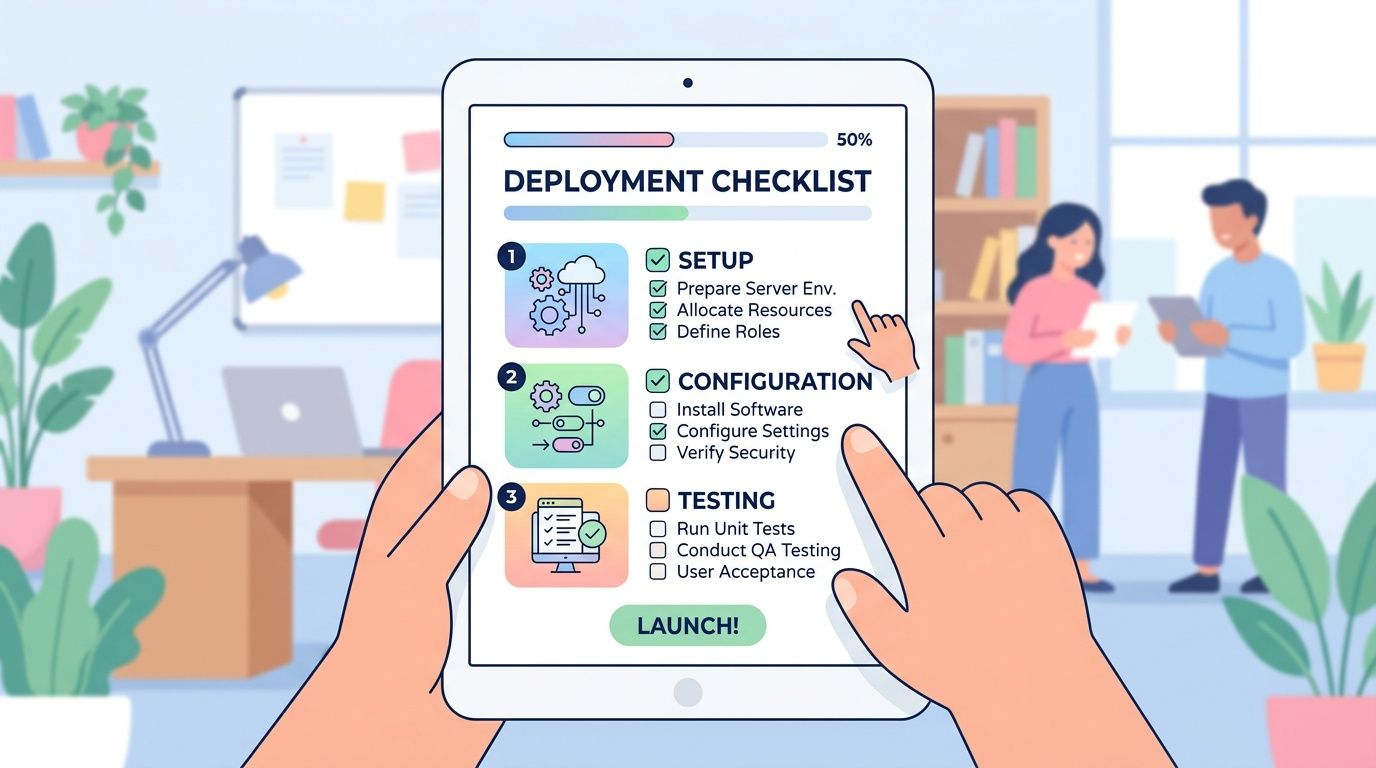
Buying the software is the easy part. Deployment is where projects either go smoothly or create support tickets for a week.
Before you deploy anything
Start with inventory. You need a real list of laptops, desktops, servers, and any business-owned devices that access company data. If the list is incomplete, your rollout will be incomplete too.
Then set policy by role, not just by device type. A front-desk PC, a finance laptop, and a shared warehouse system don't need identical controls. The best deployments reflect how people work.
Use this pre-rollout checklist:
- Inventory every endpoint: Include remote devices and servers.
- Document current tools: Note existing antivirus, remote management tools, and special business apps.
- Define risk groups: Separate executives, finance, shared systems, and general users.
- Identify exceptions early: Some legacy apps need testing before aggressive controls are enabled.
How to roll it out without disrupting work
Don't push the new platform to everyone at once. Start with a pilot group that includes different roles and device types. You want to catch compatibility issues before the whole company feels them.
After the pilot, do a phased rollout. That gives you time to tune alerts, verify exclusions, and confirm uninstall steps for the previous antivirus product. Running overlapping endpoint agents for too long is a common source of instability.
A quick visual walkthrough can help your team understand what a managed endpoint tool looks like in practice:
Keep the operational side tight during deployment:
- Schedule rollout windows: Avoid payroll day, month-end close, or your busiest service periods.
- Set alert destinations: Decide who receives notifications and who owns follow-up.
- Remove old software cleanly: Incomplete uninstallations cause conflicts.
- Train employees briefly: Tell them what pop-ups may appear and when to call IT.
- Verify reporting: Make sure dashboards show the endpoints you expect to see.
The cleanest deployment is usually the one with the smallest first step.
Recommended Configurations for Small Businesses
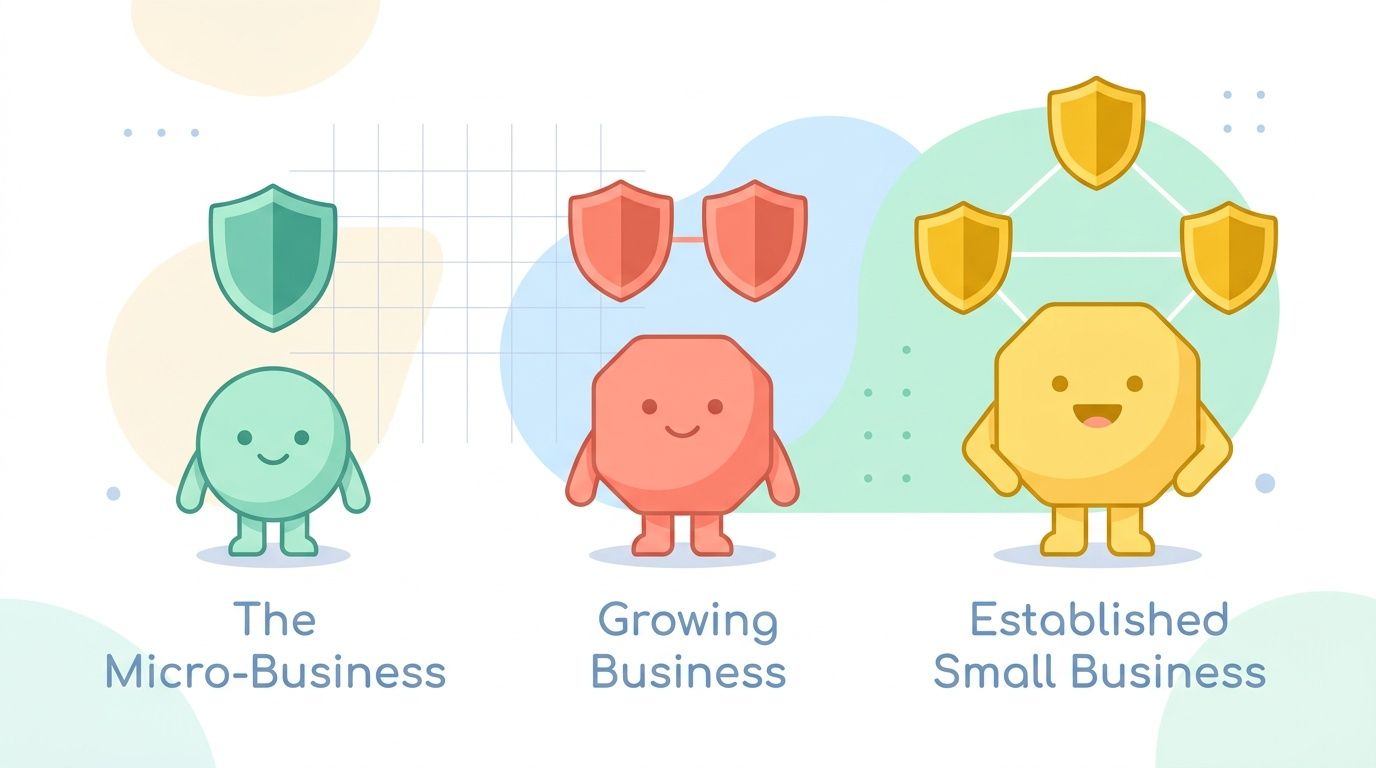
The best endpoint protection for small business depends on your size, complexity, and staffing reality. Most SMBs shouldn't shop for enterprise features they won't use. They should shop for coverage they can operate.
The micro business
If you have a very small team, limited sensitive data, and a mostly standard Microsoft setup, start with what's already in place. This is often where Microsoft Defender plus light management discipline makes sense.
That means keeping the platform simple, making sure devices are updated, and adding outside help if nobody is reviewing alerts. A full rip-and-replace may not improve your position if the underlying issue is lack of monitoring.
The growing business
This is the common SMB sweet spot. You've got more users, hybrid work, and more business apps. The risk rises faster than the IT team does.
For this group, EDR or a Defender-plus-managed-response model is often the most realistic fit. You need visibility and response, but you may not need a full standalone security stack if your Microsoft environment is already established.
Pricing also matters here. According to Defend My Business's guide to best endpoint protection for small business 2026, endpoint protection pricing typically falls into these ranges: EPP at $3-6 per user per month, NGAV at $5-8, EDR at $8-15, and fully managed MDR at $15-25. For many SMBs, the added cost of MDR is less than hiring fractional security staff to monitor alerts around the clock.
The regulated business
If you handle healthcare records, payment data, legal files, or similar sensitive information, don't optimize for lowest license cost. Optimize for evidence, response, and accountability.
In that situation, a managed model is usually the safer choice because your endpoint tool isn't just there to block malware. It also has to support investigations, records, and a defensible incident process. That's where managed response earns its keep.
Here's the practical mapping:
| Business type | Best-fit model |
|---|---|
| Small, simple, Microsoft-centric | Defender with clear policy management, plus outside help if alerts go unattended |
| Growing hybrid team | EDR or Defender plus managed response |
| Regulated or higher-risk SMB | Managed EDR or MDR with documented response workflows |
How Managed Services Simplify Endpoint Protection
Most small businesses don't have a tooling problem. They have a capacity problem.
Many already have Microsoft Defender in place, but they don't have security staff to monitor and respond to its alerts. That creates a real gap, which is exactly why managed EDR services have become such a practical option for SMBs, as explained in Huntress's guide to best endpoint protection for small businesses.
That hybrid model makes sense in practice. Keep the platform you already own. Add the response layer you don't have. For many organizations, that is the best balance of protection, budget control, and operational simplicity.
Why the hybrid model works
A Defender-plus-managed-response approach does three useful things at once:
- Preserves existing investment: You don't throw away a tool that's already part of your Microsoft stack.
- Closes the staffing gap: Someone is watching and responding.
- Reduces migration friction: Your users don't have to learn a whole new environment unless there's a clear reason.
Hiring security talent is hard for SMBs. If you want a realistic look at the market, nexus IT group's cybersecurity talent advice is worth reviewing. It reinforces what many small businesses already know firsthand. Finding experienced security people is difficult, expensive, and slow.
What to look for in a managed partner
Don't just ask what tool they deploy. Ask how they operate.
Look for a provider that can explain:
- Who monitors alerts and when
- How incidents are escalated
- What gets contained automatically
- How reporting is delivered to your business
- Whether they can support your broader IT environment
If you're comparing outsourced support models, these benefits of managed IT services give a good framework for thinking beyond the software itself.
The point isn't to buy the flashiest endpoint product. It's to make sure somebody can act when it matters. For a lot of SMBs, that's the real definition of “best.”
If you want help choosing a practical endpoint protection strategy, IT Cloud Global, LLC works with Houston businesses that need stronger security without adding unnecessary complexity. Whether you're evaluating Defender with managed response, a standalone EDR platform, or a broader managed IT model, their team can help you match the tool to your staffing, compliance, and budget realities.
- Vulnerability Scanning Services Explained for SMBs
- Endpoint Protection vs Antivirus: A Houston Guide
- 7 Best Managed IT Services Houston TX Reviews (2026)
- Business Continuity Strategies: SMB Guide 2026
- The Importance of BCP: Business Survival in 2026
- MDR vs EDR: Choosing Cybersecurity for Your Houston Business
- IT Security Houston: Protect Your Business