


Best VoIP Phone System for Small Business: A 2026 Guide
Your phones probably still work. Calls come in, someone picks up, and customers eventually reach the right person. But the cracks show up in small moments that hurt the business more than most owners realize. A missed call after hours. A desk phone tied to one employee who's out sick. A receptionist manually transferring the same types of calls all day. A remote employee using a personal mobile because the office system doesn't travel with them.
That's usually when the search starts for the best voip phone system for small business. Most articles answer with a ranked list of providers. That's only part of the job. The better question is this: which system fits your network, your workflow, your security requirements, and the way your team handles customers?
A good VoIP project fixes more than dial tone. It can reduce wasted effort, clean up handoffs, support remote work, and remove the maintenance burden of aging phone hardware. It also goes wrong fast when a company buys on price alone and ignores internet quality, call routing design, or integration with tools the team already uses.
Table of Contents
- Your Old Phone System Is Costing You More Than Money
- What Is VoIP and How Does It Work for Your Business
- Must-Have VoIP Features That Drive Business Growth
- Unifying Your Workflow with Microsoft 365 and Teams
- The Critical Role of Security Compliance and Reliability
- Your Practical Checklist for Choosing a VoIP Provider
- Partnering with an Expert for a Smooth Transition
Your Old Phone System Is Costing You More Than Money
A small business with an outdated phone setup rarely says, “our telephony architecture is the problem.” They say customers can't get through. Staff waste time chasing voicemail. Calls ring at empty desks. New hires wait too long for extensions. Management can't tell whether the issue is staffing, call flow, or the phone system itself.
Those problems carry a real cost. Small businesses switching to VoIP report 30 to 50 percent average savings, startups can reduce initial communication costs by up to 90 percent, and VoIP can save 32 call minutes daily per team member through features like mobile apps, according to Nextiva's VoIP statistics overview. That combination matters because the value isn't just a lower bill. It's a system that gives time back to the team.
The difference shows up in ordinary workdays. A service company can answer from a mobile app when technicians are off-site. A medical office can route calls by department instead of relying on one front desk bottleneck. A retail business can keep calls moving during lunch breaks, holidays, or weather disruptions.
Practical rule: If your phones depend on people being in one physical place, the system is already limiting the business.
This is why phone replacement should be treated like an IT decision, not an office supply purchase. If you're also reviewing broader infrastructure and support needs, it helps to find reliable IT support for your company before you lock in a communications platform.
What Is VoIP and How Does It Work for Your Business
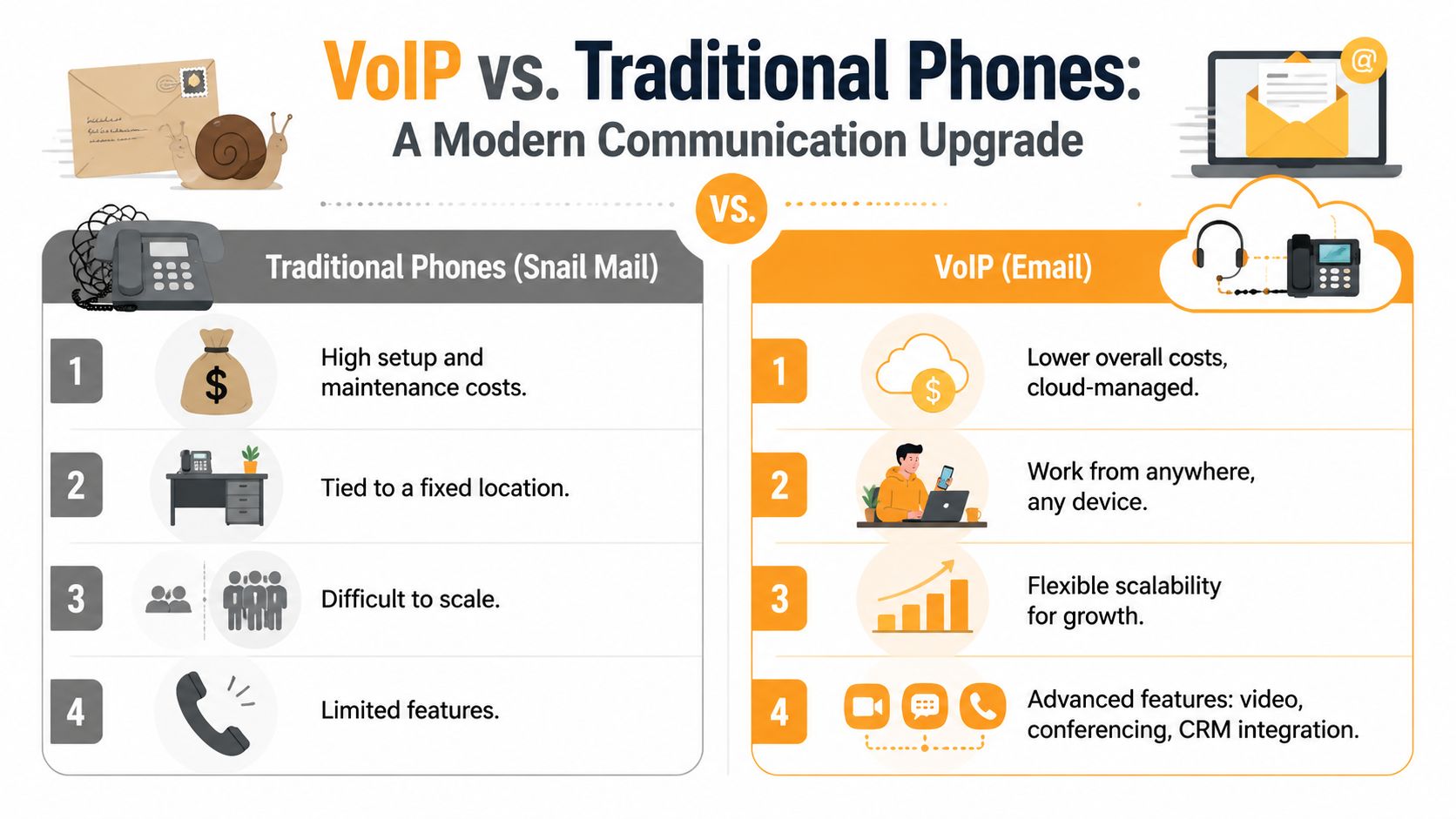
VoIP stands for Voice over Internet Protocol. For a small business, that means your phone system runs over your internet connection and software platform instead of old copper lines and a carrier-controlled box on the wall. The practical result is simple. Calls are no longer tied to one desk, one building, or one piece of hardware.
A call starts as your voice, gets converted into digital packets, travels across your network and the provider's platform, then reaches the other person on their phone or app. That process is what makes it possible to ring a desk phone, laptop, and mobile app at the same time. It also makes it much easier to add users, change routing, open another location, or support remote staff without waiting for a phone company technician.
Traditional phone service relies on fixed infrastructure and dedicated paths. VoIP sends voice as data, which gives businesses more flexibility in how calls are routed, managed, and connected to other systems. That is why tools like auto-attendants, voicemail-to-text, call recording, and CRM integrations are usually easier to deploy in a cloud phone platform than in an older analog setup.
If you want a plain-language explanation of virtual numbers and how internet calling works, Call Loop's guide to VoIP is a useful primer.
Hosted versus on-premise is the first real decision
Before you compare providers, decide where the phone system should live and who will be responsible for keeping it running.
Hosted VoIP puts the core phone platform in the provider's cloud. Your team uses IP phones, desktop apps, mobile apps, or browser calling, while the vendor handles the underlying phone infrastructure.
On-premise VoIP with SIP trunking keeps more of the system under your control. That can make sense if you already have telephony equipment, custom routing requirements, or internal IT staff who can maintain it. It also means your business takes on more work around updates, support, resilience, and security.
| Factor | Hosted VoIP (Cloud-Based) | On-Premise VoIP (SIP Trunking) |
|---|---|---|
| Management | Provider handles core platform | Your team or IT partner manages more |
| Upfront effort | Faster to deploy | More planning and setup |
| Scalability | Easier to add users and locations | Can be slower depending on hardware and design |
| Best fit | Most small businesses | Businesses with special control or legacy requirements |
| Risk if under-supported | Misconfigured call flows | Misconfigured call flows plus infrastructure burden |
For most small businesses, hosted VoIP is the better fit because it cuts support overhead and speeds up deployment. On-premise still has a place, especially in businesses with legacy systems, strict internal control requirements, or specialized call handling. It is not automatically the better or more professional option. It is a different operating model.
The choice should come down to support capacity, security responsibility, and how tightly the phone system needs to connect with the rest of your IT environment.
Voice quality also depends on the network carrying those calls. If your Wi-Fi is overloaded, your switches are outdated, or your internet connection has frequent jitter and dropouts, users will blame the phone system even when the root cause sits in the network. Before rollout, review bandwidth, switching, Wi-Fi coverage, and traffic prioritization. Businesses planning a migration should also review how to set up a business network so the phone platform starts on stable infrastructure instead of inheriting avoidable problems.
Must-Have VoIP Features That Drive Business Growth
A lot of small businesses shop for VoIP by comparing plan pages. That usually leads to the wrong shortlist. The better approach is to ask which features remove friction for staff and make customers feel like they reached a well-run company.
Top-tier platforms like RingCentral are a good benchmark here. According to GetVoIP's business phone systems analysis, leading systems can deliver sub-150ms jitter and less than 1 percent packet loss for HD voice while also offering unlimited extensions, IVR auto-attendants, call queues for up to 100 agents, and voicemail-to-text with 95 percent accuracy. Those details matter because they connect technical quality to day-to-day usability.
Features that change customer experience
The first feature I'd look at is the auto-attendant. A small company with a well-designed call menu sounds organized from the first ring. Customers reach sales, service, billing, or dispatch without waiting for one person to transfer every call manually.
Then there are call queues. These matter when multiple people handle incoming demand. Without a queue, calls bounce around. With one, you can manage overflow, assign priority, and reduce the “let me transfer you again” experience customers hate.
A useful feature set often includes:
- Auto-attendant routing for sending callers to the right department without receptionist bottlenecks.
- Business hours and after-hours rules so calls follow different paths during evenings, weekends, and holidays.
- Voicemail-to-text so staff can scan messages quickly and decide what needs a callback first.
- Extension flexibility that lets you add users or departments without rebuilding the whole system.
Features that make staff faster
The best VoIP phone system for small business should also remove internal delays. To achieve this, mobile apps, desktop softphones, and shared visibility make a difference.
A salesperson shouldn't have to ask for the latest customer number if it's already tied to the calling system. A support team shouldn't switch between four tools to find call history. An owner shouldn't be blind to where calls pile up during busy periods.
Look for these workflow features:
- Mobile and desktop calling so the business number stays with the employee, not the desk.
- Call history and recordings for training, dispute resolution, and faster follow-up.
- Basic analytics that show missed calls, queue pressure, and response patterns.
- Integrations with CRM or productivity tools so call data lands where teams already work.
Buy features that solve a visible problem. Skip features that only look good in a demo.
What small businesses often buy and never use
Overspending is a common issue. Businesses pay for broad UCaaS bundles and never touch half the package. The common culprits are advanced analytics nobody reviews, video tools that duplicate another platform, and complex call center modules for teams that only need strong routing and mobility.
A practical shortlist should separate needs, near-term needs, and nice-to-haves.
| Category | Examples | Buying advice |
|---|---|---|
| Need now | Auto-attendant, mobile app, voicemail-to-text, call routing | Include from day one |
| Near-term need | CRM sync, shared queues, reporting | Choose a provider that can add these cleanly |
| Nice-to-have | Deep coaching tools, advanced contact center modules | Delay unless a real use case exists |
That's the difference between buying a modern phone system and buying a bloated subscription.
Unifying Your Workflow with Microsoft 365 and Teams
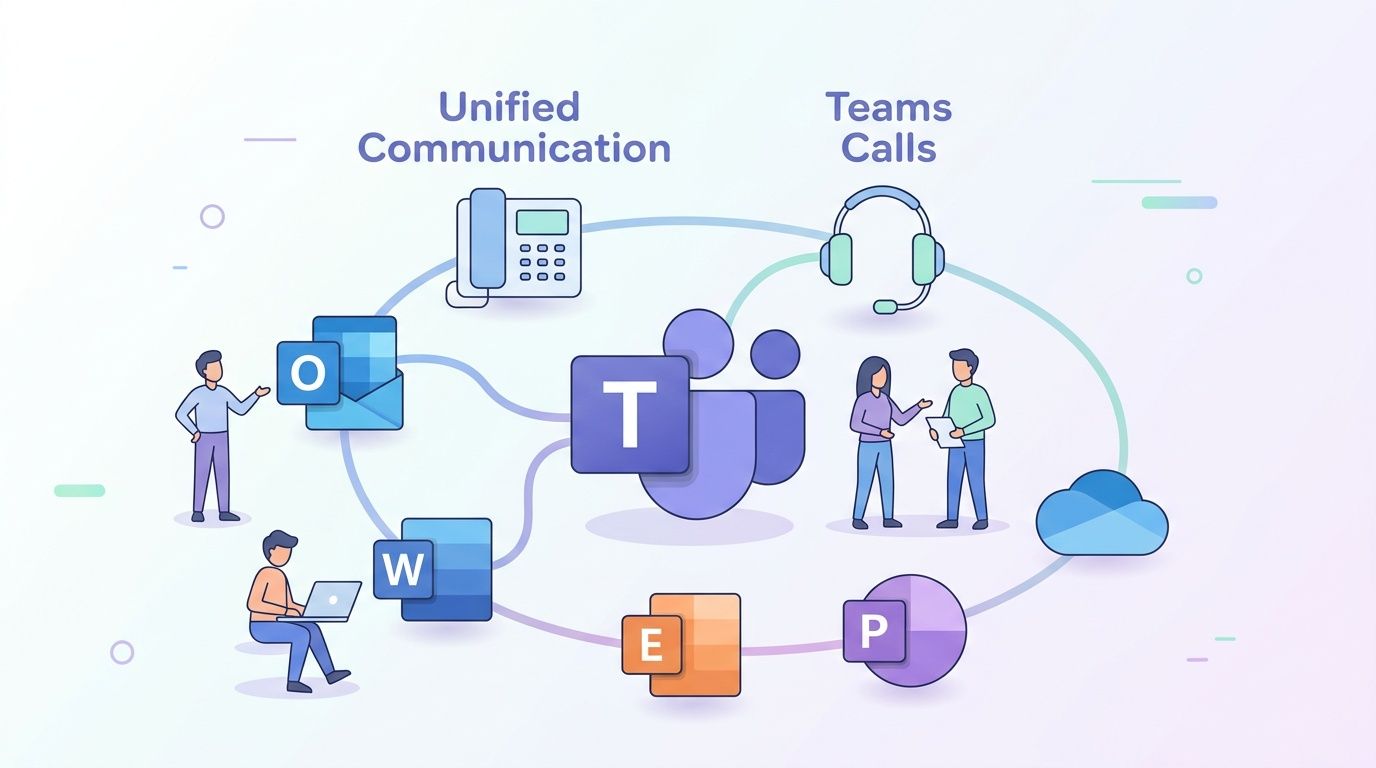
If your business already lives inside Outlook, Teams, SharePoint, and Microsoft 365, your phone system shouldn't sit off to the side as a separate tool. It should fit into the same daily workflow your staff already uses.
That's where VoIP strategy gets more interesting. The goal isn't just replacing phone lines. It's reducing context switching. When someone can move from email to chat to a call inside one familiar environment, adoption goes up and training friction drops.
Why Teams integration matters
For many small businesses, Teams is already the place where work happens. Staff check presence, message coworkers, join meetings, and share files there. Adding business calling into that environment means fewer missed handoffs between communication channels.
Common advantages include:
- Calling from familiar interfaces such as contact lists and collaboration tools employees already use.
- Presence awareness so staff can see whether a coworker is available before transferring a customer.
- Shared communication habits because internal chat, meetings, and external calling follow a more consistent workflow.
- Less tool sprawl when one app can handle more of the communication stack.
This matters most for hybrid teams. If some staff are in the office and others are remote, a Teams-connected phone setup keeps everyone on the same footing. The office desk no longer has the advantage.
Where this works best
This model tends to work especially well in professional services, healthcare administration, logistics coordination, and support-heavy environments where people already manage work through Microsoft tools.
It also helps smaller companies that don't want separate training tracks for phones, meetings, chat, and file collaboration. Instead of teaching people “the phone system” as its own world, you attach calling to software they already know.
When users don't have to think about which app to open, response times usually improve because communication becomes part of normal workflow.
The key trade-off is planning. Teams integration sounds simple in sales conversations, but it still requires clean user provisioning, routing design, number management, and policy decisions around devices, mobile access, and security.
The Critical Role of Security Compliance and Reliability
A phone system is part of your operational core. If it fails, customers notice immediately. If it's insecure, the damage may take longer to surface, but it can be worse. That's why reliability and security belong near the top of the buying criteria, not buried under feature comparisons.
Reliability is not a marketing detail
Leading providers like Nextiva achieve 99.999% uptime reliability through geo-redundant data centers and automated failover, according to Nextiva's small business VoIP platform details. That “five nines” standard is a serious benchmark because it shows the provider has built resilience into the service, not just a nice interface on top of fragile infrastructure.
For a small business, reliability affects more than inbound calls. It touches dispatching, customer service, remote coordination, on-call schedules, and emergency communication. If your phone platform is unstable, staff create workarounds. Those workarounds usually mean personal mobiles, ad hoc messaging, and missing records.
A provider's uptime promise should lead to follow-up questions:
- What failover design do they use?
- How are outages communicated to customers?
- What happens to calls if one app, site, or connection fails?
- Can staff continue working from mobile devices if the office has a local issue?
Security has to cover calls and administration
The same Nextiva source notes HIPAA/GDPR-compliant encryption alongside that reliability benchmark. That matters because business calls often involve sensitive information, even outside formally regulated sectors.
Security for VoIP has two sides. First, the media itself must be protected in transit. Second, the admin side must be locked down so attackers can't abuse accounts, forwarding rules, user permissions, or recorded data.
A sensible VoIP security review should include:
- Encryption for voice traffic so calls aren't exposed in transit.
- Protected admin access with strong authentication and role control.
- Audit visibility for account changes, routing edits, and number assignments.
- Device and app policy for staff using laptops and mobile phones outside the office.
That broader security thinking fits into a defense-in-depth model. If you want a practical view of that layered approach, this overview of security in layers is worth reviewing before rollout.
Compliance starts with design choices
Many businesses ask about compliance too late. They buy the platform first and try to bolt policy on later. That usually leads to rework.
Healthcare, legal, financial, and customer support organizations should think about where call recordings live, who can access them, how long they're retained, and whether remote staff are using approved devices and networks. Even when a provider supports compliance-minded features, the business still has to configure and govern them properly.
A secure phone system isn't just a secure vendor. It's a secure deployment.
This is one of the biggest differences between a successful VoIP project and a messy one. The platform can be solid, but poor implementation can still create risk.
Your Practical Checklist for Choosing a VoIP Provider
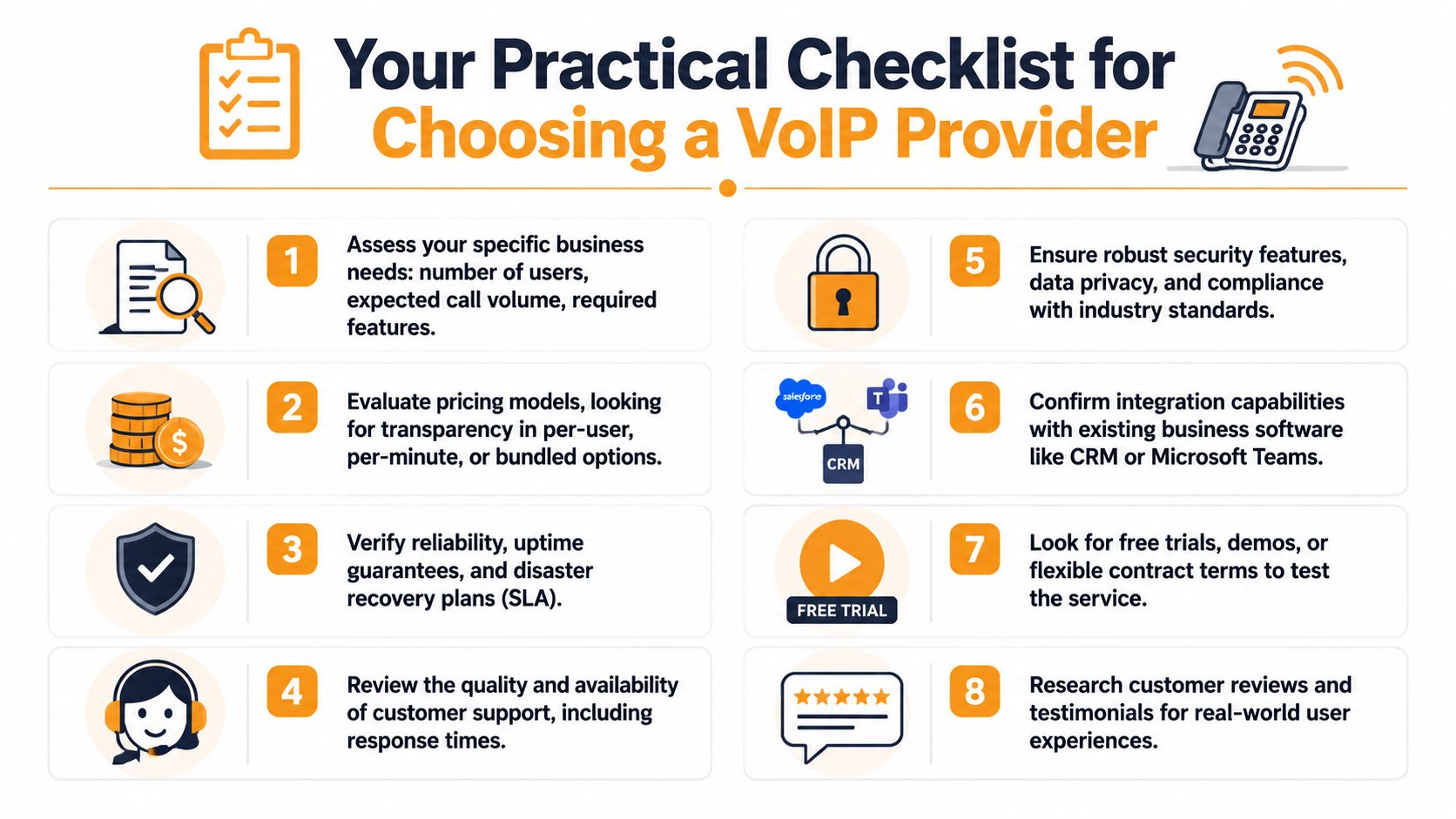
Shopping for the best voip phone system for small business gets easier when you stop asking, “Which brand is number one?” and start asking, “Which option fits the way we operate?” That shift keeps you from overbuying, underbuying, or choosing a provider that looks great in a demo but creates work later.
Here's a visual summary of what to review before you sign anything.
Start with your environment not the vendor brochure
Most failed phone migrations can be traced back to poor prep. The provider wasn't always the problem. The business skipped discovery.
Start with these checks:
- Count users and call paths. Don't just count headcount. Identify who needs a direct number, who needs queue access, who only needs outbound calling, and which departments need after-hours routing.
- Review your network. Weak Wi-Fi, congested switches, or unstable internet will show up as poor call quality, even with a strong platform.
- Map your existing numbers. Decide what gets ported, what gets retired, and which numbers must never go down during cutover.
- List integrations that matter. If your team depends on Microsoft 365, Teams, or a CRM, make that a hard requirement rather than a future wish.
A lot of owners also benefit from reviewing an outside explainer on hosted telephony before making the final call. This cloud PBX phone system guide is useful for understanding how the cloud model changes management and scalability.
To see the checklist framed another way, this short video is worth a few minutes:
Compare providers like an IT buyer
Once the environment is clear, compare providers in a structured way.
| What to evaluate | What to ask |
|---|---|
| Call handling | Can it support your real routing needs without complexity? |
| User experience | Will staff use the app without constant retraining? |
| Reliability | Is the SLA credible, and what supports it? |
| Security | How are admin access, recordings, and mobile use controlled? |
| Integration | Does it fit your existing workflow or create another silo? |
| Support | Who helps during onboarding, porting, and outages? |
Watch for common traps:
- Intro pricing that hides the real plan you need. The cheapest tier often excludes routing, queueing, or integrations.
- Feature bloat. If you don't run a call center, don't buy like one.
- Weak onboarding. A strong provider with poor implementation support can still produce a bad launch.
- No testing phase. You want demos, pilot users, and clear call-flow validation before full cutover.
Build a real business case
There's a practical financial angle here too. VoIP typically reduces monthly phone bills by 30 to 50 percent, and one 30-phone business saved $1,200 monthly, or $14,400 annually, after switching, according to Tech.co's VoIP statistics roundup. That's a useful benchmark because it ties savings to a business of realistic size.
Use that as a model, not a promise. Build your own estimate with current bills, support costs, hardware maintenance, and the time your staff lose to manual call handling.
A simple ROI worksheet should include:
- Current monthly telecom spend
- Any hardware or maintenance costs tied to the old system
- Expected user licensing
- Porting, setup, and training effort
- Operational gains from better routing and mobility
If the only savings you calculate are on the phone bill, you're undervaluing the project.
The strongest business case usually combines direct savings with less visible wins like fewer missed calls, faster response, cleaner handoffs, and less time spent managing outdated hardware.
Partnering with an Expert for a Smooth Transition
A VoIP project usually succeeds or fails during implementation. The provider matters, but the bigger risk is poor planning. I've seen small businesses buy a capable phone system and still end up with dropped calls, confused staff, and missed customer inquiries because nobody treated the rollout like an IT project.
Why implementation matters as much as the platform
A good platform does not fix a weak network, sloppy call routing, or loose security settings. If your internet connection is unstable, your firewall is misconfigured, or your auto attendant sends customers to the wrong place, the business feels the impact fast. Calls get missed. Staff lose time. Customers notice.
An experienced IT partner reduces those risks by handling the work in the right sequence. That usually means checking bandwidth and Wi-Fi coverage, reviewing switch and firewall settings, confirming number porting timelines, mapping call flows to your actual business hours and departments, and testing how the system works with Microsoft 365 or Teams before users depend on it.
Security needs the same attention. VoIP systems can expose call records, voicemail, user accounts, and admin access if they are set up carelessly. A solid deployment includes access controls, MFA where supported, device policies, and a clear process for user changes after go-live.
What a smooth transition looks like
A well-run rollout starts with discovery. How do calls reach sales, service, billing, and after-hours support today? Where do calls get stuck? Which employees need desk phones, and which work better with softphones or mobile apps? Those answers shape the design.
Next comes a documented plan: call flows, extension mapping, number porting, user setup, pilot testing, training, and cutover day responsibilities. Good partners also plan for failure. If porting is delayed or a routing rule breaks, the business still needs a fallback path for inbound calls.
Post-launch support matters too. The first few days usually expose the small issues that were impossible to catch in a test environment. A queue timeout may be too short. Voicemail-to-email may need adjustment. Reception staff may need a better view of presence and transfers. That is why many small businesses pair VoIP with managed IT services for ongoing technology support instead of treating the phone system as a one-time purchase.
The best voip phone system for small business is the one that fits your workflow, protects your communications, connects cleanly with the tools your team already uses, and goes live with minimal disruption.
If your business is planning a phone system upgrade, IT Cloud Global, LLC can help you approach it as a complete IT project, not just a phone purchase. The team supports Houston-area businesses with VoIP planning, network readiness, Microsoft 365 integration, security-minded deployment, and ongoing managed IT support so the transition stays controlled from start to finish.
- How Long Does Data Recovery Take? Realistic Timelines
- What Is a Helpdesk Ticketing System? an SMB Guide
- What Is Virtualization in Computing? Save & Boost Uptime
- Cloud Computing Solutions for Small Business: Houston 2026
- Network Maintenance Service: A Guide for Houston SMBs
- Remote IT Support Services: Boost Uptime & Cut Costs
- Managed IT Services Houston TX: Your 2026 Business Guide