


How to Prevent Data Breaches: A Practical Playbook for SMBs
A third party now appears in 30% of breaches, after its involvement doubled, according to Verizon's 2025 SMB breach snapshot. That changes how small and midsize businesses should think about how to prevent data breaches. Your employees, laptops, and firewall matter, but so do your Microsoft 365 tenant, managed service provider, payroll platform, cloud applications, software vendors, and every external account connected to them.
A Houston business doesn't need to be famous to attract attackers. It only needs valuable data, an exposed account, an unpatched device, or a vendor connection that nobody reviews. Effective prevention combines identity controls, segmentation, employee readiness, cloud hardening, vendor governance, monitoring, backups, and a response plan that people can execute under pressure.
Table of Contents
- What the Latest Breach Data Shows for SMBs
- Deploying Multifactor Authentication as Your First Line of Defense
- Implementing Zero Trust and Microsegmentation to Limit Damage
- Addressing Third-Party and Supply-Chain Security Risks
- Building Effective Employee Security Training and Phishing Defenses
- Hardening Your Cloud and Microsoft 365 Environment
- Establishing Monitoring, Backups, and Incident Response Capabilities
What the Latest Breach Data Shows for SMBs
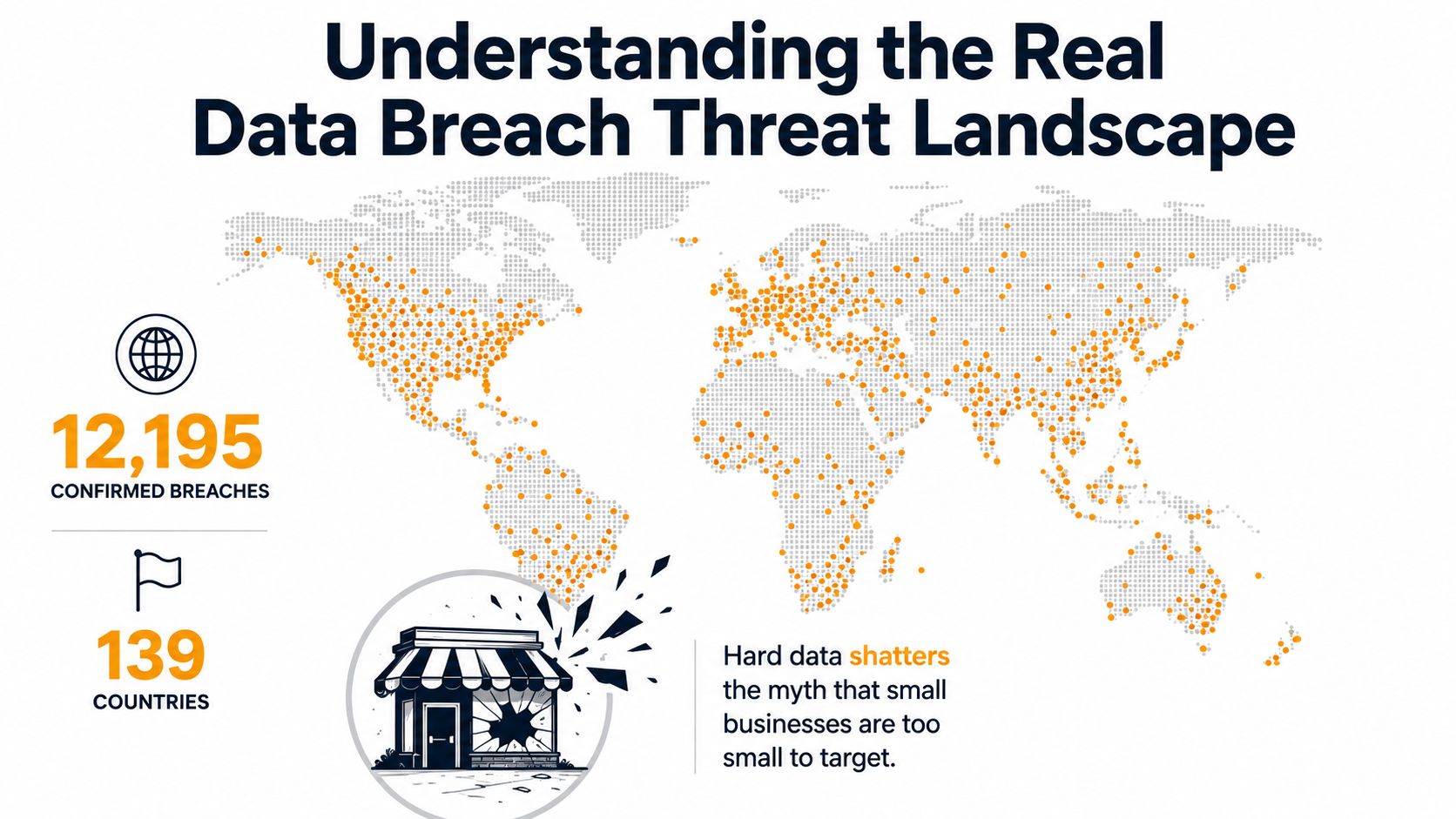
Verizon's 2025 Data Breach Investigations Report analyzed 22,052 real-world security incidents across 139 countries and confirmed 12,195 breaches. That scope applies to small and midsize businesses too. Attackers continue to use familiar entry points, including compromised accounts, unpatched systems, and trusted third parties.
The report found human involvement in about 60% of breaches. Credential abuse accounted for 22%, while vulnerability exploitation accounted for 20% and rose 34% year over year. Patch verification therefore belongs in breach prevention, not just routine maintenance.
Why small businesses remain exposed
Attackers usually pursue the easiest workable path. A reused password, unprotected administrator account, remote-access service, or poorly secured vendor connection can reach email, financial records, customer information, and internal systems. For Houston SMBs, that connected chain often includes Microsoft 365, payroll providers, cloud applications, software vendors, and managed service providers.
Known flaws remain dangerous when nobody owns remediation. Verizon reported that only about 54% of perimeter device vulnerabilities were fully remediated, with a median remediation time of 32 days. Without an accurate asset inventory, scheduled maintenance, and documented verification, a device may remain exposed for weeks after a fix becomes available.
Practical rule: Treat identity, patching, user behavior, and supplier access as one prevention program. Attackers do not care which department owns each control.
Start by listing internet-facing devices, remote-access tools, administrator accounts, cloud applications, and vendors that handle business data. For each one, record who approves access, what data it can reach, and how access will be removed. Review confidentiality, integrity, and availability together. The CIA principles and real threats explain how unauthorized disclosure, alteration, or disruption becomes a business problem.
Use the small-business threat overview to identify resource gaps that leave common attack paths open. The practical goal is clear: reduce exposures you control, document risks you inherit from suppliers, and assign an owner to verify both.
Deploying Multifactor Authentication as Your First Line of Defense
MFA should be the first control in an account-takeover prevention workflow because a stolen password shouldn't automatically become an open door. Microsoft's research found that MFA-enabled accounts had an estimated compromise rate of 0.0079%, described as over 99.99% secure during the study period, with risk reduction of 99.22% across the full population and 98.56% even when credentials were leaked. These figures come from Microsoft's MFA research paper.
Roll out MFA without creating chaos
In Microsoft Entra ID, begin by identifying privileged roles, remote-access users, cloud administrators, and accounts that can reset passwords or change security policies. Use Conditional Access policies to require MFA for those groups, exclude only carefully controlled emergency accounts, and test policies in report-only mode before enforcement.
A sensible deployment sequence looks like this:
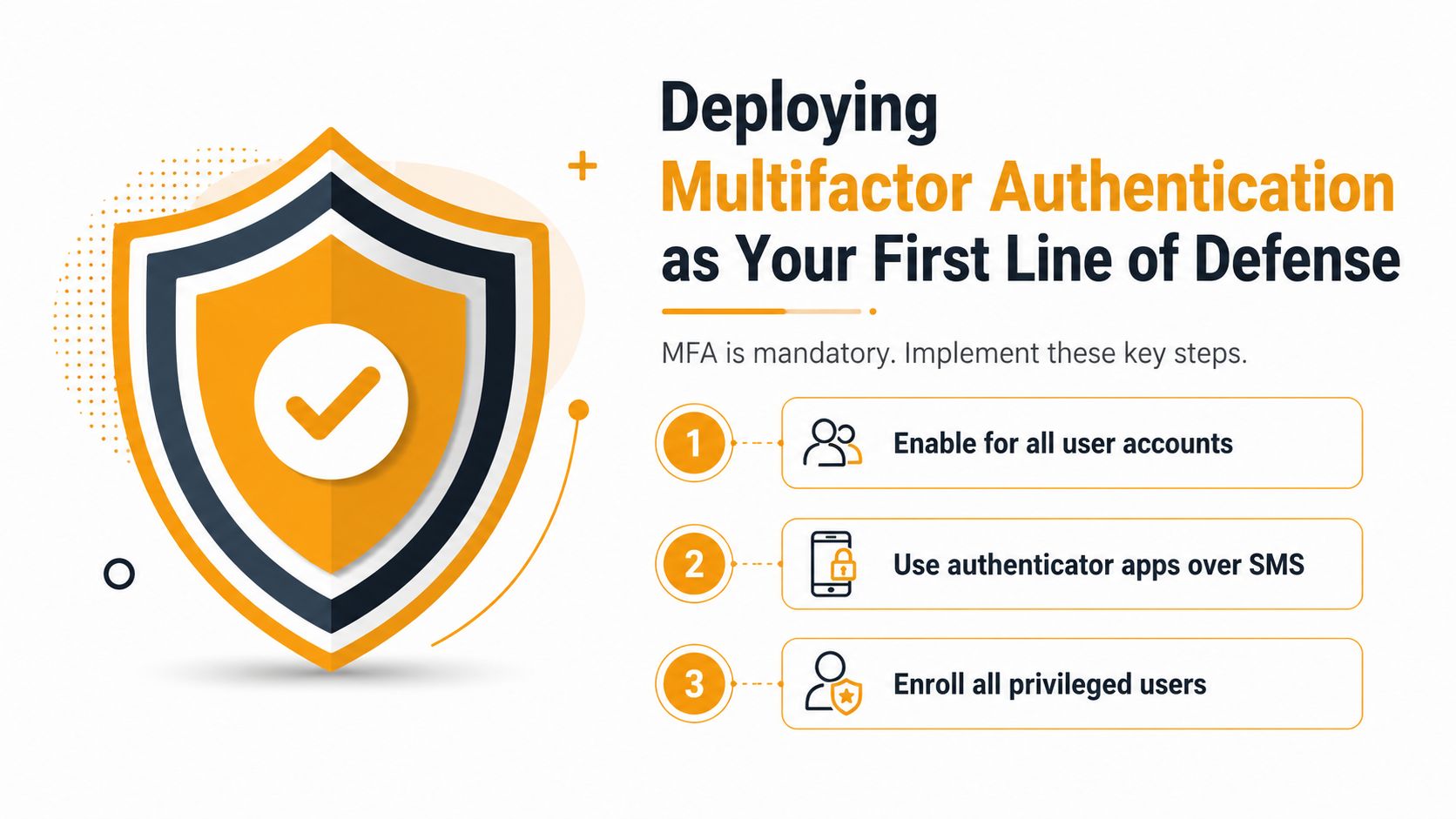
- Protect privileged identities first: Require phishing-resistant authentication, such as FIDO2 security keys or certificate-based methods, for administrators and other high-value users.
- Secure remote and cloud access: Apply MFA requirements to Microsoft 365, VPN, remote desktop gateways, and administrative portals.
- Extend coverage to every user: Enroll all staff, including executives, contractors, and temporary workers, then monitor registration and failed sign-in activity.
- Remove bypasses: Review legacy protocols, service accounts, application passwords, and break-glass accounts. Any exception should have a named owner, a documented purpose, and compensating controls.
SMS-only MFA is weaker than phishing-resistant methods because attackers can target the phone-based recovery process or trick users into approving fraudulent requests. Authenticator number matching and security keys provide stronger resistance, but users still need clear instructions for unusual prompts and lost-device recovery.
After enrollment, review sign-in logs, risky sign-ins, authentication failures, and policy exclusions. MFA won't fix excessive permissions, compromised endpoints, or a vendor's weak access practices, but it sharply reduces the value of stolen credentials when implemented across the full identity estate.
Implementing Zero Trust and Microsegmentation to Limit Damage
A single compromised account, endpoint, or vendor connection can expose far more than the system it first reaches. Design internal access on the assumption that an attacker may get inside, then limit the paths available from that initial foothold.
Zero Trust evaluates every access request instead of trusting a device because it sits on an internal network. Microsegmentation applies the same principle to system-to-system traffic, separating workloads into smaller trust zones and permitting only documented communication.
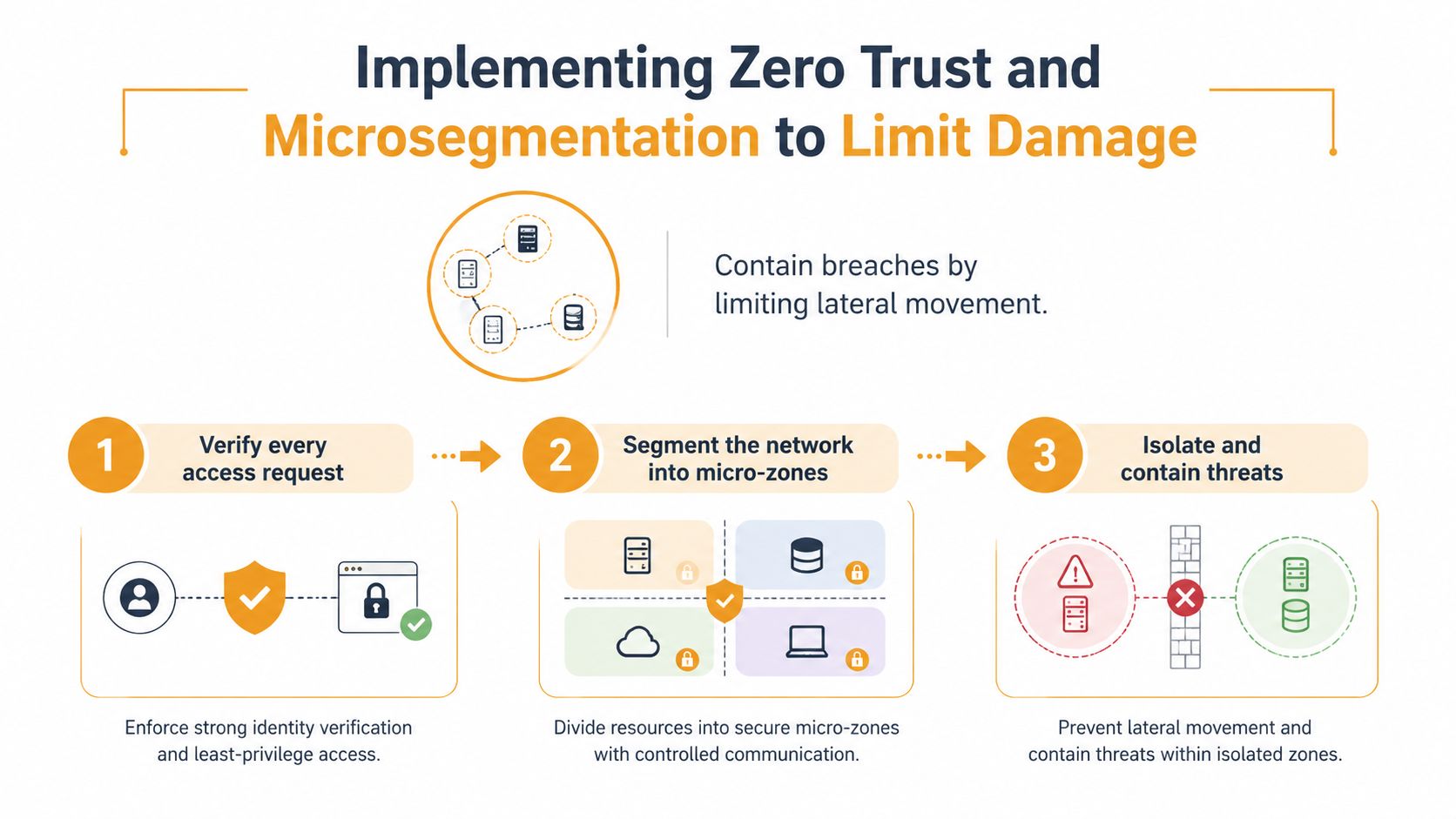
Start with the systems whose compromise would disrupt operations or expose sensitive information: identity services, finance applications, backup repositories, line-of-business platforms, and restricted file stores. Record every connection to each workload, including the user or service, required ports and protocols, administrative paths, scheduled jobs, monitoring agents, and third-party integrations.
Build the rules from observed traffic rather than assumptions. Permit only required east-west communication between known systems. A finance workstation may reach its finance application, while backup infrastructure remains inaccessible from ordinary user devices. Separate identity services, endpoints, servers, administrative tools, and sensitive applications into distinct zones. In cloud environments, combine account or subscription boundaries with virtual networks, security groups, and workload-level policies.
Apply changes in stages. Run proposed policies in monitoring mode, investigate blocked connections, and correct legitimate dependencies before enforcement. This approach reduces outages while exposing undocumented vendor and application paths that attackers could otherwise use.
A systematic review reported a 65% decrease in incidents and a 40% reduction in financial impacts when microsegmentation was used in cloud environments. It also summarized mature Zero Trust implementations as reducing breach costs by 52.8%, while segmentation reduced breach lifecycle time from 315 days to 92 days. The findings appear in this systematic review of microsegmentation and Zero Trust.
Do not wait for a perfect asset map. Protect high-value systems first, watch the resulting traffic, and tighten permissions as dependencies become clear. This Zero Trust implementation guide provides practical guidance for turning the model into operating controls.
Addressing Third-Party and Supply-Chain Security Risks
A vendor can bypass controls your internal team has spent years building. Third-party involvement reached 30% of breaches, and vulnerability exploitation rose 34%, according to the Verizon SMB snapshot. A payroll provider, cloud application, software supplier, or MSP may hold access that defeats employee training and perimeter defenses.
Build a third-party access register before reviewing contracts. Record each vendor, internal owner, service, data accessed, authentication method, connected systems, administrative privileges, contract expiration, and offboarding status. Rank suppliers by data sensitivity and access scope. Familiarity with a company does not reduce technical risk.
The register should drive specific decisions. For every vendor, answer:
- What access is required? Limit permissions to named systems and functions. Use named accounts, role-based access, separate administrative identities, and approvals that expire.
- What security evidence is appropriate? Ask whether the vendor supports phishing-resistant MFA, remediates vulnerabilities, tests backups, uses subprocessors, and restricts data access. Match evidence to risk. A completed questionnaire or certification does not prove your tenant is configured safely.
- What happens during an incident? Contracts should cover notification, encryption, logging, investigation support, subcontractor oversight, and cooperation during recovery.
- How is access removed? Disable accounts, revoke tokens and delegated permissions, rotate shared secrets, reclaim devices, and confirm data deletion or return when the relationship ends.
Review vendor activity in the systems you control. In Microsoft 365, inspect sign-in logs, impossible-travel alerts, unusual downloads, new OAuth grants, remote-management sessions, and privileged changes. For cloud platforms, review audit logs, service-account use, role assignments, API keys, and changes to storage or security policies. Set alerts for new administrative access and have an owner investigate them.
An internal owner must challenge exceptions and verify access at defined review points. This CMMC-ready vendor program tips resource can help organizations handling regulated defense information formalize supplier expectations. Treat every connected supplier as part of your risk surface, then reduce that exposure through documented permissions, contract requirements, monitoring, and confirmed offboarding.
Building Effective Employee Security Training and Phishing Defenses
A suspicious message becomes dangerous when nobody knows how to verify it or report it. Verizon found human involvement in about 60% of breaches, so daily decisions about links, attachments, payment approvals, passwords, and data sharing deserve practical attention.
Annual compliance videos rarely change behavior. They arrive without context and measure completion rather than judgment. Use short lessons tied to actual roles, then reinforce them through realistic practice and clear reporting procedures.
Train for decisions, not memorization
Show employees how to inspect sender details, verify payment-change requests through a separate channel, reject unexpected MFA prompts, report suspicious messages, and handle sensitive files. Finance staff should work through invoice and wire-instruction scenarios. Executives need impersonation and account-takeover examples. Administrators need exercises involving privileged access, emergency changes, and service accounts.
Phishing simulations work best as coaching. Use realistic scenarios, explain the warning signs immediately after a user reports or interacts with a message, and avoid public embarrassment. In Outlook, employees should know the exact reporting button or process, the expected response time, and who reviews the submission.
A useful training cycle can combine several activities:
- Short monthly reminders: Reinforce one behavior, such as verifying payment changes through a known phone number.
- Role-based exercises: Match simulations to finance, sales, leadership, and technical responsibilities.
- Quarterly reviews: Examine reported messages, recurring internal patterns, and policy changes.
- Manager reinforcement: Have supervisors repeat the reporting process during team meetings.
Track behavior rather than attendance alone. Review whether employees report suspicious messages, verify unusual requests, and stop repeating unsafe actions. Completion records document participation, but they do not show whether judgment improved. Technical safeguards should support the training, including MFA, link protection, attachment scanning, and approval workflows that require more than one person for high-risk requests. A reporting process that receives no response will quickly lose employee trust, even when the training itself is well designed.
Hardening Your Cloud and Microsoft 365 Environment
Microsoft 365 is often the business operating system for a small company. Email, files, collaboration, identity, and administration may all live in the same tenant, so default settings deserve a deliberate review.
Prioritize controls with low disruption
Begin in the Microsoft 365 Defender and Microsoft Entra admin centers. Review the Secure Score recommendations, but validate each recommendation against business workflows before changing production settings.
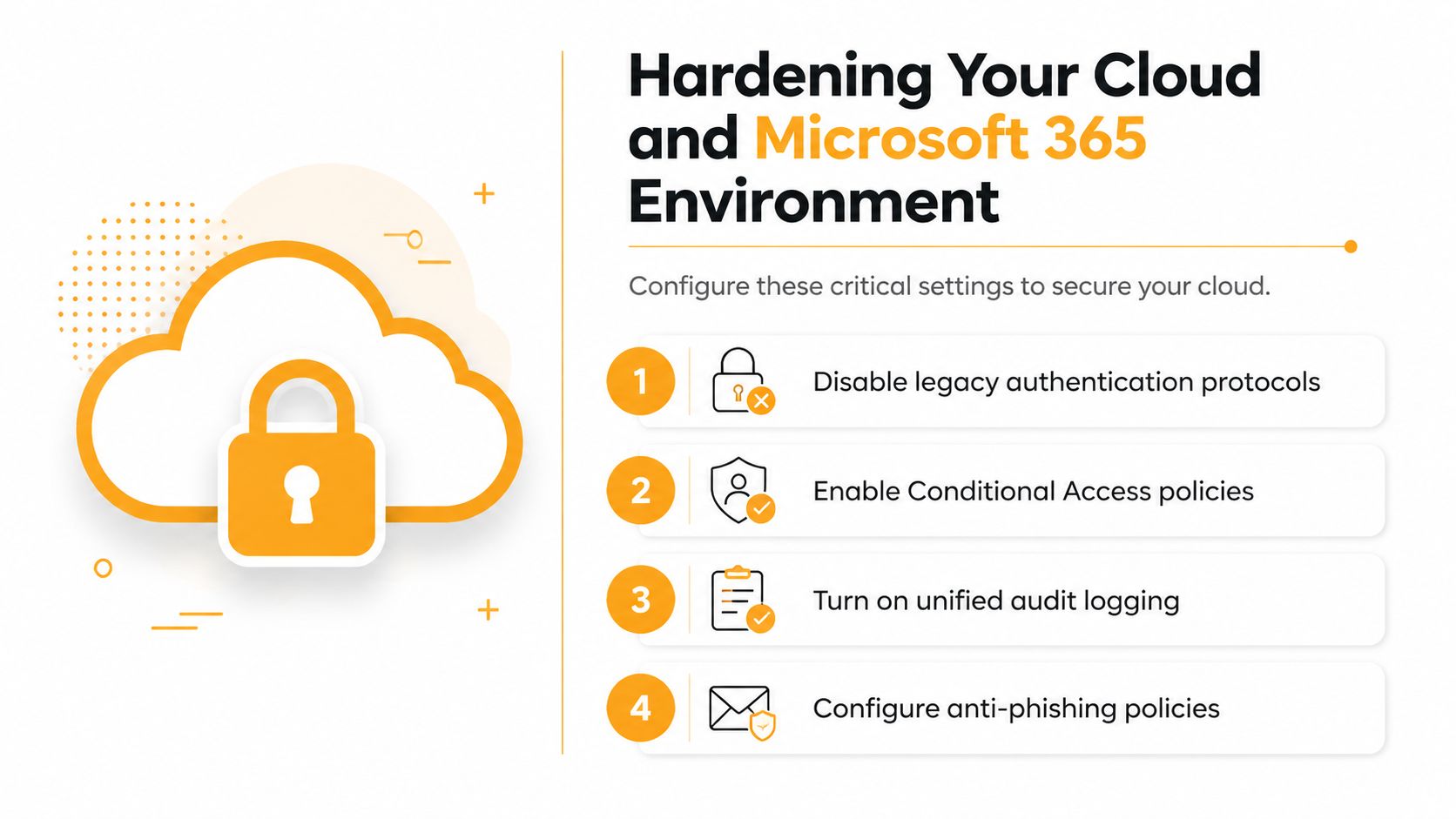
| Area | Configuration example | Operational check |
|---|---|---|
| Authentication | Disable legacy authentication and require modern authentication through Conditional Access | Confirm older scanners, applications, and service accounts have supported alternatives |
| Identity | Require MFA for administrators, remote access, and cloud applications | Test exclusions and emergency access procedures |
| Devices | Use Intune compliance policies for encryption, supported operating systems, screen lock, and threat protection | Confirm personal-device and contractor policies are clear |
| Configure anti-phishing, impersonation, safe links, and safe attachments policies | Tune protection using reported messages and false-positive review | |
| Auditing | Turn on unified audit logging and retain relevant activity according to business and regulatory needs | Verify that administrators can retrieve sign-in, mailbox, file, and sharing events |
| SharePoint and OneDrive | Restrict external sharing, review anonymous links, and require business justification for sensitive collaboration | Audit guests and remove stale access |
Teams also needs governance. Limit external communication where appropriate, review guest access, control app permissions, and make sensitive channels private. In SharePoint, broad “anyone” links are convenient but difficult to control. Prefer authenticated sharing with named recipients and expiration where the business process allows it.
Data Loss Prevention policies can identify sensitive information in Exchange, SharePoint, OneDrive, and Teams. Start in audit or simulation mode, review matches with business owners, and then enforce narrowly defined policies. A rule that blocks legitimate work will encourage users to find workarounds, while a rule that only creates noise will be ignored.
Cloud hardening also requires patch and device discipline. Conditional Access can require compliant devices for sensitive resources, but it won't help if Intune policies are incomplete or administrators leave exceptions undocumented. Review tenant administrators, application consents, mailbox forwarding rules, inactive accounts, and external guests as part of a recurring security review.
Establishing Monitoring, Backups, and Incident Response Capabilities
A prevention program needs a recovery system because controls can fail, people can make mistakes, and vendors can introduce unexpected risk. Monitoring helps you notice suspicious activity, backups preserve a clean recovery path, and incident response turns a confusing emergency into assigned actions.
Start with high-value signals rather than collecting every event without a review process. Prioritize administrator sign-ins, impossible travel, repeated failed authentication, new inbox forwarding rules, mass file changes, unusual data downloads, endpoint detections, disabled security tools, new OAuth permissions, and changes to backup settings.
Make recovery independent from the compromised environment
Backups should be encrypted, access-controlled, regularly tested, and isolated from ordinary administrator credentials. Use the 3-2-1 backup rule, with multiple copies on different media and one copy kept offline or otherwise separated from the production environment. Immutable storage is especially valuable because ransomware operators often target backup systems after gaining administrative access.
Test restoration of individual files, critical applications, and full systems. A backup that has never been restored is an assumption, not a recovery plan. Businesses evaluating cloud backup solutions for small business should ask who monitors failures, how retention works, how immutable copies are protected, and how quickly the provider can support restoration.
Your incident plan should name decision-makers, technical responders, legal and insurance contacts, communication owners, and the person authorized to isolate systems. Include steps for preserving evidence, disabling compromised accounts, revoking sessions, contacting affected vendors, and documenting every major decision.
During the first response period: Preserve evidence before wiping systems, isolate suspected accounts and endpoints, and use a known-good communication channel if email may be compromised.
Run tabletop exercises using realistic scenarios such as a stolen administrator account, a malicious vendor integration, or ransomware on a file server. For reputation-sensitive incidents, a resource on how to protect your brand in a breach can help connect technical response with customer, employee, and public communication.
IT Cloud Global, LLC can serve as one managed-services option for businesses that need proactive monitoring, security assessments, endpoint and network protection, automated backups, recovery support, and disaster recovery planning. The right provider should explain what it monitors, who responds after hours, how it tests recovery, and which responsibilities remain with your business.
Houston businesses can turn breach prevention into a working program by starting with identity, vendor access, Microsoft 365 configuration, segmentation, tested backups, and a documented response process. IT Cloud Global, LLC provides managed IT, Microsoft 365 administration, cloud support, network security, proactive monitoring, backup, and recovery services. Visit IT Cloud Global, LLC to discuss your current exposure and build a practical prevention plan around your systems, vendors, and business priorities.
- IT Security Assessment: A Practical Guide for Houston SMBs
- Remote Desktop IT Support Guide 2026
- Vulnerability Scanning Services Explained for SMBs
- Endpoint Protection vs Antivirus: A Houston Guide
- Houston IT Support: A 2026 Guide for SMBs
- What Is Network Access Control: Why Your Business Needs It
- Hybrid Cloud Management: A Practical Guide for SMBs