


Cleveland IT Services: Your Partner Guide for 2026
You're probably dealing with the same mess a lot of Cleveland owners face right now, a provider that answers slowly, a bill that keeps drifting, and a nagging sense that nobody owns the risk. That's not a technology problem. It's a buying problem, and if you pick the next IT partner the same way you picked the last one, you'll probably get the same outcome.
Table of Contents
- Why Choosing Cleveland IT Services Deserves a Real Strategy
- What the Cleveland IT Market Really Looks Like
- The Core Service Categories Cleveland SMBs Need
- Questions That Separate Real Providers From Sales Pitches
- Pricing Models That Make Sense for Cleveland SMBs
- Compliance and Cybersecurity Checks You Should Never Skip
- Onboarding, Migration, and Red Flags That Mean Walk Away
Why Choosing Cleveland IT Services Deserves a Real Strategy
Most business owners don't go shopping for Cleveland IT services because they enjoy procurement. They do it because something already went wrong, a breach was missed, a deadline slipped, a renewal was forgotten, or a support desk kept handing out excuses instead of fixes. That's why this decision needs to be treated like a risk review, not a vendor beauty contest.
A real strategy starts with a simple question, what are you buying protection from? For some firms, the answer is downtime. For others, it's ransomware, compliance exposure, lost files, or the chaos that follows a staff change and no documentation. If you don't define the failure mode first, every sales pitch sounds plausible.
Use a structured evaluation instead of a casual search. A provider should be able to explain how they handle response times, escalation, documentation, security baselines, cloud access, and onboarding. If they can't explain those things clearly, they're not ready to carry your operational risk.
Practical rule: if a provider talks about “being proactive” but won't show you the workflow behind that claim, treat it as marketing, not operations.
The Cleveland market makes this more important, not less. Local companies are dealing with real labor pressure, real tech spend, and real connectivity issues, so a weak provider doesn't just create inconvenience. It can slow hiring, break remote work, and turn a routine helpdesk issue into a business interruption.
The best buyers in this market ask sharper questions up front and expect cleaner answers. They want proof, not confidence. They want process, not personality.
If you need a framework for turning IT into a business decision instead of a panic response, start with this guide on how to create and implement an effective IT strategy for small businesses. Then use the rest of this article as your filter.
What the Cleveland IT Market Really Looks Like
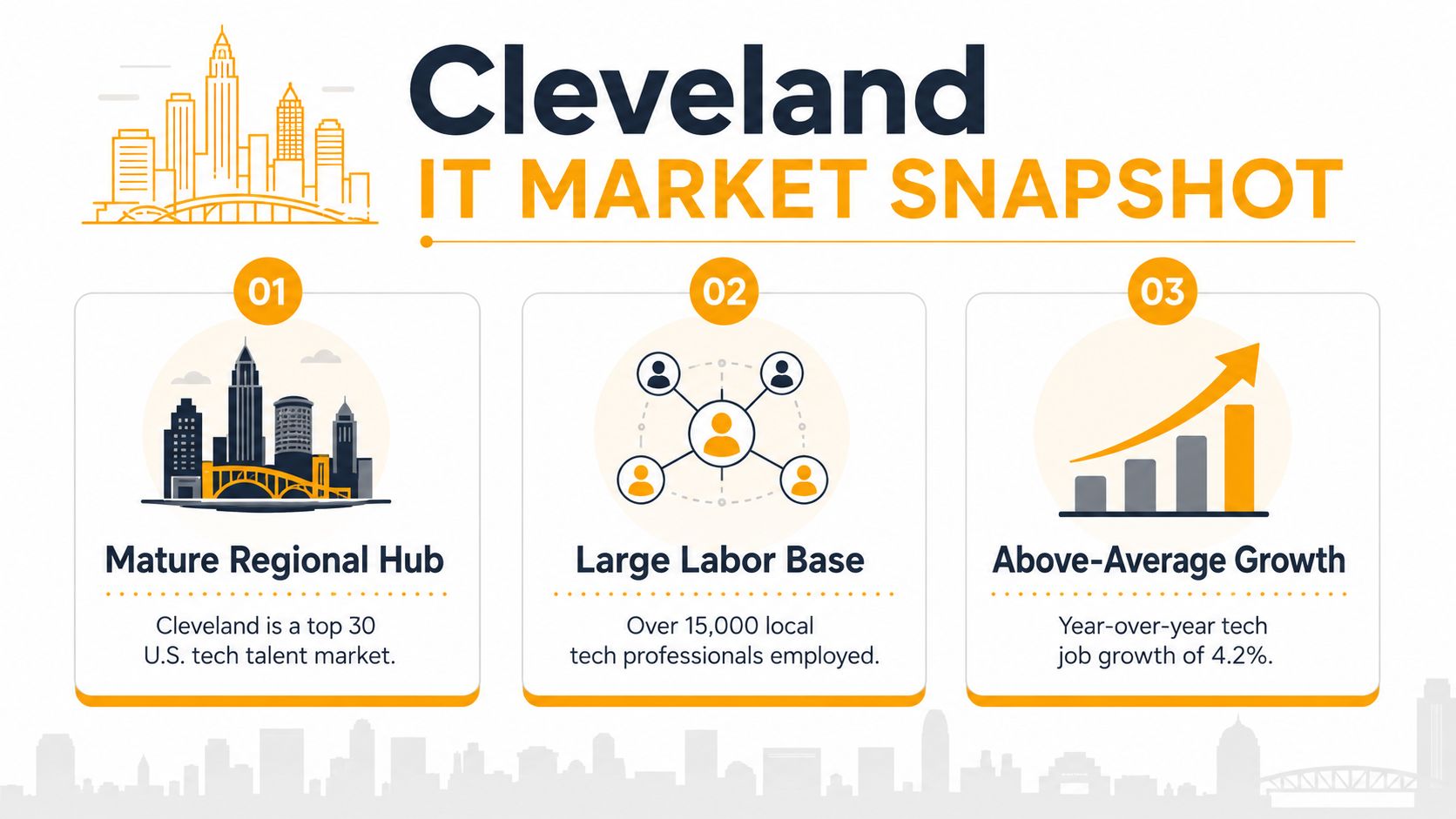
Cleveland is not a small local pond where any provider can coast on charm. CompTIA's Cleveland metro analysis reported 75,698 net tech workers in 2018, equal to 7.2% of the region's total workforce, and said the market had added more than 10,700 tech-related jobs since 2010. It also put the median tech occupation wage at $71,708, which was 69% higher than the median wage for all occupations, while estimating the tech sector's contribution to the local economy at $7.2 billion, about 6% of the total economy. CompTIA's Cleveland tech community report makes one thing clear, this is a serious labor market.
What that means for buyers
A market with this depth gives you an advantage. You do not need to accept vague answers about security tooling, cloud management, or escalation paths when there is enough local talent to support firms that do it properly. Cleveland's later economic-development profile also describes the area as the 8th fastest-growing market for tech talent and lists computer and IT median annual salary at $68,349, above the family-sustaining wage benchmark, which reinforces the point that skilled labor is available, but not cheap. See the profile here, the Cleveland economic-development profile.
That matters because strong providers have to build teams, train them, and retain them. If a vendor is underbidding everyone else, they are probably cutting corners somewhere, usually in documentation, staffing quality, or security depth. Buyers should act like they know that.
The business side is just as telling. The Greater Cleveland Partnership's industry guide estimated $224.9 billion in revenue across the local IT-related sectors it tracked, with $5.6 billion in estimated IT investment, equal to 2.5% of revenue; within the same guide, some industries showed IT spend as high as 7.25% of revenue. That industry guide is a reminder that local companies are already spending real money to keep systems moving.
Why this changes your negotiation posture
You should not hire on promise alone in a market like this. Ask for documented service levels, named security controls, and evidence of cloud competence. If a provider says “we'll figure it out,” they are asking you to subsidize their learning curve.
Cleveland's broader labor environment supports that expectation. The same regional table from the U.S. Bureau of Labor Statistics Cleveland metro data showed a civilian labor force of roughly 1.11 million, employment of 1.0649 million, and an unemployment rate of 4.0%. That is a large operational base, and it means your IT partner has to support networks, endpoints, cloud platforms, and security at scale, not just show up when something breaks.
The right Cleveland provider should look like an operator, not a reseller with a helpdesk script.
That is the standard. If a firm cannot show how it works inside a mature market, it probably will not work well inside your business either.
The Core Service Categories Cleveland SMBs Need
Cleveland SMBs need a disciplined stack of services, not a grab bag of tech promises. If you are buying IT services here, treat it like due diligence. Ask what the provider owns, what they only coordinate, and what gets handed off to someone else when something breaks.
Managed support, security, and cloud work
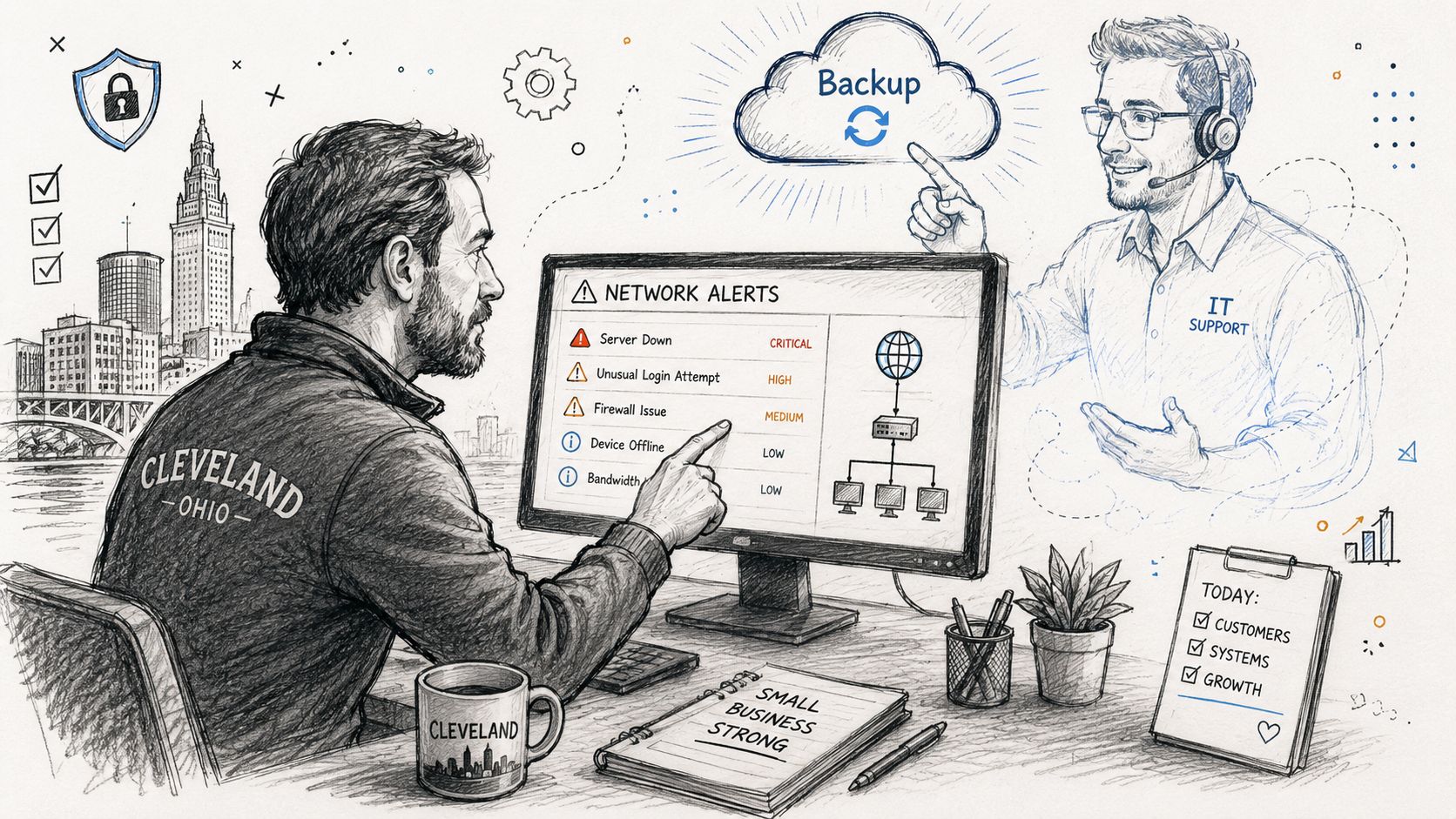
Managed IT and helpdesk support is the daily layer that keeps work moving. Good providers close user tickets without forcing every issue through a slow chain of escalation. If your staff cannot get fast help with login problems, printer access, shared drives, or mailbox issues, productivity leaks all day.
Cybersecurity and compliance should cover the basics that keep a business out of trouble. That means endpoint protection, MFA, patching, backup validation, and incident handling, not a checkbox antivirus install labeled as security. If you operate in a regulated environment, the provider's language should line up with your obligations, not a generic brochure.
Cloud migration and Microsoft 365 management matter for firms that have outgrown file shares or half-managed tenant setups. Businesses with distributed teams need someone who can keep Teams, Exchange, Intune, and SharePoint from turning into a support mess. The migration itself is easy to sell and hard to run well, and that is where a lot of SMBs get burned.
The physical side still matters
Networking and on-site support keep offices alive when wireless coverage drops, switches fail, or a remote fix is not enough. Cleveland offices with multiple floors, aging wiring, or retail traffic need a provider that can troubleshoot both the logical network and the physical layer.
Structured cabling and Wi-Fi are separate disciplines, and buyers should treat them that way. Bad cabling creates ghosts that look like software problems, and weak Wi-Fi makes every other tool feel broken.
Device repair and data recovery still matter, especially when a small office does not have spare machines sitting around. If an engineer cannot handle laptops, Macs, printers, and basic recovery work in-house, simple failures turn into long outages.
If you are comparing lead sources or trying to understand how providers package these services, the MSP perspective in Growform on MSP lead conversion is useful because it shows how providers think about intake, qualification, and service packaging. That helps you spot whether a firm is structured for real support or just for selling a monthly plan.
Buyer test: if a provider can't explain which of these six categories they own, they're probably outsourcing the part you'll need most.
Your internal checklist should be simple. Ask which services are included, which are project-only, which are on-site, and which are handled by a third party. Then decide whether the handoff chain still makes sense for your business.
Questions That Separate Real Providers From Sales Pitches
Sales decks are cheap. Answers are expensive. If you want to separate a real Cleveland provider from a polished talker, ask questions that force them to describe how they operate.
Ask about response, escalation, and ownership
Start with the basics. What is the guaranteed response time for critical issues? Who owns escalation when the first engineer can't solve it? What happens after hours, and who is on call when a problem hits on a Friday night?
Then ask about documentation. Where do they keep asset records, passwords, network diagrams, and recovery notes? If the answer is vague, you're looking at a future handoff disaster. When an engineer leaves, undocumented environments become your problem immediately.
A sensible SLA baseline in managed IT is 99.9% to 99.999% uptime, which translates to roughly 43.8 minutes to 5.3 minutes of allowable downtime per month. That range comes from a Cleveland managed-IT guide that also recommends tracking MTTD, MTTR, latency, throughput, jitter, and packet loss together, instead of treating uptime as the only scorecard. The guide is blunt for a reason, uptime alone can hide slow systems and weak response.
Ask about proof, not promises
If you want to know whether a provider is real, ask for local references and recent examples of managed support, cloud recovery, or security remediation. Then ask how they measure repeat incidents. The most useful provider will talk about root causes, not just ticket closures.
For helpdesk, KPI frameworks commonly target First Contact Resolution of 70% to 75%, help-desk resolution rate of 85%+, user satisfaction of 85%+, system uptime of 99.9%+, and patch compliance of 95%+. Motadata's KPI guidance is useful because it pushes buyers to look beyond fast closure and into repeat problem containment.
Use this short vendor checklist:
- Guaranteed response time: What happens for critical, high, and normal issues?
- Escalation path: Who steps in when the first person can't fix it?
- Security stack: What protects endpoints, email, identity, and backups?
- Documentation standard: How often do they update asset and recovery records?
- Staff turnover plan: What gets handed over when an engineer quits?
For SLA language outside IT, the DialNexa SLA guide is a good reminder that service levels only matter if the provider measures them consistently and makes the numbers operational.
A provider that dodges these questions is telling you exactly how they'll behave after the contract is signed. Believe them.
Pricing Models That Make Sense for Cleveland SMBs
Pricing gets simpler once you stop treating every proposal like the same deal. Cleveland SMBs usually need one of two setups, a predictable outsourced partner or a co-managed arrangement that supports an internal team. Pick the model that matches how your business runs, not the one that looks cheapest in a sales deck.
Per user or all inclusive
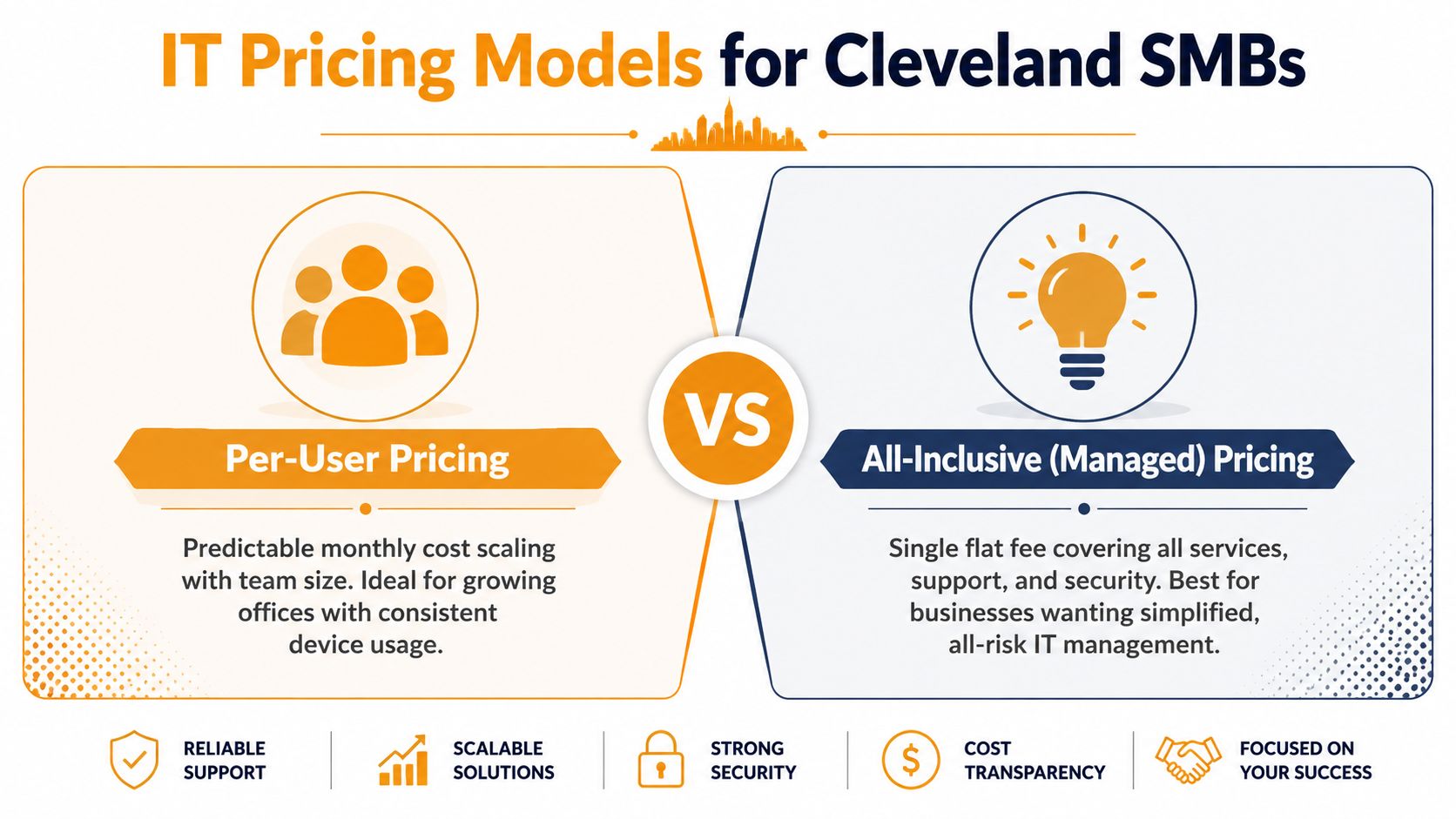
Per-user pricing works when headcount drives most of your support load and your device setup stays fairly standard. It is easy to forecast, and it usually beats old per-device billing because the cost follows the people using the service instead of a pile of hardware. That fits growing offices that add staff in a steady way and want the invoice to scale in a straight line.
All-inclusive managed pricing makes more sense when you want one monthly fee to cover support, maintenance, and security. It cuts down on blame-shifting, especially when the same provider handles helpdesk, monitoring, patching, and backup oversight. If your business hates surprise invoices, push this model hard.
The local pricing conversation gets messy fast because some providers add onboarding, project labor, or “advanced security” fees after the quote is already on the table. In Cleveland, the key question is not whether a plan is cheap. It is whether the plan makes the provider responsible for the things that break your day, including the labor shortages, broadband gaps, and uneven digital access that can turn a small issue into a long one.
What to watch before you sign
Ask whether the contract caps support hours, charges extra for security incidents, or bills separately for “minor” cloud changes. Those clauses look harmless during sales and painful during a bad month. You also need a clear line between routine maintenance and project work, because that boundary is where vendors hide extra charges.
Rule of thumb: if the provider makes money every time your environment gets messy, they have less reason to clean it up.
A Cleveland buyer with a small internal IT presence may prefer supplemental or co-managed support, but only if the division of labor is written down. If the internal person owns strategy and the provider owns operations, say that plainly. If not, you will pay for overlap and call it coverage.
I would also put IT Cloud Global, LLC in the “consider if it fits the operating model” bucket, because it offers managed IT services, cloud support, network security, and on-site or remote assistance. That is a practical mix for SMBs that want one outside team to handle daily support and infrastructure work without splitting responsibility across too many vendors. For buyers who want a closer look at cloud security and compliance, a practical cloud security compliance guide can help frame the questions before contract talks start.
Choose the model that matches your complexity, not the one that sounds cheapest in the first meeting. Cheap quotes get expensive when the contract is built to bill every exception.
Compliance and Cybersecurity Checks You Should Never Skip
Cybersecurity is the floor now. If a provider treats it like an add-on, keep walking. Cleveland businesses in healthcare, manufacturing, and professional services need a baseline that assumes phishing, stolen credentials, device loss, and backup failure are normal risks, not edge cases.
Non-negotiables before you sign
Require multi-factor authentication, endpoint protection, patch management, immutable or verified backups, and a documented incident-response path. If the provider cannot explain how they test restores, they are not doing backup properly. If they can't describe who is alerted during a security incident, they are not doing response properly.
For compliance-heavy businesses, map your ask to the rule set you live under. HIPAA matters for healthcare workflows, PCI-DSS matters if you handle payment data, and CMMC matters in defense-linked environments. Don't let a provider hide behind broad “compliance support” language when your obligations are specific.
If you need a practical lens on audit readiness and security control gaps, the guide by MD TECH TEAM is worth reading because it keeps the conversation focused on checks, controls, and documentation instead of slogans. That's the right mindset for vendor evaluation.
Measure security the same way you measure service
Helpdesk metrics matter here too, because repeat tickets often expose weak patching or broken configuration. A provider can close a lot of tickets and still leave you exposed if the same endpoints keep showing up with the same issues. That's why patch compliance, backup success, and incident response time should sit beside uptime in the contract review.
Practical rule: if a provider can't show how they detect, contain, and recover from a bad event, they're selling reassurance, not resilience.
Use this internal reference too, because cloud security and compliance can't be separated anymore in most SMB environments: cloud security compliance guidance. The provider you choose should be able to talk through both without drifting into jargon.
A strong Cleveland IT partner won't promise perfection. They'll show you the controls, the evidence, and the recovery process. That's what you want.
Onboarding, Migration, and Red Flags That Mean Walk Away
The first 30 days with a new provider tell you almost everything. Good firms start by documenting assets, credentials, access rights, backups, and support contacts. Bad firms start by asking you to trust them while they “get settled.”
A clean onboarding sequence
Week one should focus on discovery and control. You want a full inventory of endpoints, servers, cloud accounts, security tools, and critical applications. You also want a named contact list so end users know where to go when something breaks.
By day 30, the provider should have a working support workflow, a documented escalation path, and a migration plan for anything that needs to move or be repaired. By day 60, they should be tightening backup validation and cleaning up the obvious technical debt. By day 90, you should have enough evidence to judge whether they're reducing noise or just moving tickets around.
Cloud migrations need extra discipline, especially when identities, files, and collaboration tools are involved. This cloud migration challenge guide is useful because it reinforces the same thing your provider should tell you, migration is not a copy-and-paste job.
Red flags that mean leave
Walk away if you see vague SLAs, surprise invoices, no documentation, or a team that keeps changing without explanation. Walk away if the provider talks about cybersecurity in general terms but can't name the controls they deploy. Walk away if they treat your staff like interruptions.
If a provider makes every issue sound normal, they're probably normalizing failure. If they blame every problem on somebody else, they're probably avoiding ownership. If they resist access to records, they're protecting their process from your scrutiny.
The buyer's job is simple. Find the firm that documents well, responds fast, and proves it can carry the weight of your environment without drama.
IT Cloud Global, LLC can help Cleveland businesses that want managed IT support, cloud services, network security, and practical help with day-to-day operations. If you're comparing providers and want a team that works across support, infrastructure, and recovery, visit IT Cloud Global, LLC and use this playbook to pressure-test the fit.