


10 Email Security Best Practices for SMBs
An employee opens the inbox before the first meeting and finds a message that appears to come from a manager. It asks for a password reset, a document download, or a change to a vendor's payment details. Nothing looks obviously wrong. The sender name is familiar, the wording matches the company's tone, and the request seems urgent enough to deserve immediate action.
That scenario is why email security isn't one product or one setting. It's a layered operating process that combines identity protection, user decisions, device controls, sender authentication, fraud procedures, data governance, and recovery. In 2025, 44.99% of email sent worldwide was spam, while Kaspersky's Mail Anti-Virus blocked 144,722,674 malicious email attachments and its Anti-Phishing system stopped 554,002,207 attempts to follow fraudulent links. Those figures make aggressive filtering, attachment scanning, and link verification practical requirements for businesses, not optional extras. Kaspersky's 2025 email threat report provides the operational context.
Small and midsize businesses can make progress without deploying every advanced control on day one. Start with MFA, reporting habits, and account access reviews. Then harden Microsoft 365, endpoints, domains, payment workflows, sensitive data handling, and recovery. Add more specialized tools when business risk justifies the cost and administration.
The aim is simple: reduce the chance of compromise, limit the damage when something slips through, and recover quickly when an incident affects email.
Table of Contents
- 1. Multi-Factor Authentication for Email
- 2. User Training and Phishing Simulation Programs
- 3. Email Client and Endpoint Protection
- 4. Email Access Control and Conditional Access Policies
- 5. DMARC, SPF, and DKIM Authentication Protocols
- 6. Business Email Compromise and Fraud Detection
- 7. Advanced Threat Protection and Sandboxing
- 8. Email Encryption and Data Loss Prevention
- 9. Email Continuity and Disaster Recovery Planning
- 10. Email Archive and Compliance Management
- 10-Point Email Security Comparison
- Build Your Email Security Maintenance Rhythm
1. Multi-Factor Authentication for Email
A stolen password should not be enough to open a company mailbox. Multi-factor authentication, or MFA, requires an additional proof of identity, such as an authenticator approval, security key, or biometric check. That extra step can stop an attacker who has obtained a password through a phishing page, password reuse, or a data exposure.
For Microsoft 365, start with the provider's native identity controls. Enforce MFA for every user, including executives and administrators, rather than creating convenience-based exceptions for the people attackers most want to impersonate. Google Workspace and other cloud platforms provide comparable native options. Native MFA usually offers the fastest path to coverage because it avoids another vendor, another console, and another support process.
Choose stronger factors and plan recovery
Use Microsoft Authenticator or Google Authenticator where possible instead of relying only on SMS. Text messages can be useful as a fallback, but an authenticator app or hardware security key generally gives the business a stronger authentication path. High-risk administrators and finance users should be considered for phishing-resistant security keys.
Document enrollment and recovery before enforcement begins. Users need backup codes or an approved secondary method, and helpdesk staff need a clear identity-verification procedure before resetting MFA. Otherwise, a social engineer may bypass a strong technical control by persuading support personnel to remove it.
- Pilot carefully: Begin with administrators and a small user group, then expand after testing sign-in prompts and recovery.
- Use risk-based policies: Conditional Access can require stronger verification for unfamiliar devices, locations, or applications.
- Remove stale access: Disable accounts promptly when employees leave or change roles.
2. User Training and Phishing Simulation Programs
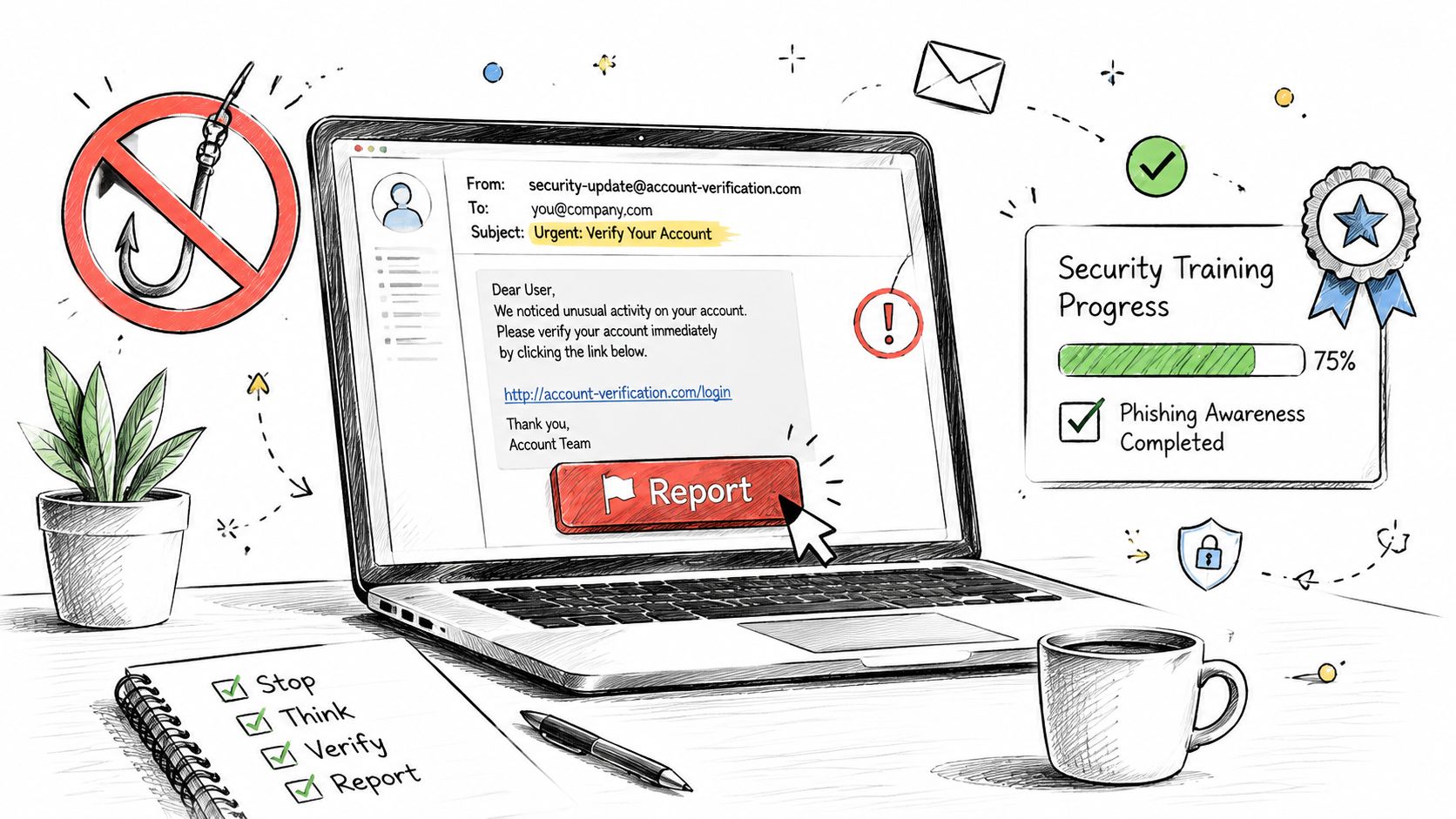
Technical filters can't identify every persuasive request, particularly when the attacker uses a trusted conversation or asks for an ordinary business action. Employees need to know how to pause, verify, and report messages without fearing blame. Training should address credential requests, unexpected attachments, urgent payment instructions, QR codes, and requests for secrecy.
Start with a baseline exercise that helps identify which roles face the greatest exposure. Finance, payroll, human resources, executives, and people who manage vendors usually need scenarios customized to their workflows. A simulation that resembles a password reset may teach one lesson, while a simulated vendor bank-change request teaches another.
Make reporting easier than investigating
Put a one-click reporting button in Outlook or Gmail if the platform supports it. Tell employees exactly what happens after they report a message, who reviews it, and how quickly they should expect a response. Positive reinforcement works better than public embarrassment. Employees who report suspicious messages are providing an early warning signal, even when the message turns out to be harmless.
Use short, recurring exercises rather than treating awareness as a once-a-year compliance task. Mix email with SMS, voice calls, and collaboration tools because fraud can move across channels after an attacker learns how the business operates. Cybersecurity best practices for small businesses can help SMB leaders connect awareness work to broader security procedures.
Track qualitative signals such as whether users report suspicious messages quickly, whether managers follow verification rules, and whether employees understand how to contact IT. Don't reward low click rates alone if users stop reporting because they fear being tested.
3. Email Client and Endpoint Protection
An inbox is only as secure as the device that opens it. A fully protected Microsoft 365 tenant can still be exposed when an employee reads mail on an unpatched laptop, an unmanaged phone, or a personal computer with weak security controls. Endpoint protection, patching, device encryption, and access policies should therefore be treated as part of email security.
Deploy endpoint detection and response across company-managed computers. Products such as SentinelOne can support endpoint monitoring, but the value depends on coverage, alert review, and a response process. An unmonitored agent that generates alerts nobody investigates creates the appearance of control without dependable protection.
Control the devices that can connect
Use Microsoft Intune or another mobile device management platform to apply rules to iOS and Android devices that access corporate mail. Conditional Access can require a compliant device, current software, encryption, and a screen lock before granting access. For remote staff, decide whether email access from unmanaged devices is blocked, limited to browser sessions, or allowed only under defined conditions.
- Patch the access path: Keep operating systems, browsers, Outlook, mobile applications, and document viewers current.
- Reduce attachment exposure: Configure safe handling for risky files and avoid unnecessary local downloads.
- Separate personal and business data: Application-level controls can remove company data without wiping an employee's entire phone.
- Protect lost devices: Require disk encryption, screen locks, and remote wipe capability.
A VPN can protect some network traffic, but it isn't a substitute for device compliance or MFA. Endpoint protection for small businesses explains how endpoint controls fit into a broader managed environment.
4. Email Access Control and Conditional Access Policies
Conditional Access lets an administrator decide when, where, and under what conditions a user can open email. A login from a managed office laptop may receive a different treatment from a sign-in through an unfamiliar device, a risky location, or a legacy application. This approach reduces unnecessary friction while applying stronger checks to situations that deserve them.
Microsoft 365 administrators should begin in report-only mode. Review which users, applications, and devices would be affected before enforcement. That testing period often reveals older phones, service accounts, line-of-business applications, or unusual travel patterns that need a documented solution.
Block weak entry points
Legacy authentication protocols deserve particular attention. POP3 and IMAP clients that don't support modern authentication can create a path around newer identity controls. Disable them where they aren't required, and document any exception with an owner and review date.
Useful policies may include:
- Off-network verification: Require MFA when users connect outside approved corporate conditions.
- Device compliance: Restrict mobile and desktop access to devices that meet security requirements.
- Application controls: Block unknown or unsupported clients instead of allowing every mail application.
- Location review: Investigate unusual sign-ins rather than relying on a country block as the only defense.
- Administrative separation: Keep service accounts and testing exclusions narrow, temporary, and monitored.
Review sign-in and Conditional Access logs regularly. A policy that blocks legitimate work too often will be bypassed or weakened, while a policy that permits broad exceptions may fail when the business needs it most. Tune controls from actual false positives, not assumptions.
5. DMARC, SPF, and DKIM Authentication Protocols
Attackers don't need to compromise your mailbox to impersonate your domain. They can send messages that appear to come from your business, which can mislead customers, suppliers, and employees. SPF, DKIM, and DMARC address different parts of that problem.
SPF lists authorized sending services in DNS. DKIM adds a cryptographic signature to outgoing mail. DMARC connects those checks to a policy and reporting system, helping receiving servers determine what to do when a message fails authentication. Together, they make spoofing harder and give the business visibility into legitimate and unauthorized senders.
Move from visibility to enforcement
Start by inventorying every service that sends mail for your domain. Microsoft 365, marketing platforms, payroll providers, ticketing systems, website forms, and CRM tools may all require authorization. Publish SPF and enable DKIM for supported services, then use DMARC reporting to identify failures and unknown senders.
Publishing DMARC alone isn't the finish line. EasyDMARC's 2026 report found that 937,931 domains, or 52.1% of the top 1.8 million domains analyzed, published DMARC, but only 411,935 used enforcement policies such as quarantine or reject. The EasyDMARC adoption report shows why monitoring-only policies leave a maturity gap.
Begin with p=none while validating legitimate services, then move toward quarantine and reject after reviewing reports. Keep SPF records centralized and document every third-party sender. For additional practical context, see this guide to inbox placement boost with authentication.
Authentication controls also support deliverability, but don't weaken enforcement just to make an unverified sender work. Fix the sending service or route it through an approved platform.
6. Business Email Compromise and Fraud Detection
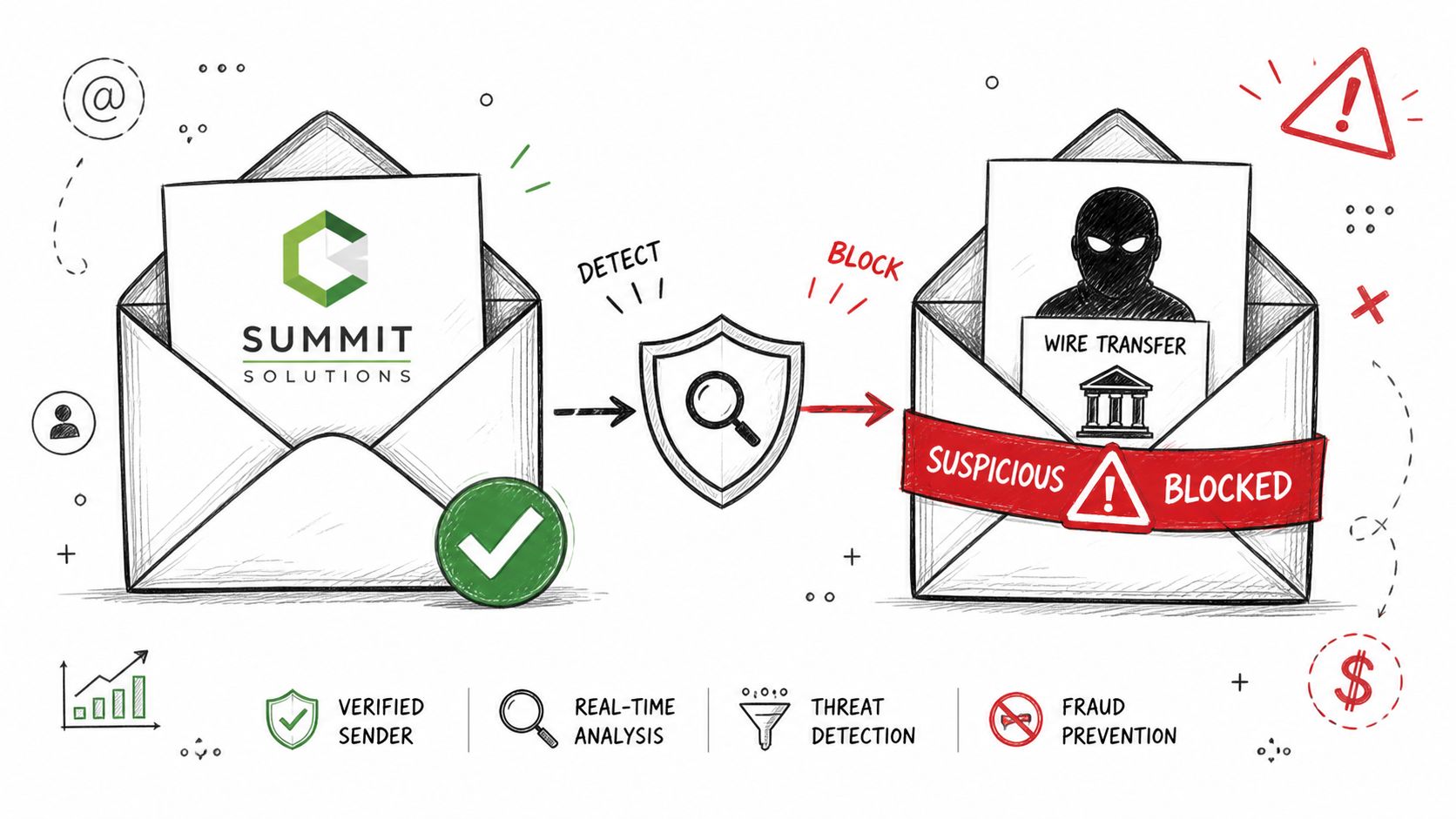
Business email compromise often succeeds without a malicious attachment or obvious phishing link. The attacker may compromise an account, impersonate an executive, imitate a vendor, or join an existing conversation. The requested action can look routine, such as changing bank details, sending tax information, approving a purchase, or transferring funds.
That makes BEC a workflow problem, not only an inbox-filtering problem. Content inspection may miss a perfectly normal-looking message. Your business needs a second verification path for actions that create financial, legal, or operational consequences.
Separate communication from authorization
Require employees to verify payment changes and unusual requests through a known phone number or an independently opened vendor portal. They shouldn't use contact details supplied in the suspicious email. Avoid single-person approval authority for high-risk transactions, particularly when a request involves urgency, secrecy, a new recipient, or a last-minute change.
Finance and HR teams should receive role-specific training. External sender banners can provide a useful prompt, but banners don't prove that a message is fraudulent or safe. Monitor executive accounts for unfamiliar forwarding rules, unusual sign-ins, unexpected mailbox delegation, and sudden changes in communication patterns.
- Use dual approval: A second authorized person should confirm sensitive payment actions.
- Define escalation: Employees need a named contact for urgent verification.
- Protect trusted workflows: Review vendor onboarding, banking updates, payroll changes, and executive-assistant procedures.
- Watch other channels: Lookalike domains, SMS, voice calls, and collaboration tools can continue the same scam after email scrutiny increases.
A clear fraud procedure should protect employees who pause a request, even when the request later proves legitimate. Business data breach protection provides additional context for reducing exposure beyond the mailbox itself.
7. Advanced Threat Protection and Sandboxing
Basic spam filtering remains useful, but it can't safely evaluate every modern attachment or link through reputation alone. Advanced Threat Protection, or ATP, adds behavioral analysis, dynamic URL inspection, and sandboxing. A suspicious attachment can be opened in an isolated environment to see whether it attempts harmful actions before the message reaches the user.
Microsoft Defender for Office 365 is a practical starting point for Microsoft 365 organizations. Configure Safe Attachments and Safe Links according to the business's tolerance for delay and false positives. URL rewriting can inspect a destination when a user clicks, which matters because an initially harmless link may later redirect to a malicious page.
Tune protection without disrupting work
Sandboxing can delay delivery, especially for unfamiliar files. That trade-off is usually acceptable for risky attachments, but teams should define a safe process for legitimate urgent documents. Quarantine notifications should explain what happened and how a user can request review. Avoid broad allowlists that bypass scanning for entire domains when a narrower sender or file exception would work.
- Block dangerous behavior: Consider blocking or restricting macro-enabled Office documents unless a documented business need exists.
- Review threat reports: Use detections to improve training and identify targeted campaigns.
- Protect all users: Executives, contractors, shared mailboxes, and temporary accounts need consistent coverage.
- Keep intelligence current: ATP depends on current detection models, reputation data, and vendor updates.
ATP isn't a replacement for MFA, user judgment, or payment verification. A legitimate compromised account can send a convincing request without carrying malware, so technical filtering must remain one layer in a wider control set.
8. Email Encryption and Data Loss Prevention
Inbound threats get most of the attention, but outbound email can expose customer records, financial information, health data, legal material, or intellectual property. Encryption protects the content from unauthorized reading, while Data Loss Prevention, or DLP, helps identify and control sensitive information before it leaves the organization.
Microsoft 365 organizations can begin with native encryption and DLP capabilities. Create policies around the information the business handles, such as payment data, government identifiers, health records, confidential contracts, or internal financial documents. A policy that tries to classify every message will create noise and user frustration.
Start in audit mode
Run DLP policies in audit or simulation mode before blocking messages. Review matches with finance, HR, legal, and operations teams. A document containing a number that resembles sensitive data may be harmless, while a less obvious business record may require protection. Policy tips can warn users and explain the correct action before the system blocks a message.
Use encryption templates for recurring scenarios, such as sending a client report or sharing a confidential contract with an external recipient. Make the secure option easy to choose, and automate it where a reliable data classification rule exists. Relying entirely on employees to remember manual encryption won't produce consistent governance.
A European Union study reported StartTLS, SPF, DKIM, and DMARC adoption at roughly 84% to 98%, while DANE and DNSSEC adoption was about 2% and 5%, respectively. The EU study on email security controls indicates that advanced DNS-based protections may require careful validation of provider and DNS support. For most SMBs, dependable transport security, authentication, encryption policies, and DLP are the practical priorities.
9. Email Continuity and Disaster Recovery Planning
Cloud email has built-in service resilience, but that doesn't automatically give your business a complete recovery plan. A deleted mailbox item, malicious forwarding rule, compromised administrator account, retention mistake, ransomware event, or tenant-level issue can still disrupt communication and remove access to important information.
Separate backup from continuity. Continuity keeps people communicating during an outage, while backup and recovery restore data, permissions, configurations, and usable access after an incident. Microsoft 365 administrators should understand what native retention covers, what it doesn't cover, and whether a separate backup platform is needed.
Make restoration a tested procedure
Choose a backup design with isolated credentials and protections against administrative compromise. A 3-2-1 approach can provide a practical framework, with multiple copies, different storage types, and an offsite copy. The exact design should reflect the business's compliance needs, recovery objectives, mailbox volume, and tolerance for downtime.
Document the recovery sequence and assign owners. Include identity recovery, administrator access, mailbox restoration, shared mailboxes, contacts, calendars, forwarding rules, and communications with customers. Test the process before an emergency. A backup that has never been restored is an assumption, not evidence.
- Define recovery objectives: Document how quickly email must return and how much recent data the business can afford to lose.
- Protect backup administration: Use separate credentials and MFA for the backup platform.
- Test realistic scenarios: Restore individual messages, mailboxes, and broader service access.
- Record decisions: Keep recovery contacts and escalation steps outside the production tenant.
For a ransomware event affecting email or connected systems, how to recover from a ransomware attack offers a useful starting point for building a broader response plan.
10. Email Archive and Compliance Management
Backup helps restore information after loss. Archiving serves a different purpose. It preserves business communications for retention, legal discovery, audits, and internal investigations while keeping long-term records separate from users' everyday mailbox habits.
Start by identifying the rules that apply to your organization and the records that need preservation. Financial firms, healthcare providers, legal practices, and businesses handling contractual or regulated communications may need formal retention schedules. Don't copy a generic policy without checking business, legal, and regulatory requirements.
Make retention defensible
Automate archiving wherever possible. Manual exports depend on individual employees and can miss important conversations, attachments, or metadata. Choose controls that support rapid search, access auditing, legal holds, and tamper-resistant storage where the organization requires it. WORM, or Write Once Read Many, capabilities may be relevant when records must remain protected from alteration.
Set ownership for retention decisions. Someone should approve policy changes, respond to legal holds, review archive access, and coordinate with counsel when a dispute arises. Test eDiscovery before a real request arrives. Searching an archive under pressure can expose gaps in indexing, permissions, date ranges, or attachment handling.
Archive policies should also account for former employees, shared mailboxes, mobile messages that become business records, and third-party services that send or store communications. Retention isn't the same as indefinite storage. Keep what the business must preserve, protect it appropriately, and dispose of it when authorized.
10-Point Email Security Comparison
| Solution | Implementation Complexity 🔄 | Resources Required ⚡ | Expected Outcomes 📊 | Ideal Use Cases 💡 | Key Advantages ⭐ |
|---|---|---|---|---|---|
| Multi-Factor Authentication (MFA) for Email | Low–Moderate; setup + user onboarding and backup flows 🔄 | Low; auth apps/tokens, admin support, helpdesk ⚡ | Strong reduction in account takeover (~99.9%); improved compliance 📊 | All organizations; high-risk accounts; regulated data 💡 | Prevents credential theft and phishing; compliance-friendly ⭐⭐⭐⭐⭐ |
| User Training and Phishing Simulation Programs | Low; ongoing program management and campaign design 🔄 | Low–Moderate; platform subscription, training materials, admin time ⚡ | Reduces phishing success 70–85%; raises reporting rates and security culture 📊 | Organization-wide awareness; high human-risk environments 💡 | Improves human detection of social engineering; identifies risky users ⭐⭐⭐⭐ |
| Email Client and Endpoint Protection | High; device management, EDR rollout, and patching 🔄 | High; EDR/MDM licenses, IT administration, enrollment efforts ⚡ | Prevents malware execution from attachments; detects compromised endpoints 📊 | Remote/BYO D environments; high endpoint diversity; remote workers 💡 | Blocks malware at endpoints and enforces device compliance ⭐⭐⭐⭐ |
| Email Access Control and Conditional Access Policies | High; complex policy design and tuning, testing required 🔄 | Moderate; identity platform features, monitoring, logging ⚡ | Contextual access decisions; reduced credential misuse and risky sessions 📊 | Hybrid work; contractors; geographically distributed teams 💡 | Balances security with user convenience; adaptive control ⭐⭐⭐⭐ |
| DMARC, SPF, and DKIM Authentication Protocols | Moderate; DNS configuration and coordination across senders 🔄 | Low; DNS management, monitoring tools, reporting setup ⚡ | Prevents domain spoofing; improves deliverability and visibility 📊 | External-facing domains, marketing, transactional email senders 💡 | Low-cost anti-spoofing standard with measurable ROI ⭐⭐⭐⭐ |
| Business Email Compromise (BEC) and Fraud Detection | High; ML models, cross-system integration, baseline profiling 🔄 | High; fraud detection tools, integrations with finance/HR, monitoring ⚡ | Detects impersonation and anomalous requests; prevents large financial losses 📊 | Finance, payroll, procurement, executive communications 💡 | Prevents high-impact fraud and vendor/payment exploitation ⭐⭐⭐⭐ |
| Advanced Threat Protection (ATP) and Sandboxing | Moderate–High; sandbox configuration and tuning 🔄 | High; ATP licensing, threat intel feeds, analysis resources ⚡ | Detects zero-days and sophisticated malware; reduces ransomware risk 📊 | Enterprises and high-threat sectors (finance, healthcare) 💡 | Blocks advanced threats before inbox delivery; forensic insights ⭐⭐⭐⭐ |
| Email Encryption and Data Loss Prevention (DLP) | Moderate; policy design, content rules, integration 🔄 | Moderate; DLP/OME tools, admin time, cross-system coordination ⚡ | Prevents unauthorized disclosure; supports GDPR/HIPAA/PCI compliance 📊 | Healthcare, legal, finance; any regulated data flows 💡 | Protects sensitive content in transit and enforces compliance ⭐⭐⭐⭐ |
| Email Continuity and Disaster Recovery Planning | Moderate; backup design, retention policies, recovery testing 🔄 | Moderate–High; backup service, storage, regular testing and ops ⚡ | Rapid recovery from outages/ransomware; meets retention and RTO/RPO goals 📊 | Critical operations, regulatory retention, disaster-prone environments 💡 | Ensures business continuity and data recoverability ⭐⭐⭐⭐ |
| Email Archive and Compliance Management | High; retention policy design, eDiscovery setup, large-scale storage 🔄 | High; archiving platform, storage, licensing, legal resources ⚡ | Long-term retention, rapid eDiscovery, regulatory compliance 📊 | Regulated industries (FINRA, SEC, HIPAA), litigation-prone orgs 💡 | Immutable archives, legal hold support, searchable records ⭐⭐⭐⭐ |
Build Your Email Security Maintenance Rhythm
The strongest email security best practices fail when nobody owns them after deployment. Treat the roadmap as an operating rhythm, not a project that ends when MFA is enabled or DNS records are published.
Start with the controls that reduce immediate account and user risk. Enable MFA for all email users, establish an easy suspicious-message reporting process, and define how staff should verify payment changes and sensitive requests. These steps require configuration and training, but they don't demand a large security team. Assign an owner for identity settings, an owner for user awareness, and a named escalation contact for suspected compromise.
Next, review the Microsoft 365 environment. Examine Conditional Access policies, legacy authentication, administrator roles, mailbox forwarding rules, shared mailbox permissions, sign-in alerts, and device compliance. Confirm that Exchange, Intune, Defender, SharePoint, Teams, and related services follow a consistent access model. A policy that protects Outlook but leaves another collaboration path unmanaged may leave attackers an easier route.
Then review endpoint, filtering, and domain authentication settings. Confirm that every device accessing email receives updates and endpoint protection. Configure spam filtering, attachment analysis, URL protection, SPF, DKIM, and DMARC. Use DMARC reports to identify forgotten sending services, then progress from monitoring toward enforcement when legitimate mail has been validated. The objective isn't to collect security features. It's to close the gaps between identity, mail flow, devices, and business workflows.
Add DLP, encryption, archiving, and recovery controls according to the information your business handles and the consequences of losing access. Healthcare, financial, legal, and professional services organizations may need more formal governance than a small retail office, but every organization should know what data travels through email, how long it must be retained, and how it will be restored.
Use a repeatable review cadence
- Regularly: Review authentication failures, suspicious sign-ins, forwarding changes, quarantine alerts, and user reports.
- Monthly: Run phishing simulations or focused awareness exercises, and provide immediate coaching when users need it.
- Quarterly: Test recovery procedures, review privileged access, validate backup restoration, and examine Conditional Access exceptions.
- After every change: Update policies when users, devices, domains, vendors, sending services, or business workflows change.
Document payment verification steps, recovery time and data-loss objectives, alert ownership, escalation contacts, approved exceptions, and offboarding responsibilities. Small businesses often struggle less with a lack of tools than with unclear accountability. A written process gives employees permission to pause suspicious requests and gives IT a dependable way to respond.
Houston businesses that need help administering Microsoft 365, monitoring endpoints, improving network security, or planning disaster recovery can evaluate a managed services relationship with IT Cloud Global. The right partner should help maintain controls, review alerts, support users, and keep documentation current, rather than only installing software and waiting for the next incident.
Configuration starts the program. Consistent review keeps it working.
IT Cloud Global, LLC helps Houston businesses manage Microsoft 365 email, endpoint protection, network security, disaster recovery, and ongoing IT support. Visit IT Cloud Global, LLC to discuss a practical email security roadmap, managed monitoring, or Microsoft 365 administration for your business.