


Disaster Recovery Plan for Small Business: Your 2026 Guide
Many small business owners assume they will recover after an outage, storm, or cyberattack. Far fewer have a written plan their team can follow under pressure.
That gap costs real money. When systems go down, staff cannot access files, phones stop ringing through, payments stall, and customers start looking for another option. A good disaster recovery plan for small business operations reduces guesswork. It sets priorities, assigns decisions, and gives your team a clear order of action.
It also shows where do-it-yourself planning makes sense and where outside help saves time and limits damage. That matters even more in places like Houston, where flooding, power loss, and severe weather can collide with everyday IT risks. For simple setups, an owner and office manager can handle a lot. For multi-site operations, compliance requirements, cloud apps, servers, or ransomware exposure, an MSP often becomes the faster and less expensive choice than trying to build the plan during an emergency.
Table of Contents
- Why Your Business Needs a Recovery Plan Right Now
- Assessing Your Real-World Business Risks
- Defining Your Recovery Goals with RTO and RPO
- Choosing Your Backup and Recovery Strategy
- Building Your Response Team and Communication Plan
- Testing Your Plan and Knowing When to Call an Expert
- Frequently Asked Questions About Disaster Recovery
Why Your Business Needs a Recovery Plan Right Now
A small business can absorb a lot. It usually cannot absorb confusion during an outage.
Owners rarely put off disaster recovery because they do not care. They put it off because payroll is due, customers need answers, and the systems worked fine yesterday. Then a fiber cut knocks out internet access, Microsoft 365 locks users out, ransomware hits a shared drive, or a Houston storm closes the office for two days. At that point, every missing decision gets expensive.
A recovery plan fixes that before the pressure hits. It tells your team what to restore first, who has authority to act, which vendors to call, and where the clean data lives. Without that structure, small problems turn into long outages. I see the same pattern often. Staff assume backups are working, but no one has tested a restore. The office manager knows one password, but not the admin account that matters. Remote work is supposed to be the fallback, but key files are trapped on a desktop in the office.
The danger of unchecked confidence
Confidence is not the same as readiness. A business can feel prepared because it has cloud apps, cyber insurance, and a backup product in place. That still leaves hard questions unanswered. Who approves failover? How do employees work if phones and email are both down? Which system comes back first if accounting, CRM, and file storage all fail at once?
For Houston businesses, the risk is often a chain of smaller failures rather than one headline event. Power flickers. Internet service drops. Staff switch to personal devices. A rushed workaround exposes sensitive data. Customers hear nothing for hours because the normal communication tools are part of the outage.
Practical rule: If your team depends on email, files, internet, phones, cloud apps, or line-of-business software to make money, serve customers, or stay compliant, you need a recovery plan now.
The good news is that the first version does not need to be large. It needs to be usable under stress. It should answer four questions:
- What comes back first so revenue and operations can continue
- Who can declare an incident and make time-sensitive decisions
- How data will be restored after deletion, hardware failure, or ransomware
- How employees, customers, and vendors will get updates if the usual channels are unavailable
This is also the point where many small businesses waste time trying to do everything themselves. Writing down contacts and priorities is internal work. Designing recovery for multi-site operations, compliance-heavy data, hybrid cloud systems, or storm-related business interruption often is not. That is where an MSP saves money by preventing bad assumptions, missed dependencies, and backup plans that look good on paper but fail in a real incident.
If your company has compliance obligations or formal audit requirements, this BIA guide for regulated environments is a useful reference for structuring the business side of recovery planning.
Assessing Your Real-World Business Risks
A recovery plan fails when it protects systems that don’t matter and ignores the ones that keep revenue moving. Start with the business itself. Then map technology to it.
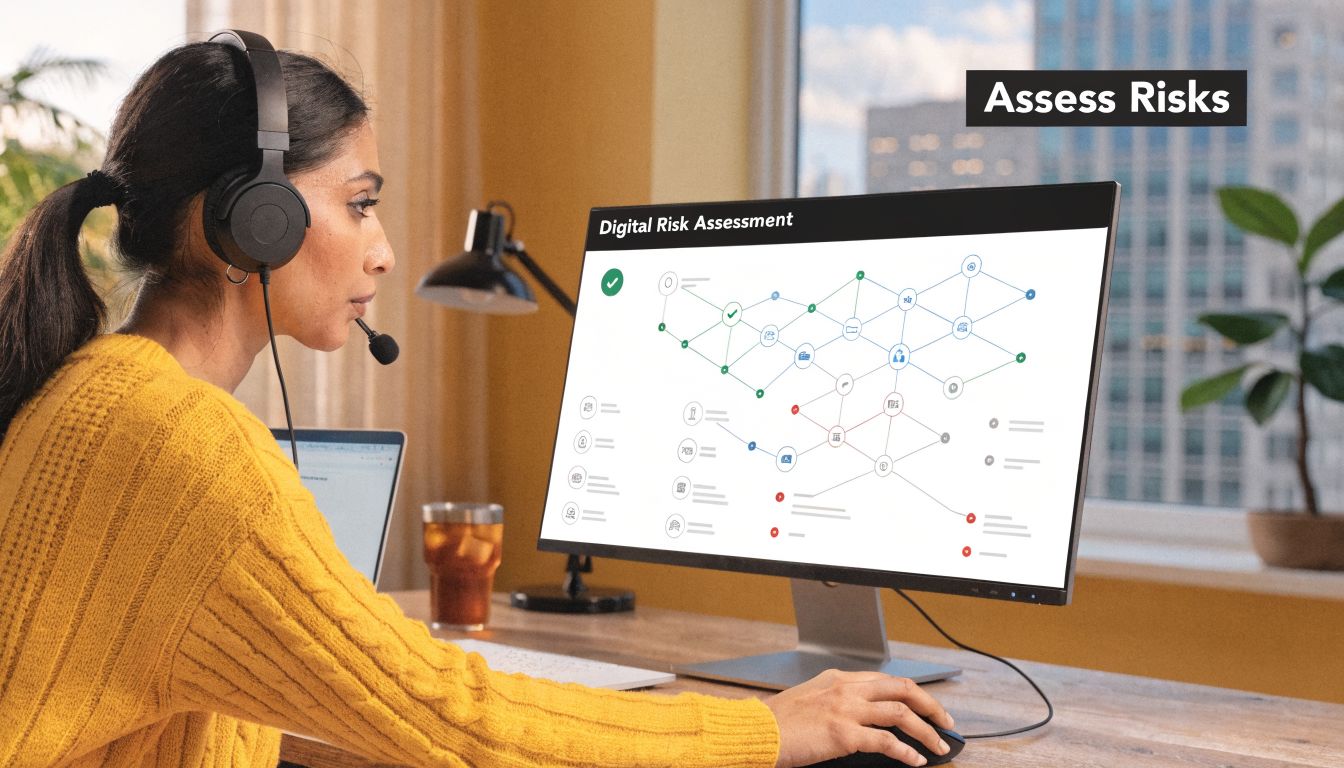
The hard question isn’t “What disasters exist?” The hard question is “What stops us from serving customers, collecting money, or operating safely?” Those answers shape the plan.
Start with business functions, not disasters
A useful risk review looks like a small Business Impact Analysis, or BIA. If your company has compliance obligations or formal audit requirements, this BIA guide for regulated environments is a helpful reference for structuring the exercise.
List your critical functions in plain language. For example:
- Sales intake: Website forms, email, phones, CRM access
- Order fulfillment: Inventory system, shipping software, barcode devices
- Customer support: VoIP, helpdesk, shared mailboxes, knowledge base
- Finance: Accounting platform, payment processing, payroll records
- Operations: File shares, Microsoft 365, line-of-business apps, printers, VPN
Then ask three questions for each function:
- What systems support it
- What happens if it’s unavailable
- How long can the business tolerate that outage
That exercise usually exposes hidden dependencies. A company may think its file server is the priority, but the bigger risk may be internet connectivity, Microsoft 365 access, or a cloud app that no one documented.
The consequence of guessing wrong can be severe. FEMA reporting cited by Invenio IT notes that 25% of businesses never reopen after a major disaster. That’s why “critical” should mean essential to survival, not merely important.
Don’t rank systems by who complains loudest. Rank them by revenue, customer impact, legal obligation, and operational dependency.
Account for combined cyber and physical events
Many small businesses plan for weather or cyber threats as separate tracks. Real incidents don’t always stay separate.
A Houston company might evacuate for a storm, shift to remote work, then discover that a rushed firewall change, unpatched laptop, or phishing click has created a second crisis. That mix is harder to recover from because the team is already distracted, displaced, or short-staffed.
Use this checklist when you assess risk:
- Physical disruption: Office access, flooding, power loss, damaged hardware
- Connectivity failure: ISP outage, unstable remote access, broken phones
- Cyber exposure: Ransomware, credential theft, unmanaged endpoints
- People risk: Key staff unavailable, no owner for recovery steps
- Vendor dependency: Cloud apps, internet provider, VoIP provider, backup platform
This short video gives a useful overview of how businesses approach recovery planning in practice.
The output of this section should be simple. You want a short list of priority systems, the business functions they support, and the consequences if they fail. Without that, every other part of your disaster recovery plan for small business use becomes guesswork.
Defining Your Recovery Goals with RTO and RPO
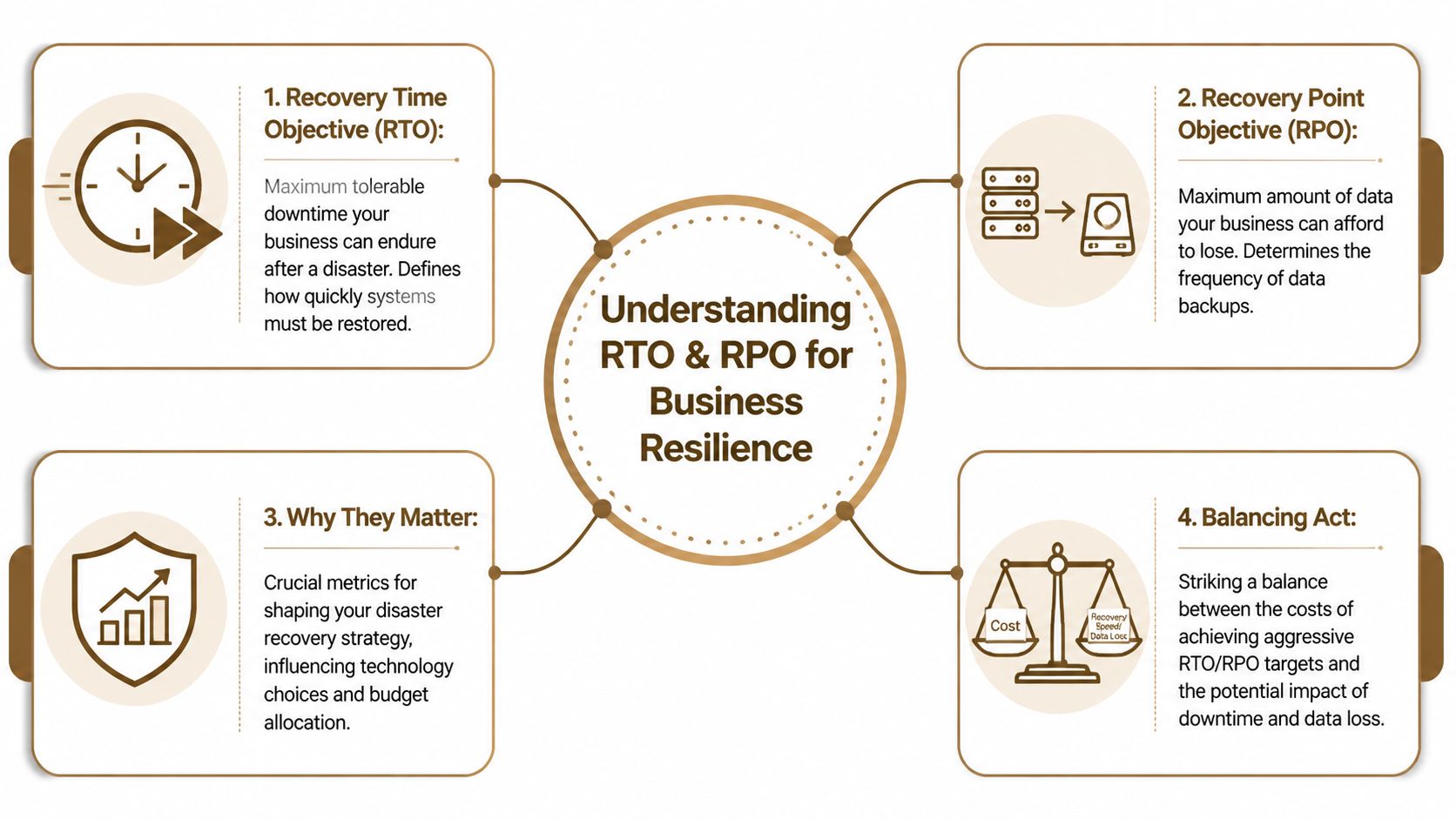
At this point, many plans become either realistic or fantasy. You have to decide how fast each system needs to return and how much data loss is acceptable. Those two decisions are RTO and RPO.
Translate tech terms into business questions
Recovery Time Objective, or RTO, means the maximum downtime you can tolerate.
Recovery Point Objective, or RPO, means the maximum amount of data you can afford to lose.
In plain terms:
- If your RTO for email is four hours, your team needs email back within four hours.
- If your RPO for accounting data is thirty minutes, you can’t afford to lose more than thirty minutes of changes.
That sounds technical, but it’s really a business call. A restaurant, law office, medical practice, retailer, and manufacturer won’t choose the same targets because they don’t lose money the same way.
Decision lens: Fast recovery costs more. Less data loss also costs more. If you want both, your backup design has to support it.
If you’re unsure how backup timing affects data loss, this article on how often you should back up your business data is worth reviewing before you set targets.
Set tiered targets, not one target for everything
One common mistake is giving every system the same RTO and RPO. That usually leads to overspending on low-value systems and underprotecting high-value ones.
Use tiers instead.
- Tier 1 systems need fast restoration and tight data protection. Think core business apps, identity systems, phones, or customer-facing platforms.
- Tier 2 systems matter, but short disruption is manageable. Internal file shares and some department tools often fit here.
- Tier 3 systems can wait longer. Archives, test environments, and nonessential internal tools usually belong here.
A simple way to set targets is to ask:
- What breaks first if this system is down
- Can we work around it manually
- Does lost data create financial, legal, or customer damage
- Would a longer outage cost less than the infrastructure required to avoid it
Once those answers are clear, your backup and recovery strategy becomes much easier to choose. You stop buying technology based on fear and start buying it based on business tolerance.
Choosing Your Backup and Recovery Strategy
Backup strategy is where small businesses often waste money or leave dangerous gaps. The right choice depends on the recovery targets you set earlier. If you need fast restoration, your design has to support fast restoration. If you can tolerate longer downtime, you may not need the most expensive setup.
The Block Advisors guide highlights why understanding the trade-offs between a 4-hour and a 24-hour RTO matters when investing in backup infrastructure. That’s the core decision. Speed costs money. Simplicity can cost time.
Match the strategy to the target
Most small businesses choose between cloud backup, on-premise backup, or a hybrid model.
Cloud backup is attractive because it removes a lot of local hardware burden. It also works well for Microsoft 365, cloud workloads, remote teams, and geographically separated recovery. If you’re comparing providers and architectures, this guide to cloud-based backup and recovery solutions for small businesses gives a solid starting point.
On-premise backup can still make sense when local restore speed matters and the business wants tight control over equipment. The downside is obvious during floods, fire, theft, or office access problems. If the backup sits in the same place as the primary systems, one event can hit both.
Hybrid tends to be the most practical for many SMBs because it balances restore speed with offsite resilience. Local copies can help with quick restores. Cloud copies protect against site-wide loss and support broader recovery scenarios.
If you run virtualized workloads, this guide to robust VM backup strategies is useful because virtual machine recovery has its own dependency and restore-order issues.
Backup Strategy Comparison Cloud vs. On-Premise vs. Hybrid
| Criteria | Cloud Backup | On-Premise Backup | Hybrid Backup |
|---|---|---|---|
| Recovery speed | Good for offsite recovery, may depend on bandwidth and platform design | Often fast for local restores | Strong balance of local speed and offsite recovery |
| Site-wide disaster protection | Strong | Weak if backup hardware is in the same location | Stronger than on-prem alone |
| Upfront cost | Usually lower hardware burden | Higher local equipment burden | Moderate to higher, depending on design |
| Ongoing management | Vendor platform plus policy oversight | More in-house hardware care | More moving parts, but more flexibility |
| Remote work support | Strong | Usually weaker unless paired with remote access design | Strong |
| Best fit | Cloud-first teams, distributed staff, SaaS-heavy environments | Offices needing very fast local restores | Businesses that need both speed and resilience |
A few practical rules help here:
- Choose cloud-first if your workforce is distributed and most work already happens in Microsoft 365 or cloud apps.
- Choose on-prem only with caution if your building itself is a meaningful risk point.
- Choose hybrid when you need faster restores for some systems but still need protection from a building-level event or ransomware scenario.
Cheap backup isn’t the same as usable recovery. The real test is whether you can restore the right systems, in the right order, within the business window you promised.
A backup product alone is not a strategy. Retention, isolation, restore order, authentication access, and testing matter just as much as where the copies live.
Building Your Response Team and Communication Plan
Technology doesn’t recover itself. People do. A plan without assigned owners becomes a list of good intentions.
The response team for a small business can be lean. It doesn’t need a command center. It needs authority, coverage, and clear handoffs.
Assign decision rights before the emergency
At minimum, define these roles:
- Incident lead: Declares the event, starts the plan, and approves major decisions
- Technical lead: Coordinates recovery of systems, backups, vendors, and security actions
- Operations lead: Prioritizes business functions and reports what the business needs first
- Communications owner: Updates staff, customers, and external partners
- Vendor coordinator: Contacts internet, cloud, VoIP, software, and facility providers
For very small companies, one person may hold more than one role. That’s fine if it’s documented and someone is named as backup.
A simple call tree helps. So does a one-page contact list stored somewhere your team can reach without relying on the primary office network. Include mobile numbers, vendor escalation contacts, account identifiers, and alternate communication channels.
If your organization has a larger field team or multiple locations, tools built to organize public safety personnel can help you think through accountability, assignment, and coordination structure even if you adapt the concept for commercial use.
Write messages before you need them
Most communication failures happen because teams wait too long and then send vague updates. Draft templates in advance.
Create short messages for these groups:
- Employees who need instructions on work status, alternate tools, and where to get updates
- Customers who need honest timing, affected services, and reassurance that the issue is being managed
- Vendors and partners who need technical context and a contact point
- Leadership who need decision-ready status, not raw technical noise
Keep each template short. Focus on three points:
- What happened
- What’s affected
- When the next update will come
Say less, but say it sooner. Silence causes more panic than an incomplete but honest update.
Also decide where official updates live if email is unavailable. That could be a phone tree, SMS group, collaboration app, or an external status page. The channel matters less than everyone knowing which channel is authoritative.
Testing Your Plan and Knowing When to Call an Expert
A disaster recovery plan fails in the restore, not in the writing.
Most small businesses have a document that sounds reasonable until someone tries to recover a server, sign in to the backup portal, or rebuild a line-of-business app under pressure. That is the point of testing. It exposes the parts that break when time matters. I have seen backups pass every daily job check and still fail during a real restore because the encryption key was missing, the service account had changed, or the recovery order was wrong.

Test the plan in layers
Start small. Build confidence. Then increase the difficulty.
- Tabletop exercises: Walk through a realistic outage and confirm who decides what, who approves spending, and who contacts vendors.
- Restore tests: Recover files, servers, or virtual machines into a safe environment and verify the data opens, the application runs, and users can log in.
- Access tests: Confirm the right people can reach backup systems, cloud admin portals, MFA methods, password vaults, and vendor support accounts.
- Process tests: Rehearse escalation, status updates, legal or compliance notifications, and handoffs between IT, leadership, and operations.
- Full recovery drills: Simulate a broader outage and check whether core systems come back in the right order with the right dependencies.
A practical test schedule works better than an ambitious one that never happens. Review the plan after major system changes. Run tests after cloud migrations, firewall changes, new security tools, office moves, or staff turnover. Even a 30-minute tabletop can uncover a bad assumption that would cost you a full day in a real incident.
The goal is not to prove the plan is perfect. The goal is to find weak spots while the stakes are low.
When outside help saves time and money
Small businesses can draft the first version of a disaster recovery plan for internal use. Many should. It forces clear decisions about priorities, downtime tolerance, and who owns recovery.
The limit shows up fast, though, once the environment gets more complex. That is usually the point where an owner is spending hours coordinating tools and vendors without getting a safer result.
Outside help often makes sense if any of these are true:
- You run a mixed environment with Microsoft 365, cloud workloads, on-prem servers, remote endpoints, and line-of-business apps
- You need ransomware-resistant backups and are unsure how to separate backup access from production access
- You rely on multiple vendors and need one team to coordinate escalation during an outage
- You have aggressive recovery targets that your current systems probably cannot meet
- You do not have staff time to test, document, and update the plan after changes
This matters even more for Houston businesses. Flooding, storm outages, building access issues, and internet disruption can overlap. That creates a different recovery problem than a single failed server. In that situation, a managed service provider can help you set priorities, design offsite recovery, and keep testing from slipping behind day-to-day work. If you are weighing that option, review the benefits of outsourcing your IT services to a managed service provider.
Use a simple rule. If your team can explain how each critical system will be restored, who will do it, what it will cost in downtime, and how often that process is tested, keep it in-house. If those answers are vague, or if one key employee carries the whole plan in their head, bring in expert help before the incident forces the decision.
Frequently Asked Questions About Disaster Recovery
How much does a small business disaster recovery plan cost
It depends on your recovery targets, not just your company size.
A business that can tolerate a longer outage and some manual workarounds can often use a simpler backup design. A business that needs rapid restoration, tight data-loss tolerance, remote access continuity, and security isolation will need more mature tooling and more oversight.
The most expensive mistake is buying for comfort instead of requirement. Start with critical systems, set realistic recovery goals, and spend there first.
Does business insurance replace a disaster recovery plan
No. Insurance and recovery planning solve different problems.
Insurance may help with covered losses, claims, and certain financial impacts. A disaster recovery plan tells your team how to restore systems, communicate, operate, and make decisions during the disruption itself. Those are not the same thing.
This matters even more in mixed cyber and physical incidents. Coverage terms, exclusions, notification requirements, and evidence expectations can vary. Owners should review cyber, property, and business interruption coverage with their broker before an incident, not during one.
What’s the difference between a DRP and a BCP
A Disaster Recovery Plan, or DRP, focuses mainly on restoring technology, data, and systems after a disruption.
A Business Continuity Plan, or BCP, is broader. It covers how the business keeps operating during the disruption, even if only at reduced capacity.
In practice, a small business needs both ideas, even if they live in one document. One part answers “How do we restore systems?” The other answers “How do we keep serving customers while restoration is happening?”
How often should the plan be reviewed
Review it whenever the business changes in a way that affects recovery.
That usually includes:
- New systems: A cloud migration, new SaaS platform, or server replacement
- People changes: New leadership, vendor turnover, or staff departures in key roles
- Security changes: New endpoint protection, identity platform, or backup vendor
- Location changes: Office move, expansion, or infrastructure updates
Also review after any real incident, even a small one. Minor outages often expose the same weaknesses that become painful during larger disasters.
A short review is better than a stale perfect document. Keep the plan lean enough that your team will update it.
If your business needs a practical disaster recovery plan, tested backups, Microsoft 365 protection, cloud recovery design, or hands-on guidance for Houston-specific risks, IT Cloud Global, LLC can help you build a plan that works under pressure, not just on paper.
- Houston IT Support: A 2026 Guide for SMBs
- How Long Does Data Recovery Take? Realistic Timelines
- What Is a Helpdesk Ticketing System? an SMB Guide
- Your 2026 Disaster Recovery Testing Checklist
- What Is Virtualization in Computing? Save & Boost Uptime
- Business Continuity Strategies: SMB Guide 2026
- Cloud Computing Solutions for Small Business: Houston 2026