


IT Maintenance Service A Houston SMB Guide
Your office is open, staff are logged in, and then one thing fails. Maybe Microsoft 365 won’t sync. Maybe the Wi-Fi drops during a busy sales window. Maybe a line-of-business app starts crashing and nobody knows whether the problem is the server, the network, or a bad update. In a small or midsize business, that kind of issue doesn’t stay “technical” for long. It turns into missed calls, delayed invoices, frustrated employees, and customer trust problems.
That’s why an it maintenance service matters. It isn’t just someone you call when a laptop dies. It’s the ongoing work that keeps your systems stable, secure, and recoverable before a bad day turns into a business interruption. If you run a Houston company, you also have local realities to plan for, including storm disruptions, remote access during weather events, and the need for fast on-site help when something physical fails.
Table of Contents
- What Is an IT Maintenance Service and Why Does It Matter
- The Core Components of a Comprehensive IT Maintenance Plan
- Managed Services vs Break-Fix Support Which Is Right for You
- Understanding SLAs and Pricing Models for IT Services
- Your Vendor Evaluation Checklist for Houston Businesses
- Making the Switch How to Transition to a New IT Provider
- Taking Control of Your Technology with IT Cloud Global
What Is an IT Maintenance Service and Why Does It Matter
An it maintenance service is the ongoing care of your business technology. That includes monitoring, patching, support, security upkeep, backup oversight, device health, and the operational discipline needed to keep problems from piling up in the background.
That sounds simple until you’re the one losing time while employees wait for systems to come back. Across industries, unplanned downtime averages $260,000 per hour globally, which is why proactive maintenance matters so much for SMBs trying to avoid disruption in day-to-day operations, as noted by Fabrico’s maintenance trends research.
Most Houston owners don’t need more jargon. They need a clear answer to a practical question: are we running our business on stable systems, or are we gambling that nothing important breaks today?
Reactive support creates expensive chaos
Reactive support usually looks cheaper until you live with it. A printer issue gets ignored. A firewall rule doesn’t get reviewed. A backup alert stays unread. Then a bigger problem arrives and your team is troubleshooting under pressure, with no clean documentation and no clear owner.
A solid maintenance service changes that pattern. Instead of waiting for pain, it creates routines around system health.
- Monitoring: Catchs warning signs before users become your alert system.
- Patching: Keeps operating systems, apps, and security tools current.
- Backup checks: Confirms recovery is possible, not just configured.
- Escalation: Gets the right technician on the right issue quickly.
- Documentation: Preserves institutional knowledge when staff or vendors change.
Practical rule: If your IT only gets attention when something breaks, you don’t have a maintenance strategy. You have an interruption strategy.
What business owners should expect
You should expect fewer surprises, clearer accountability, and faster recovery when something does go wrong. You should also expect your provider to explain risk in plain language. If a vendor can’t tell you which systems are most critical, how they’re protected, and how recovery would work during a storm or outage, that’s not maintenance. That’s vague reassurance.
For most SMBs, the primary value is stability. Your team gets to work. Customers can reach you. Files are available. Security tools stay current. And when a problem does surface, there’s already a process for handling it.
The Core Components of a Comprehensive IT Maintenance Plan
Good IT maintenance works a lot like vehicle maintenance. You don’t wait for the engine to seize before checking the oil. You handle the routine work so the expensive failure is less likely in the first place. Business technology is no different.

What a real maintenance plan includes
The basics should cover far more than “computer repair.”
| Component | What it means for you |
|---|---|
| 24/7 monitoring | Systems are watched for failures, performance issues, and unusual behavior before staff start calling in tickets. |
| Preventive maintenance | Updates, patches, firmware reviews, cleanup, and scheduled checks keep avoidable issues from stacking up. |
| Network management | Routers, switches, firewalls, Wi-Fi, and cabling are treated as business-critical infrastructure, not background equipment. |
| Security upkeep | Endpoint protection, access review, threat response, and policy management reduce avoidable exposure. |
| Backup and disaster recovery | Data isn’t just copied. Recovery steps are tested so you know what happens after a cyber event, hardware failure, or hurricane-related outage. |
This is also where tools matter. A provider working across Microsoft 365, Azure, AWS, Google Cloud, VMware, Hyper-V, VoIP, and on-prem gear needs a disciplined operating model. Teams that benefit most usually have documented procedures for recurring work, incident handling, and handoffs. If you want a clean explanation of clarifying operational runbooks and playbooks, that distinction helps when you’re evaluating whether a provider has real process or just tribal knowledge.
Why tiered support matters
Not every issue should be handled the same way. Password resets and basic access requests belong at the front line. Application crashes, strange network behavior, policy conflicts, and backend errors usually don’t.
A tiered support structure is one of the clearest signs that a provider knows how to operate. Tier 2 support handles complex, system-level issues that Tier 1 can’t solve, and 20-40% of tickets typically require that deeper expertise, according to InvGate’s guide to IT support levels.
That matters because your staff doesn’t care which queue a ticket sits in. They care whether the issue gets diagnosed correctly.
- Tier 1 handles common user problems, intake, and basic troubleshooting.
- Tier 2 handles root cause analysis, backend access, configuration changes, logs, and system-level fixes.
- Escalation discipline matters because poor handoffs waste time, duplicate effort, and stretch out downtime.
Don’t ask a vendor only how fast they answer. Ask who actually solves the hard problems.
One practical example is an SMB with Microsoft 365 and line-of-business software. A login complaint might look simple at first. The actual cause could be a sync issue, an endpoint policy conflict, a conditional access setting, or a network path problem. You want a provider that can follow that chain without guessing.
A maintenance plan is only complete if it handles both the routine and the messy middle.
Managed Services vs Break-Fix Support Which Is Right for You
This choice shapes your risk more than most businesses realize. Many owners think they’re comparing two support options. They’re choosing between two operating models.
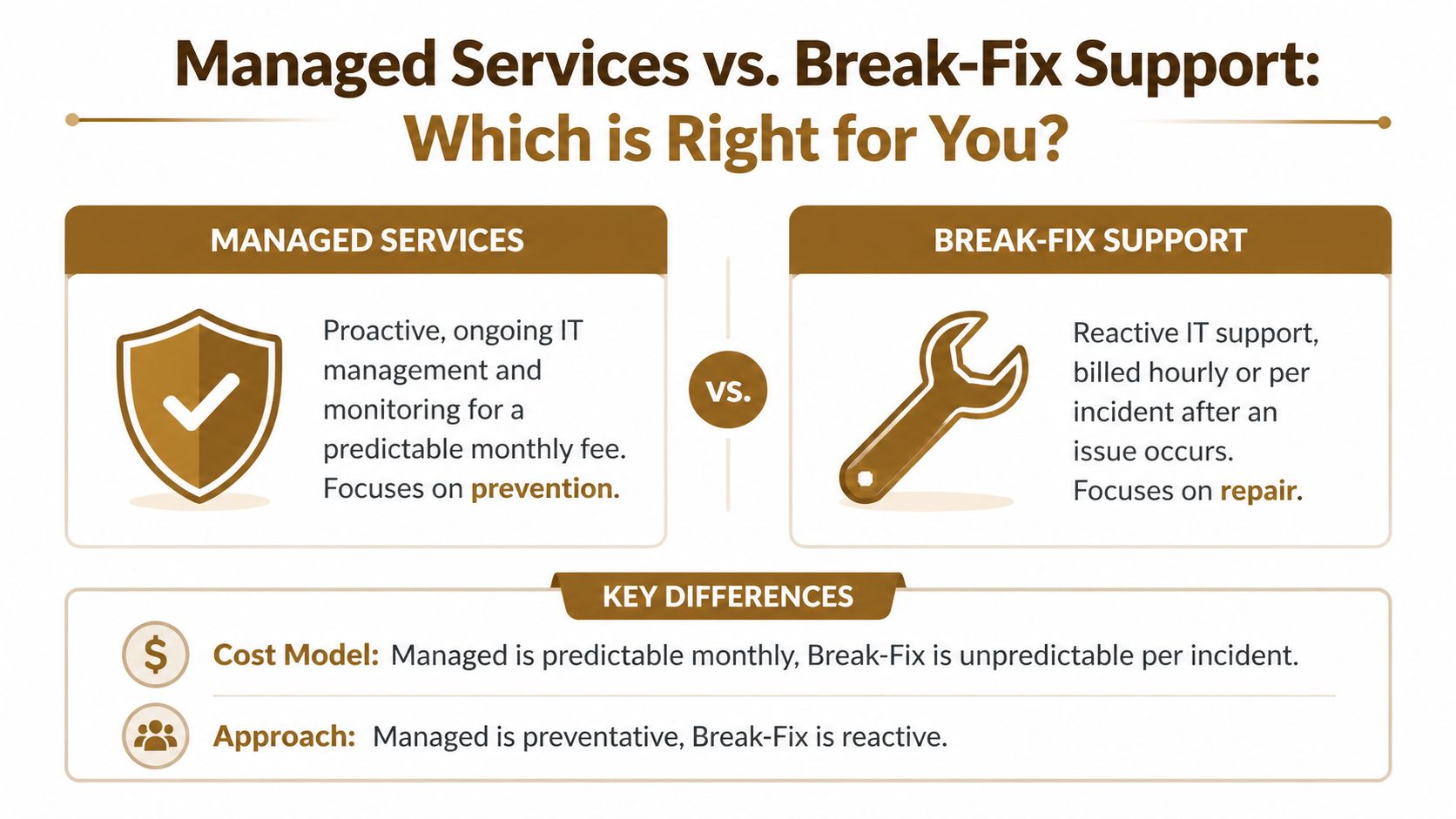
Managed services are like primary care. You pay for ongoing oversight because prevention, continuity, and early intervention matter. Break-fix support is more like the emergency room. You call when something hurts, then pay to get back on your feet.
How the two models feel in daily operations
Break-fix can work in very limited situations. If your environment is simple, downtime is tolerable, compliance pressure is low, and you already have strong in-house discipline, then paying by the incident may feel sensible. The problem is that most SMBs outgrow that setup before they admit it.
Managed services fit businesses that depend on uptime, remote access, cloud apps, and predictable support. A provider monitors systems, handles routine maintenance, manages alerts, and usually helps with planning instead of only repair.
Here’s the practical difference:
| Decision factor | Managed services | Break-fix support |
|---|---|---|
| Cost pattern | Predictable recurring spend | Irregular spend that rises when problems pile up |
| Support posture | Preventive and ongoing | Reactive after failure |
| Business alignment | Better for growing firms and operational continuity | Better for very small or low-dependency environments |
| Planning | Usually includes documentation, lifecycle review, and risk visibility | Usually limited to fixing the immediate issue |
| Security maintenance | More likely to include routine oversight | Often handled only after a visible problem |
The strongest argument for managed services is what happens before failure. Predictive maintenance can extend asset life by 20-40% and cut maintenance costs by 10-25% compared to reactive, run-to-failure strategies, according to Advanced Technology Services on digital maintenance. That doesn’t mean every business needs advanced sensors and analytics on day one. It means the proactive model has real operational advantages.
If you’re comparing vendors, this short guide on selecting managed IT solutions is useful because it frames the decision around support scope, business needs, and service fit rather than hype.
For a more service-specific look at the model, managed IT services and their benefits gives a straightforward explanation of what’s usually included.
Later in the buying process, it helps to hear the model explained verbally as well as in writing:
A practical way to choose
Don’t frame this as good versus bad. Frame it as fit.
Break-fix is often a mismatch if any of these are true:
- Your staff needs fast recovery: A few hours of outage disrupts revenue, service delivery, or internal operations.
- You rely on cloud systems: Microsoft 365, Azure, AWS, Google Cloud, VoIP, or remote collaboration tools need continuous upkeep.
- You have compliance exposure: Security work can’t wait until after an incident.
- You lack internal ownership: Nobody on staff has the time or authority to manage vendors, documentation, and technology standards.
Managed services usually make more sense when technology is central to daily work. That’s most offices now.
A break-fix provider restores what failed. A managed provider should reduce how often failure reaches your staff in the first place.
The mistake I see most often is waiting too long to switch models. By the time a business starts shopping seriously, they’re already tired of recurring outages, surprise invoices, and finger-pointing between app vendors, internet providers, and internal staff.
Understanding SLAs and Pricing Models for IT Services
A proposal can look polished and still leave you exposed. The problem is usually buried in the SLA and pricing language.
An SLA, or service level agreement, tells you what the provider is committing to. Not what they hope to do. Not what they “typically” do. What they will do under the contract.
What an SLA should actually tell you
The first thing to check is whether the vendor separates response time from resolution time. Those aren’t the same. A quick acknowledgment is nice, but it doesn’t restore your line-of-business app or reconnect your office.
Look for specifics such as:
- Issue priority definitions: What counts as critical, high, medium, or low.
- Response commitments: How quickly a technician engages after a ticket is opened.
- Escalation path: When harder issues move beyond frontline support.
- Coverage window: Business hours only, or after-hours support for urgent problems.
- On-site terms: When remote support is enough and when a technician will come out.
A weak SLA is full of broad language. A usable SLA tells you how the vendor behaves when things are busy, messy, or urgent.
If your contract promises a fast response but says nothing clear about escalation, ownership, or after-hours incidents, read it again before you sign.
How Houston businesses should think about pricing
Hourly support still has a place, but you should understand the trade-off. In Houston, IT support hourly rates typically range from $75-$150, compared with a national average that can be as high as $100-$200, and managed service contracts often deliver more predictable costs than reacting to issues one bill at a time, according to UpperEdge’s analysis of IT maintenance cost reduction strategies.
That doesn’t mean every managed contract is a bargain. It means predictability has value.
Common pricing approaches include:
| Pricing model | Where it fits | Watch for |
|---|---|---|
| Per user | Office-heavy businesses where each employee uses several services | Make sure security, helpdesk, and Microsoft 365 administration are clearly defined |
| Per device | Environments with many shared machines, kiosks, or specialized endpoints | Device count can drift if inventory isn’t reviewed |
| Tiered package | Firms that want a simple bundle with optional add-ons | Check what’s excluded, especially projects and on-site work |
Houston SMBs should also ask whether the proposal reflects local realities. Storm preparation, backup connectivity, remote work continuity, and fast dispatch all matter here more than they do in a generic national quote. If you want a good primer on budgeting variables, factors determining managed IT support service costs breaks down the main cost drivers.
The right price model is the one you can budget, understand, and defend internally.
Your Vendor Evaluation Checklist for Houston Businesses
A provider can sound competent in a sales call and still be weak where it counts. The fastest way to filter vendors is to ask direct questions that reveal process, tooling, and local readiness.

Questions about operations and reliability
Start with the work behind the scenes. This fundamental aspect separates good providers from polished generalists.
- How do you monitor endpoints, servers, cloud services, firewalls, and network equipment? You’re listening for specific systems and a clear explanation of alert handling.
- What does your patching process cover? Ask about operating systems, firmware, Microsoft 365 administration, firewall updates, and third-party software.
- How do you document environments and credentials? If the answer is vague, transitions and outages get harder.
- What happens when Tier 1 can’t solve an issue? You want a real escalation path, not “our team handles everything.”
- What platform do you use to manage work orders, maintenance history, and recurring tasks? Reliability challenges affect nearly 40% of managers, and work order backlogs average 4 weeks, so a provider using a modern CMMS is showing operational discipline, based on MaintainX maintenance statistics and trends.
A vendor should also be able to explain how they handle backups in plain English. Not just where data goes, but how recovery happens, who owns the process, and what the sequence looks like if your office is offline.
Questions about local fit and business risk
Houston businesses have operational realities that aren’t academic. Flooding, hurricanes, office closures, and remote work pivots are all part of the planning conversation.
Ask these questions directly:
- What’s your hurricane and severe weather continuity plan for clients in Houston? Look for remote support continuity, backup communications, and recovery priorities.
- Can you provide on-site support when a router, switch, printer, or workstation fails physically? This matters more than many cloud-first vendors admit.
- What industries do you already support locally? Medical, legal, construction, retail, and logistics all carry different support rhythms and risk profiles.
- How do you handle security and compliance expectations? If your business touches regulated data, you need more than antivirus and a hopeful policy document.
- Can you support both cloud and on-prem systems together? Many SMBs still run hybrid environments even after moving email and collaboration to the cloud.
Use the vendor interview to test judgment, not just capability. Ask how they’d prioritize recovery if your office lost connectivity after a storm, your staff went remote, and a shared file location became unavailable. The answer should sound calm, structured, and practical.
A local provider should also understand that some businesses need in-house depot repair, some need network cabling or Wi-Fi remediation, and some need cloud support tied directly to user productivity. Those aren’t separate worlds. They’re one operating environment.
If you want a broader screening framework, what to look for in an IT support provider for small businesses is a useful companion checklist.
Making the Switch How to Transition to a New IT Provider
Most SMBs delay switching because they fear disruption. That concern is reasonable. A sloppy handoff can create gaps in access, backups, monitoring, and support ownership. A professional transition should lower risk, not add to it.
Audit first then plan then onboard
The first step is an audit. Your new provider should inventory users, devices, licenses, cloud services, backup systems, network equipment, admin access, line-of-business apps, and security tools. If they skip this and rush straight to onboarding, they’re guessing.
The second step is a transition plan. That plan should define what changes immediately, what stays in place temporarily, and how credentials, documentation, and vendor contacts get transferred. Good providers sequence the handoff so there’s no confusion about who owns incidents during the changeover.
The third step is onboarding. That includes deploying or reviewing management tools, updating support contacts, validating backup and security coverage, and introducing your staff to the new support process. This is also when they should clean up obvious gaps such as former employee access, undocumented devices, or stale vendor accounts.
A smooth transition usually comes down to a few habits:
- Get admin access confirmed early: Don’t wait until an emergency to discover nobody can reach a critical system.
- Document current pain points: Recurring issues help the new team prioritize fast wins.
- Set communication rules: Your staff should know where to send tickets and what counts as urgent.
- Review backup and recovery first: This is the safety net during any provider change.
Switching providers shouldn’t feel dramatic. If it does, the process probably isn’t organized enough.
Taking Control of Your Technology with IT Cloud Global
The right it maintenance service gives you fewer fire drills, cleaner accountability, and a better handle on risk. It keeps maintenance from becoming a vague expense line and turns it into an operating function that protects uptime, security, and continuity.
For Houston SMBs, the local layer matters. You may need cloud support, endpoint security, Microsoft 365 administration, on-site troubleshooting, disaster recovery planning, and repair logistics that work during storm season. A provider should be able to support that full picture without making you coordinate five separate vendors.
That’s where a managed approach usually wins. Instead of waiting for failures, you build routines around monitoring, patching, backup validation, escalation, and documentation. The result is less improvisation when something breaks.
One Houston-based option is IT Cloud Global, LLC, which provides managed IT services, helpdesk and on-site support, cloud administration across AWS, Azure/O365, and Google Cloud, plus backup, disaster recovery, network support, and in-house repair services for local businesses. If your current setup feels reactive, fragmented, or hard to trust, a practical conversation with a local provider can help you see the gaps clearly and decide what to fix first.
If you want a clearer picture of where your current support model is helping or hurting, contact IT Cloud Global, LLC for a no-obligation conversation about your Houston business, your risks, and what a more reliable maintenance plan could look like.
- Houston IT Support: A 2026 Guide for SMBs
- What Is Network Access Control: Why Your Business Needs It
- Hybrid Cloud Management: A Practical Guide for SMBs
- Computer Service Near Me: A Houston Buyer’s Guide
- 7 Best Managed IT Services Houston TX Reviews (2026)
- Best IT Services Houston TX: Your 2026 Partner
- Managed IT Services Houston TX: 2026 Guide for SMBs