


Is There A Way To Fix The Overheating Issue Of My Laptop?
If you are overusing your laptop, overheating is a common problem. Other than this, running too many applications at the same time leads to laptop overheating.
Many laptop users don’t worry about overheating. They just shut down the laptop and wait for it to cool down. And once the laptop goes back to the normal temperature, they start using it again. Also, they forget that there was some issue with their laptops a few hours ago.
Shutting down your laptop for hours is a great way to cool it down but occasionally. If your laptop is getting overheated frequently, it means something is not right. You shouldn’t try this trick every time. You should try to work on the problem deeply and find out the actual reason for the problem. It’s because overheating can lead to hardware failure and permanent damage to your system.
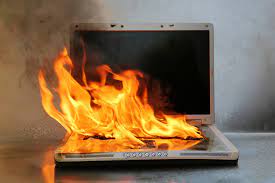
In this post, we will discuss the two primary reasons for laptop overheating and ways to solve them.
The laptop fan not working
When you use the laptop, the built-in fan runs at the maximum speed to keep it cool. But, sometimes, the same fan stops working or doesn’t run as expected, making the cooling system less efficient. And you very well know that a laptop doesn’t have enough power to cool itself down in the absence of a fan. So, you should fix the internal cooling fan and improve the cooling system of your laptop.
How to fix the internal cooling fan of your laptop
You should clean the cooling fan following the steps discussed below
- Use a cotton swab dipped in the drop of alcohol. Make sure you don’t use alcohol excessively as it can impact the overall functioning of your laptop.
- Next, use a vacuum cleaner and suck air to clean the exhaust port.
- Last, clear the intake grills by spraying them with the help of a canned air
When a layer of dust sits on the fan, it works slowly with less airflow. This is why cleaning is important. You should disassemble the laptop carefully for cleaning. Before cleaning, you should shut down the laptop first and remove the battery second.
The laptop was not placed on the flat surface
Working on your laptop lying on the bed has become a very common habit in the work-from-home scenario. But, this is not good for your laptop. It’s because the laptop doesn’t get normal airflow when placed on an uneven surface such as a blanket, pillow, or your lap.
This generally happens in the laptops that accept cooling air through their bottoms. The airflow gets blocked, overheating the laptop. To overcome this problem, you should place the laptop on a hard and flat surface while working on it.
Hire professional laptop repair services
As already said, overheating causes hardware failure and permanent damage to your laptop. So, if the ways discussed in this post to overcome overheating don’t work, you should take help from professional laptop repair services.
With experienced technicians, the problem of laptop overheating will be solved easily. Also, they will take care of other laptop problems.